Share It On:
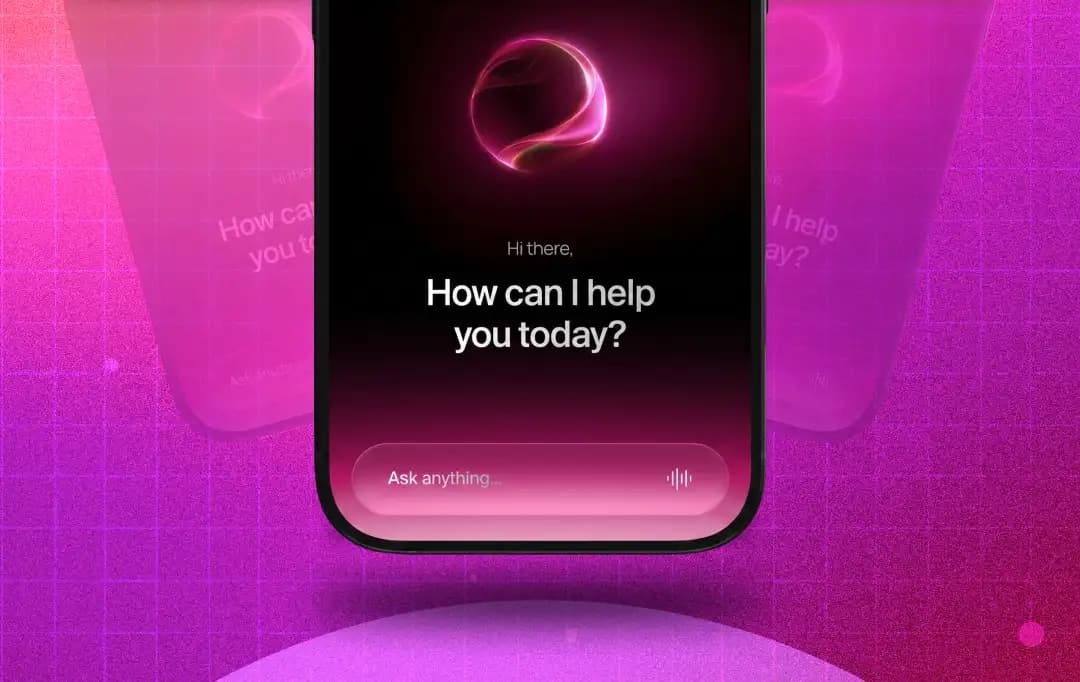 Your apps are getting a brain? Here’s our analysis of how AI agents are transforming mobile apps and what’s coming next for the industry?
The mobile app, as we've built it for fifteen years, is a menu. You tap to a destination, fill a form, wait, navigate back and try again. AI agents collapse that pattern. Tell the app what you want; it figures out the steps, calls the services, and reports back.
That is the shift that Gartner is calling the largest in enterprise software since the move to public cloud, a jump from fewer than 5% of enterprise applications integrating task-specific AI agents in 2025 to a projected 40% by the end of 2026. An eightfold move in eighteen months.
For mobile product teams, this changes the entire story of AI in app development. The tools to build these experiences are already in our hands. Today's flagship phones have built-in AI chips, and new APIs can shrink a complex five-step process into a single request. The infrastructure that was just a theory a few months ago is now a reality that teams use every day.
What this article gets into: where agents actually pay off inside a mobile app versus where they're a distraction, and what the early production failures have already taught the teams paying attention. So, read through for a clear breakdown of what these agents are, how they operate under the hood, and where they belong in your product roadmap.
|
KEY HIGHLIGHTS OF THE BLOG
|
What AI Agents in Mobile Apps Actually Are, And Where They Pay Off?
AI agents inside a mobile app are systems that take a goal, decide the steps on its own, and act across the app's services to get there. A chatbot answers; an agent does the job. The difference shows up the moment a task needs more than one step.
Not every mobile workflow benefits from one. The places agents actually earn their keep are narrower than the hype suggests, and they share a pattern: high friction, multiple steps, and a clear success condition.
1. Multi-step flows that lose users to drop-off
Manages everything from checkout, KYC, to claims and onboarding. Anywhere a user has to move across three or more screens to finish one job, an agent can compress the path and recover the abandoned sessions.
2. Customer support that currently routes to a human
Tier-one queries, refund status, password resets, plan changes and order tracking are where agents replace the human queue without degrading the experience. Recent research projects AI agents will handle 95% of customer interactions in the near term, and mobile is where most of those interactions start.
3. Scheduling and coordination work
One of the clearest benefits of integrating AI agents in mobile app development is handling booking, rescheduling, calendar coordination, reminders, and follow-ups. It's the kind of back-and-forth that quietly burns user attention and support hours, and where an agent can close the loop without a single screen tap.
4. In-app research and decisioning
Comparing options, summarising long content, pulling data from multiple sources to recommend a next action. Travel, finance, healthcare, and B2B apps see the clearest wins here.

How an AI Agent Works Inside a Mobile App?
When using AI in mobile apps, an agent relies on four moving parts working in a loop. It perceives input, reasons through a plan, calls tools to execute, and remembers enough to do better next time. The loop sounds simple, but it's really not, especially on a phone.
According to Analytics Insight, modern AI agents combine reasoning, memory, and autonomous workflows to make intelligent decisions with minimal human intervention.
Here are the four components of AI-first mobile applications explained:
1. Perception
This is everything the agent can see: the user's message, the device's context (location, time, sensor state), the app's open session, and whatever connected services the agent has been granted access to. On mobile, this layer has to handle partial information gracefully, because users speak in fragments and connections drop mid-task.
2. Reasoning
This is the LLM call. The agent decides what the goal is, breaks it into steps, and picks which tool to use first. The model choice starts to matter here, especially when integrating these systems via AI APIs for mobile app development, as long-context models like Claude handle multi-turn planning differently than function-calling-optimised models like GPT-5.
3. Tool use
It's where the agent actually does something: booking, querying, updating, sending. Every tool call is a real action against a real system, which means permissioning, validation, and rollback are not optional. If you get this wrong, your agents can corrupt CRM records or charge the wrong card.
4. Memory
This is the part most teams underbuild. Short-term context lives in the session. Long-term memory, including user preferences, prior decisions and what worked last time, needs a vector store and a retrieval layer that actually grounds responses. Without it, the agent might forget the user between sessions and re-ask the same questions.
None of this is something a typical mobile team has the bench depth to build from scratch, which is why most production mobile agents are built in partnership with specialist AI agent development services who have already shipped this stack in production environments.
Building an AI App Strategy That Scales
Most mobile app AI integrations fail at the strategy stage, not the engineering stage. And why? Simply because most teams pick the wrong workflow, build the wrong scope, and ship something their users do not really need.
Here’s what the best AI strategy for mobile app development would look like-
1. Start where the user is already losing
Map the workflows in your app where drop-off, support tickets, or rage-taps spike. Those are the moments where an agent earns its cost. Building an agent for a workflow that users already complete in under ten seconds is a vanity feature, not a product decision.
2. Build narrow, ship narrow
One agent, one job, one clear success metric. The temptation is to build a "do-everything assistant" because it demos well. But it should be doing the opposite. Focus on building separate agents, a checkout agent, a support agent, a scheduling agent, each owning a single workflow end-to-end. Narrow agents are easier to test, easier to fix, and easier to retire when something better comes along.
3. Pick the model after you pick the workflow, not before
Most teams start by choosing GPT-5 or Claude and then look for problems to solve with it. Reverse it. Define the workflow, the latency budget, the data sensitivity, and the cost cap first. This is especially important when integrating AI agents with existing AI-compatible business systems, as the right model should fit the workflow rather than dictate it.
4. Design for human override from day one
Every agent action that touches money, identity, or irreversible data needs a confirmation step or a clean rollback path. The travel agent that booked an affordable flight with a 10-hour layover, ignoring the user's preference for direct flights, is the kind of failure that only surfaces after the non-refundable window closes.
Confirmation flows are not friction; it's what keeps the bot from messing up and costing you money.
5. Instrument before you launch
Logs, traces, decision-step visibility, and a way to replay what the agent did and why. Teams that bolt observability on after launch spend the next six months guessing why the agent behaves the way it does. Teams that build it from day one ship the next iteration in weeks.
What the First Wave of Mobile Agents Got Wrong and What You Can Learn From It?
The teams shipping production agents and intelligent mobile applications in 2025 and 2026 have already paid the tuition. The mistakes show up in patterns, and most of them are not technical. So, here’s what you can learn from their mistakes-
| What went wrong | What to learn |
|---|---|
| Agents were given write access to bookings, payments, and account settings with no confirmation step | Anything irreversible gets a confirmation, even if it costs a tap |
| Models were grounded in stale, duplicated, or contradictory data | Fix the data layer before the model. RAG doesn't save bad sources |
| Chat bubbles got bolted onto existing flows and called agents | Replace a workflow, don't decorate it. Otherwise, retention won't move |
| Token costs ballooned the moment usage scaled | Route easy steps to smaller or on-device models. Cap per-session spend |
| In-app agents ignored Apple's App Intents and Google's UI automation framework | Build for the OS layer. Users now start tasks from Siri and Gemini, not your app |
*MobileAppDaily’s Tip: Treat agents the way you once treated push notifications, a powerful capability that turns hostile the moment it stops being used with judgment.
Where Mobile Agents Are Heading Next?
The AI workflow automation in apps will not stay where it is. A few shifts are already underway and will define what mobile app development teams are building-
1. The OS becomes the agent
Siri, Gemini, and the next wave of Android assistants are moving from voice interfaces to genuine cross-app orchestrators. Users will increasingly start tasks at the OS level, for instance, "book me a table near work for Friday", and the OS will call into whichever app can fulfil the request.
So the apps with clean, well-documented intents that the system can actually call will survive the future of mobile technology.
2. Single agents give way to multi-agent systems
By 2027, Gartner expects one-third of agentic AI implementations to combine multiple agents with different skills working on the same task. For mobile apps, this will look like a planning agent handing off to a booking agent, which hands off to a payment agent, each specialised, each replaceable. The teams already building this way are finding it easier to debug and faster to iterate on than one large agent trying to do everything.
3. On-device inference becomes the default for the easy steps
When looking at future trends in AI mobile app development, it becomes clear that cloud calls for every reasoning loop are not sustainable at scale, and the silicon is finally good enough that they no longer have to be.
Small models running on the Neural Engine or Tensor chips will handle the lightweight steps, intent classification, summarisation, lookups, and reserve the cloud for genuinely complex reasoning. The split brings latency down, battery life up, and privacy back into the conversation.
4. The interface stops being a screen
The further this goes, the less the user touches the app at all. The agent runs in the background, surfaces only when a decision is needed, and disappears again. So, as mobile app developers, you need to know that the product is no longer the UI. It's the workflow the agent runs on the user's behalf, and how reliably it does it.
Examples of AI Agents in Mobile Apps
If you want to see how AI agents are transforming mobile apps, you do not have to look far.
Two launches from the past few weeks define what mobile teams are now building against, specifically as we see AI agents replacing menus and buttons to create more intuitive, intent-driven interfaces:
1. Google Gemini Intelligence (announced at I/O 2026)
A system-wide agent layer that works across Android apps to handle multi-step tasks. Examples Google demoed include finding a class syllabus in Gmail and adding the required books to a shopping cart, or building a delivery cart from a notes-app list.
It runs in the background, shows progress through a live notification, and asks for confirmation before completing anything irreversible. Launches first on Galaxy S26 and Pixel 10.
2. Apple's Gemini-powered Siri overhaul
Under a multi-year deal with Google, Apple's next-generation Siri will be powered by Gemini models, with "the ability to take action for you within and across your apps." Expected with iOS 26.4 or iOS 27. Onscreen awareness and personal context retrieval are part of the package.
Conclusion
For most of mobile’s history, the rule for mobile apps was simple: force the user to open your app. But now, AI agents have broken this rule permanently. OS-level orchestrators like Gemini and the new Siri aren't just new interfaces, they are bypasses.
They transform mobile products from visual destinations into invisible services. If you build your app as a set of clean intents, you become the engine powering this new era. If you keep building your app as a walled destination, you are fighting for a user behavior that is already disappearing!
Frequently Asked Questions
What is an AI agent inside a mobile app?
AI agent is software that takes a goal, decides the steps on its own, and acts across the app's services to complete a task. A chatbot answers questions, an agent does the work.
How are AI agents different from chatbots?
A chatbot follows a script. An agent reasons, picks tools, takes actions, and adapts when something changes mid-task. The gap shows up the moment a request needs more than one step.
Which mobile workflows benefit most from agents?
Multi-step flows with drop-off (checkout, KYC, onboarding), tier-one support, scheduling and coordination, and research-or-decision tasks like comparing options benefit the most. Simple lookups and one-tap actions do not.
Do mobile AI agents work offline?
Partly. Lightweight steps can run on-device using the Neural Engine or Tensor chips. Anything requiring complex reasoning or external data needs a connection, which is why offline behaviour has to be designed for, not assumed.
Will Apple Intelligence and Gemini Intelligence replace in-app agents?
They will absorb a share of user tasks at the OS level, but they need apps to expose intents to actually do anything useful. The apps that expose clean intents win both worlds. The ones that don't lose the entry point entirely.

Uncover executable insights, extensive research, and expert opinions in one place.
Related Content