
We are not biased. We test and review every product. Here’s our Methodology.

EveryDollar

Get an in-depth EveryDollar app review, covering everything from budget creation to spending analytics. And see whether EveryDollar can truly simplify your finances or just make it more complicated.

MobileAppDaily Certified Rating
4.2 out of 5
Available on:
Let Your Product Take the Center Stage with Our Review
Sakshi Kaushik

Written By Sakshi Kaushik

Sakshi Kaushik is a curious storyteller who brings clarity to the chaos of innovation. She dives into artificial intelligence, blockchain, fintech, and healthtech, turning complex concepts into content that's both insightful and easy to follow. With a knack for making tough topics feel approachable, Sakshi writes for readers who want to stay informed without getting overwhelmed. Her work is where smart meets simple—blending curiosity with clarity, and delivering tech stories that resonate in a world that never stands still.

Explore More By Author

EveryDollar App Review: Why 10 Million+ Users Can't Stop Using It
EveryDollar Banner

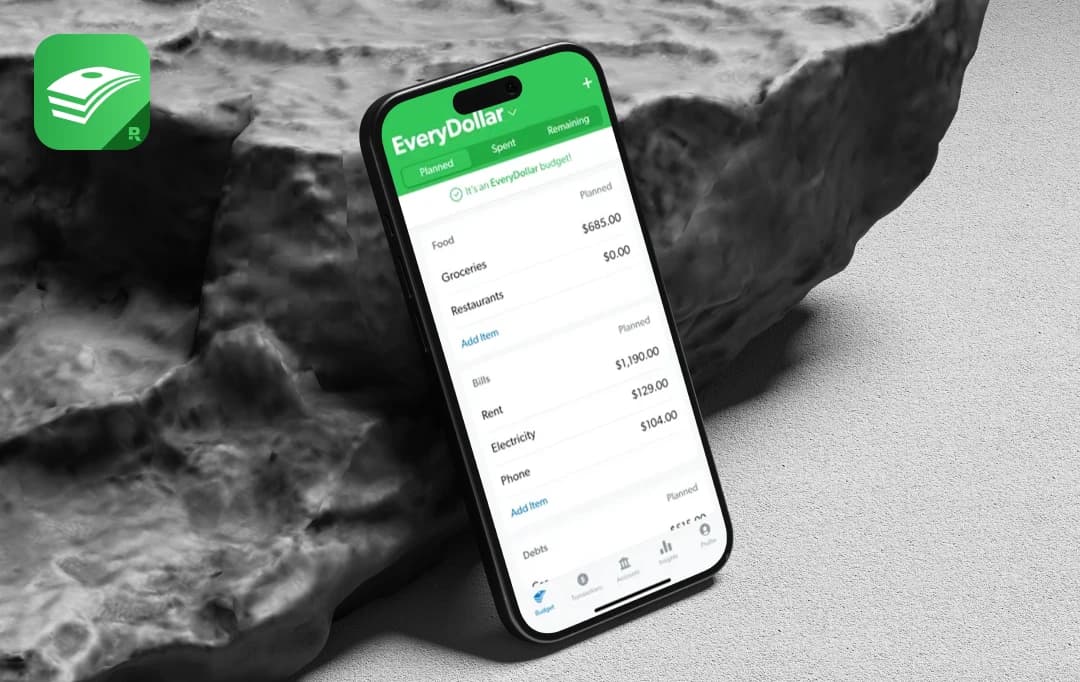
Personal finance apps are flooding the market with promises of transforming your money management. And if you're struggling with budgeting, you've probably heard about the EveryDollar app. It's Dave Ramsey's AI-enhanced budgeting tool that claims to simplify financial planning and make saving effortless.

I've personally spent months using EveryDollar. I discovered some of its striking features, which made the app worth trying out, as it offered every dollar a purpose. However, everydollar had some drawbacks, including a lack of detailed reporting. This EveryDollar app review will help you dive deep into its pros, key features, cons, pricing, user reviews, and more.

Let’s begin evaluating the EveryDollar app!

Pros and Cons of EveryDollar

Pros

  • Easy to learn and get started with budgeting.
  • An effective budgeting method that makes you plan for every dollar.
  • Offers a free version that helps beginners create a budget at no cost.
  • Great for tracking debt payoff and savings.
  • The app provides simple pie charts that make it easy to glance at your spending.

Cons

  • Lacks detailed reports or investment tracking.
  • Requires manual categorizing of all spending.
  • Premium features, such as bank syncing, are exclusive to users who subscribe.
  • The paid version costs more than that of their competitors.
  • Lacks custom reports, trend comparisons over time, or in-depth analysis.

Standout EveryDollar Features

As mentioned, smart budgeting apps are sweeping the market, and they’re expected to reach $6.6 billion by 2034. This has led to the huge popularity of finance management apps like EveryDollar. Let’s look at some of its key features that stood out to me. They’re the reason this app has become my go-to recommendation for anyone serious about budgeting.

1. Zero-Based Budgeting System

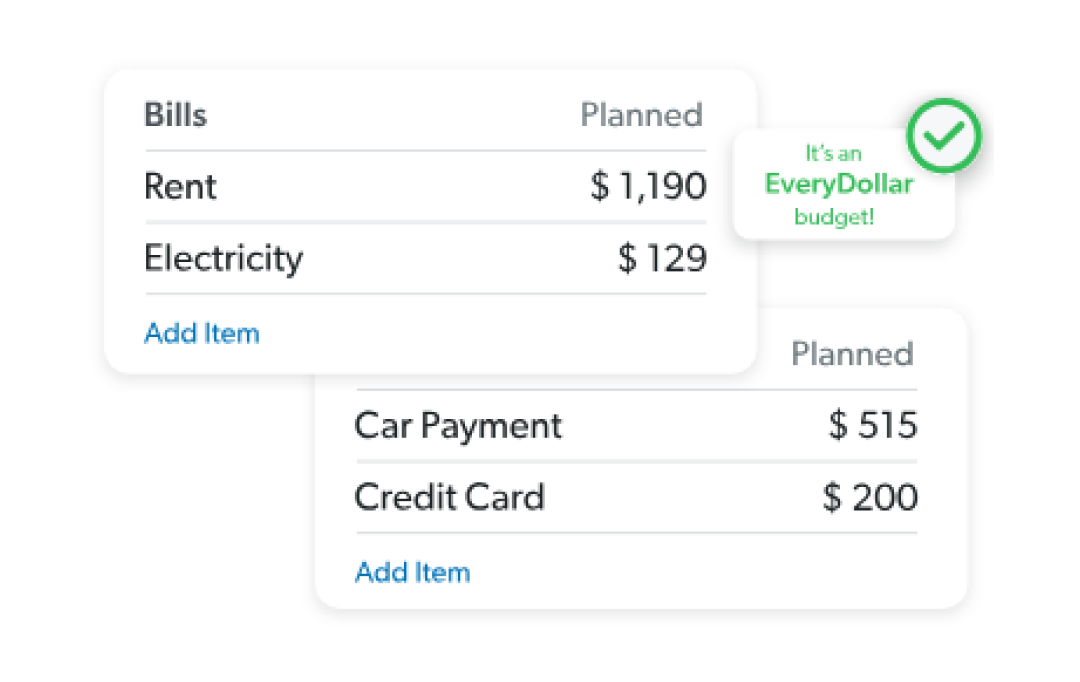
Before using EveryDollar, I would just track my spending and hope for the best. Here, it’s different. I have to give every single dollar a "job" at the start of the month. It forces me to be incredibly intentional, planning out everything, including my utility bills. Seeing that "It's an EveryDollar Budget," confirmation that my income minus my expenses equals zero is surprisingly satisfying. It means that every dollar earned for the month is assigned a role or a job, whether it’s saving, spending, or paying off debt.

2. Customizable Planning and Paycheck Budgets

EveryDollar app offers flexibility in planning. I can sit down and map out my entire month, creating custom categories for things that are unique to my life, like festival spending or specific household expenditures. The paycheck planning feature is also a lifesaver. It lets you break down your budget based on when you get paid, so you're never caught off guard and know exactly which bills to pay with each paycheck.

3. Easy Bank Connect

The easy bank integration offered by the premium version of the Every Dollar app was worth it. With your bank account connected with the EveryDollar app, whenever you pay, the transaction just shows up in the app. All you need to do is drag it to the right category, and it will make you feel more organised and accountable.

4. Financial Roadmaps

With, Everydollar app, you can easily create financial goals. This allows you to create separate digital envelopes for different goals—whether it's a down payment, a new phone, or an emergency fund. Watching those funds grow each month gives you a clear sense of progress and keeps me motivated to stick to my budget.

5. Set Your Reminder

Forgetting to pay a bill on time is the worst—it's stressful and can come with late fees. In EveryDollar, when I add a planned expense like my electricity bill, I can also attach a due date to it. The app can then remind me before the date arrives. It’s a simple feature, but it serves as a great safety net to ensure nothing slips through the cracks.

6. More Than an App, It’s a Guide

The premium plan includes access to a huge library of video lessons from Financial Peace University. I mostly ignored it at first. But one evening, I was curious about mutual funds and found a whole series of simple videos that finally made sense of it all for me. It’s like having a financial expert on call, which has made me feel much more confident about the financial decisions I make.

Where Your Money Goes Each Month?

Understanding EveryDollar Pricing

Curious about the premium features? You can explore them all completely free for 14 days. If you love it, you can keep your subscription for $17.99/month or save with the yearly plan at $79.99. Let’s look at the EveryDollar app cost here:

Feature Free Version Premium Version
Cost Free $17.99 or $79.99 / year
Customizable Budget Yes (Create a monthly zero-based budget) Yes
Transaction Entry Manual Only Automatic Bank Syncing
Savings fund Yes Yes
Goal Setting & Financial Roadmap No Yes
Smart Paycheck Planning No Yes
Custom Budget Reports No Yes
Group Finance Coaching No Yes
Smart Tracking Recommendation & One-click Recommendation No Yes
Bank Connect No Yes

Note: Pricing and features are subject to change.

Why Trust MobileAppDaily?

For us, Product Reviews mean diving headfirst into the functionality of each digital product, whether it’s an app, software, or website. Our process centers around hands-on testing of each tool we pick. From scrutinizing features to testing vulnerabilities of security standards, the goal remains to help you find products that don’t just work but truly elevate your experience. In a nutshell, if we’re recommending a product, it’s because we believe it’ll genuinely make your digital life easier.

  • Products Reviewed - 4,000+
  • No. Of Experts - 20+
  • Categories - 65+
Explore Our Methodology

Customer Reviews

Rate the product based on your experience?

How was your experience with the product?

To help you make a decision and form a comprehensive understanding about EveryDollar, let’s look at what different users have to say.

4 out of 5 stars
“ Best website for budgeting I've been using them for over a year now and honestly one of the best decisions I've made. I now feel a
SailorFini
TrustPilot
3 out of 5 stars
“ One major problem For the most part, I really like the way this app works, when it works right. However, the premium feature (best part of
Paul Kirchhofer
TrustPilot
5 out of 5 stars
“ The Apple of Budgeting Apps - Keep it simple I’ve been using EveryDollar since they first came out with it years ago. I’m a big fan.
GregSawyerJr
App Store
3 out of 5 stars
“ Good tool, some flaws I do like this app and it has helped me keep track of my spending much better than I had been. It
Kita_GSD
App Store
1 out of 5 stars
“ I was hoping to replace Mint but this is terrible I watch the shows and listen to the podcasts so I was optimistic and more than
MeatShackle
App Store

Also Reviewed By Us

MobileAppDaily’s Ratings for EveryDollar App

Feature

FEATURE

4.0

Strong for its core purpose of zero-based budgeting, but lacks investment and advanced credit card features.

Pricing

PRICING

4.5

Offers a free plan, with all the basic features to start with, and the premium subscription starts at $17.99/ month.

Performance

PERFORMANCE

3.8

The app itself is smooth, but inconsistent bank syncing on the premium plan can be a major issue.

User Experience

USER EXPERIENCE

4.5

Clean, intuitive design perfect for beginners, but can feel restrictive if you are looking for advanced functionalities in the free version.

Build Your Budget in 5 Simple Steps with EveryDollar App

Getting started with the EveryDollar budget app can feel like a breath of fresh air for your finances. Forget complicated spreadsheets and confusing software, and learn to budget with EveryDollar through simplicity.

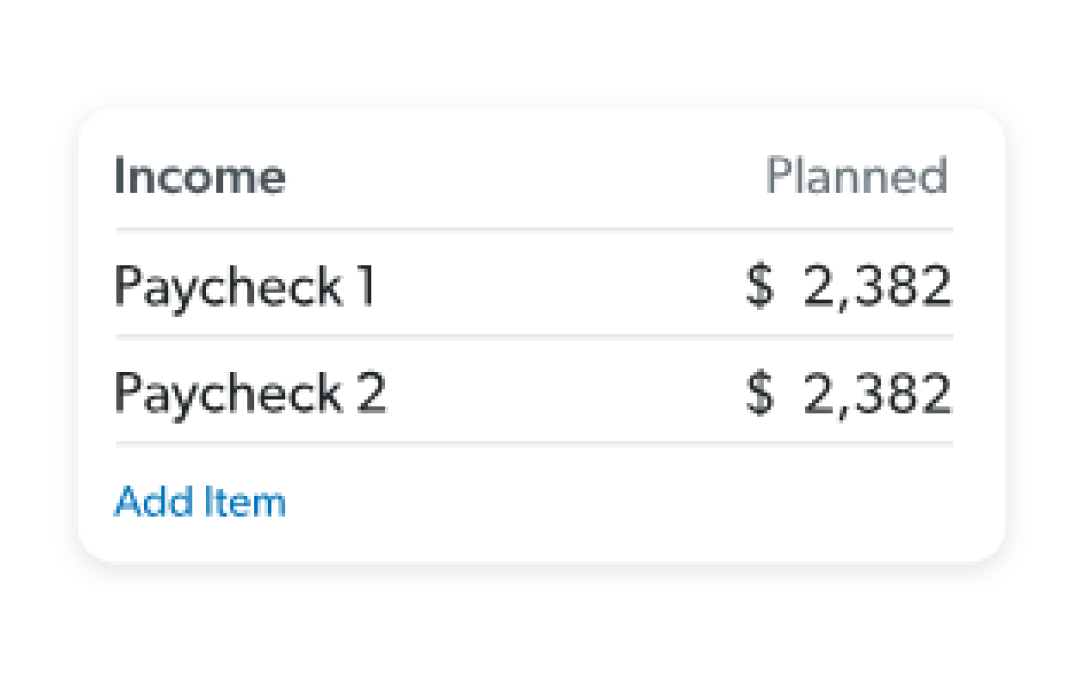
Step 1: Add Your Income

Start by entering all the money you expect to earn this month. This includes your regular paychecks and any extra cash from side hustles.

Add your expenses in the EveryDollar app

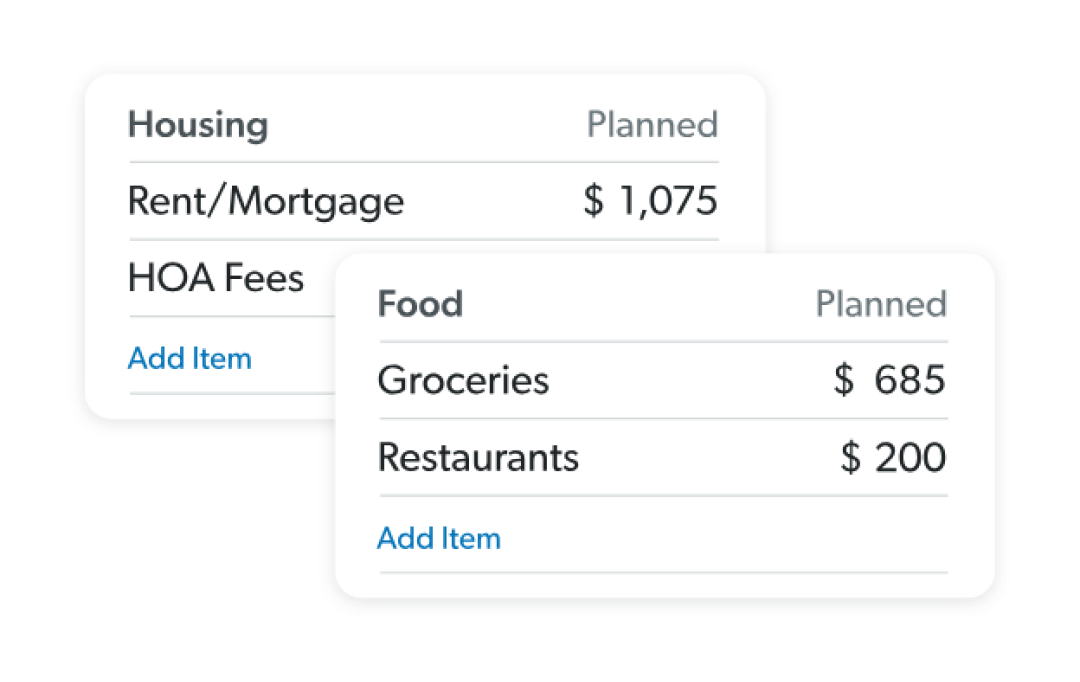
Step 2: Plan Your Expenses

Create a plan for your money before the month begins. Give every expense its own budget line, from rent and groceries to entertainment.

Allocate your expenses in the EveryDollar app

Step 3: Give Every Dollar a Job

Assign all your income to your expense categories until your income minus expenses equals zero. Essentially, this makes the foundation of a zero-based budget.

Subtract your expenses from your income

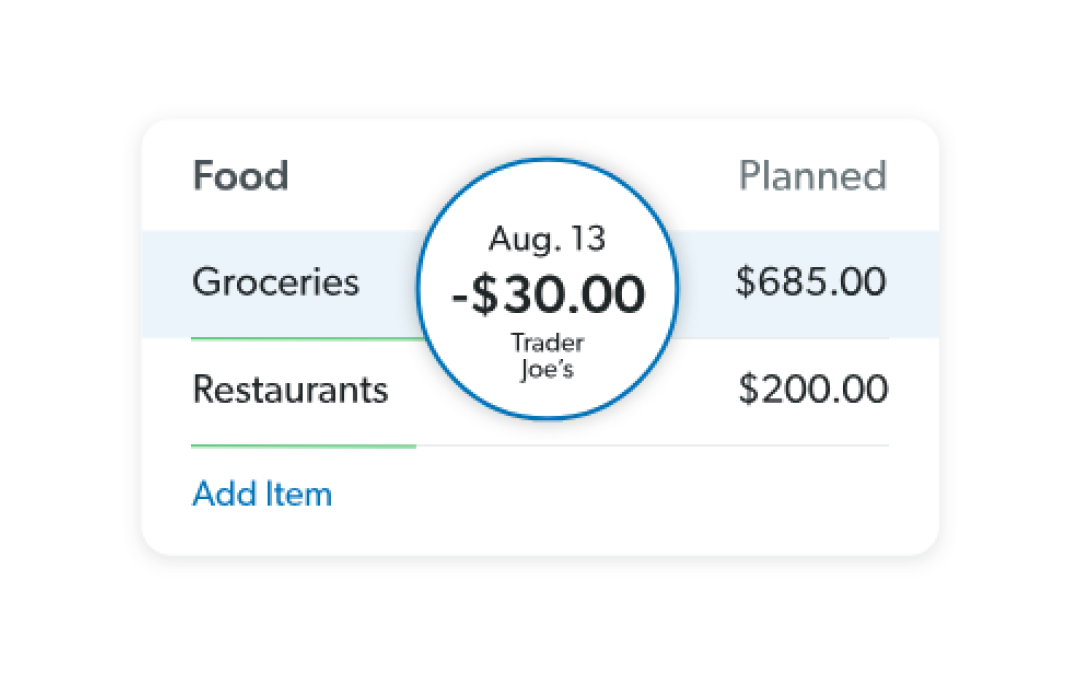
Step 4: Track Your Spending

Here, you can manually add expenses or use the premium version to sync them from your bank.

Track your expenses on the EveryDollar app

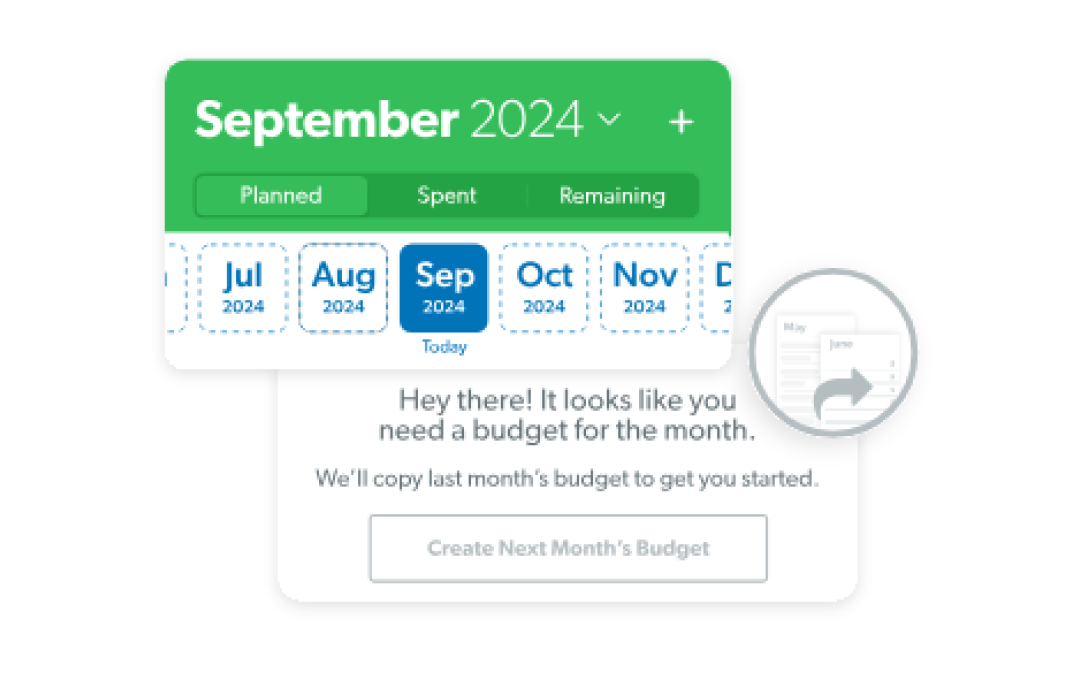
Step 5: Adjust As You Go and Plan For Your Next Month

Next, you can even adjust the money between categories, helping you maintain a balanced budget.

https://www.mobileappdaily.com/feed/personal-finance-management-guide

Helpful read: Tips on Personal Finance Management (Without Cutting on Lattes!)

EveryDollar Alternatives

Budgeting App Price Plan Key Features
YNAB (You Need A Budget) Premium Only: It costs $9.08/month or $109/year after a 34-day free trial. Offers zero-based budgeting, planning for irregular expenses, adapting to changes, and using real-time tracking with bank syncing and reporting to achieve financial goals.
Empower Personal Dashboard Mostly Free: Its powerful budgeting, spending, and net worth tracking tools are completely free. You pay if you decide to use their advisory services. It's perfect for tracking not just your budget but your entire net worth. The retirement planner is a fantastic, free tool.
Simplifi by Quicken Affordable Premium: It’s reasonably priced at about $2.99 to $4.99/month (billed annually) and offers a 30-day free trial. Gives you a personalized spending plan without the rigid rules of zero-based budgeting. Automatically categorizes spending, projects your cash flow, and lets you set specific savings goals.
HoneyDue Completely Free: The app is free to use, with no premium tiers for its core budgeting and tracking features. It lets you and your partner view all your finances in one place, set joint goals, split expenses, and even features a built-in chat for discussing transactions.
PocketGuard Premium with Free Trial: There's a 7-day free trial, after which the Plus plan costs $6.25/month (billed $74.99 annually) or $12.99/month. Helps you calculate your spendable cash after bills, goals, and recurring expenses. It also offers debt payoff planning tools.

Note: Pricing and features are subject to change.

Check out: 10+ Must-Have Best Investment Apps in 2025

Mobile AppDaily’s POV on EveryDollar

Seeing the buzz around personal finance apps, our MobileAppDaily team put EveryDollar to the test. We were impressed by how quickly it clarified spending. The zero-based budgeting method, forcing every dollar into a plan, was a major benefit. It reduced impulse "miscellaneous" spending by an estimated 40% in our trial. We tested it across various financial scenarios, finding its simplicity consistently advantageous for beginners.

However, while EveryDollar excels at basic financial discipline and tracking simple spending, it falls short in more complex areas, such as managing multiple investments or advanced credit card rewards. It also lacks in-depth expenditure analysis features. Some colleagues found categorizing expenditures painstaking, as the free version didn't sync with bank accounts. Despite these, it significantly elevates financial habits and improves overall stability.

Also read: Get Personal Financial Assistant on your Smartphone with these 10+ best AI-Based Financial Apps

What is EveryDollar used for?

Our reviewers primarily use EveryDollar in the following areas:

EveryDollar
Frequently Asked Questions

  • What exactly is the EveryDollar app, and how does it work?

    Think of it this way: at the end of the month, do you ever just wonder where all your money went? EveryDollar is designed to stop that from happening. It’s a budgeting app that gives every single dollar a job at the start of the month. So your money for rent, groceries, travel, and savings is all planned out. It sounds simple, and honestly, it is—that’s its biggest strength.

  • Is there a free version for EveryDollar?

  • How much does EveryDollar actually cost?

  • What am I really paying for with the premium version of EveryDollar?

  • Is EveryDollar safe to connect my bank accounts with?

  • Who should get this app?

Latest Products

Delve into our comprehensive yet easy-to-consume guides, which provide insights that help scale business faster and prevent unseen pitfalls.

Related Products

Cut through the clutter and explore related digital products that deliver on performance.

Fill in the details, and our team will get back to you soon.

Contact Information
+ =

Fill in the details, and our team will get back to you soon.

Contact Information
+ * =