


Gamma AI Review: Is the Era of Manual Slides Finally Over?
It is time to create a presentation for your next project, and you are continuously staring at a blinking cursor on a blank PowerPoint slide. You know that you are about to waste hours on formatting and designing. Most people drag text boxes and resize images until their eyes bleed, leaving their best ideas buried under a mountain of manual design work.
Your endless searching for an AI tool to transform your thoughts into beautiful presentations gives you no better results. But here is a tool for you. It’s Gamma AI!
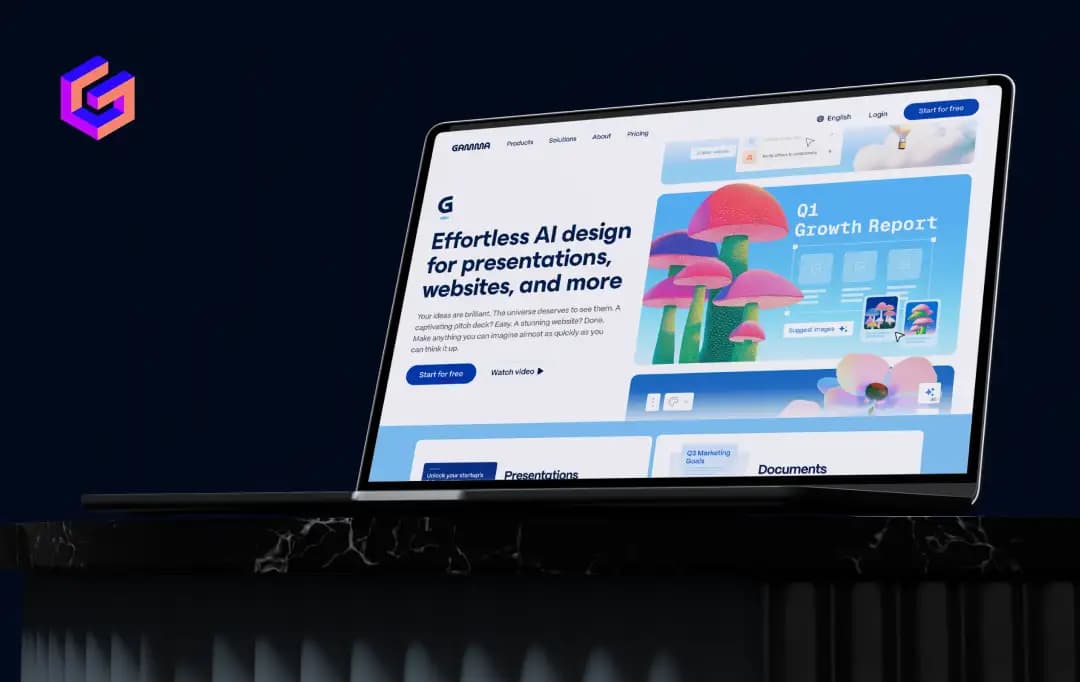
The Gamma AI takes your raw thoughts and transforms them into a polished, visual flow. Whether you are building a pitch deck, a document, or a quick landing page, this tool truly helps you craft magical experiences worth remembering.
I have thoroughly researched this tool to see if it truly changes the game for high-stakes consultants, creative marketers, sales experts, and educators. If you want to take the friction out of content creation and build beautiful decks without being glued to a design grid, keep reading.
This Gamma AI software review covers everything you need to know about the powerful AI tool that is quietly upgrading how the world shares ideas.
Pros and Cons of Gamma AI
Pros
- Uses a fluid layout engine to build out entire decks from a single prompt, cutting the initial brainstorming and structural grind down from hours to literal seconds
- You keep full authority over the narrative flow without needing to hire a designer for basic polish, which is a massive win for lean teams that need to move fast
- The "Card" system ensures your content looks sharp on a smartphone, unlike a standard PDF or slide that requires the "pinch-and-zoom" to be readable
- Allows for live embeds like YouTube, Spotify, or Google Sheets, turning a static file into a dynamic dashboard that stays relevant as data changes
- Perfect for professionals who value their time and want to focus on the high-level "why" of a pitch rather than the tedious "where" of a text box alignment
Cons
- The layout logic can be stubborn; if you have a very specific, pixel-perfect vision, the AI's design choices might feel restrictive
- While the Gamma AI PowerPoint export to PDF is possible, the transition isn't always perfect. You’ll often spend a few minutes cleaning up formatting hitches in the final file
Deep Dive Into the Features of Gamma AI
Gamma isn't just a text-to-image bot. It is a powerful AI presentation maker that understands how information should flow. Here is a breakdown of the core Gamma AI features that make it a go-to platform for marketers, consultants, sales executives, and educators:
1. The AI Generator
You can start from a blank page or import a messy PDF, but the actual magic happens when you just provide a single sentence. When you typed "A pitch deck for a sustainable clothing brand," and it didn't just give me pretty pictures. Rather, it built a logical narrative arc. It scaffolds the entire outline, from market pain points to the final ask, which saves hours of staring at a blinking cursor.
2. Flexible Cards
Traditional slides act like a cage. If you have a long table or a detailed chart, you usually have to shrink the font until it's unreadable. Gamma AI’s cards are ‘liquid.’ They expand vertically to fit your content without breaking the layout. It feels more like building a modern webpage than an old-school PowerPoint, which is a massive win for mobile readability.
3. One-Click Themes
I have spent way too much of my life picking hex codes and checking contrast ratios. With this tool, I spend zero time on the small stuff. I pick a theme, and the Gamma AI reviews the readability and color balance across the entire deck instantly. If I don't like the vibe, one click re-skins everything without moving your text an inch.
4. Live Embeds
Are you still sending a screenshot of a spreadsheet and telling the designer to embed the actual data? Stop, because Gamma AI will solve this. You can drop a live Google Sheets directly into a card. Also, you can embed TikTok or Spotify playlists. It turns what used to be a static, boring file into a dashboard.
5. The Chrome Extension
Researching usually involves a mess of 50 open tabs and frantic copy-pasting. The Gamma AI Chrome extension lets you pull snippets, images, and data from the web directly into your project. It is a lifesaver for those who need to collect data on the fly and want to see it formatted into their deck immediately.
Also Read: Best AI Presentation Makers
Gamma AI Pricing Structure
Gamma AI also offers free plans that work on a credit system. You get 400 credits at signup, which is plenty for a test drive to see if the workflow clicks with your style. It allows you to create up to 10 cards per prompt.
But if you are using this for professional work, you will likely look at the paid tiers. Is Gamma AI worth paying for? In my opinion, absolutely yes! It saves you multiple hours of design work a week. So, before any second thought, explore the pricing structure below and purchase it to simplify things at the workplace:
| Feature | Individual Plus (Monthly / Annual) | Individual Pro (Monthly / Annual) | Individual Ultra (Monthly / Annual) | Team Plan (Billed Monthly) | Business Plan (Billed Monthly) |
|---|---|---|---|---|---|
| Price | ~$12 / $9 per month | ~$25 / $18 per month | ~$100 / $90 per month | ~$20 per user/month | ~$40 per user/month |
| AI Credits | 1,000 monthly credits | 4,000 monthly credits | 20,000 monthly credits | 6,000 monthly credits | 10,000 monthly credits |
| Card Limit | Up to 20 cards per prompt | Up to 60 cards per prompt | Up to 75 cards per prompt | Up to 60 cards per prompt | Up to 60 cards per prompt |
| Branding | No Gamma watermark | Full custom branding & fonts with no Gamma watermark | Full custom branding & fonts with no Gamma watermark | Shared company themes with no Gamma watermark | Shared company themes with no Gamma watermark |
| Analytics & Sharing | Basic view tracking | Detailed analytics & advanced sharing | Access to the most advanced AI models (text, image, video) | Shared folders & admin controls | SSO authentication |
| Custom Domains | None | Up to 10 custom domains | Up to 100 custom domains | Up to 100 custom domains | Up to 100 custom domains |
| Best For | Extra AI power and removing Gamma branding | Premium AI models, API access, and customization | 20× more AI usage and access to advanced models | Teams needing collaboration, AI, and branding tools | Organizations adopting Gamma company-wide |
Gamma AI Suite: Why Gamma is More Than Just a Slide Maker?
The Gamma AI tool is really an ecosystem that lets you choose the best product for your task. Whether it’s a deck, a doc, a live webpage, or a social media post, this tool has it all for you. Each product is designed to take your raw notes and turn them into something professional without you having to click format a thousand times. Let’s explore the four products that Gamma AI offers:
| Product | What Is It? | How Gamma AI Can Help? |
|---|---|---|
| Presentations | Moves beyond the slide cage. Features fluid cards that expand vertically, AI-driven restyling to change the vibe instantly, and built-in engagement analytics. | Gamma AI for PPT replaces the rigid 4:3 aspect ratio. These decks look sharp on a smartphone and allow interactive embeds that keep clients engaged. |
| Websites | A zero-code landing page builder that handles responsive design, custom domains, and lead-capture forms with a single click. | You don’t need a developer or a weekend to validate an idea—just a prompt. Perfect for marketers who need a live landing page for a lead magnet in minutes. |
| Social Media | A visual content engine that takes a big idea and atomizes it into LinkedIn carousels, Instagram stories, or square posts. | Skip the manual resizing nightmare. Generate multiple high-quality visual assets from one idea and maintain a consistent personal brand. |
| Documents | Visual memos, white-page briefs, and interactive project proposals with smart layouts and nested content blocks. | These feel like a premium page or mini-site, making documents more engaging than traditional PDFs that often go unread. |
How Gamma AI Actually Solves Problems for Different Professionals?
The magic behind the Gamma AI tool isn't just a simple text generator. It uses a sophisticated ‘Layout Engine’ that pairs with Large Language Models to understand the hierarchy of your information.
When I put the Gamma AI tool through its paces, I didn't care about the marketing fluff. I wanted to see if it could actually handle the messy, specific tasks that eat up the billable hours. Whether I am trying to close a deal or explain the quadratic formula, the platform isn't just a generic template. It’s a framework that adapts to the language of your industry. I found that the platform acts more like a strategic partner than a simple design tool, adapting its logic to the specific needs of your industry.
| Industry | The Real-World Pain Point | The Gamma Power Move |
|---|---|---|
| Consultants | Burning billable hours on manual formatting for strategy decks, project briefs, and board-level reporting. | Feed your discovery notes or a messy project outline into the Gamma AI review engine to instantly generate a structured, executive-ready framework. |
| Marketing | The grind of turning a deep GTM strategy or complex campaign brief into multiple visual reports for different stakeholders. | Turn your master plan document into multiple visual outputs. Gamma AI transforms dense marketing data into engaging decks and reports. The Gamma AI Chrome extension can also pull live competitor data directly into a presentation. |
| Sales | Sending static “vFinal_v2” PDFs into a black hole with no visibility into what prospects view or when they view it. | Send a live interactive link using Gamma AI. Embed personalized videos or calendars, and update the deck once to instantly reflect changes for everyone using the link. |
| Educators | Trying to engage modern attention spans with outdated static slides. | Create lesson plans and syllabi that feel like interactive stories. Embed YouTube videos, quizzes, and visual elements into layouts that work across any device. |
Also Read: Best PowerPoint Apps
Customer Reviews
How was your experience with the product?














