


Kling AI Review: Can It Bring the Video You're Imagining to Life?
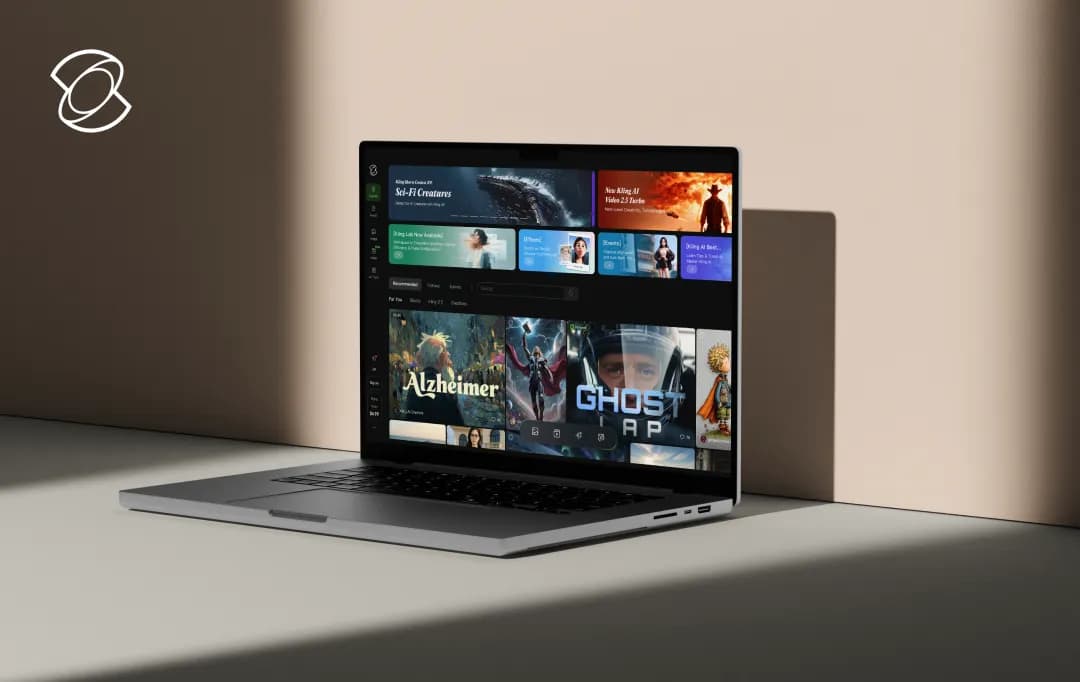
If you're a marketer or creator, you know the feeling: the demand for professional-grade content is always high, but getting things right like smooth animations, believable lip-syncing, and consistent character designs is a real hurdle. kling AI shows up with a bold promise to change that. It’s designed as a suite of generative AI tools that anyone can use, regardless of their technical skill. But the real question is: does it actually deliver?
So, I decided to do a deep-dive evaluation to find the answer. This Kling AI review is my honest assessment of how the platform performs, highlighting what works well and where it falls short.
Read on to discover if this is the creative engine your workflow has been waiting for, or if it appears simple but ends up being more complicated.
Pros and Cons of Kling AI
Pros
- Applies advanced AI technology for realistic character animations
- Provides different models for video and image creation process
- Adjusts visuals, colors, fonts, and voiceovers to match your brand identity
- Generates videos in different ratios like 1:1, 16:9, and 9:16 to suit various platform requirements
- Delivers realistic characters with natural expressions and fluid body movements via 3D reconstruction
Cons
- Generating high-quality videos demands substantial computing power
- Videos may occasionally show distorted visuals or morphing errors
- Maximum video length capped at 3 minutes even with extensions
Creative Studio Tools
The kling AI creative studio is packed with a wide range of tools for making everything from videos to sound effects. Below is our review of the core kling AI features, where I break down what each tool does and how well it performs in practice.
1. AI Video Generation
In my evaluation, kling AI's video generation tool proved to be both capable and versatile. I found it highly effective at creating content from text and image prompts, with a key strength being its selection of distinct models like Video 2.5 turbo and Video 1.6. This allows for a wide range of stylistic outputs, including 3D, cinematic, anime, and realism.
From a workflow perspective, several features stood out. The ability to generate four video variations at once is incredibly useful for A/B testing creative concepts. The platform also lets you extend existing videos by simply describing the next scene or using a prompt from DeepSeek, a powerful tool for building longer narratives.
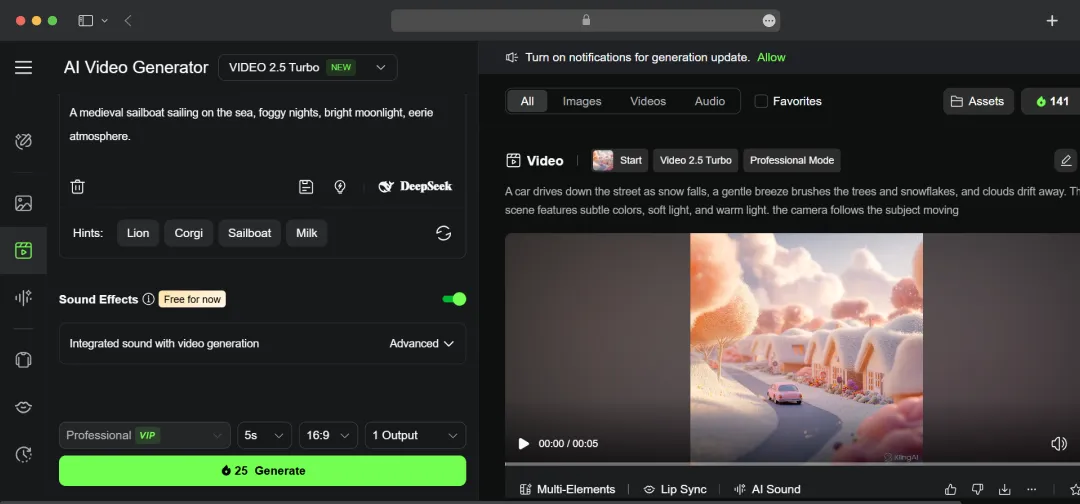
For more granular refinement, kling AI offers a suite of advanced creative controls. The platform directly integrates options for adding dynamic camera movements and sound effects. The 'Motion Brush' feature is particularly helpful, as it allows for applying precise motion to specific objects or areas within a scene. To ensure a professional result, the tool also provides the ability to fine-tune transitions between frames for a more polished finish.
2. Lip Syncing
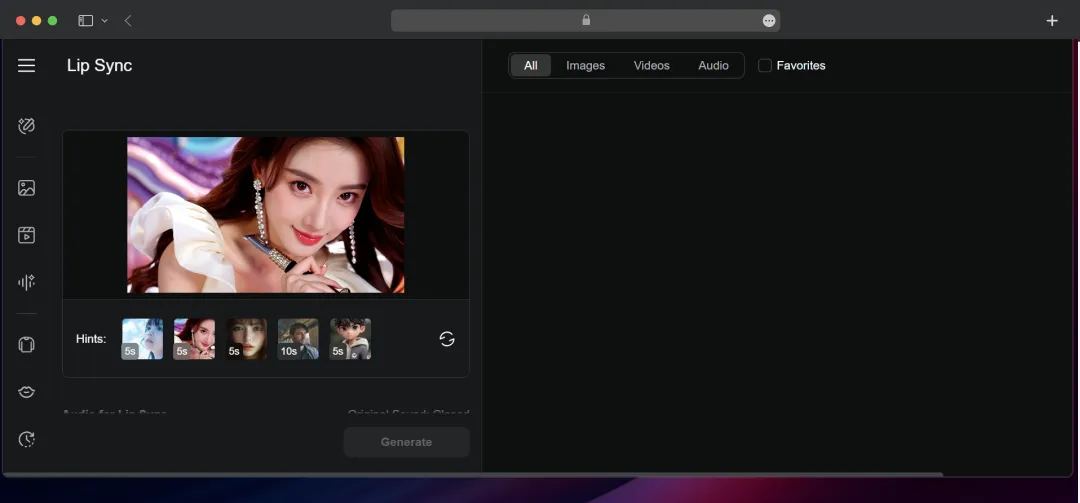
The platform’s lip-syncing is another standout feature. It offers the flexibility to generate dialogue from either a text prompt or a custom audio file, supporting high-quality 1080p/720p videos up to 100 MB. What particularly impressed me, however, was the ability to isolate a specific character within a video and precisely sync their speech. A preview option is also included, which is helpful for verifying that the lip movements are perfectly aligned before rendering.
3. AI Image Generator
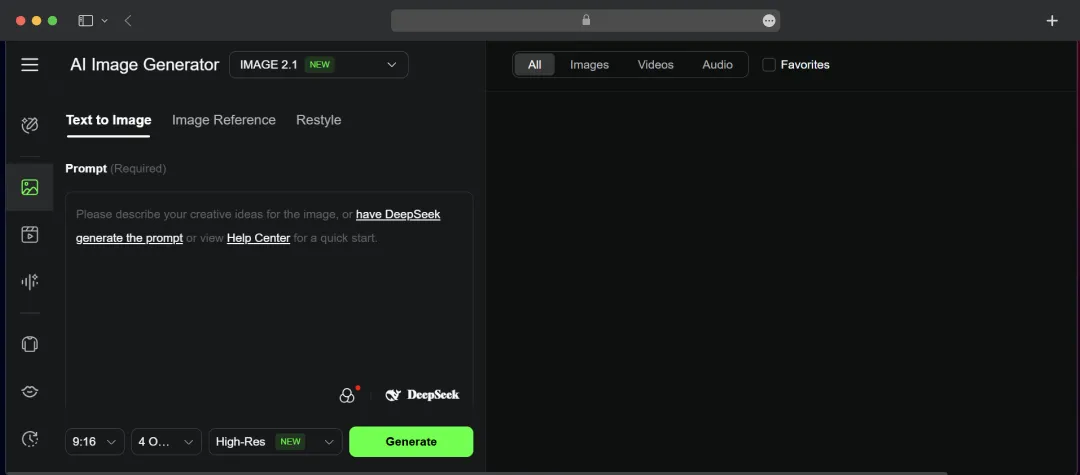
kling AI’s suite of image generation tools is impressively versatile, allowing you to create visuals from text, a reference image, or by applying a new style. The workflow is highly practical for creative exploration, as you can generate up to nine outputs at once across eight different aspect ratios and choose your desired resolution. For more artistic control, the platform includes specialized models like Image 2.0 for cinematic shots and Image 1.5 for realistic portraits. The restyling function complements this with a solid variety of filters, including popular options like Ghibli and cartoon, to quickly apply a distinct aesthetic.
4. Creative Effects Library
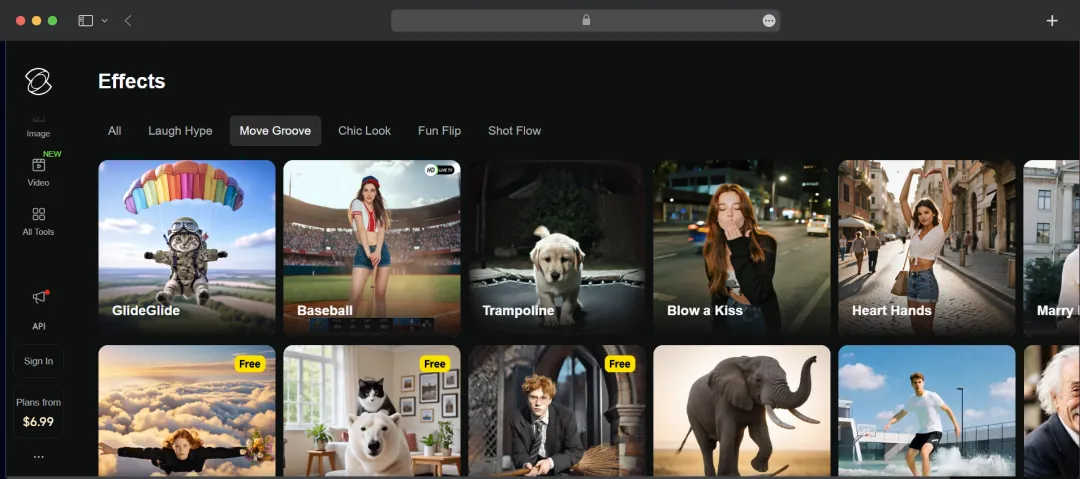
kling AI’s Creative Effects Library is a diverse and practical toolkit for adding a final layer of polish to both images and videos. The collection is well-organized into five creative categories, such as the dynamic ‘Move Groove’ and the stylish ‘Chic Look’, which makes finding a specific aesthetic incredibly straightforward. The library includes a range of standout options, from the playful ‘Pet Vlogger’ to the fluid ‘GlideGlide’ effect, providing a quick and effective way for you to polish projects.
5. Image Editing
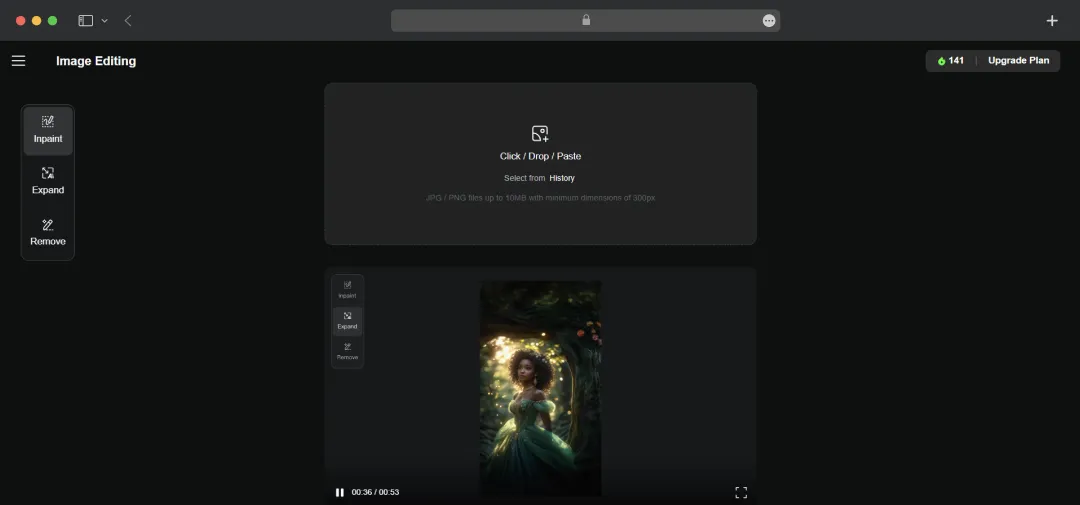
Beyond its generation tools, I was impressed with kling AI’s practical suite of AI Photo Editor tools. It handles standard JPEG and PNG files up to 10 MB and offers three core functions: you can expand an image’s canvas, remove unwanted objects, or use inpainting to modify details. Overall, it is a highly effective toolkit for making quick, generative edits and refining images directly within the platform.
6. AI Sound Effects Generator
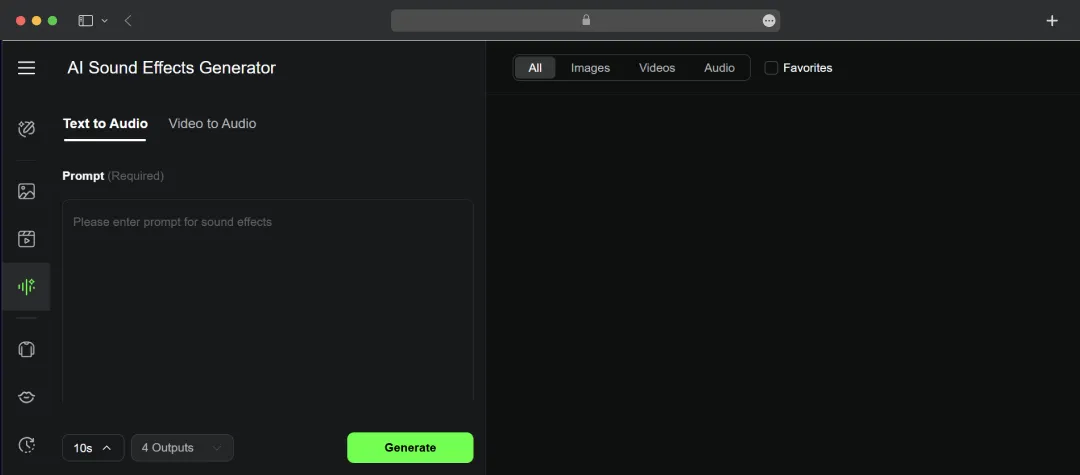
kling AI’s integrated sound effects generator is also a powerful addition that rounds out its creative suite. What impressed me most was its flexible dual-input system; you can either generate audio from a simple text prompt or upload a video (up to 3 minutes, 1080p) and have the AI create a matching soundscape. For both methods, the tool generates four distinct audio options simultaneously, a workflow highly efficient for comparing and selecting the perfect sound for any scene.
7. Models for Character Creation
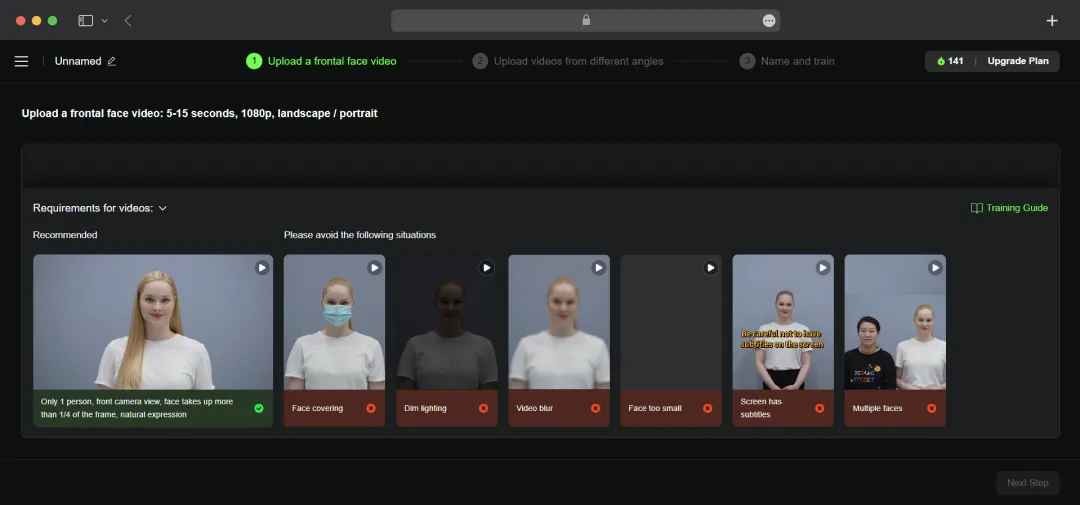
For creators focused on building a unique and consistent visual identity, the Custom Model feature to be a particularly powerful tool. The process itself is straightforward; by providing a single face reference, the AI generates a consistent and reusable character that can be used across multiple videos. This is an essential capability for maintaining brand consistency in marketing campaigns or for ensuring character continuity in narrative projects.
8. AI Virtual Try On Generator
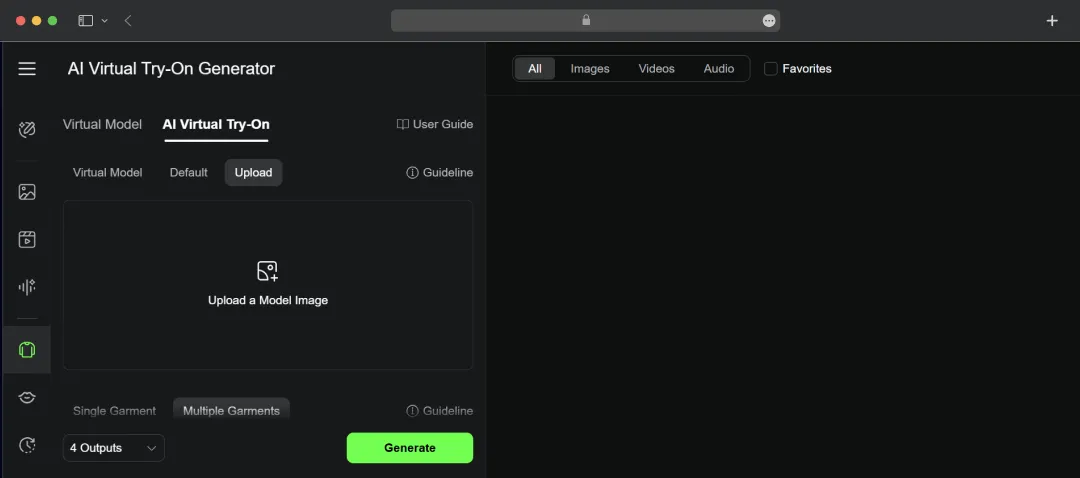
I liked the Virtual Try-On generator to be a powerful feature, particularly relevant for fashion and e-commerce applications. I was impressed with the flexibility of its model creation, which allows you to define a character using presets for gender, age, and skin tone, or describe one entirely with a text prompt. The workflow is also highly intuitive; uploading a model's photo (JPG/PNG) to pair with various garments is a straightforward process. This efficiency is amplified by the tool's ability to generate four simultaneous outputs valuable for quickly visualizing and comparing different styles.
9. kling’s Lab
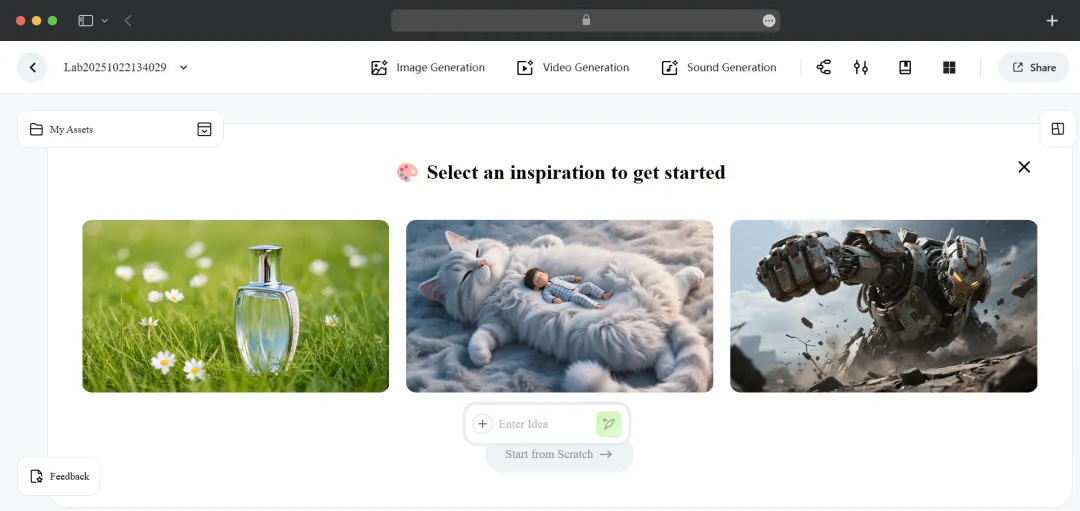
kling's Lab is the centerpiece of the platform, effectively functioning as both a creative workstation and an integrated asset library. I particularly liked its streamlined approach to creation; you can initiate a new project, whether an image or a video, simply by entering an idea. Its role as an asset library is just as vital, essential for managing larger projects and maintaining an efficient, professional workflow.
API Platform
I explored kling AI’s API platform and found that it offers a well-organized suite of APIs for different creative tasks. This modular approach is highly effective, allowing you to selectively integrate powerful generative tools for video, imaging, and sound, and build the exact custom workflows you need. Let's explore its APIs in detail below:
1. Video Generation API
kling AI's Video V2.1 API is remarkably comprehensive with enhanced prompt adherence, improved dynamics, and superior aesthetics. The developer-friendly integration impressed us with its scalability for building custom video generation applications.
- Text-to-Video API: Supports multiple models, modes, durations, and aspect ratios with controllable camera movements.
- Image-to-Video API: Enables different models and lengths with start/end frame control, motion brush, and camera movement capabilities.
- Video Extension API: Extends videos by 4-5 seconds with multiple continuations up to 3 minutes.
- Lip Sync API: Synchronizes portrait videos with local audio files or TTS-generated dubbing.
- Video Effects API: Provides one-click single-image and dual-character effects with natural results.
- Elements Reference API: Accepts 1-4 reference images for multi-subject consistency across characters and scenes.
Also Read: Best Video Editing Apps for 2026
2. Image Generation API
kling AI's Image 2.0 API offers enhanced prompt adherence, 60+ style support, and cinematic-quality output. The API's flexibility impressed us with its comprehensive image creation capabilities for custom applications.
- Text-to-Image API: Supports free-form text input with image generation across different models and customizable sizes.
- Image-to-Image API: Enables generation across different models and aspect ratios with complex controllable features, including character references, appearance references, and general reference support.
3. Intelligent Scenarios API
For developers building e-commerce or fashion applications, I found kling AI's Virtual Try-On V1.5 Model API remarkably versatile, as it supports any clothing type, body shape, and pose configuration.
What impressed me most is the flexibility across e-commerce, marketing, and entertainment scenarios—developers can integrate virtual try-on capabilities that accommodate diverse body types and dynamic poses, eliminating photoshoot constraints while maintaining photorealistic garment rendering.
Kling AI NextGen Initiative
kling AI offers a NextGen Initiative designed to support emerging creators beyond software access. The program provides funding grants up to $1 million for full projects or $300,000 for partial funding (50% coverage), global distribution opportunities with claimed reach of 500 million viewers, and personal branding support through film festival submissions and industry events.
I also noted early platform access and professional workshops as part of the package. However, important details like selection criteria, application processes, and acceptance rates weren’t clearly specified. While the initiative demonstrates kling AI's commitment to fostering creative talent, you should thoroughly evaluate terms and expectations before relying on this program as a primary funding source.
How to Use kling AI for Video Generation?
Generating a video in kling AI involves a straightforward process. Here’s a clear, step-by-step guide:
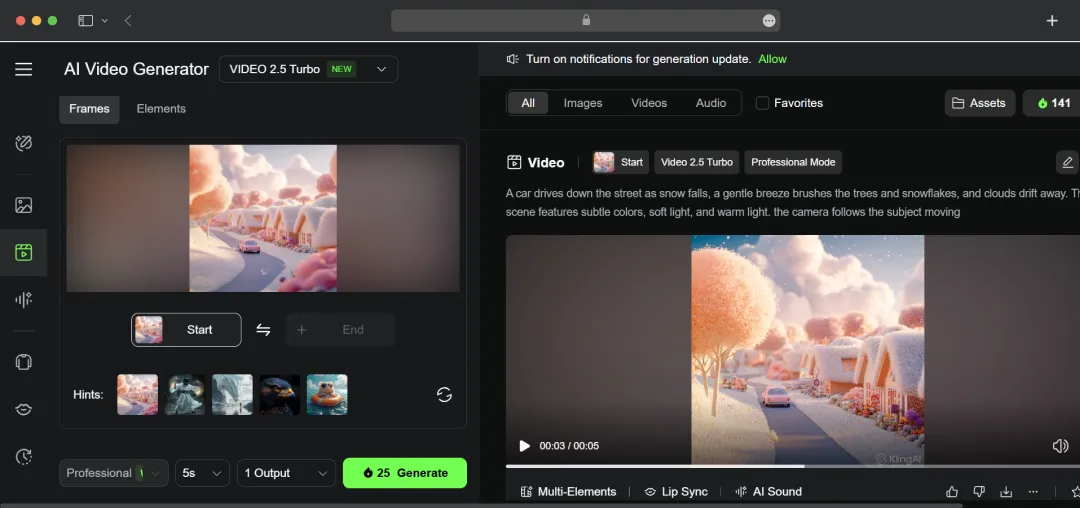
Step 1: Define Your Concept and Input: Start by writing a detailed text prompt describing the video you want to create. You can also upload a source image for image-to-video generation, or use a combination of both a prompt and an image for more specific results.
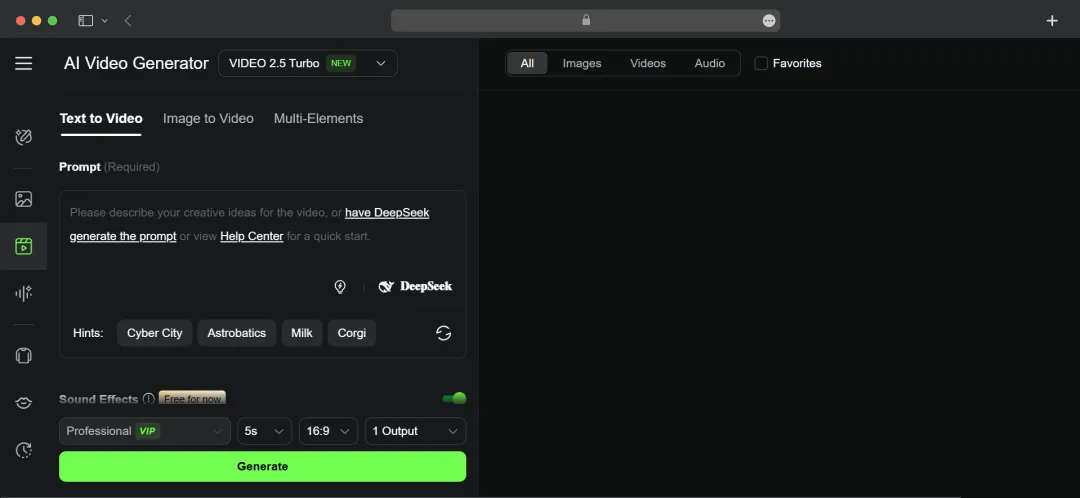
Step 2: Select Your Generation Model: Choose the AI model that best fits your project's needs. kling AI offers several options with different strengths, such as Video 2.5 Turbo for faster generation or Video 2.1 Master for higher detail and realism.
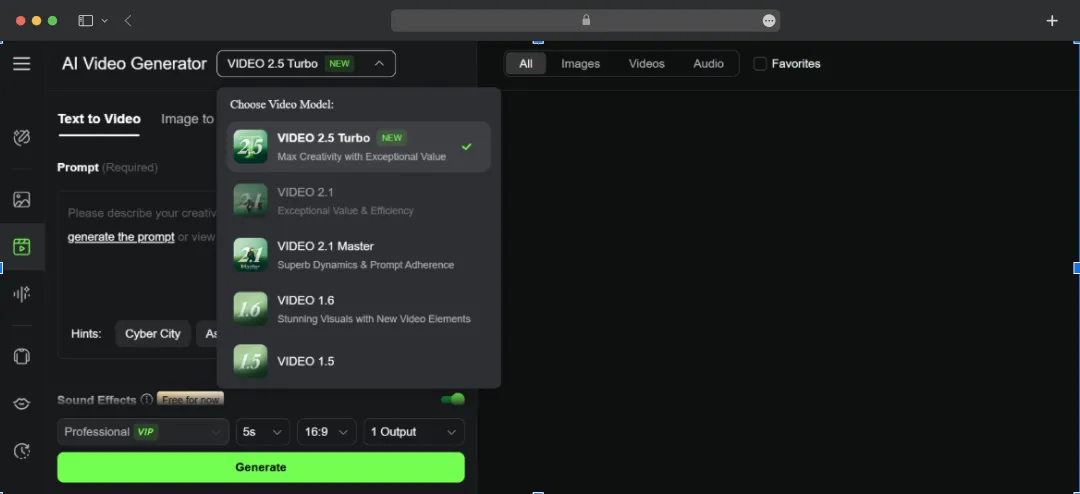
Step 3: Adjust Advanced Settings (Optional): Refine your output with specific controls. For example, when generating from an image, you can use the Video 1.6 model to add precise motion control. You can also add descriptive hints or specify other parameters to better guide the AI.
Step 4: Describe the Audio: In your prompt, describe the sound effects or background music you want to accompany your video. Being specific here will help the AI generate a more fitting soundscape.
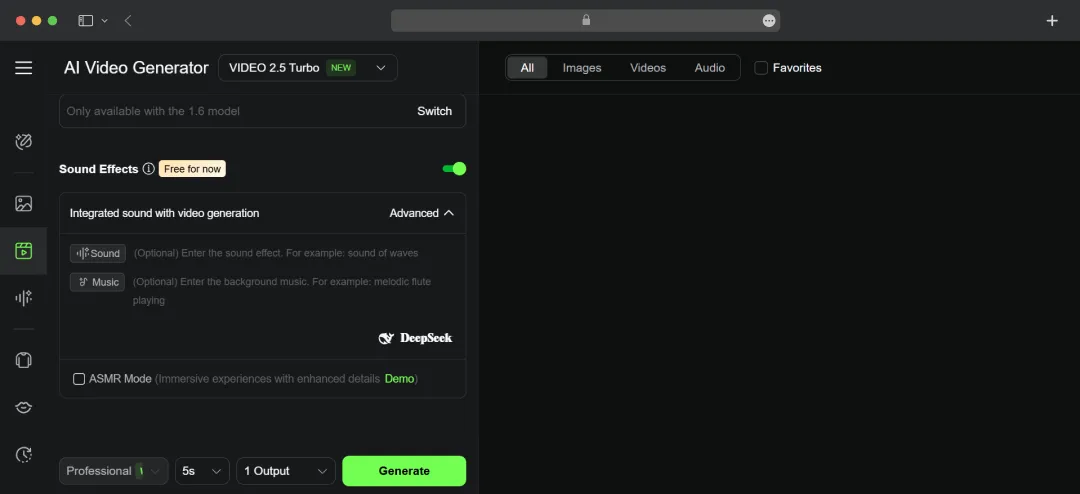
Step 5: Generate and Finalize: Once all your settings are in place, initiate the generation. After processing, your video will be available to preview, download, or publish directly.
kling AI Price Structure
kling AI structures its pricing around a credit-based system with four membership tiers ranging from Standard to Ultra, each offering progressively more credits. It also offers a free trial package when you sign in to the platform, and you get 166 credits and access to advanced features like video extension and professional video creation mode. Here is the comprehensive overview of kling AI price tiers.
1. Membership Plan
| Plan Type | Features | Pricing | Gift Card |
|---|---|---|---|
| Standard |
|
|
$10/month or $79.2/year |
| Pro |
Everything in standard plus:
|
|
$37/month or $293.04/yearly |
| Premier | Everything in the standard and pro plans |
|
$92/month or $728.64/yearly |
| Ultra |
Everything in the standard, pro, and premier plans including:
|
|
$180/month or $1429.99/yearly |
2. Credits
| Credits | Pricing |
|---|---|
| 330 | $5 |
| 660 | $10 |
| 1320 | $20 |
| 3500 | $50 |
| 7500 | $100 |
| 16000 | $200 |
| 48000 | $600 |
| 96000 | $1200 |
*Gift card credit options are also available, starting at $50 for 3500 credits
Note: The pricing is updated as of Oct’25
Customer Reviews
How was your experience with the product?
Also Reviewed By Us














