


Pippit AI Review: Our Hands-On Experience
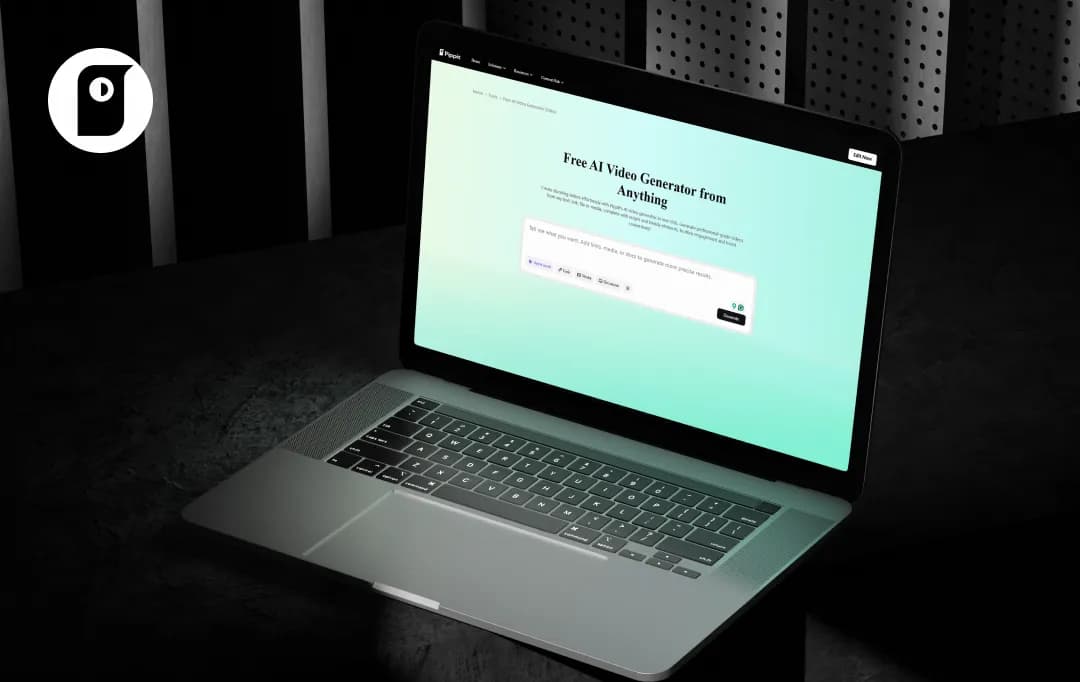
You’ve probably already come across Pippit AI while scrolling, those clean, high-quality AI-generated videos that make content creation look almost effortless. It’s tempting to dive right in and start creating, but before you give this tool your full attention, there’s a lot you should know.
At MobileAppDaily, we tested Pippit AI ourselves—no surface-level impressions, just a proper hands-on review to see what it actually delivers.
So if you’re wondering whether it’s genuinely worth your time or just another tool riding the hype wave, you’ll want to read this Pippit AI review first.
Pros and Cons of Pippit AI
Pros
- You can generate professional-looking videos in minutes simply by pasting a URL, text, or image.
- Seamlessly integrates with platforms like Shopify and TikTok Shop, allowing sellers to turn product pages directly into scroll-stopping video ads.
- Features a large library of highly realistic, multilingual AI avatars with impressively accurate lip-syncing capabilities.
- Beyond video generation, it includes AI image generation, background removal, virtual try-ons, auto-publishing, and performance analytics, all in one dashboard.
- Backed by a robust and proven editing engine, allowing users to easily transition into CapCut for deeper multi-track editing if needed.
Cons
- Because it relies heavily on automation, advanced users might find it restrictive when trying to fine-tune specific visual elements.
- The pricing model relies on a credit system. While there is a free tier, serious creators scaling their output may find the credit burn restrictive.
- While polished, the AI-generated outputs can sometimes feel template-heavy and lack the unique emotional connection of human-created content.
- The platform currently lacks dedicated workspace features for larger marketing teams to collaborate on projects together.
Standout Features of Pippit AI
During our research and testing of Pippit AI tool, we found that its feature set is custom-built to streamline the content creation process. Rather than overwhelming users with complex editing timelines, the platform relies on powerful automation to do the heavy lifting. Here are the Pippit AI features that caught our attention:
1. URL-to-Video Generation (One-Click Solution)
With Pippit AI, you can create a video just by copy-pasting a URL. All that you need to do is paste a product link from any of the e-commerce apps like Shopify, and the tool will instantly generate a fully-fledged promotional video.
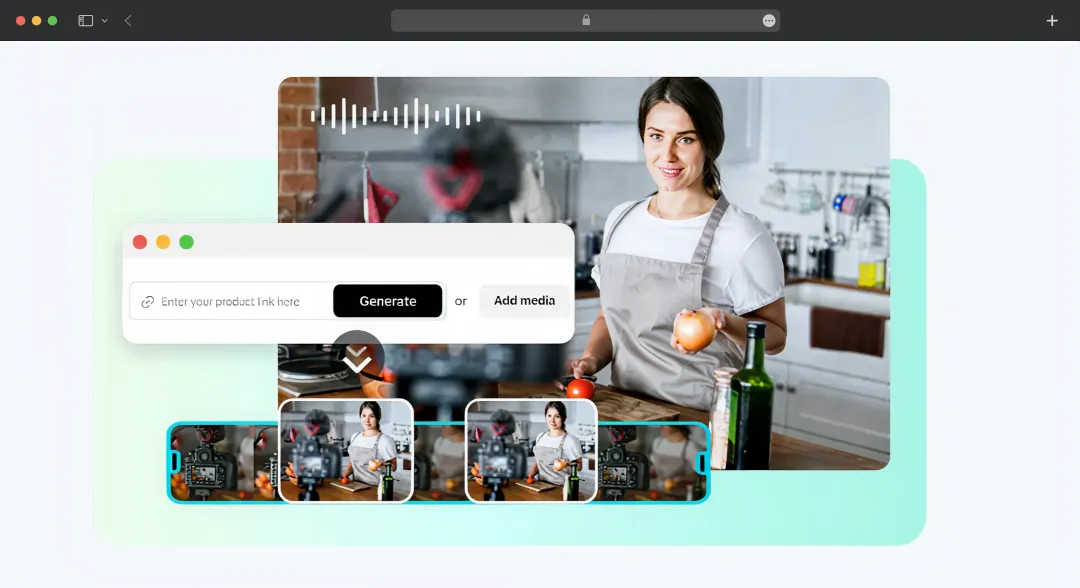
This saves hours of scripting, filming, and editing, empowering e-commerce sellers and marketers to rapidly test different ad creatives and scale their social media presence effortlessly.
2. Realistic AI Talking Avatars
Pippit gives you access to over 100 lifelike avatars with synchronized lip movements and natural-sounding voiceovers across multiple languages. So, you don't need to hire actors, buy expensive camera gear, or even record yourself.
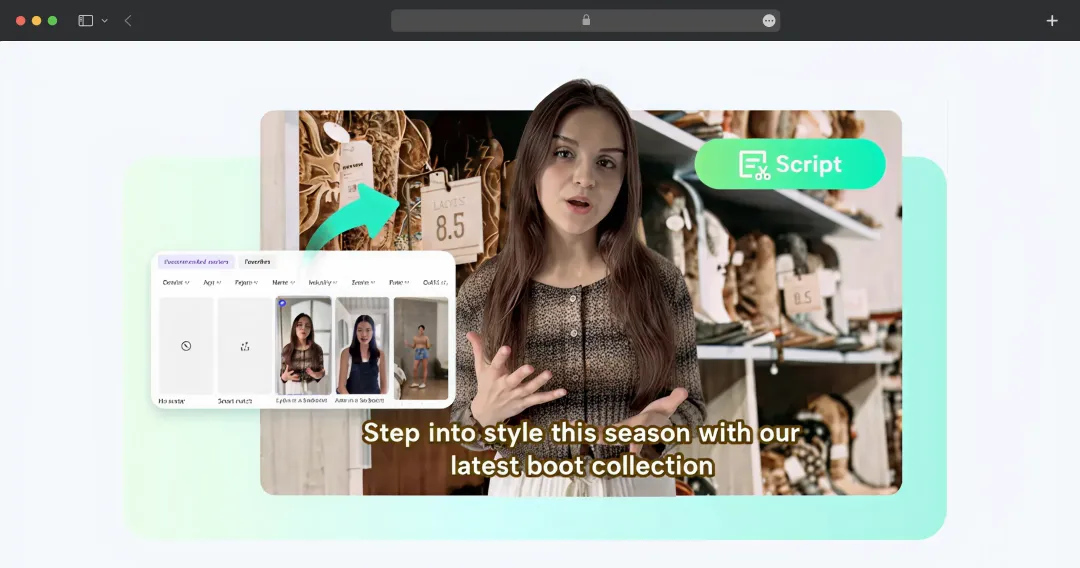
This tool makes it incredibly easy and cost-effective to produce professional explainer videos, tutorials, or product demos.
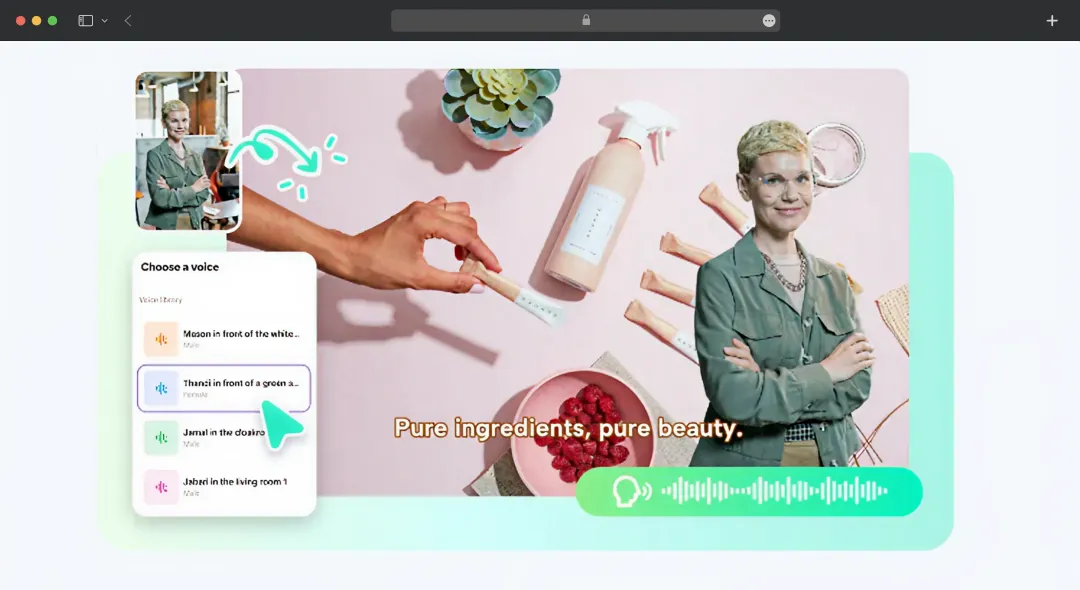
3. Dynamic AI Talking Photos
This tool transforms any static portrait image into a dynamic, speaking avatar by animating it to match your uploaded script or voiceover. It is a massive time-saver for creators and businesses who want to build a unique, consistent brand persona. It is also great for telling engaging stories online without ever having to step in front of a video camera.
4. Built-in Auto-Publishing and Analytics
Instead of downloading your videos and switching apps, you can schedule your newly generated content to automatically post across social media platforms like TikTok, Facebook, and Instagram directly from Pippit.
By combining video creation with scheduling and performance tracking, it centralizes your entire workflow and helps you optimize your social media strategy from a single dashboard.
Pippit AI Pricing and Subscription Plans
Pippit offers a straightforward and flexible pricing model. Whether you just want to test the waters with a few quick videos or you're a growing business looking to scale your marketing efforts, there is an option tailored to your needs.
Below is a clear breakdown of Pippit AI's current pricing plans and what is included in each tier.
| Type of Plan | Price of Plan | What you get |
|---|---|---|
| Free | $0.00 | • 150 credits per week (up to 2 minutes of video or 75 images) • 500 GB of storage • Access to 2 AI features (Link to video & Avatars) • Option to buy more credits |
| Starter | $45.00/month $36.25/month (billed yearly) |
• 21,600 credits per year (up to 360 minutes of video or 10,800 images) • 500 GB of storage • 3 connected social media accounts • All AI features (Link to video, Avatars, Image studio, Holiday video & Sales poster generators) • Multi-platform publishing and scheduler • Analytics and performance tracking • Free commercial-use assets • Option to buy more credits |
*Currently, the starter pack is available for $29.99
*The prices mentioned above are as of March 2026
Bonus Read: How Do AI Video Enhancement Tools Work?
Where Can You Use Pippit AI Video Generator?
Pippit’s tools are versatile enough to serve a large number of use cases across different industries. Here we have outlined several of the most practical uses of this online video generator-
| Use Case | Description |
|---|---|
| E-commerce Product Videos | Instantly turn product pages into engaging videos to showcase features and drive sales on social media. |
| Marketing and Explainer Videos | Rapidly create professional promotional and explainer content using diverse AI avatars to simplify marketing. |
| Social Media Scaling | Generate and schedule multiple variations of viral video creatives for platforms like TikTok to test and scale quickly. |
| Brand Storytelling and Persona | Transform static logos or unique images into dynamic talking photos to build a consistent and engaging brand identity. |
| Tutorials and Demos | Effortlessly produce clear step-by-step tutorials with talking avatars without needing expensive cameras or hired actors. |
Customer Reviews
How was your experience with the product?
"Pippit makes marketing content creation quick and simple."
"I liked how easily Pippit AI generates promo videos."














