

FileTransfer.io Review: Easy Sharing, but Can You Handle the Lag?
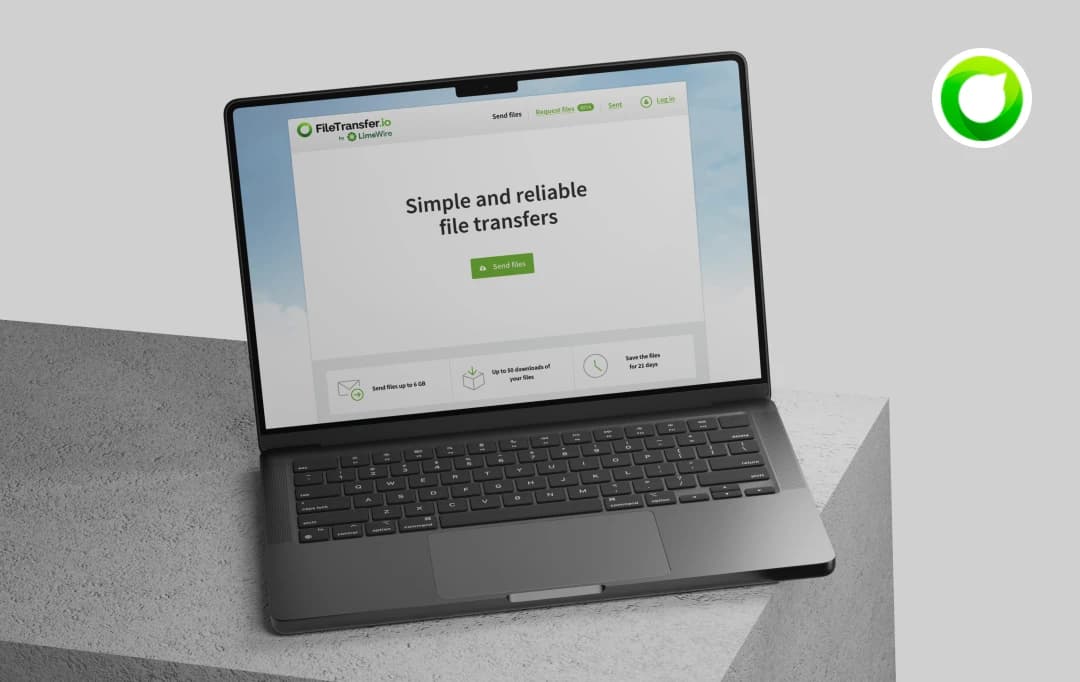
Last month, I was on a tight deadline, trying to send a 3GB video file to a client halfway across the globe. My email failed me. My cloud drive took forever to upload. And the so-called free transfer tool I tried slapped me with a paywall right when I hit send.
Out of pure frustration, I gave FileTransfer.io by LimeWire a shot, and to my surprise, it just… worked. No sign-ups, no “upgrade to premium” pop-ups, no complicated settings. Within minutes, the file was out the door, and my client got it without a hitch.
Since then, I’ve been quietly testing this tool for almost everything, and I’ve discovered a lot more than just fast uploads. In this FileTransfer.io review, I’m breaking down my real experience — the good, the bad, and the “why didn’t I find this sooner?” moments, so you can decide if it’s the file-sharing solution you’ve been missing.
MobileAppDaily’s Rating for FileTransfer.io


FEATURE
Drag-and-drop functionality, password protection, upload resume, and secure file encryption.

PRICING
Offers a free tier with 100 GB storage and 6 GB max file size, as well as paid plans with more generous limits.

PERFORMANCE
Optimized for stable transfers with servers located globally; however it sometimes lags while downloading large files.

UI/UX
Noted for its clean, intuitive, and ad-free interface that provides an awesome user experience.
Pros and Cons of FileTransfer.io
Pros
- No registration required — send files instantly without creating an account
- Supports large transfers — up to 6 GB per package on the free plan
- Simple, intuitive drag-and-drop interface, also mobile-friendly
- Secure transfers with encryption during upload and download
- Clean, ad-free user experience
- Option to set file expiration for added control
Cons
- Limited storage duration — files are only available for up to 21 days
- No advanced file management features like syncing or version control
- Limited customization or branding options for shared links
- No collaboration tools, such as shared folders or real-time editing
- Upload speeds can be inconsistent depending on your network
- Limited transparency on data retention after files expire
A Closer Look at FileTransfer.io’s Features
FileTransfer.io is a simple and free file-sharing service. It allows users to send large files to others via email or a shareable link. The platform is known for its straightforward interface and generous file size limits, making it a popular choice for both personal and professional use.
Here are the top 3 FileTransfer.io features:
1. Large File Transfers
Users can send files up to 6 GB in a single transfer. This is significantly larger than the attachment limits of most email providers, making it ideal for sharing high-resolution photos, videos, and large documents.
2. Generous Download Limits
Each file transfer can be downloaded up to 50 times. This feature is useful for sharing files with a small group of people, such as a team or a class, without having to re-upload the files multiple times.
3. Extended File Availability
Files uploaded to FileTransfer.io are available for 21 days. This gives recipients ample time to download the files at their convenience before they are automatically deleted from the server.
Helpful Read: Top File Manager Apps to Try Out in 2026
Understanding FileTransfer.io Pricing and Subscription Plans
Here is a detailed overview of FileTransfer.io’s pricing plans-
| Feature / Type of Plan | Free | Plus | Business |
|---|---|---|---|
| Price (Monthly) | $0 | $9 (Excl. VAT) | $49 (Excl. VAT) |
| Storage | 100 GB | 1000 GB | 5000 GB |
| Transfer Expiration | 21 days | 90 days | Unlimited |
| Max Size of Transfer | 6 GB | 25 GB | 100 GB |
| Download Limit | 50x | Unlimited | Unlimited |
| Antivirus Check | Yes | Yes | Yes |
| File Requests | No | No | Yes |
*You can get 12 months for the price of 10 when you pay annually. All paid plans come with a 30-day money-back guarantee.
Customer Reviews
How was your experience with the product?
Also Reviewed By Us