
Autodraft AI Review: Does This Animation Tool Live Up to the Hype?
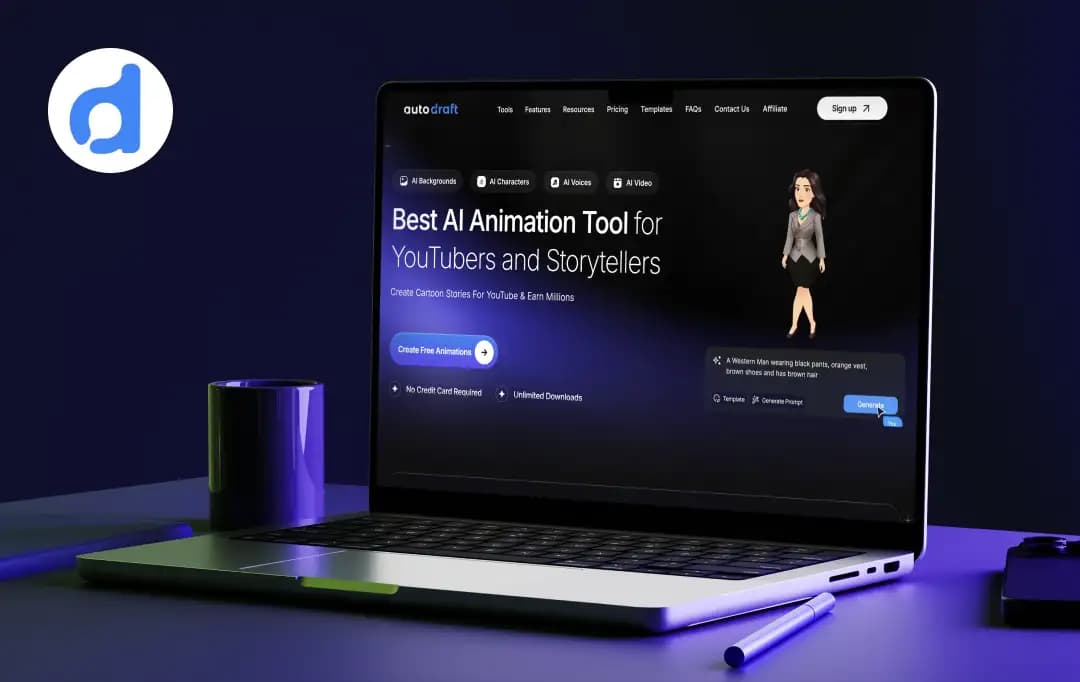
For a while, my animation workflow was honestly going nowhere. As a content creator, I’d watch animated explainer videos and think, this looks great… but creating something like this usually takes serious time or budget.
Hiring animators wasn’t something I wanted to do for every project, and traditional animation tools felt overwhelming. I had video ideas ready, but actually turning them into animated content felt like a completely different task.
That’s when I came across AutoDraft AI.
The platform claimed it could simplify animation through text prompts, AI-generated assets, and beginner-friendly workflows. Sounds great on paper, but I’ve tested enough AI tools to know there’s usually a difference between product promises and actual usage.
So instead of spending 15 minutes with it and calling it a review, I used it properly.
Over the next couple of months, I created multiple scenes, experimented with different tools, tested character creation workflows, image generation, AI voice tools, and pretty much explored every feature I could find.
Some things impressed me immediately.
A few things needed work.
And after spending enough time with it, here’s what genuinely stood out
Pros and Cons of Autodraft AI
Pros
- Maintains uniform character style across all animations
- Generate animations in seconds vs. weeks manually
- Text prompts create professional results without skills
- 90% of features are available without payment
- 1000+ action, 100+ expression controls for advanced customization
- AI-powered animation and video generation
- Cloud-based platform (no heavy setup required)
Cons
- May struggle with very niche or unique art styles
- Fast generation sometimes sacrifices fine details
- Mastering prompts and tools still takes practice
- The credit system limits how much you can actually create
- AI voices still sound robotic compared to humans
Standout Autodraft AI Features
Autodraft AI claims to have been trusted by 150K+ Creators, and it has animation downloads that stretch 350K+ Mins. Plus, it has 30M+ assets. During testing though, I cared less about the numbers and more about how the features actually behaved in day-to-day use.
1. Advanced AI Tools with Creative Controls
One thing I noticed pretty quickly was that AutoDraft AI didn’t completely lock me into AI-generated decisions.
While experimenting with scenes, I could still adjust lip syncing, character actions, expressions, and movements manually. I also spent some time testing its in-built AI voice generator tools along with editing controls to see how flexible the workflow actually felt.
I liked that balance. It felt less like pressing a button and more like improving outputs along the way.
2. Tools & Creator Ecosystem
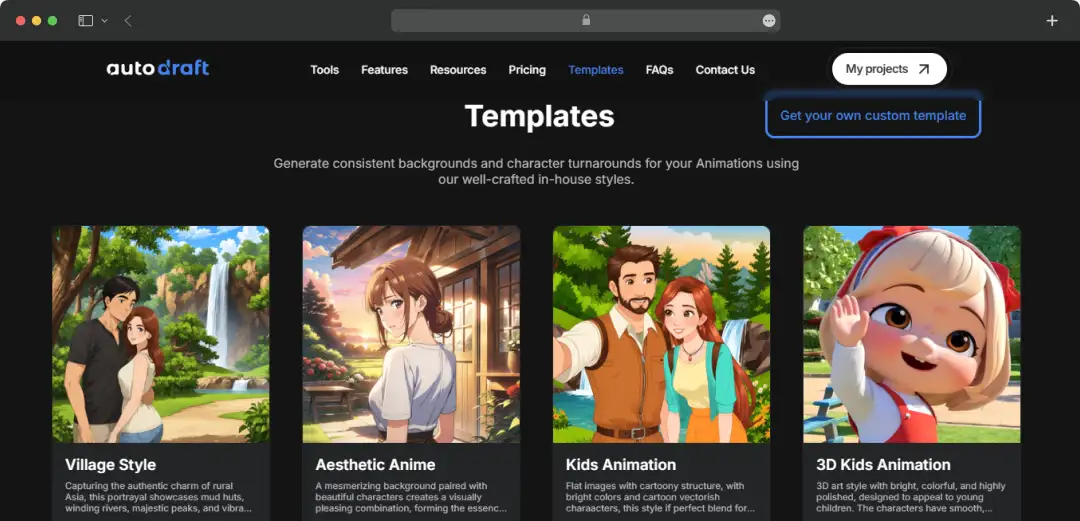
I spent time checking templates and guides while trying different workflows.
Honestly, this ended up helping more than I expected. Starting from scratch every single time gets annoying pretty fast, and templates reduced some of that friction.
For YouTubers or storytelling creators, I can understand the appeal here.
3. Multiplatform Support
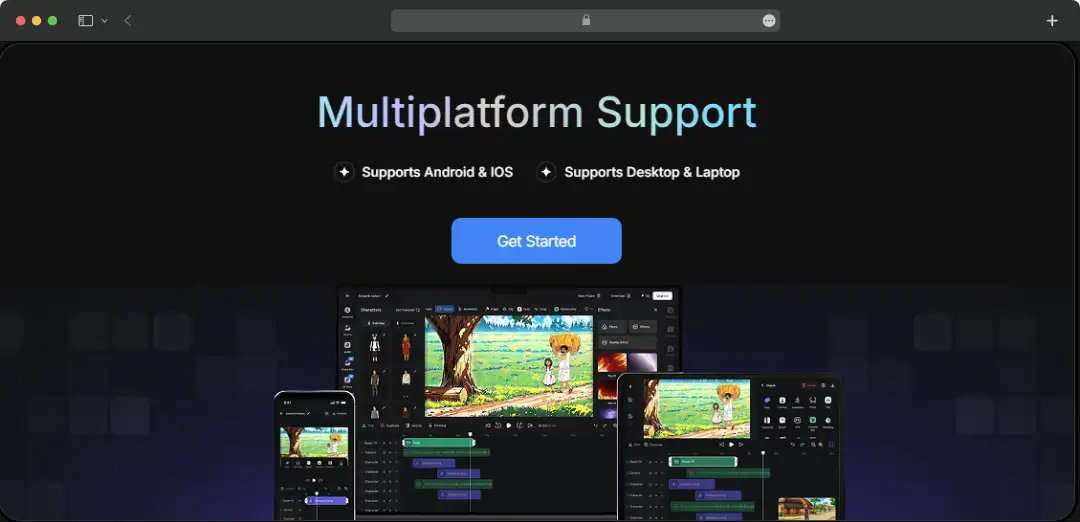
Initially I didn’t think much of this.
But during regular use, I noticed I’d sometimes start projects from desktop and later check them elsewhere. Having that flexibility felt convenient.
Nothing game-changing... just genuinely useful.
4. Text-to-Image Generation
I tested multiple prompts simply to understand how flexible image generation was.
Basic prompts worked quickly, but more detailed scenes usually required a bit of trial and error. After some time, I kind of understood how specific prompts affected output quality.
Small learning curve there, not gonna lie.
5. Storyboard-to-Image Conversion
I tried this using rough scene planning.
Instead of rebuilding visuals manually, it helped convert basic structure into cleaner outputs much faster.
For creators working around storytelling formats, this felt useful.
6. Sketch-to-Image Refinement
This was actually fun to experiment with.
I uploaded rough sketches intentionally just to see how much interpretation AI could handle. Some outputs missed details here and there, but a few results genuinely surprised me.
Not perfect every time - still useful.
7. Image Stylization
I also tested style transfer between assets.
Without this, visuals occasionally felt disconnected across scenes. Stylization helped create a more consistent overall look.
Small difference, but noticeable.
Autodraft AI Pricing
I liked that I could explore a big part of AutoDraft AI before thinking about upgrading. The platform mentions 150K+ creators, 350K+ minutes of animation downloads, and access to 30M+ assets, and after spending some time testing different workflows, I could understand where that ecosystem angle was coming from. But once I started creating multiple scenes and experimenting regularly, I also noticed credits getting used much faster. For casual use, the free access felt decent enough.
However, if someone plans to create content consistently, paid plans start making more sense. At the time of testing, the Base plan started at around ₹850/month with 1,000 monthly credits, while the Pro plan was priced at approximately ₹3,300/month and included 4,000 credits. You can also check the complete pricing details for the latest updates.
Note: Prices are based on the latest available information and are subject to change.
Autodraft AI Tutorial to Create AI Animation Videos
After spending time testing AutoDraft AI, I realized the workflow was much easier than I expected. Instead of jumping between multiple tools, the process felt pretty straightforward. Here’s the same flow I followed while creating test animations.
Step 1: Build Your Scene
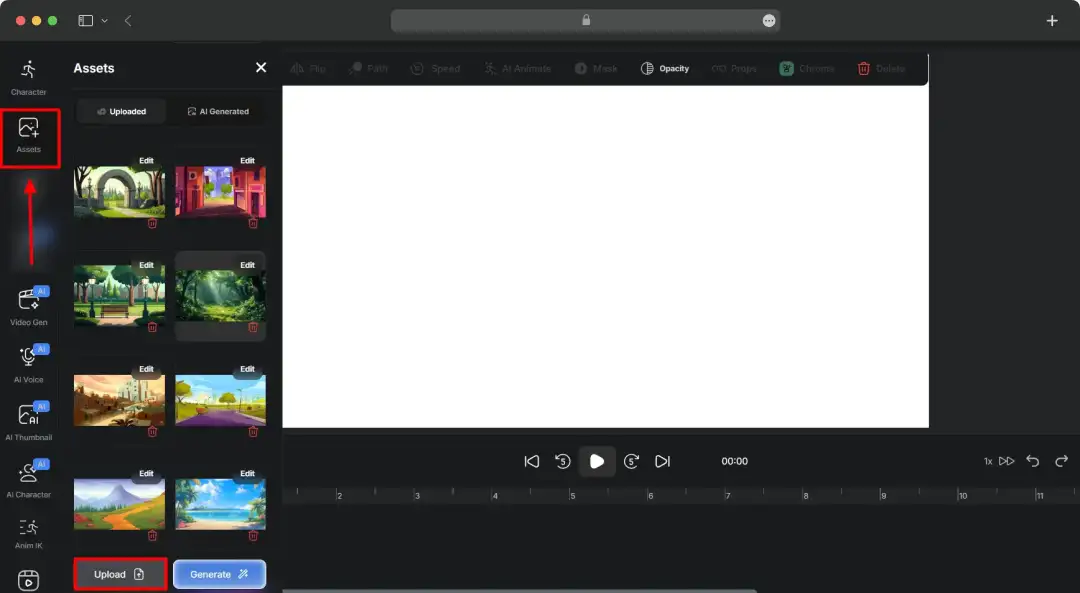
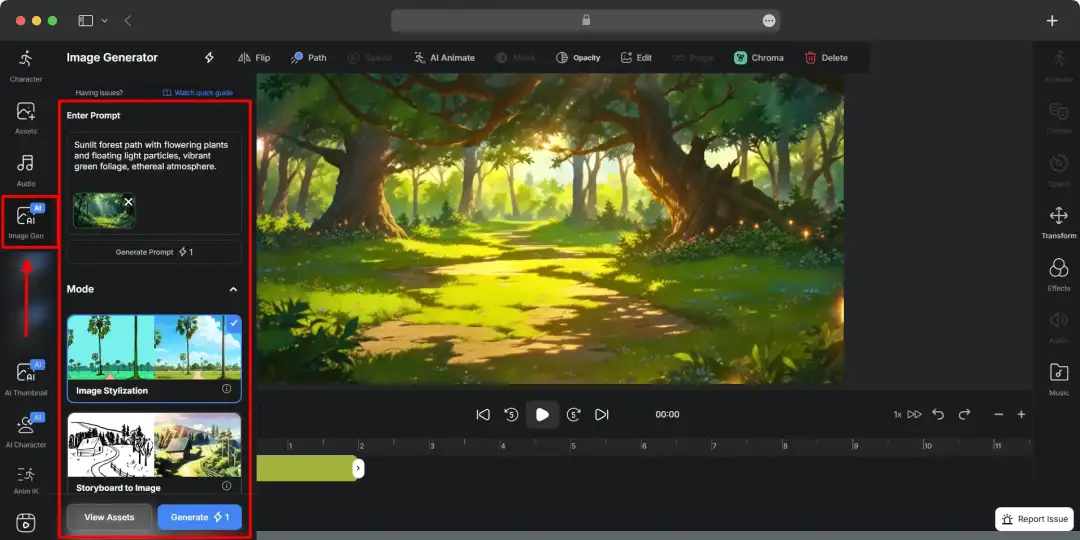
The first thing I did was set up the scene background. I had two options here - either upload my own image or generate one directly using AI.
I tried both approaches. Uploading existing images felt quicker, but I also tested the Image Gen tool just to see how well it created backgrounds from prompts. Honestly, for quick experiments, the AI-generated option worked nicely.
Option 1 - Upload an Image as Background
Option 2 - Generate a Background with the Image Gen Tool
Step 2: Add and Customize Characters
Next came character setup.
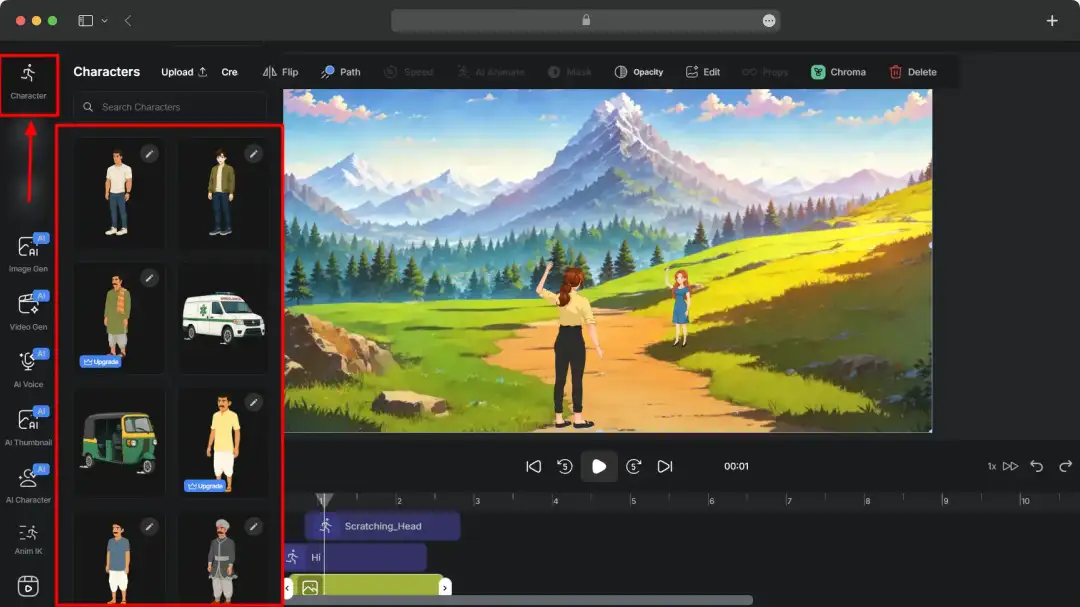
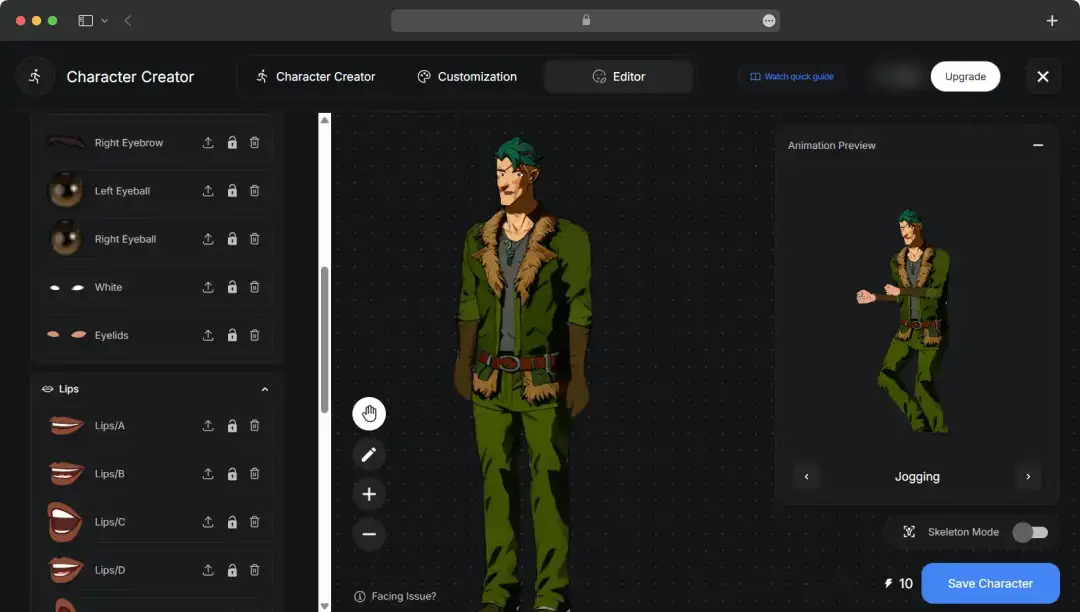
I could either pick existing characters from the library or create custom ones using AI. I ended up trying both because I wanted to see how flexible the platform actually was.
Using ready-made characters obviously saved time, but creating custom characters felt more useful for unique story ideas.
Option 1 - Use characters from Autodraft library.
Option 2 - Create custom AI characters
Step 3: Add Animation
This was where things started feeling more interesting.
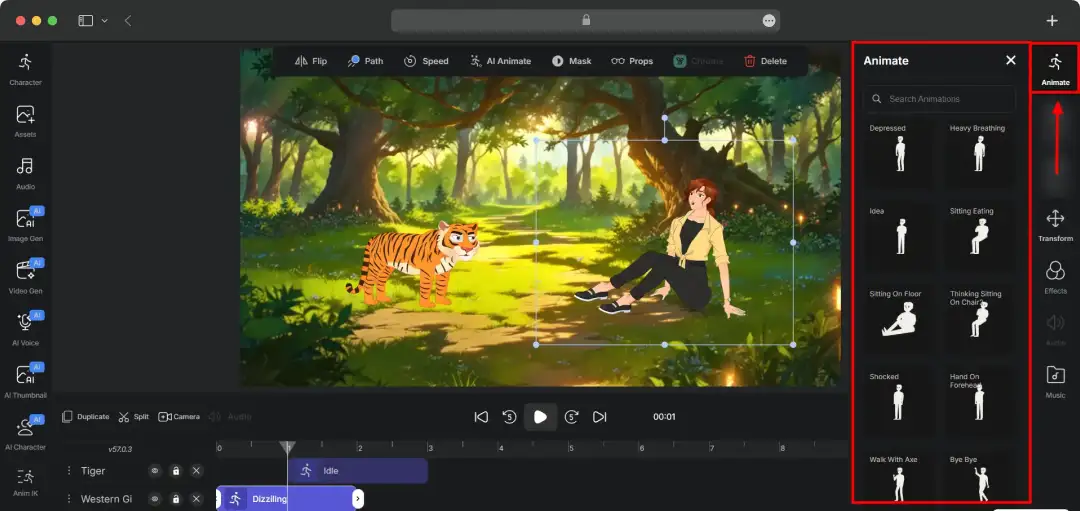
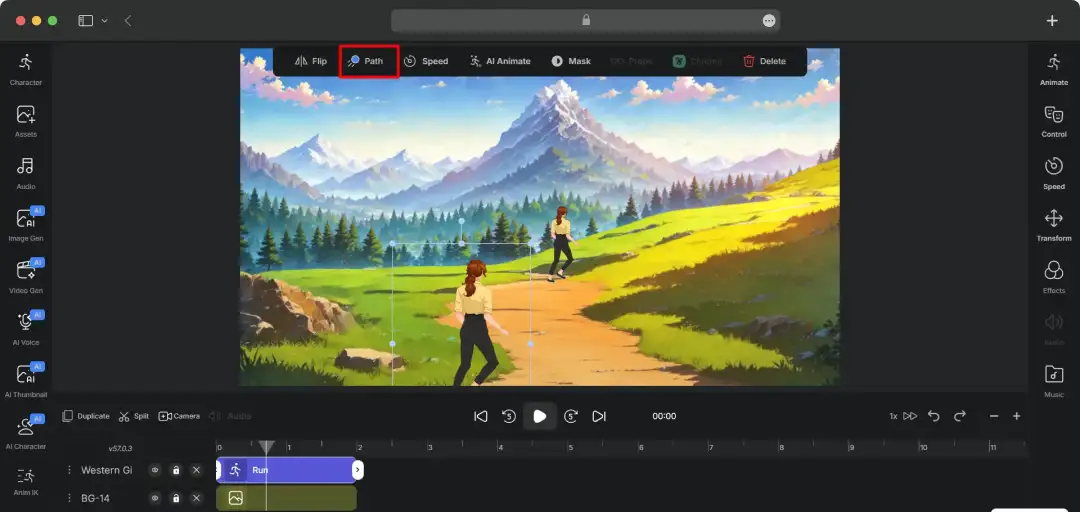
I tested pre-built animation templates first because they were faster. Later I also experimented with custom movement paths to see how much control I had over scenes.
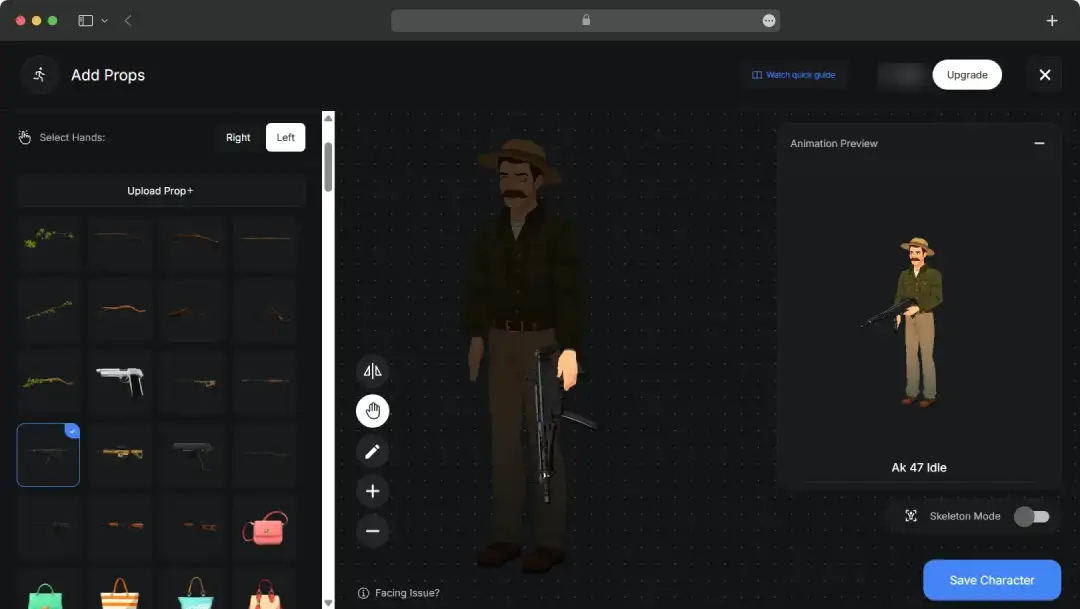
I even played around with props and movement settings a bit... probably more than I needed to.
Option 1: Apply pre-built animations
Option 2: Customize character and scene movement
Option 3: Add props to characters
Step 4: Add Voice and Sound
Once the scene looked ready, I moved to audio.
I tested text-to-speech features and also tried uploading external audio files. I noticed that adding voice and small sound effects immediately made scenes feel less static.
Tiny difference, but honestly it improved things.
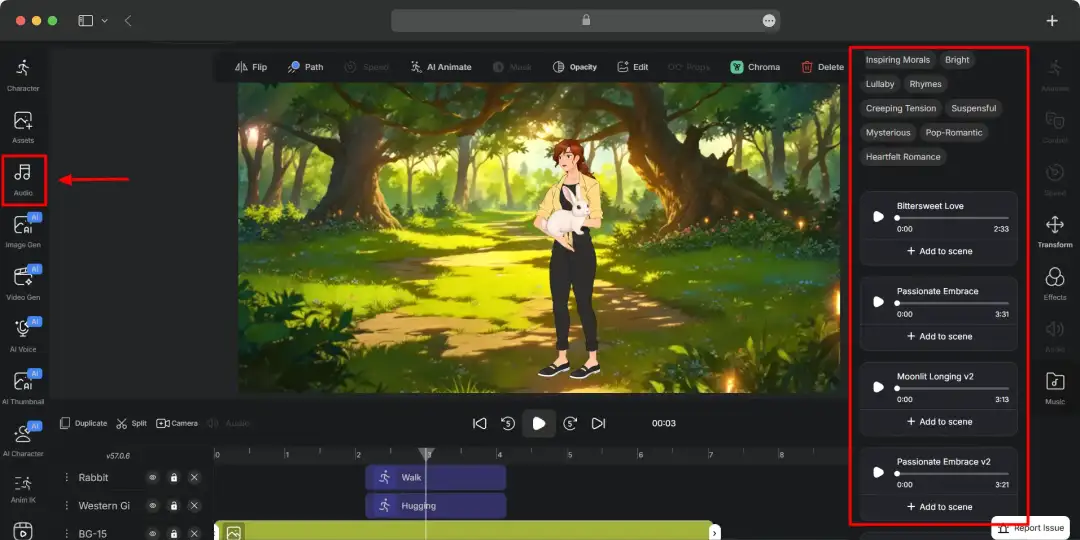
Step 5: Adjust Expressions
This step added more personality.
I spent some time experimenting with facial expressions and lip syncing because static faces looked slightly awkward otherwise. The automatic sync feature worked reasonably well during testing.
Not perfect every time, but decent enough.
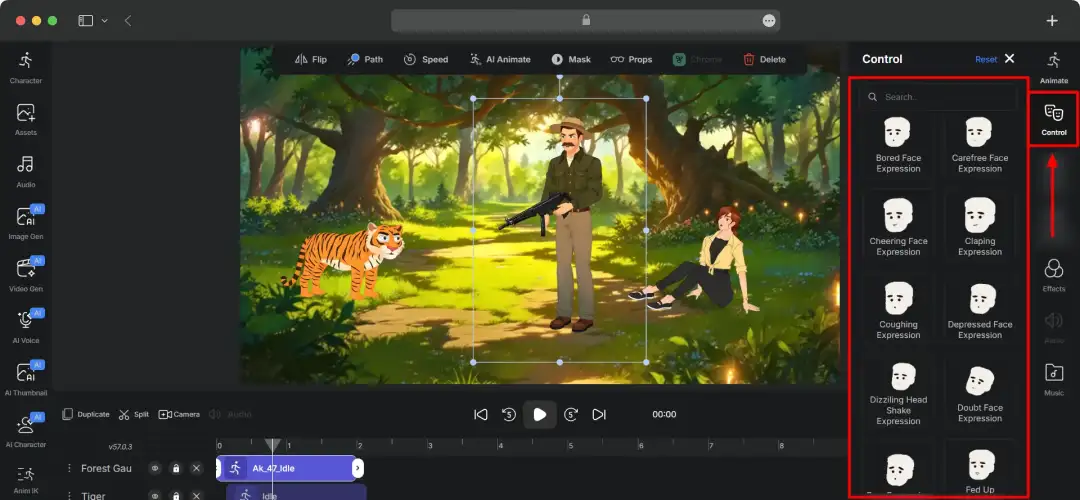
Step 6: Finalize and Download
Once everything looked fine, exporting was pretty simple.
I just selected output quality settings and downloaded the final version. By this point, I had gone from a rough idea to an actual animated draft much faster than I expected.
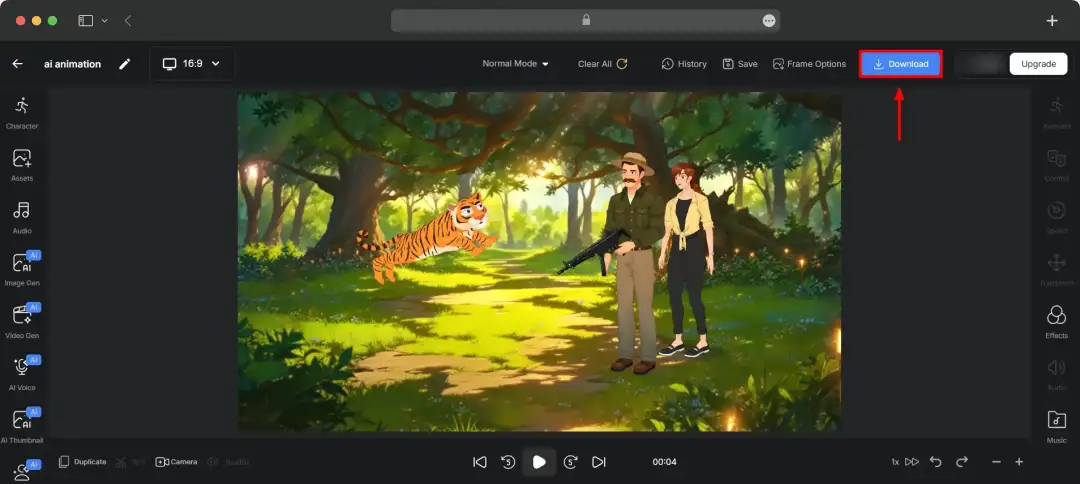
Also read: Best 3D Animation Apps
Autodraft AI Alternatives
Looking for something different than Autodraft AI? We've rounded up the best alternatives that might be a better fit for your specific needs and budget. These include: Vyond, Animaker, and Renderforest.
| Feature | Vyond | Animaker | Renderforest |
|---|---|---|---|
| Key Features | • Custom character creator • Extensive template library • Whiteboard & infographic styles • Automatic lip-syncing |
• Highly detailed character creator • AI-powered voice generation & auto lip-sync • Supports 4K video quality exports • ‘Smart Move’ feature for easy animation |
• Hundreds of modern video templates • AI ‘Text to video’ suggestions • All-in-one branding tools (logos, websites) • Includes 3D and realistic animation styles |
| Best For | Businesses, marketers, and HR teams needing high-quality, customized animated content for training or advertising. | Users who want maximum creative control over characters and scenes without a steep learning curve. | Entrepreneurs and businesses looking for a single platform to handle multiple branding and video marketing needs. |
| Pricing Model | Offers free trial; paid plans begin at $58/month for single ($699 billed annually) | Has a free-forever plan, paid plans start at $15/month ($180 billed yearly) | Has a free plan, paid subscription begins at $9/month |
Customer Reviews
How was your experience with the product?
"I liked how easy Autodraft AI was to use. It helped me create visuals quickly with very basic ideas and prompt, and the results felt genuinely creative."
"I tried AutoDraft AI for quick visual storytelling and animated content. The tool is beginner-friendly and saves a lot of editing time."
"AutoDraft AI makes video creation fast and simple with smart AI features, making it a great tool for creators and marketers who want quality content without spending too much time."
"AutoDraft AI is a beginner-friendly AI animation platform that simplifies video creation with text prompts, AI-generated assets, and automated lip-syncing. Its intuitive interface, fast workflow, and creative tools make it useful for YouTubers and storytellers, though advanced users may find the credit system and customization limits restrictive."
"Autodraft AI makes animation feel far less intimidating for non-designers and creators. It’s fast, practical, and genuinely helpful for turning rough ideas into visual stories without a massive learning curve."
"I use AutoDraft AI for quick and simple drafts. It’s easy to use and saves time, but still needs improvement in accuracy and advanced features."
"I’ve been using AutoDraft AI for a while now, mainly for creating quick animated explainer-style content, and it honestly made the process much easier than I expected. What I liked most was how simple the workflow felt, I could generate scenes, customize characters, add voiceovers, and build short animations without needing advanced animation skills. The AI tools save a lot of time, especially for brainstorming visuals and creating drafts quickly. I also liked that the platform gives decent creative control instead of making everything feel fully automated. The character consistency and built-in templates were surprisingly useful too. Overall, AutoDraft AI feels like a solid tool for creators, marketers, or beginners who want to make animated videos faster without dealing with complicated software. It may not fully replace professional animation workflows, but for speed and ease of use, it definitely impressed me."
"I’ve been using AutoDraft AI for some time now, and it’s been very helpful for generating quick drafts and ideas. The platform is smooth, beginner-friendly, and gives good results without much effort."
"I’ve personally used AutoDraft AI and it’s actually a really useful tool for creating content quickly. The interface is simple and the AI outputs are quite good, which saves a lot of time. Pros: Easy to use and fast results. Cons: Sometimes needs minor editing. Overall, a great tool for improving productivity."
"From my experience, this tool impressed me more with its speed and simple workflow than pure animation quality. It saves a huge amount of time for creators, but the tradeoff is less creative control and fine-tuning flexibility."