Share It On:
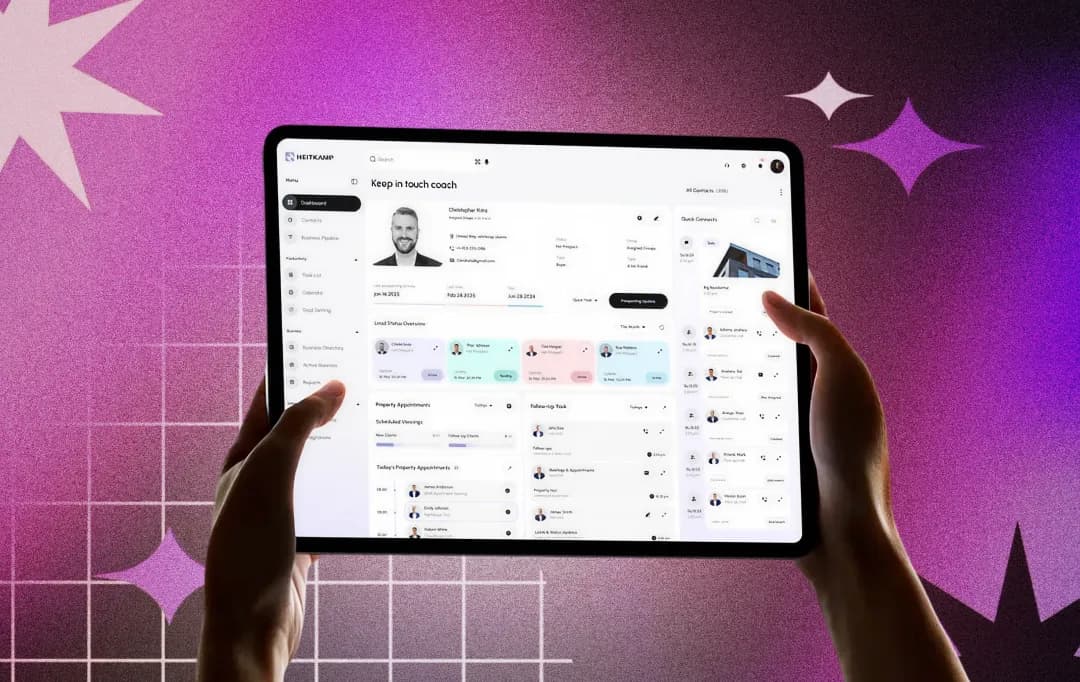 Every unplanned breakdown costs more than the repair bill. It costs you production time, technician hours, parts bought at a premium, and the compounding stress of a maintenance team. CMMS is how you fix that.
Facility managers and operations directors often find themselves trapped in a cycle of reactive repairs, where every broken machine feels like a personal failure of the system. This chaotic method of asset management not only drains financial resources but also drops the morale of the entire maintenance team.
To break the cycle, organizations are implementing advanced digital tools, such as CMMS, to centralize data and automate workflows. This editorial serves as a definitive knowledge hub for decision makers looking to transition from spreadsheet-based tracking to an authoritative digital strategy. We will explore the CMMS programs, technical architecture, strategic advantages, and practical implementation of these systems to ensure your facility moves from a state of constant firefighting to one of predictable, scalable excellence.
What is CMMS?
The full form of CMMS stands for Computerized Maintenance Management System. It is a software platform that keeps your maintenance department from falling into chaos. Instead of relying on a whiteboard in the breakroom or a stack of paper work orders that always seem to go missing, this software gives you one central place to track everything you own and how to fix it. It acts like a detailed health record for your machines, storing every repair, oil change, and inspection so you aren't left guessing about a piece of equipment's history when something goes wrong.
Why CMMS Matters for Modern Organizations
Organizations running on spreadsheets and verbal handoffs are making expensive guesses about their equipment. A proper CMMS solution replaces those guesses with structured data. It gives facility managers a clear picture of which assets need attention, which parts are in stock, and which technicians are available. For operations directors, CMMS maintenance software converts from a cost center defined by emergencies into a function defined by schedules and measurable outcomes.
How to Use CMMS Software: From Setup to Strategy
Getting a CMMS solution off the ground is about more than just installing an app. It’s about changing how your team thinks. You’re essentially moving towards a structured, organized way of working. For this to actually stick, you need a rollout that focuses on accurate information and getting your crew on board from day one.
Audit and Log Every Asset
Your first big move is to get a handle on what you actually own. This means walking the floor, tagging every piece of equipment, and uploading serial numbers, manuals, and warranty info into the CMMS platform. It’s a bit of a grind, but a database full of holes is the fastest way to make the system useless. It is a good idea to refer to a software development checklist to ensure your data migration and initial setup don't miss any critical technical steps.
Build Your Preventive Maintenance Calendar
Once your machines are logged, you can finally stop firefighting. This is where you set up recurring work orders so the system handles the remembering for you. Use the manufacturer’s manual to tell the software exactly when a machine needs a fresh filter, an oil change, or a safety inspection. By automating these alerts, you make sure the little chores get finished before they snowball into a massive, production-killing breakdown.
Get Your Spare Parts Under Control
Use the software to digitize your tool crib. Load in your current inventory and, more importantly, set minimum stock alerts. When a specific bearing or fuse gets low, the system should notify you to reorder. This eliminates those frantic, expensive last-minute orders when a machine is down and the part is missing.
Focus on Training and Ownership
A system is only as good as the data entered by your crew. Spend time showing your technicians how the mobile app saves them from doing paperwork at the end of a shift. Assign clear roles so everyone knows who is responsible for closing out work orders and who handles inventory updates.
Enforce Real-Time Logging
Make the software the single source of truth for the facility. Every repair, no matter how minor, needs to be logged as it happens. This isn't about micromanagement; it’s about building a digital history that lets you see exactly how much time and money each asset is actually costing you.
Review, Refine, and Replace
After a few months, sit down with the reports. Look for your bad actors, those machines that are constantly breaking down despite regular maintenance. This data is your best tool for justifying a new equipment purchase or changing your maintenance strategy from time-based to condition-based.
Types of CMMS Platforms
Selecting the right software development models is a strategic decision that depends on your technical infrastructure and data security needs. There are several types of CMMS available in the current market, each catering to different organizational scales and industrial requirements.
1. Cloud-Based (SaaS)
This is the most common CMMS platform today. You pay a subscription fee to rent the software, and the provider hosts everything on their servers.
- The Big Plus: You don’t need an IT team to run it. Updates happen automatically, and you can log in from any phone or computer with the internet.
- Who it’s for: Small to mid-sized shops or companies with multiple locations that need to get up and running quickly.
2. On-Premises CMMS
With this model, you buy the software and install it directly onto your company’s own internal servers.
- The Big Plus: You have total control over your data. Since it sits behind your own firewall, it’s not sitting on the open web.
- Who it’s for: Large factories, power plants, or government sites that have strict security rules and their own IT departments to handle maintenance and backups.
-
3. Mobile-First CMMS
While most systems have an app, mobile-first tools are built specifically for the person walking the floor.
- The Big Plus: They focus on being fast and easy to use on a small screen. They often work offline, so a tech can finish a job in a basement with no Wi-Fi, and the data will sync once they’re back in range.
- Who it’s for: Field service teams, utility workers, and any crew that spends 100% of their day away from a desk.
4. Enterprise-Grade CMMS
This is the heavy-duty version. These systems are designed to talk to other big business software, like your accounting (ERP) or asset management (EAM) programs.
- The Big Plus: They can handle massive amounts of data, different currencies, and complex permission levels for thousands of users across the globe.
- Who it’s for: Global corporations that need a single, standardized way to track maintenance across dozens of international plants.
5. Industry-Specific CMMS
Some maintenance needs are very niche. A hospital has different rules than a trucking company, and these systems are built with those rules in mind.
- The Big Plus: The software already uses your industry’s lingo. A healthcare CMMS will have built-in tools for medical device compliance, while a fleet CMMS will focus on things like fuel logs and tire rotations.
- Who it’s for: Businesses in highly regulated fields like healthcare, aviation, or food production.
Bonus Read: Check Out The Common Software Development Challenges
Essential CMMS Software Features for Daily Operations
To move away from reactive repairs, your CMMS software features must do more than just store data. They need to simplify the lives of your crew on the floor. These tools are designed to pull your team out of the paperwork pile and get them back to actual maintenance.
1. Asset Lifecycle Tracking
Think of this as a digital history book for every machine you own. You can pull up manuals, check warranty details, or see every repair made over the last five years in seconds. It puts an end to digging through old filing cabinets or messy spreadsheets.
2. Work Order Management
This is where the real work happens. You can create a job, assign it to a technician, and track it until it is finished. It provides total visibility so you never have to wonder if a critical task actually got done.
3. Scheduled Preventive Maintenance
This feature helps you stop acting like a firefighter. The system tracks the calendar or machine hours to trigger CMMS service checks before a breakdown happens. It ensures you are doing routine oil changes or belt swaps on time, every time.
4. Inventory and Parts Control
There is nothing worse than tearing down a machine only to find the spare part you need is not in stock. The software tracks your shelf levels and alerts you when it is time to reorder, so you are never caught off guard.
5. Data Reporting and Analytics
This gives you the numbers you need to justify your budget. Whether it is tracking repair costs or machine downtime, you have clear reports ready for the front office. It helps you prove exactly where the money is going.
6. Mobile Access for Technicians
Your team is rarely at a desk, so their tools shouldn't be either. Technicians can use their phones to take photos of repairs, look up parts, and close out jobs while standing right in front of the equipment.
7. Audit and Safety Compliance
When inspectors walk through the door, you need to be ready. This part of CMMS maintenance management saves every signature and timestamp automatically. It makes proving compliance as simple as running a quick report.
CMMS Use Cases by Industry
A CMMS system is not a manufacturing-only tool. Its core capabilities translate across any operation that depends on physical assets and scheduled upkeep. The following use cases reflect how different industries extract value from the same underlying platform.
1. Manufacturing
In a factory, if a machine stops, the money stops. A CMMS helps maintenance crews stay ahead of the game by flagging small issues, like a worn belt or a weird vibration, before the whole assembly line grinds to a halt. It’s all about keeping the machines running so the company hits its daily production goals.
2. Healthcare and Hospitals
In a hospital, maintenance isn't just about convenience; it’s about life and death. The software tracks every ventilator, MRI machine, and backup generator to ensure they pass strict safety audits. It also manages the schedules for keeping operating rooms sterile and air filtration systems working perfectly.
3. Oil, Gas, and Energy
Working with rigs or power plants is dangerous. These companies use a CMMS to make sure every valve and pump is inspected on time to prevent leaks or explosions. In these high-risk environments, the software is mainly used to keep workers safe and stay in line with environmental laws.
4. Food and Beverage
In this industry, cleanliness is everything. The software is used to schedule deep cleans of the equipment and ensure everything meets health codes. By staying on top of sanitation, these companies avoid the nightmare of a product recall that could ruin their reputation.
5. Transportation and Fleet Management
For companies with a lot of trucks or vans, a CMMS tracks things like mileage and engine hours. It automatically pings the shop when a vehicle is due for an oil change or a brake check, which keeps drivers safe and prevents expensive roadside breakdowns.

Cost of CMMS Software: What Should You Expect to Pay?
The cost of CMMS software depends on deployment model, organization size, asset count, and required integrations. The table below provides a realistic pricing reference across tiers and common models. Note that implementation, training, and integration costs are additive and must be factored into the total cost of ownership separately from license fees.
Organizations evaluating broader software development cost frameworks will find CMMS fits within the same total cost of ownership logic that applies to any enterprise platform.
| Pricing Model | Entry-Level | Mid-Market | Enterprise | Notes |
|---|---|---|---|---|
| Per User / Month (SaaS) | $0 to $45 | $50 to $120 | Custom quote | Most common for cloud platforms |
| Per Asset / Month | $1 to $5 | $5 to $15 | Custom quote | Scales with asset count |
| Flat Monthly Subscription | $30 to $100 | $150 to $500 | $1,000 and above | Fixed team or site license |
| One-Time Perpetual License | $1,500 to $5,000 | $10,000 to $50,000 | $100,000 and above | On-premises only |
| Implementation / Onboarding | $0 (self-serve) | $2,000 to $10,000 | $20,000 and above | Separate from the license cost |
| Annual Maintenance (on-prem) | Included | 15% to 20% of the license | Negotiated | Covers updates and support |
Conclusion
CMMS is not a luxury for large enterprises. It is the operational foundation that separates maintenance departments running on reactive urgency from those operating with predictable schedules and measurable outcomes. The question now is no longer whether to implement a CMMS software platform. It is the platform that fits their current scale, integration requirements, and growth trajectory.
Start with a clear asset inventory, define the KPIs you will measure, and choose a deployment model that matches your IT infrastructure and budget. The software development glossary can help decode vendor terminology during the evaluation process. If the operation outgrows the current platform, the data you have built will transfer. The structure you build now compounds in value every year.
Frequently Asked Questions
What does CMMS stand for?
It stands for Computerized Maintenance Management System. Think of it as a digital hub that keeps your equipment lists, repair schedules, and spare parts in one place so you can stop relying on memory or paper logs.
What is CMMS software?
It is a tool designed to help you organize and track maintenance tasks. Instead of using messy spreadsheets, this software manages your workflows and catches mechanical issues before they turn into expensive disasters.
How does CMMS work?
The system acts as a digital brain for your facility. When a machine hits a certain runtime or a specific date, the software automatically creates a work order and sends it to a technician’s phone. Once the job is done, it updates your records instantly.
How do you use CMMS software?
First, upload a clean list of every machine you own. Set up your recurring service dates and get your team comfortable with the mobile app. The goal is to make sure every single repair is logged in the system the moment it happens.
Who uses CMMS software?
Anyone responsible for assets, from the technicians on the floor to the directors in the front office. It is common in factories, hospitals, hotels, and fleet operations, essentially any business where equipment downtime equals lost revenue.
Can CMMS software integrate with my existing ERP?
Yes, most modern platforms are built to talk to other systems like SAP or Oracle. If you use a specialized setup, look for a vendor that offers an open API. Just ensure you verify these integration capabilities before you finalize any purchase.

Uncover executable insights, extensive research, and expert opinions in one place.
Related Content