Share It On:
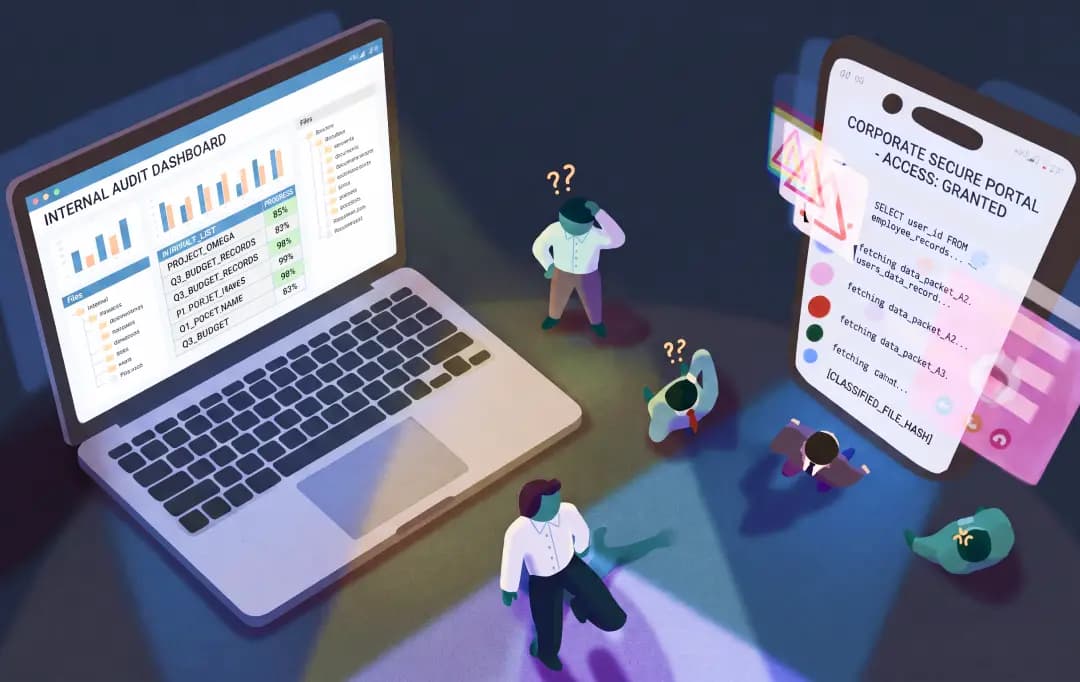 Learn how to protect sensitive corporate data on personal devices without invading employee privacy or compromising your security standards.
The physical boundary between our personal lives and our 9-to-5 grind is fading. Instead of leaving work at the office, it now lives right next to our group chats, grocery lists, and social feeds. Your team naturally prefers the convenience of using the devices they already own and trust. But for companies and entrepreneurs, this blend of off-the-clock freedom and on-the-clock data access creates a massive vulnerability.
When corporate data lands on a device you don't own, control instantly slips out of your hands. You can't exactly mandate total surveillance on someone's personal property, but you also can't leave your sensitive company information exposed to whatever sketchy apps they might download on a weekend. Finding the balance between protecting your business and respecting your team's privacy is the cornerstone of any smart BYOD strategy.
So, how do you lock down your data without completely alienating your team? To get this right, we have to look at what's really at stake when personal gadgets become corporate lifelines, and exactly how you can manage the chaos without making a single compromise.
What Unmanaged BYOD Actually Costs You
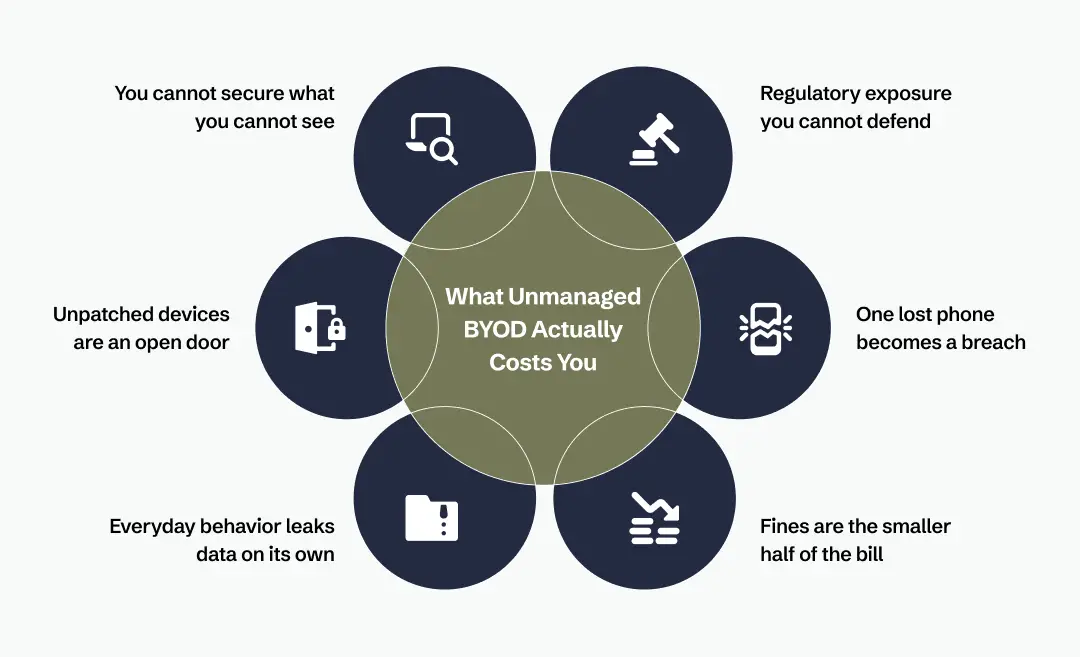
Unmanaged BYOD is not a hypothetical risk. It is the set of problems that shows up, reliably, once corporate data lands on phones nobody is watching.
1. Regulatory exposure you cannot defend:
Allowing a BYOD without any management leaves you unable to demonstrate that regulated data is protected wherever it happens to sit, which is exactly what HIPAA, the GDPR, and the PCI DSS expect you to prove. When you cannot show where corporate data lives or who can reach it, an audit stops being a formality.
2. One lost phone becomes a breach:
A single misplaced or stolen device holding unprotected corporate data is enough to turn a bad morning into a reportable incident. Without the ability to lock remotely or wipe the corporate side, there is nothing standing between a dropped phone and your data.
3. Fines are the smaller half of the bill:
A single breach can push an organization out of compliance with international privacy and security standards, and the penalties that follow are real. The lasting damage, though, is usually the loss of customer trust and the business it quietly takes with it.
4. Everyday behavior leaks data on its own:
With no controls on how corporate data moves, files drift into personal messaging apps, personal cloud storage, and screenshots through ordinary, well-meaning use. Nobody has to act maliciously for sensitive information to end up somewhere it should never be.
5. Unpatched devices are an open door:
Personal phones skip operating system updates far longer than managed ones, so they sit on versions with known, published vulnerabilities. Every one of those is a way in that you never chose to leave open.
6. You cannot secure what you cannot see:
Without a proper enrollment process, you do not actually know which devices are touching corporate resources or what state they are in. Visibility is the thing you lose first, and everything else depends on it.
None of these require an exotic attacker or a worst-case scenario. They are the default outcome of doing nothing, which is why the rest of this comes down to drawing a clear line and defending it.
The Actual Problem: Two Owners, One Phone
A BYOD device has two stakeholders with legitimate, competing claims. The company owns the email, the internal apps, and the documents. The employee owns the photos, the messages, the banking app, and every other piece of their personal life that happens to live on the same screen.
If IT can see personal content or wipe the device at will, employees are right to push back, and many will quietly opt out. If IT can see nothing and control nothing, then intellectual property walks out the door, devices run months-old operating systems full of known holes, and your next compliance audit turns into a bad afternoon.
There is no clever policy wording that resolves this. The only thing that actually works is a hard technical boundary between work and personal, enforced by the operating system itself rather than by trust. That boundary is called containerization, and it is the foundation everything else sits on.
How Mobile Device Manager Plus draws the line
So, how do we actually fix this tug-of-war? It all starts with carving out a strict digital boundary. The smartest move out there right now is separating the work stuff from the personal stuff directly on the device. Having a rock-solid BYOD Policy combined with the right tech makes this transition virtually seamless.
When you start looking into BYOD security solutions to actually pull this off, you need something that does the heavy lifting without being super intrusive to the user. Mobile Security Systems like ManageEngine Mobile Device Manager Plus are seriously helping in managing BYOD devices right now.
They let you set up those secure work containers, push essential company apps to your team automatically, and wipe corporate data if a device goes missing. It gives business owners the control they desperately need, while letting the team keep their personal privacy completely intact. Here is what that looks like in practice.
A real container, not a promise
Instead of just promising you won't peek at their stuff, this tool creates a real, encrypted corporate workspace that lives side-by-side with their personal apps, but is completely walled off.
The work apps get a little badge so the user always knows what mode they are in. And this separation isn't just cosmetic. Your IT admin gets total control over the work container but has zero visibility into the personal space—no browsing history, no private photos, no snooping.
If someone leaves the company, you just wipe the work container. Their personal files and weekend selfies stay exactly where they are. You aren't asking them to hand over their phone; you're just asking to rent a locked drawer inside it.
Onboarding that doesn't drag down the help desk
Security Of Mobile Devices gets threatened usually when someone tries to manually configure a profile and totally botches it. Mobile Device Manager Plus removes most of that risk by letting employees enroll their own devices through self-enrollment or an invitation link.
They go through a quick flow, and the device automatically pulls down all the right configurations, Wi-Fi, VPNs, company emails, and whatever BYOD policies you have in place. It's practically zero-touch, meaning your IT desk isn't stuck setting up smartphones one at a time all afternoon.
Access that actually earns its keep
Setting a BYOD strategy once and never checking on it is a rookie mistake. This tool uses conditional access, meaning a device has to continuously prove it's trustworthy. If a phone drops its passcode or someone tries to go rogue and jailbreak it, it’s instantly cut off from your corporate network.
It stops data from leaking in the first place. You can even lock down data sharing so a highly confidential document can’t get copy-pasted out of a managed work app and dropped into a personal group chat.
Managing the apps that matter (and ignoring the rest)
You really don't need to hijack the entire phone to protect your business. You can manage the apps that actually matter and leave the rest alone. Admins can silently push mandatory enterprise apps straight into the work container without bugging the user, or set up a custom app catalog so employees can download what they need on their own time.
Got shady apps that shouldn't be anywhere near your corporate data? You can blocklist them, warn the user, or just quietly kill the app's access. And when an employee eventually moves on to a new gig, revoking their access to business apps happens instantly. No drawn-out, awkward offboarding checklists required.
Also Read: Best Cybersecurity Tools to Upscale Your Defense Frontier
Final Thoughts
At the end, you really don’t have to choose between keeping your company safe and letting your team use the tech they prefer. The perks are real—the BYOD benefits like happier employees, boosted productivity, and slashed hardware budgets are completely within your reach.
But letting it run unchecked? That’s just asking for trouble. Honestly, a hybrid of both could be the absolute best way to go. Give your team the freedom to use their own gear, but wrap it in a non-negotiable layer of smart, invisible security. Protect the data, respect the user's privacy, and you’ll build a workplace that actually works for everyone.
Frequently Asked Questions
What is Bring Your Own Device?
Bring Your Own Device (BYOD) is a workplace policy where employees use their personal smartphones, tablets, or laptops to access company networks and data, rather than relying on hardware strictly issued and owned by the employer.
How to use Bring Your Own Device (BYOD)?
To use it effectively, companies deploy device management tools to create encrypted work containers on personal phones. This separates company apps from personal files, allowing employees to work securely without compromising their private data or privacy.
What Are the Best Practices of BYOD Security?
Top practices include enforcing strong passcodes, using conditional access to block jailbroken phones, requiring multi-factor authentication, and utilizing secure work containers. This ensures corporate data stays isolated and can be remotely wiped if the device goes missing.
What Are the Challenges with a BYOD Policy?
The biggest hurdles are balancing corporate data security with employee privacy and managing a wild mix of different operating systems. If handled poorly, IT struggles with support, and users push back against feeling like they are being monitored.
Can a company see personal data on a managed BYOD device?
If properly managed with a secure container system, absolutely not. IT administrators only have visibility and control over the isolated work profile. Personal photos, browsing history, and private messages remain completely invisible and untouched by the company.


Karan Shekar is a Product Specialist at ManageEngine in the Unified Endpoint Management suite. With a strong background in Endpoint Security and Management, his expertise is in creating technical long-form content for enterprise IT professionals, focusing on actionable solutions and insights within the Unified Endpoint Management space.
Uncover executable insights, extensive research, and expert opinions in one place.
Related Content