Share It On:
 The best desk booking software isn't the one with the most features, but the app your team actually opens daily.
We’ve looked at a lot of workplace software over the past few years, and one thing keeps coming up over and over again: most companies don’t actually struggle with buying desk booking software. They struggle with getting employees to use it.
And that’s a much bigger problem, because once adoption drops, the whole office setup starts becoming messy very quickly. Employees now expect workplace apps to feel simple.
That’s why, when comparing desk booking software, you should care just as much about the mobile experience as the actual feature list. In this guide, we’ll look at the best desk booking apps for iPhone and Android, with a special focus on mobile usability, QR code check-ins, interactive office maps, coworker visibility, and employee experience.
Best Desk Booking Software For Employees On The Go
| Tool | Best for | Mobile strengths | Main tradeoff |
|---|---|---|---|
| Archie | Mid-sized and large offices | iPhone and Android apps, interactive floor plans, coworker search, QR check-ins | Maybe more than very small teams need |
| Robin | Larger companies focused on workplace analytics | Polished mobile app, coworker visibility, interactive maps, employee scheduling | More enterprise-heavy than simpler tools |
| deskbird | Smaller hybrid teams that want easy office coordination | Fast booking, office-day planning, teammate visibility | Per-user pricing can get expensive as teams grow |
| Skedda | Teams with complex booking rules | Mobile booking, office maps, permissions, check-in rules | Can feel more admin-focused than employee-first |
| Dibsido | Companies looking for desk and parking reservations | Simple mobile booking, parking reservations, hybrid schedules, carpooling | Less advanced for analytics and larger workplace operations |
1. Archie
Best for: Mid-sized and large offices wanting a modern workplace experience without enterprise complexity.
Pros and Cons
| Pros | Cons |
|---|---|
| Clean, fast employee app on both iPhone and Android | Some admin settings take a moment to find on first setup |
| Interactive floor plans that are easy to read on mobile | Likely can be overkill for a tiny team. |
| Per-desk pricing, so cost tracks desks instead of headcount | |
| QR check-ins, no-show protection, and occupancy analytics built in | |
| Room booking and visitor management in the same platform if you grow into it |
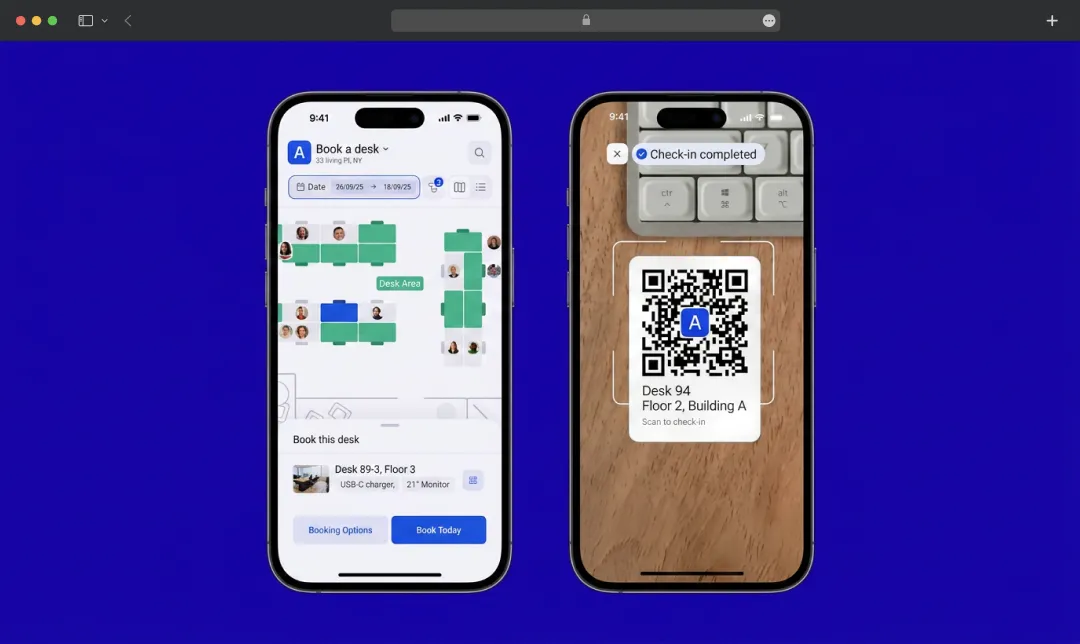
Archie’s desk booking software is probably one of the strongest examples we’ve seen of a workplace platform that balances functionality with employee usability really well.
A lot of hotdesking software becomes overly admin-focused very quickly. Archie doesn’t feel like that. The employee side of the app is clean, fast, and genuinely easy to navigate on mobile.
What stood out most is how intuitive the floor plans feel. Instead of scrolling through desk names or lists, employees can visually explore the office and immediately understand where people are sitting. That sounds small, but it makes the app feel far more natural on mobile.
Another thing we liked is that Archie avoids feeling overly enterprise-heavy despite offering a lot of functionality behind the scenes. Pricing is also resource-based rather than per user, which we personally think makes far more sense for hybrid offices where not every employee comes in every day.
Pricing Overview
| Plan | Price | Notes |
|---|---|---|
| Starter | $2.80 per desk/month | $159/month minimum, covers roughly 57 desks |
| Pro | $3.50 per desk/month | $249/month minimum, multi-location, SSO, Teams and Outlook booking |
| Enterprise | Custom | Security, compliance, migration, and white-glove onboarding |
A 14-day test environment is available after a demo. Pricing verified on Archie's pricing page as of mid-2026.
2. Robin
Best for: Larger enterprises focused heavily on analytics and workplace insights
Pros and Cons
| Pros | Cons |
|---|---|
| Polished, mature app suited to large, multi-floor offices | Per-employee pricing gets expensive when office attendance is low |
| Strong coworker visibility and workplace analytics | No fully public pricing, so you need a sales quote to budget |
| Access to 100+ KPIs and deep space utilization reporting | Can feel heavy for smaller hybrid teams |
| Reliable Outlook and Google Calendar sync | Some users find multi-day booking and map setup less intuitive |
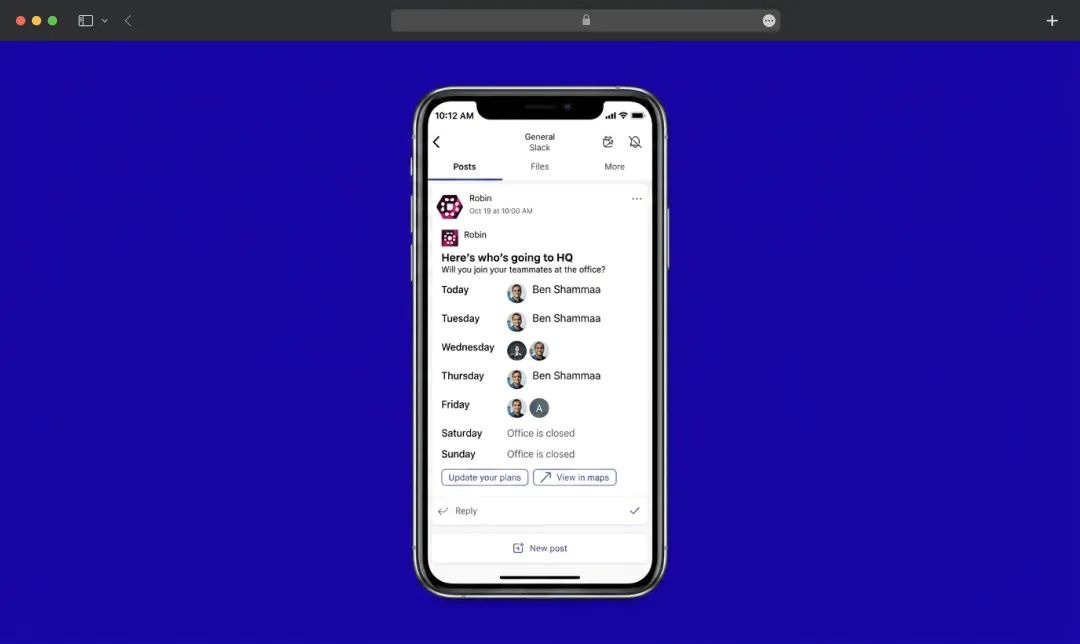
Robin has one of the more polished enterprise workplace apps we’ve seen.
The mobile experience is modern, and the coworker visibility features work especially well in larger organizations where coordination becomes harder.
That said, the platform definitely feels more enterprise-oriented than Robin alternatives on this list.
For large companies, that can be a strength. But for smaller hybrid teams, Robin may feel more operationally heavy than necessary. Since pricing is custom, it can also be hard to estimate the total cost before speaking with sales.
Pricing Overview
Robin uses per-employee pricing and does not publish fixed list prices. Users can get a personalised quote by connecting with their sales team.
3. deskbird
Best for: Smaller hybrid teams that care heavily about employee coordination and social planning
Pros and Cons
| Pros | Cons |
|---|---|
| Very lightweight, fast booking flow that needs almost no training | Per-user pricing scales up as you grow, even if many people rarely come in |
| Strong social and office-day planning features | Visitor management and meeting room tools are paid add-ons |
| Deep Slack and Microsoft Teams integration | The previous free tier was removed in 2026 |
| Can feel constrained for very large or complex setups |
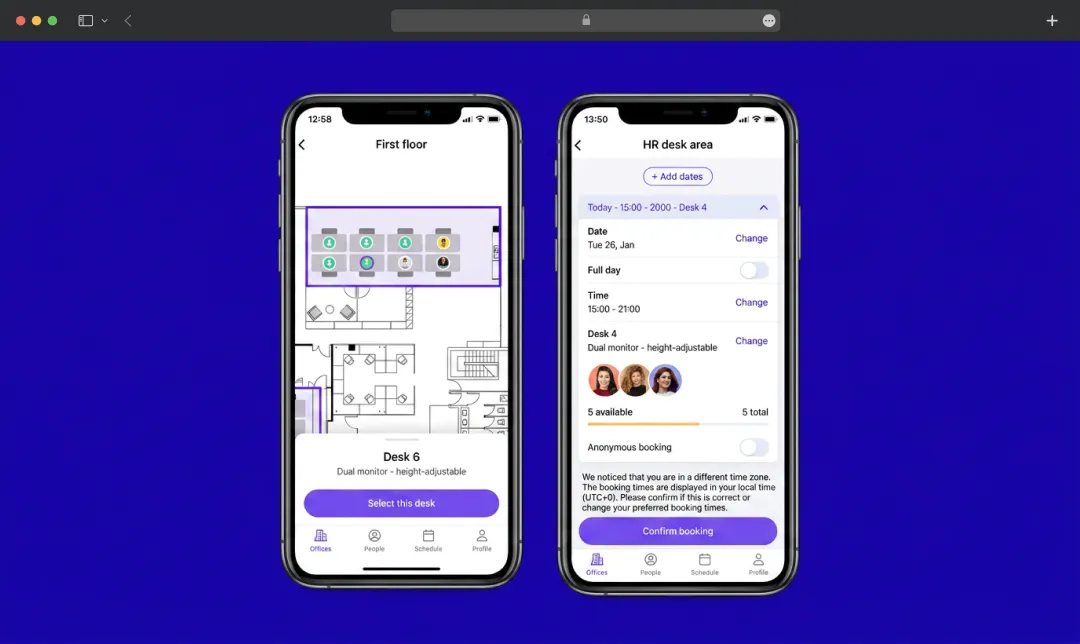
deskbird feels very employee-focused overall. The mobile app is polished, modern, and clearly designed around fast booking flows. One thing we particularly like is that deskbird puts a lot of emphasis on social coordination rather than treating desk booking as a purely operational task.
The “social feed” approach actually makes a lot of sense for hybrid teams. It helps the office feel more coordinated rather than random.
We also noticed that deskbird’s mobile experience feels very lightweight. Employees probably won’t need much training at all, which is a huge advantage for adoption.
The main downside is pricing. Because deskbird charges per user, costs can scale fairly quickly for larger hybrid organizations.
Also Read: Best Helpdesk Software: Automate, Prioritize & Resolve Issues Effortlessly
Pricing Overview
| Plan | Price | Notes |
|---|---|---|
| Business | From about $4.75 per user/month (roughly $3.75 billed annually) | Desk booking, mobile apps, floor plans |
| Professional | Custom | Advanced admin governance, access controls, API access |
| Enterprise | Custom | Dedicated CSM, SLAs, custom analytics |
4. Skedda
Best for: Organizations with complicated booking rules and space management policies
Pros and Cons
| Pros | Cons |
|---|---|
| Best-in-class rules engine for windows, quotas, permissions, and neighborhoods | More admin-first than employee-first in feel |
| Priced by spaces with unlimited users on every plan | Per-space pricing can jump noticeably between tiers |
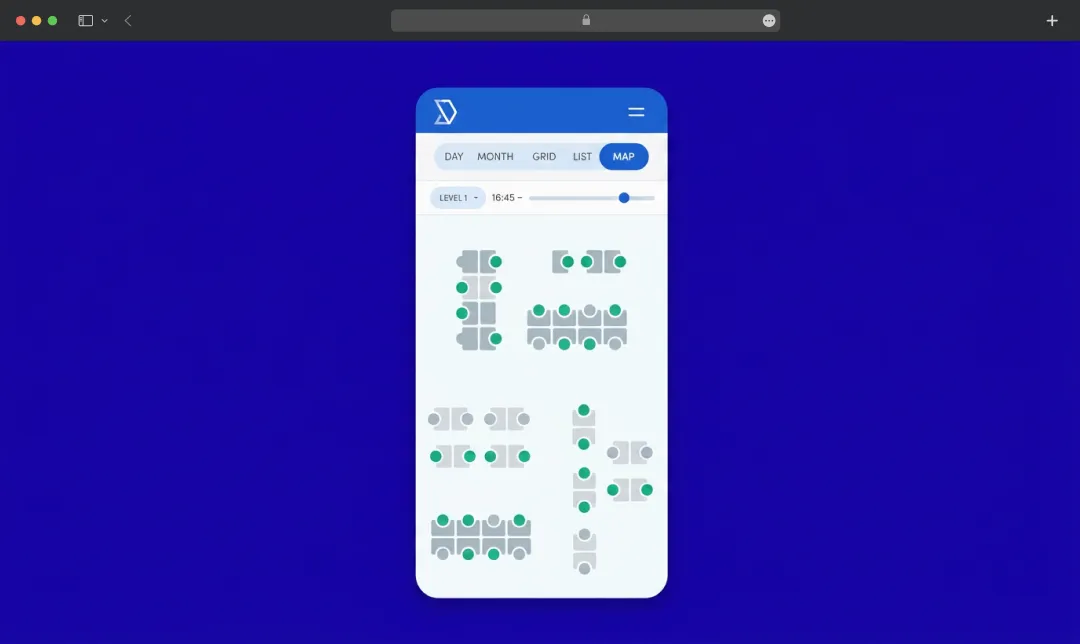
| Clean interactive floor plans and reliable check-in handling | The advanced rules carry a learning curve |
| Mobile experience is slightly less polished than deskbird or Archie |
Skedda is one of the most configurable platforms we looked at.
The biggest strength here is the rules engine. Companies can create highly detailed booking conditions around:
- Teams
- Spaces
- Booking windows
- Permissions
- Quotas
- Time restrictions
From an admin perspective, that flexibility is genuinely impressive.
From an employee perspective, though, the experience feels slightly more operational than mobile-first compared to platforms like Archie or deskbird.
That’s not necessarily a bad thing. For organizations with complicated booking requirements, Skedda’s flexibility may absolutely outweigh the slightly less polished employee UX.
Pricing Overview
Skedda prices by number of bookable spaces, not per user, so unlimited employees can book on any plan.
| Plan | Price | Notes |
|---|---|---|
| Starter | $99 / month |
|
| Plus | $149 / month |
|
| Premier | $199 / month |
|
| Enterprise | Custom |
|
5. Dibsido
Best for: Offices where parking is just as important as desk booking
Pros and Cons
| Pros | Cons |
|---|---|
| Genuinely simple, with onboarding measured in minutes | Lighter on advanced analytics and multi-location operations |
| Combined desk and parking booking, with fairness controls and carpooling | Visitor and front-desk tools are paid add-ons |
| Free plan for up to 20 users | Some users note the mobile navigation could be smoother |
| Flexible per-user or per-desk pricing, and books straight from Teams and Slack | May be outgrown by larger enterprises |
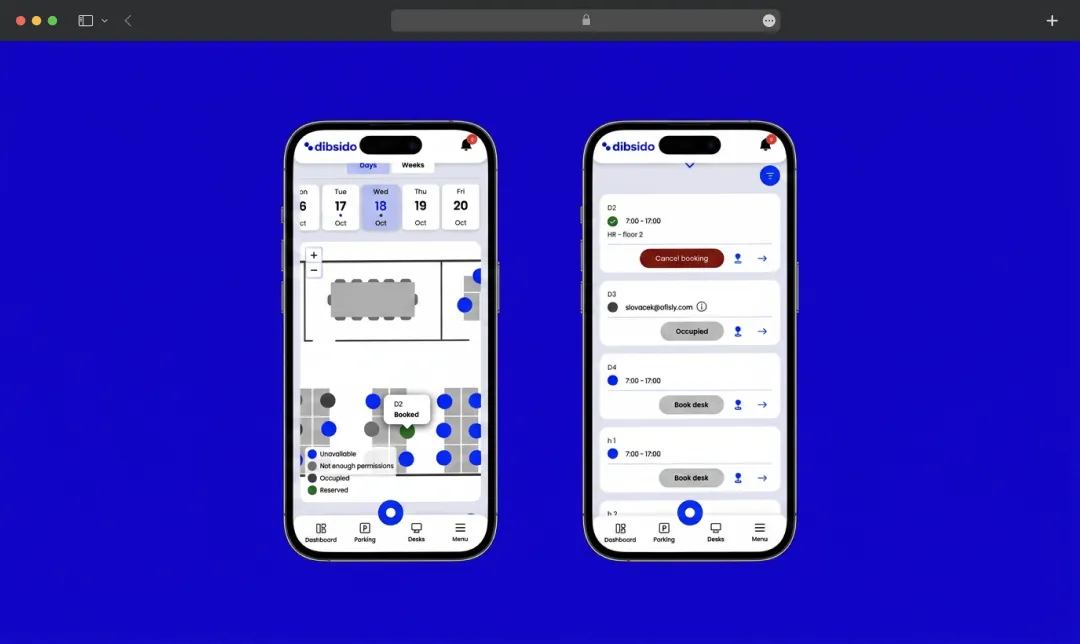
Dibsido surprised us a bit because it focuses on something most desk booking platforms barely think about: parking. And honestly, for some hybrid offices, parking creates more daily frustration than desks themselves.
What stood out to us most is how straightforward the interface feels. Dibsido clearly prioritizes simplicity and fast onboarding over deep enterprise complexity.
The built-in parking fairness controls and carpool coordination are also genuinely different from most competitors.
That said, compared to broader workplace platforms like Archie or Robin, Dibsido feels more lightweight overall. Companies that need advanced analytics, full visitor management, or multi-location workplace operations may outgrow it over time. It also charges per user, which is not ideal for flexible workplaces where many employees only come in occasionally.
Pricing Overview
| Plan | Price | Notes |
|---|---|---|
| Free | $0 | Up to 20 users, full booking features, mobile app |
| Growth (desk booking) | From $1.9 per user/month (yearly) or $2.3 per desk/month | Unlimited desks and users |
| Enterprise | Custom | For 200+ users, with SSO and advanced security |
How To Choose The Best Desk Booking Software 2026
When comparing mobile desk booking software, companies sometimes focus too much on feature lists and not enough on employee behavior. But in practice, the biggest differentiator is often usability.
Ask yourself:
- Does the app feel fast?
- Can employees navigate it easily?
- Does it help people coordinate office days?
- Can employees quickly find desks and coworkers?
If your goal is to improve hybrid office adoption, mobile experience matters more than many companies realize.
Overall, Archie feels like one of the strongest desk booking software if you want a smooth booking experience, interactive office maps, coworker visibility, and QR check-ins. Its app supports both iPhone and Android, without the heavy enterprise complexity, per-user pricing, or custom pricing that many workplace platforms still bring to the table.
Features Employees Actually Want In A Desk Booking App
A feature list looks great in a sales deck. What actually matters is whether the app survives contact with a busy employee on a Monday morning. These are the things that decide that.
1. Fast booking in a few taps
Employees should be able to open the app, see what's free, pick a spot, and confirm. That's the whole job. If booking a desk takes longer than ordering coffee, people quietly stop doing it and go back to guessing. The best hot desk booking software keeps this flow down to two or three taps.
2. Real-time desk availability
A booking screen is only useful if it's honest. If the app shows a desk as open when someone is already sitting there, trust drops fast. Live availability, updated the moment someone books or checks in, is what keeps online desk booking systems from sliding back into chaos.
3. Coworker visibility
One of the main reasons people come in at all is to see other people. Apps that show who's coming in, and let you grab a desk near your team, make office days feel planned instead of random. This is the feature that turns a simple booking tool into an actual coordination tool.
4. Recurring and repeat bookings
Most people sit in roughly the same spot on roughly the same days. Having to rebook from scratch every morning gets old quickly. Repeat bookings and saved favorites remove that friction, and it's a small thing that has a big effect on whether people stick with the tool.
5. QR code check-ins and no-show protection
QR-based check-ins cut friction even further and clean up your data at the same time. If someone books a desk but never scans in, the desk gets released for someone else. That's how you reduce ghost bookings and keep occupancy numbers you can actually trust.
6. Hybrid schedule planning
A good app doesn't just book a desk. It helps people plan the week. Office-day targets, team schedules, and simple attendance views turn hybrid work from a coordination headache into something that mostly runs itself.
7. Reliable iPhone and Android apps
This sounds obvious, but it matters. Some workplace tools still treat one platform as an afterthought, with a polished iPhone app and a clunky Android one, or the other way around. If half your team gets a worse experience, adoption suffers on that half. A proper desk reservation system should feel equally good on both.
Final Thoughts
After looking at all of these, the pattern is hard to miss. The platforms that win aren't the ones with the longest feature list. They're the ones people actually open without being told to.
That's the real test of any desk booking software. Not what it can do in a demo, but whether someone reaches for it on a rushed Monday morning when they just want a seat near their team and a parking spot that isn't a fight.
So when you build your shortlist, spend less time comparing spec sheets and more time picturing your least patient colleague opening the app for the first time. Pick the tool that disappears into their routine.
Frequently Asked Questions
What is the best desk booking software?
A desk booking app lets employees reserve a desk before they come into the office, usually from their phone, laptop, or workplace app. Many modern tools also include office maps, coworker visibility, QR code check-ins, and meeting room booking.
How does mobile desk booking reduce office friction?
Mobile desk booking makes the whole process easier for employees. They can check desk availability before commuting, book a spot from their phone, see who else is coming in, and check in when they arrive. This helps reduce confusion, desk conflicts, no-shows, and last-minute messages about who is sitting where.
What makes a good workplace mobile app?
A good mobile desk booking app should feel fast, simple, and easy to use. Employees should be able to book a desk in a few taps, find coworkers, view office maps, change bookings, and check in without needing training.
Do desk booking apps work on both iPhone and Android?
Most major desk booking platforms support both iPhone and Android, but the experience can vary between tools. That’s why it’s worth testing both versions before rolling out a platform across the company. A smooth mobile experience can make a big difference in employee adoption.
How do QR code check-ins work?
With QR code check-ins, employees scan a code at their desk using the mobile app to confirm they arrived. This helps reduce ghost bookings because desks can be automatically released if someone reserves a spot but never checks in.
Which desk booking app is best?
The best hot desk booking app depends on your workplace setup. If you want a strong mobile experience with interactive office maps, coworker visibility, QR check-ins, and support for both iPhone and Android, Archie is one of the strongest options to consider.

Uncover executable insights, extensive research, and expert opinions in one place.
Related Content