

Kino Live Review | The Virtual Office That Tries to Behave Like a Real One
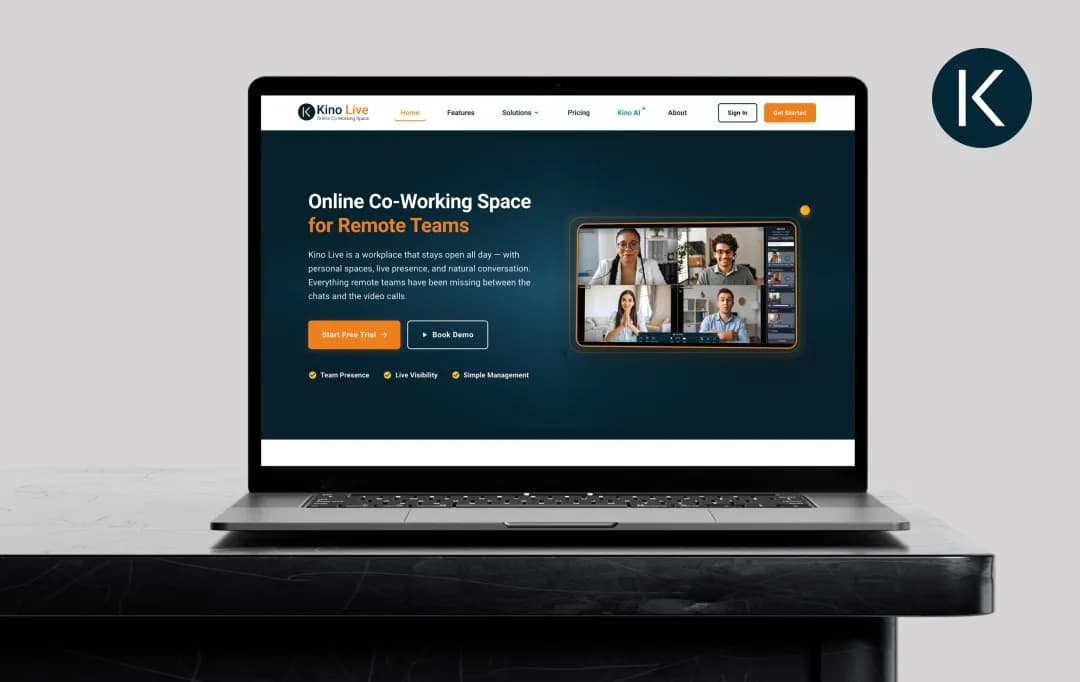
Most remote work tools start with a meeting and end with one. Kino Live takes the opposite approach; it asks teams to log in at the start of the day, stay logged in, and treat the platform like an actual office where people are simply present until they sign off.
There's no meeting link to open, no scheduled call to join, and no notification asking if you want to enable video. You're just there, and so is everyone else.
The platform is built around what Kino calls Spatial Spaces, a patented system where each team member occupies their own visible space, and conversations happen through proximity rather than scheduled calls.
Kino is not a replacement for your team's chat tools, your project board, or your screen sharing apps; it's trying to be the workspace those other tools live inside. Does that make remote work feel more connected? Read our Kino Live review to know exactly this and much more.
Pros and Cons of Kino Live
Pros
- Persistent presence model removes the constant scheduling overhead that plagues Zoom and Teams workflows
- Spatial Spaces feels genuinely closer to office interaction than any avatar-based competitor
- Microsoft Teams bi-directional sync means you can keep existing chat workflows without splitting tools
- Automatic clock-in and attendance tracking removes a layer of manual management for hybrid teams
- Mobile apps on iOS and Android maintain a presence even when team members are away from the desk
- Private Spaces provide confidentiality for sensitive conversations without losing team-wide awareness
- Meta smart glasses integration brings field employees into the same workspace as desk-bound colleagues
- Enterprise-ready with end-to-end encryption, compliance features, and admin control dashboards
Cons
- Missing built-in whiteboard and presentation tools that most teams expect from a workplace platform
- Onboarding the team requires a culture shift; staying "logged in all day" is friction for some employees
- The "always-on camera" expectation can feel surveillance-adjacent depending on how it's rolled out
- Most third-party integrations beyond Microsoft Teams are still limited compared to mature competitors
Key Features of Kino Live
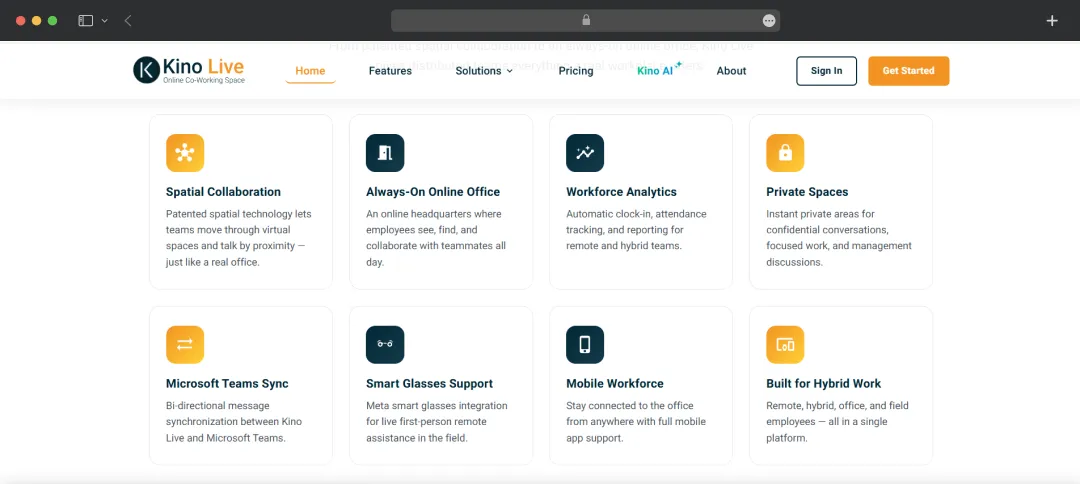
The Kino Live video workspace platform builds its entire experience around the idea that a workspace should stay open all day, not get scheduled into existence one meeting at a time.
Unlike many traditional collaboration tools, Kino Live focuses on creating a persistent virtual office where conversations happen naturally. The Kino Live features below are the ones that actually shape how teams use the platform day to day.
1. Spatial Spaces
Every team member gets their own visible space inside the workspace, and you join a conversation by moving into someone else's space rather than scheduling a call. It's a small interaction change with a significant effect on how teams behave, spontaneous check-ins start happening again, and most of the calendar-management overhead disappears.
2. Spaces Chatter
Ambient background sound from other spaces in the workspace gives the Kino Live collaboration tool the feel of a working office, with the option to mute it entirely when you need focus. It sounds gimmicky on paper, but it does what it claims to do! The workspace stops feeling like a series of isolated video tiles and starts feeling like a place where people are actually working alongside you.
3. Private Spaces
When a conversation needs to stay confidential, anyone can spin up a Private Space that hides content from the rest of the workspace while still showing the participants as available. This is the feature that makes the Kino Live virtual office usable for management discussions and one-on-ones without forcing people to leave the platform entirely.
4. Microsoft Teams Bi-Directional Sync
Messages flow both ways between KinoLive and Microsoft Teams, which means teams already committed to Teams for chat don't have to abandon it to use Kino for presence. This is one of the smarter design choices in the platform; it acknowledges that most enterprises won't rip out an existing tool just to bring in a new one.
5. Automatic Clock-In and Attendance Tracking
Kino logs work hours automatically based on platform presence and surfaces attendance data through the admin dashboard. For hybrid teams trying to track availability without making it feel like surveillance, this works. Though the line between presence tracking and surveillance is something each team will need to draw for itself.
6. Meta Smart Glasses Integration
Field employees can join the Kino Live coworking software through Meta smart glasses, giving desk-based colleagues a live first-person view of what's happening on-site. This is one of the few features in the category that takes field work seriously, and it's where Kino is doing something genuinely different from its competitors.
7. Cross-Platform Mobile Apps
Both iOS and Android apps maintain a presence in the workspace, which means stepping away from your desk doesn't break the team's sense of who's around. The mobile experience isn't a full replacement for a desktop, but it's functional enough to keep the workspace continuous through a regular workday.
8. Admin Control and Enterprise Security
End-to-end encryption, compliance-ready architecture, and a unified admin dashboard for managing access, permissions, and team activity. Nothing flashy here, but for IT teams evaluating the Kino Live video workspace for organisational rollout, this is the section that determines whether it gets past procurement.
Bonus Read: AI Workflow Automation Tools
Kino Live Pricing
Kino Live keeps most of its pricing details behind a sales conversation, which is increasingly common in the enterprise SaaS category but worth flagging upfront. The Kino Live video collaboration software publishes a starting price of $29 per user per month and offers a 14-day free trial of its Professional tier.
But the full plan breakdown, Starter, Professional and Enterprise- requires a direct conversation with their sales team to confirm exact features and per-seat costs.
Here's what's publicly verifiable as of 2026:
| Plan | Starting Price | What's Included | Best For |
|---|---|---|---|
| Free Trial | $0 for 14 days | Full Professional-tier access, no credit card required | Teams testing Kino Live before committing |
| Professional | From $29 per user/month | Spatial Spaces, Private Spaces, Spaces Chatter, mobile apps, attendance tracking, standard admin controls | Small to mid-size remote and hybrid teams |
| Enterprise | Custom pricing, contact sales | Everything in Professional plus advanced security, Microsoft Teams sync, Meta smart glasses integration, SSO, dedicated support, compliance reporting | Larger distributed organisations with IT and compliance requirements |
PRICING NOTES
- The $29 per-user starting price is for the Professional tier, which is what the free trial actually unlocks, so the trial experience is a fair preview of what you'd be paying for.
- Enterprise pricing varies depending on team size, integration requirements, and the specific compliance features your organisation needs, which is why Kino doesn't publish it.
- And while the "no credit card required" trial is genuine, the platform does push for a sales call before the trial ends, which is the standard playbook for tools in this category.
Who is Kino Live Suitable For?
Kino is built for teams that want their workspace to behave like a real office without trying to look like one. Unlike many work-from-home apps that focus primarily on messaging or video calls, Kino creates a shared virtual workspace where teams can interact more naturally throughout the day. Here are the details about the user profile that benefits most from the Kino Live virtual office:
| User Type | Why Kino Works for Them |
|---|---|
| Fully remote teams that miss the rhythm of an office | The persistent workspace model restores the "we're all here" feeling that scheduled video calls fragment |
| Hybrid teams with attendance and presence needs | Automatic clock-in and the spatial layout give managers visibility without imposing constant check-ins |
| Startups under 50 people running a flat, conversational culture | The low-friction interaction model rewards teams that talk often and informally, rather than running everything through meetings |
| Distributed agencies with project-based collaboration | Multiple project teams can occupy different spaces in the same workspace, maintaining awareness across projects without merging them |
| Field-and-desk hybrid teams (construction, logistics, field service) | The Meta smart glasses integration brings field workers into the same workspace as office staff |
| Engineering and design teams doing real-time collaborative work | Spatial proximity supports the kind of side-by-side problem-solving |
In my opinion, the Kino Live communication platform is not for teams that primarily run on asynchronous communication, teams already using other video conferencing apps they don't want to disrupt, or organisations where always-on video presence would create cultural pushback.
It's also not the right tool for one-off external meetings or sales calls; that's not what it's built for, and using it that way will feel awkward.
Customer Reviews
How was your experience with the product?