


Ideogram AI Review: Key Features I Actually Tested
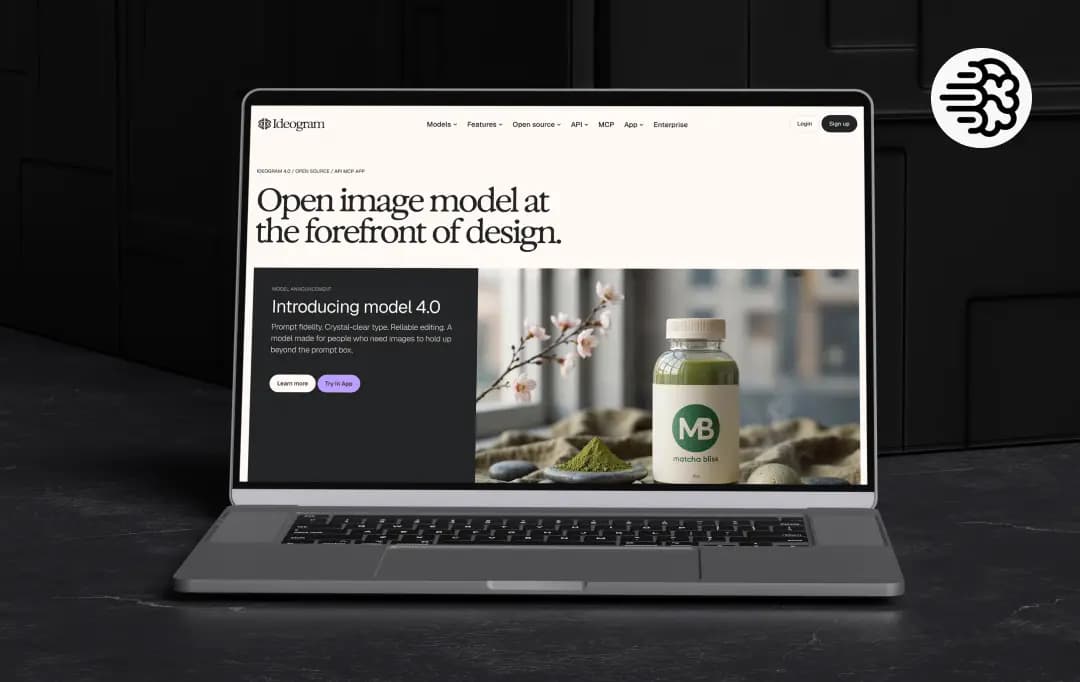
I've kept Ideogram open for the better part of a month, and not in the "make three pretty pictures and call it tested" way. My team and I ran it through real work, social cards, a couple of posters, headshot experiments and a logo or two. So this Ideogram AI review is less a spec sheet and more a record of what held up under deadlines.
Created by ex-Google Brain researchers, the Ideogram company is a Toronto outfit started in 2022. They launched in 2023, and from day one, their whole pitch was the thing other models got wrong: text. That origin story explains almost everything below, because nearly every feature circles back to "make the words legible and put them where you asked."
Pros and Cons of Ideogram AI
Pros
- Best-in-class text rendering, it spells and places words right where most rivals produce gibberish
- A full editing suite under one roof: background removal, fill, extend, reframe and upscale
- Single-photo character consistency with no training or dataset needed
- Custom models and style references keep output on-brand for repeat work
- Batch generation makes high-volume campaigns work fast
- Beginner-friendly, you'll make something usable in your first ten minutes
- Available as a strong mobile app, an API, and an MCP server for AI agents
Cons
- Free credits have been quietly cut over time (from 25 a day down to roughly 10 a week), which long-time users are vocal about
- Slow-queue waits have stretched to as long as 20 minutes, and priority credits expire each cycle with no rollover
- Free and Basic images stay public by default; privacy only comes with a paid plan
- Photorealistic human faces are still a weak spot compared to Midjourney or DALL-E
- Content filters can be aggressive, with users reporting false-positive refusals on harmless prompts
- Several users report that the subscription is hard to cancel, and refunds aren't offered
Key Features of Ideogram AI
1. AI Image Generator (4.5/5)
This is the core, and it's what the tool is genuinely best at. Ideogram AI image generator renders text without turning it into alien soup. The prompt I ran to test it: "vintage-style jazz festival poster, large text reading 'Riverside Jazz Nights, July 3', warm sunset colors, retro typography." The spelling came back clean on the first try, headline placed where I asked, which is not something I can say for most competitors.
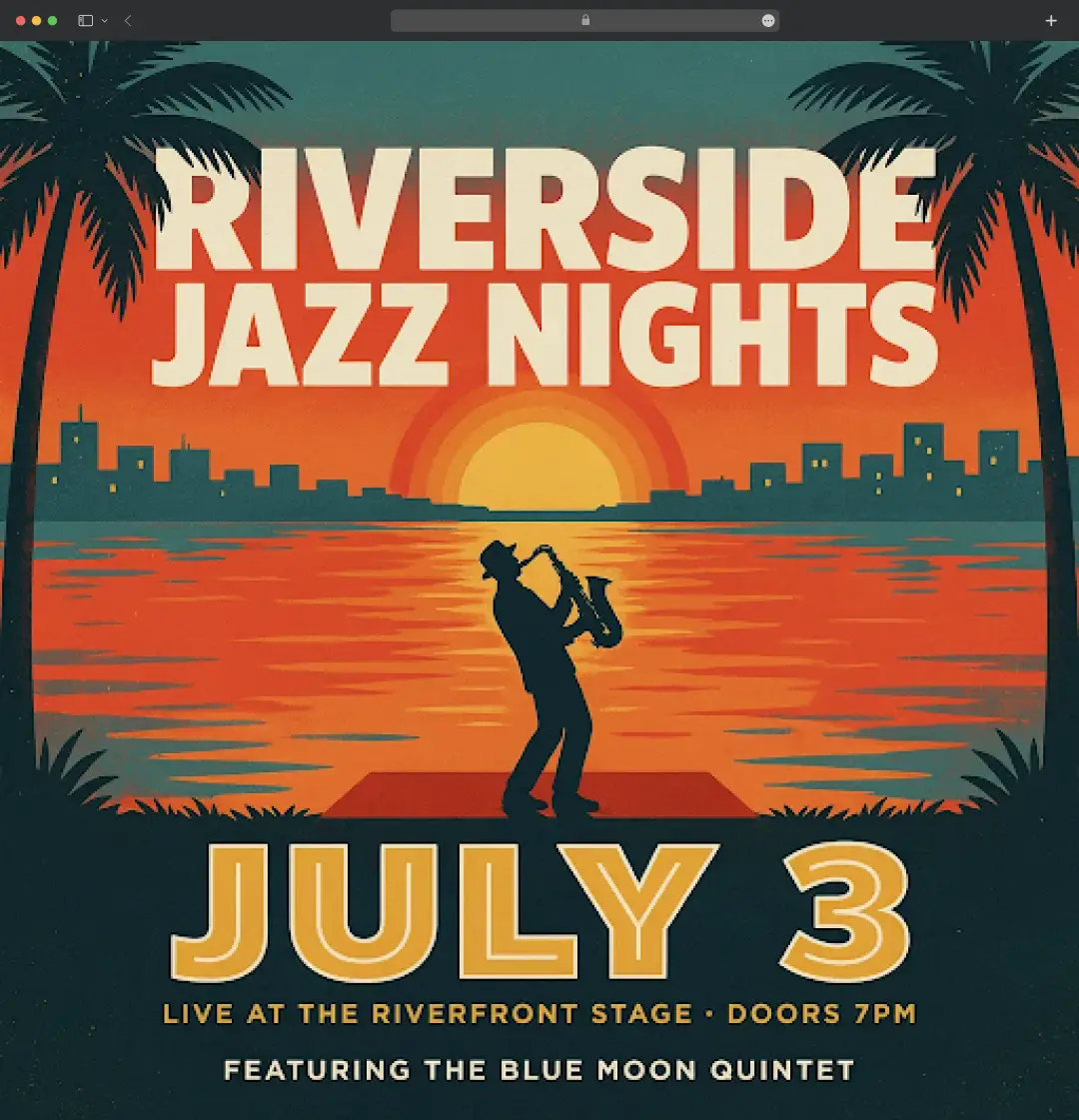
We also tested quotes, captions, and packaging copy, and English typography was near-perfect. Non-Latin scripts were more hit and miss, so don't assume regional languages are solved. But for a headline on a banner or thumbnail, Ideogram AI art generator is the most reliable option I've used. If you want to push it as an solution for stylized work, the realism on the latest model is strong and rarely has that plastic "AI made this" look.
2. AI Image Editor (4.0/5)
Generation is the easy part these days. The editor is where it stopped feeling like a toy. You can describe a change in plain language and tweak an image instead of regenerating it. As one of the best AI photo colorizers, you can do color grading, use generative fill to drop in or replace something, Reframe to shift into a new aspect ratio while keeping the focal point, and Upscale for sharper, larger output.
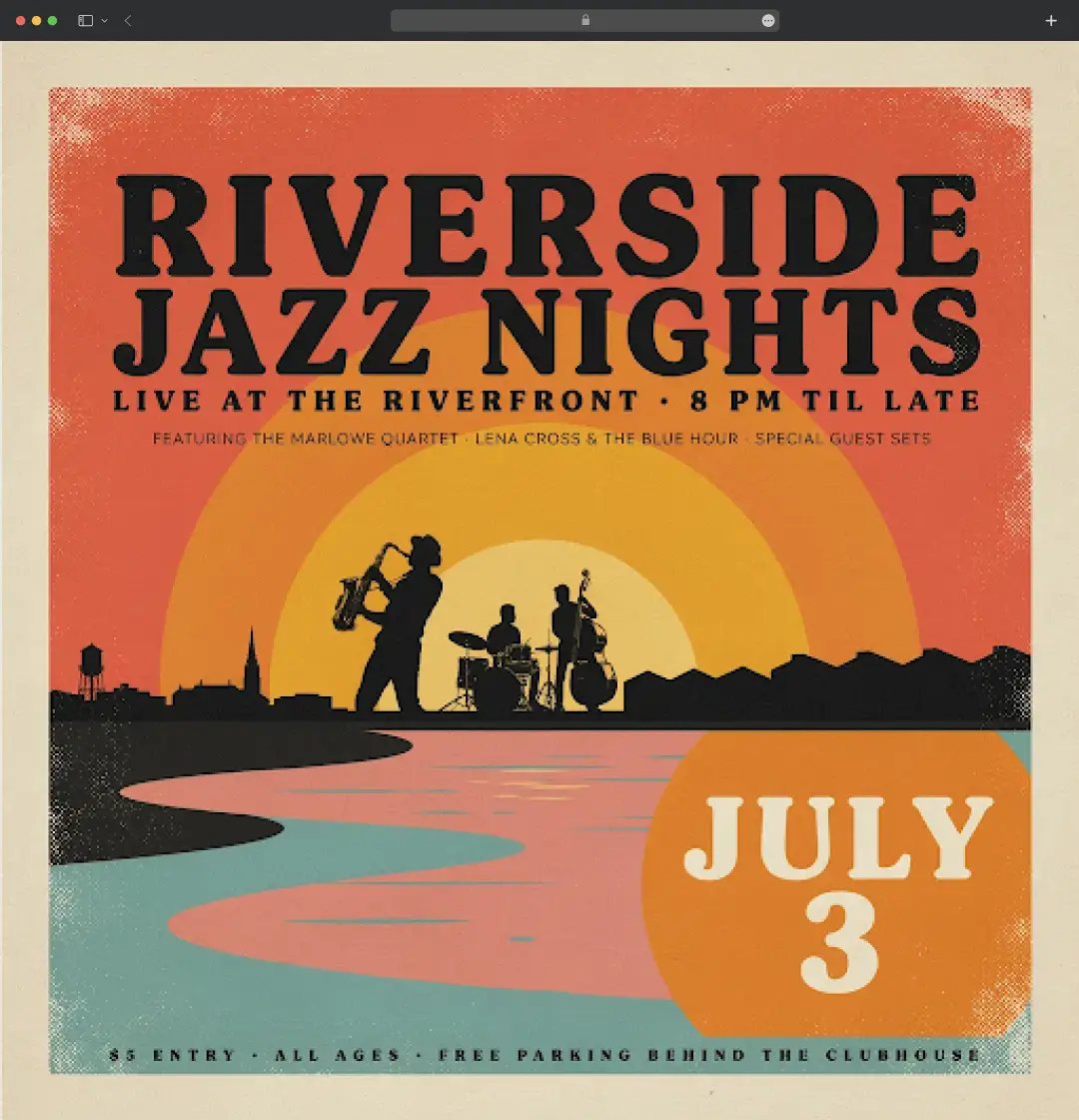
I tested it on the same vintage-style jazz festival poster image and told it to “change the style of the image.” It did it without me touching a single mask. Reframe was the quiet hero, one hero image became a square post, a story, and a banner while keeping the subject intact. It's not flawless, the fill sometimes needed a couple of tries to match lighting, but having the whole loop in one app saved more time than raw speed did.
3. Background Remover (4.0/5)
This is one of the newer additions, and it's now also a standalone tool rather than something buried in the editor. You drop in an image and it pulls a clean cutout with a transparent background, no Photoshop masking required.
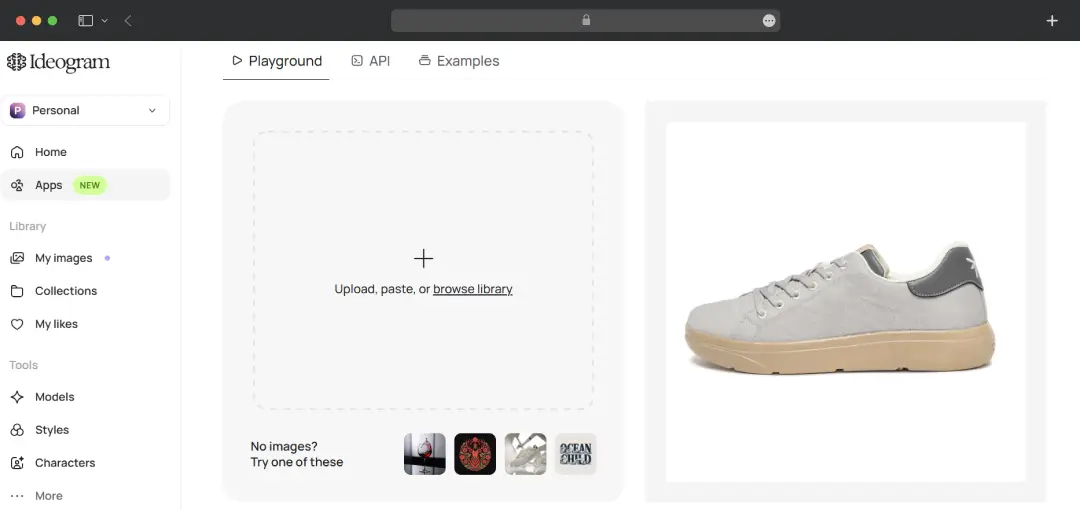
I tested it on a product shot: uploaded a sneaker photo and hit remove background. It returned a tidy transparent PNG with the edges around the laces handled better than I expected. For anyone prepping assets that need to sit on a new backdrop, this alone removes a whole annoying step from the workflow.
4. AI logo maker (4.5/5)
The logo maker leans directly on the text strength. Because the model spells things right and places type deliberately, asking for a wordmark gives you something workable instead of garbled letters.
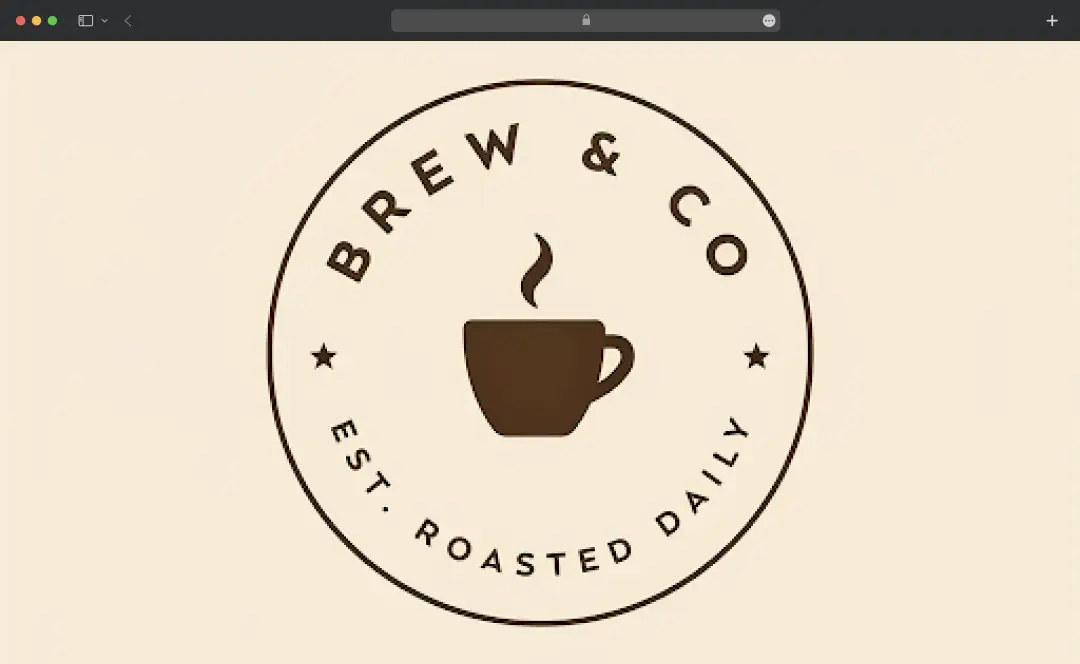
My test prompt: "minimalist logo for a coffee brand called 'Brew & Co', circular badge style, brown and cream palette, clean sans-serif." The name came out correctly spelled and centered, and I got a few usable directions in one go. I wouldn't hand the raw output to a client as a final logo, you'll still want a designer to refine it, but for quick concepts and "show me ten options" moments, it's fast and clean.
5. Print on demand essentials (3.5/5)
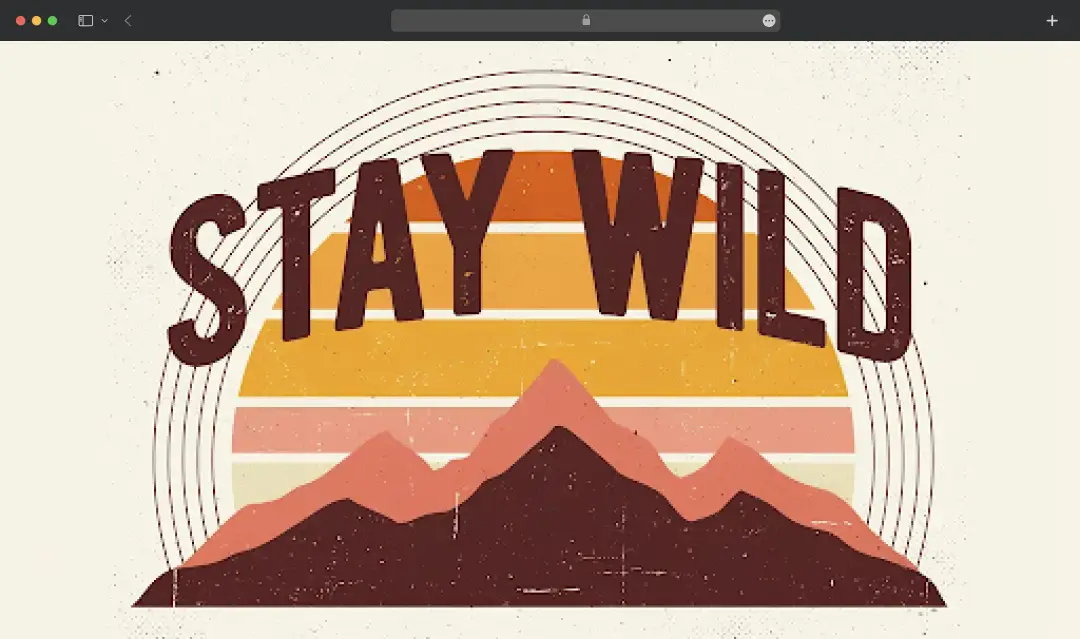
There's a Print on Demand workflow aimed at people putting designs on actual products: shirts, posters, mugs, merch. The parts that feed it, clean cutouts, high-res upscales, and readable text, are exactly what Ideogram does well.
I tested a shirt graphic: "retro sunset graphic with bold text reading 'Stay Wild', distressed vintage print style, fits a t-shirt layout." The result was print-ready looking and the text stayed crisp at size. I didn't run a full fulfilment pipeline, so I can't vouch for that end, but if you're selling tees or wall prints, the design side is covered.
6. Batch Generation (3.5/5)
This one's for volume. Batch generation lets you upload a CSV and spin out many variations at once instead of typing prompts one by one, which is a lifesaver for campaign variants or a full set of social cards.
Something worth flagging: it sits on the higher (Pro) tier, so it isn't part of the entry plans. If churning out dozens of assets in one go is your actual job, that's probably where the subscription pays for itself.
7. Additional tools (models, styles, characters)
A few more things round it out, and each got its own test.
Models is essentially a dedicated project space where you upload a batch of reference photos to train the model on a specific look, then generate new images that match it. It is great for repeat brand work where you need consistency. Worth noting the core engine itself is now open weight, you can do an Ideogram download of the weights off GitHub or Hugging Face and run or fine-tune it yourself.
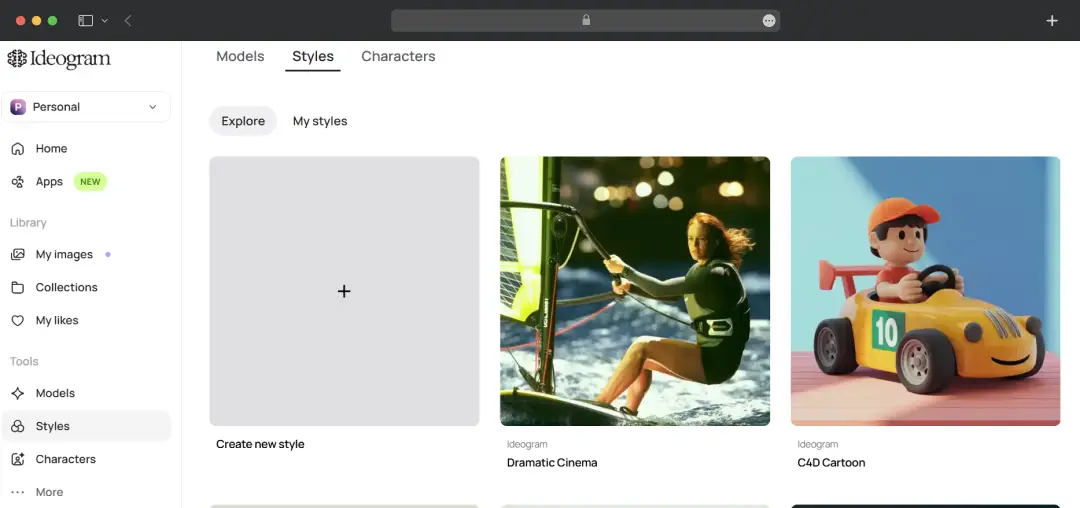
Styles is the aesthetic dial. There are presets plus a style-reference feature where you feed it an image, and it borrows the look and palette rather than the subject. Handy distinction: a style reference borrows the vibe, a character reference borrows the identity. You can select from several styles like Dramatic Cinema, C4D Cartoon, Watercolor, etc. or create your own.
Characters earned the most excitement from my team because it puts Ideogram in the race of best free AI avatar generators. Upload one reference photo, no training or ten-image dataset, and it keeps that same face across poses, outfits, and scenes. I uploaded a single selfie and prompted "professional LinkedIn headshot, navy blazer, neutral grey background," then ran a few wilder variations, and the face stayed recognizably mine each time. Test it on your own face before trusting it for a client, but it held up well for us.
How many credits does each model use?
This part tripped me up at first, so it's worth spelling out. Not every generation costs the same. The credit hit depends on which model you pick and the rendering speed you set (Turbo, Default/Balanced, or Quality).
| Model | Turbo | Default / Balanced | Quality | Images per generation |
|---|---|---|---|---|
| Ideogram 4.0 (2K) | 2 credits | 4 credits | 6 credits | 1 image |
| Ideogram 3.0 | 2 credits | 4 credits | 6 credits | 4 images |
| Ideogram 2a | 2 credits | 4 credits | 6 credits | 4 images |
| Ideogram 2.0 | 2 credits | 4 credits | 6 credits | 4 images |
| Ideogram 1.0 | 2 credits | 4 credits | 6 credits | 4 images |
| Upscale 1.0 | Default | Default | Default | per 1 images |
Who can use Ideogram AI?
The short answer is anyone who needs a good-looking image with words on it, but in practice a few groups get way more out of it than others. Here's who we think it fits best, based on the kind of work it actually shines at.
| Persona | Use case |
|---|---|
| Social media managers | Spinning out scroll-stopping posts, carousels, and quote cards with clean, on-brand text baked straight into the image, no separate design tool needed. |
| Graphic designers | Generating fast concepts, mood boards, and layout directions to show clients, then refining the winners instead of starting every idea from a blank canvas. |
| Small business owners | Making logos, menus, flyers, and promo graphics in-house without hiring a designer or wrestling with complicated software. |
| Marketers and ad teams | Producing ad creatives, banners, and landing-page visuals at speed, with editable text and reframing for every placement and aspect ratio. |
| Content creators and bloggers | Designing thumbnails, featured images, and channel art that look polished and actually spell the title correctly. |
| Print-on-demand sellers | Creating t-shirt graphics, posters, and merch designs with transparent cutouts and high-res output ready to drop into a product. |
| Branding agencies | Keeping a consistent look across a campaign using custom models, style references, and character consistency for repeat brand assets. |
| Indie game and app makers | Whipping up concept art, mascots, icons, and key visuals early in a project without a dedicated art budget. |
How to Use Ideogram AI
People kept asking me how fiddly it is to get going, so here's the actual flow I followed, start to finish, the first week I picked it up.
1. Sign in and pick your surface
I started on the Ideogram AI website version with a free account. There is also an Ideogram AI app available on the Apple App Store. However, Android users will have to wait for a dedicated app. Same login works across both, and whatever I made on one showed up on the other, which I appreciated.
2. Write your prompt in the bar up top
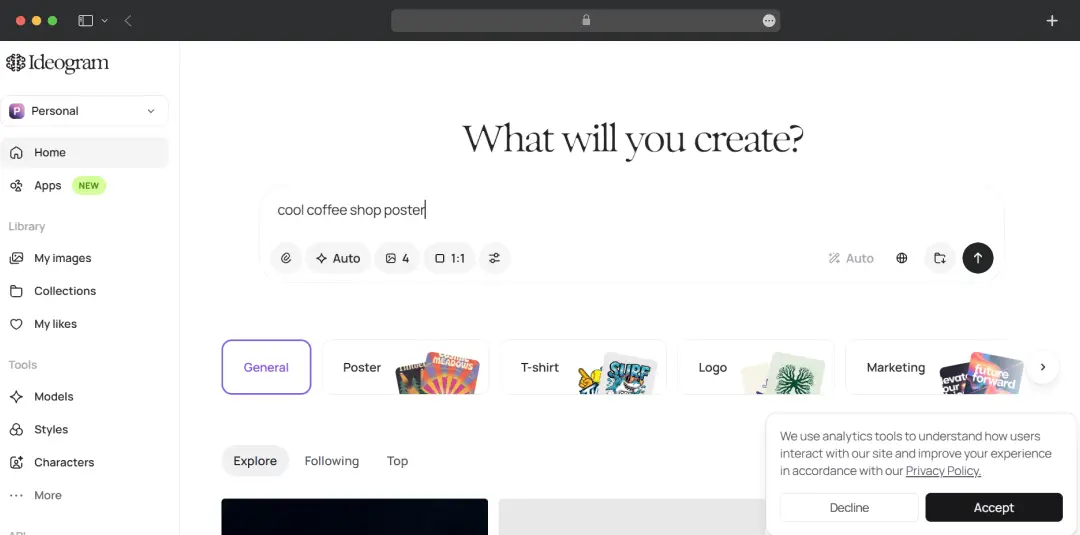
This is where I learned my first lesson: be specific. My early "cool coffee shop poster" attempts were vague and so were the results. Once I started spelling out the scene, the mood, and the exact words I wanted, things clicked. If you want text in the image, put it in quotes, that one trick fixed half my problems.
3. Set your options before you generate
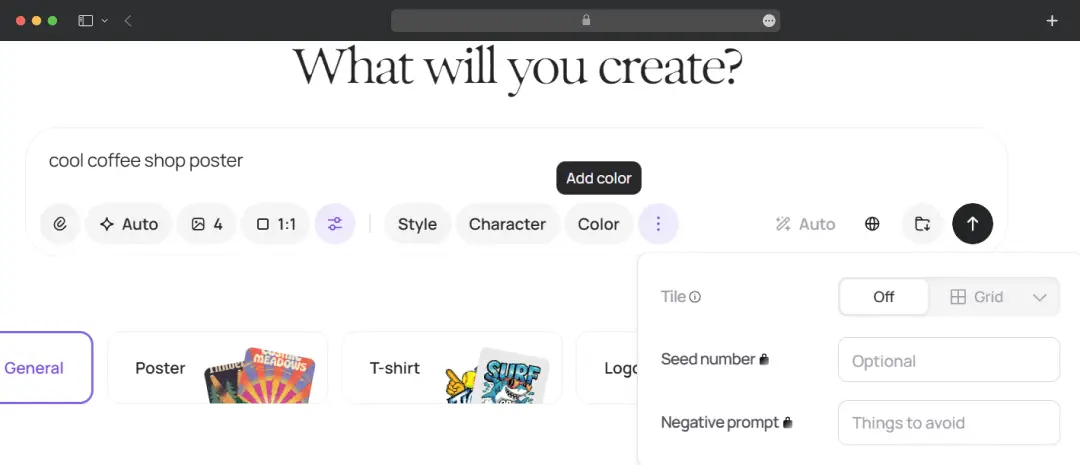
Below the prompt I picked an aspect ratio (I default to square for social, but switched to portrait for a story), chose the model version, and either left the style on auto or attached a style reference when I had a particular look in mind. Took me a couple of runs to realize how much the style setting changes the output.
4. Hit generate and wait a beat
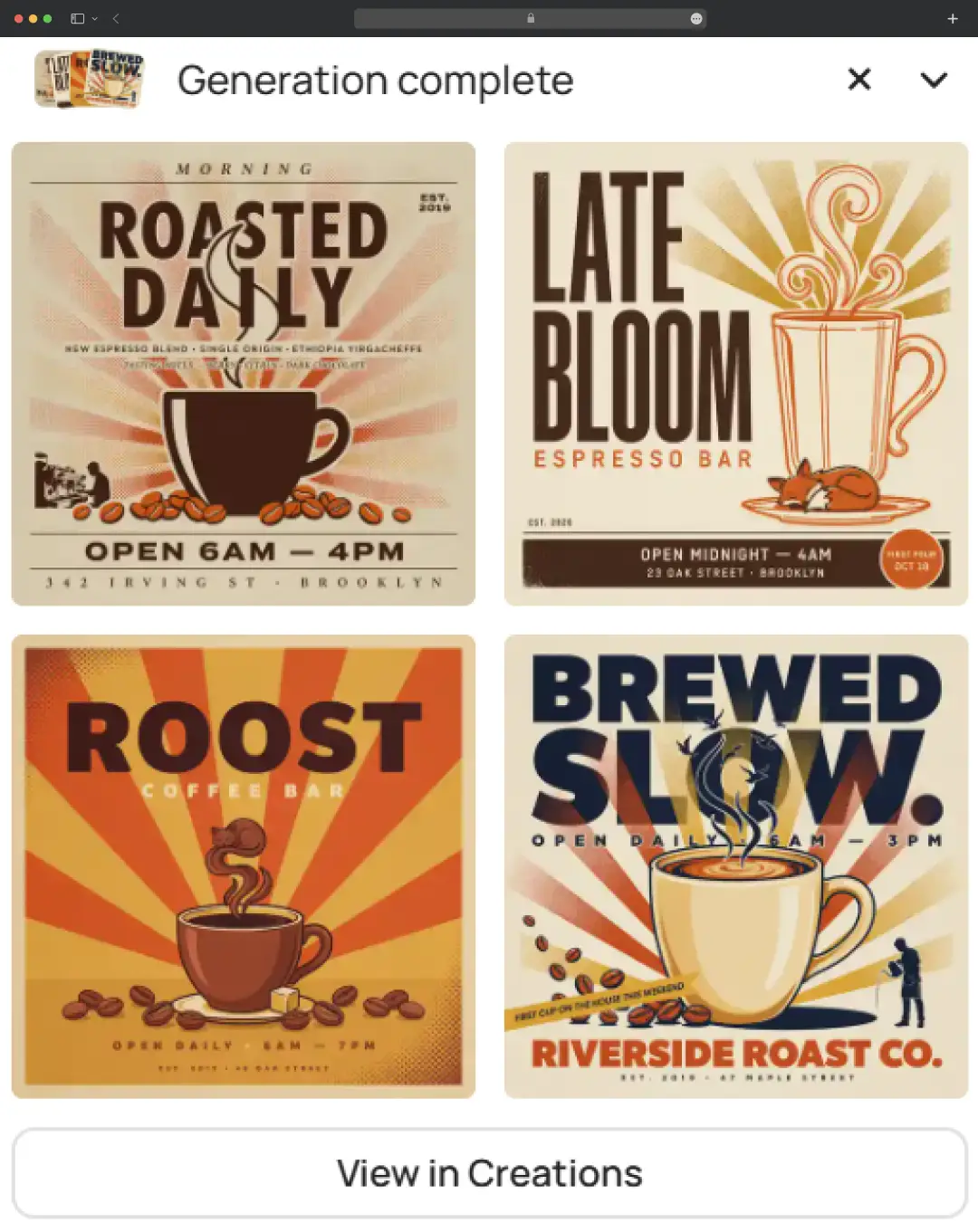
Each run gave me four variations, not one, which is handy because the first option is rarely the best. On the free tier, the slower queue meant a short wait, nothing painful.
5. Edit Your Image if needed
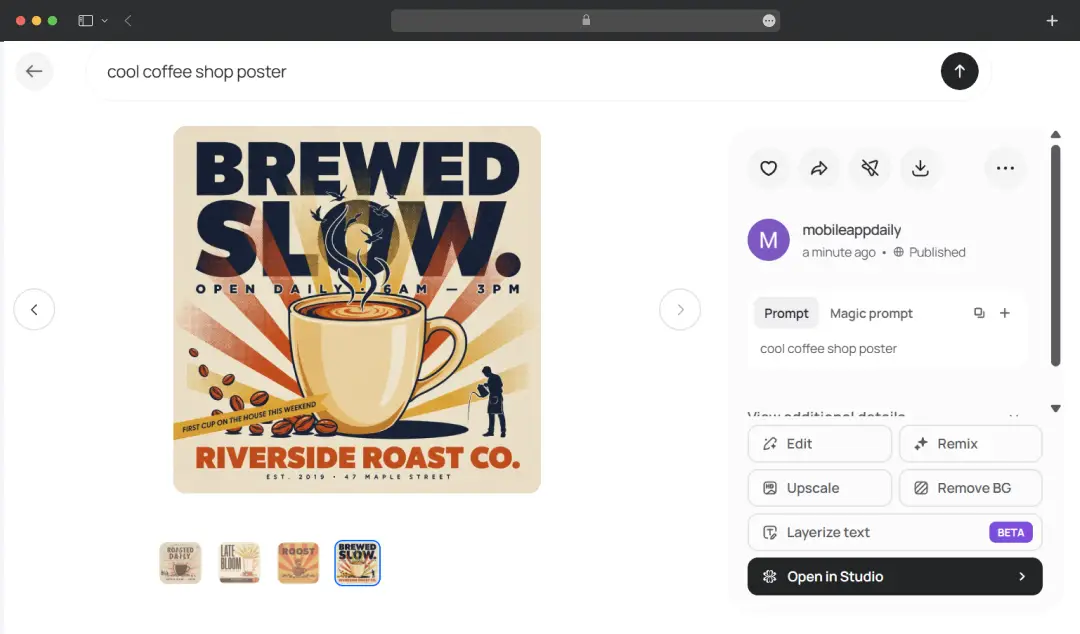
After selecting your preferred image from the options, you will be redirected to the editing space. There, you can use all the offered editing tools like layering, prompt editing, upscale, background removal, etc.
6. Pick, then push it further
I'd choose the closest result and either regenerate for fresh options or remix it to spin a new version off the same vibe. Honestly, I rarely kept the first batch; the magic was in iterating two or three rounds until it matched what was in my head.
Ideogram AI Pricing
Ideogram runs on a credit-based model with four plans, and you save a fair bit by paying yearly instead of monthly. Here's how the tiers break down, including what each one actually unlocks. One thing worth knowing before you commit: priority credits don't roll over, so whatever you don't use each cycle just disappears.
| Plan | Billed monthly | Billed yearly | What you get |
|---|---|---|---|
| Free | $0 | $0 | Around 10 slow credits a week to test the tool. Images are public, and you can't download full-quality PNGs, so it's for trying things out, not client work. |
| Plus | $20 / month | $15 / mocnth | 1000 priority (fast) credits a month with unlimited slow credits, and proper PNG downloads. Also offers private generation. |
| Pro | $60 / month | $42 / month | The real professional starting line: 3,500 priority credits, unlimited slow generation, private images, image upload, and character consistency. |
Customer Reviews
How was your experience with the product?














