
We are not biased. We test and review every product. Here's our Methodology.

From editing PDFs to AI-powered tools, here's everything you need to know before choosing PDFFly.

MobileAppDailyCertified Rating
4.4 out of 5
Why Trust MobileAppDaily?

For us, Product Reviews mean diving headfirst into the functionality of each digital product, whether it's an app, software, or website. Our process centers around hands-on testing of each tool we pick. From scrutinizing features to testing vulnerabilities of security standards, the goal remains to help you find products that don't just work but truly elevate your experience. In a nutshell, if we're recommending a product, it's because we believe it'll genuinely make your digital life easier.

  • Products Reviewed - 4,000+
  • No. Of Experts - 20+
  • Categories - 65+
Explore Our Methodology
Riya

Written By Riya

Riya turns everyday tech into effortless choices! With a knack for breaking down the trends and tips, she brings clarity and confidence to your downloading decisions. Her experience with ShopClues, Great Learning, and IndustryBuying adds depth to her product reviews, making them both trustworthy and refreshingly practical. From social media hacks and lifestyle upgrades to productivity boosts, digital marketing insights, AI trends, and more—Riya’s here to help you stay a step ahead. Always real, always relatable!

Explore More By Author

PDFFly Review | Finally, a PDF Tool That Doesn’t Feel Overbuilt?
PDFFly

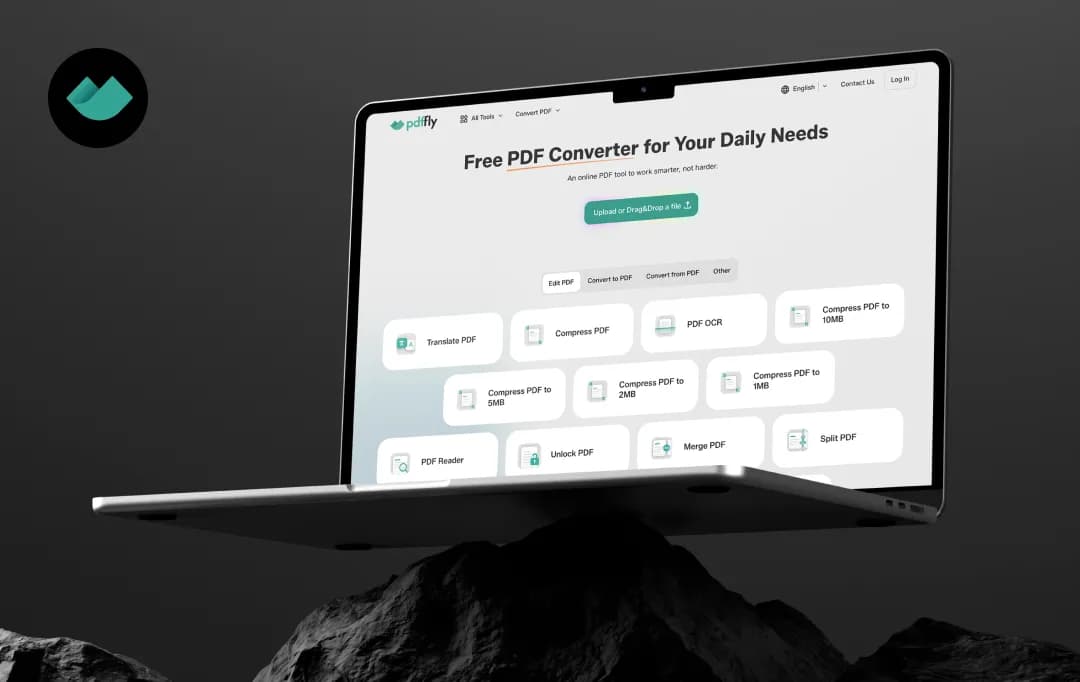
Finding a capable PDF editor is easy, but finding the one that balances ease of use, useful features, and reasonable pricing is not an easy job. That's where PDFFly caught my attention. Rather than focusing on a single feature, it brings together PDF editing, document conversion, OCR, e-signatures, and AI-powered tools in one browser-based platform.

Of course, bringing everything under one roof only matters if the experience holds up in day-to-day use. So instead of relying on its extensive list of features, I spent time exploring how PDFFly handles common document tasks, how intuitive its interface feels, and whether its AI features add meaningful value.

In this PDFFly review, I'll share what I found, covering its key features, pricing, strengths, limitations, and the types of users who are most likely to benefit from it.

Pros and Cons of PDFFly

Pros

  • Broad format support, including niche formats beyond the usual Word/Excel/JPG
  • Browser-based, no installation needed
  • Compress-to-target-size option (e.g., cap at 10MB/5MB/2MB/1MB) rather than a vague quality slider
  • Includes OCR for scanned documents
  • Listed member of the PDF Association (legitimate industry trade group)
  • Free to use with no account/sign-up required

Cons

  • AI features are narrow, limited to summarization and translation, with no chat/Q&A with documents

PDFFly Features at a Glance

PDFFly positions itself as an all-in-one, browser-based PDF toolkit that requires no installation or account sign-up. It covers the core needs most of us have with PDFs, converting, compressing, editing basic structure, and securing files.

Along with all this, it layers in a couple of AI-assisted tools for summarization and translation. Below is a breakdown of the main PDFFly features that make it rank among the top PDF editing tools-

1. Format Conversion  (4.5/5)

PDFFly PDF converter supports converting PDFs to and from multiple formats, including the usual Word to PDF converter, Excel, PowerPoint, JPG, and PNG, but also less common ones like EPUB, MOBI, AZW3, SVG, HEIC, WebP, DWG, DXF, and DjVu.

This breadth makes it useful for niche use cases like ebook or CAD file conversion, not just everyday office documents.

2. Compression with Target File Size  (4.5/5)

Rather than offering a vague ‘reduce size’ slider, this online PDF editor lets you compress a PDF to a specific target cap, such as 10MB, 5MB, 2MB, or 1MB. This is particularly useful when a file needs to meet a strict size limit, like an email attachment cap or an online form's upload restriction.

3. OCR (Optical Character Recognition) (4.2/5)

The OCR tool converts scanned documents or image-based PDFs into searchable, selectable text. This feature is specifically helpful for digitizing paper documents or making old scanned files usable for editing and search purposes.

4. AI-Powered PDF Summarizer (4.0/5)

PDFFly PDF editor uses an AI-driven approach to generate a condensed summary of longer documents, such as research papers, contracts, or reports. It's aimed at saving time for users who need the gist of a document without reading it in full.

5. AI-Powered PDF Translation (4.0/5)

PDFFly offers document translation that aims to preserve the original layout while converting text into another language. This is positioned as one of its "AI-driven solutions" alongside the summarizer.

6. Merge and Split (4.2/5)

You can combine multiple PDFs into a single file or split one PDF into separate files/pages. This is a standard but essential utility for reorganizing documents.

7. Additional Tools (4.4/5)

PDFFly includes tools to remove password protection from PDFs (for files the user has rights to access) and to add an e-signature to a document without needing separate signing software. It also has a watermark removal feature that can strip existing watermarks from a PDF document.

Plus, it offers a tool to enhance image quality within documents, useful for improving the clarity of scanned or low-resolution images embedded in PDFs.

Understanding PDFFly Pricing and Subscription Plans

This online PDF editor is a completely free tool that does not have any hidden charges or additional costs. Here are a few quick pointers on PDFFly’s free pricing-

  • The PDFFly free plan gives you access to a variety of tools- no paywalls, no hidden charges. You can compress and edit as many PDF files without any caps.
  • The platform does not ask you to sign up. You get access to all the tools even without an account.
  • Unlike most competitors that offer free tools with multiple ads, PDFFly does not display any annoying ads to interrupt your workflow.

Who is PDFFly For?

PDFFly's combination of broad format support, no-cost access, and no sign-up requirement makes it a fit for a wide range of casual and semi-regular PDF users rather than heavy-duty document management teams.

Here's a breakdown of who gets the most value from this free online PDF editor:

User Type Why PDFFly Fits
Students Free, unlimited conversions (Word, PowerPoint, JPG, etc.) are useful for turning assignments, notes, or scanned readings into usable formats without paying for software.
Freelancers No sign-up and no per-use limits make it convenient for occasional client work, like compressing files to meet upload limits or converting deliverables between formats.
Small business owners/solopreneurs Handles everyday tasks, merging invoices, compressing reports, converting Excel sheets to PDF, without committing to a subscription-based tool.
Casual/occasional users Best suited to people who need a PDF tool a few times a month rather than daily, the lack of an account system means there's no dashboard or saved history for repeat, high-volume use.
Users needing niche format conversions The support for formats like EPUB, MOBI, AZW3, DWG, DXF, and DjVu makes it useful for people working with ebooks or CAD files who won't find those formats on more mainstream PDF tools.
Multilingual document users The AI-powered translation tool is useful for anyone who occasionally needs a translated document with the layout preserved, without a dedicated translation service.
Users digitizing paper documents The OCR feature makes it a fit for anyone converting scanned paperwork into searchable, selectable text.

Who it's likely not built for: teams needing collaborative editing, audit trails, or e-signature workflows at scale; businesses handling highly sensitive/regulated documents where a longer independent security track record matters; or users who need true in-line PDF editing (adding/removing text within the document itself) rather than conversion and structural tools.

Customer Reviews

Checking...

Rate the product based on your experience?

How was your experience with the product?

Also Reviewed By Us

MobileAppDaily’s Ratings for PDFFly

Expert Opinion
Features

FEATURES

4.0

Solid browser-based toolkit, broad format conversion, target-size compression, OCR, merge/split, unlock, sign, watermark removal, and two AI-driven tools (summarizer, translator).

Pricing

PRICING

4.8

Completely free with no paid tier found anywhere on the site. Extremely strong on cost.

Performance

PERFORMANCE

4.2

All the tools on the platform work perfectly well and are fully efficient in completing the required tasks within minutes.

UI/UX

UI/UX

4.4

Offers a clean, sleek interface with no learning curve.

How to Use PDFFly?

PDFFly’s PDF tools for converting, editing, translating, and other purposes are designed to be simple enough to be used without any tutorials or complicated processes. There is no software to install, no sign-up required and no additional charges. Here’s a step-by-step guide to using the PDFFly conversion tool. The general workflow is mostly the same across all the tools.

Step 1: Choose Your Tool

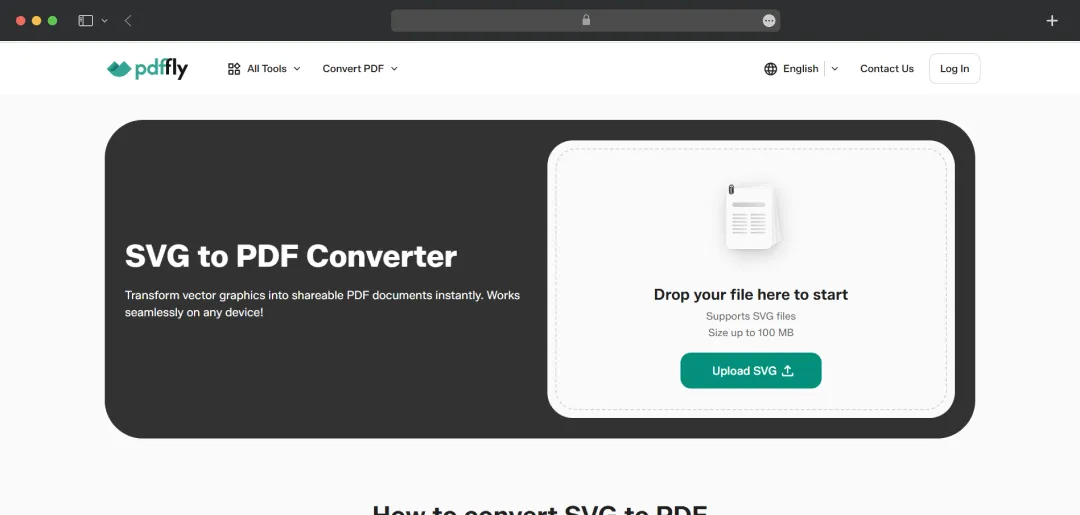
Go to pdffly.com and select the specific tool you need from the homepage or menu, for example, Compress PDF, Excel to PDF, JPG to PDF, Unlock PDF, or the AI Summarizer/Translator. Each function has its own dedicated page rather than one single “upload and pick an option” interface.

Choose Your Tool

*For this review, I am using the SVG to PDF (from the ConvertPDF suite) tool.

Step 2: Upload Your File

Drop your file into the upload area, or select it manually from your device. PDFFly's tool pages confirm this works the same way across devices: Windows, Mac, Linux, Android, or iPhone, directly from a browser, with no app installation required.

Step 3: Let PDFFly Process the File

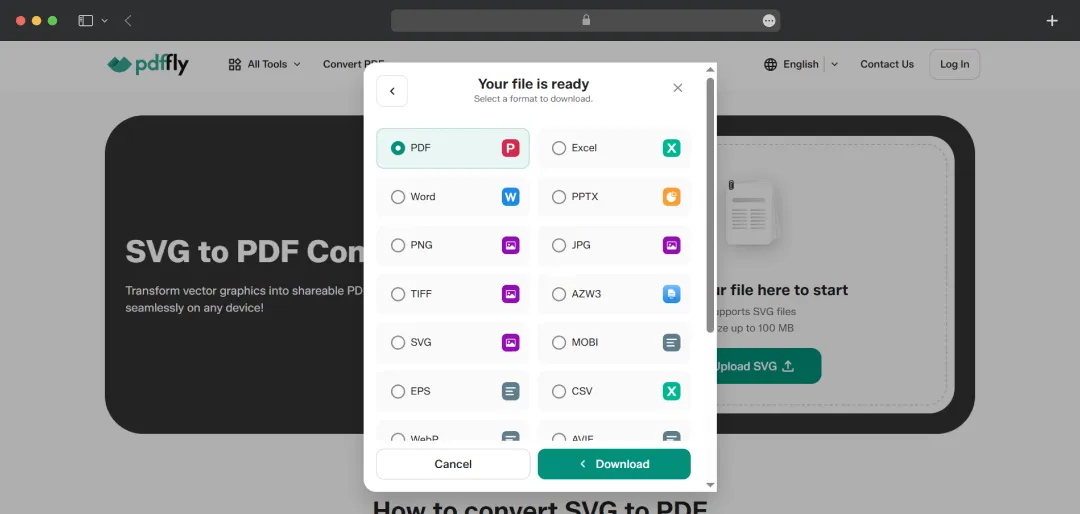
Once uploaded, the platform automatically runs the requested task. The platform does not require any manual settings adjustments. Along with converting the SVG file to a PDF, it also gave multiple other format options.

Let PDFFly Process the File

Step 4: Download the Result

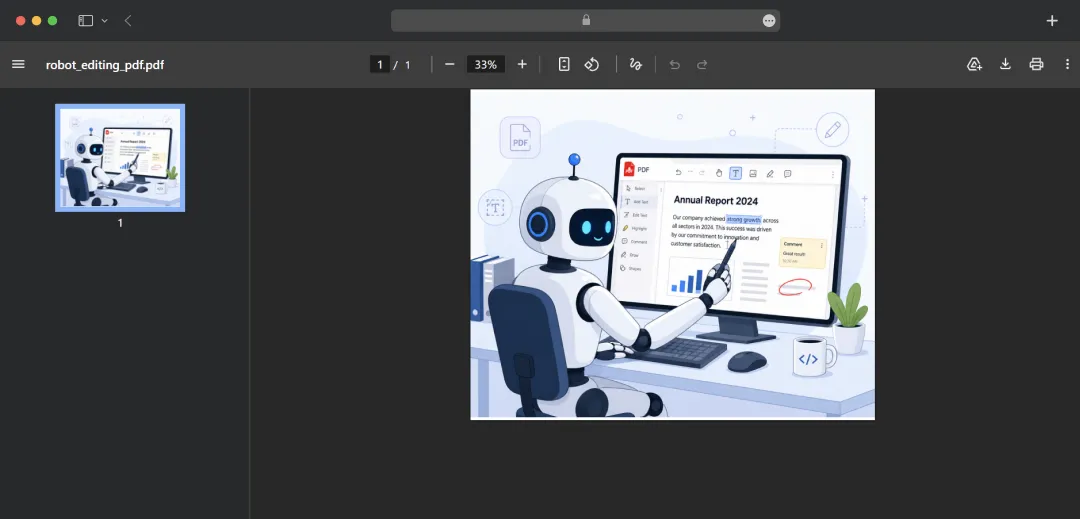
I selected the PDF option, clicked on ‘Download,’ and my file was converted. No email confirmation or account login is needed to retrieve it.

Download the Result

MobileAppDaily’s Verdict for PDFFly

Based on our team’s collective PDFFly review, the platform does what it sets out to do without overcomplicating the experience. It's a browser-based PDF toolkit that covers the essentials most people actually need: format conversion, target-size compression, OCR, and basic document security tools, and layers in two genuinely useful AI features for summarization and translation.

What stands out most, though, is the complete absence of friction: no sign-up, no paywalls, no usage caps, and no ads slowing you down. In a category where most tools eventually funnel you toward a subscription, PDFFly's fully free model is a legitimate differentiator.

That said, it's important to be clear about what PDFFly is not. It isn't a full-fledged PDF editor; you won't be able to directly edit text within a document or build out complex fillable forms the way you can with heavier, subscription-based platforms.

This makes PDFFly online PDF editor better suited to students, freelancers, and small business owners handling quick, everyday conversion and cleanup tasks, rather than teams needing collaborative workflows or enterprise-grade document management.

Overall, PDFFly earns its place as a dependable, no-cost utility for fast, everyday PDF tasks. For someone who just needs to convert, compress, or clean up a document without jumping through hoops, it delivers exactly what it promises, quickly and without the usual costs attached.

Let Your Product Take the Center Stage with Our Review

Share your product details and our team will get back with the next steps.

PDFFly
Frequently Asked Questions

FAQ
  • Is PDFFly worth it?

    Yes, for everyday tasks like converting, compressing, or unlocking PDFs, PDFFly is worth using since it's completely free with no sign-up, no usage caps, and no ads. However, if you need advanced editing, form-building, or e-signature workflows at scale, you'll likely need a more full-featured (paid) alternative.

  • Is PDFFly safe to use?

    PDFFly states that files are encrypted during processing and automatically deleted from its servers afterward, and it's a listed member of the PDF Association. That said, independent third-party security audits or reviews weren't found during this research, so it's worth avoiding highly sensitive or confidential documents until the platform has a longer verified track record.

  • Do I need to create an account to use PDFFly?

    No, PDFFly doesn't require sign-up or an account for any of its tools. You can upload, process, and download files directly without providing an email address or creating a login.

  • Can PDFFly edit text directly inside a PDF?

    No, PDFFly is not a traditional PDF editor, it doesn't support direct in-line text editing, annotations, or advanced form-filling. It's built for conversion, compression, and basic document utilities rather than content editing.

  • Does PDFFly work on mobile devices?

    Yes, PDFFly is browser-based and works across devices, including Windows, Mac, Linux, Android, and iPhone, without requiring any app installation.

Delve into our comprehensive yet easy-to-consume guides, which provide insights that help scale business faster and prevent unseen pitfalls.

Related Products

Cut through the clutter and explore related digital products that deliver on performance.

PDFFly Review: Fast, Simple, But is it Enough?