
We are not biased. We test and review every product. Here's our Methodology.

Thinking about Recruit CRM? Here's a detailed look at its AI tools, pricing structure, pros and cons, and how it stacks up against competitors.

MobileAppDailyCertified Rating
3.7 out of 5
Why Trust MobileAppDaily?

For us, Product Reviews mean diving headfirst into the functionality of each digital product, whether it's an app, software, or website. Our process centers around hands-on testing of each tool we pick. From scrutinizing features to testing vulnerabilities of security standards, the goal remains to help you find products that don't just work but truly elevate your experience. In a nutshell, if we're recommending a product, it's because we believe it'll genuinely make your digital life easier.

  • Products Reviewed - 4,000+
  • No. Of Experts - 20+
  • Categories - 65+
Explore Our Methodology
Riya

Written By Riya

Riya turns everyday tech into effortless choices! With a knack for breaking down the trends and tips, she brings clarity and confidence to your downloading decisions. Her experience with ShopClues, Great Learning, and IndustryBuying adds depth to her product reviews, making them both trustworthy and refreshingly practical. From social media hacks and lifestyle upgrades to productivity boosts, digital marketing insights, AI trends, and more—Riya’s here to help you stay a step ahead. Always real, always relatable!

Explore More By Author

Recruit CRM Review: Is It the Best ATS + CRM for Recruitment Agencies?
Recruit CRM

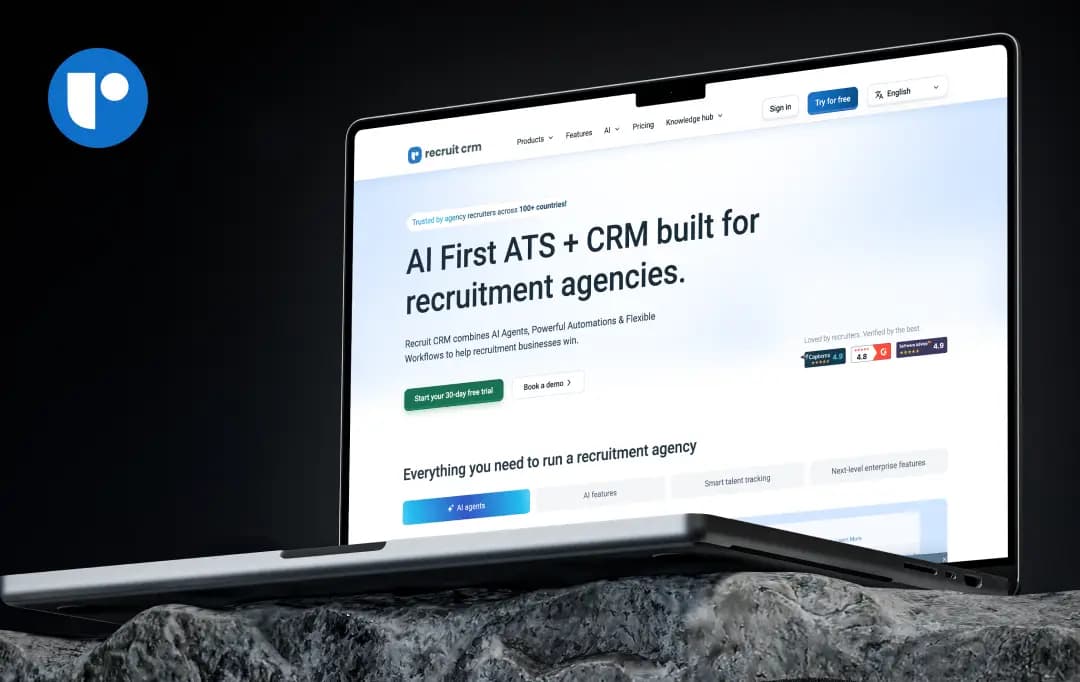
Most ATS platforms are built for corporate HR teams and then awkwardly retrofitted for agencies. Recruit CRM does the opposite, it's built agency-first, for teams that live in sourcing, client relationships, deal tracking, and placements, not just applicant tracking.

And lately, it's been leaning hard into AI. Resume parsing, GPT-assisted writing, candidate matching, and a new set of "AI agents" that handle formatting and submissions on their own, all bolted onto the usual pipelines, invoicing, and reporting you'd expect. It's also GDPR compliant with a proper data processing agreement, which matters if you're placing candidates across the UK/EU.

So does the AI hype hold up? For this Recruit CRM review, we tested the platform, dug into its plans, and read through a wide spread of verified user reviews to find out, here's what's genuinely good, and where it still falls short.

Pros and Cons of Recruit CRM

Pros

  • Deep customization, fields, pipelines, and layouts across Companies, Contacts, Candidates, Jobs, and Deals can all be tailored to your workflow
  • Strong AI toolkit baked in from the Pro tier, resume parsing, GPT integration, AI candidate matching, AI sourcing
  • Genuinely deep automation via 1,000+ app integrations (Zapier and native Workflow Automation) without needing developers
  • Monthly rolling contract option available, no forced 12-month lock-in like many competitors
  • Free CSV/Excel data migration tool included; paid white-glove migration available for larger databases
  • Mobile app gives full access to the platform on the go, not a stripped-down companion app
  • GDPR compliant with published data security, incident response, and vulnerability disclosure policies

Cons

  • AI features are an added cost layer on top of the subscription, which limits how often teams actually use them
  • Job multiposting and calling/texting credits are metered add-ons rather than flat-rate inclusions, even on paid plans
  • Duplicate candidate profile detection is inconsistent
  • Lacks in-app guidance, creating a learning curve despite the feature depth

Recruit CRM Features at a Glance

Recruit CRM's feature set is split cleanly across its three plans, with each tier adding more automation, communication channels, and administrative control rather than gating core ATS functionality behind a paywall.

That makes it a flexible human resource software solution for recruitment agencies that need room to scale without losing access to essential hiring tools.

Below are the features of this CRM recruiting software that matter the most for an agency actually running day-to-day desk activity, based on the platform's current feature architecture.

1. AI Resume Parser & GPT Integration (4.3/5)

Available from the entry-level Pro plan, this automatically extracts candidate data from resumes into structured fields and uses GPT to assist with tasks like writing candidate summaries or job descriptions. It cuts down significantly on manual data entry, which is usually the biggest time sink for a recruiter managing a large candidate pool.

2. Chrome Sourcing Extension (4.3/5)

A browser extension that lets recruiters pull candidate and contact details (including from LinkedIn) directly into Recruit CRM while browsing, rather than switching tabs to copy-paste information. It's included on every plan and is one of the more consistently praised features across multiple Recruit CRM customer reviews.

3. Deal Pipelines & Kanban Views (4.0/5)

Recruit CRM tracks both candidate pipelines and sales/business development pipelines (the "Deals" module) side by side, using a visual Kanban board. This dual-pipeline structure is useful for agencies that need to manage both the hiring process and the client relationship in one place, though the "Deal" terminology itself has drawn some criticism for being confusing before a placement actually closes.

4. AI Candidate Matching (3.8/5)

The system scores and ranks candidates against job requirements automatically, though the number of matches shown is capped by plan (2 matches on Pro, up to 50 on Business and Enterprise). This is a meaningful limitation to know about before committing to the cheapest tier if candidate matching is a core reason you're buying the tool.

5. Complete Reporting Suite & Executive Search Report Generator (4.0/5)

Every plan includes a full reporting suite covering pipeline activity, revenue, and recruiter performance, with Business and Enterprise adding a dedicated Executive Search Report Generator for retained search firms that need formal candidate presentation reports for clients.

6. Workflow Automation (Enterprise) (3.9/5)

The Recruit CRM automation builder connects to 1,000+ apps and executes tasks automatically, with 1,000 tasks per user per month included by default. This is positioned as a way to automate processes beyond what native Zapier integrations can do, but it's locked to the top-tier plan.

7. Job Multiposting & Direct Apply Support (Enterprise)  (4.0/5)

Gives access to over 5,000 job board channels for publishing roles, with 10 job-posting credits per user per month included by default before additional credits are needed. This is a genuine convenience, but it's worth noting that it's metered rather than unlimited and only available at the Enterprise level.

8. Data Enrichment (4.0/5)

Finds missing candidate/contact emails and phone numbers, with 25 free credits available on all plans and 500 credits per user per month included by default on Enterprise. Useful for filling gaps in older or incomplete candidate records, though heavy users will likely need to purchase additional credits.

9. LinkedIn Messaging Integration (4.0/5)

It lets recruiters send and receive LinkedIn messages directly inside Recruit CRM with full team visibility into message history, which helps avoid duplicate outreach to the same candidate from different recruiters on a team. This is free for Enterprise plan users but not available on Pro or Business.

10. Recruit Craft (Website Builder) (4.1/5)

A no-code career site and candidate portal builder that lets agencies create a branded jobs page where applications flow directly into Recruit CRM. It's a genuinely useful bundled feature that would otherwise require a separate careers-page tool or developer time.

Recruit CRM Pricing 

This CRM recruiting software offers 3 different pricing tiers for its users. You can select a suitable tier as per your business requirements or budget. Here is a quick overview of Recruit CRM pricing -

Name of the Plan Price of the Plan What Do You Get
Pro $95/user/month Essential recruitment tech stack to get started, including-
  • Chrome Sourcing Extension
  • AI Resume Parser
  • GPT Integration
  • Unlimited email templates
  • Fully integrated mailbox
  • Deal Pipelines
  • Phone calling & recording
Business $135/user/month Best suited for high-performing teams looking to scale fast-
  • Automated email sequencing
  • Bulk texting
  • Executive Search Report Generator
  • Resume formatting
  • Custom roles & teams
  • Multiple hiring pipelines
  • Whitelist IP address
  • Audit Logs
  • Single Sign On (SSO)
  • 2 email connections
Enterprise $215/user/month Allows the team to utilize the full power of the platform with features like -
  • Workflow Automation
  • Advanced Analytics
  • LinkedIn Messaging Integration
  • Data Enrichment (Phone & Email)
  • Calling & Texting Credits
  • Recruit Craft
  • Job Multiposting & Direct Apply Support

*All the prices mentioned above are billed annually. With annual billing you can save upto 20% this recruitment CRM software’s cost

Cost for Additional Enterprise Features 

To make the recruitment process quick and more convenient for your team, RecruitCRM offers additional Enterprise features. Your team also gets a dedicated accounts manager who can help you use these features smoothly.

ENTERPRISE FEATURE PRICE (billed yearly)
Workflow Automation $41/month
Job Multiposting & Advertising $20/month
Data Enrichment $250/year
LinkedIn Messages Integration $12/user/month
Advanced Analytics $25/user/month
Recruit Craft $41/month

Recruit CRM AI’s Capabilities

This recruitment CRM software positions itself as an AI-first application tracking software (ATS) + CRM, with a dedicated suite of AI agents and features built into the platform rather than sold as bolt-ons.

AI Agents (Autonomous Task Handlers)

Agent What It Does Key Benefit
Custom Field Parsing Agent Extracts data from resumes and auto-fills configured custom fields Keeps candidate data consistent; removes manual re-entry after parsing
Candidate Submission Agent Formats candidate details into a client-ready, branded submission with added insights Faster, polished submissions with consistent branding
Resume/CV Formatting Agent Reformats uploaded resumes into a standardized, professional layout using preset or custom prompts Uniform resume presentation across all candidates

Core AI Features (Platform-Wide)

Feature Function
GPT Integration Native ChatGPT-style assistance embedded into workflows
AI Sourcing Assists in identifying and surfacing relevant candidates
AI Candidate Matching Scores and ranks candidates against job requirements using resume parsing + AI
Outreach Sequencing Automates and personalizes follow-up email sequences
Model Context Protocol (MCP) Connects RecruitCRM data directly to external AI tools/agents
AI Assist In-app AI support layer across day-to-day recruiter tasks

Customer Reviews

Checking...

Rate the product based on your experience?

How was your experience with the product?

Also Reviewed By Us

MobileAppDaily’s Ratings for Recruit CRM

Expert Opinion
Features

FEATURES

4.0

Deep ATS + CRM toolkit built specifically for agencies, plus 1,000+ app integrations and a no-code career site builder

Pricing

PRICING

3.2

Starts at $95/user/month (Pro), rising to $215/user/month (Enterprise, several genuinely useful features (LinkedIn messaging, workflow automation, data enrichment) are metered add-ons even at higher tiers

Performance

PERFORMANCE

3.8

Core ATS functions, parsing, sourcing, pipeline tracking, run reliably, but with inconsistent duplicate-candidate detection at times

UI/UX

UI/UX

3.6

Highly customizable across every module, but new users report a real learning curve and a lack of in-app guidance on "what to do next," despite the platform's overall feature depth

Recruit CRM Alternatives

Here's a comparison of RecruitCRM against its two most frequently cited competitors, Bullhorn ATS & CRM (enterprise-grade staffing suite) and Zoho Recruit (budget-friendly, ecosystem-driven ATS).

These two consistently come up together in recruitment tools roundups as the major competitors of Recruit CRM.

Basis RecruitCRM Bullhorn ATS & CRM Zoho Recruit
Best fit Recruitment agencies & executive search firms of all sizes Mid-to-large staffing agencies with complex, high-volume workflows Solo recruiters, SMBs, and Zoho-ecosystem users; both corporate HR and agency editions
Core ATS + CRM features Kanban-style pipeline stages, resume parsing, keyword/Boolean search, one-click LinkedIn sourcing, plus email automation and analytics Applicant tracking, candidate management, resume parsing, Boolean search, job posting, plus CRM tools for contacts, notes, and activity tracking ATS with resume parsing, candidate sourcing, job posting, customizable career pages, interview scheduling, and email/resume management
AI & automation GenAI integration, AI-assisted candidate matching (reviewers note AI features can feel pricey relative to plan cost) "Amplify" AI solution for search, screening, and submissions, though buyers should confirm exactly which AI/automation features are included in their quote AI candidate matching gated to Professional/Enterprise tiers, alongside Blueprint workflow automation
Ease of use Reviewers call it intuitive with an efficient analytics/reporting module, though some cite a buggy search function and limited back-navigation Modern, intuitive interface per many reviewers, but a steep learning curve for its advanced/customization features Praised for intuitive interface and customization, but with a real setup/configuration curve to fully leverage automation
Integrations 100+ integrations including Zapier, Microsoft 365, Gmail, Google Workspace, LinkedIn Recruiter/Jobs, Asana, and WordPress 40+ integrations, including Outlook, Gmail, Google Calendar, LinkedIn (Recruiter/Jobs/Business), and Broadbean, plus 110+ vendor management system connections Native ties to the Zoho ecosystem (Zoho CRM, People, Mail) plus Google Apps, LinkedIn, Slack, and an open API
Customer support Consistently praised, 24/7 live chat backed by a global support team and dedicated account manager Mixed, Bullhorn targets sub-60-second response with 95% satisfaction, but users report slow resolution and difficulty reaching the right team Reviewers call it responsive and knowledgeable, though slower on lower-tier plans, with premium support and richer analytics reserved for higher tiers
Contract flexibility / value No long-term contracts, flexible payment options, and a free trial, seen as strong value for money Reportedly raises pricing 20% at contract renewal, with reviewers citing pricing transparency as its lowest-scoring category on Capterra Transparent published pricing, but per-seat cost stops scaling well past 5+ users, and add-ons can push real bills 30–50% above sticker

Quick take: Recruit CRM sits in the middle, more affordable and transparent than Bullhorn, more agency-specific (sourcing, executive search workflows) than Zoho Recruit, which leans generalist and more affordable at entry but weaker on proactive sourcing.

MobileAppDaily’s Final Verdict for Recruit CRM

This ATS CRM software earns its ‘AI-first’ positioning honestly. The resume parser, GPT integration, and newer AI agents (candidate submissions, resume formatting, field parsing) aren't surface-level add-ons, they save real time for recruiters juggling large candidate pools.

Add deep customization across every module, 1,000+ integrations without needing a developer, and a rare monthly rolling contract option, and it's easy to see why agencies stick with it long-term.

The Recruit CRMS’s Chrome extension and dual-pipeline Kanban setup for candidates and deals also stand out as genuinely well-built, not just checkbox features. That said, the platform isn't all goodie good.

Several of the more useful tools, like LinkedIn messaging, workflow automation, and data enrichment, are metered or locked behind the Enterprise tier, which stings once you're already paying $95 to $215 per user per month.

Based on the Recruit CRM reviews collected within the team, many also flagged inconsistent duplicate-candidate detection and a real learning curve for new users trying to figure out what to do next in the platform.

Weighing both sides, this platform is the best ATS for recruitment agencies and executive search firms that want an AI-forward, highly customizable ATS+CRM and don't mind paying more to unlock its full capability.

Solo recruiters and lean teams looking for something simpler and more affordable will likely find other alternatives a better starting point. On balance, though, Recruit CRM delivers on its core promise, making it MobileAppDaily Approved.

Let Your Product Take the Center Stage with Our Review

Share your product details and our team will get back with the next steps.

Recruit CRM
Frequently Asked Questions

FAQ
  • Is Recruit CRM worth it?

    Yes, if you're a recruitment agency or executive search firm that wants a genuinely AI-forward ATS+CRM and doesn't mind paying more to unlock its full feature set. It's less worth it for solo recruiters or lean teams on a tight budget, since Zoho Recruit offers similar core functionality for less.

  • Does Recruit CRM offer a free trial?

    Yes, Recruit CRM provides a free trial so teams can test the platform before committing to a paid plan. There's no permanent free tier, though, you'll need to move to a paid plan (starting at $95/user/month) once the trial ends.

  • Which plan should I choose: Pro, Business, or Enterprise?

    Pro covers the essentials (parsing, GPT, deal pipelines) and suits smaller teams just getting started. Business adds sequencing, custom roles, and SSO for scaling teams, while Enterprise unlocks workflow automation, LinkedIn messaging, and job multiposting for teams that want the full AI and automation suite.

  • Is Recruit CRM good for executive search firms?

    Yes, it includes a dedicated Executive Search Report Generator (Business and Enterprise tiers) for formal candidate presentations, plus confidential data tracking and accurate shortlisting tools built specifically for retained search workflows.

  • How does Recruit CRM compare to Bullhorn and Zoho Recruit?

    Recruit CRM sits in the middle: more transparent and affordable than Bullhorn, but more agency-specific and AI-capable than Zoho Recruit. It's the better fit for agencies that want strong AI tooling without Bullhorn's enterprise price tag or Zoho's more generalist feature set.

Delve into our comprehensive yet easy-to-consume guides, which provide insights that help scale business faster and prevent unseen pitfalls.

Related Products

Cut through the clutter and explore related digital products that deliver on performance.