
Grammarly Review: Is It Really Worth It?
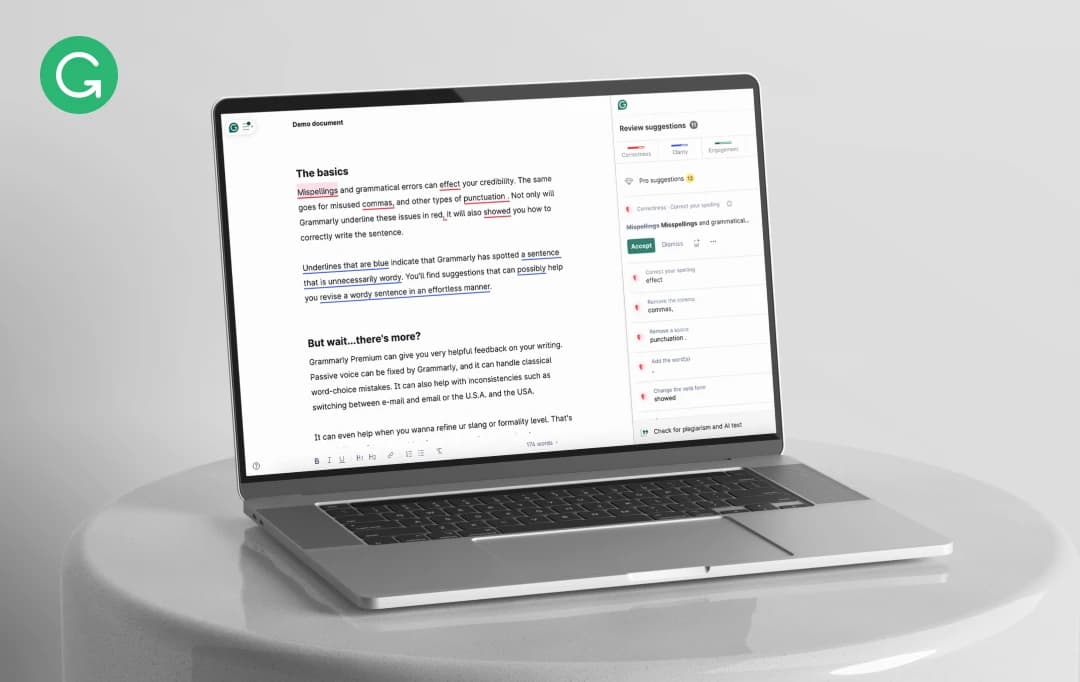
I've used Grammarly for a while now, and it's clear that it’s become a household name for anyone serious about writing. But does it truly live up to the hype? In this Grammarly Review, I’ll take you through all the layers of this popular writing assistant and share my honest thoughts.
This AI-powered tool has become a go-to for anyone looking for high-quality text. But does it really deliver, or is it just another flashy add-on after installation? In my Grammarly App Review, I'll break down its core functions, accuracy, and user interface.
I'll also dive into the differences between the free and premium versions and see how its pricing compares to competitors. And, of course, the key question: Is Grammarly still worth it in 2026?
But before we get into all that, let’s take a quick look at its background!
Pros and Cons of Grammarly
Pros
- Instant feedback for quick fixes
- Easy-to-use interface for various tasks
- Customizable dictionary for specialized terms
- Covers US, UK, CA, and AU English variants
- Accessible on desktop and mobile
Cons
- Limited integration with writing software
- Only supports English
- May conflict with creative writing styles
- Comma suggestions can confuse non-native speakers
- Premium version needed for advanced features
Looking At the Background of Grammarly
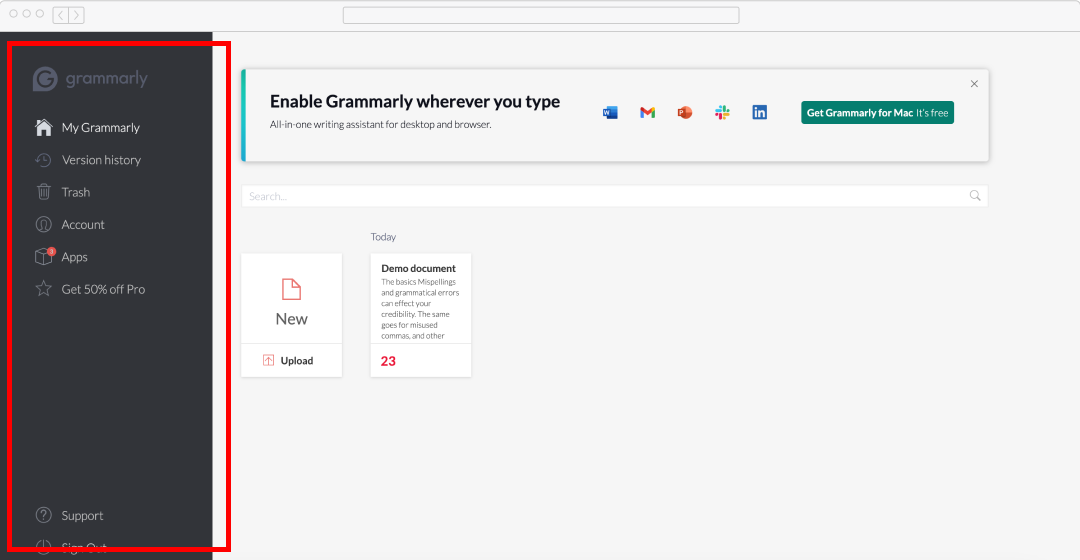
Grammarly is an advanced automated AI writing assistant that helps users write the best content on all platforms and contexts. It gives instant grammar and style suggestions to make writing clear and effective.
Grammarly can be used as a browser extension, desktop application, and mobile keyboard app, making this tool rather robust in converting features available to write on different devices or browsers. From email drafts to writing docs or social media, Grammarly has your back with tons of great suggestions.
There’s a free and premium version of Grammarly, and I’ve found that it really elevates my writing. The advanced writing analysis it offers helps me refine my content, allowing me to reach an even higher quality level. For anyone looking to step up their writing game, it’s worth checking out my review of Grammarly.
Exploring the Key Features of Grammarly
We’ve explored Grammarly’s comprehensive suite of writing tools, which is split between free and premium tiers. In this Grammarly review, we’ll walk you through the detailed features available in both versions.
1. Free Features
Here are my thoughts on the Grammarly reviews that focus on features available at no cost: Grammarly’s free version offers a strong foundation for anyone looking to improve their writing.
Let’s read about the free features of the Grammarly app.
A) Setting Document Goals
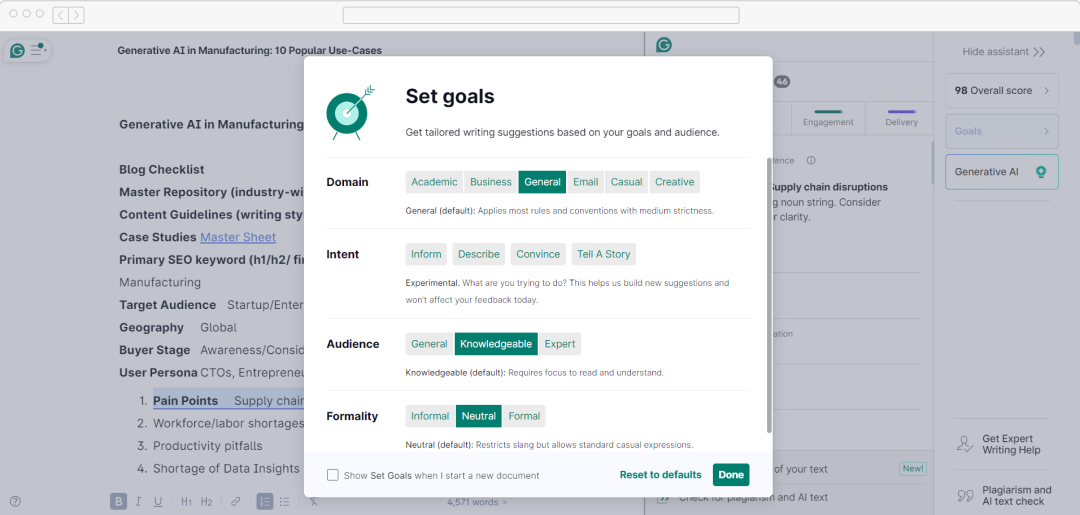
Grammarly allows customization of your writing by setting specific goals for each document. This feature helps Grammarly understand your content's structure and format, enabling more relevant suggestions.
When starting a new document, you specify:
- Audience (general, expert, knowledgeable)
- Formality (informal to formal)
- Domain (limited to "General" in the free version)
- Intent (inform, describe, convince, tell a story)
These goals tailor Grammarly's suggestions to your writing context, enhancing communication with your audience. For instance, an academic paper gets different advice than a casual blog post.
B) Correctness Checks
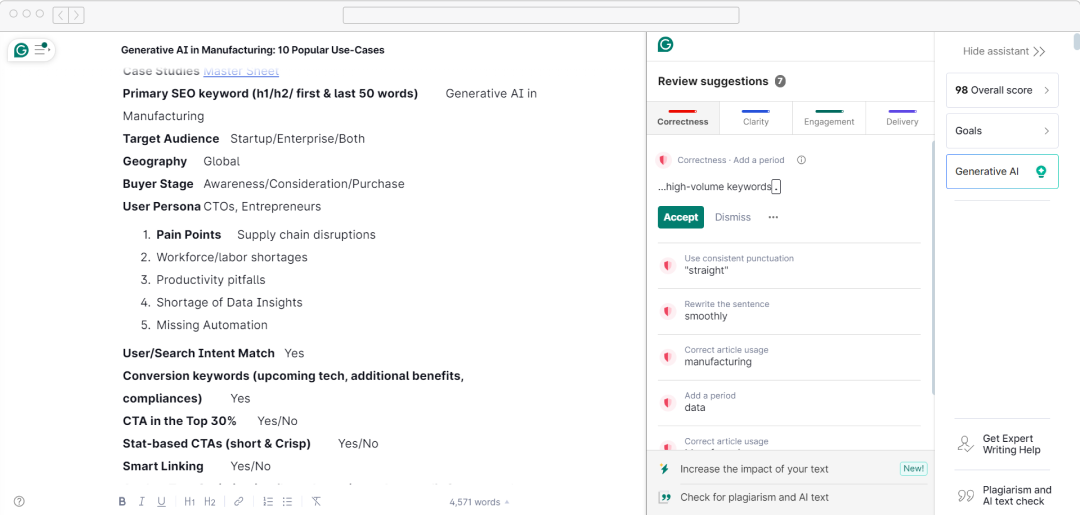
Grammarly's free offering centers around its correctness checker, a key tool that meticulously examines your text for
- Basic grammatical errors
- Spelling mistakes
- Punctuation issues
For an in-depth Grammarly review, let’s explore all correction options:
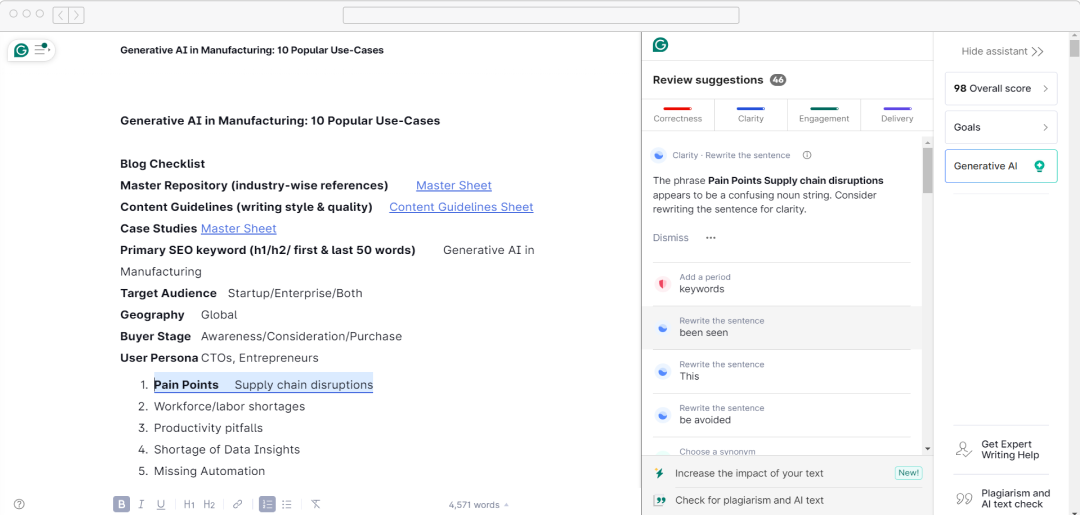
Reviewing suggestions are straightforward:
- Click "Accept" to apply changes automatically
- Select "Dismiss" to ignore a suggestion
- Opt for "Learn More" for a detailed explanation of the grammatical rule
The "Learn More" feature is invaluable for enhancing writing skills over time, providing context and reasoning for each suggestion. It's important to remember that while Grammarly is highly accurate, it's not flawless. Users should critically assess each suggestion, especially for complex sentences or specialized content.
C) Clarity Improvements
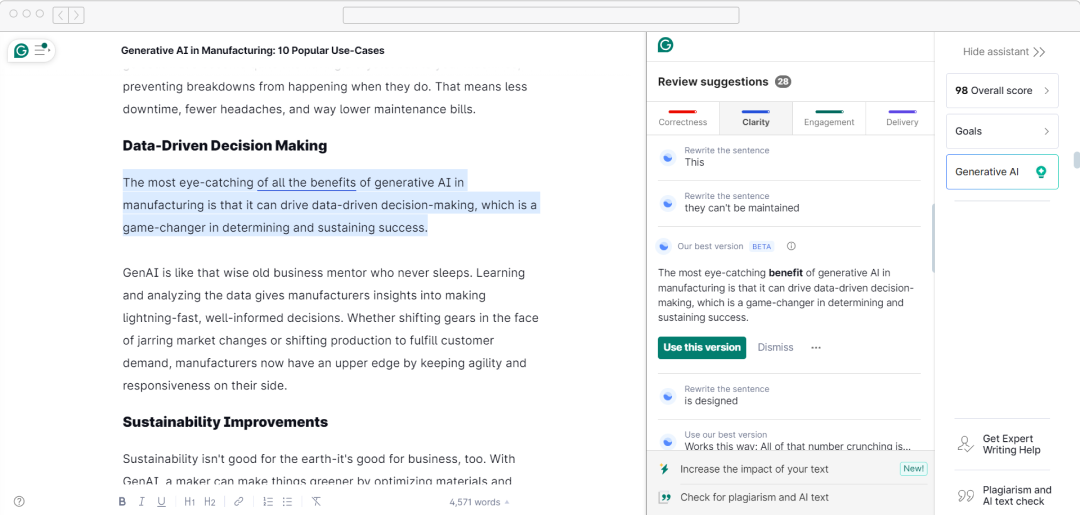
The free version suggests clarity improvements, though less extensive than the premium. It focuses on readability and understanding, which is beneficial for technical writing.
Suggestions include:
- Alternatives to passive voice
- Concise alternatives to wordy sentences
- Identifying repetitive phrases
- Simplifying complex sentences
Although the free version doesn't cover all clarity issues, it establishes a strong basis for improving content readability.
D) Tone Detection
Grammarly's free version includes a tone detector through its browser extension. This feature analyzes your writing and uses emojis to reflect how it might sound to readers.
Let’s have Grammarly review on its key aspects:
- Detects over 20 tones (e.g., Appreciative, Formal, Worried)
- Ensures tone matches the intent
- Useful for business emails
- Allows experimenting with wording
Even though this feature is helpful, it is important to view it as a general rule rather than a strict standard, recognizing that tone is subjective and depends on the context.
E) Personal Dictionary
Grammarly enables users to create a personal dictionary, a vital tool for writers immersed in specialized terminology, brand names, or industry jargon.
Here's how it operates:
- When Grammarly identifies an unrecognized word, you can include it in your dictionary.
- Once added, Grammarly won't mark these words as errors in future documents.
- This functionality safeguards your specialized vocabulary while still addressing legitimate spelling errors.
- The personal dictionary is essential for technical writers, academics, and professionals in niche industries.
F) Overall Score and Stats
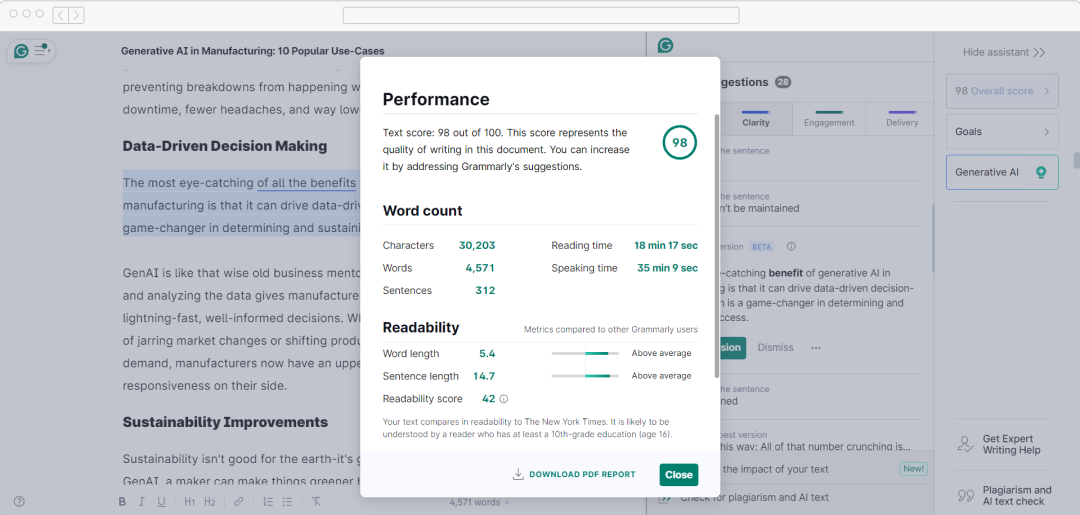
Grammarly provides comprehensive writing statistics and an overall score to assess document quality, rated on a scale up to 100. This score improves with the implementation of suggestions. Additional statistics include:
- Word count
- Character count
- Number of sentences
- Estimated reading time
- Estimated speaking time
- Readability score
These metrics provide valuable insights:
- The overall score tracks improvement over time.
- Word and sentence count aid in meeting length requirements.
- Reading and speaking time estimates assist in planning presentations and content timing.
- The readability score ensures content suits the target audience.
Users can export these reports as PDFs, which is beneficial for team feedback and tracking personal writing progress.
G) Language Preferences
In Grammarly's free version, users can choose their preferred variant of English:
- American English
- British English
- Canadian English
- Australian English
This feature ensures grammar and spelling suggestions match the selected English variant, promoting consistency in writing. It's especially handy for writers producing content for global audiences or in multinational settings.
H) Browser Extension and Apps
Grammarly's free tier offers tools to integrate its service into daily writing seamlessly:
- A browser extension provides real-time suggestions across websites and platforms.
- A mobile keyboard app offers on-the-go writing assistance, ensuring polished mobile communications.
- A basic desktop application for Windows and Mac creates a dedicated writing environment with Grammarly's support.
These features help me build a strong foundation for enhancing my writing quality across different situations. While advanced features are exclusive to the premium version, Grammarly online's free tier is still highly valuable for refining my writing skills and creating more coherent, effective content.
A) Enhanced Clarity Checker
The Premium version's Clarity tab surpasses its free counterpart significantly. It includes:
- Identification of wordy and complex sentences
- Automatic rewriting suggestions for enhanced readability
- Detailed explanations for each suggested change
For instance, while I might not encounter any issues with the free version, the premium version of Grammarly online offers more clarity and suggestions for the same text. This feature is especially helpful for me as a professional writer aiming to create clear, concise content. It’s definitely something I’ve considered in my review of Grammarly.
B) Engagement Checker
Grammarly's Engagement Checker is a distinctive tool designed to enhance the appeal and engagement of your writing to your intended audience. Here's what the Engagement tab offers:
- Replacing overused or generic words with fresh alternatives
- Suggestions to improve the natural flow and structure of sentences
- Tools that enhance the overall appeal of your content
This feature is especially valuable for writers like me. We are always searching for ways to create dynamic and captivating text. The online writing tools help us avoid repetition. We can also find the most effective language for our message. This ability makes our writing more engaging and impactful.
C) Expert Writing Help
Grammarly Premium provides access to human expert writing services when AI suggestions fall short. This optional feature offers:
- Two service levels: "Correctness Only" and "Correctness and Clarity"
- Pricing varies based on service and turnaround time (e.g., 3 hours vs. 24 hours)
- Manual checking by experts for grammar, clarity, readability, and specific factors
This service is invaluable for critical documents or writers seeking additional assurance beyond AI suggestions.
D) Plagiarism Checker
Exclusive to Premium and Business plans, Grammarly's plagiarism checker seamlessly integrates into the Grammarly editor and browser extension. Key features include:
- Displaying plagiarism percentage on the suggestions dashboard
- Highlighting potentially plagiarized text
- Providing source URLs for matched content
- One-click copying of source URLs for quick reference
While I find it to be average compared to specialized tools like Copyscape, this integrated feature does offer a convenient initial check for unintended plagiarism. When I use AI tools for content writing and other tasks, it's helpful to have a built-in layer of assurance, even if it's not the most advanced option out there.
E) Generative AI (formerly GrammarlyGO)
I recently discovered that Grammarly's premium features now include Generative AI tools, which go beyond just editing and step into the realm of content creation. These tools are a game-changer, especially for anyone like me who relies on AI for content writing.
- Providing AI content creation such as blog post ideas, introductory emails, progress reports, and business proposals
- Creating short-form content like social media posts with relevant hashtags
- Producing personalized, fluent text based on user inputs
The number of prompts varies depending on the selected plan. AI content writing tools are especially helpful when I need to overcome writer's block or quickly draft content for various purposes.
How Much Does Grammarly Cost?
Grammarly offers several pricing options. User can choose grammarly pricing and plan according to their needs:
| Plan | Free | Premium | Business |
|---|---|---|---|
| Price | $0/month | $12/month (billed annually) | $15/member/month (billed annually) |
| What’s Included |
|
|
|
Each tier builds on the previous one, providing more advanced tools for writing improvement and team collaboration. The Premium plan is popular among individuals seeking comprehensive writing help, while the Business Plan is designed for teams and organizations.
Customer Reviews
How was your experience with the product?