
We are not biased. We test and review every product. Here's our Methodology.

Thinking about using Bitrise for CI/CD? Get a closer look at its features, pricing, strengths, and drawbacks to see if it meets your needs.

MobileAppDailyCertified Rating
4.2 out of 5
Why Trust MobileAppDaily?

For us, Product Reviews mean diving headfirst into the functionality of each digital product, whether it's an app, software, or website. Our process centers around hands-on testing of each tool we pick. From scrutinizing features to testing vulnerabilities of security standards, the goal remains to help you find products that don't just work but truly elevate your experience. In a nutshell, if we're recommending a product, it's because we believe it'll genuinely make your digital life easier.

  • Products Reviewed - 4,000+
  • No. Of Experts - 20+
  • Categories - 65+
Explore Our Methodology
Arpit Dubey

Written By Arpit Dubey

Arpit is a dreamer, wanderer, and tech nerd who loves to jot down tech musings and updates. With a knack for crafting compelling narratives, Arpit has a sharp specialization in everything: from Predictive Analytics to Game Development, along with artificial intelligence (AI), Cloud Computing, IoT, and let’s not forget SaaS, healthcare, and more. Arpit crafts content that’s as strategic as it is compelling. With a Logician's mind, he is always chasing sunrises and tech advancements while secretly preparing for the robot uprising.

Explore More By Author

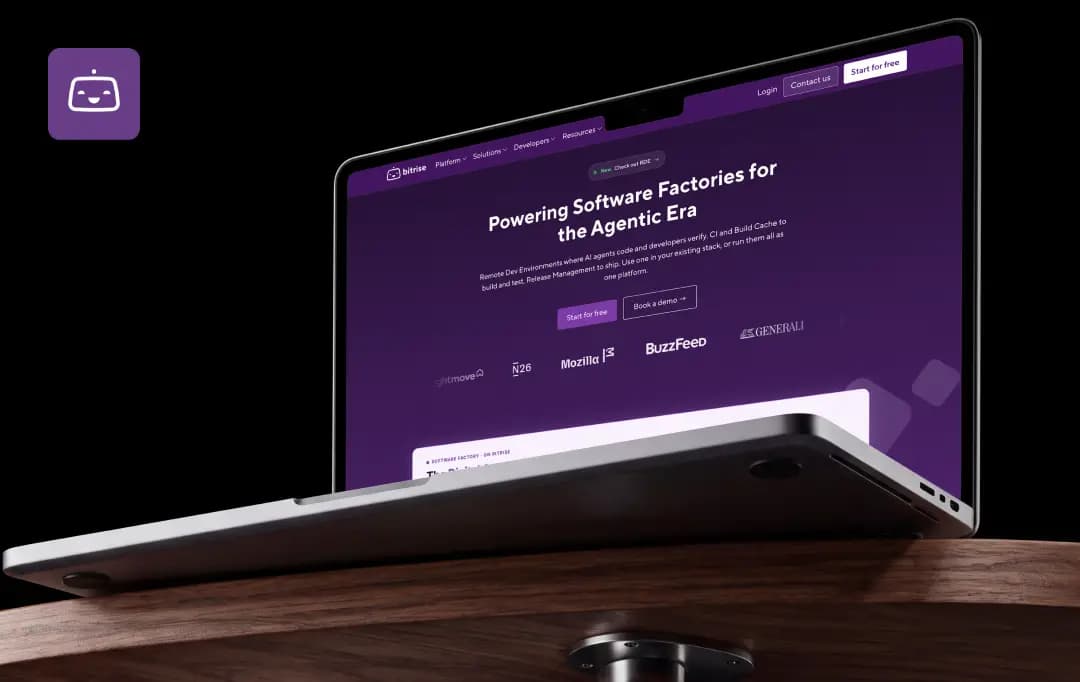
Bitrise Review: A Mobile-First CI/CD Platform That Knows Its Niche
Bitrise

Anyone who has tried to run iOS builds on a general-purpose CI server knows the routine: a Mac mini in a closet, a signing certificate that expires at the worst moment, and an Xcode update that breaks the pipeline overnight.

Bitrise was built to take that work off a mobile team’s plate. It is a CI/CD platform made specifically for iOS, Android, and cross-platform apps, rather than a generic build tool with mobile support added on.

In this Bitrise review, we look at what the platform does well, where the costs add up, and which teams it suits best.

Bitrise positions itself as a full mobile DevOps platform, and it says it is trusted by 8,500+ mobile teams worldwide, building on dedicated Apple silicon infrastructure. We also cover pricing, setup, and the Bitrise alternatives worth comparing before you commit.

Pros and Cons of Bitrise

Pros

  • Purpose-built for mobile, with managed macOS and Linux build machines
  • Managed code signing keeps certificates out of source control
  • 400+ pre-built steps cover iOS, Android, React Native, and Flutter
  • New Xcode versions reach the stack within 24 hours of release
  • API and MCP server support let you automate and query builds
  • Free Hobby plan and a 30-day trial make testing low-risk

Cons

  • Pricing is spread across several products and can be hard to size up
  • Costs rise quickly as build volume and machine size grow

Key Features of Bitrise

Bitrise has grown from a single CI service into a set of connected products. The ones below matter most for a mobile team deciding whether to switch.

1. Mobile-ready CI/CD (4.6/5.0)

The core product runs builds, tests, and deployment on managed infrastructure. It offers 400+ pre-built steps, managed code signing, and real-device test sharding in one pipeline. For most teams, that replaces a pile of custom scripts.

2. Apple silicon build machines (4.5/5.0)

Builds run on M-series Macs, with the top tier listed at M4 Pro and 54GB of RAM. For Bitrise iOS projects, this is the main draw, since you avoid buying and maintaining Mac hardware. A one-click remote session also lets you debug on the exact machine that ran a failed build.

3. Build Cache (4.3/5.0)

This is a remote cache for Gradle, Bazel, and Xcode that works with other CI systems too, so you don’t have to move your pipeline to use it. It targets the repeated compilation that slows large projects.

4. Release Management (4.2/5.0)

It handles beta distribution and store releases, with staged rollouts, approval gates, and test distribution. It is free on the Basic plan. Teams leaving App Center will find it a natural landing spot.

5. CodePush (4.4/5.0)

React Native and Expo teams can push JavaScript and asset updates without waiting for store review. The free tier covers up to 100,000 monthly active users, and every feature is included on it.

6. Build Hub (4.1/5.0)

It runs your existing GitHub Actions workflows on Bitrise’s macOS and Linux runners, so you keep your current setup and swap the infrastructure underneath.

7. Insights and test management (4.2/5.0)

Dashboards show which workflows are slowing down, and flaky tests can be quarantined automatically so they stop blocking the pipeline. Only the failed tests get re-run, not the whole suite.

8. Bitrise API and MCP (4.3/5.0)

The Bitrise API supports automation, and the Bitrise MCP server lets you query builds and troubleshoot failures from an AI client. The MCP server exposes 63 tools for managing apps and builds. Setting it up takes a Bitrise token, covered in the setup section below.

Bonus Read: Best Code Editors

How Does Bitrise Work?

Getting a first build running is straightforward, even if tuning a pipeline later takes more thought.

1. Sign up and log in

Create an account and use the Bitrise login page at app.bitrise.io. You can sign up with GitHub, Google, Bitbucket, GitLab, or SSO.

2. Add your project

Connect your repository and let Bitrise detect the project type, whether that’s native iOS, Android, React Native, or Flutter. It sets up a starting workflow for you.

3. Configure your workflow

Workflows are built from steps, which you can arrange in the visual editor or edit as YAML. Steps cover tasks like installing CocoaPods, running Gradle, running tests, and code signing.

4. Set up code signing

Upload your certificates, provisioning profiles, or keystores so Bitrise can sign builds without them living in your repo.

5. Trigger builds and ship

Builds can start on every push or pull request. From there, you can distribute test builds, submit to TestFlight or Google Play, or hand off to Release Management.

6. Automate with a token

To use the API or the MCP server, create a Bitrise token from your account’s security settings. Bitrise supports personal access tokens and workspace API tokens, passed in an Authorization header. Once connected, you can query apps, start builds, and troubleshoot failures without opening the dashboard.

Bitrise Pricing

Pricing is where Bitrise takes the most explaining. The core CI plans scale by builds per month and machine type, and the other products are priced separately. Starter plans start at $89 per month when billed annually (or $99 billed monthly), and Pro starts at $200 per month annually (or $218 monthly). Here is how the main Bitrise pricing tiers compare:

Plan Starting Price What You Get
Hobby Free One developer, a small monthly credit allowance, community support
Starter From $89/month (annual) or $99 (monthly) Unlimited team members, up to 4 concurrent builds, up to 3 private apps
Pro From $200/month (annual) or $218/month (monthly) Faster M2 Pro Large and Linux Large machines, up to 10 concurrent builds on macOS, Pay-As-You-Go overage
Enterprise Custom Dedicated or self-hosted infrastructure, enterprise SLA, dedicated customer success manager

Add-on products have their own pricing. Examples include Build Cache from $30 per month on its Pro plan, Build Hub from $13.50 per month annually, and Remote Dev Environments from $18 per month annually. The 30-day free trial includes Pro plan capabilities and 500 builds, which is enough to run a realistic test before choosing a plan.

Customer Reviews

Checking...

Rate the product based on your experience?

How was your experience with the product?

Also Reviewed By Us

MobileAppDaily’s Ratings for Bitrise

Expert Opinion
Features

FEATURES

4.3

Covers CI/CD, build caching, release management, CodePush, and AI-assisted tooling in one platform. It offers 400+ pre-built steps and managed code signing, which cuts down custom scripting for mobile teams.

Pricing

PRICING

3.9

A free Hobby plan and a 30-day trial make testing easy. Costs are split across several products and scale with build volume, so budgeting takes some effort.

Performance

PERFORMANCE

4.4

Builds run on M4 Pro machines with 54GB of RAM, and new Xcode versions arrive within 24 hours of release. Flaky-test quarantine and smart reruns also keep pipelines moving.

UI/UX

UI/UX

4.2

A visual workflow editor sits alongside YAML configuration, so beginners and experienced engineers can both work comfortably. The number of products and settings can feel crowded at first.

Bitrise Alternatives

Bitrise isn’t the only way to run mobile CI/CD, and the right pick depends on your stack and how much setup you’re willing to own.

Two options come up most often when teams compare: GitHub, a general-purpose CI that many teams already use, and Codemagic, another mobile-first platform with a strong Flutter following. Here is how they compare with Bitrise side by side.

Basis Bitrise GitHub Actions Codemagic
Primary Focus Built for mobile DevOps across iOS, Android, and cross-platform apps General-purpose CI/CD for any kind of project Cloud CI/CD for Android, iOS, Flutter, React Native, Ionic, and Unity projects
iOS Code Signing Managed code signing keeps certificates out of source control Usually set up by hand, with certificates stored as secrets or handled through Fastlane Automatic code signing can create and manage certificates and provisioning profiles
Build Machines Apple silicon Macs and Linux, with new Xcode versions on the stack within 24 hours of release Hosted macOS, Linux, and Windows runners, plus self-hosted options Managed macOS, Linux, and Windows build machines
Configuration Visual workflow editor or YAML, built from 400+ pre-built steps YAML workflows with a large marketplace of community actions A customizable codemagic.yaml or a workflow editor for Flutter
Cross-Platform Framework Support Native iOS and Android, React Native, Flutter, Ionic, Cordova, Unity, and Expo Supports any framework, but mobile-specific steps need more manual configuration Strongest around Flutter, with React Native, Ionic, Unity, and native apps also covered
Release and Distribution Release Management handles beta distribution, store releases, staged rollouts, and approval gates App store publishing is typically scripted through Actions or Fastlane Publishes to App Store Connect, Google Play, or other services
Extras Beyond CI Build Cache, CodePush for React Native updates, Insights, and an MCP server for AI clients Deep GitHub integration, including pull requests, issues, and a wide automation ecosystem Focused mainly on build, test, and release for mobile
Best Suited For Mobile teams that want an end-to-end platform with minimal infrastructure upkeep Teams already on GitHub who are comfortable maintaining their own mobile setup Flutter-heavy teams and developers who want a mobile-focused tool with simple setup.

MobileAppDaily’s Final Verdict on Bitrise

We think Bitrise earns its place for teams that ship mobile apps regularly and don’t want to maintain build infrastructure. The managed code signing, fast Xcode updates, and mobile-specific steps save real setup time, and the wider product line (Build Cache, Release Management, CodePush) means you can adopt pieces as you grow.

The API and MCP support also make it easier to fold into existing workflows. The trade-offs are cost and complexity. Pricing across products takes some work to estimate, and heavy build volume or larger machines can push the bill up.

Teams with simple projects, or ones already comfortable on GitHub Actions, may find a lighter setup enough. For anyone building iOS and Android apps at scale, though, this Bitrise review lands on a clear recommendation: run the 30-day trial and see how your own pipeline performs.

Let Your Product Take the Center Stage with Our Review

Share your product details and our team will get back with the next steps.

Bitrise
Frequently Asked Questions

FAQ
  • What is Bitrise?

    Bitrise is a mobile DevOps platform that automates building, testing, and releasing iOS and Android apps. It builds on dedicated Apple silicon infrastructure and is trusted by 8,500+ mobile teams. It also supports cross-platform frameworks like React Native and Flutter.

  • Is Bitrise legit?

    Yes. The platform lists customers such as Shopify, TripAdvisor, and BuzzFeed, and states SOC 2 Type 2, PCI-DSS, and GDPR compliance. It also publishes its documentation, pricing, status page, and legal terms openly, so you can check what you’re signing up for.

  • Is Bitrise free?

    Partly. The Hobby plan is free with no credit card needed, but it comes with a small monthly credit allowance and one private app. Teams that need more can use the 30-day trial before picking a paid plan. Check the current Bitrise pricing page for the latest limits.

  • How do I get a Bitrise token for the API?

    You can create a Bitrise token from your account’s security settings after logging in. The API accepts personal access tokens and workspace API tokens, which you pass in an Authorization header. Store the token somewhere secure, since it grants access to your apps and builds.

Delve into our comprehensive yet easy-to-consume guides, which provide insights that help scale business faster and prevent unseen pitfalls.

Related Products

Cut through the clutter and explore related digital products that deliver on performance.