


RingCentral Review: Built for Growing Teams, But Is It Worth the Cost?
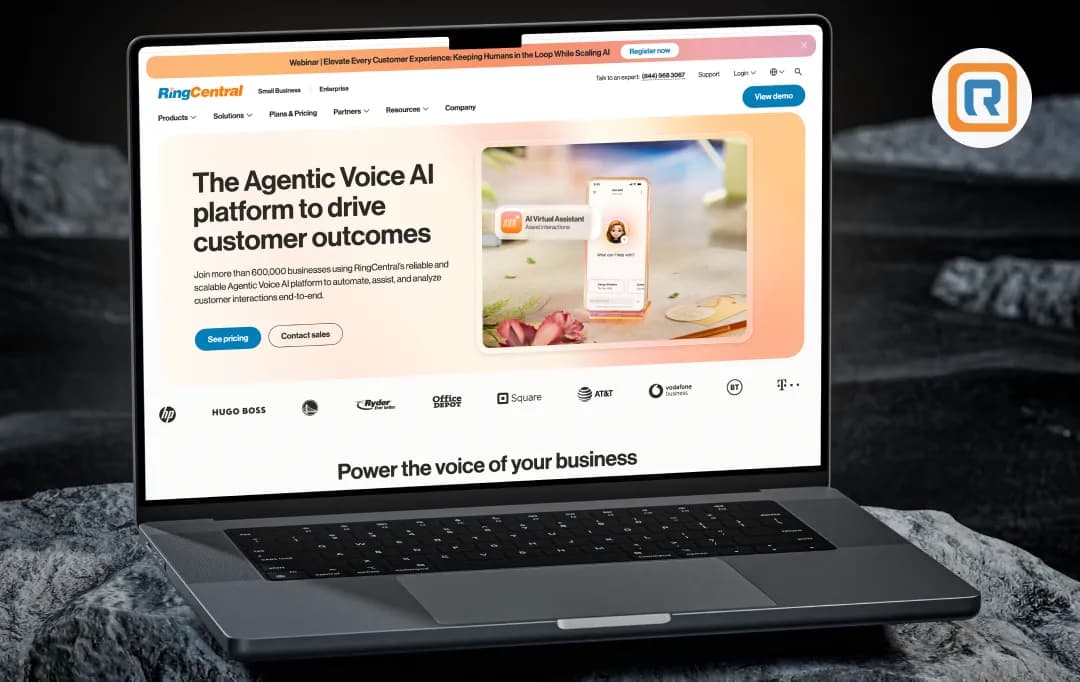
Managing fragmented communication tools creates an immense amount of operational friction for modern B2B teams. RingCentral has long been a staple in the enterprise VoIP space, but its recent pivot toward deeply embedded, agentic AI marks a significant shift from a traditional phone system to a fully automated communications ecosystem.
To see if this expansive platform actually delivers on its enterprise promises, we researched deep into its architectural layers, product updates, and real-world user data. Beyond the core features of the RingCentral app, we evaluated how its newer AI-driven modules handle high-volume business operations, complex routing, and cross-platform workflows.
The following is a direct, insight-driven RingCentral review of our findings—analyzing where the platform excels, where the administrative hurdles lie, and whether it genuinely serves as a scalable solution for your business.
Pros and Cons of RingCentral
Pros
- It cleanly centralizes voice, video, team messaging, and SMS into one reliable hub without feeling cluttered.
- It plays exceptionally well with others, natively plugging into workflow giants like Salesforce, Microsoft Teams, and Zendesk.
- Tools like live transcriptions, automated summaries, and virtual receptionists genuinely save time.
- You can easily start with basic VoIP and organically bolt on a massive omnichannel contact center as your staff grows.
- It consistently delivers crystal-clear call quality and rock-solid stability across both mobile data and desktop networks.
Cons
- A massive number of users complain about being silently locked into multi-year "evergreen" contracts.
- Terminating a subscription is notoriously painful, often involving long hold times and frustrating retention loops.
- Many IT admins report that tier-one customer service relies heavily on scripts and struggles with complex troubleshooting.
- The backend configuration is heavily layered, making simple call routing a chore for new users.
RingCentral Features
1. RingEX: The Core Communication Engine (4.0/5)
If you're looking at the Ring Central ecosystem, RingEX is the foundational layer. It goes way beyond a standard Business Phone+ setup. Our research highlights a robust Customer Engagement module baked right in alongside traditional Business SMS and Team Chat. It even retains legacy-friendly tools like Online Fax, which is still an absolute lifeline for industries like legal and finance.
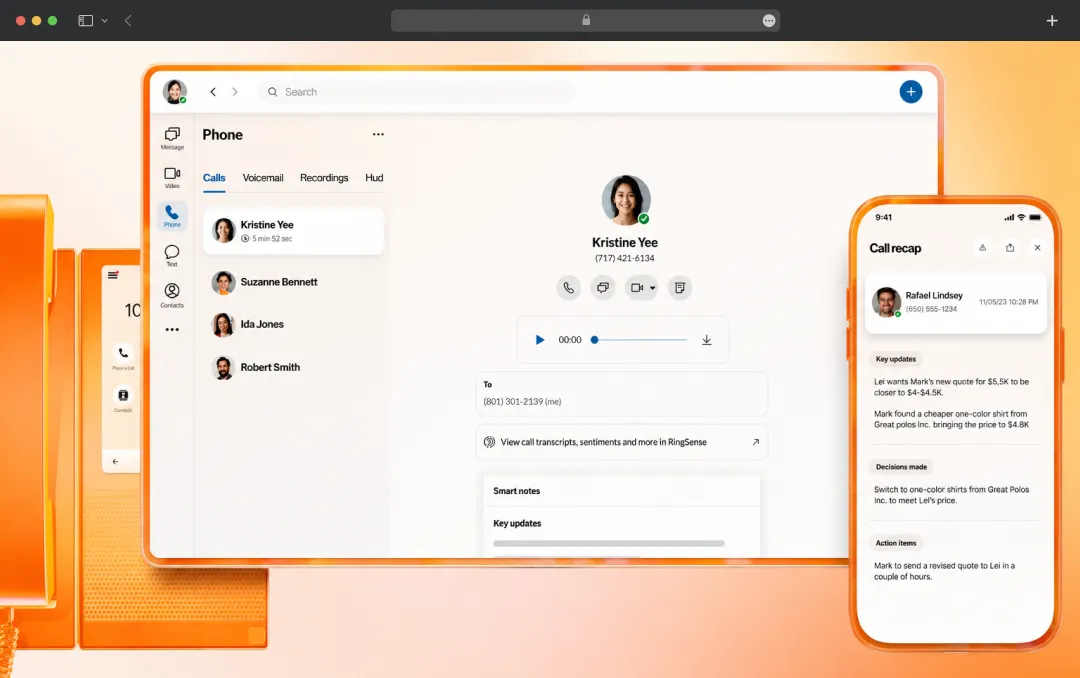
One standout we noted is the Personal AI Assistant integrated directly into this tier, helping users triage their daily communications. Once your staff initiates the RingCentral download, they get access to this entire unified stack natively, eliminating the need to juggle three different clients just to get through the workday.
2. RingCX: The AI-Powered Contact Center (4.0/5)
For high-volume client operations, the RingCX suite handles the heavy lifting. It’s built as an AI Omnichannel Contact Center that doesn't just manage inbound traffic but features robust Outbound Dialing capabilities. What caught our eye is how it modernizes the RingCentral customer service infrastructure. It utilizes Intelligent Virtual Agents to handle tier-one queries before a human ever needs to pick up.
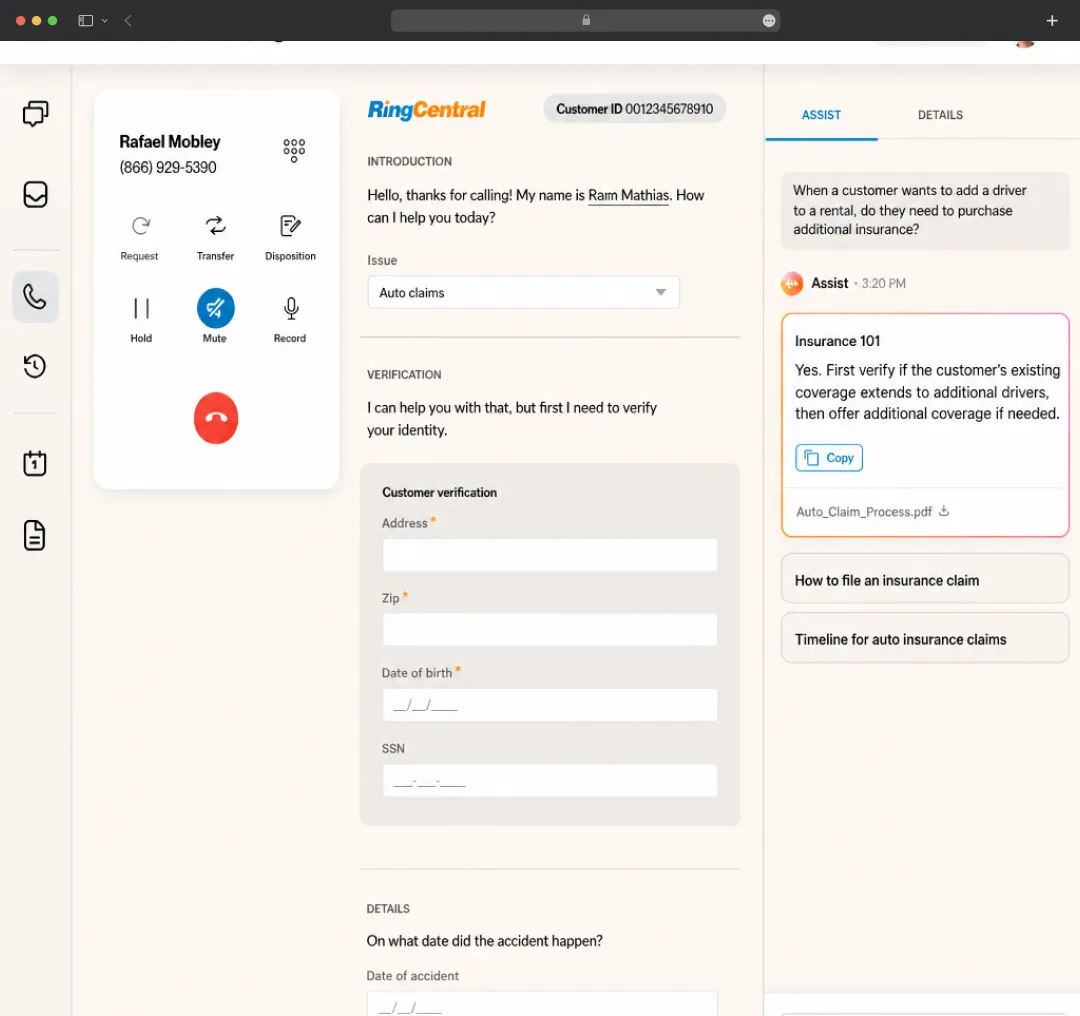
Managers get serious operational visibility through AI Workforce Engagement and AI Quality Management tools. On the floor, the system equips live reps with AVA Agent Assist to surface relevant info mid-call, while giving leadership oversight through AVA Supervisor Assist. It’s not just about routing calls anymore; the AI Interaction Analytics literally scores the sentiment and quality of the conversation in real-time.
3. RingCentral AI: Specialized Virtual Bots (4.5/5)
This is where the platform really tries to separate itself from standard AI virtual assistant apps. They aren't just offering a generic bot; they have specialized, purpose-built AI modules. You’ve got the AI Representative and AI Receptionist to handle front-line greetings and routing, alongside an AI Conversation Expert that dives deeper into complex customer intents and problem-solving.
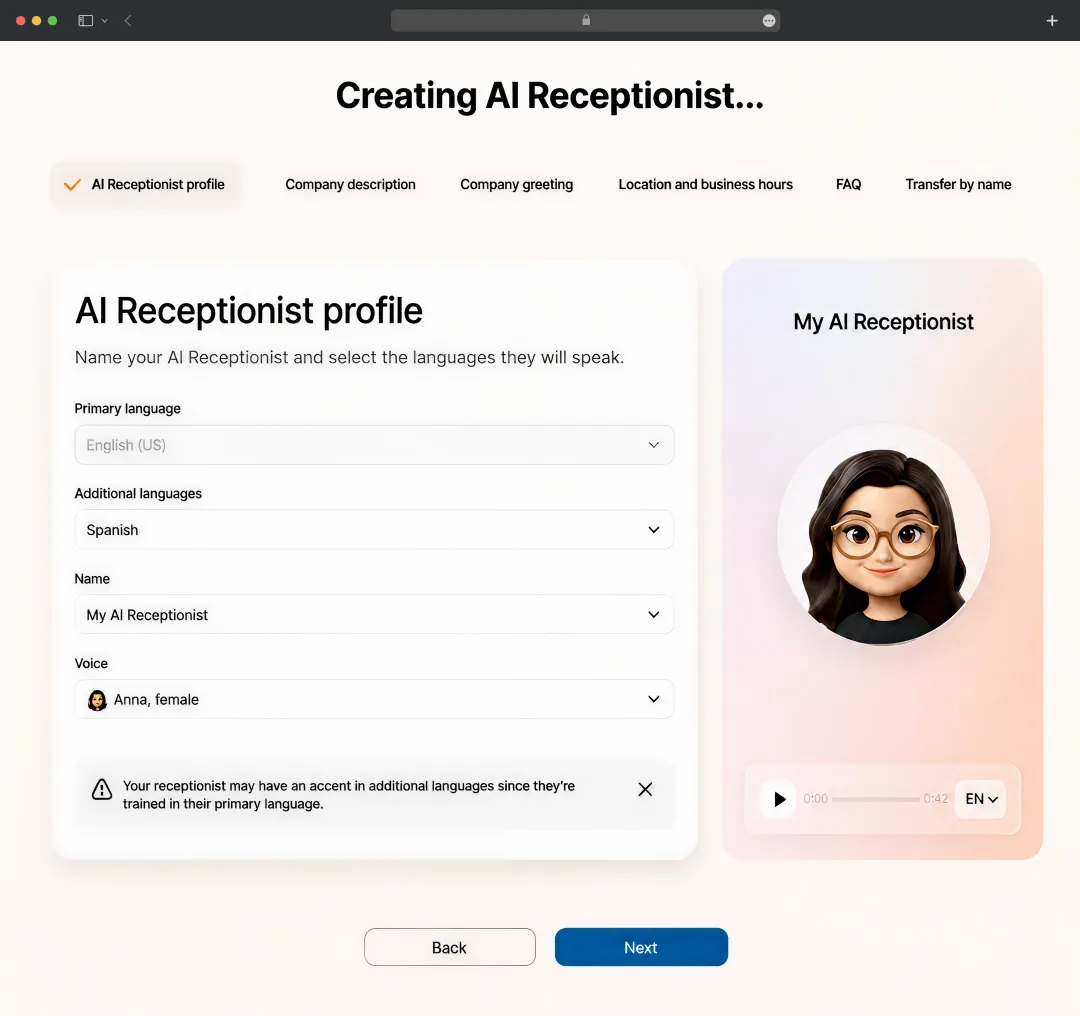
They even mapped out an AIR Pro for Healthcare, which is custom-built for medical practices to handle patient scheduling securely. For teams looking to scale operations without ballooning their headcount, these are some of the most targeted automation tools for team productivity we've come across in the current market.
4. AI Video Collaboration (4.0/5)
Video fatigue is a real problem, but their collaboration suite offers enough variety to keep things functional. Beyond standard daily Meetings, the infrastructure scales all the way up to handle massive company Town Halls, structured Webinars, and broad-scale digital Events. They also offer dedicated software for physical conference Rooms.
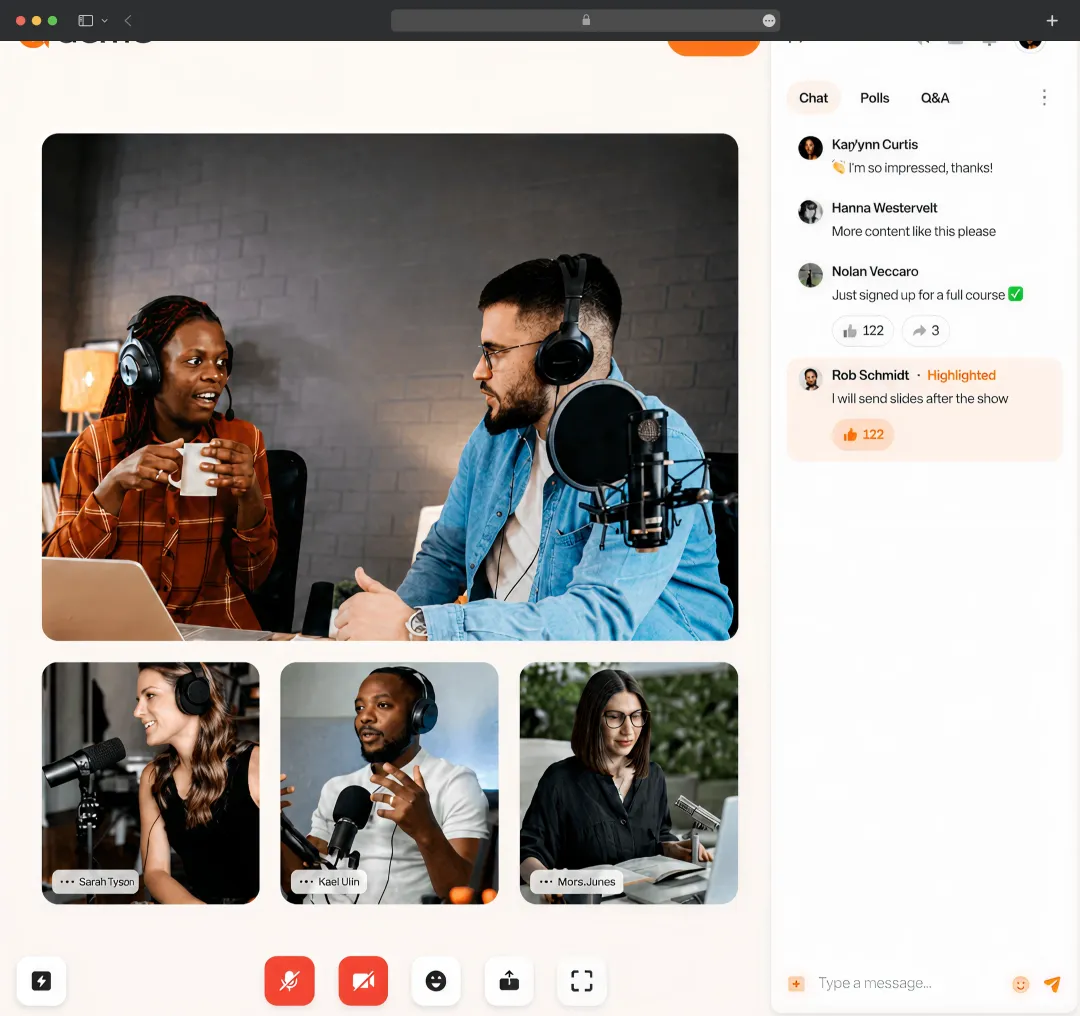
While digging into the meeting capabilities, we found that the native transcription and smart summaries easily hold their own against the Best Meeting Minutes Apps out there. It completely automates the note-taking process so participants can actually focus on the screen rather than aggressively typing in a separate window. It even provides integrated annotations and whiteboard features to simplify collaboration and give a central hub for all brainstorming during the call.
5. App Ecosystem and Integrations (4.2/5)
You can't evaluate a modern B2B stack without looking at how it talks to the rest of your software. The RingCentral admin dashboard is where IT teams govern all this power, giving administrators highly granular control over user permissions and call routing flows.
But the real kicker is the RingCentral integrations library. RingCentral doesn't force your company into a walled garden. It natively plugs into Salesforce, Google Workspace, Zendesk, and most notably, offers deep integration with Microsoft Teams. This means you can leverage their enterprise-grade phone routing in the background while keeping your employees in the Microsoft interface they are already used to using every day.
RingCentral Pricing
1. Business Phone (RingEX) Pricing
This is the foundational unified communications layer. If you just need voice, SMS, and team chat, this is where you start. The price drops significantly if you commit to an annual contract.
| Plan Tier | Monthly Billing | Annual Billing | Key Features Included |
|---|---|---|---|
| Core | $30 / user | $20 / user | Unlimited domestic calls, basic SMS, IVR |
| Advanced | $35 / user | $25 / user | Adds automatic call recording, CRM integrations |
| Ultra | $45 / user | $35 / user | Adds unlimited storage, advanced device analytics |
2. AI Receptionist Pricing
Rather than forcing you to buy an expensive bundled plan, the AI Receptionist operates as an add-on or a standalone tool. It is billed primarily based on minute usage, which is standard for AI virtual assistant apps handling voice processing.
| Plan Tier | Monthly Billing | Annual Billing | Key Features Included |
|---|---|---|---|
| Base Plan | $59 / month | Starts at $39 / month | Includes 100 minutes of AI voice handling |
3. RingCX Contact Center Pricing
For teams handling high-volume customer support, the Contact Center pricing scales based on the level of AI assistance and workforce management tools you need unlocked for your agents.
| Plan Tier | Monthly Billing | Annual Billing | Key Features Included |
|---|---|---|---|
| Standard | ~$75 / user | $65 / user | Voice + 20 digital channels, basic screen recording |
| Professional | ~$110 / user | $95 / user | Adds AI Agent Assist, AI quality management |
| Ultimate / Elite | ~$145 / user | $135 / user | Adds AI workforce management, interaction analytics |
| Enterprise | Custom | Custom | Adds proactive outreach, advanced custom routing |
4. RingCentral Video Collaboration Pricing
If you are looking for alternatives to Zoom or standard Best Meeting Minutes Apps, their video suite has a very straightforward two-tier system, plus a separate license if you need to wire up physical conference rooms.
| Plan Tier | Monthly Billing | Annual Billing | Key Features Included |
|---|---|---|---|
| Video Pro | Free | Free | 100 participants, 50-minute cap, 10 hours cloud storage |
| Video Pro+ | $12 / user | $10 / user | 200 participants, up to 24 hours, unlimited message storage |
| Rooms License | $49 / room | $49 / room | Dedicated software license for physical conference hardware |
5. RingCentral Events Pricing
If you host large-scale webinars, virtual town halls, or hybrid events, this product is priced strictly per organizer. The good news is that they do not cap your attendee count or limit the number of events you can run.
| Plan Tier | Monthly Billing | Annual Billing | Key Features Included |
|---|---|---|---|
| Events Pro | $119 / organizer | $99 / organizer | Unlimited events, standard production studio, AI tools |
| Events Pro+ | $239 / organizer | $199 / organizer | Adds hybrid event tools, CRM integrations, dedicated CSM |
| Events Enterprise | $359 / organizer | $299 / organizer | Adds lead retrieval, API access, custom domains |
6. Conversation Intelligence Pricing
For sales floors and revenue teams that need real-time transcription, sentiment analysis, and automated follow-ups, this is an add-on that layers over your base communications setup. It functions as one of their premier automation tools for team productivity.
| Plan Tier | Monthly Billing | Annual Billing | Key Features Included |
|---|---|---|---|
| RingSense / Conversation AI | Starts at $60 / user | Starts at $60 / user | Real-time coaching, CRM auto-updating, interaction insights |
Our findings show that while the ecosystem is vast, you don't have to buy the whole pie. You can easily start with a base RingEX plan and bolt on the specific RingCentral integrations and AI tools your department actually needs.
Customer Reviews
How was your experience with the product?














