

Skylight Calendar Review: Is It The Best Digital Display to Manage Your Family's Schedule?
Your phone calendar shows one thing. Your partner's shows another. There's a permission slip in your bag, a sports schedule on the fridge, and appointment details buried in an email. Your brain works overtime tracking it all while answering "What time is soccer practice?" and "When's that school event?"
You're not just managing schedules. You're pulling information from everywhere, remembering what nobody else tracks, and acting as the family's constant go-to person.
Exhausting? Absolutely.
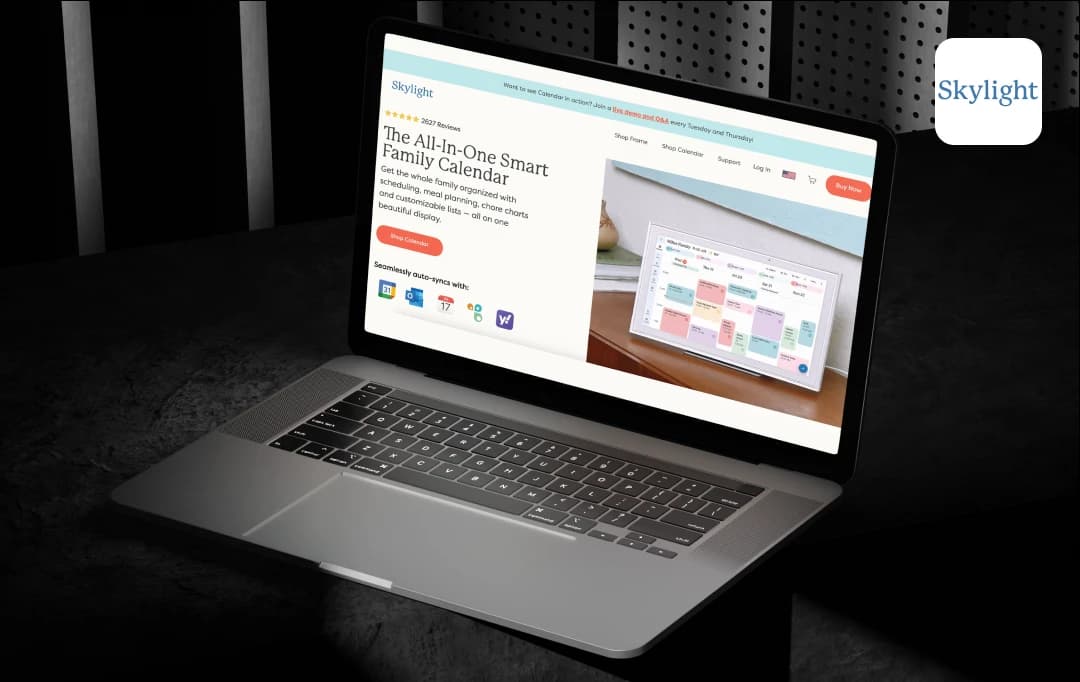
This is the exact chaos the Skylight Calendar claims to solve. It’s a smart, touchscreen wall calendar designed to unify your family's schedule, chores, meal prep, and more—all in one place. The WiFi-connected display promises to show everyone's plans on a single screen. No more answering the same questions repeatedly. Just one glance at the wall, and everyone sees what's happening.
But does it truly deliver? For this Skylight Calendar review, I evaluated the complete system—testing its calendar syncing, chore management, meal planning, and everyday use, to determine if it actually lightens your load or just becomes another expensive gadget taking up wall space.
So, is the Skylight Calendar worth it?
Let's find out!
Pros and Cons of Skylight Calendar
Pros
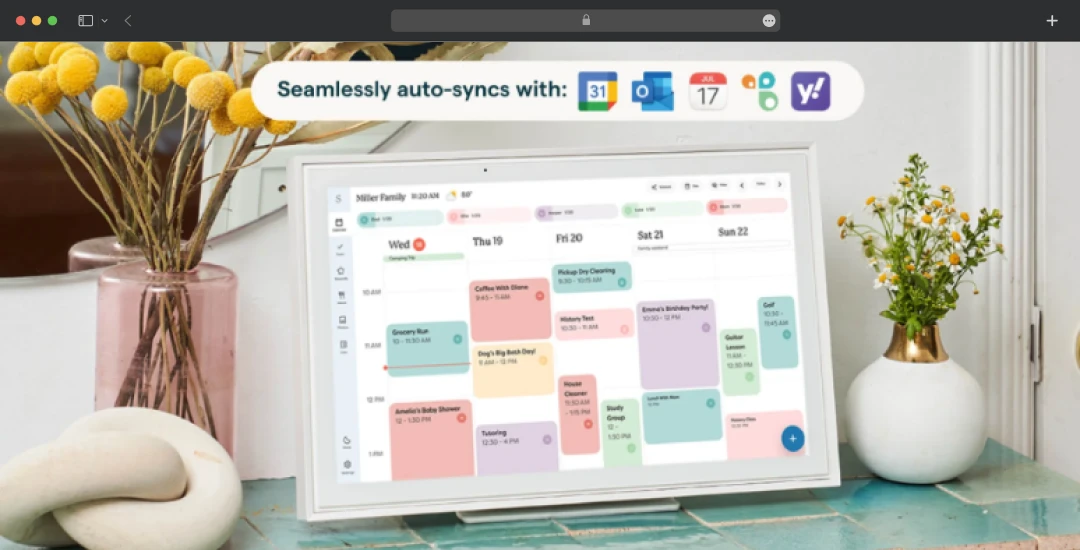
- Automatically synchronizes with major calendar platforms, including Google, Outlook, Apple, Cozi, and Yahoo
- Consolidates family scheduling, household tasks, and meal planning into one interface
- Provides a color-coded system, making each family member's schedule instantly recognizable
- Automates event creation from emails, PDFs, and photos through Magic Import
- Synchronizes multiple calendars across rooms or households through device linking
Cons
- Limits 27 Calendar Max to wall mounting only (no countertop stand option)
- Performance depends on stable internet connectivity for full functionality
- Event end time setting may feel awkward or unintuitive for some users
Skylight Calendar Features Worth Noting
The Skylight Calendar features include family events scheduling, household tasks management, and daily coordination. Below is my detailed evaluation of its key features, where I break down what each feature does:
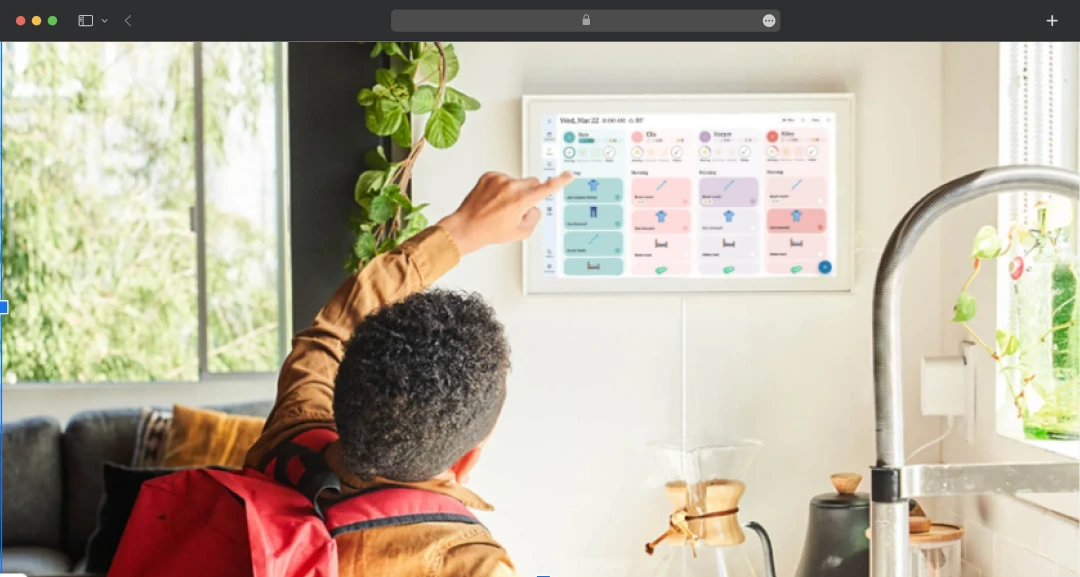
1. Tasks Manager
The Tasks Manager stands out with its fun, interactive checklist for daily routines and chores. This task manager simplifies household routine tracking, making it straightforward for families to stay organized.
2. Color Coding
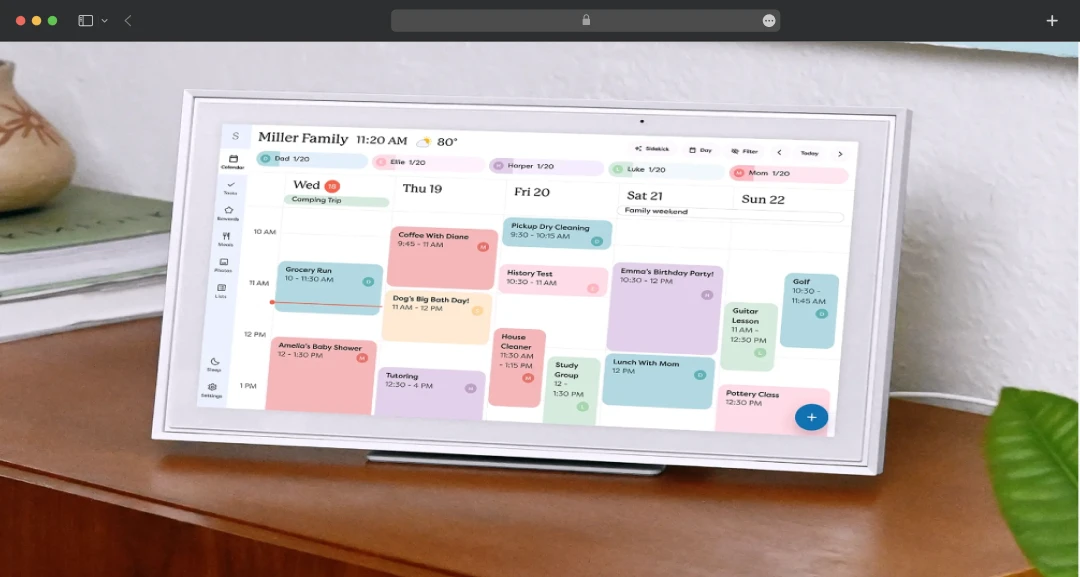
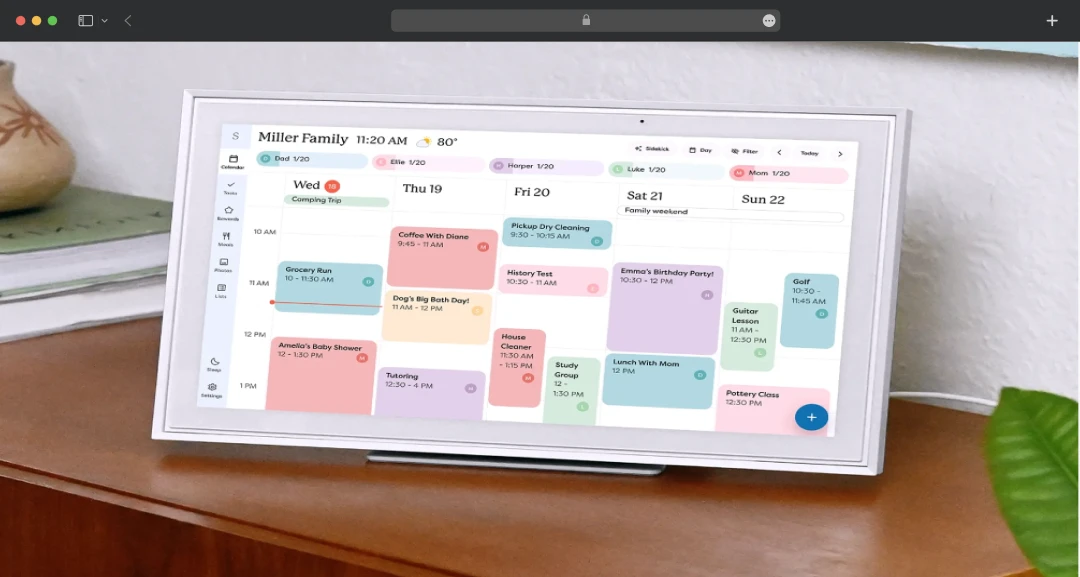
What distinguishes this system from other digital calendars is the color coding that assigns each family member their own color. This visual differentiation eliminates confusion instantly; everyone knows their commitments without asking.
3. Mobile App
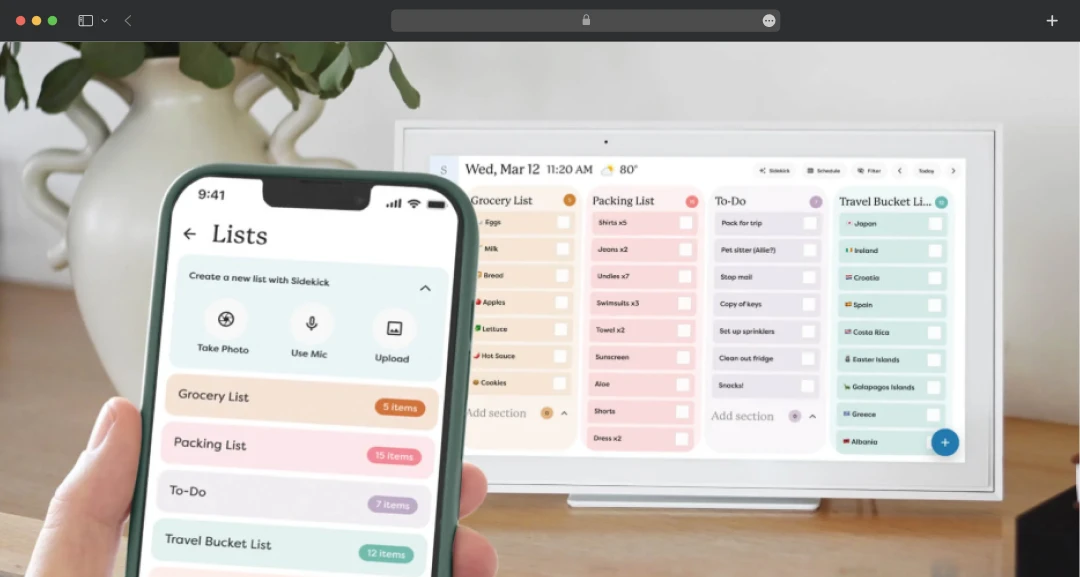
The Skylight Calendar app enables remote management from anywhere. Update schedules while at the grocery store, doctor's office, or workplace without accessing the wall display. This flexibility proves essential for busy families managing schedules on the move.
4. Custom Lists
Skylight offers custom lists accessible on both the device and the mobile app. This feature works well for grocery shopping, packing lists, or daily tasks. Any family member can add items from the wall display or their phone, with updates syncing instantly across both platforms.
5. Customized Views
The platform offers the ability to toggle between day, week, month, and schedule views depending on planning needs. During my evaluation, I found this flexibility particularly useful—it accommodates different organizational preferences within the same household. Whether you need a detailed focus on today's activities or a broad monthly overview, the feature adapts well to varying planning styles.
6. Weather
The weather side of the platform caught my attention. The weather integration helps you stay prepared with precise weather forecasting for the exact time and location of your events. This contextual intelligence means you know whether to pack umbrellas for soccer practice or plan indoor alternatives before you leave the house. It's a thoughtful addition that demonstrates attention to real-world scheduling needs.
7. Sleep Mode
Sleep Mode automatically turns your Skylight screen off at night and back on each morning at scheduled times, preventing nighttime screen glow. Its design respects household sleep schedules while keeping the device ready for morning use.
8. Parental Lock
Parental Lock prevents editing, adding, or deleting events and chores, allowing kids to view schedules without modifying information. The feature maintains data integrity while providing family-wide visibility, essential for families wanting transparency without sacrificing control
9. Software Updates
Beyond the core features, I was impressed with Skylight's practical approach to maintenance. New features automatically download to your device without requiring manual intervention or additional purchases. This ongoing enhancement means your hardware investment continues delivering new capabilities over time.
10. Device Linking
Connect multiple Calendars across rooms or households to share the same information. Whether coordinating between different rooms in a large home or keeping multiple households synchronized, this capability ensures consistent information across all connected devices.
11. Shared AccessThe platform also offers the ability to share your calendar with others. You invite your spouse, co-parenting partner, kids, and close friends to access your Calendar, enabling true collaborative scheduling. I found this feature particularly practical for busy households; it prevents one person from becoming the sole keeper of family information. Multiple people can update and manage schedules simultaneously from their own devices, which I found significantly improves coordination.
12. Rewards
I liked how the platform encourages kids to complete scheduled tasks with star-powered incentives. Rewards will motivate your kids to finish tasks by turning daily chores into an engaging system where children earn tangible recognition. I found this approach works particularly well for getting chores done without parents having to constantly remind their kids.
13. Meal Planning
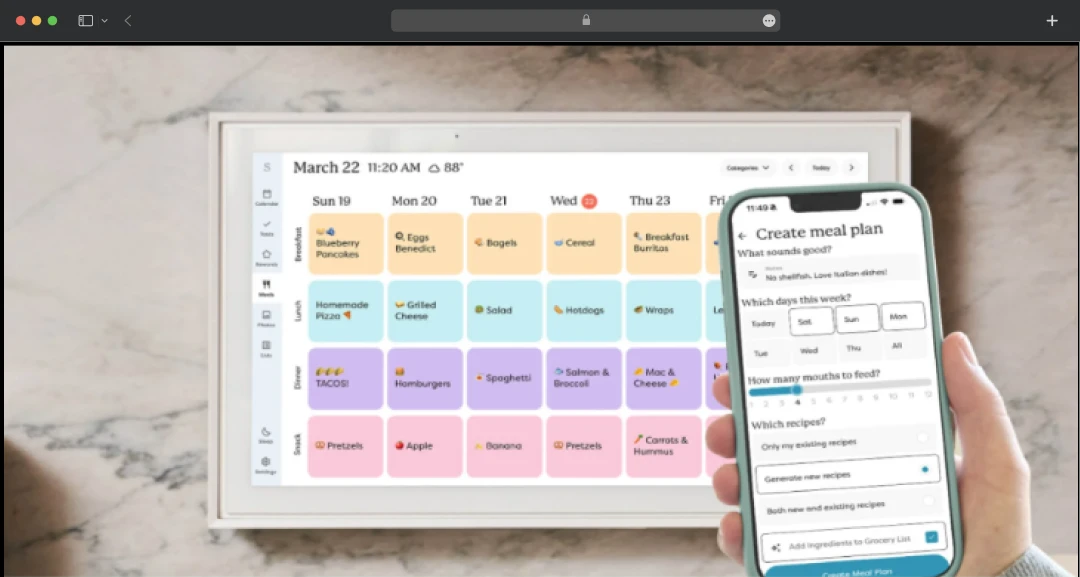
Design breakfast, lunch, dinner, and snack plans visible to the whole family. Upload or manually input your favorite recipes, and create new ones with Smart technology. The recipe management transforms Skylight into a central hub for family recipes, while Smart technology suggests new meal options for families stuck in dinner ruts.
14. Photo Screensaver
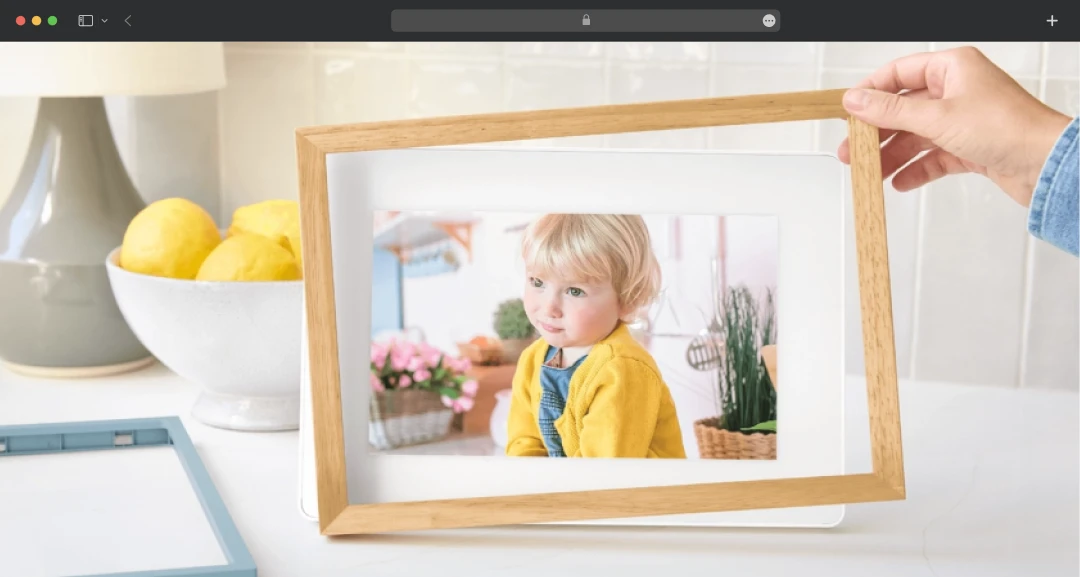
Photo Screensaver displays your favorite photographs when your calendar isn't in use, with album organization for featured images. This dual-purpose design means your Skylight serves as both an organizational tool and a digital picture frame, maximizing its value. Album curation works well for rotating seasonal photos or highlighting specific family memories.
15. Magic Import
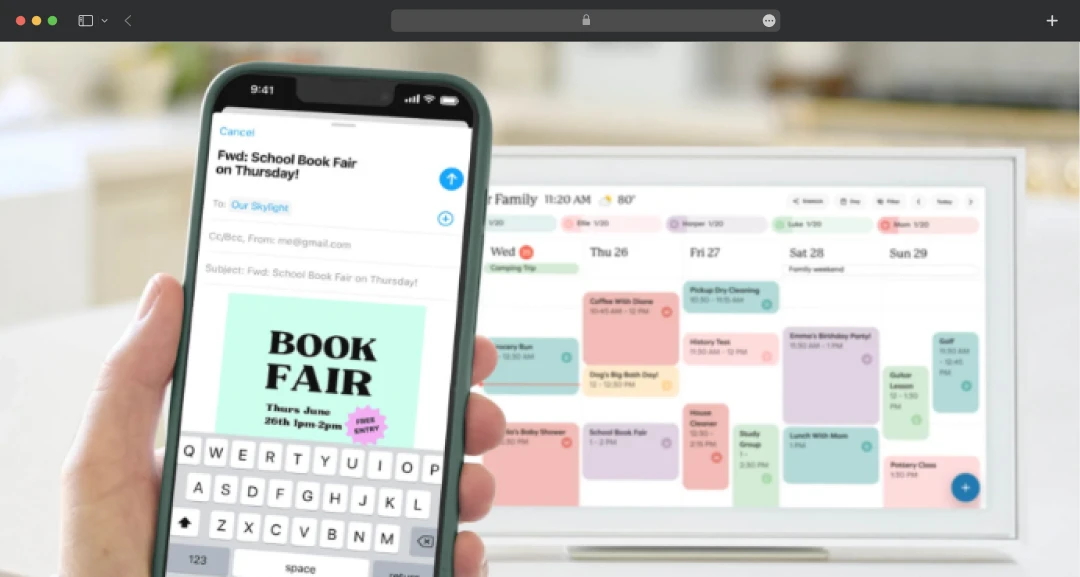
For families dealing with constant paperwork and email notifications, I found this feature to be a particularly powerful tool. You can forward emails and PDFs, or upload photos of lists and flyers to automatically convert them into calendar events with the Skylight Calendar app. This stood out as the most time-saving capability in the entire system. It eliminates the tedious task of manually typing information from school flyers, sports schedules, and event announcements.
Skylight Calendar: Technical Specifications
Understanding the hardware specifications is essential for determining whether Skylight Calendar fits your space and meets your household's needs. Here's a breakdown of the technical details for it:
1. 15" Diagonal
| Specification | Details |
|---|---|
| Screen Size | 15" Diagonal |
| Resolution | 1920x1080 (Full HD) |
| Dimensions | 15.8" x 9.9" x 1.4" |
| Storage Capacity | 16 GB |
| Power Requirements | US-style plug (outlet adapter not included for international users) |
2. 10" Diagonal
| Specification | Details |
|---|---|
| Screen Size | 10" Diagonal |
| Resolution | 1920x1200 IPS display |
| Dimensions | 11.5" x 8.25" x 0.9" |
| Storage Capacity | 16GB |
3. 27" Diagonal
| Specification | Details |
|---|---|
| Screen Size | 27" Diagonal |
| Resolution | 2560x1440 |
| Dimensions | 26.1" x 15.9" x 1.4" (Approximate) |
| Storage Capacity | 32GB |
| Audio | Dual 4-watt speakers |
| Box | 27" Calendar Max, Wall mounting bracket + hardware, Your chosen frame style, 12v power adapter |
*International users: Outlet adapter not included. Skylight Calendar comes with a US-style plug by default.
How to Set Up Skylight Calendar?
Setting up your Skylight Calendar is straightforward and takes just a few minutes. Here's a step-by-step guide to get your device up and running:
1. Download the App and Connect to Wi-Fi
Download the Skylight app from the App Store or Google Play, then follow the prompts to connect your calendar to your Wi-Fi network. Ensure your calendar is plugged in and powered on.
2. Activate Your Device
Create your unique Skylight Calendar email address (yourdevicename)@ourskylight.com in the app, then enter the provided activation code on your calendar's screen.
3. Sync Your Personal Calendars
Use the Sync function in the Skylight Calendar app to link your personal calendars (Google Calendar, Outlook, iCal). Select your calendar logo and follow the on-screen instructions. Ensure your calendar link allows external sync permissions and that you're the direct owner, not just a viewer. Only Google Calendar currently supports two-way syncing.
4. Set Up Your Profiles
Synced calendars automatically generate Profiles. View, edit names/colors, merge, or create new Profiles in the app's Profile section. Create a Profile for anything linked to future events or chores (family members, sports schedules, personal tasks).
5. Create Events
Create events using the Skylight Calendar app. Tag each event to a specific Profile for organized, color-coded scheduling.
Skylight Calendar Price Plans
The Skylight Calendar price is based on a one-time hardware purchase and an optional "Plus" subscription for premium features. Here’s a detailed breakdown of the costs for each model to help you decide which is right for your family
| Model Type | Pricing Plans | Pricing | Features |
|---|---|---|---|
| 10" Calendar | Plus Plan | $149.99 One-Time Purchase + One Free Month of Plus Or $79/year |
|
| Without the Plus Plan | $169.99 or 4 interest-free payments of $42.49 with Shop Pay |
Other features, except the above, are free to use | |
| 15" Calendar | Plus Plan | $279.99 One-Time Purchase + One Free Month of Plus Or $79/year |
|
| Without the Plus Plan | $299.99 or 4 interest-free payments of $74.99 with Shop Pay |
Other features, except the above, are free to use | |
| 27" Calendar Max | Plus Plan | $599.99 One-Time Purchase + One Free Month of Plus Or $79/year |
|
| Without the Plus Plan | $629.99 or 4 interest-free payments of $157.49 with Shop Pay |
Other features, except the above, are free to use |
Notes:
- For 15” Calendar, it offers two styles: Classic and Shadow Box at $299.99.
- For 27" Calendar Max, it offers two styles: Classic at $599.99 and Shadow Box at $629.99.
- The pricing is updated as of Oct’25 with reference to the product’s official website.
Customer Reviews
How was your experience with the product?