
Wispr Flow Review: The AI Writing Shortcut You Didn't Expect
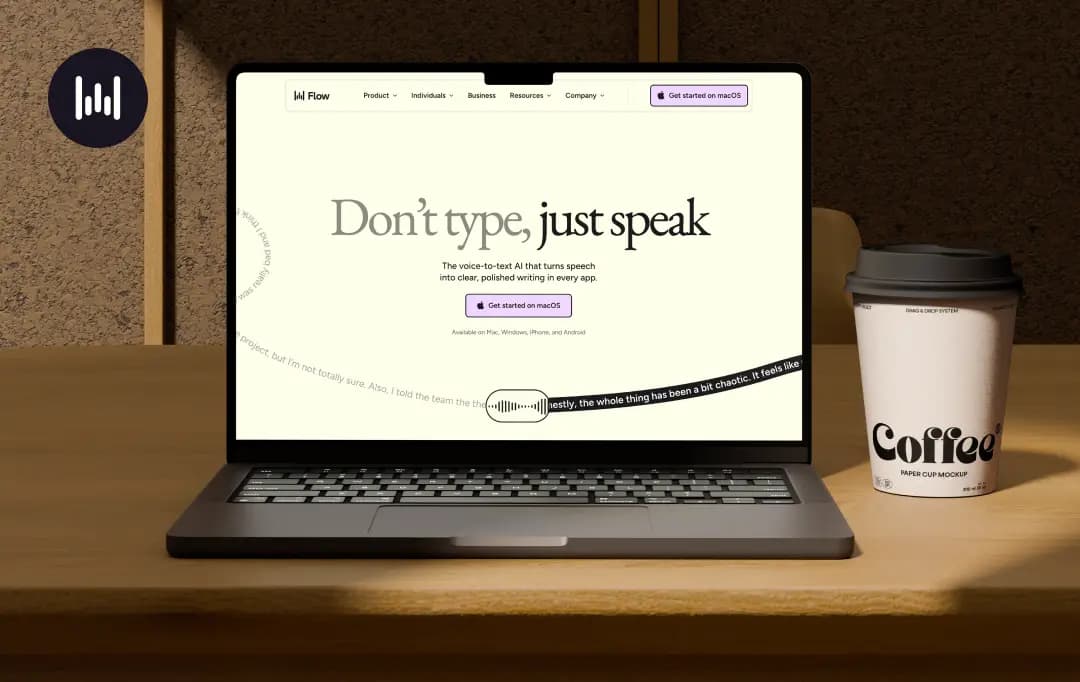
I was skeptical going in. Every dictation tool I'd tried before, Apple's, Google's, the Windows voice bar, left me editing more than if I'd just typed. A colleague swore Wispr Flow was different, so I downloaded it and tried it out..
What won me over wasn't the transcription, plenty of tools do that fine. It's what Wispr Flow (aka Wisprflow, or just "Flow") does after it hears you: it strips the "ums," cleans up rambling, and formats the text differently depending on where you're typing. That's the pitch behind this Wispr flow ai app, and it mostly holds up.
This Wispr flow review covers what worked, what didn't, and whether the company has built something worth your money, or just good marketing.
Pros and Cons of Wispr Flow
Pros
- Genuinely cuts down on filler words and rambling, output reads cleaner
- Tone adapts automatically depending on the app you're dictating into
- Works across Mac, Windows, iPhone, and Android, with settings synced everywhere
- Command Mode lets you edit text with your voice
- Personal dictionary and snippet library save real time on repeated names, jargon, and boilerplate replies
- Supports 100+ languages, including switching mid-sentence between languages
Cons
- Cloud-only processing, so your speech leaves your device, which won't sit well with privacy-conscious users
- Subscription-only, no lifetime license, so the cost adds up over a year or two
- Free plan's word limit runs out fast if you actually rely on it day to day
Key Features of Wispr Flow
Wispr Flow packs in a lot more than just press a button and talk. The features are what separate it from the free dictation tools already sitting on your phone or laptop, and they're the reason people upgrade to Wispr Flow Pro instead of sticking with the free version.
Here's a list of Wispr features that stood out to me after using most of them regularly-
1. AI Auto Edits (4.5/5)
This is the feature that sold me on the whole app. Instead of transcribing your speech word-for-word, Flow rewrites your rambling into something you'd actually be comfortable sending.
You might trail off mid-sentence, restart, contradict yourself, and it would still land on a coherent paragraph. It's not perfect, but it's the closest I've come to feeling like dictation actually saves time instead of creating more editing work.
2. Context-aware tone matching (4.1/5)
Wispr Flow seems to know whether you're writing a quick Slack reply or a formal email, and it adjusts punctuation, sentence structure, and formality accordingly. You dont have to switch any settings between apps, it will just pick up on where your cursor is placed and matches the vibe. This alone is probably the single biggest reason the features feel more finished than competing tools.
3. Command Mode (4.1/5)
Available on the Pro plan, this lets you select text and talk to it: “make this more concise,” “turn this into a bulleted list,” “translate this to Spanish.” I have used this constantly for cleaning up meeting notes. It's essentially a voice-driven light edit pass, and once you build the habit of using it, going back to manual editing feels slow.
4. Personal dictionary and snippet library (4.0/5)
Flow learns names, acronyms, and industry terms you use often and stops mangling them after a couple of corrections. The snippet library goes further, you can set up a voice cue that expands into a full block of text, like a scheduling link or a canned FAQ response. Small feature, but it saves a surprising amount of typing over a week.
5. Cross-platform sync (4.1/5)
Your dictionary, snippets, and style preferences follow you between Mac, Windows, iPhone, and Android. So, you can dictate on your phone during your commute and finish the same thought on your laptop later, and Flow doesn't skip a beat. If you're the kind of person who bounces between devices all day, this consistency actually matters.
6. 100+ language support (4.2/5)
Wispr detects the language you're speaking and transcribes accordingly, and it handles switching languages mid-sentence better than I expected. If you regularly mix languages when you talk (Hinglish, Spanglish, or otherwise), this is one of the more genuinely useful Wispr Flow benefits over single-language dictation tools.
7. Privacy Mode (3.9/5)
For anyone hesitant about cloud-based processing, Flow offers a privacy mode with zero data retention, which is enforced by default on Enterprise plans. It doesn't fully erase the “your voice leaves your device” concern, but it's a meaningful option if that's a dealbreaker for you.
Bonus Read: Best AI Voicemail Generators
Understanding Wispr Pricing
Wispr flow pricing is subscription-based, and it's structured in a fairly standard freemium way. It offers a limited free plan to test the waters, a Pro plan for anyone who actually wants to use it as a daily driver, and an Enterprise tier for teams that need compliance and admin controls.
Every new account also gets a 14-day trial of Pro, so you get to test the full feature set before deciding whether it's worth paying for.
| Plan | Price | Best For |
|---|---|---|
| Basic | Free | Casual users just testing out voice dictation — capped at 2,000 words/week on desktop, 1,000/week on iPhone |
| Pro | $12 | Anyone using Flow daily across devices — unlimited words, Command Mode, priority support |
| Enterprise | Custom (contact sales) | Teams needing SOC 2/ISO 27001 compliance, SSO/SAML, enforced privacy mode, and dedicated support |
*This is the pricing for plans billed annually (20% discount)
*There's no lifetime license option here
Who is Wispr For?
Wispr Flow doesn't market itself as a one-size-fits-all dictation tool, and honestly, that's part of why it works as well as it does. The app is clearly built around specific ways of working, and it shows in how the product positions itself for different kinds of users.
Here's how I'd break down who actually gets the most out of it-
| User Persona | How Wispr Flow Helps |
|---|---|
| Leaders | Lets you fire off decisions, feedback, and updates by voice instead of typing them out, so you unblock your team faster without waiting to sit down and type a proper message |
| Developers | Speaking out technical context, edge cases, or prompts is faster than typing them, especially when you're feeding detailed instructions into an AI tool or writing commit messages and documentation |
| Creators | Captures content ideas the moment they hit you, wherever you are, instead of losing them because typing them out felt like too much friction |
| Customer Support | Dictating responses to tickets is noticeably faster than typing them, which is why Wispr claims it helps teams resolve tickets close to 4x faster |
| Students | Useful for getting lecture notes, essay drafts, and study summaries down quickly, especially when your thoughts are moving faster than your typing speed |
| Lawyers | Handy for dictating case notes, client memos, and quick summaries on the move, without needing to sit at a desk to type them up properly |
| Accessibility Users | Genuinely one of the strongest use cases, anyone who finds a keyboard difficult or tiring, whether due to a tremor, RSI, or a condition like dyslexia, gets a real alternative to typing |
| Sales Professionals | Makes it faster to log call notes, follow-ups, and CRM updates right after a conversation, while the details are still fresh, instead of typing them up later from memory |
Also Read: Best AI Voice Agents
Customer Reviews
How was your experience with the product?