
We are not biased. We test and review every product. Here’s our Methodology.

Is PaintTool SAI good for you? We review its user-friendly interface, tools, and learning curve to help new digital artists choose their first painting program!

MobileAppDaily Certified Rating
4.4 out of 5
Let Your Product Take the Center Stage with Our Review
Arpit Dubey

Written By Arpit Dubey

Arpit is a dreamer, wanderer, and tech nerd who loves to jot down tech musings and updates. With a knack for crafting compelling narratives, Arpit has a sharp specialization in everything: from Predictive Analytics to Game Development, along with artificial intelligence (AI), Cloud Computing, IoT, and let’s not forget SaaS, healthcare, and more. Arpit crafts content that’s as strategic as it is compelling. With a Logician's mind, he is always chasing sunrises and tech advancements while secretly preparing for the robot uprising.

Explore More By Author

PaintTool SAI Review | A New Rival for Photoshop?
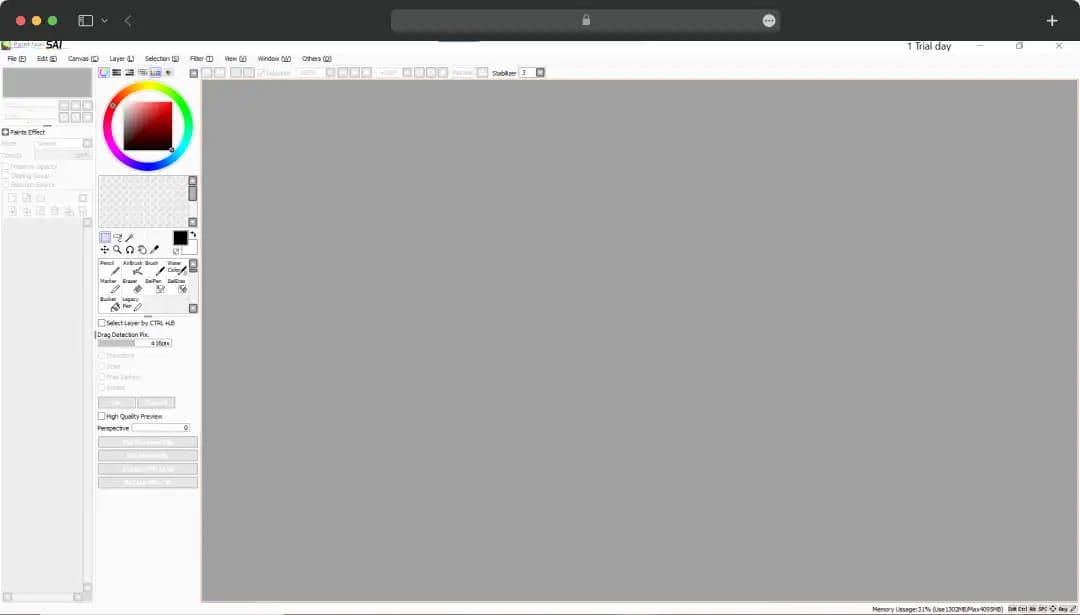
PaintTool SAI

Digital art for me was always a shaky mess! My lines wobbled, my colors were flat, and my frustration was a daily art supply. Until one of my teammates mentioned this plain-looking, little program called PaintTool SAI. I was totally confused!

"This simple-looking thing is going to fix my art?" I thought. But the first time I used its stabilizer, it was like magic. My shaky hand suddenly had a steady guide. My lines went from jagged to smooth, and for the first time, my art felt like a true masterpiece (well, almost like one!).

PaintTool SAI is not just another program; it is a tool that will surely make you fall in love with digital art. In this PaintTool SAI, I'm going to tell you why this unassuming program is still the best-kept secret for the creative arsenal.

Pros and Cons of PaintTool SAI

Pros

  • Runs smoothly even on older or less powerful computers
  • Features a highly praised stabilizer that makes creating smooth, clean lines incredibly easy
  • he user interface is clean and easy to navigate, making it great for beginners
  • The brush tools, especially the watercolor and pen brushes, offer a natural and enjoyable painting experience
  • It's a one-time purchase with a free trial, unlike subscription-based software
  • Users can create and customize their own brushes and textures

Cons

  • Lacks many advanced features found in other programs, such as text tools, advanced filters, and photo editing capabilities
  • Only works in RGB, making it unsuitable for professional printing
  • It does not support vector graphics
  • Cannot be used for creating animations

Standout Features of PaintTool SAI

The drawing software SAI might not have a long list of features like some of its competitors, but the features it does have are fine-tuned for a smooth and enjoyable digital painting experience. Here are the core tools that make this software a favorite for artists around the world.

1. Incredible Brush Engine
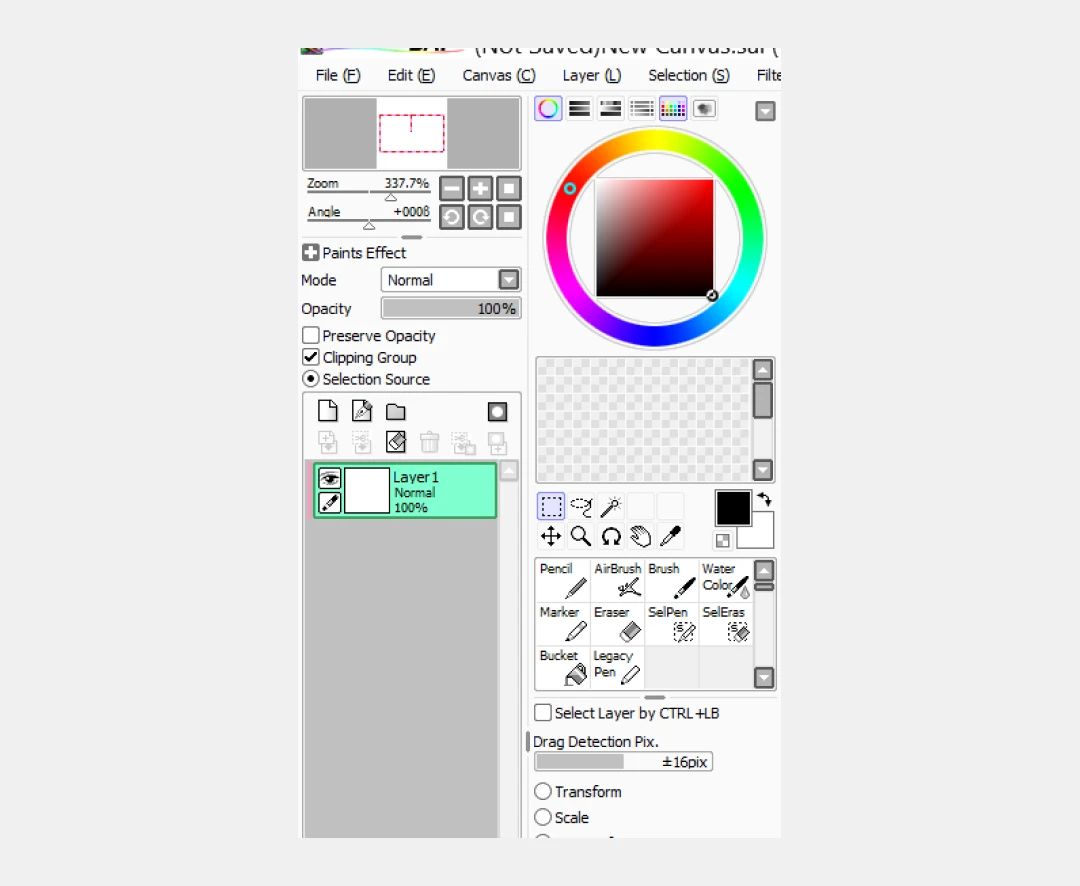
Paint tool brush engine

The brush engine in Paint SAI is one of its most praised features. It's designed to give you a natural and organic feel, making the transition from traditional to digital art seamless. I remember the first time I tried the watercolor brush; it blended colors so beautifully, creating soft, transparent washes just like real paint. The program's intuitive brush customization allows you to create your own unique brushes that match your style.

2. Top-Tier Lineart Stabilizer
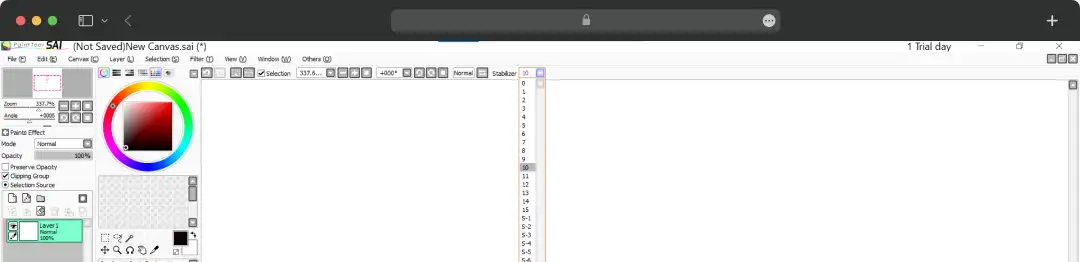
SAI line stabilizer

This is arguably PaintTool SAI's best-known feature. The lineart stabilizer works like a magic wand, smoothing out shaky lines and giving you precise, clean strokes every time. As someone with a naturally unsteady hand, this tool was a game-changer for me. It transformed my wobbly sketches into professional-looking line art and made me feel more confident in my drawing ability.

3. User-Friendly Interface

The interface is simple, clean, and distraction-free, which is perfect for new users. Instead of a cluttered toolbar, the most important features are easily accessible, allowing you to focus on your art rather than navigating complex menus. This straightforward design makes the learning curve almost non-existent, so you can start creating within minutes of opening the program.

4. Clipping Masks
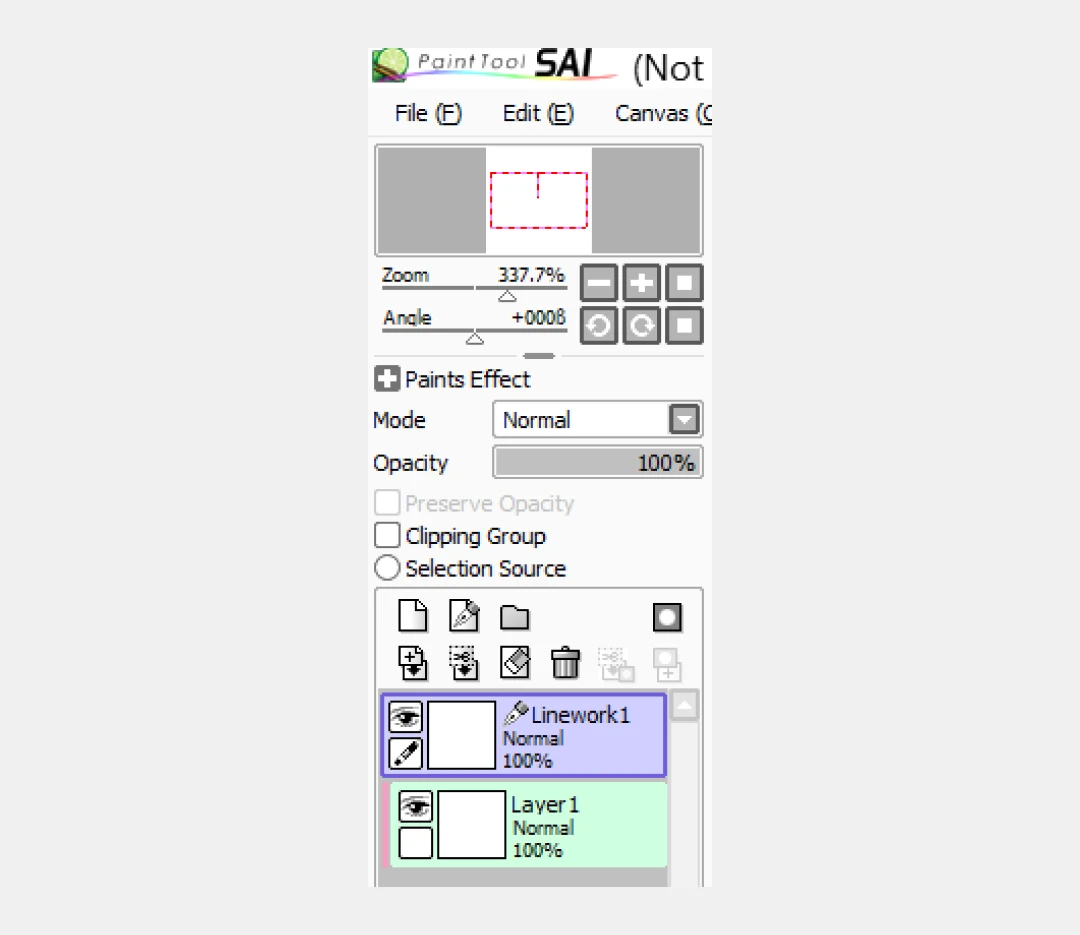
Paint tool SAI clipping Masks

Paint Tool SAI has a simple but powerful clipping mask feature that I use in every single piece of art I create. It allows you to "clip" a new layer to the one below it, so anything you draw on the new layer will only show up within the boundaries of the original layer. This is perfect for shading, adding textures, or coloring lines without worrying about drawing outside the lines.

Understanding PaintTool SAI Pricing

The drawing software offers a free trial for 31 days. During this period, the tool can be used fully without paying any fees. However, once the free trial ends, the pricing of the tool is as follows-

  • The tool is priced at 5500 JPY (Japanese Yen) per 1 software license. This figure is roughly USD 53.

*Please note that the software license is not returnable, so evaluate the software carefully before making the purchase.

*This is the pricing as of August 2026

Why Trust MobileAppDaily?

For us, Product Reviews mean diving headfirst into the functionality of each digital product, whether it’s an app, software, or website. Our process centers around hands-on testing of each tool we pick. From scrutinizing features to testing vulnerabilities of security standards, the goal remains to help you find products that don’t just work but truly elevate your experience. In a nutshell, if we’re recommending a product, it’s because we believe it’ll genuinely make your digital life easier.

  • Products Reviewed - 4,000+
  • No. Of Experts - 20+
  • Categories - 65+
Explore Our Methodology

Customer Reviews

Rate the product based on your experience?

How was your experience with the product?

Also Reviewed By Us

MobileAppDaily’s Rating for PaintTool SAI

Feature

FEATURE

4.8

Offers a comprehensive, all-in-one platform with robust tools for automated expense management and AI-powered insights.

Pricing

PRICING

4.6

The platform includes a free plan with a transparent per-user cost for the Plus plan, making it accessible for various business sizes.

Performance

PERFORMANCE

4.1

The interface is praised for being simple, but some users have reported specific technical issues, such as problems with invoice processing.

UI/UX

UI/UX

4.2

User reviews are generally positive, highlighting the platform's ease of use, though there is some mixed feedback on specific functionalities.

Paint Tool SAI vs. Its Competitors in the Market

When you're starting out in digital art or looking for a new tool, the options can be overwhelming. While the drawing software SAI is a fantastic choice, it's important to understand how it stacks up against the two most common alternatives artists consider: the industry-standard Adobe Photoshop and the powerful free option, GIMP.

Here’s a side-by-side comparison to help you choose the right software for your creative needs.

Feature PaintTool SAI Adobe Photoshop GIMP
Primary Use Dedicated to digital painting and illustration Photo editing, graphic design, and general image manipulation Photo editing, graphic design, and image manipulation
Key Strengths Extremely lightweight and fast. Features a best-in-class lineart stabilizer and a natural-feeling brush engine. Perfect for clean lines and organic painting Industry-standard with an unparalleled suite of tools for photo manipulation, design, and professional retouching Powerful, free alternative with extensive features, file format support, and a highly customizable interface
Weaknesses Limited feature set; lacks text tools, advanced filters, and CMYK support for professional printing It can be resource-intensive and expensive due to its subscription model. It can feel overwhelming for beginners The user interface can be difficult to navigate and feels less polished than paid software. It can have a steep learning curve
Ideal For Beginners, artists who focus on digital painting, line art, and illustrations Professional photographers, graphic designers, and artists need a comprehensive, all-in-one tool Hobbyists, students, and professionals who need a powerful, free alternative for image editing and graphic work

MobileAppDaily’s Final Verdict on PaintTool SAI

Our team at MobileAppDaily was honestly blown away by Paint SAI’s sheer simplicity and focus. We gave it a run on different devices, and what we all agreed on was how incredibly lightweight and fast it is—it just works, even on machines that would choke on heavier software. The lineart stabilizer isn't just a feature; it's a creative lifeline.

We collected Paint Tool SAI reviews from everyone, and the team couldn’t stop talking about how it made drawing feel more natural and less like a constant battle with a shaky hand. For anyone just getting into digital art, or for pros who want a simple, clean tool for sketching and line work, this is a must-have.

However, it's not all good! Our research showed that while it nails the basics, the drawing software SAI definitely isn't a replacement for a full-suite program like Photoshop. The lack of text tools was a constant frustration for us, and the absence of CMYK support means you’ll have to jump through extra hoops for professional printing.

It’s also important to note that it's a painting program, not a photo editor. If you need advanced filters, photo manipulation, or vector graphics, you'll need to look elsewhere.

In the end, we believe PaintTool SAI isn't trying to be a rival to Photoshop. It’s carved out its own niche and perfected it. It’s the perfect, no-nonsense tool for artists who value a fluid drawing experience above all else.

Its exceptional core features make it an absolute no-brainer for beginners and a reliable secret weapon for seasoned artists. While it has its limitations, what it does, it does exceptionally well. All in all, the Paint Tool SAI download for your device is completely worth it!

What is PaintTool SAI used for?

Our reviewers primarily use PaintTool SAI in the following areas:

PaintTool SAI
Frequently Asked Questions

  • Is Paint Tool SAI still a good choice for digital artists today?

    Absolutely. While it may lack some of the advanced features of modern software, its core strengths—like the best-in-class lineart stabilizer and lightweight performance—make it a perfect tool for many artists. It’s an excellent choice for beginners and artists who primarily focus on drawing and painting.

  • What is the difference between Paint Tool SAI and Photoshop?

  • Is Paint SAI a one-time purchase, or is it a subscription?

  • Can I use Paint Tool SAI on a Mac?

Latest Products

Delve into our comprehensive yet easy-to-consume guides, which provide insights that help scale business faster and prevent unseen pitfalls.

Related Products

Cut through the clutter and explore related digital products that deliver on performance.

Fill in the details, and our team will get back to you soon.

Contact Information
+ =

Fill in the details, and our team will get back to you soon.

Contact Information
+ * =