That's why we evaluated several Canva alternatives. We examined each app's feature set, pricing structure, AI capabilities, and user experience to identify which platforms excel in specific areas—whether that's professional-grade editing, team collaboration, specialized tools, or budget-friendly pricing. Based on our evaluation, we're breaking down the best alternatives to help you find the right design tool for your needs, whether you're seeking advanced AI features, cost-effective options, or specialized capabilities tailored to your creative workflow.
Top Canva Alternatives: A Quick Comparison
Compare the best Canva alternatives side-by-side to quickly identify which design tool matches your creative needs and budget.
| App Name | Key Features | Pricing |
|---|---|---|
| Adobe Express | • AI video-to-social clips • Firefly AI integration • Quick Actions toolkit |
Free plan Adobe Express Premium starts at $9.99/month Adobe Firefly Pro starts at $19.99/month Adobe Express Teams starts at $4.99/person/month Adobe Express Enterprise is available on request Free plan available for students Adobe Express Premium for students at $9.99/month Adobe Creative Cloud Pro for students at $24.99/month Adobe Express K-12 Education is free to use Adobe Express Higher Education price available on request Adobe Express Non-profits is free for qualified non-profits |
| Desygner | • 5 free Pro+ team accounts • Automated Collections resizing • ChatGPT integration |
Free plan available Pro+ plan at $12.95/month or $7.50/month when billed annually Business plan at $29.95/month or $19.08/month when billed annually |
| Picsart | • 60M+ sticker library • AI Replace & Expand • AI Writer for captions |
Free plan available Picsart Plus plan at $13/month or $5/month when billed annually Picsart Pro plan at $15/month or $7/month when billed annually AdMaker Lite plan at $49/month or $40.83/month when billed annually AdMaker Max plan at $149/month or $124.16/month when billed annually Enterprise plan available on request |
| VistaCreate | • 100 AI images/month • Brand Kit • One-click Background Remover |
Free plan available Pro starts at $13/month or $10/month when billed annually |
| Visme | • Live Google Sheets chart integration • Interactive clickable hotspots & pop-ups • Customizable 3D graphics library |
Free plan available Starter plan at $29/month or $12.25/month when billed annually Pro plan at $59/month or $24.75/month when billed annually Enterprise plan available on request |
| Fotor | • AI Photo Enhancer for blurry photos • Magic Eraser for unwanted objects • AI Headshot generator |
Free plan available Fotor Pro at $10.99/month or $3.99/month when billed annually Fotor Pro+ at $23.99/month or $8.33/month when billed annually One-time Credit Payment plan at $0.2/Credit Subscription Credit Plan at $0.029/Credit AI Headshot plan of 20 Image Package at $26.99 AI Headshot plan of 40 Image Package at $37.99 AI Headshot plan of 80 Image Package at $50.99 AI Headshot Team plan at $37.99 for small teams or at $75.98 Developer Basic Plan at $99/month Developer Advanced Plan at $299/month Custom plan available on request |
| Pixlr | • 2M+ free effects & overlays • AI Generative Fill • Stylize effects |
Plus plan starts at $2.49/month or $1.49/month when billed annually Premium plan starts at $9.99/month or $6.49/month when billed annually Team plan starts at $16.99/month or $11.99/month when billed annually |
| BeFunky | • Artsy effects (paintings, cartoons) • AI Portrait tools • No registration required |
Free plan available Plus plan starts at $14.99/month or $6.99/month when billed annually |
| PosterMyWall | • 1.5M+ free templates • Free downloads for social posts • Content planner |
Free plan available Premium plan starts at $9.95/month or $99.95/year Premium Plus starts at $29.95/month or $319.95/year |
| Figma | • Real-time desktop-to-mobile mirroring • Interactive prototype testing • Team commenting & feedback |
Free plan available Professional plan starts from $5/month or $3/month when billed annually for a Collab seat Professional plan starts from $15/month or $12/month when billed annually for a Dev seat Professional plan starts from $20/month or $16/month when billed annually for a Full seat Organization plan starts from $5/month billed annually for a Collab seat Organization plan starts from $25/month billed annually for a Dev seat Organization plan starts from $55/month billed annually for a Full seat Enterprise plan starts from $5/month billed annually for a Collab seat Enterprise plan starts from $35/month billed annually for a Dev seat Enterprise plan starts from $90/month billed annually for a Full seat |
Read Less
List of the Best Apps Like Canva
Table of Content
Recent Topics
Related Topics

Pros & Cons
Pros
- Streamline your workflow by editing photos, videos, and PDFs in one app
- Save time and create unique content with powerful AI features from Firefly
- Maintain creative control by syncing assets from Photoshop and Illustrator
- Ensure brand consistency and plan content with integrated brand kits and scheduling
- Speed up small tasks like removing backgrounds or generating QR codes with one-click Quick Actions
Cons
- May slow down during video rendering
- Charts and graphs do not support live data
Why You'll Love It
Adobe Express is the best all-in-one editor for content creators, letting you automatically turn long-form video podcasts, educational videos, or reviews into shareable social clips with captions, all in one place.More about product
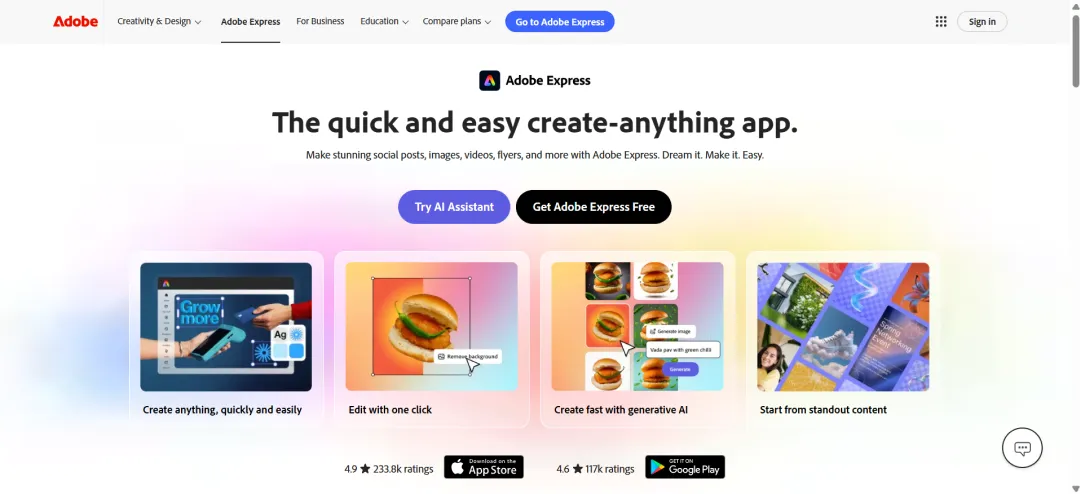
During our evaluation, we felt that Adobe Express truly shines as a 'bridge' tool. When we evaluated it against other Canva alternatives, it was clear that the platform is built to bring professional-grade power into a simple interface. Its AI-driven video-to-social clip feature is particularly helpful. You can add any video to it, and it accurately identifies key moments and automatically generates several captioned, ready-to-post clips. Another great feature for social content was Animate from Audio; you can simply upload a voiceover and watch it map your speech to a character, which is perfect for creating engaging shorts in minutes.
Finally, we explored the animation controls and found a true standout feature not offered by Canva: the ability to add physics-based movement to designs. This can help you make your projects look far more dynamic, with text and objects bouncing and interacting in a way that Canva's standard 'slide-in' animations just can't match. While we did find the main dashboard a bit slower, the polish on unique features like this made it feel like a powerful tool for creators.

Pros & Cons
Pros
- Get five free Pro+ accounts for your team, making it a highly cost-effective collaboration tool
- Automate resizing for entire campaigns with the one-click "Automated Collections" tool
- Generate text for designs instantly with the built-in ChatGPT integration
- Manage content from creation to posting with the integrated Social Media Scheduler
- Edit and annotate PDF files directly within the app
Cons
- There might be a slight learning curve for creating original design assets
- The mobile app may be a bit sluggish while editing the designs
Why You'll Love It
Desygner is the best all-in-one platform for small teams and marketers, offering powerful AI features and a generous Pro+ plan that includes five free team member accounts, making real-time collaboration incredibly affordable.More about product
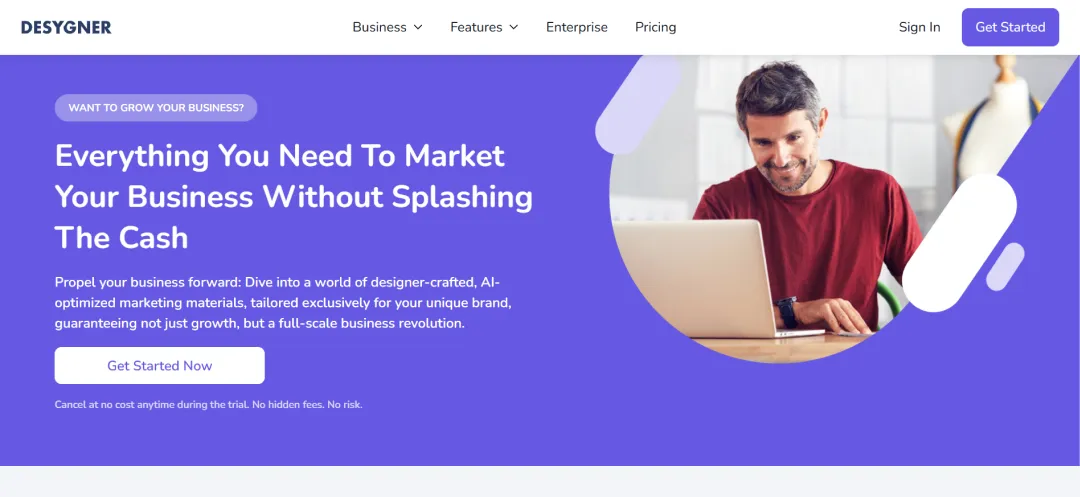
Desygner's core value proposition is clear: it’s built as an all-in-one marketing hub. The platform is packed with a massive library, including thousands of professionally made templates and unlimited access to millions of royalty-free images, fonts, and icons, with new graphics added monthly.
Its all-in-one approach is highly practical, integrating premium features like a PDF Editor and a one-click Background Remover. The standout feature is the Automated Collections tool. This lets you take one master design and automatically generate an entire collection of resized assets for different channels with a single click. It also offers an option to print graphic designs right from the convenience of your smartphone.
Beyond its static and PDF capabilities, the platform also excels at helping users create impactful animated designs, making it one of the best Canva alternatives. This is a significant differentiator, as Desygner's animation tools are included for free, allowing you to turn standard marketing assets into engaging, professional-grade videos and social media posts—a capability that requires a paid Pro subscription in Canva.
Pros & Cons
Pros
- Create professional product shots instantly with AI-powered background removal and replacement tools
- Fix low-quality photos, remove unwanted objects, and transform images with generative AI tools
- Generate original images, marketing copy, and unique AI avatars from simple text prompts
- Edit compelling videos for TikTok and Reels with integrated filters, music, and retouch effects
- Start projects quickly with thousands of professional templates and a text editor with hundreds of fonts
Cons
- There are a lot of ads that pop up, impacting the editing workflow
- You cannot use it in offline mode
Why You'll Love It
Picsart stands out with its massive 60+ million options in its sticker maker library, allowing you to add a fun overlay, a business promotion, or a unique aesthetic to any design.More about product
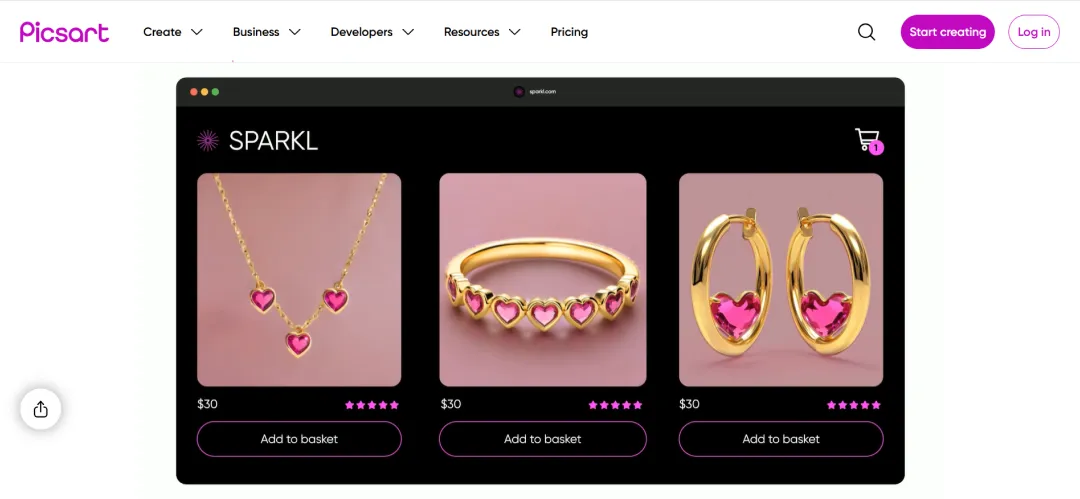
Picsart’s primary strength lies in its AI-driven, end-to-end workflow. It’s not just a photo editor; it’s a complete content creation engine designed for speed. The user journey is clearly defined: you accelerate the design process by starting with a customizable graphic design template from a professional editor.
From that starting point, the platform’s powerful AI toolset takes over. We found that this enhancement suite is where Picsart most clearly differentiates itself from other apps like Canva. Users can fundamentally alter images with AI Replace, which capably handles everything from simple selfie edits to changing hair color or swapping faces. This is complemented by generative tools like AI Expand, a game-changing feature that seamlessly extends a photo's boundaries with new, context-aware content. You can also apply stylized AI filters to achieve a specific aesthetic with a single tap.
The AI capabilities extend beyond just images. The AI Writer proved effective at generating captions for marketing or memorable social media quotes. For video, the app remains cohesive, offering a built-in editor where you can apply trendy filters and retouch effects for social-ready clips. This integrated flow is funneled directly into social-centric tools like a Story Maker and photo collage options, with Picsart Spaces acting as a community hub for gathering inspiration.
Also Read: Best Apps for Graphic Designers
Pros & Cons
Pros
- Generate 100 unique, commercially safe images per month with the integrated AI Image Generator
- Maintain perfect brand consistency with a dedicated Brand Kit for your logos, fonts, and colors
- Instantly create professional product shots or custom stickers with a one-click Background Remover
- Repurpose a single design for multiple platforms (social, print, web) with the one-click Resize tool
- Enhance posts with a full suite of video editing tools, animations, and a library of licensed audio tracks
Cons
- Lacks some advanced features like third-party integrations and extensive photo filters
- May have issues with cross-platform design editing
Why You'll Love It
VistaCreate excels at speed and branding. Its massive 200,000+ template library gives you a huge head start, while the powerful Brand Kit lets you instantly apply your own logos, fonts, and colors.More about product
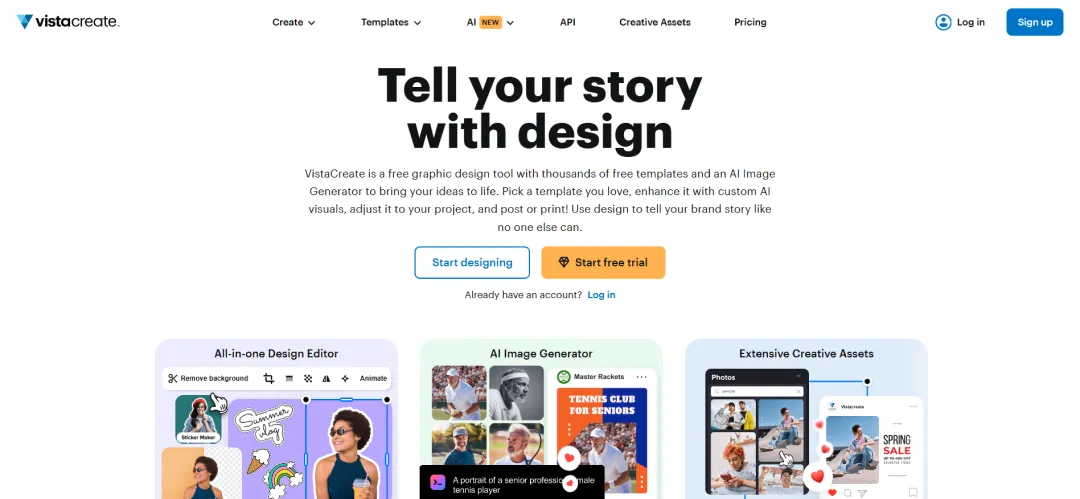
Our evaluation of VistaCreate (formerly Crello) shows it’s more than just a design app; it's a complete creative production hub. It's true, standout identity comes from its native integration with VistaPrint. This is the app's core differentiator: it's built to seamlessly bridge the gap between a digital design and a physical, doorstep-delivered print order.
This unique "design-to-print" workflow is why it's one of the best Canva alternatives for businesses and solopreneurs. While other apps focus purely on digital, VistaCreate handles the entire campaign. This professional focus is supported by a robust set of utilities, including Unlimited Storage for high-volume work, a full Version History, and HD Download options. We also found its one-click Background Remover, Resize tool, and precise image cropping to be essential time-savers. Its AI-based object removal feature is also standout to remove unnecessary objects from your images and designs.
While its print capability is the hook, it doesn't neglect digital. It’s powered by a massive 170M+ asset library and a full dynamic content suite. You can create top-quality video content with specific animated text effects, transitions, objects, and add sound from either a licensed library or by uploading your own music. This allows you to design, animate, post, and schedule the social media campaign, and then order the matching flyers, all from a single platform.

Pros & Cons
Pros
- Visualize data by connecting charts directly to live Google Sheets for automatic updates
- Create interactive documents and graphics with clickable hotspots, pop-ups, and hover effects
- Add visual depth to projects with a unique library of customizable 3D graphics and characters
- Generate entire AI templates with pre-filled sections from a single text prompt
- Create unique AI-generated images and text directly from within the editor
Cons
- The editor may work slowly with complex design projects
- Does not support guest collaborators
Why You'll Love It
Visme replaces multiple apps, allowing you to create everything from animated social posts and infographics to interactive boardroom-ready presentations with clickable popups and animations, all within one platform.More about product
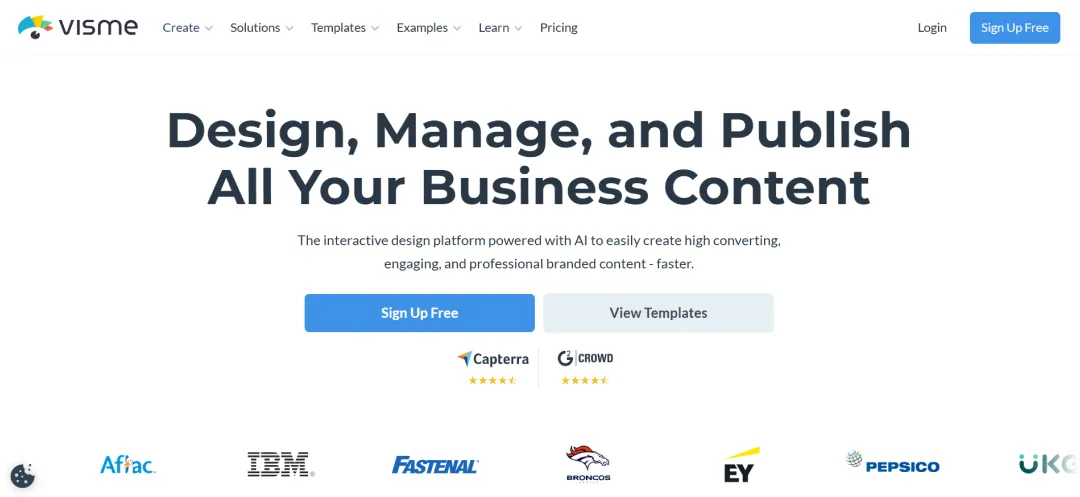
Visme is another Canva alternative, offering more advanced features for professional and interactive content, especially its strong data visualization tools. Where other apps stop at static images, Visme allows you to build complex, clickable proposals, reports, and whitepapers. This makes it ideal for data-driven marketers, corporate trainers, and sales teams who need to prove a point, not just post a graphic.
This professional focus is evident in its toolset. The platform is built to handle a wide range of formats, from ready-to-print flyers to dynamic documents. The timeline video editor is robust enough to trim clips and add audio tracks, while the drawing tool is genuinely useful for marking up drafts or adding a human touch. Furthermore, its AI tools, like photo upscaling and background removal, are practical utilities that streamline the creation process, letting you handle everything from mockups to logos in one place.
Visme completes this professional ecosystem by focusing on the full workflow, from creation to distribution. It’s built for business operations, not just solo creators. This is demonstrated by its integrated team commenting features, which centralize feedback, and a built-in social media calendar for scheduling and publishing content.
Pros & Cons
Pros
- Instantly fix blurry, grainy, or low-resolution photos with the one-tap AI Photo Enhancer
- Remove unwanted objects, people, or watermarks seamlessly with the Magic Eraser
- Automatically cut out subjects and replace backgrounds using the Bg Remover
- Create professional profile pictures for LinkedIn and social media with the AI Headshot generator
- Generate stunning, original images from simple text prompts with the AI image generator
Cons
- May not be suitable to work on RAW camera files
- No option to sort and organize your photos
Why You'll Love It
It goes beyond simple photo fixing and lets you instantly convert your selfies into vibrant 3D Cartoons or Anime characters. You can also apply creative art effects inspired by masters like Van Gogh, Monet, and Picasso, turning any photo into a unique piece of art with a single tap.More about product
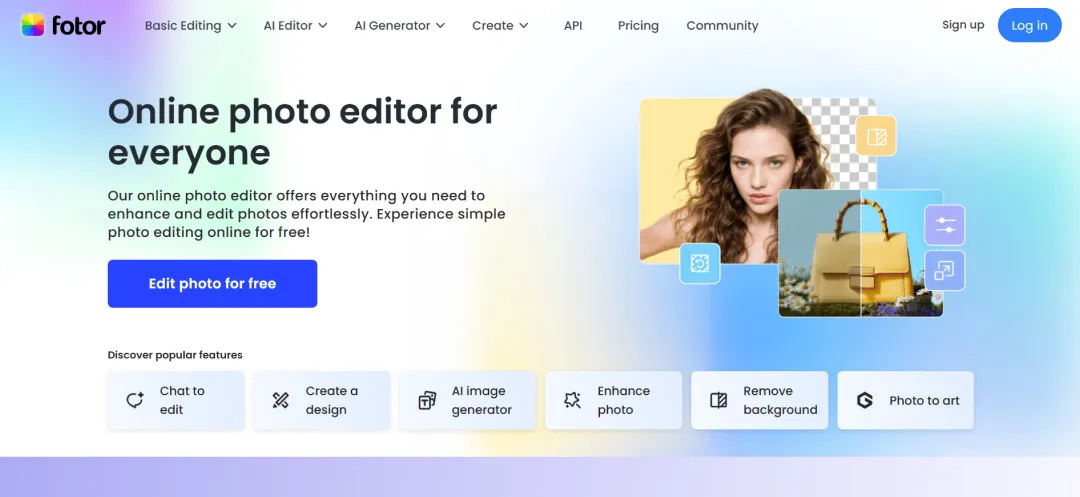
Fotor's strength lies in its comprehensive AI toolkit, which powers everything from essential photo fixes to creative generative art, defining it as a mobile-centric AI photo platform. Tools like AI Expand to extend a photo's canvas, AI Replace to virtually try on new outfits, or AI Background specifically to create stunning backgrounds for product photos are genuinely practical. This is complemented by a surprisingly strong set of restoration tools, including AI-powered colorization and sharpening for old family photos.
This AI suite is built on top of a robust traditional photo editor that goes well beyond basic adjustments. It's not just filters; it gives you granular control to adjust brightness, HSL, and curves, auto-focus subjects, blur backgrounds, or add grain. For added creativity, you can layer images or effects using Overlays or add cinematic effects with double exposure. Practical tools like the ability to adjust image size while maintaining aspect ratio are also included. This depth is a key differentiator from many of the best apps like Canva, which often have very basic photo controls.
Fotor bridges the gap between editing and creation at the end of its workflow. You can capture and combine moments into vibrant collages with the Collage Maker, merge multiple images into one seamlessly with the stitching tool, or add personality with text and stickers. Fotor also allows you to use these combined elements within basic design templates to create professional social media posts, flyers, and posters.
Pros & Cons
Pros
- Transform static images into dynamic videos automatically with the Image to Video AI tool
- Remove unwanted objects seamlessly with the AI Remove Object Tool
- Achieve pixel-perfect cutouts using the AI Background Remover feature
- Swap faces convincingly between subjects in photos with AI Face Swap
- Add unique artistic flair with creative Stylize effects like pencil sketch and watercolor in your designs
Cons
- Does not offer a team dashboard for organizing projects in one place
- Image processing speed is a bit slow
Why You'll Love It
Pixlr’s standout feature is its vast creative library. With over 2 million free effects, overlays, and filters, constantly growing, you have endless options to experiment and find the perfect look for your photos, all within one app.More about product
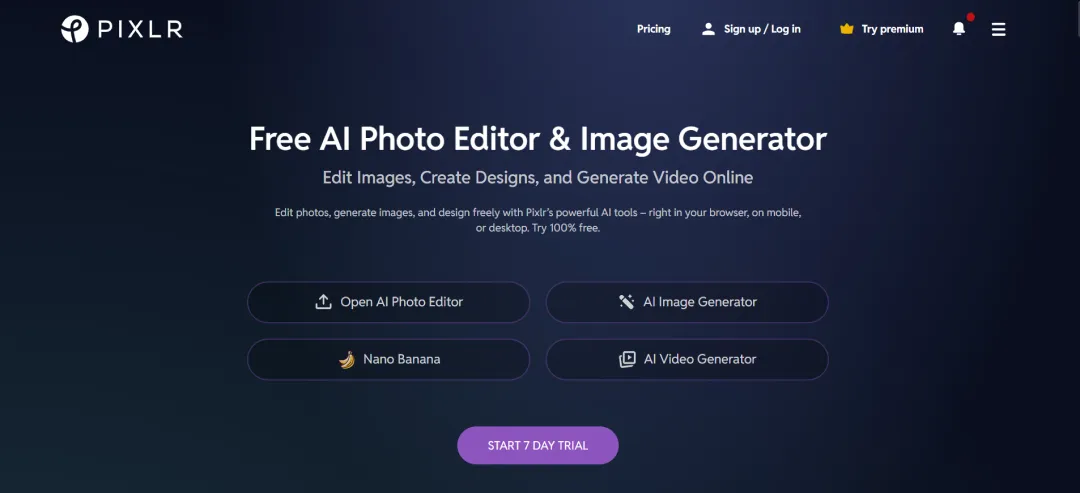
Pixlr’s clear focus is on being a feature-rich mobile photo editor, leveraging its massive effects library and a growing arsenal of accessible AI tools. The workflow encourages experimentation, starting with basic Auto Fix and quickly escalating to impactful Stylize effects (like sketch or watercolor), Color Splash, and mood-altering overlays. Its retouching tools (blemish removal, teeth whitening) are also very helpful to add more dramatic visual effects within your designs and photos.
Where Pixlr pushes beyond traditional editing is with its AI suite. Tools like AI Generative Fill, which allow you to add or replace content within images directly on mobile, offer significant creative power. This depth in photo-specific AI differentiates it from many alternatives for Canva that focus primarily on layout templates. It also offers seasonally updated templates and robust photo collage options for basic social media creation.
Despite its feature depth, usability remains high. Finishing tools like text overlays and borders are straightforward, and options like a Favorites button streamline repeated designing and photo editing tasks. Practical tasks like quick cropping and resizing are handled efficiently within the app. Sharing the final image across major social networks is also seamless, underscoring Pixlr's mobile-first, social-centric approach to photo editing.

Pros & Cons
Pros
- Access a massive library of over 1 Million+ free, professionally designed templates
- Remove image backgrounds instantly with a single click
- Repurpose designs across platforms easily using the Auto Resize tool
- Add motion to static posts effortlessly with one-click animation
- Collaborate effectively via team tools for sharing designs and folders
Cons
- The font sizes offered are limited for designing
- You cannot create multiple pages within a single document
Why You'll Love It
PosterMyWall's core value proposition lies in its accessibility: you can download social media designs completely free. This makes it an exceptionally cost-effective platform, ideal for individuals and small businesses needing quality content without mandatory subscription fees.More about product
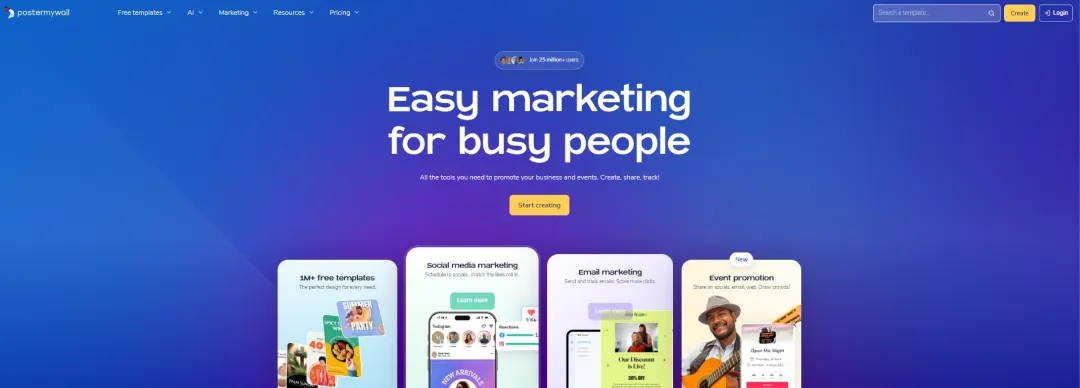
PosterMyWall positions itself as an exceptionally user-friendly design tool focused on speed and template-driven creation, especially for social media and print marketing. Its core strength lies in its vast template library, boasting an impressive variety of templates specifically for social media, allowing you to quickly find professional starting points for captivating Instagram posts, Facebook covers, and more.
The customization process is designed for simplicity. Our evaluation found that the editor includes essential tools that non-designers can also use. You can enhance visuals using the platform's premium stock photo and video library (or upload your own), adjust the messaging with a large font library, and add visual interest with clip art. This ease of use and the free download option for social posts make it one of the strongest free alternatives to Canva for users focused purely on social media output.
It also includes an integrated content planner to further streamline social media management. This allows users to visually organize their posting strategy and schedule content ahead of time directly within the platform. The app also supports team workflows with straightforward tools for sharing designs and folders, making collaboration seamless. The inclusion of niche templates like menus, schedules, and table layouts further broadens its appeal for specific business needs. Additionally, the app also lets you write captivating captions for your social media posts through its AI writing tool.
Pros & Cons
Pros
- Review Figma files and prototypes anytime, anywhere, directly on your mobile device
- Provide instant feedback by adding comments and mentioning teammates within designs
- Share files and invite collaborators easily while away from your desktop
- Test interactive prototypes natively on mobile screens with adjustable scaling
- Mirror desktop designs in real-time for accurate mobile previews during editing
Cons
- May slow down while working with complex design files
- Lacks advanced masking and bitmap features
Why You'll Love It
Figma's mobile app keeps design collaboration moving when you're away from your desk. Easily review files, play prototypes, and add contextual comments right within designs, keeping feedback loops tight and projects on track.More about product
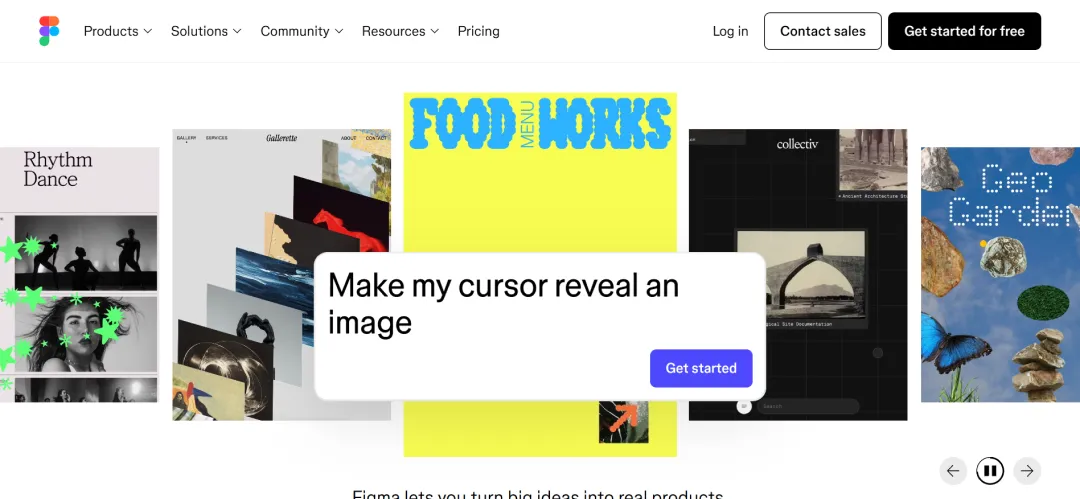
Based on its mobile functionality, Figma positions its app primarily as an essential companion for on-the-go collaboration and review, rather than a full creation tool. Its strength lies in providing seamless access to existing Figma, FigJam, Prototype, and Slides files. You can easily search or browse recent files, navigate complex projects, and stay updated with notifications for new comments and replies.
The app is clearly designed to bridge the gap between desktop design work and mobile context. We found the real-time mirroring feature particularly valuable, allowing designers to instantly see how desktop edits translate to a mobile screen. Similarly, the ability to play interactive prototypes natively on the device provides crucial usability insights. While other Canva alternatives often focus on simplified mobile creation, Figma's app prioritizes high-fidelity review, feedback (adding/resolving comments), sharing, and permission management. For iPad users, the app offers enhanced FigJam capabilities, enabling sketching with Apple Pencil, annotating designs, and quick ideation, making it a powerful tool for visual brainstorming sessions.
Also Read: Popular AI Photo Editors
Pros & Cons
Pros
- Access hundreds of free fonts or upload your own to personalize text overlays
- Intelligently enhance images in one tap, balancing color, exposure, and contrast automatically
- Remove distracting backgrounds or erase unwanted objects seamlessly with AI-powered tools
- Restore clarity to blurry or low-light photos using the Deblur and Denoise tools
- Aally generate optimal collage layouts without cropping images via the Collage Wizardutomatic
Cons
- The downloaded image may sometimes be pixelated
- Occasional glitches may occur when working on the desktop app
Why You'll Love It
BeFunky's signature Artsy effects are its standout feature. You'll love being able to instantly transform your photos into paintings, cartoons, or sketches with realistic textures and brush strokes.More about product
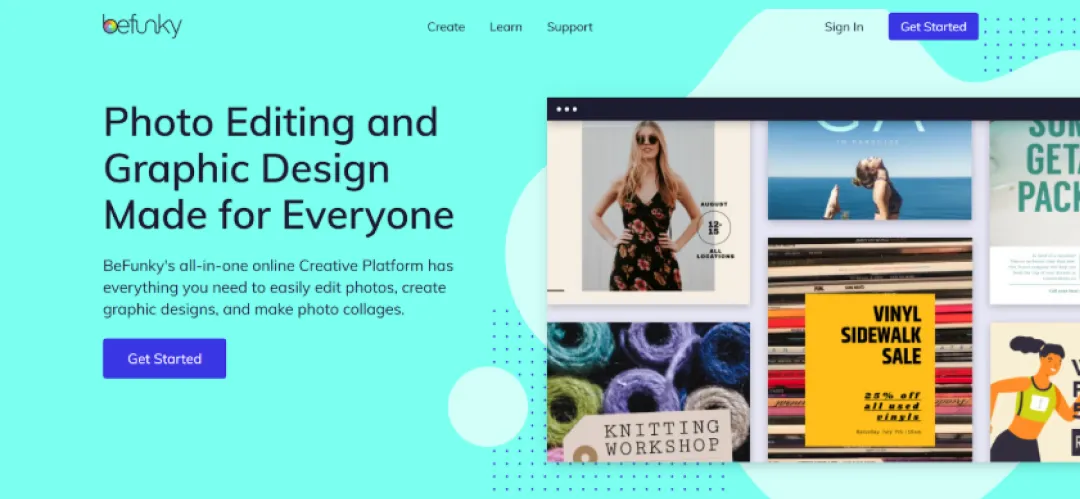
BeFunky carves out its niche by simplifying the creative process through smart AI and a focus on artistic photo transformations. A major plus is its accessibility: the app requires NO ADS or registration to get started, which is a refreshing change. Its AI toolkit handles common tasks efficiently, like the Image Enhancer for quick fixes or the Portrait Enhancer, which automatically softens blemishes and whitens teeth. We also found the Portrait Relight tool effective for dramatically altering lighting conditions in headshots.
While creative effects make headlines, BeFunky includes a full suite of photo editing tools. You can have granular control to crop, upscale, adjust levels, dodge, and burn in your photos. Innovative AI features like Expand, Straighten, and Detach Subject cleverly fill in surrounding areas, allowing significant adjustments without losing parts of the original image. You can further refine images by applying effects and filters, ranging from Vintage looks to Pop Art.
BeFunky's layout tools work similarly to other apps like Canva. You can leverage free templates as a starting point for social media posts or event invitations. The platform also boasts an intelligent Collage Wizard that automatically generates high-resolution layouts without awkward cropping. Adding text is straightforward with a built-in editor featuring hundreds of free fonts (plus the option to upload your own). Finally, BeFunky ensures a cohesive experience by allowing users to access stored projects across mobile and desktop apps.
Conclusion
The right design app isn't the most popular one; it's the one that fits your workflow. If you're drowning in photo edits, prioritize AI-powered editors like Picsart or Pixlr. Running a small team on a tight budget? Desygner's five free accounts or PosterMyWall's free downloads make the decision easy. Need your designs printed and shipped? VistaCreate handles it end-to-end.
Most of these platforms offer free plans, and here's the truth: you'll know within 20 minutes of using one whether it clicks with your workflow. The interface either feels intuitive or it doesn't. The features you need are either accessible or buried behind paywalls.
Don't overthink it. Pick one or two Canva alternatives based on your primary need: better AI features, lower cost, team collaboration, or specialized features, and just start creating. You're not locked in, and many professionals mix platforms depending on the project. Start with free plans, test what matters to you, and upgrade only when you hit actual limits.
We cut through the deafening digital noise to find what truly works. Every product on our list survives a relentless, hands-on analysis—no exceptions. We do the grunt work to deliver verified, trustworthy recommendations, so you can choose the right tools with absolute confidence.
- Products Reviewed - 4,000+
- No. Of Experts - 20+
- Categories - 65+
Frequently Asked Questions
What are the best free alternatives to Canva?
It depends on your needs. PosterMyWall offers completely free social media downloads, BeFunky provides ad-free access without registration, and Pixlr delivers over 2 million free effects and filters for creative photo editing.
Which are the best Canva alternatives for AI-powered editing?
Your choice depends on your focus. Picsart excels at photo manipulation with AI Replace and Expand. Adobe Express suits video creators with AI clip generation. Fotor specializes in photo restoration and artistic transformations.
Are there any alternatives for Canva that offer better team collaboration features?
It depends on team size and workflow. Desygner includes five free Pro+ accounts for small teams. Figma offers real-time mirroring and prototype testing for professional designers. Visme provides integrated commenting and social media scheduling.
What are the best alternatives to Canva for creating professional presentations?
Your requirements matter. Visme excels at data-driven presentations with live Google Sheets integration and interactive elements. Adobe Express maintains brand consistency with integrated kits and seamless Photoshop/Illustrator syncing.
Which apps like Canva provide seamless print integration?
VistaCreate offers the most comprehensive solution with native VistaPrint integration, letting you design digitally and order physical prints directly from the platform—ideal for businesses needing both digital and printed marketing materials.



We've got more answers waiting for you! If your question didn't make the list, don't hesitate to reach out.