

LinkedIn Review: Inside the Professional Network Used by 1.3 Billion+ People
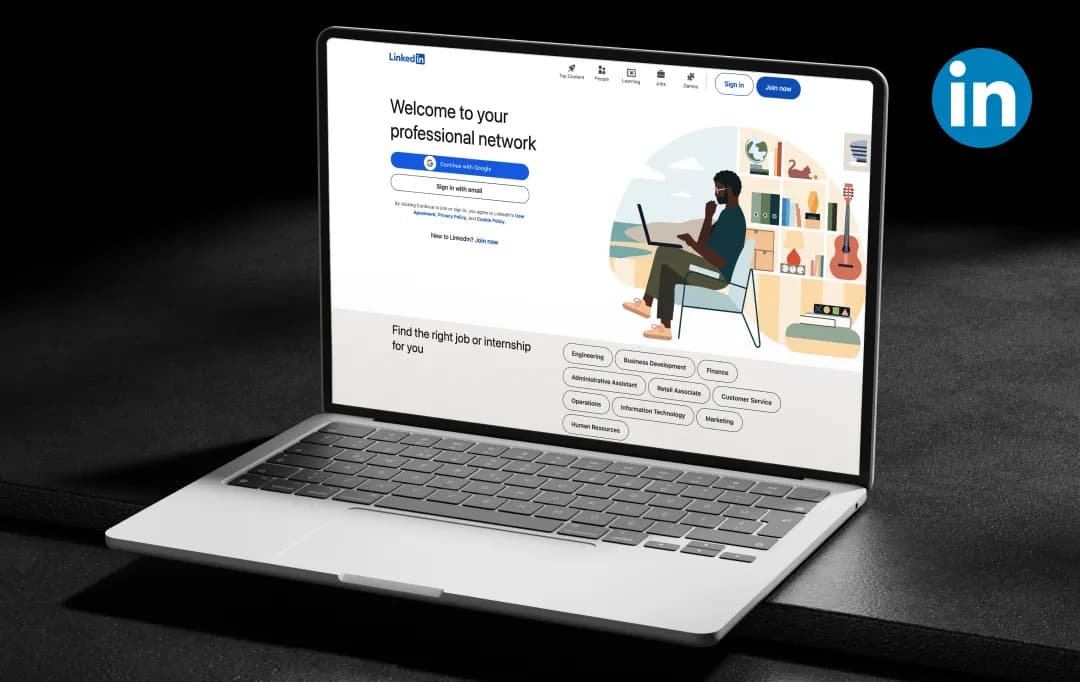
Open LinkedIn on any given day, and you'll probably scroll past at least five posts that start with “I'm thrilled to announce…” or a wall of text broken into single-line paragraphs for engagement.
Somewhere along the way, the feed got cluttered with templated, AI-generated posts that all sound suspiciously alike, and it's easy to forget there's an entire platform sitting behind that noise.
Because underneath the humble-brags and recycled career advice, LinkedIn is still one of those platforms almost everyone has heard of, and chances are, you've used it too. You might already know it as the place to search for jobs, update your professional profile, or connect with colleagues. At first glance, it can feel like there's nothing left to discover.
But that's rarely the case.
Along with being one of the best job search sites, LinkedIn has grown into a much more capable platform, adding everything from AI-powered career tools and in-depth company insights to creator features, LinkedIn Learning, advanced search filters, and Premium memberships.
The catch? Many of these features go unnoticed, buried under the feed's noise, while others sound promising but don't always deliver the value you'd expect. That's exactly why we put this LinkedIn review together.
We'll take a closer look at everything LinkedIn has to offer, from its core networking tools to its Premium features, so you can make the most of a platform you probably use more often than you realize.
Pros and Cons of LinkedIn
Pros
- The largest professional networking platform globally
- Strong for job searching and recruiter visibility
- Useful for building a personal/professional brand
- Good for industry news, company updates, and thought leadership
- Robust company pages and analytics for businesses
- Skill endorsements and recommendations add credibility
- Integrated learning platform (LinkedIn Learning)
- Useful for market research and competitor tracking
Cons
- Feed is increasingly cluttered with low-value engagement bait posts
- The algorithm often favors virality over relevance
- Premium features are expensive relative to the value delivered
- Spam connection requests and sales pitches in InMail
- Content quality varies widely, and inspirational ‘storytime’ posts often dominate
- Endorsements can feel superficial (easy to give without a real basis)
- Notifications can be excessive and hard to manage
- Search and filtering features feel outdated compared to competitors
A Closer Look at LinkedIn Features
LinkedIn has evolved from a simple resume-hosting site into a full-fledged professional ecosystem covering networking, job hunting, content sharing, and business development. Here's a breakdown of the core LinkedIn features and what each one lets you do.
1. Professional Profile & Digital Resume (4.5/5)
This feature lets you build a live, easily shareable resume that showcases your work experience, education, skills, and certifications. You can keep it updated in real time, so recruiters and connections always see your most current career story instead of an outdated PDF.
2. LinkedIn Networking & Connections (4.6/5)
This feature lets you connect with colleagues, industry peers, alumni, and potential clients, all in one place. You can use these connections to unlock referrals, collaborations, and greater visibility within your industry.
3. Job Search & LinkedIn Jobs (4.1/5)
This feature lets you search, filter, and apply for job openings directly through the platform. You can also use "Easy Apply" to save time, and you'll be able to see if you have connections at a company, which makes it easier to ask for a warm introduction.
4. Content Feed & Publishing (3.9/5)
This feature lets you share posts, articles, images, and videos to build your personal brand or stay on top of industry trends. You can also publish long-form articles that stay permanently on your profile, giving you a lasting showcase of your expertise.
5. LinkedIn Learning (4.0/5)
LinkedIn Learning lets you access thousands of video courses on business, technology, and creative skills. Once you complete a course, you can add it directly to your profile as a certification, which adds credibility to your skillset.
6. Company Pages (4.0/5)
This job search platform lets you create a dedicated page for your business to showcase your brand, share updates, and attract talent or customers. You'll also get analytics on follower growth and post engagement, so you can track how your page is performing.
7. Recommendations & Endorsements (4.0/5)
Recommendations and endorsements let your connections vouch for you by writing recommendations or endorsing specific skills on your profile. You can use these endorsements as social proof that a traditional resume simply can't offer.
9. Groups & Communities (4.2/5)
LinkedIn lets you join or create groups centered around your industry, interests, or alumni network. You can use these spaces to have more focused discussions than you'd typically find on the general feed.
10. Analytics & Insights (4.4/5)
LinkedIn analytics lets you track how your profile or company page is performing through detailed analytics. You'll be able to see post performance, profile views, and audience demographics, which help you fine-tune your content strategy over time.
11. Messaging & InMail (4.1/5)
With LinkedIn’s in-app messaging, you can message your first-degree connections for free, anytime. If you want to reach people outside your network, you can upgrade to Premium and use InMail, which is especially handy if you're a recruiter or sales professional.
Who is LinkedIn for, and How Does it help?
We have gone through multiple LinkedIn app reviews by actual users who believe that this platform is not just a digital resume; it's a comprehensive platform that serves distinct goals, depending on who is using it.
From job seekers to enterprise recruiters, each persona taps into a different set of tools to achieve very different outcomes. Here's a breakdown of the major user groups and how LinkedIn supports each one.
| User Persona | How LinkedIn Helps |
|---|---|
| Job Seekers | Discover relevant openings, apply directly via Easy Apply, get seen by recruiters, and access salary insights and applicant comparison data to negotiate smarter. |
| Sales Professionals (B2B) | Identify decision-makers with advanced search filters, reach prospects outside their network via InMail, and track buying signals like job changes or company growth. |
| Recruiters & HR Teams | Source and screen candidates at scale, manage hiring pipelines, and access a massive talent pool with detailed work history and skill data. |
| Small Business Owners | Build a company page, promote products/services, attract local or niche clients, and manage sales, marketing, and hiring from a single dashboard. |
| Freelancers & Consultants | Showcase portfolios and testimonials, get discovered through search, and build credibility with recommendations and endorsements. |
| Content Creators & Thought Leaders | Publish articles and posts to build a personal brand, grow a niche following, and establish industry authority through consistent visibility. |
| Marketers & Advertisers | Run highly targeted B2B ad campaigns using firmographic and job-title targeting that's hard to replicate on other platforms. |
| Students & Recent Graduates | Connect with alumni, explore internships, follow companies of interest, and build a professional network before entering the workforce. |
| Corporate Executives & Founders | Strengthen brand reputation, share company vision, attract investors or partners, and engage directly with industry peers. |
| Career Changers | Signal new skills or intentions via "Open to Work," take relevant LinkedIn Learning courses, and network into unfamiliar industries. |
Understanding LinkedIn Pricing and Subscription Plans
The LinkedIn platform offers a mix of free and paid tools, and the right plan depends on whether you're job hunting, networking, running B2B sales outreach, or promoting a company page.
Paid plans unlock features like InMail credits, advanced search filters, profile insights, and LinkedIn Learning access, with costs ranging from under $40/month to custom enterprise pricing.
| Plan | Best For | Monthly Price | Annual Price (per month) | Key Features |
|---|---|---|---|---|
| Premium Career | Job seekers | $39.99 | $19.99 ($239.88/yr) | 5 InMail credits, 90-day profile viewer history, LinkedIn Learning, applicant insights |
| Premium Business | Networking & business development | $69.99 | $44.99 ($539.88/yr) | 15 InMail credits, unlimited profile browsing, company insights, LinkedIn Learning |
| Premium Company Page | Small-to-mid businesses (company pages) | $99.99 | $69.99 ($839.88/yr) | Auto-invites for content engagers, custom CTA button, page analytics |
| Sales Navigator Core | Individual sales professionals | $119.99 | $89.99 ($1,079.88/yr) | 50 InMail credits, 40+ search filters, lead/account lists, real-time alerts |
| Sales Navigator Advanced | Sales teams | $159.99 | $149.99 ($1,799.88/yr) | Everything in Core + TeamLink, Smart Links, buyer intent signals |
| Sales Navigator Advanced Plus | Enterprises needing CRM sync | Custom (from $1,600/seat/yr) | Custom | Native Salesforce/Dynamics integration, dedicated account manager |
All prices are per license, in USD, and exclude applicable VAT/GST. Annual billing typically saves 25–50% depending on the plan. Prices verified directly against LinkedIn's official pricing pages and may vary by region; always confirm your exact rate at checkout.
Tips To Get the Most Out of LinkedIn
The LinkedIn platform rewards active, strategic use far more than a passive, resume-style profile. Below are the tips grouped by personas so you can focus on what actually moves the needle for your specific goals.
I. For Professionals & Job Seekers
- Optimize your headline with keywords beyond just your job title (e.g., "Digital Marketer | SEO & Paid Media Specialist")
- Turn on "Open to Work" visible to recruiters only, to avoid signaling to your current employer
- Post 2–3 times a week, sharing insights, wins, or lessons from your field to stay visible in feeds
- Request recommendations from managers or colleagues instead of just collecting endorsements
- Use the "Who Viewed Your Profile" and applicant insights to gauge recruiter interest and refine your approach
II. For Businesses & Small Business Owners
- Complete every section of your Company Page, logo, banner, About section, and website link
- Post consistently and mix formats (text updates, images, short videos, polls) to boost engagement
- Encourage employees to like, comment, and share company posts to extend organic reach
- Use the custom CTA button (e.g., "Contact Us" or "Visit Website") to drive traffic directly from your page
- Monitor Page analytics to see which content and follower demographics are actually converting
III. For Sales Professionals
- Build a targeted prospect list using advanced search filters (industry, seniority, company size)
- Personalize every InMail and connection request; generic templates get ignored
- Track job changes and company news on saved leads to time outreach around real triggers
- Engage with prospects' posts before pitching to warm up the relationship
- Sync Sales Navigator with your CRM to keep outreach and follow-ups organized
IV. For Recruiters & HR Teams
- Use Boolean search and filters to narrow candidate pools quickly instead of manual scrolling
- Personalize outreach messages referencing the candidate's specific experience, not a mass template
- Keep job postings updated and use "Easy Apply" to reduce application drop-off
- Leverage employee networks by asking staff to share open roles on their own profiles
- Track candidate pipeline stages within Recruiter to avoid losing strong applicants
V. For Content Creators & Thought Leaders
- Post at consistent times when your audience is most active (early morning or midweek tends to work well)
- Use native video and carousel (PDF) posts, which LinkedIn's algorithm tends to favor over external links
- Engage in the comments of your own posts within the first hour to boost algorithmic reach
- Repurpose long-form content (blogs, newsletters) into shorter LinkedIn-native posts
- Join and actively participate in relevant LinkedIn Groups to expand visibility beyond your existing followers
Customer Reviews
How was your experience with the product?