
We are not biased. We test and review every product. Here’s our Methodology.

Sick of tech community fragmentation? Don’t miss this UserGroups review. Here’s an evaluation of its collaboration tools, event features, and overall value!

MobileAppDaily Certified Rating
4.7 out of 5
Available on:
Let Your Product Take the Center Stage with Our Review
Riya

Written By Riya

Riya turns everyday tech into effortless choices! With a knack for breaking down the trends and tips, she brings clarity and confidence to your downloading decisions. Her experience with ShopClues, Great Learning, and IndustryBuying adds depth to her product reviews, making them both trustworthy and refreshingly practical. From social media hacks and lifestyle upgrades to productivity boosts, digital marketing insights, AI trends, and more—Riya’s here to help you stay a step ahead. Always real, always relatable!

Explore More By Author

UserGroups Review: Is this the Safe Haven for Devs?
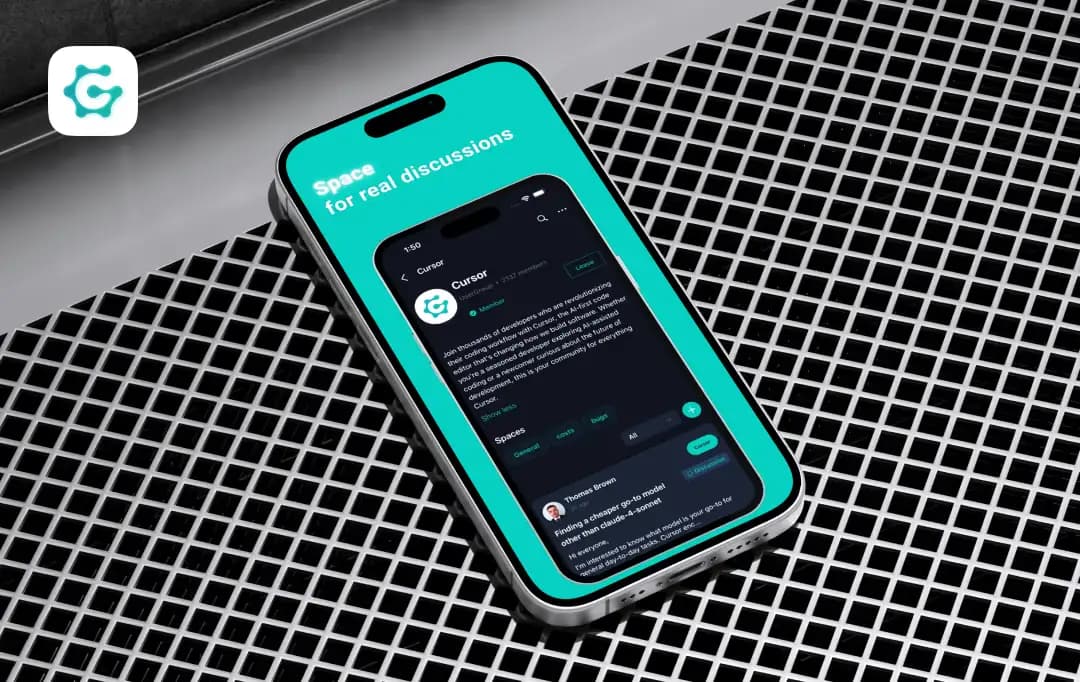
UserGroups

Stop me if you’ve heard this one: “Join our professional network! It’s great!” ...only to find it’s a ghost town or a sales pit.

But for those of us working with emerging technology, the frustration goes deeper than just bad networking. We face significant barriers to knowledge sharing and collaboration because our digital lives are so disjointed. Even finding a decent technical meetup is inefficient because everything is so scattered.

Recently, I started hearing a lot about UserGroups.com, a dedicated hub promising to fix exactly that. The platform promises a unified ecosystem that consolidates fragmented support, knowledge sharing, and full event hosting into a single, purpose-built environment.

But does it deliver? I decided to find out with this UserGroups review. I have personally explored the platform, dug into its features, and analyzed how it stacks up against the giants we already use. No fluff, no marketing speak, just the real deal on whether UserGroups is the upgrade your community has been waiting for.

Pros and Cons of UserGroups

Pros

  • Built for Developers, unlike LinkedIn, making technical discussions actually readable
  • Combines Event Ticketing, Community Forums, and Networking into one app
  • Vendor-independent, focuses on authentic, peer-to-peer knowledge sharing
  • Built-in QR code ticketing and event management tools
  • Focused Spaces, distinct channels for specific technologies to keep discussions organized and relevant

Cons

  • As a newer platform, it lacks the massive network effect
  • If you are looking for general business networking or non-tech hobbies, this isn't for you

A Closer Look at Standout Features of UserGroups

Launched in July 2025 by Oscar Lysak and Thomas Shorten, UserGroups was born from the frustration of navigating fragmented support channels and scattered meetups. This unified ecosystem was built to replace disjointed forums and Slack groups.

It provides a centralized, secure hub where emerging tech communities can collaborate and host events without the noise. Here are the top UserGroups features that make the platform stand out:

1. Technical Discussions with Real-World Focus

UserGroups lets you move beyond generic social feeds with discussions designed specifically for engineers in communities like React Developers, Cloud Architects, and AI Researchers. The platform supports rich text and code syntax highlighting. This ensures that complex technical queries are readable, actionable, and focused on solving actual production problems.
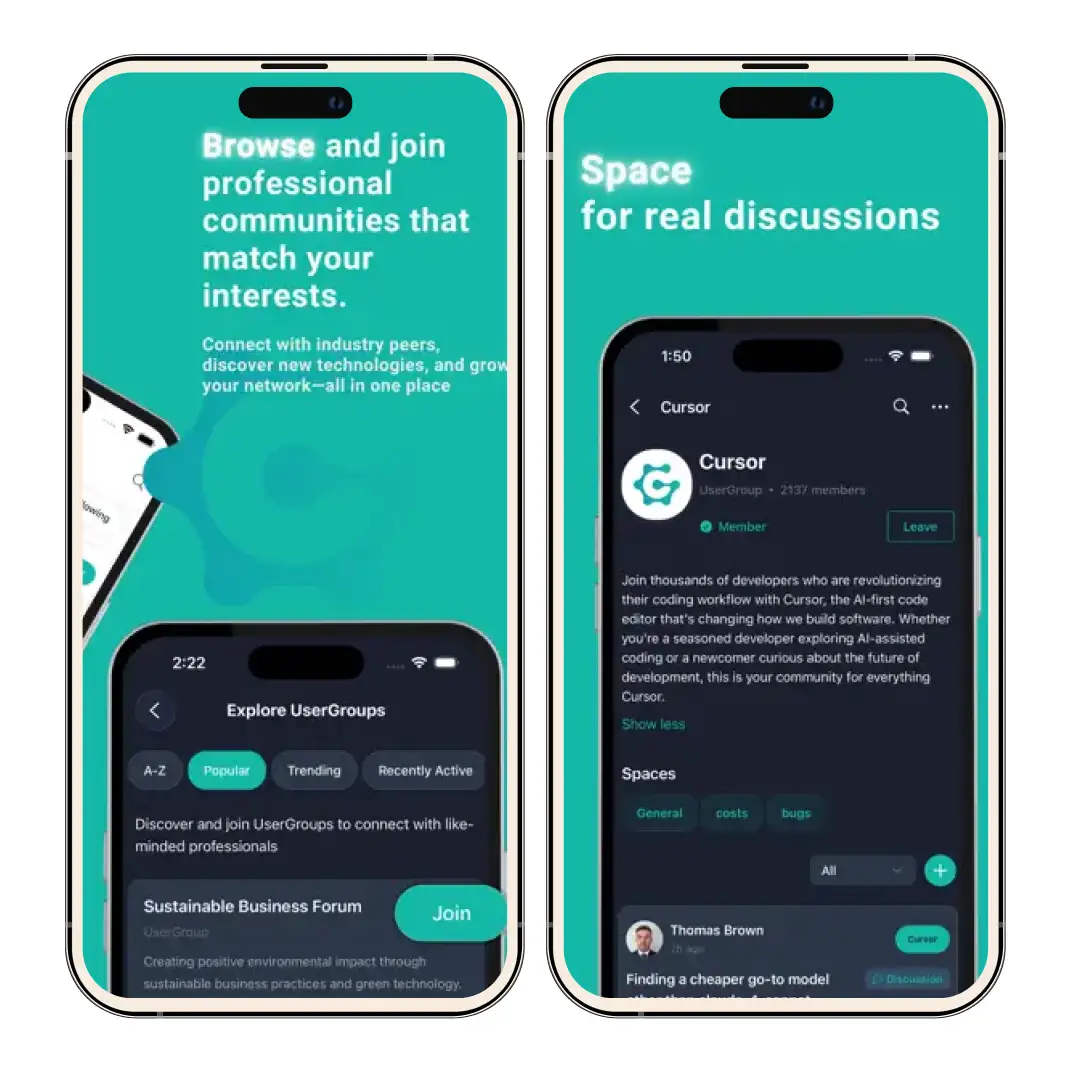
Technical Discussions with Real-World Focus

2. Vendor-Independent Safe Space

Enjoy a community free from aggressive marketing and sales pressure. This is a no-vendor control zone where you can share authentic, unbiased feedback. As a practitioner, you can talk about the technologies you use, including the bugs and bottlenecks, without fear of censorship.
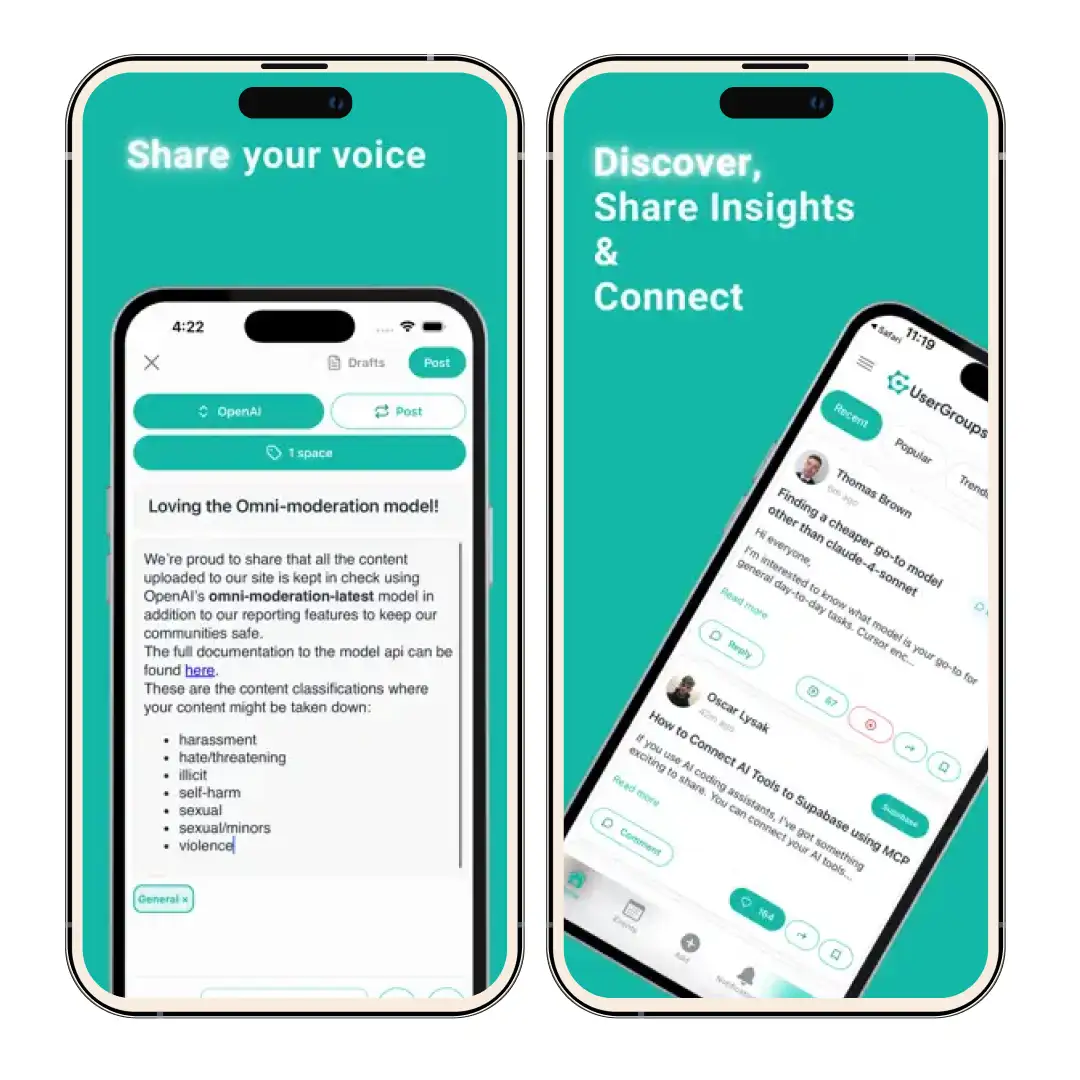
Vendor-Independent Safe Space

3. Integrated Event Management

If you are tired of bouncing between Eventbrite and Meetup, this platform is the perfect solution for you. UserGroups houses full event capabilities directly in the app. This allows you to discover, book tickets for, and attend workshops and conferences around the globe that are relevant to your specific tech stack.
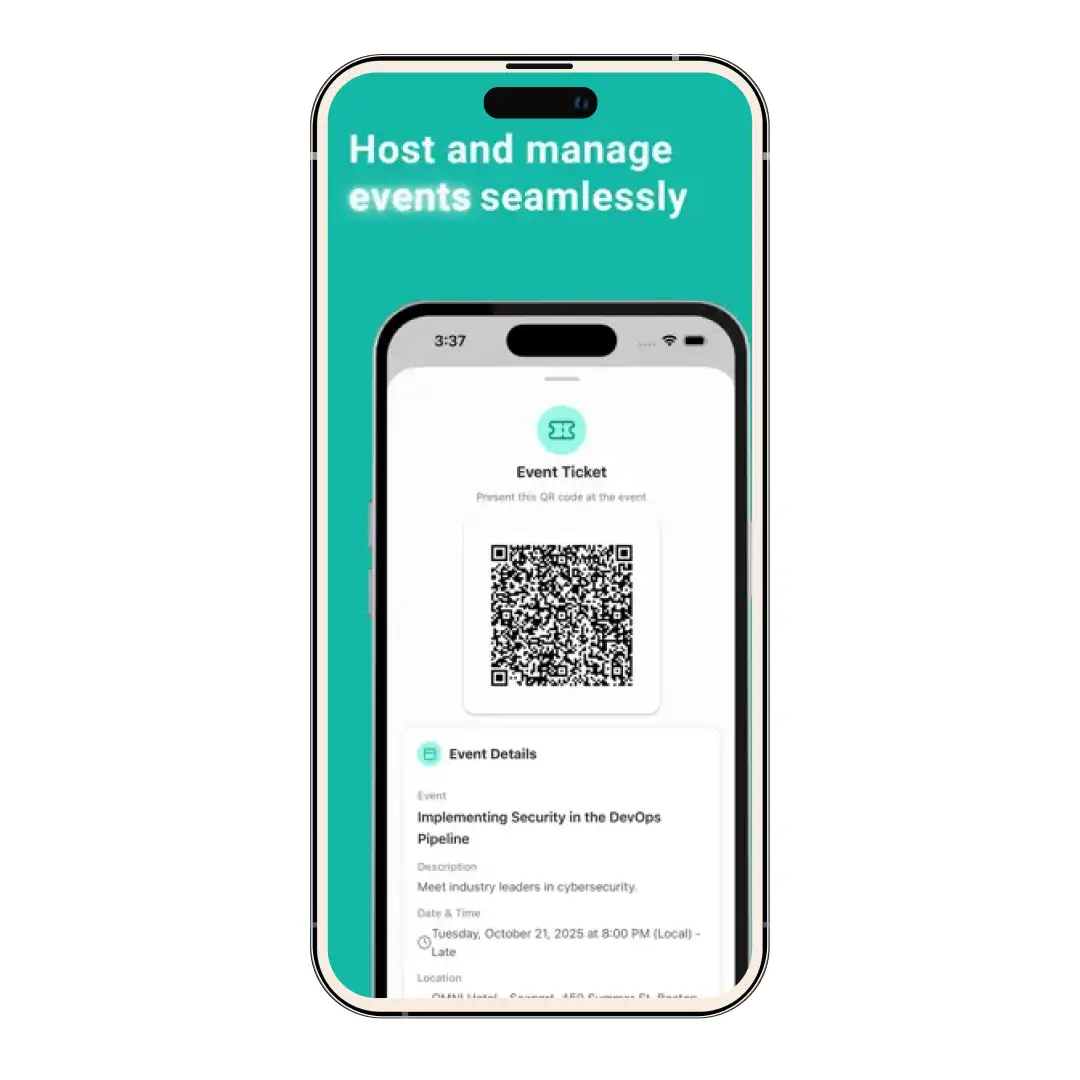
Integrated Event Management

4. Stack-Based Networking

UserGroups allows you to build a network based on shared skills rather than just job titles. You can follow and connect with professionals who actually use the same frameworks and languages as you. It ultimately makes it easier to find mentors and peers who speak your code.

5. Ownership Economy 

Take your expertise to the next level by becoming an owner of a specific UserGroup. This feature empowers experienced professionals to lead communities, curate high-quality content, and shape the conversation around the technologies.

UserGroups Pricing

UserGroups operates on a model that prioritizes accessibility for the community. The platform is entirely free to use, removing the paywall barrier that often hides high-quality technical communities. You can get full access to discussions, event hosting, and networking features.

Why Trust MobileAppDaily?

For us, Product Reviews mean diving headfirst into the functionality of each digital product, whether it’s an app, software, or website. Our process centers around hands-on testing of each tool we pick. From scrutinizing features to testing vulnerabilities of security standards, the goal remains to help you find products that don’t just work but truly elevate your experience. In a nutshell, if we’re recommending a product, it’s because we believe it’ll genuinely make your digital life easier.

  • Products Reviewed - 4,000+
  • No. Of Experts - 20+
  • Categories - 65+
Explore Our Methodology

Customer Reviews

Rate the product based on your experience?

How was your experience with the product?

Also Reviewed By Us

MobileAppDaily’s Ratings For UserGroups

Features

FEATURES

4.7

Solves the major pain point of fragmentation by combining events and forums. The Vendor-Free aspect is a major plus for honest discourse.

Pricing

PRICING

5.0

It is free. You cannot beat zero cost for a platform that consolidates this much utility.

Performance

PERFORMANCE

4.5

The app is responsive and purpose-built for tech users, avoiding the bloat of general social media platforms.

UI/UX

UI/UX

4.6

Clean, user-friendly, and intuitive. It feels like a tool built by users, for users.

How Can You Join UserGroups

Getting started with UserGroups is designed to be frictionless for developers and tech professionals. Whether you are looking to host your own events or simply find a niche community for your specific tech stack, the process is streamlined to get you connected quickly. Here’s how you can use UserGroups

Step 1: Download the UserGroups App or Visit the Website

UserGroups is built for an exceptional user experience on both mobile phone and desktop. So you can join it by downloading the app directly from the Apple App Store or Google Play Store. Or visit the official website- UserGroups.com to.

Step 2: Create Your Professional Profile

Sign up and build a profile that highlights your technical expertise. Unlike generic social networks, you should focus on listing your specific stack (e.g., Kubernetes, React, Python) to ensure you are matched with the right communities.

Step 3: Discover and Join Communities

Browse the directory of available UserGroups. You can search by specific technology or interest, such as AI Researchers or Cloud Architects, and simply tap to join the Spaces that align with your career goals.

Step 4: Start Engaging

Once you are a member, you can immediately jump into technical discussions using the code-friendly editor, or head to the Events tab to discover and book tickets for upcoming meetups and workshops in your area.

MobileAppDaily’s Final Verdict on UserGroups

I was impressed with the platform enough that I shared it with my team to collect UserGroups reviews. And this is what we loved: UserGroups effectively bridges the gap between a technical forum and an event management tool. This solves the fragmentation problem that has plagued the developer community for years.

By centralizing knowledge sharing, code-heavy discussions, and ticketing into one vendor-independent ecosystem, it feels like the perfect platform for engineers who are tired of the noise on LinkedIn and the limitations of Slack.

The ability to jump from a high-level discussion on cloud architecture directly to booking a seat at a relevant local meetup, without leaving the UserGroups app, is just great! This is a workflow improvement we didn't know we needed until we used it.

While the user base is still growing compared to the giants of the industry, the quality of interaction is noticeably higher. The focus on specific tech stacks helps you connect with peers who actually speak your language, not just recruiters.

For community leaders, the tools to own and manage a group offer a level of autonomy that is hard to find elsewhere for free. If you are serious about emerging technology and want a focused, distraction-free environment to grow your network and skills, UserGroups is a must-download. We totally approve this platform for all you developers out there!

UserGroups
Frequently Asked Questions

  • What is UserGroups?

    UserGroups is a unified platform for emerging technology communities that combines technical discussions, knowledge sharing, and event hosting into a single app, free from vendor control.

  • Is UserGroups free to use?

  • Can I host events on UserGroups?

  • Who owns the communities on UserGroups?

  • Is there an app for UserGroups?

Latest Products

Delve into our comprehensive yet easy-to-consume guides, which provide insights that help scale business faster and prevent unseen pitfalls.

Related Products

Cut through the clutter and explore related digital products that deliver on performance.

Fill in the details, and our team will get back to you soon.

Contact Information
+ =

Fill in the details, and our team will get back to you soon.

Contact Information
+ * =