
Asana Review: Powerful Project Management or Too Much for Small Teams?
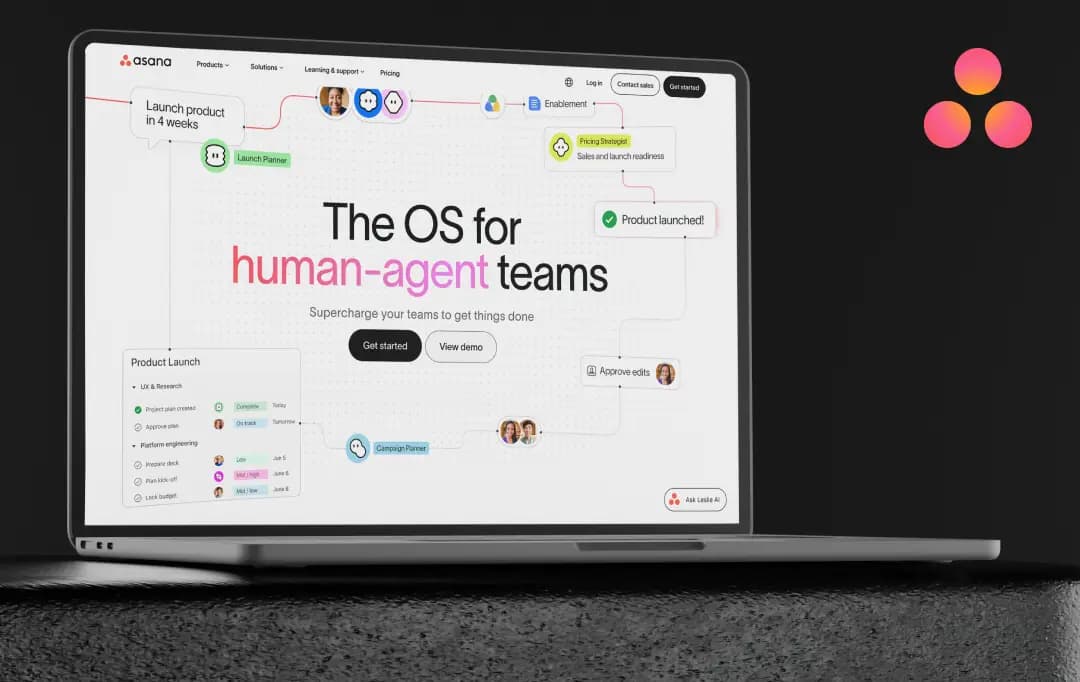
Asana started as a simple way to track who's doing what by when, and for most teams, that's still its core job. What's changed is everything sitting on top of that foundation.
Over the past year, Asana has added AI Teammates that can be assigned real tasks and treated like actual team members, automations that move work between tools without anyone touching a keyboard, and integrations that pull in requests from Slack, Gmail, and Outlook so nothing has to be re-typed.
The pitch is that Asana no longer just tracks your team's work; it helps do some of it. This Asana review puts that pitch to the test: we used Asana across real project workflows to see whether these additions genuinely save time, or just give admins more settings to manage.
Pros and Cons of Asana
Pros
- Clean, intuitive interface once you get past the initial setup
- Multiple views (List, Board, Timeline, Calendar) fit different working styles on the same project
- Solid automation with Rules, plus a genuinely useful no-code Workflow Builder
- Asana AI features (Smart chat, Smart status, AI Teammates) save real time on status updates
- Strong integration library, Slack, Google Workspace, Microsoft 365, Salesforce, Jira, and more
- Generous free plan for individuals or 2-person teams
- Scales well from solo use to enterprise-level deployments
Cons
- Real learning curve in the first couple of weeks, lots of terminology (Portfolios, Goals, Multi-homing) to absorb
- Notifications can get overwhelming fast if you don't tune them early
- Pricing adds up quickly once you scale past a small team
- Support response times can lag on the lower-tier plans
- Some advanced admin/security controls only kick in at Enterprise pricing
Asana Features at a Glance
What stands out isn't any single feature; it's how well they fit together. Asana project management isn't just about ticking off tasks; it's built so that day-to-day work actually connects back to bigger goals, and lately, to AI agents doing part of the work too. Here's what stood out while using it:
1. Multiple Project Views (List, Board, Timeline, Calendar) (4.2/5)
You can switch between a straightforward list, a Kanban-style board, a Gantt-style timeline, or a calendar without recreating your project each time.
This turns out to be genuinely useful when different team members prefer different formats; design teams tend to live in boards while project leads often prefer the timeline view for deadline tracking. Switching views doesn't lose data or context, which sounds basic but a lot of tools get this wrong.
2. Asana AI and AI Teammates (4.1/5)
This is the newer, more ambitious side of the product. Asana AI can draft status updates, summarize a cluttered project, and even suggest custom fields during setup. The AI Teammates feature goes a step further, letting pre-built AI agents (like a “Status Reporter” or “Launch Planner”) sit inside workflows and handle repetitive coordination work. It's still early days for this feature, but it's clearly where Asana is investing most of its energy right now.
3. Workflow Builder and Automations (Rules) (4.0/5)
Teams can set up triggers so that when a task hits a certain stage, it auto-assigns, notifies someone, or updates a field, no code required. This saves a decent chunk of manual admin work, especially on repetitive intake and approval processes that used to be handled by hand.
Also Read: Best Automation Software
4. Goals and Portfolios (4.3/5)
Goals connect everyday tasks to bigger company objectives, and Portfolios roll multiple projects into one high-level view. For anyone who's dreaded quarterly reporting, having progress roll up automatically instead of chasing five different project owners for updates is a real quality-of-life improvement.
5. Time Tracking (4.3/5)
Asana lets teams compare estimated versus actual time on tasks, which is great for planning future sprints more realistically. The one catch is that meaningful time tracking is gated behind the Advanced plan (or the separate Timesheets & Budgets add-on), so budget-conscious teams should factor that into their plan choice early.
6. Asana Integrations and API (4.4/5)
Asana connects with over 100 tools out of the box, Slack, Google Drive, Zoom, Microsoft 365, and, for more custom needs, the Asana API is well-documented enough that most dev teams can get a basic integration running within a day.
Teams already living in Salesforce, Tableau, or Jira get native support too, though full two-way Jira sync is an Advanced-tier feature.
7. Mobile App (4.4/5)
The Asana mobile app features are close to full parity with desktop; updating tasks, commenting, and checking the “My Tasks” list on the go all work smoothly. It's not built for deep planning work, but for quick status checks and approvals between meetings, it holds up well.
8. Security and Admin Controls (4.4/5)
SOC 2 Type II compliance, MFA, and 256-bit encryption come standard, with SAML SSO and SCIM provisioning available on Enterprise. Regulated industries also get HIPAA-compliant options, which matters for healthcare or finance teams evaluating the platform.
Understanding Asana Pricing
Asana pricing is tiered in a way that mostly makes sense: you're not paying for enterprise-grade security or reporting you'll never touch on a small team, but the flip side is that a few features I'd consider basic (like proper time tracking or approvals) only unlock once you move up a tier.
Here's how the plans break down:
| Plan | Price (Billed Annually) | Best For | Notable Inclusions |
|---|---|---|---|
| Personal | Free forever | Individuals, 2-person teams | Unlimited tasks/projects, List, Board & Calendar views, 100+ integrations |
| Starter | $10.99/user/month | Growing teams tracking deadlines | Timeline & Gantt views, unlimited automations, forms, custom fields, AI Studio Basic |
| Advanced | $24.99/user/month | Companies managing cross-department portfolios | Goals, Portfolios, Workload, time tracking, approvals & proofing, Salesforce, Tableau & Power BI support |
| Enterprise | Custom (contact sales) | Large organizations needing governance at scale | SAML SSO, SCIM provisioning, universal workload, capacity planning, service accounts |
Who is Asana For?
Asana's flexibility is probably its biggest strength. Rather than being built for one specific workflow, it seems to adapt to how a team already works rather than forcing a rigid structure on them.
Here's a breakdown of where it fits, based on company type, team function, industry, and specific use case.
1. By Company Type
| Company Type | How Asana Fits |
|---|---|
| Small Business | Free or Starter tier covers most needs, including task tracking, forms, and unlimited guests without a large upfront investment. |
| Enterprise | Universal workload, capacity planning, SAML/SCIM, and service accounts support complex, multi-department coordination. |
| Non-profit | Discounted Starter and Advanced plans help coordinate volunteers, donors, fundraising, and program timelines efficiently. |
| Agencies | Client Management tools simplify multi-client project tracking, proofing, and shared timelines with external stakeholders. |
2. By Team Function
| Team | Common Use |
|---|---|
| Marketing | Campaign management, content calendars, creative production, and approval workflows |
| Operations | Process standardization, workflow automation, and cross-functional project intake |
| IT | Service request tracking, onboarding workflows, and ticketing with Asana Service Management |
| Product | Roadmap planning, launch coordination, and dependency tracking across engineering and design |
| Sales | Deal-stage tracking, handoffs between sales and onboarding teams, and pipeline visibility |
| Leadership | Portfolio-level reporting, goal tracking (OKRs), and organization-wide visibility into progress |
3. By Industry
| Industry | Typical Application |
|---|---|
| Healthcare | HIPAA-compliant workflows for patient program coordination and compliance tracking |
| Financial Services | Structured approval chains, audit logging, and scaled security controls |
| Retail | Campaign rollouts, seasonal planning, and multi-location coordination |
| Government | Compliance-heavy workflows with audit trails and controlled access |
| Education | Course planning, administrative coordination, and cross-department projects |
| Manufacturing | Production timelines, resource planning, and cross-team dependency management |
4. By Specific Use Case
| Use Case | Description |
|---|---|
| Goal Management | Ties daily tasks to measurable company-level OKRs. |
| Organizational Planning | Supports headcount planning and organization-wide initiative tracking. |
| Project Intake | Standardizes how new work requests enter a team's pipeline through forms. |
| Resource Planning | Workload and capacity views help balance team assignments and resource availability. |
| Product Launches | Coordinates cross-functional launch checklists with dependencies and milestones. |
| New Hire Onboarding | Templated onboarding workflows ensure a consistent employee setup process. |
| Strategic Planning | Portfolio views connect high-level business strategy with project execution. |
Asana Products and AI Platform
Asana software has expanded well beyond a single task-tracking tool; it's now split into a handful of distinct products, plus a growing AI layer sitting underneath all of them.
It's worth understanding this structure before picking a plan, since not every product is fully live yet, and some only make sense for specific team types.
1. Core Products
| Product | What It's For | Status |
|---|---|---|
| Agentic Work Management | The core Asana experience bringing together AI Teammates, AI Studio, Dash, and integrations for cross-functional teams | Live |
| Asana Service Management | AI-native service management for IT, HR, facilities, and legal ticketing | Coming soon |
| Asana Client Management | Built for agencies managing client-facing project work and relationships | Coming soon |
| Command by Asana | Aimed at developer teams, syncing tasks with Git activity and code reviews | Coming soon |
| StackAI by Asana | No-code, drag-and-drop agentic workflow builder connecting to external apps | Live |
2. AI Platform
| AI Feature | What It Does |
|---|---|
| AI Teammates | Pre-built AI agents (e.g., Launch Planner, Status Reporter, Compliance Specialist) that work inside real workflows with shared memory and governance. |
| AI Studio | No-code builder for designing custom AI-powered automations and workflows. |
| Asana Dash | Acts as an AI Chief of Staff by surfacing priorities, tasks, and context across a person's work. |
| Smart Chat | Conversational AI assistant available in Asana, Slack, and Microsoft Teams for quick answers and task creation. |
| Smart Editor | AI-assisted writing for task descriptions, comments, and project updates. |
| Smart Fields | Suggests and automatically fills custom fields when setting up projects. |
| Smart Status | Automatically drafts project and portfolio status reports using existing task data. |
| Smart Summaries | Generates concise summaries of recent activity on tasks, projects, and portfolios. |
| Words to Workflows | Transforms a plain-language description into a fully functional automated workflow. |
Customer Reviews
How was your experience with the product?