Seat Maker Review | Is This the ONLY Seat Chart App You'll Ever Need?
While planning an event, be it a wedding, a summit, or even a big group dinner with friends, the most dreaded part of the planning is often the seating chart. It's often the last, most frustrating puzzle piece, turning celebration into a headache. I have experienced this firsthand, supervising an event planner for our annual party. We have spent so much effort on spreadsheets, trying to avoid putting rivals at the same table, and this was no less than a nightmare!
While searching for “easy ways to overcome the seating chart problem,” I came across the Seat Maker app and decided to use it. For this annual party with over 300 attendees, what used to take me hours, I managed in a fraction of the time, all from my iPad. The drag-and-drop felt like magic, transforming the most stressful part of event planning.
If you've ever wrestled with seating assignments, you're in the right place. In this Seat Maker app review, we're diving deep to see if it can finally end your seating chart struggles!
Pros and Cons of Seat Maker
Pros
- Effortless design with drag-and-drop functionality for guests and tables
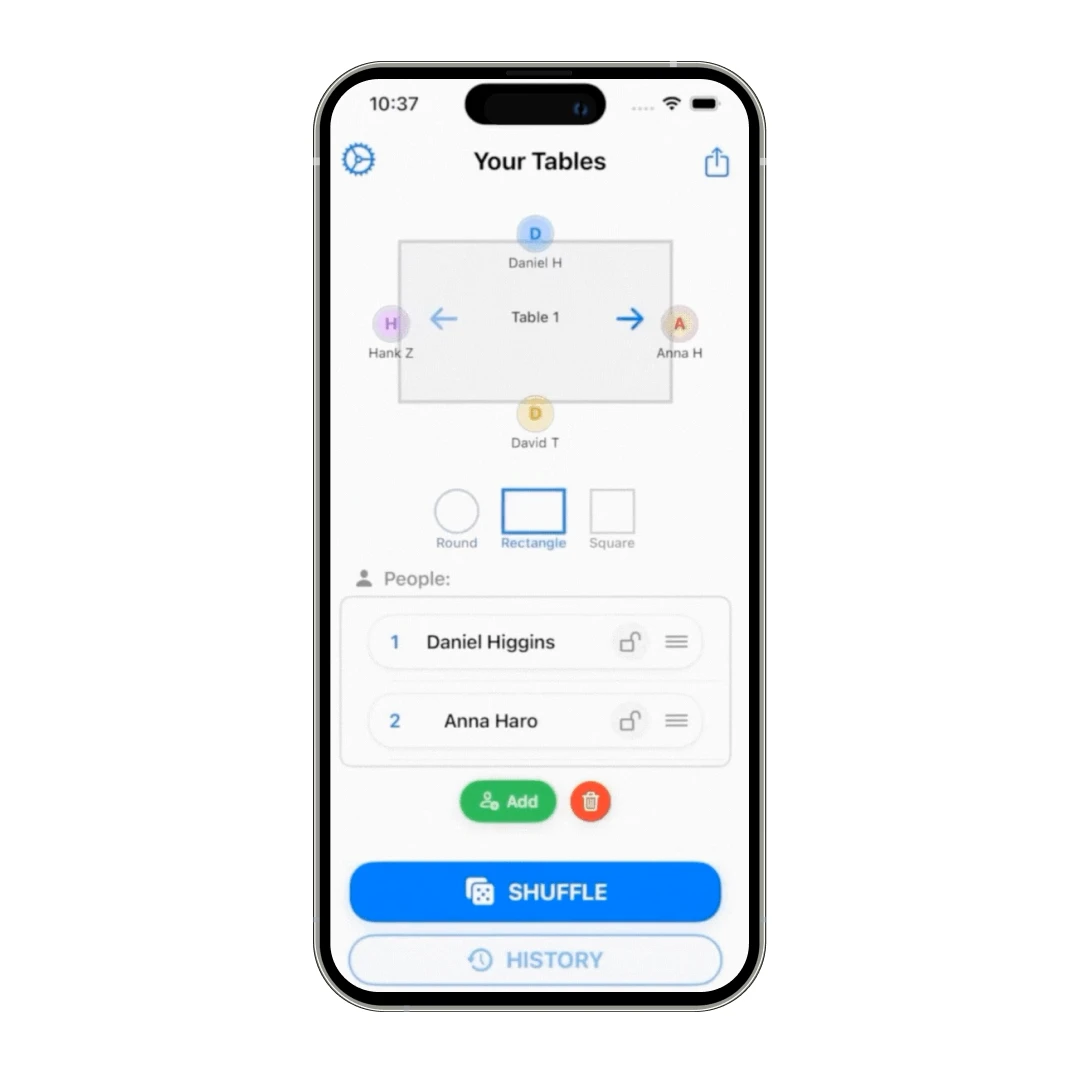
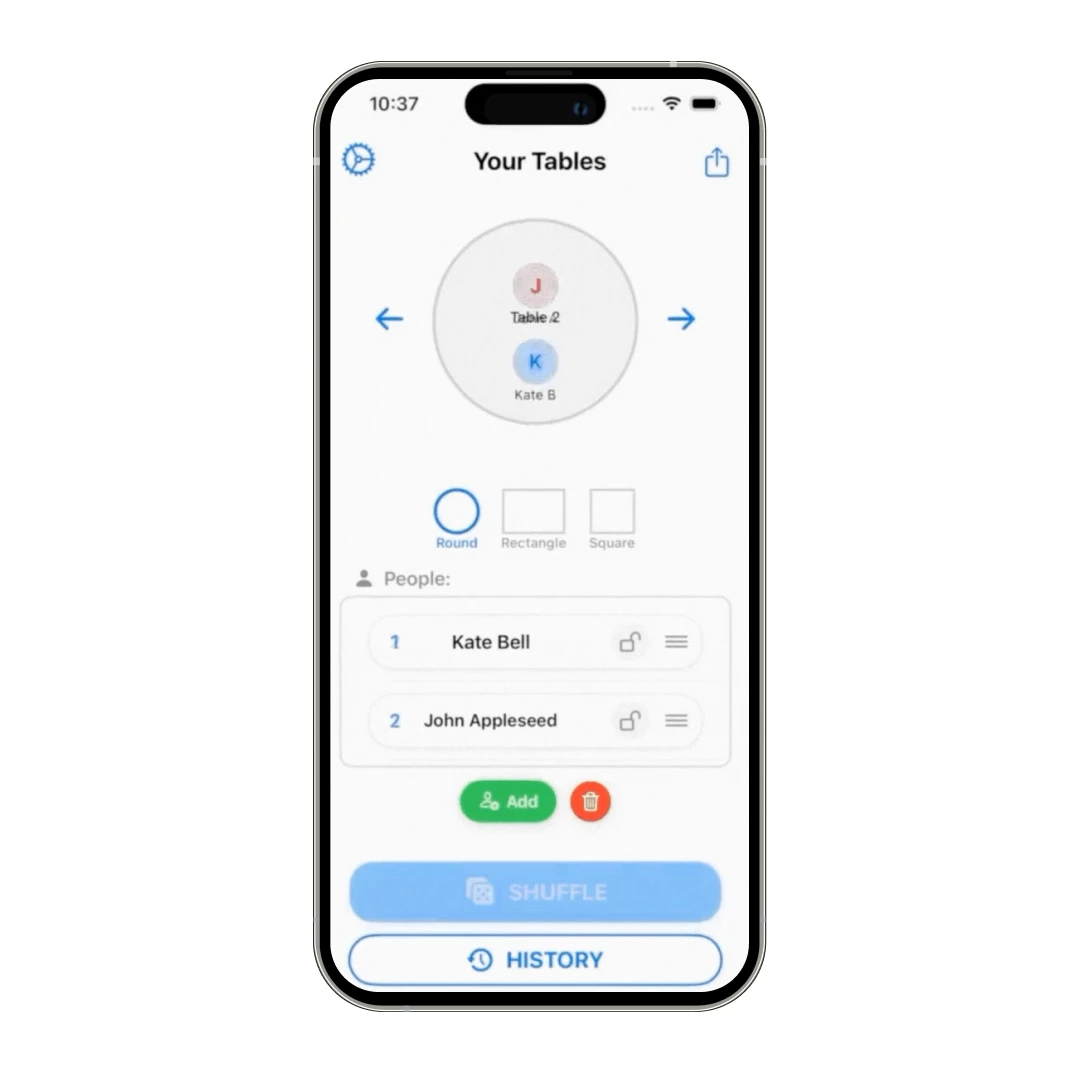
- Supports round, square, or rectangular tables and allows for customization of table names, colors, and seating styles
- Supports an unlimited number of tables and guests, suitable for events of any size
- Works completely offline with no account, login, or internet connection required, ensuring data privacy
- Features an option to shuffle seating arrangements as per the users’ convenience
- Seating plans can be easily shared via QR code, Messages, or email
Cons
- Currently available only on iPhone (iOS), limiting access for Android users or those who prefer desktop
- No mention of integration with other event management platforms or guest list software, which might require manual data entry
Seat Maker App’s Standout Features
So, how does this party and wedding seating chart app turn those seating nightmares into a dream? Founder Austin Frankel explains his motivation:
“Seat Maker was built because I needed it. I wanted something fast and simple.”
All thanks to its suite of incredibly smart and user-friendly features. From intuitive design tools to privacy-first functionality, let's dive into what makes this app a true standout for event planners of all kinds.
1. Intuitive Drag-and-Drop Interface
This feature is where the magic of easy event planning truly begins. Forget complex software or endless manual adjustments; Seat Maker allows you to effortlessly design your event space. You can visually drag and drop tables and guests into position directly on your screen.
This makes the entire layout process feel as natural and straightforward as moving physical pieces on a board. This seating plan maker transforms what could be a headache into a genuinely satisfying, quick, and efficient design experience.
2. Customizable Table Layouts
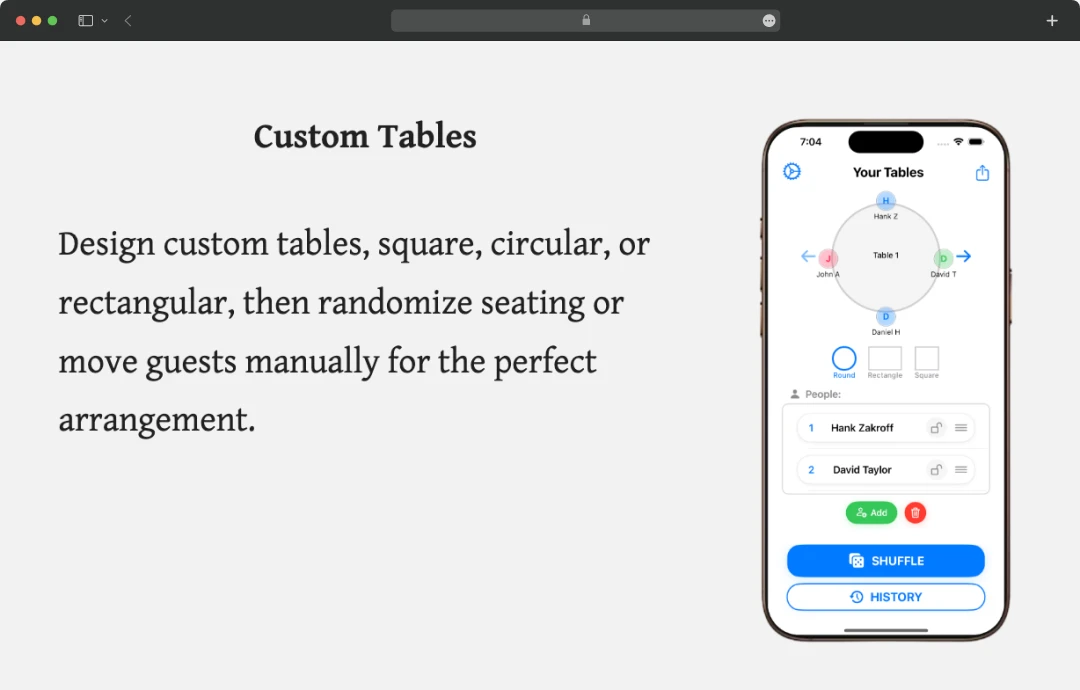
Every event is unique, and Seat Maker understands that your seating should reflect that. This feature gives you complete control over your venue's floor plan. You can choose from round, rectangular, or even custom table shapes, resizing and labeling each one to perfectly match your space.
The flexibility extends to arranging chairs around each table, allowing you to fine-tune every detail and ensure your seating arrangements are both functional and aesthetically pleasing.
3. Robust Guest List Management
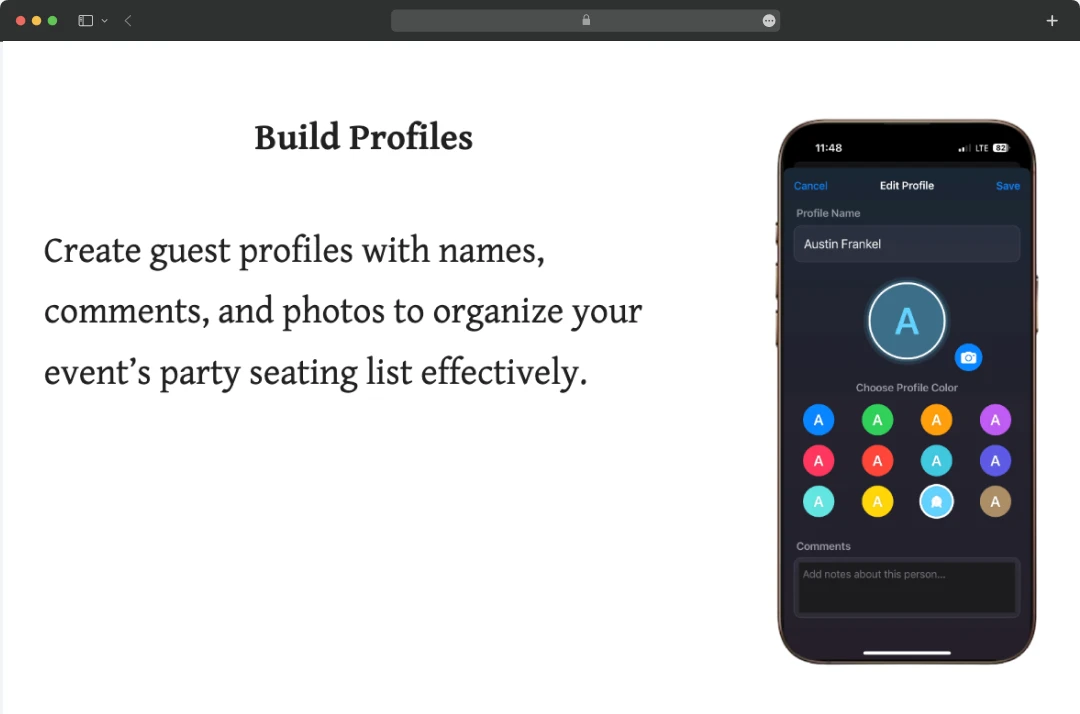
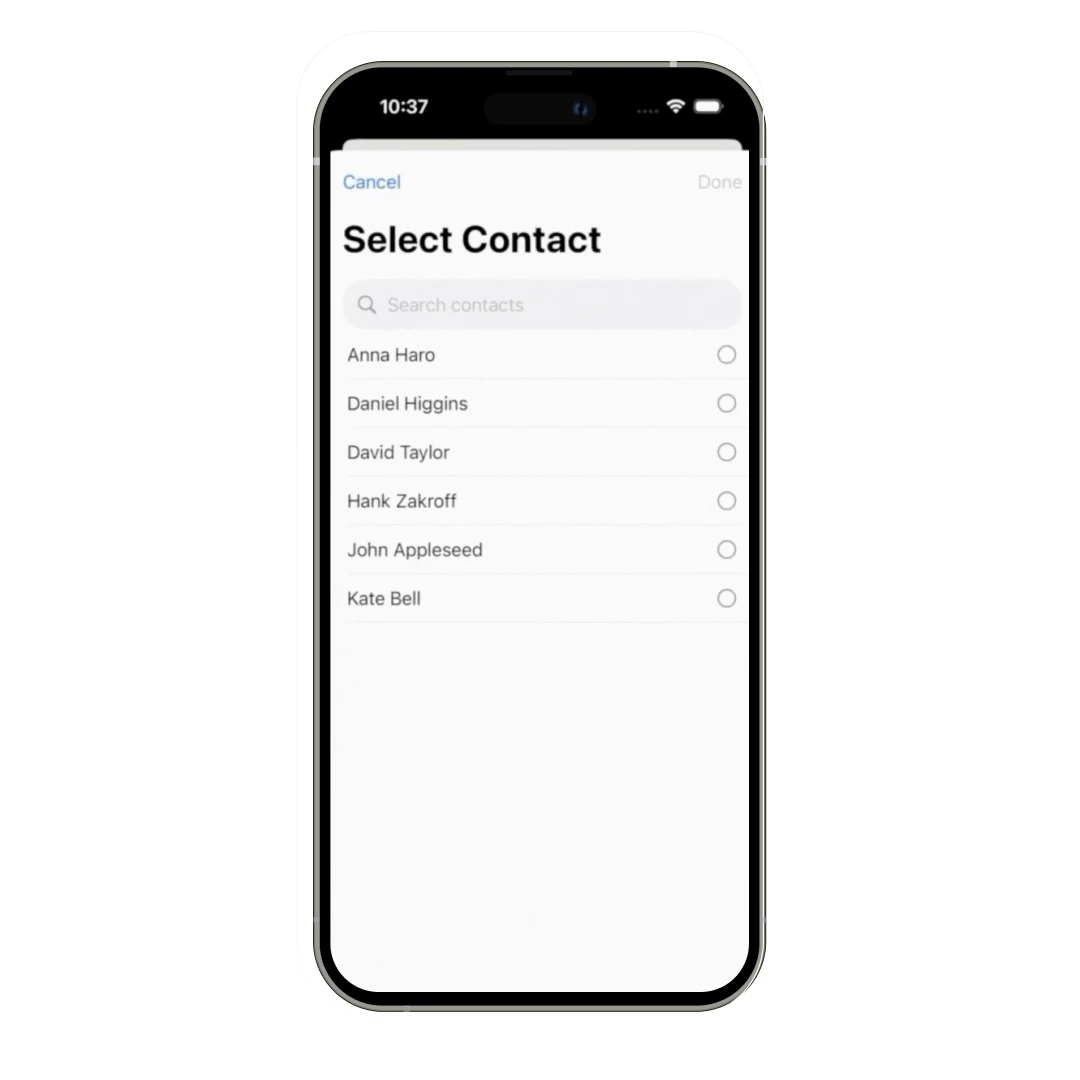
Managing your guest list can be one of the most tedious aspects of event planning, but Seat Maker simplifies it dramatically. This feature allows you to import contacts directly or add names manually, streamlining the process of populating your event.
Beyond just names, you can group guests together, write comments for each guest, and keep everything organized in one place. It’s a powerful, centralized hub for managing your entire guest list.
4. Smart Seating Rules & Conflict Avoidance
This intelligent feature takes the guesswork and potential awkwardness out of seating assignments. You can define smart seating rules such as locking specific seats, grouping or separating guests, setting table sizes, and viewing table names or numbers based on your event's needs.
5. Seamless Sharing and Export Options
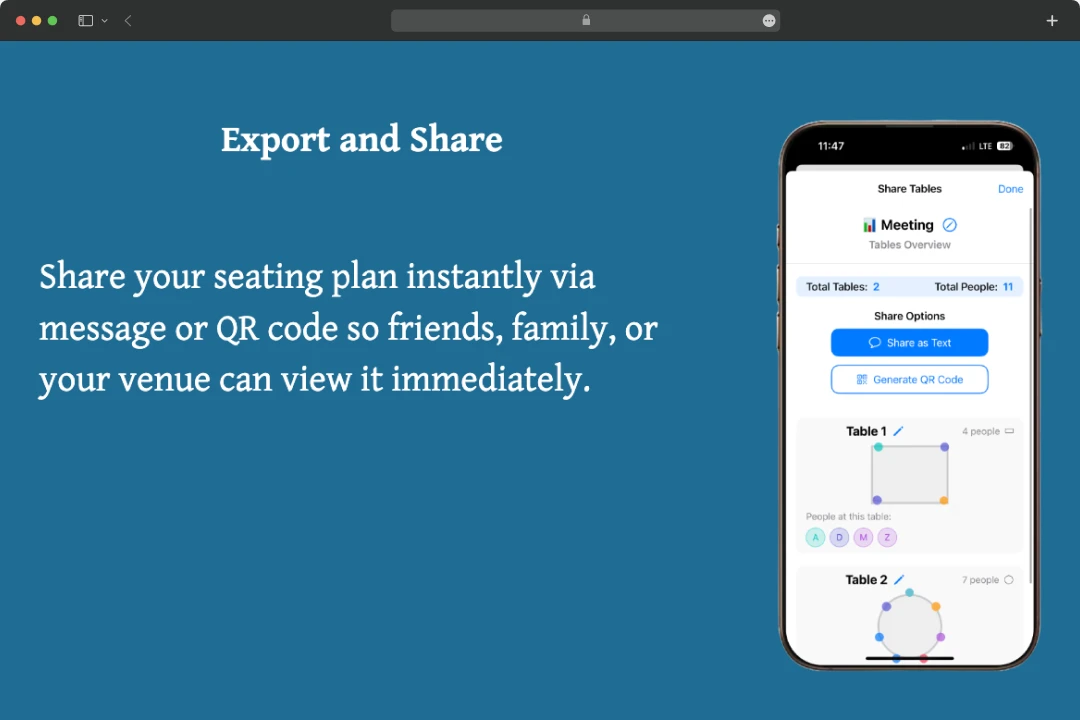
Once your seating chart for parties is perfected, sharing it with your team, venue, or even guests is incredibly easy. Seat Maker lets you share your completed seating chart as a visual layout via email or message. Recipients do not need the app to view it, making it easy for guests, caterers, or event staff to see the plan at a glance. This ensures that everyone involved has a clear, accurate, and visually appealing guide to your event's seating arrangements.
6. Offline Functionality and Privacy-First Design
In an age where data privacy is paramount, Seat Maker offers refreshing peace of mind. The application is designed for complete offline use, meaning you can work on your seating plans anytime, anywhere, without needing an internet connection.
Crucially, it prioritizes your privacy by keeping all data on your device or securely in iCloud, with no tracking or sharing of your personal information. This commitment ensures your sensitive event details remain private and under your control.
Who is the Seat Maker App Designed For?
This seating chart maker app emerges as a genuinely versatile solution, meticulously crafted to simplify the often-complex world of assigned seating. It aims to eliminate the stress of table arrangements for a wide array of users, a goal deeply rooted in founder Austin Frankel's own experience.
He envisioned a tool that could quickly solve the common dilemma of "who sits where," a problem often faced in various gatherings. Here’s when this app can prove to be the ultimate solution-
| Designed For | Use Case |
|---|---|
| Wedding Planners & Couples | Seamlessly managing seating for ceremonies and receptions, easily organizing guests by family, relationship, or any other preferred category to ensure a harmonious event |
| Event Coordinators & Party Hosts | Ideal for planning birthdays, corporate gatherings, holiday dinners, or any social event, and helping arrange VIPs, teams, or special groups strategically for optimal interaction and flow |
| Teachers & Educators | Creating classroom seating charts, organizing student groups for projects, or arranging desks and tables quickly and efficiently for various learning activities |
| Banquets & Conferences | Managing large guest lists and intricate floor plans, and assigning seats effortlessly by department, table number, or any other specific categorization required |
| Groups of Friends | Perfect for dinners or casual get-togethers, making it easy to seat large friend groups while keeping conversations flowing and everyone comfortably arranged |
Seat Maker App in the Spotlight | Awards & Recognitions
While this digital seating chart app already enjoys immense popularity among users for its intuitive design and powerful features, its innovative approach hasn't gone unnoticed by industry experts and review platforms.
This section highlights the growing collection of accolades and recognition the Seat Maker app has garnered, cementing its status as a leader in event planning solutions. Here’s a list of awards and recognitions received by the app-
- Reached #4 nationally in the U.S. App Store in the Lifestyle category
- Reached #75 overall for paid apps within 24 hours
- Over 30 thousand impressions
- Featured in BBYO’s global entrepreneurship spotlight
What can the Users Expect in the Future from the Seat Maker App?
Looking ahead, users of this event seating planner app can expect major developments and advancements. Here’s a closer look-
- Highlighting Specific Guests: It's great for showing who the "guest of honor" is, marking a "speaker," or even for a bit of fun like identifying who "gets the bill."
- Event-Specific Backgrounds: With this, you will be able to set backgrounds perfect for weddings, sports dinners, birthday parties, corporate gatherings, or even casual dinners with friends.
- More Table Shapes and Sizes: Beyond just circles and rectangles, future versions could offer a bigger selection of table layouts that mirror actual venues.
- Storing Old Plans: You'll be able to save past seating charts to use again or tweak for new events.
- Handling Multiple Rooms: This feature will let you manage seating plans for different spaces, all within the app.
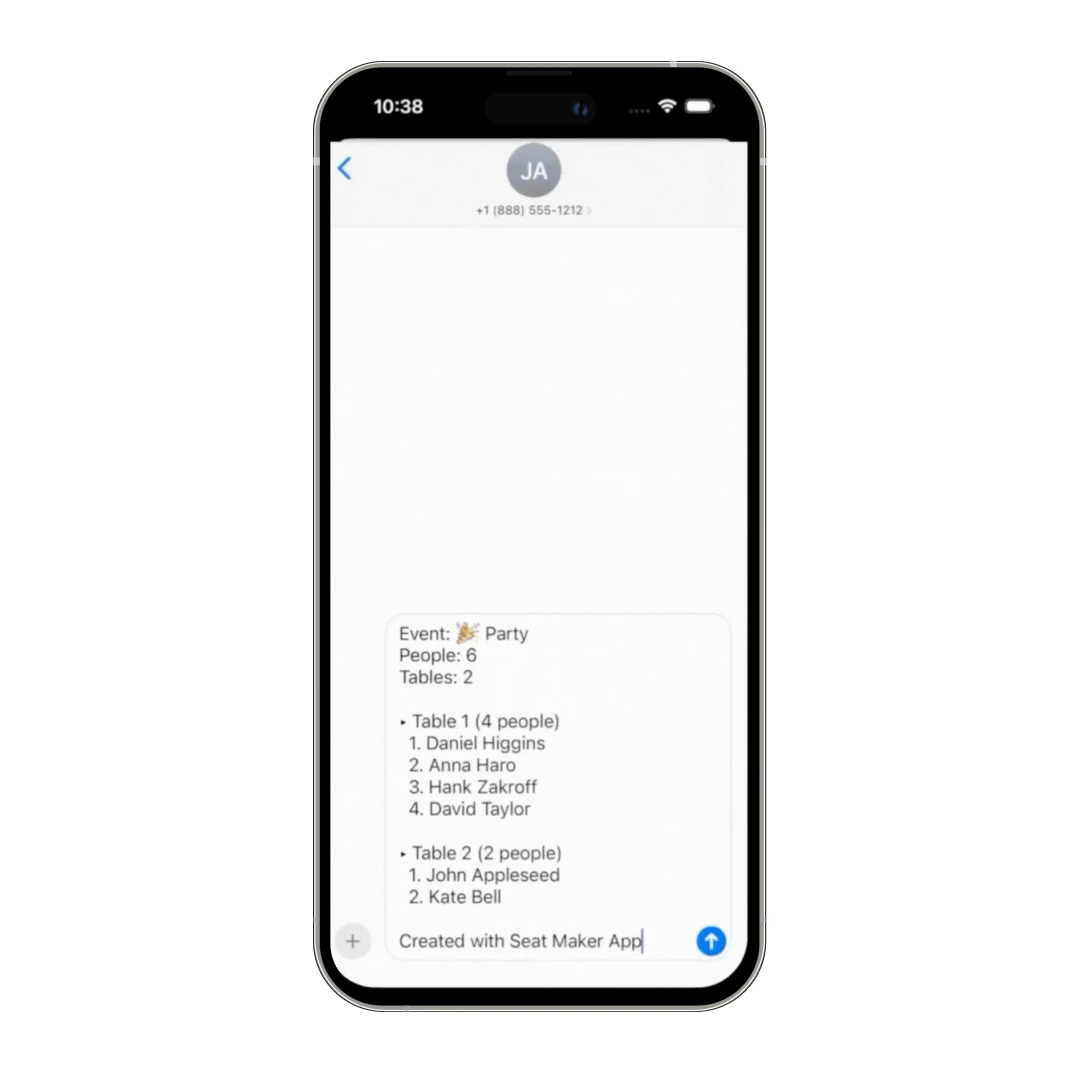
- Share Seating Orders Instantly: Send a simple list showing each table, who’s sitting where, and how many people are at each table. Every guest is numbered for easy reference, so everyone knows exactly where to go.
Seat Maker Price and Subscription Plans
The Seat Maker app is not just known for its unique features; it is a preferred choice among many users for its attractive pricing. You will need to pay $0.99 as a one-time fee to use the app.
This pricing will include all the features of Seat Maker. The app does not charge any hidden fees or a subscription apart from this one-time fee.
Customer Reviews
How was your experience with the product?
Also Reviewed By Us