
SavefromIns Review: Analyzing the Free Instagram Downloader
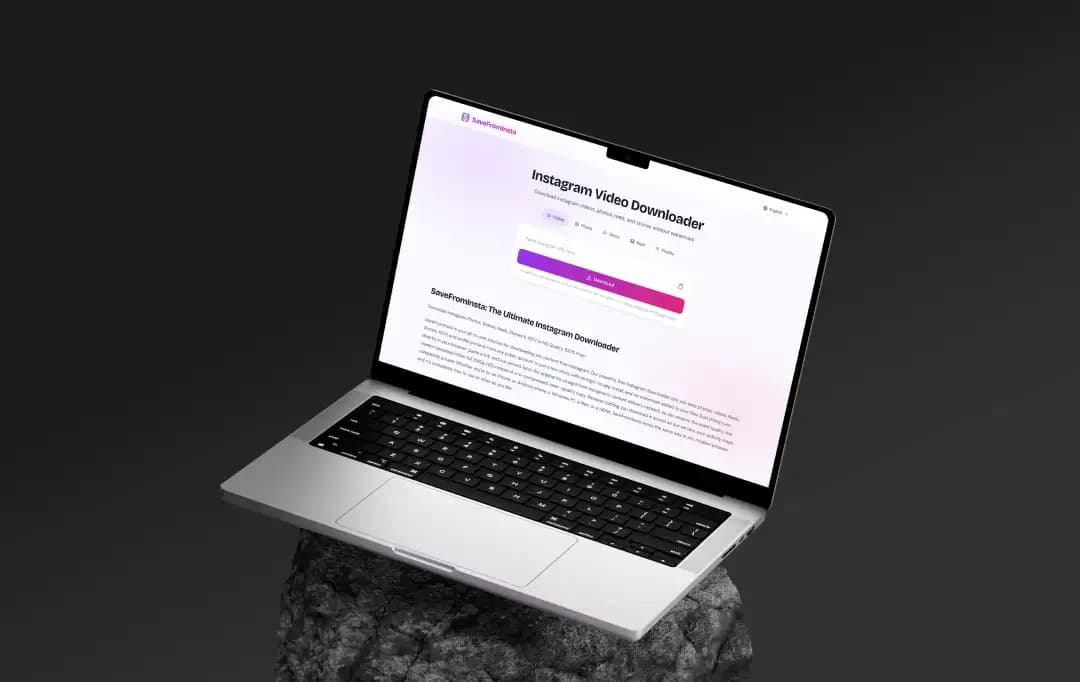
When I started mapping out this SavefromIns review, I knew reading the homepage wasn't going to cut it. My team and I spent the last couple of weeks actively testing the SaveFromIns Instagram downloader to see if it actually competes with the best downloaders available right now. We didn't do any weird simulated tests—we just used it in our daily workflow to grab reels, save reference photos, and pull carousels.
If you are looking for a reliable Instagram video downloader, th actual feature set is what makes or breaks the experience. Here is a practical breakdown of the features based on how they actually performed for us.
Pros and Cons of SavefromIns
Pros
- Seamlessly operates via web browsers, completely eliminating the need for third-party software.
- Consistently extracts uncompressed, original HD-quality media across Reels, Stories, and static posts.
- Entirely free to use with zero paywalls, subscription traps, or mandatory account registrations.
- Effectively parses and downloads multi-slide carousels without forcing you to grab unnecessary bulk folders.
Cons
- Lacks a bulk download feature, meaning you have to manually paste and process links one by one.
- Operates within platform boundaries and cannot fetch media from private or locked Instagram profiles.
Key Features of SaveFromIns
Here is our detailed breakdown of the platform's core features below to see how it extracts reels, stories, photos, and carousels.
1. Crisp download Instagram video & Reels Processing
The bread and butter of this platform is definitely video extraction. Whenever I needed a quick download for an offline mood board, This Instagram Photo & Video Downloader felt incredibly snappy. Unlike some clunky tools that compress the life out of your media, this reels downloader fetches the MP4 file in its original HD resolution.
We even tested its speed alongside a few heavy-duty YouTube Downloaders, and SaveFromIns held its own surprisingly well. If you just want to save Insta videos without dealing with annoying audio desyncs or pixelated messes, it totally delivers.
2. Anonymous Instagram Story Viewer and Saver
We all know the hassle of trying to grab a temporary post before the 24-hour timer runs out. What stood out to me here was the dual functionality. Unlike other Private Instagram Viewer Sites, it works flawlessly as an Instagram Story Viewer, letting you peek at updates anonymously.
But it also doubles as a full-fledged Instagram Stories Downloader. I had my team run a few dozen public profile links through it, and it grabbed the stories instantly without ever asking us to log in or connect a personal account.
3. Instagram Photo Downloader and Carousel Support
Downloading a single picture is pretty basic, but pulling a 10-slide carousel can break a lot of web tools. During our trials, the standalone Instagram Photo Downloader worked without a hitch. The real win, though, was using it as an Instagram Carousel Downloader.
I dropped in a link to a massive photo dump, and the tool neatly parsed the entire slideshow. You can pick and choose which specific slides to save instead of being forced to download a bulky zip file of things you don't need.
4. Uncompressed Instagram Profile Downloader
Have you ever tried zooming in on an Instagram DP and just gotten a blurry mess? Same. We took the Instagram Profile Downloader for a spin, and it’s super straightforward. You just paste the handle, and it fetches the original, uncompressed profile picture. It’s definitely a niche feature, but it ran smoothly every single time we needed it.
How to Use SaveFromIns?
If you are wondering how the tool actually works in practice, the workflow is incredibly straightforward. We have run hundreds of links through the platform to pull assets for our own content mood boards, and it really just comes down to four quick actions.
Step 1 - Grab the Instagram URL:
Open the Instagram app or website and track down the video, reel, or photo you want to save. Hit the share icon (that little paper airplane) or tap the three-dot menu, and select "Copy Link."
Step 2 - Head to the SaveFromIns Site:
Fire up your mobile or desktop web browser and navigate directly to the SaveFromIns homepage. You can skip any sign-up worries since the tool does not require an account or a login.
Step 3 - Paste and Process:
You will see a massive input box right at the top of the screen. Paste your copied link directly into that field. Sometimes it starts fetching the media automatically, but if it stalls, just hit the main "Download" button right next to the box.
Step 4 - Save to Your Device:
Once the tool parses the link, a preview of your video will pop up along with the available resolution options. Click the final download button to drop the MP4 straight into your camera roll or downloads folder.
Also Read: How to Download Instagram Videos
Customer Reviews
How was your experience with the product?