


Recraft AI Review: Premium Design Tool or Just Another Image Generator?
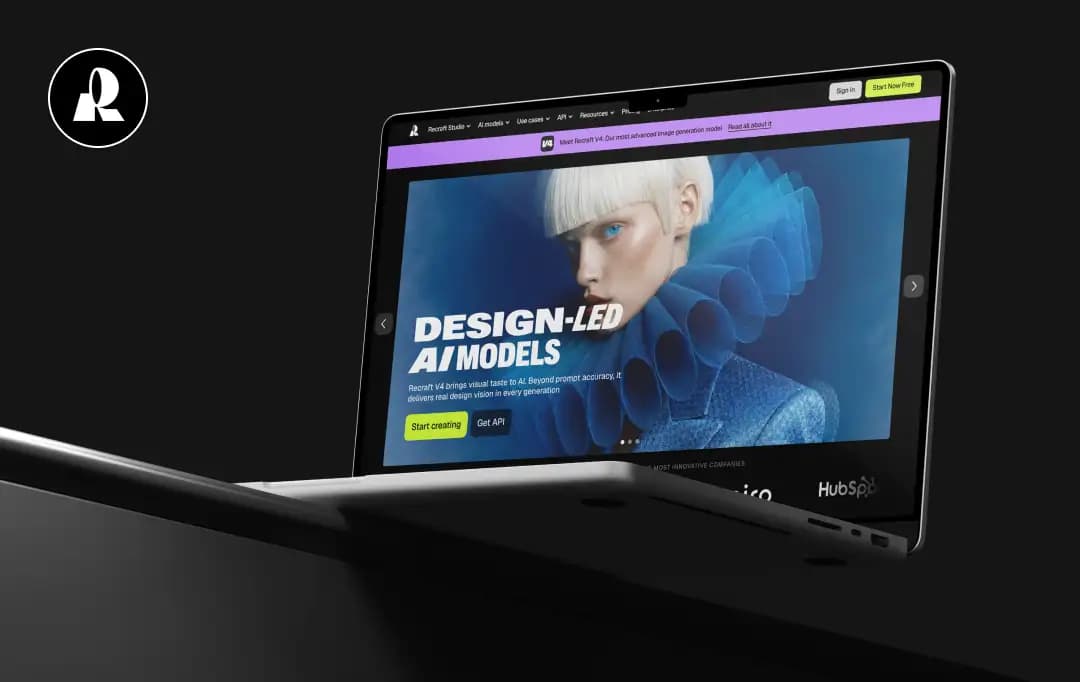
We are living in the golden age of AI image generation, but the dark ages of actually using those images in professional workflows. It’s frustrating, isn’t it? You can prompt a photorealistic cyberpunk cityscape in seconds, but try asking that same AI for a clean, editable brand logo with correct spelling, and suddenly the magic falls apart.
Most AI platforms spit out flattened, un-editable raster files (PNGs or JPGs) that force designers to spend hours manually tracing them in Adobe Illustrator.
Most creators need a tool that understands actual design architecture, not just pixels. That’s where Recraft AI steps in. Claiming to be the first generative AI platform built specifically for professional designers, it promises native vector graphics, infinite canvas editing, and unbreakable brand consistency.
Does it actually replace the tedious parts of a designer's workflow? Here is what we think. Read our comprehensive Recraft AI review to learn about the tool.
Pros and Cons of Recraft AI
Pros
- Outputs clean, infinitely scalable, and fully editable vector paths
- The V3 model handles long strings of text, typography, and spelling with near-perfect accuracy
- Create and lock in custom visual styles, ensuring every generated asset matches your exact brand guidelines
- Features built-in background removal, vectorization, upscaling, and mockup generation
Cons
- The infinite canvas and style controls take time to master compared to simple text-box generators
- Heavy usage periods can sometimes result in slower generation or export times
- While functional on mobile, the intricate canvas tools are best utilized on a desktop interface
A Closer Look at Standout Features of Recraft AI
Recraft AI works for a straightforward mission: to bridge the gap between pure AI art generation and practical, scalable graphic design.
It does not treat AI as a slot machine for pretty pictures, but rather treats it as a collaborative design assistant. Here is exactly how Recraft’s features deliver on that promise:
1. Native Vector Generation (The SVG Magic)
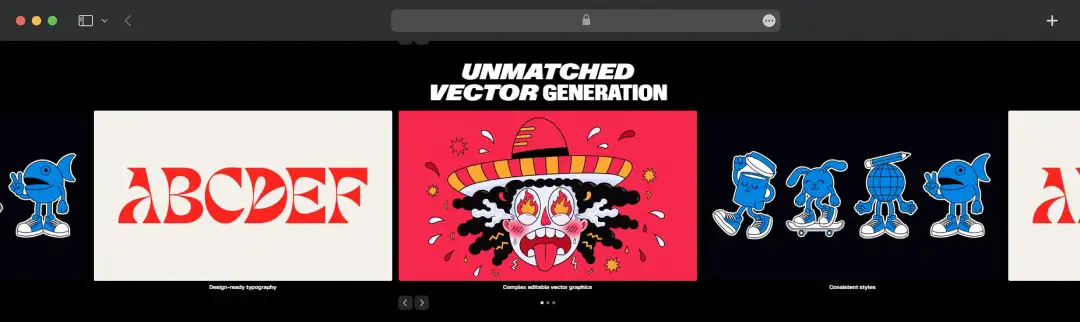
This is Recraft’s crown jewel. Unlike competitors that only output raster images, Recraft is built to generate true vector graphics. When prompting an icon, logo, or flat illustration, it can be exported as an SVG. This means the file can be opened in Adobe Illustrator or Figma to manipulate the individual anchor points, paths, and colors instantly.
2. Precision AI Eraser & Background Remover
Efficiency is critical for working designers, and Recraft helps eliminate the tedious process of manual masking. The platform includes powerful built-in photo editing utilities, including a one-click background remover and a smart AI eraser. Whether isolating a subject for a transparent PNG or seamlessly scrubbing out an unwanted element from a composition, these native tools handle it instantly without the need to jump over to Photoshop.
3. The V3 Model & Flawless Typography
Historically, asking AI to generate text resulted in an unreadable, alien language. Recraft's V3 AI model completely revolutionized this. It is uniquely capable of generating anatomically correct images containing long, accurately spelled text strings. Whether designing a movie poster, a UI mockup, or a stylized ad creative, the typography integrates naturally into the design.
4. Brand Style Consistency
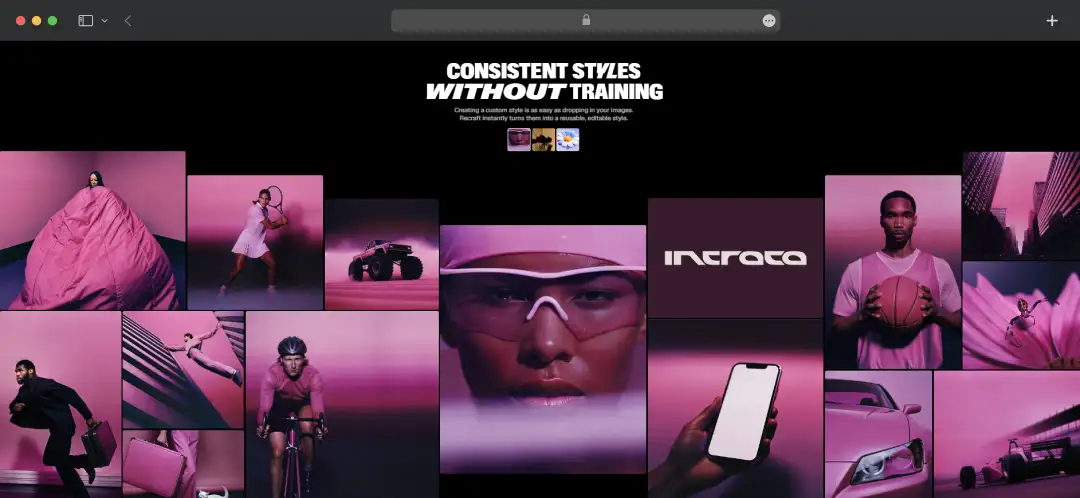
When building assets for a website, they all need to look like they belong to the same family. Recraft allows users to upload reference images or select a specific color palette (using exact Hex codes) to create a saved "Style." Every subsequent prompt run through that style will maintain the exact same aesthetic, line weight, and color scheme.
5. Lifelike Photorealistic Generation
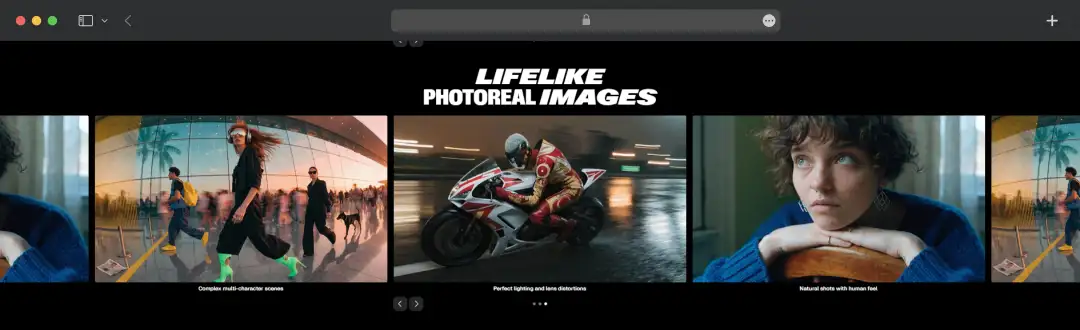
Beyond vector illustration and graphic design, Recraft excels at generating highly realistic photographic images. The tool goes past basic generation by delivering natural shots with a genuine human feel, flawlessly executing complex multi-character scenes. It accurately accounts for perfect lighting and authentic lens distortions, making the outputs practically indistinguishable from high-end studio photography.
6. The Infinite Canvas Workflow
Recraft ditches the standard chat-box interface for an infinite design canvas. Users can generate an image, lasso a specific area they want to change, and use the "Modify Area" (inpainting) tool to tweak just that element. External assets can also be dragged onto the board and vectorized with one click.
7. Instant Mockup Generation
Visualising the final product is critical for client presentations. Recraft features an AI-powered mockup generator that instantly wraps flat designs or logos around 3D objects—like t-shirts, packaging, or billboards—adapting seamlessly to the lighting and texture of the surface.
8. High-Fidelity Image Upscaling
A great design is useless if it falls apart when exported for large-scale formats. To ensure every asset is completely production-ready, Recraft includes a robust integrated image upscaler. With a single click, users can enhance the resolution and intricate details of their generated raster images, making them perfectly crisp for both high-resolution digital displays and commercial printing.
What’s New in Recraft AI’s Platform?
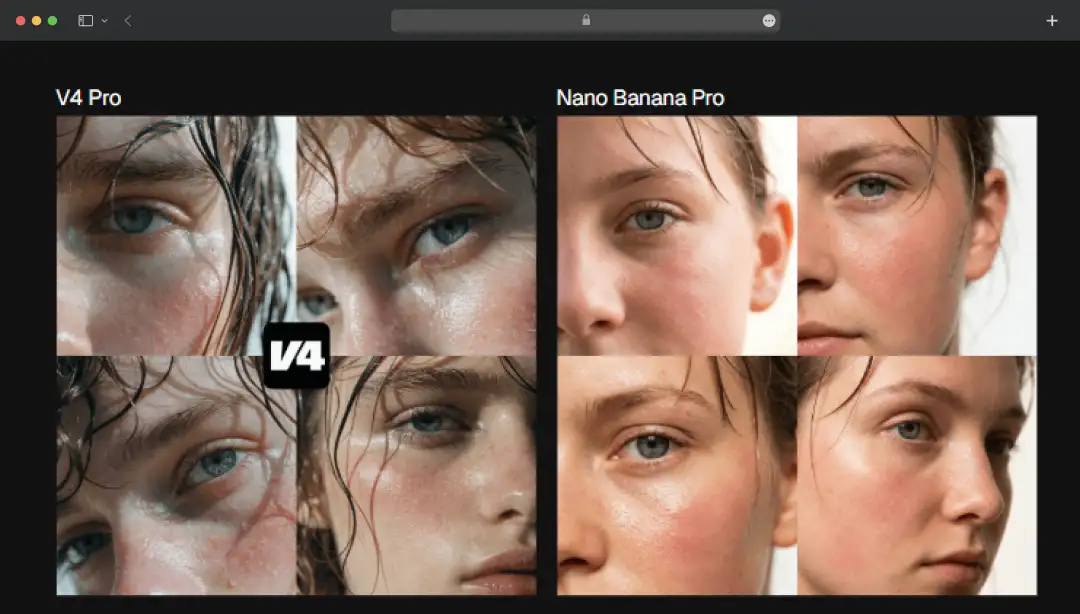
With the release of the V4 model, Recraft isn't just generating accurate images anymore; it's delivering them with genuine, art-directed design taste. Here is a quick look at the core upgrades that make this new engine a massive leap forward for creators:
1. Design Taste Built-In
It doesn't just render what you ask for. It makes smart aesthetic decisions (composition, lighting, color) so the output looks art-directed, not like a generic AI stock photo.
2. Structural Typography
It doesn't just slap text on top of an image. It actually understands spatial tension, integrating typography into the environment and reacting to the frame.
3. True Vector SVGs
It's still the only AI model out there that generates clean, fully editable vector files ready to be dropped straight into Figma or Illustrator.
4. Two Power Tiers
It comes in V4 (fast and cost-efficient for rapid iterations) and V4 Pro (high-resolution and hyper-detailed for print-ready assets).
5. Production-Ready Accuracy
Whether you give it a 3-word prompt or a massive paragraph, it follows constraints strictly (like the exact number of products or specific branding) without losing visual balance.
Bonus Read: How Do AI Image Enhancement Tools Work?
Understanding Recraft AI Pricing and Subscriptions
From basic image generation to advanced video rendering and team collaboration, there is a tier designed to fuel your imagination without breaking the bank.
Here is a breakdown of Recraft AI's flexible pricing plans to help you find your perfect match:
| Name of the Plan | Cost of the Plan (Yearly) | What do you get |
|---|---|---|
| Free | $0 | • 30 credits per day • 3 generations per style per day & 3 image uploads daily • Up to 2 images per generation • Basic editing tools & access to the Style Library |
| Basic | $10 / month (Billed annually at $120) | • 1,000 credits per month • Commercial rights & private generations • Access to premium image models (Flux, Seedream, GPT Image, etc.) • Unlimited image uploads & unlimited styles usage • Advanced tools: Custom palettes, Magic wand, Creative upscale, etc. • Up to 4 images per generation & 5 parallel generations |
| Pro Recommended | $16 / month (Billed annually at $192) | • 2,000 credits per month (scalable to 4k, 8k, or 16k) • Everything in the Basic plan, PLUS Video Generation (Sora, Veo, Kling, Grok Imagine Video, Seedance, etc.) • Full access to all video generation controls • Priority generation for images • Up to 10 parallel generations for both images and video |
| Teams | $18 / month per seat (Billed annually at $211) | • 2,000 credits per month per seat (scalable) • Everything in the Pro plan, plus seamless teamwork features • Shared workspaces & shared custom styles for all members • Centralized billing and account management • Single Sign-On (SSO) & Premium 24/7 support |
Recraft’s API Pricing
Trusted by innovative teams and agencies, Recraft’s API lets developers plug powerful AI raster and vector models directly into their production apps. It operates on a straightforward, pay-as-you-go credit system:
Production Image Generation
| Production Image Generation Model | Description | API Units | Price Per Image |
|---|---|---|---|
| Recraft V3 | High prompt adherence and reliable text rendering. | 40 | $0.04 |
| Recraft V3 Vector | Editable SVG illustrations in a wide range of styles. | 80 | $0.08 |
| Recraft V2 | Lower-cost raster model tuned for specific styles. | 22 | $0.02 |
| Recraft V2 Vector | Efficient model for clean, flat vector icons. | 44 | $0.04 |
Image Editing Services (Raster)
| Tool | API Units | Price Per Image |
|---|---|---|
| Image-to-image / Inpainting | 40 | $0.04 |
| Replace / Generate Background | 40 | $0.04 |
| Style Creation | 40 | $0.04 |
| Creative Upscale | 250 | $0.25 |
| Crisp Upscale | 4 | $0.00 |
| Background Removal / Vectorization | 10 | $0.01 |
| Erase Region | 2 | $0.00 |
Image Editing Services (Vector)
| Tool | API Units | Price Per Image |
|---|---|---|
| Image-to-image / Inpainting | 40 | $0.04 |
| Replace / Generate Background | 40 | $0.04 |
| Style Creation | 40 | $0.04 |
| Creative Upscale | 250 | $0.25 |
| Crisp Upscale | 4 | $0.00 |
| Background Removal / Vectorization | 10 | $0.01 |
| Erase Region | 2 | $0.00 |
Customer Reviews
How was your experience with the product?
"super clean vectorisation and a polished, design-ready aesthetic straight out of the box"














