Mailchimp Review: The Email Marketing Giant I Finally Put to the Test
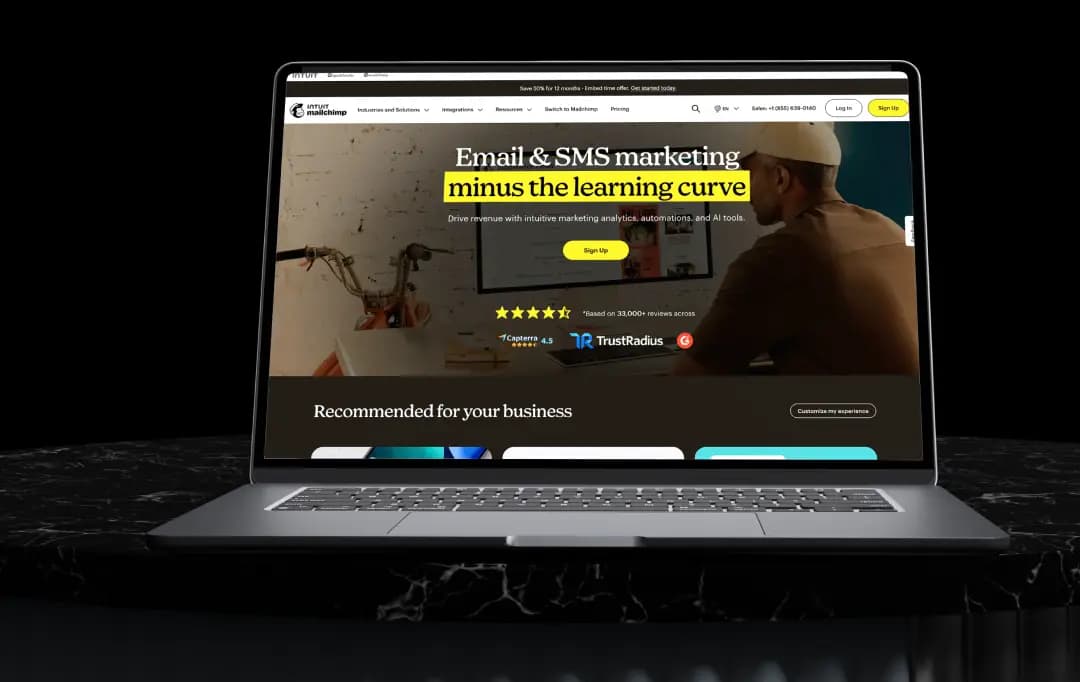
If you've spent any time researching email marketing software, chances are Mailchimp was the first name that came up.
It's been around since 2001, and for a lot of small businesses, it was the tool that taught them what email marketing even looked like. But the platform today is a very different animal from the free newsletter tool it started out as; it's now positioned as a full marketing platform, complete with automation, landing pages, CRM-lite features, and AI-assisted content tools.
We spent time going through Mailchimp's interface, testing its campaign builder, poking around the automation workflows, and comparing its pricing structure against what it actually delivers at each tier.
This Mailchimp review breaks down where the platform genuinely earns its reputation, where it falls short, and whether it still makes sense as your go-to email marketing software in 2026, whether you're logging into an existing Mailchimp account or setting one up for the first time.
Pros and Cons of Mailchimp
Pros
- Genuinely easy to pick up, even with zero marketing background
- Clean, modern email template builder with solid drag-and-drop controls
- Huge library of integrations (300+) covering ecommerce, CRM, and analytics tools
- Landing page builder is quick to use for simple pages
- Reliable delivery and solid uptime
- Useful AI-assisted suggestions for subject lines and send times
Cons
- Automation feels basic once your campaigns get more complex
- Pricing climbs fast as your contact list grows
- Free plan has gotten noticeably thinner over the past couple of years
- Landing pages lack A/B testing and don't support custom HTML
- Support quality depends heavily on which plan you're on
- Billing counts unsubscribed and inactive contacts unless you archive them manually
A Closer Look at Mailchimp Features
Mailchimp packs a lot into its dashboard, and it can feel a little overwhelming the first time you log in. Once you get past the initial learning curve, though, the feature set is genuinely built around helping you plan, send, and measure campaigns without needing five different tools stitched together. Here's what stood out most during our time with it.
1. Email Template Builder
This is where most people start, and it's arguably still Mailchimp's strongest feature. The email template builder uses a drag-and-drop layout that lets you assemble a campaign from pre-designed blocks, images, text, buttons and product grids, without touching a line of code.
If you're comfortable with HTML, you can also code your own template from scratch, which is a nice option for teams with design resources. The templates themselves look modern rather than dated, which isn't something every email marketing software can claim.
2. Segmentation and Predictive Segmentation
Mailchimp lets you split your audience based on behavior, purchase history, engagement level, and custom tags, so you're not blasting the same message to everyone on your list.
The predictive segmentation feature goes a step further by using past customer data to flag who's most likely to convert or churn. It's a genuinely useful layer if you're running an ecommerce store and want to target high-intent shoppers instead of guessing.
3. Marketing Automation and Customer Journey Builder
The Customer Journey Builder lets you map out automated sequences, welcome series, abandoned cart follow-ups, and re-engagement flows, using a visual, branching workflow. It's intuitive enough for a small team to set up without a dedicated marketing ops person.
That said, once you start building something more complex with multiple conditions and branch points, the workflow can start to feel limited compared to what more automation-heavy platforms offer.
4. Landing Page Builder
Mailchimp's landing page builder lets you spin up a page for a promotion, product launch, or lead magnet without needing a separate website tool. It follows the same drag-and-drop logic as the email builder, so if you've already used one, the other feels familiar.
It's worth knowing upfront that the landing page tools are more limited than the email builder: no A/B testing, and no option to drop in custom HTML if you want more design control.
5. Marketing Campaign Management Dashboard
Everything- audience data, past campaigns, automation status, performance reports- lives in one central dashboard. For marketing campaign management, this matters more than it sounds like it should, because you're not toggling between five browser tabs to figure out how a campaign is performing.
Reporting shows opens, clicks, revenue attribution (if you've connected an ecommerce store), and comparative benchmarks against past sends.
6. AI-Assisted Content and Send-Time Optimization
Mailchimp has leaned harder into AI over the past couple of years, offering suggestions for subject lines, content improvements based on what's historically performed well in your industry, and optimal send-time recommendations based on when your specific audience tends to engage.
It's not going to write your entire campaign for you, but as a second pair of eyes before you hit send, it's a genuinely useful add-on.
7. Integrations
Mailchimp connects with well over 300 tools, covering ecommerce platforms, CRMs, analytics software, content tools, and scheduling apps. If your business already runs on a handful of other platforms, there's a decent chance Mailchimp already has a direct integration for it, which cuts down on manual data entry between systems.
Mailchimp Use Cases by Industry
Mailchimp is built to be flexible enough for almost any business type, but how it actually gets used tends to look pretty different depending on the industry. Below is a breakdown of where it fits naturally and what it's typically used for across different sectors.
| Industry | How Mailchimp Helps |
|---|---|
| Ecommerce and Retail | Syncs with platforms like Shopify and WooCommerce to trigger abandoned cart emails, product recommendations, and post-purchase follow-ups based on real customer behavior |
| Small and Local Businesses | Offers an affordable way to build a mailing list, send promotions, and stay in touch with customers without needing a dedicated marketing team |
| Nonprofits and NGOs | Supports donor segmentation, event announcements, and recurring newsletters to keep supporters engaged, with discounted pricing available for verified nonprofits |
| SaaS and Tech Companies | Handles onboarding sequences, feature announcement emails, and re-engagement campaigns for users who've gone quiet |
| Restaurants and Hospitality | Useful for promoting seasonal menus, special events, and loyalty offers to a local subscriber base through simple, quick-to-build campaigns |
| Creative Professionals and Freelancers | Landing pages and signup forms make it easy to capture leads and share portfolio updates without needing a full website overhaul |
| Education and Coaching | Automation flows work well for drip-feeding course content, sending reminders, and nurturing leads through a sales funnel over time |
| Media and Publishing | Digital newsletter tools make it straightforward to distribute regular content updates and track which stories or topics get the most engagement |
Mailchimp Integrations
One of the reasons Mailchimp fits so easily into an existing workflow is its integration library. Rather than working in isolation, it connects with the tools most businesses are already using for sales, design, and reporting, so data flows between systems without much manual work. We won't list all of them here, but here's a categorized look at some of the most useful ones.
1. Ecommerce Platforms
- Shopify – syncs customer, order, and product data to power targeted campaigns and abandoned cart emails
- WooCommerce – connects your WordPress store directly to Mailchimp for automated purchase-based follow-ups
- Squarespace Commerce – pulls store data into Mailchimp to support promotions and customer segmentation
2. CRM and Sales Tools
- Salesforce – keeps subscriber and lead data in sync across marketing and sales teams
- QuickBooks Online – links invoicing and customer data with your marketing campaigns
3. Analytics and Reporting
- Google Analytics – tracks how campaign traffic behaves once it lands on your website or landing page
4. Design and Content Tools
- Canva – lets you design graphics for campaigns without leaving the Mailchimp editor
- Instagram – pulls in posts directly into email content blocks for visual campaigns
5. Forms, Events, and Scheduling
- Typeform – routes survey and form responses straight into your Mailchimp audience
- Eventbrite – syncs event registrants so you can follow up with attendees automatically
6. Customer Support
- Zendesk – gives support teams visibility into a customer's email engagement history
7. Payments
- Stripe – connects transaction data so you can trigger campaigns based on purchase activity
8. Automation and Workflow Tools
- Zapier – connects Mailchimp to thousands of other apps without needing custom code
- WordPress – adds signup forms and popups directly onto your website to grow your list
This is far from the complete list, but it gives a sense of how broad the integration ecosystem is, covering nearly every category a growing business would need to plug into its marketing platform.
Mailchimp Pricing
Mailchimp's pricing structure is based on how many contacts you have, not just which features you want, and that's the part that trips a lot of people up. It looks affordable at first glance, but the cost scales up quickly once your list grows past a few thousand contacts. Below is a breakdown of what each plan includes as of Mailchimp pricing 2026.
| Plan | Starting Price | Contact Limit (Starting Tier) | Key Inclusions |
|---|---|---|---|
| Free | $0/month | 250 contacts, 500 emails/month | Basic email builder, popup forms, limited automation, support for first 30 days only |
| Essentials | Starts at $13/month | 500 contacts | Full email template builder, A/B testing, basic automation, 24/7 email and chat support |
| Standard | Starts at $20/month | 500 contacts | Multi-step automation, predictive segmentation, dynamic content, send-time optimization, retargeting ads |
| Premium | Starts at $350/month | 10,000 contacts | Unlimited users and audiences, advanced segmentation, phone support, dedicated onboarding |
A couple of things worth flagging before you commit to a plan. First, Mailchimp's free tier has shrunk over the last year or so; it now caps out at fewer contacts and sends than it used to, and there's no scheduling or multi-step automation included.
Second, pricing is based on total contacts, including unsubscribed and inactive ones, unless you go in and manually archive them, something that's easy to overlook until your bill jumps.
If you're planning ahead, it's worth running your actual contact count through Mailchimp's pricing calculator on their site rather than budgeting off the starting price alone.
Also Read: Best Mailchimp Alternatives
Customer Reviews
How was your experience with the product?