


ChatGOT Review: Free AI Chatbot Assistant for Enhancing Productivity
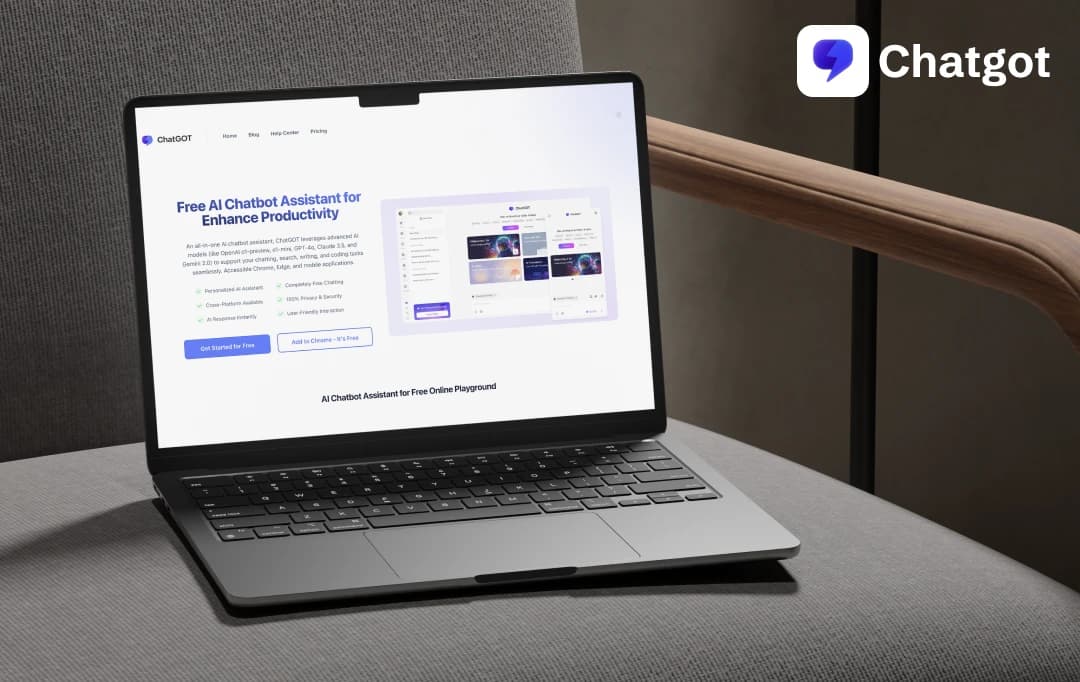
As a writer, I’m always on the hunt for tools that can make my work smoother—whether it’s brainstorming ideas, drafting content, or simply breaking out of writer’s block. I have used the best AI chatbots and have always been amazed at how effortlessly they handled complex prompts and gave me creative inspiration.
During my search, I came across ChatGOT, a fresh challenger in the Artificial Intelligence chatbot world. I couldn’t resist testing it out. Could it rival ChatGPT’s brilliance or even surpass it with its unique features? With my curiosity piqued and my writer’s lens sharpened, I decided to give this tool a spin and write this ChatGOT review—and here’s what I discovered!
MobileAppDaily Ratings on ChatGOT


FEATURE
Highly conversational, customizable tones, and versatile use cases, but lacks depth in niche or complex topics.

PRICING
Free to use with premium options offering additional features; good value for casual and professional users.

PERFORMANCE
Fast and accurate most of the time, with occasional hiccups on intricate or controversial queries.

UI/UX
Clean, minimalistic, and intuitive interface, focusing on seamless conversation and an enriching user experience.
Pros and Cons of ChatGOT
Pros
- Accessible via the web, Android, and iOS platforms
- Incorporates advanced AI models, enhancing capabilities in writing, coding, summarizing, and more
- Designed with an intuitive interface for a seamless user experience
- Handles PDFs in multiple languages and supports cross-language chats without the need for a separate translation tool
Cons
- Currently supports only PDF documents; does not support DOC, TXT, or other formats
- Maximum file size limit of 50MB for uploads, which may restrict handling of larger documents
- Some advanced features may require a paid plan, which might not suit all budgets
- Requires consistent online access for optimal performance
ChatGOT Features
ChatGOT AI assistant stands out with its innovative features designed to enhance productivity, creativity, and seamless interactions. Let’s explore what makes this AI assistant a game-changer and how its best features give it an edge.
1. AI-Powered Chat Assistance
ChatGOT uses advanced AI models like GPT-3.5, GPT-4, Claude 3.5, and Gemini 2.0 to provide accurate, context-aware responses. This helped me brainstorm ideas, generate content, and solve complex queries.
It delivers seamless and intelligent conversations. So, in my experience, it has been my go-to for tackling tricky topics and finding creative solutions quickly.
2. AI Slides Generation
Creating professional presentations has never been easier. With ChatGOT, you simply describe your topic, and it generates structured outlines and slide templates compatible with PowerPoint and Google Slides. When preparing for a recent client pitch, ChatGOT saved me hours by providing a well-organized sales deck tailored to my needs. It’s a true lifesaver for anyone working with tight deadlines.
3. Interact with PDFs using ChatPDF
With the ChatPDF feature, you can upload PDF files and interact directly with their content. Based on a few simple prompts, ChatPDF extracts key points, answers questions, and simplifies dense documents, saving you from manually sifting through pages. During a research project, I used this tool to pull out relevant insights from a 50-page report in minutes—it’s a game-changer for productivity.
4. AI Image Generation using Image
I used ChatGOT AI to generate unique visuals for a marketing campaign, and the results were not only stunning but also highly customizable. This tool helps bring your imagination to life by describing the image you envision, and ChatGOT will create it for you.
From text-to-image renderings to transforming photos into anime-style artwork, this feature is perfect for creative projects.
5. Customizable AI Bots
It allows you to build specialized AI bots tailored to your needs, such as drafting reports, translating content, or analyzing data. This feature streamlines repetitive tasks, saving time and effort. For instance, I created a bot to summarize daily emails, drastically reducing the time spent sorting through messages.
Also Read: Best AI Tools for Students in 2026
How ChatGOT Works?
Based on my hands-on journey, here’s how you can actually make ChatGOT work. The steps to use ChatGOT are as follows:
Step 1: Open the Platform
I started by searching ChatGOT.io on my device and was introduced to a clean interface of the product. Next, I signed in through my Google Account to continue further.
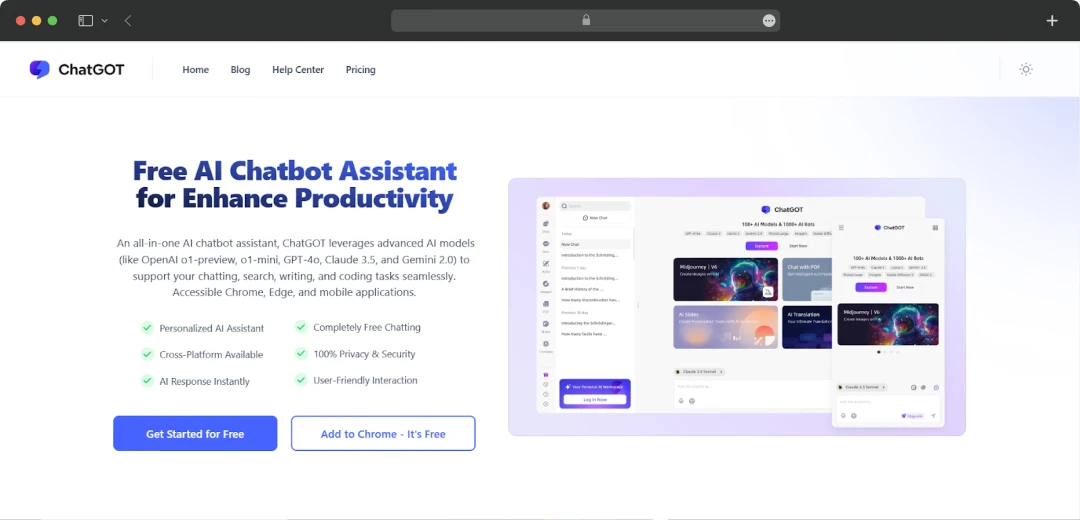
Step 2: Choose the Category
On the homepage, I could choose from a range of different categories - from AI-generated images to writing summaries and more.
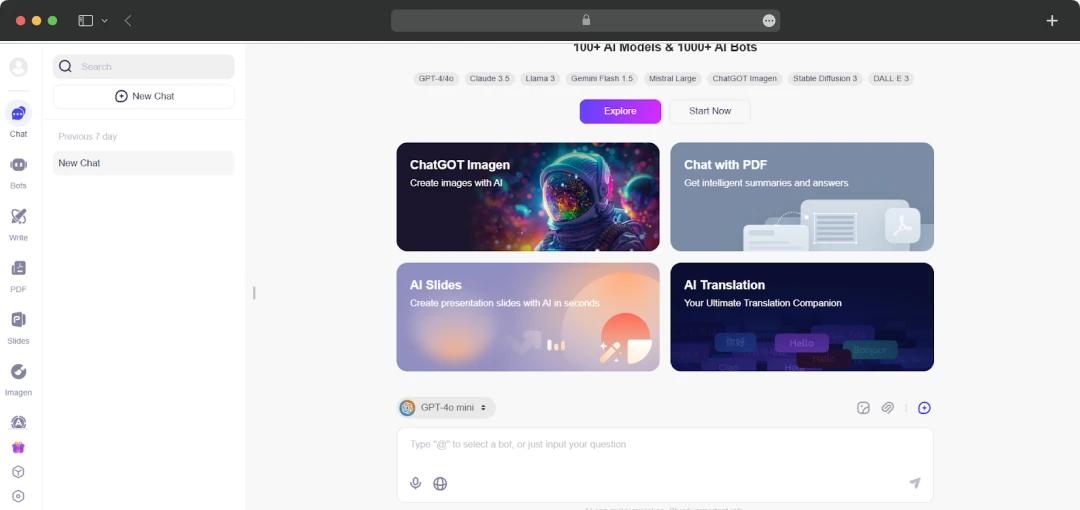
Step 3: Working on the Project
So, for my project, I chose the ‘Write’ option from the toolbar on the home screen. I was given multiple options to paraphrase, write sentences, summarize content, and others.
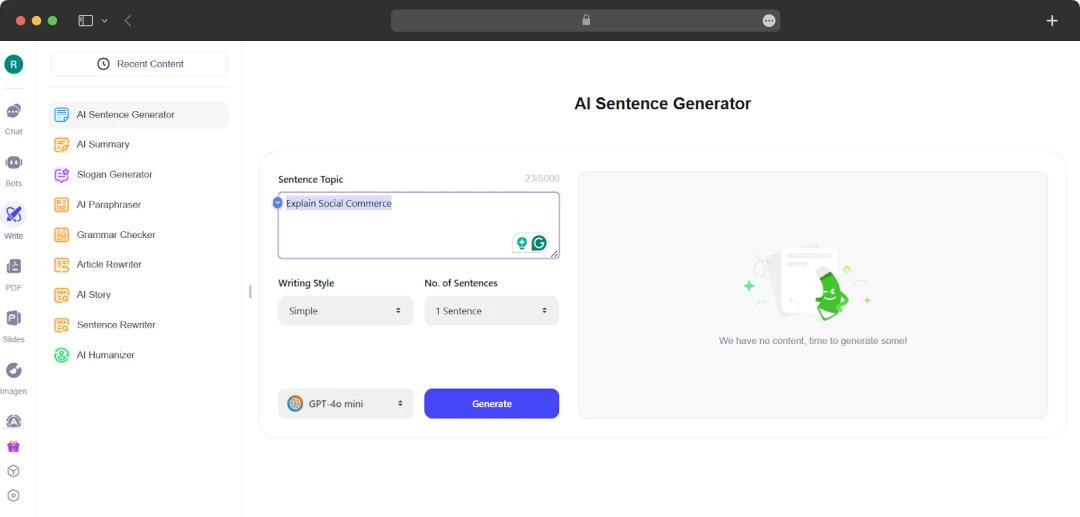
Step 4: Writing with AI Sentence Generator
Upon selecting the ‘AI Sentence Generator’, I entered my topic in the dialogue box and selected the tone of the sentences.
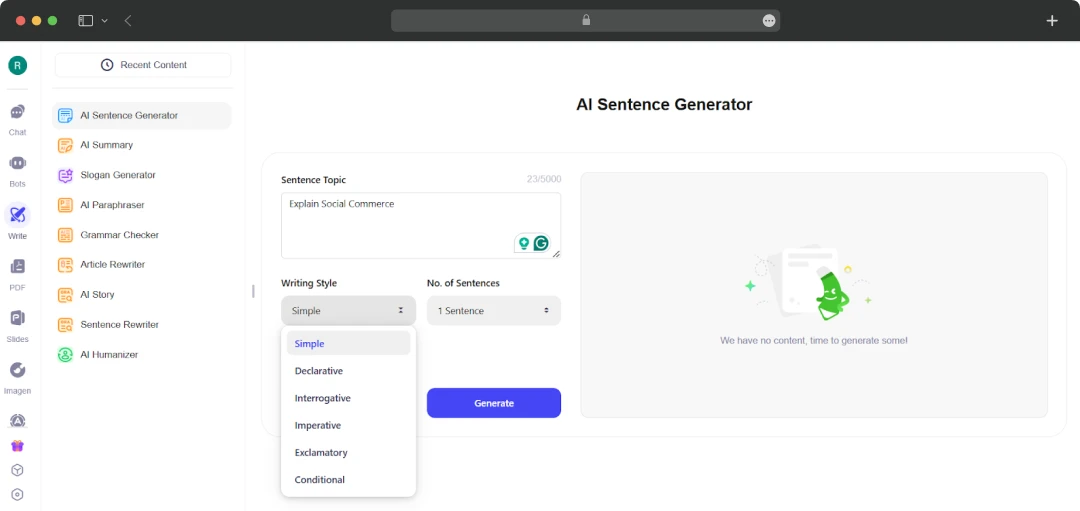
I was also given an option to select the number of sentences I wished to generate.
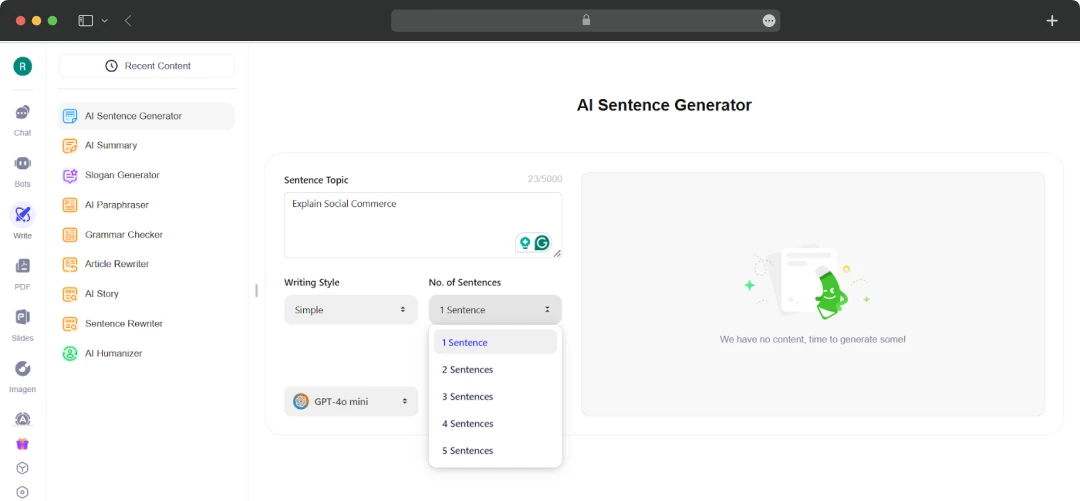
Step 5: The Result
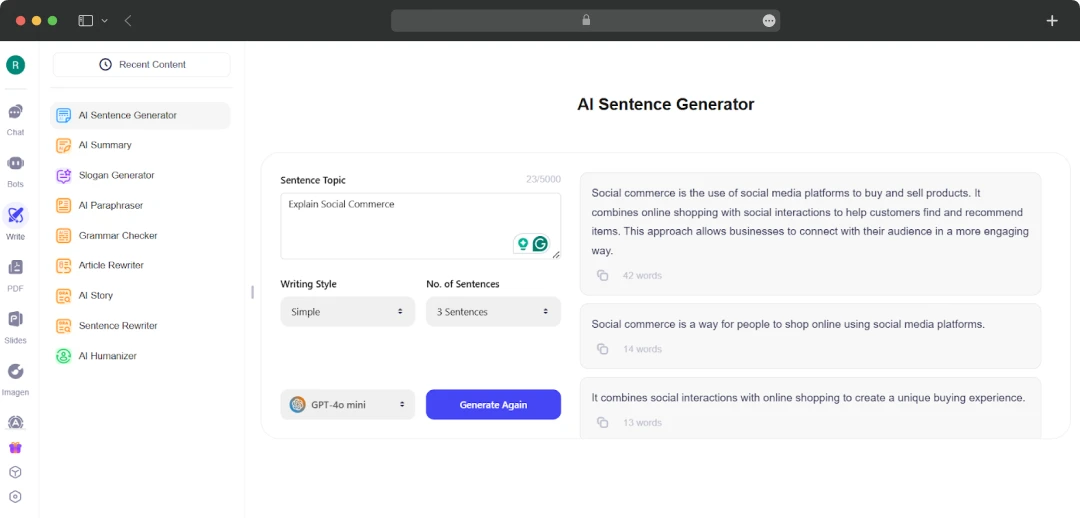
Once done, I selected the ‘Generate’ option and waited for the tool to do its magic. I was thoroughly impressed with the information I got (without much effort). The tone was spot-on, and I loved the writing style.
Understanding ChatGOT AI Plans and Pricing
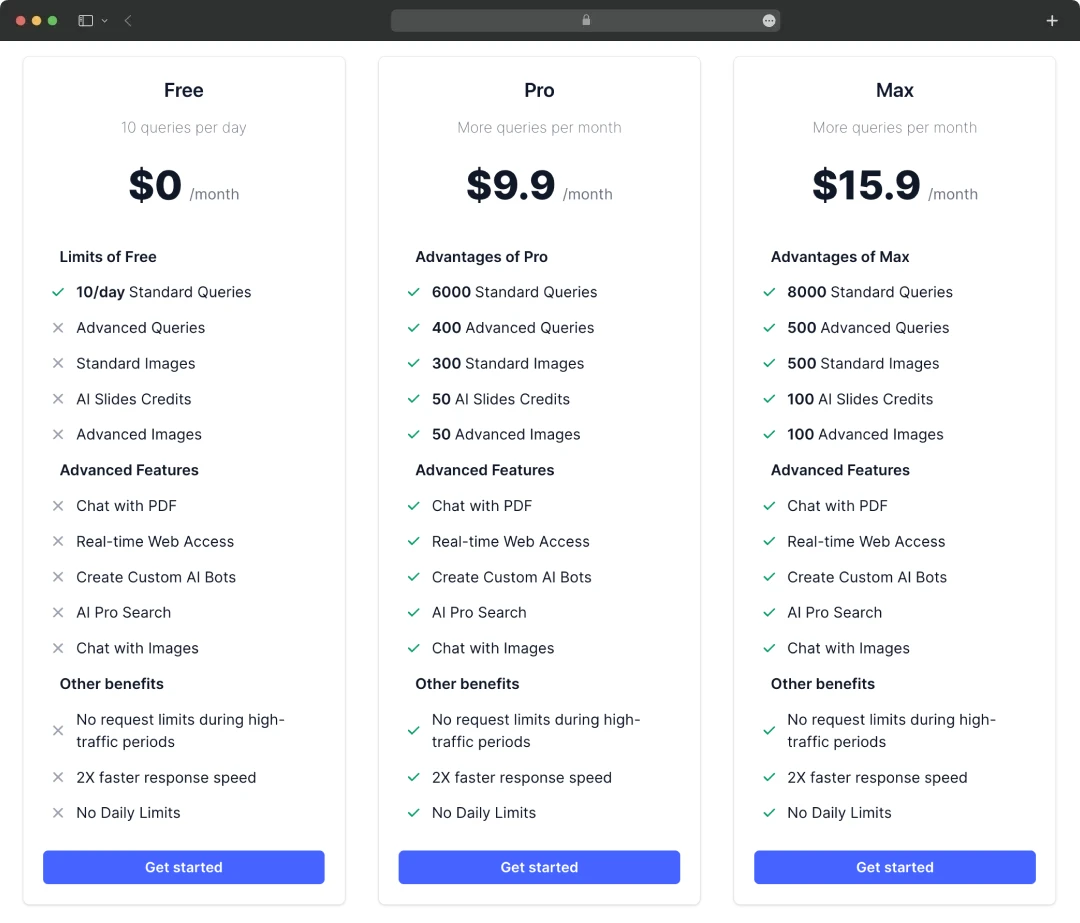
ChatGOT pricing options were definitely a great plus for me! All the plans offered by this tool are extremely flexible and worthwhile. So, here’s a complete breakdown-
| S.no | Type of Plan | What Do You Get | Price of Plan |
|---|---|---|---|
| 1. | Free Plan | 10 queries per day | $0 |
| 2. | Pro Plan | 6000 standard queries Chat with PDF Create custom AI Bots |
$9.9 per month |
| 3. | Max Plan | 8000 standard queries 100 advanced images No request limits during high-traffic periods |
$15.9 per month |
ChatGOT vs. Other Tools
Among the best AI tools, ChatGOT stands out with its conversational fluency and customizability. But how does it actually compare to industry giants like Bing AI or ChatGPT? Many ChatGOT reviews highlight its ability to provide natural conversations and adaptable responses. Here’s a detailed comparison of the top AI-powered tools.
| Category | ChatGOT | ChatGPT | Bing AI |
|---|---|---|---|
| Conversational Fluency | Natural and engaging excels in casual and general chats | Highly polished, with a strong focus on maintaining context and detail | Effective but occasionally feels robotic or overly formal in tone |
| Customizability | Allows users to adjust tone and style to suit different needs | Limited customizability without specific plugins or APIs | Minimal customizability primarily sticks to formal and search-oriented responses |
| Knowledge Depth | Handles general topics well but lacks depth in niche or technical areas | Strong across a wide range of topics, excels in detailed explanations | Extensive knowledge base, but limited by its reliance on Bing search results |
| Integration | Standalone chatbot with limited integration capabilities. | Can be integrated into apps via API, highly versatile for developers | Deeply integrated with Microsoft services like Office, Edge, and Bing search |
| Offline Functionality | No offline support requires an active internet connection | No offline functionality, entirely cloud-based | No offline functionality, fully dependent on the internet and Microsoft ecosystem |
| Pricing | Free with premium features at competitive pricing | Free tier available; premium plans through OpenAI offer additional features | Included with Microsoft services, free for basic use, but requires a Microsoft account |
| Unique Strengths | Customizable tone and privacy-centric features | Advanced language generation and detailed contextual understanding | Seamless search integration and multi-modal capabilities (text, images, etc.) |
| Weaknesses | Lacks depth in complex topics and is not suitable for detailed research | May feel verbose for casual users; limited real-time search abilities. | Dependence on search results can lead to inconsistencies or shallow responses |
- Choosing the right chatbot depends on your specific needs, whether it's depth, adaptability, or integration. As for me, it shines with its conversational fluency, customizability, and privacy-centric approach, making it a strong contender for casual and creative users.
- ChatGPT, however, leads in depth and versatility, especially for technical and professional use cases, while Bing AI stands out with seamless integration into the Microsoft ecosystem and search capabilities.
Also Read: List of Free AI Chatbots in 2026
Customer Reviews
How was your experience with the product?











