

Smart Calendars AI Review: Is It Better Than A Regular Calendar App?
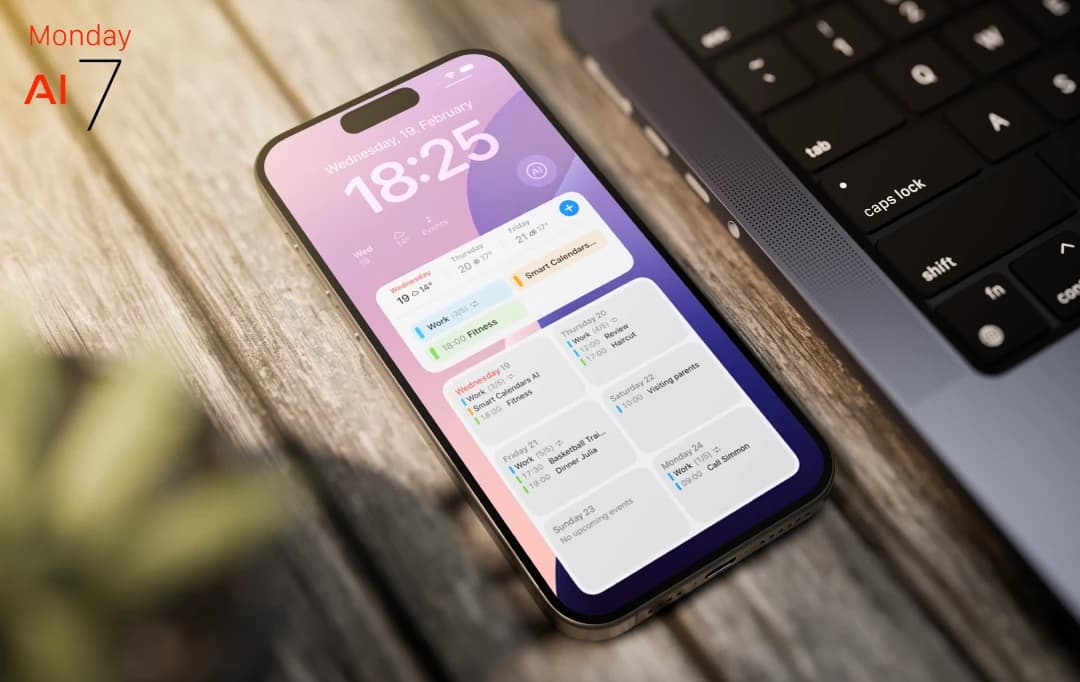
I wasn’t looking for a new AI powered calendar & planner app. Honestly, I thought I had it figured out — juggling between Apple Calendar, a bunch of sticky notes, and reminders I never check. But then came Smart Calendars AI, and what started as a “let’s just try this for a day” turned into me literally building my life around it.
No exaggeration — the first time it turned a random work email into a fully planned calendar event (location, time, context, everything), I just stared at my screen like... wait, how did it do that? It even pulled out details from a photo of a coffee shop flyer I snapped and turned it into a reminder. I didn’t even know I needed that kind of magic until it happened.
This isn’t your typical calendar app with fancy colors and drag-and-drop (though yes, it has that too). This one thinks for you. It grabs info from everywhere — voice, text, images, emails, websites — and makes sense of it, neatly placing it on your schedule like it’s no big deal.
So if you’re like me — a little scattered but trying your best to keep it together — this might just be the calendar that finally gets you. Let’s dive into what makes Smart Calendars AI not just smart, but kinda genius.
Pros and Cons of Smart Calendars AI
Pros
- Converts voice, text, photos, and links into calendar events instantly.
- Snap a flyer or poster, and the AI-powered calendar app auto-creates a clean event with details.
- Talk to your calendar like a human, no need to follow specific formats. (goes beyond conventional natural language processing).
- Clean interface with widgets, drag-and-drop, and weather integration.
- .ics files and shareable links make group planning seamless.
Cons
- Full AI features require a subscription, which may not suit casual users.
- Currently only available on iOS, iPadOS, and macOS (no Android yet).
Smart Calendars AI Features
Before we dive into what makes this app stand out, it’s worth noting what most smart calendars AI reviews agree on — it's not just about managing time, it's about making your day flow smarter. From automating event creation to syncing seamlessly across devices, Smart Calendars AI brings features that go beyond the basics. Let’s explore what’s under the hood.
1. Snap It, Plan It: Photo Recognition
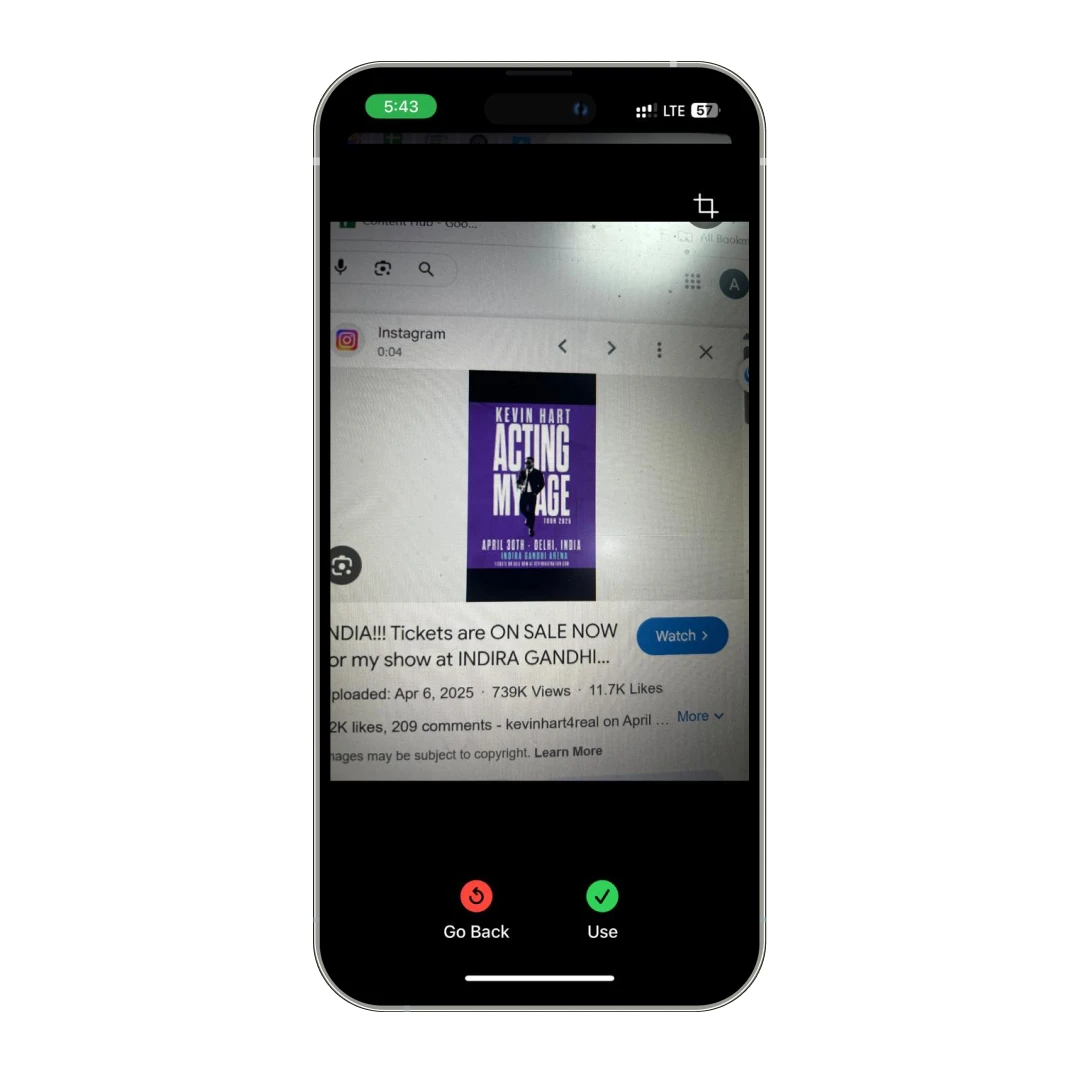
Ever spotted a flyer or poster about something cool — a concert, a yoga class, a garage sale — but forgot about it two seconds later? Been there. With Smart Calendars AI, you just snap a picture, and boom — it’s transformed into an event right in your calendar. No typing, no fuss. It's ridiculously satisfying to watch it pick up the details for you. I used it at a local food festival. Snapped the event poster and forgot about it. Next thing I know, my phone's reminding me to grab tickets before they sell out.
2. Talk to Your Calendar: Voice Commands
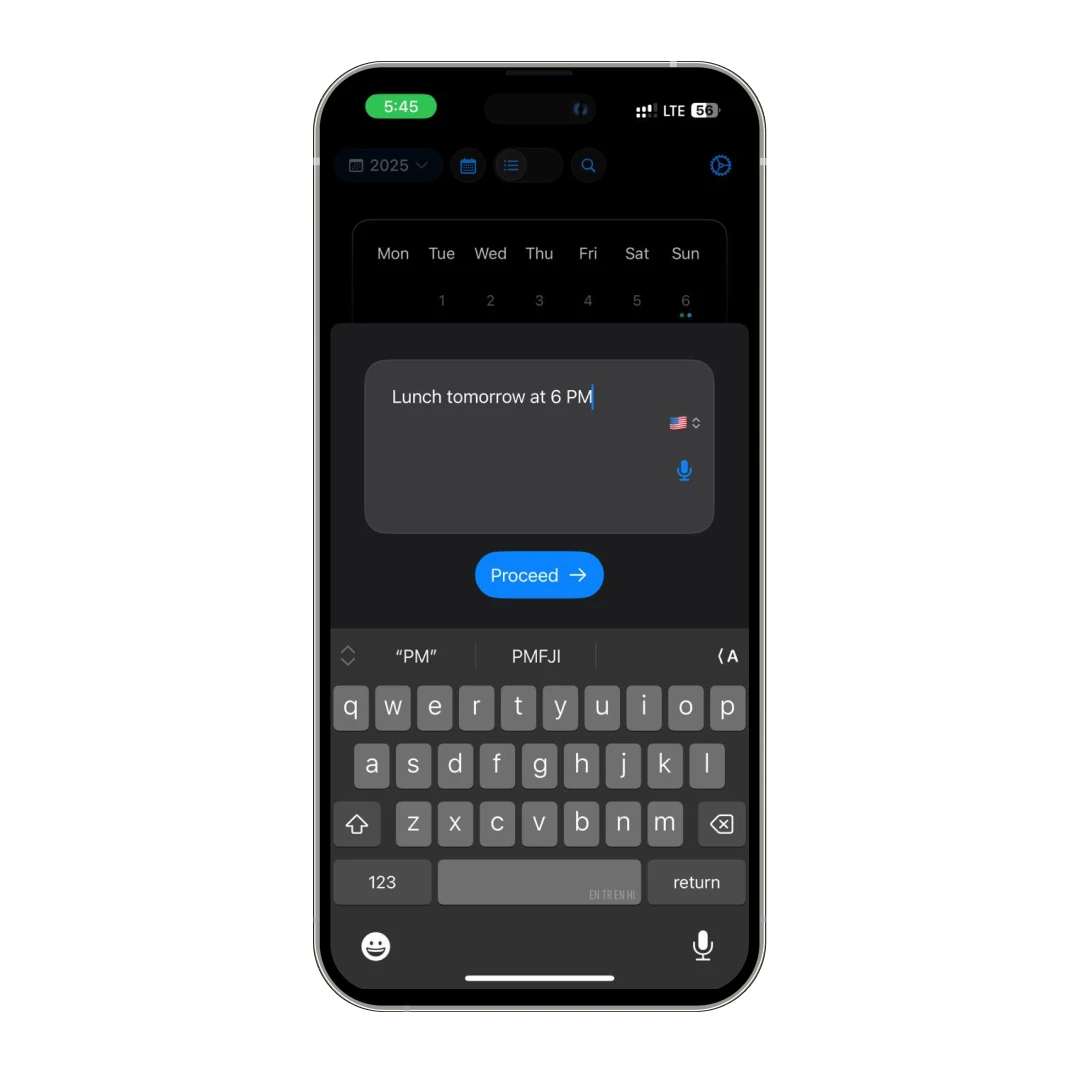
Typing is overrated when you're on the go (or just feeling lazy, no shame!). With voice commands, I was able to speak naturally, and Smart Calendars AI set it all up. Whether it's "Dinner with Sam Friday at 7" or "Meeting with design team tomorrow at 10 AM," the calendar productivity app gets it right without needing you to spell everything out. It even works across multiple languages, which is great if you juggle different clients or travel a lot.
3. Turn Anything into an Event: Text and Web Extraction
Got an email about a meeting? Or a random note scribbled on your phone? Maybe a website announcement for a webinar? Paste it into the app and (like magic) it converts into a full-fledged event. I once dropped an entire email invite from a client into Smart Calendars AI, and it parsed the date, time, location, and even the agenda points into my planner automatically.
4. Share Like a Pro: Easy Event Sharing
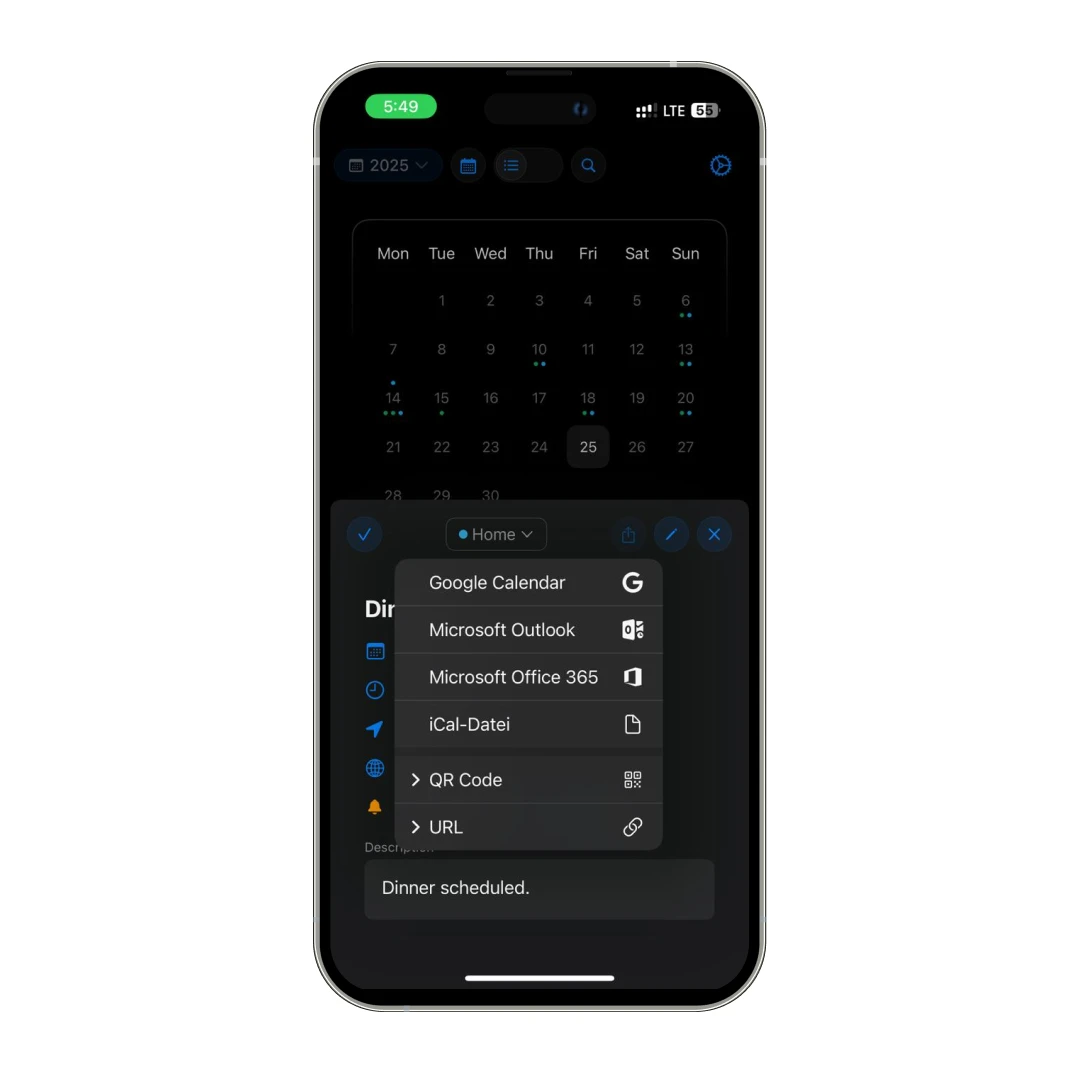
Trying to get a bunch of people on the same page is usually a nightmare. But Smart Calendars AI lets you share events either via a simple link, QR code, or .ics files. This means zero drama, fewer “what time again?” texts, and more time actually doing things.
5. Smart Extraction: AI That Just Gets You
You don't have to carefully phrase everything. Just write how you normally would even mix languages if you want. The app's smart extraction feature is built to understand messy human inputs and turn them into clean, well-organized events. It's kind of scary how well it handles casual info — like, you could say "Find a free lunch slot for a team meal next week" and it'll still set a tentative reminder for you to finalize it later. Wild.
Also Read: Top 10 Day Planner Apps to Download in 2026
Smart Calendars AI Review: Plans and Pricing
| Plan | Details | Price |
|---|---|---|
| Free | Basic access to app features (without AI features and weather data) | $0.00 |
| Full Access – 1 Month | Premium features for 30 days | $0.99 |
| Full Access – 6 Months | Premium features for 6 months | $3.99 |
| Full Access – 12 Months | Premium features for 1 year | $7.99 |
Customer Reviews
How was your experience with the product?
"I have many features in mind that could make the app way better, it’s not bad but I have lots of feedback for the developer."
Also Reviewed By Us