
Screen Studio Review: It Looks Great in Ads, But Here’s My Real Experience
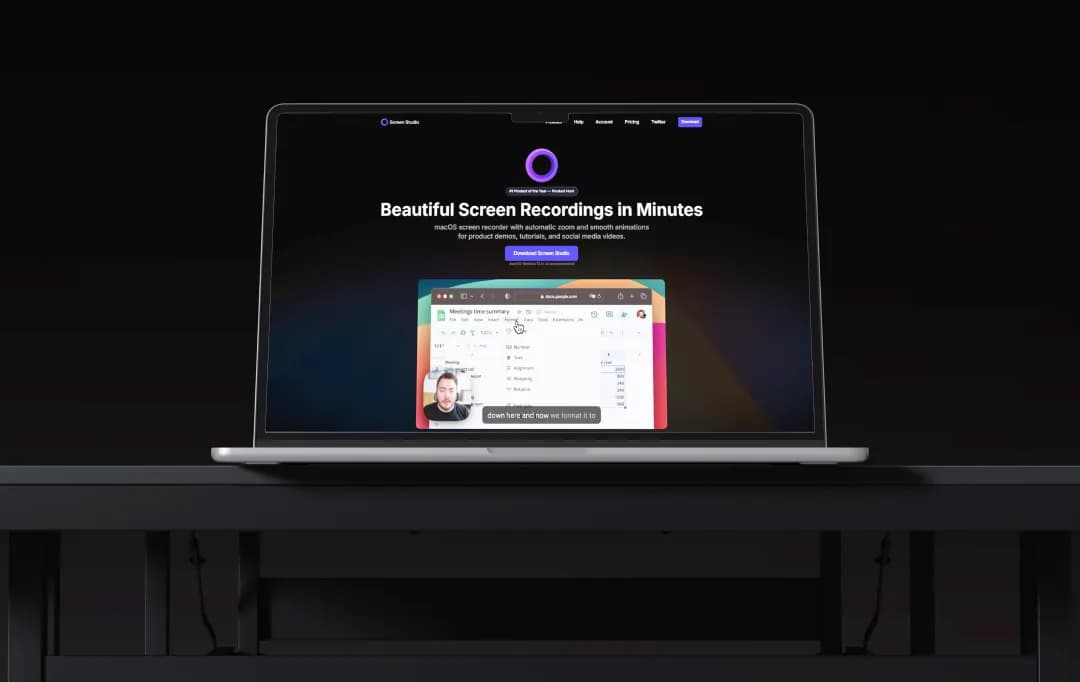
Screen Studio had been sitting in the back of my mind for a while.
Not because I desperately needed another screen recorder, but because every time I saw a clean-looking demo online, someone in the comments was inevitably saying, “made with Screen Studio.” After a point, curiosity wins.
So I tried it.
And I’ll be honest, my first reaction was somewhere between okay, this is actually nice and wait… is this really what people are obsessing over?
Some parts immediately made sense. A few things felt surprisingly polished. Other things took me a minute to warm up to. And like most tools that look amazing online, the real opinion only starts forming once you stop watching demos and start using it for actual work.
So this isn’t going to be one of those “everything is revolutionary” reviews. In this screen studio review, I’m sharing what the experience was actually like, what stood out, what felt overhyped, and whether I’d genuinely keep using it.
Pros and Cons of Screen Studio
Pros
- Automatic cursor zoom on every click makes recordings look professionally edited without any manual keyframing
- Smooth cursor animations and motion blur are applied instantly, giving even casual recordings a cinematic feel
- AI-powered background noise removal works in real time, keeping audio clean without a separate tool
- On-device AI transcription generates subtitles locally, meaning no recording data is sent to external servers
- iPhone and iPad screen recording via USB comes with realistic device frames, making mobile app demos look polished
- Every pricing plan unlocks all features with no tier-based feature gating — you get the full product from day one
- Used and trusted by teams at Linear, Raycast, and Framer for official product videos, reflecting solid real-world reliability
Cons
- Exclusively available on macOS, Windows and Linux users have no access
- No built-in share link or embed code — videos can only be exported as MP4, MOV, or GIF files
- Not a full video editor — complex cuts, transitions, or multi-track edits still require external software
- Subscription-only pricing model; the lifetime license has been discontinued for new buyers
- Longer recordings result in large file sizes, which can slow down export and make file sharing cumbersome
- Free trial lets you record but not export, which limits how thoroughly you can evaluate output quality before paying
A Closer Look at Screen Studio Features
Screen Studio is a Mac-only screen recorder which offers a full presentation layer for your work. Here is every feature that makes it stand out from the crowd.
1. Automatic Cursor Zoom
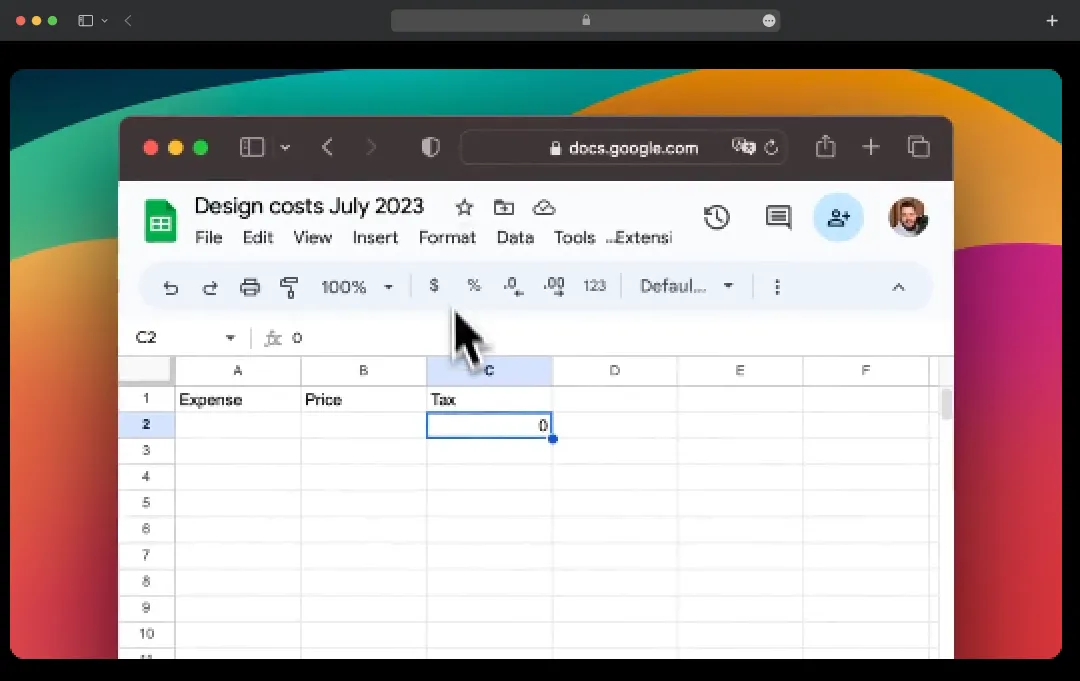
Every time I click on the screen, Screen Studio automatically zooms in to follow the action — no manual keyframing, no timeline scrubbing. It is the single feature that instantly makes a raw recording look like it went through a professional edit suite. For anyone who has spent hours zooming in frame-by-frame in Premiere Pro, this alone is a revelation.
2. Smooth Cursor Animations & Motion Blur
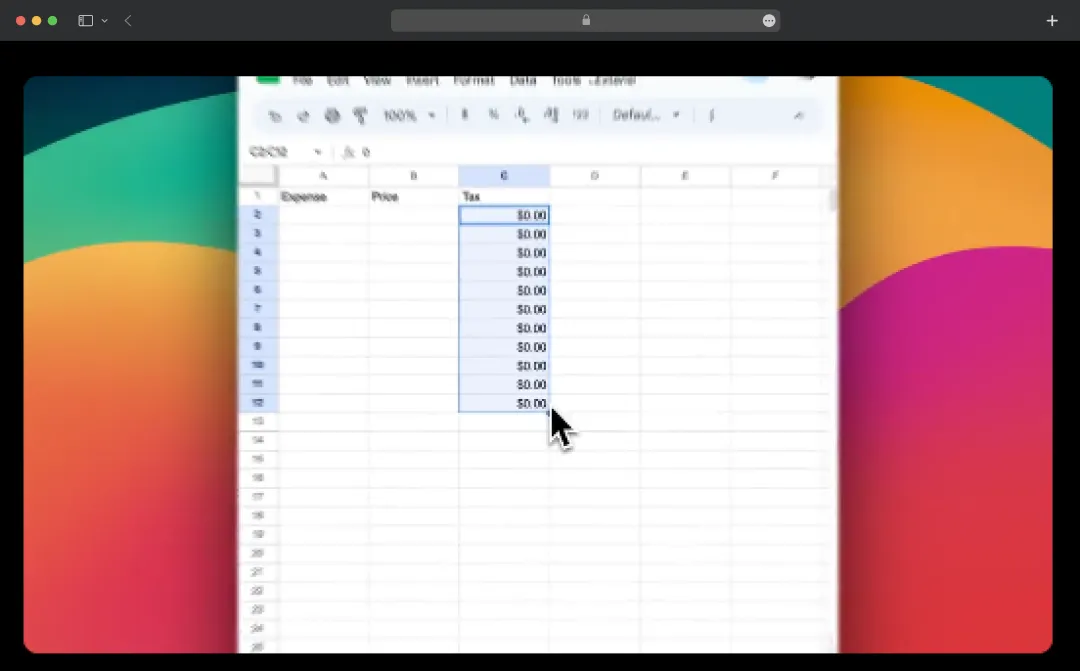
Jerky mouse movements are one of the biggest things that make screen recordings look amateur. Screen Studio smooths out every cursor path in real time and adds natural motion blur, so even my fastest mouse drags look deliberate and clean. The result is a recording that feels composed rather than captured.
3. AI-Powered Background Noise Removal
Whether I am recording from a busy café or a home office with a loud AC unit, Screen Studio's real-time noise removal keeps the audio sounding studio-clean. There are no third-party plugins to route through or post-processing steps to remember; the AI handles it automatically before the recording even starts.
4. On-Device AI Transcription
Screen Studio generates accurate subtitles directly on my device, which means none of my recording content ever touches an external server. For anyone working on confidential product demos or internal walkthroughs, this is a meaningful privacy advantage. The transcription runs quietly in the background and delivers clean, ready-to-use captions without any manual input.
5. Webcam Overlay with Smart Positioning
The webcam overlay does something most recording tools do not bother with — it automatically repositions itself to avoid blocking the cursor. I never have to pause mid-recording to drag my face out of the way of a button I am about to click. It keeps the focus on the screen while still maintaining a personal, face-to-camera presence.
6. iPhone and iPad Screen Recording
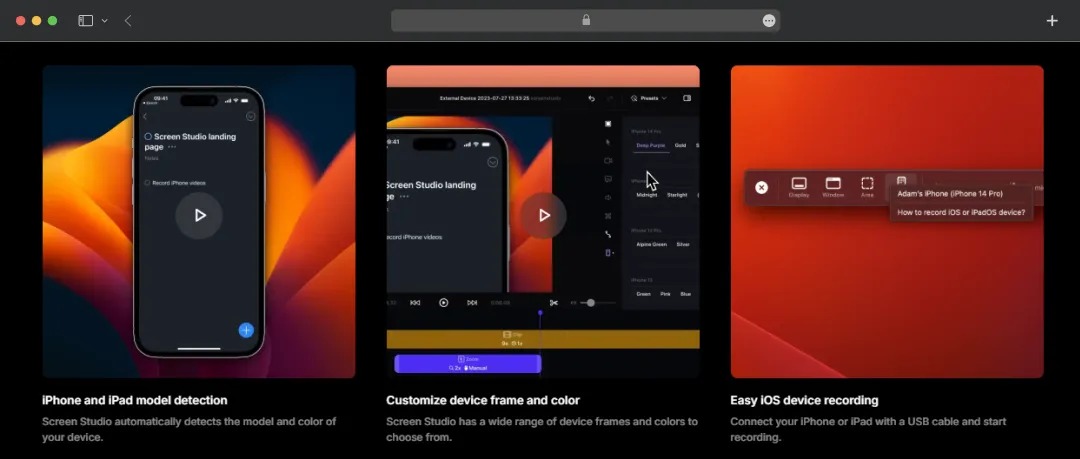
Connect an iPhone or iPad via USB and Screen Studio mirrors it directly into the recording with a realistic, true-to-model device frame, right color, right model, right proportions. For mobile app developers and product marketers, this is the difference between a scrappy screen grab and a proper product demo. No third-party mirroring app required.
7. Custom Backgrounds, Shadows & Padding
Screen Studio gives full control over how the recording sits on screen, background color or gradient, drop shadow depth, outer padding, and inset style are all adjustable. I can match it to a brand's visual identity in under a minute, which makes it genuinely useful for client-facing deliverables and not just internal recordings. The output looks designed, not just captured.
8. Keyboard Shortcut Display
For tutorial creators, this is a quietly powerful feature. Every keyboard shortcut I use during a recording can be visualized on screen in real time, so viewers can follow along without guessing what I pressed. It removes the need for lower-third overlays or post-production text additions, keeping the editing workflow lean.
9. 4K 60fps Export with Platform Presets
Screen Studio exports up to 4K resolution at 60 frames per second in MP4, MOV, and GIF formats, with presets optimized for YouTube, social media, and the web. The output is sharp enough that it holds up on any screen size without compression artifacts. For product launch videos that need to look good everywhere — a tweet, a landing page, a YouTube embed — this export quality matters.
10. System & App-Selective Audio Recording
Beyond microphone capture, Screen Studio can record full system audio or isolate audio from a specific app. This is particularly useful when recording a product demo where I want the app's own sound effects captured cleanly, without background system notifications bleeding in. It is a level of audio control that most screen recorders simply do not offer.
11. Multi-Display & Window Recording
Screen Studio handles full desktop recording, single app window capture, and multi-display setups without breaking a sweat. I can isolate exactly what I want in the frame without recording unnecessary desktop clutter. For complex demo workflows where context switching matters, this flexibility is genuinely useful.
12. Speed Controls & Trim Editing
While Screen Studio is not a full video editor, it does cover the essentials — trimming, cutting, and speed adjustments for specific segments. I can speed through slower navigation moments or hold on to an important UI detail without leaving the app. It keeps the post-production footprint small for the majority of recording use cases.
Bonus Read: Best Screen Mirroring Apps
How to Use Screen Studio
Getting started with Screen Studio is refreshingly simple; there is no steep learning curve or complex setup involved. Here is exactly how I went from download to a polished, export-ready recording.
Step 1: Download and Install Screen Studio
Head over to the website and click on the Screen Studio download button to download the app. It installs like any standard Mac application; drag it to your Applications folder, and you are ready to go. No account creation is required to start the free trial.
Step 2: Set Up Your Recording Preferences
Once the app opens, configure your input sources before you hit record. Select your microphone, toggle system audio on or off, and choose whether you want your webcam overlay enabled. This is also where you can enable background noise removal.
Step 3: Choose What to Record
Select whether you want to record your full screen, a specific app window, or a connected iPhone or iPad. If you are recording a mobile screen, connect your device via USB, and it will appear as a recording option automatically.
Step 4: Start Recording
Hit the record button and go through your workflow naturally. ScreenStudio tracks every click and cursor movement in the background; you do not need to think about zoom or animations while recording. Just focus on what you are demonstrating.
Step 5: Review and Edit Your Recording
Once you stop recording, the video opens instantly in the editor. From here, you can trim clips, cut out unwanted sections, adjust playback speed, and tweak the zoom behavior on any specific click if needed.
Step 6: Customize the Visual Style
This is where Screen Studio earns its reputation. Adjust the background, padding, shadow depth, and inset style to match your brand or preferred aesthetic. You can also enable subtitles here using the on-device AI transcription.
Step 7: Export Your Video
Choose your export format, MP4, MOV, or GIF, and select a platform preset if needed (YouTube, social media, web). Hit export, and Screen Studio renders a crisp, high-quality file ready to share, upload, or embed wherever you need it.
What Can You Do With Screen Studio?
Screen Studio is versatile enough to fit into a surprising number of workflows, far beyond just recording a screen. Here is a look at everything I found myself reaching for it to do.
| Use Case | What You Can Do |
|---|---|
| Product Demos | Record cinematic product walkthroughs with auto-zoom and smooth cursor animations, no production team needed. |
| Tutorial & Course Creation | Create step-by-step videos with keyboard shortcut displays and automatic click zoom to keep viewers effortlessly on track. |
| SaaS Feature Announcements | Ship polished feature videos alongside product launches, optimized for YouTube, Twitter, or a changelog page. |
| Mobile App Demos | Mirror an iPhone or iPad via USB and record inside a realistic device frame for proper marketing-ready mobile walkthroughs. |
| Client Deliverables | Match backgrounds and styling to a client's brand identity and deliver recordings that look designed, not just captured. |
| Internal Team Walkthroughs | Replace lengthy written SOPs with clean, easy-to-follow recordings that get the point across faster. |
| Social Media Content | Export screen recordings in platform-specific presets for Twitter, Instagram, or LinkedIn, no extra editing required. |
| Sales Outreach Videos | Create personalized product walkthroughs for prospects and export as high-quality MP4s ready to attach to emails. |
| User Onboarding | Build distraction-free onboarding videos that guide new users exactly where they need to look, every step of the way. |
Understanding Screen Studio Pricing and Subscription Plans
Screen Studio keeps its pricing straightforward, with no feature gating, no tiered access. Every plan gives full access to all features from day one, and the only real decision is how you want to pay.
| Plan | Price | Billed | Best For |
|---|---|---|---|
| Monthly | $29/month | Every month | Short-term projects or trying the full paid experience before committing |
| Annual | $9/month ($108/year) | Once a year | Regular creators and teams who want the best value, 70% less cost than monthly |
| Lifetime | $229 one time | - | Power users who want permanent access with no recurring fees |
| Free Trial | $0 | - | Anyone who wants to explore the full feature set before purchasing |
*Screen Studio’s free trial lets you record freely and access every feature; you only need to pay when you are ready to export. It is a fair way to evaluate the tool without any time pressure.
*All plans support installation on up to three personal macOS devices, so one license covers a MacBook, an iMac, and a spare machine without needing an extra purchase.
Customer Reviews
How was your experience with the product?