
PromeAI Review: Looks Powerful…But is it Really?
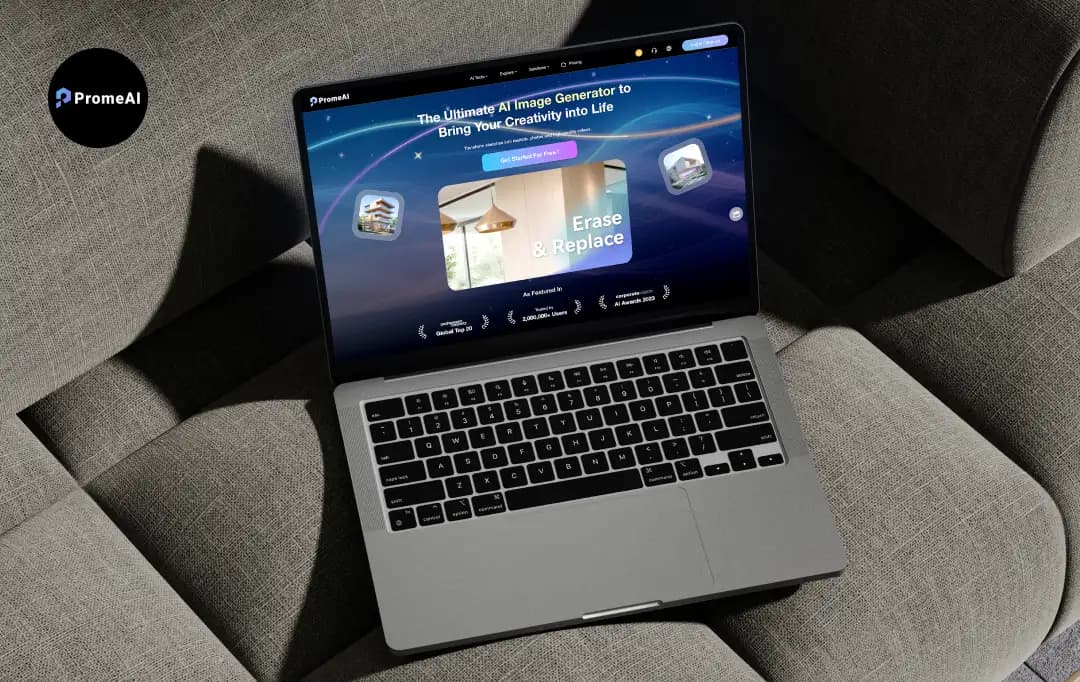
PromeAI looks polished, promises a faster, smarter way to handle design, and makes a pretty strong case for why you might not need your usual workflow anymore. At first glance, it feels like something that could genuinely save time and effort.
But that first impression only takes you so far.
What actually matters is how it performs when you start using it, when you rely on it for real tasks, explore its features beyond the surface, and see how consistent the results really are.
That’s exactly what this review focuses on.
I spent time using PromeAI hands-on to understand where it delivers, where it falls short, and how practical it really is in everyday use. This PromeAI review has no overstatements, no filler, just a clear breakdown to help you decide if it’s worth your time.
Pros and Cons of PromeAI
Pros
- 40+ AI features including sketch rendering, image-to-video, and HD upscaling
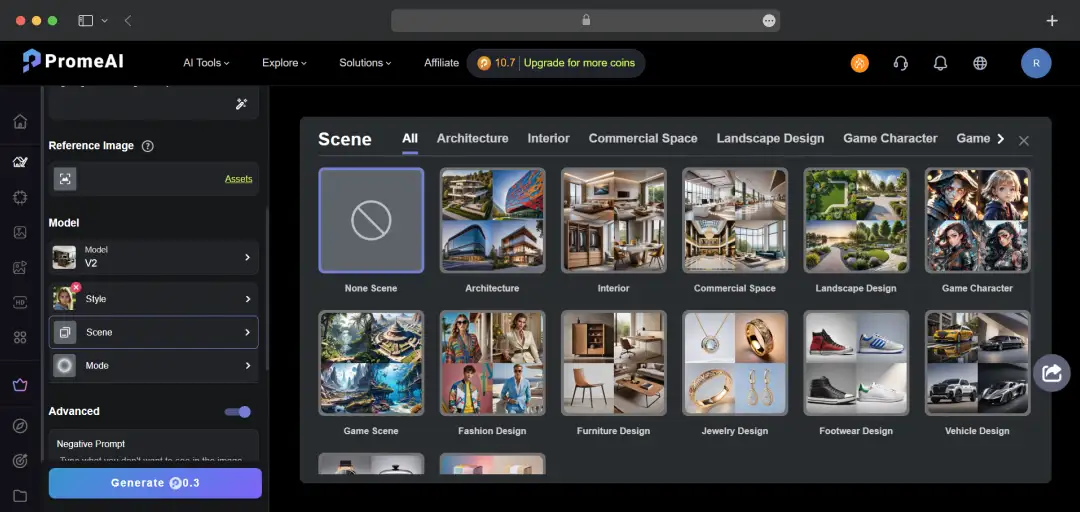
- Tailored modules for architecture, interior design, e-commerce, and gaming
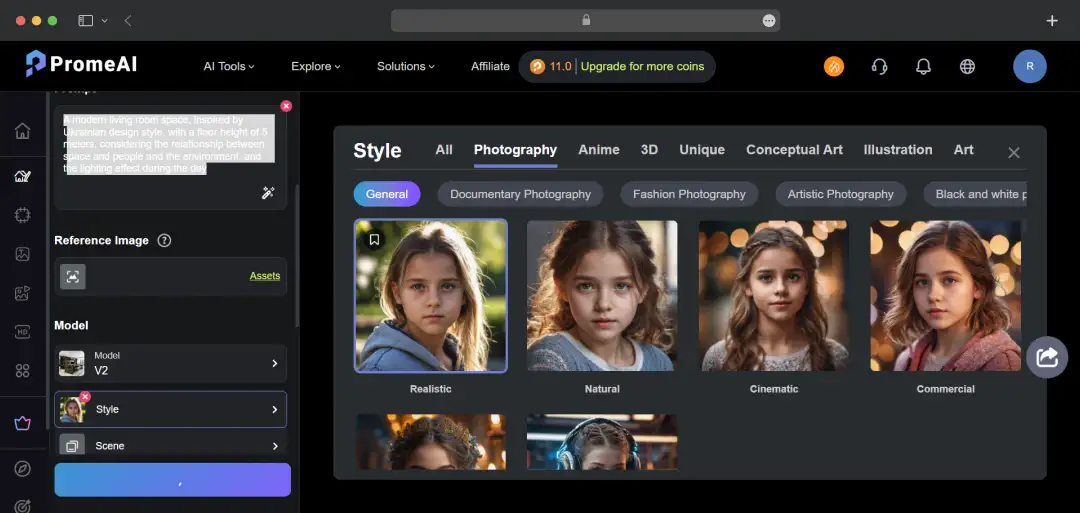
- Highly intuitive UI makes it easy for beginners to generate professional results
- Train custom AI models with a single image for uniform brand aesthetics
- No need for expensive GPUs or high-end hardware to render heavy graphics
Cons
- Advanced features and high-res outputs drain the coin/credit system quickly
- Strictly cloud-based with no offline capability or local installation
- Complex geometric details may sometimes warp, requiring rerolls
- Lacks the pixel-by-pixel precision found in software like Photoshop
What Makes PromeAI Standout?
PromeAI separates itself from other AI art generators by focusing heavily on professional, industry-specific workflows. It isn't just about making pretty pictures; it’s about speeding up the design pipeline.
Here are the standout PromeAI features that make it a must-have tool:
1. Sketch Rendering
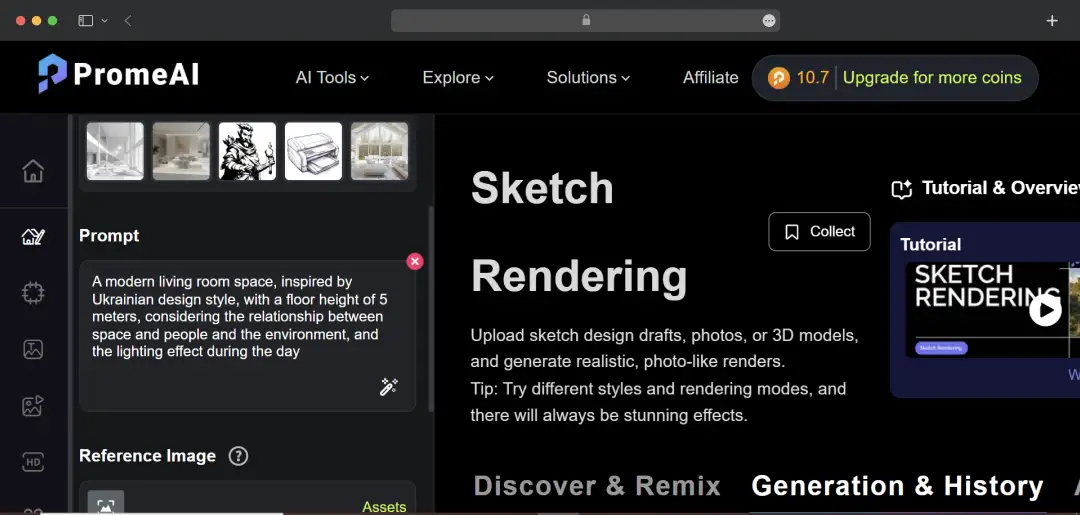
This is arguably PromeAI’s most powerful tool. It allows architects, interior designers, and product developers to upload rough sketches, wireframes, or bare 3D models and instantly transform them into hyper-realistic, fully textured 4K renders.
Whether it is a quick napkin sketch of a new mobile app UI or a CAD wireframe of a building, the AI brings it to life with perfect lighting and materials in seconds.
2. Custom Consistency Models
Brand consistency is a massive headache when using AI, but PromeAI’s free AI art generators solves this elegantly. You can simply train your own custom AI image models using just a single reference image. Once trained, generating infinite assets is just a matter of minutes.
You can generate custom characters, icons, or architectural styles that maintain the exact same cohesive aesthetic. In my opinion, this feature could be a game-changer for game developers and brand marketers.
3. AI Background Generator & Virtual Supermodel
Tailor-made for e-commerce and marketing professionals, these tools eliminate the need for expensive photoshoots.
- Background Generator: Instantly silhouettes your product and places it into high-end, studio-quality lifestyle environments.
- AI Supermodel: Allows clothing brands to upload flat lays of garments and instantly visualize them on diverse, photorealistic AI-generated models (Virtual Try-On).
4. Dynamic Image-to-Video & Motion Brush
Static images don't always cut it in today's social-media-driven market. PromeAI features robust AI animation tools that allow users to turn static renders into engaging video clips. With the Motion Brush, you get precise control over which parts of the image move, perfect for creating dynamic hero videos for app landing pages or game trailers.
5. Advanced Generative Editing (Outpainting & Erase/Replace)
PromeAI offers Photoshop-level generative editing directly in the browser.
- Erase & Replace: Easily swap out furniture in an interior design shot or change the outfit of a character with a simple text prompt.
- Outpainting: Seamlessly expand the borders of an image, ideal when you need to turn a square Instagram post into a wide 16:9 website banner without losing resolution.
6. HD Upscaler & Relight
Say goodbye to pixelated assets. The HD Upscaler can take low-res concepts and upscale them into crisp, print-ready masterpieces. Additionally, the Relight feature allows you to completely alter the lighting setup of an existing image, shifting a render from broad daylight to a moody, cinematic night scene with one click.
Bonus Read: Best AI Image to Text Tools
How Can PromeAI Be Used in Different Industries?
PromeAI’s free AI art generator acts as a massive multiplier for your productivity and creativity. Instead of getting bogged down in technical execution, the platform allows you to focus purely on ideation. Here is exactly how the PromeAI art generator can be leveraged in different industries:
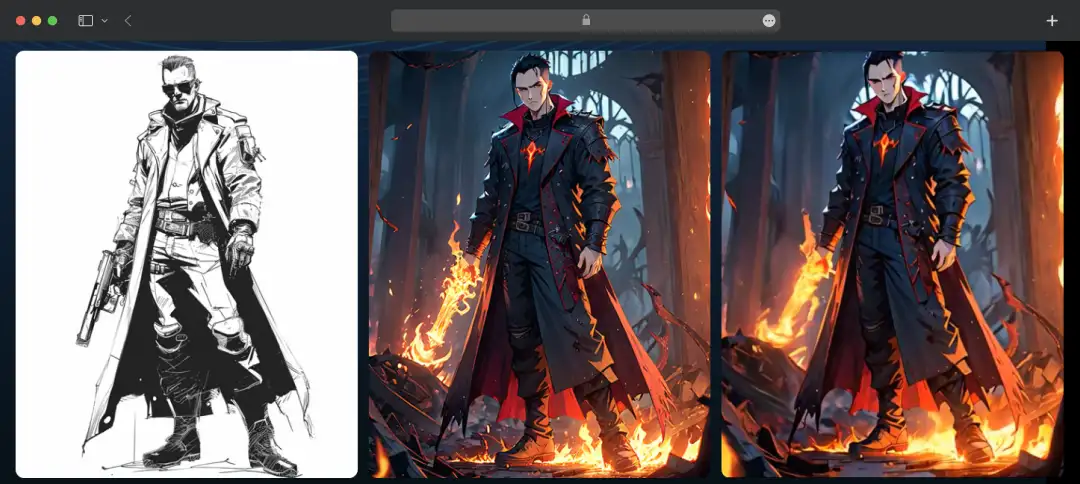
1. For Game Design
With Prome AI’s sketch rendering feature, you can accelerate early-stage prototyping by quickly generating concept art, character models, and immersive environment backgrounds from basic sketches.
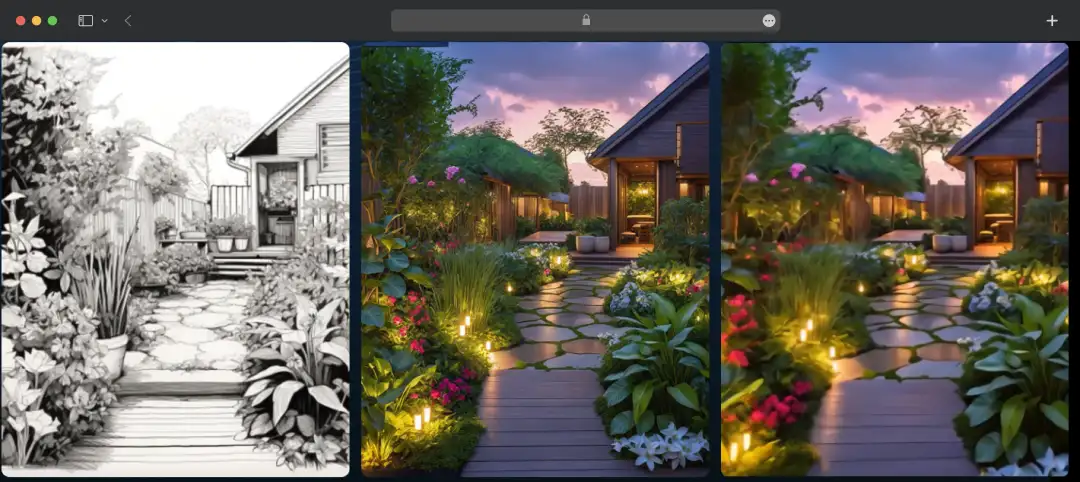
2. For Landscape Architecture
PromeAI proves to be an excellent landscape architectural tool that lets you transform rough outdoor outlines into lush, highly detailed renders of gardens, parks, or urban landscapes. This tool makes client pitches much more visual and compelling.
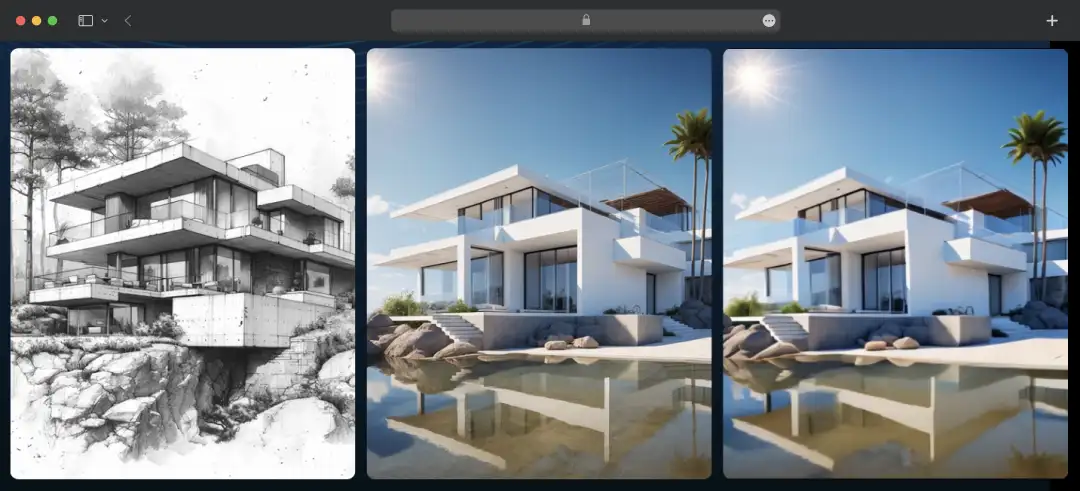
3. For Architectural Design
The tool instantly converts 2D structural drafts or 3D wireframes into breathtaking, photorealistic building exteriors. This tool delivers the design with accurate lighting and material textures.
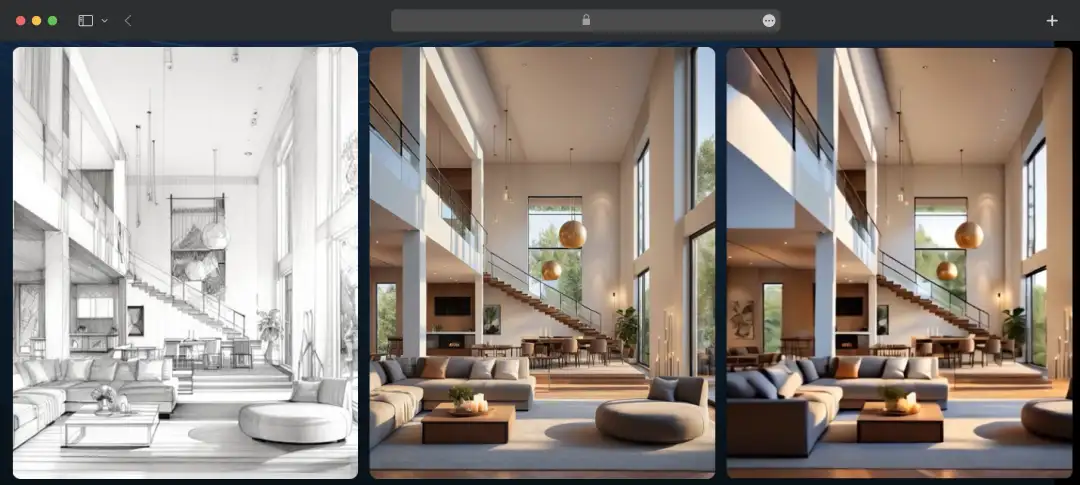
4. Interior Design
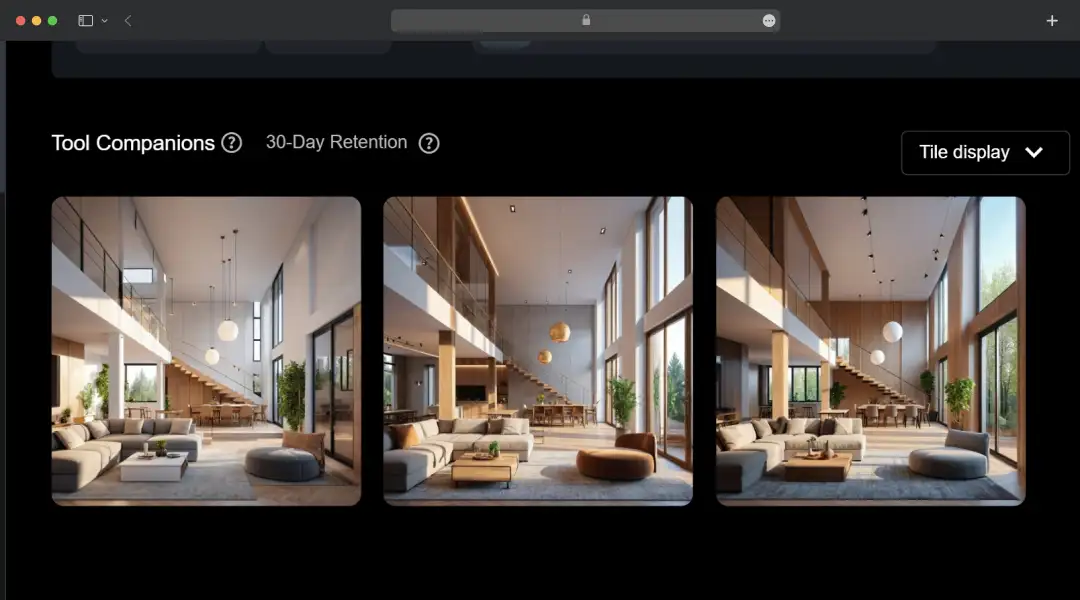
PromeAI functions as a great interior design AI tool that turns simple line drawings of empty rooms into fully furnished, hyper-realistic spaces. Designers can easily swap out decor styles and lighting to show clients exactly what a finished room will look like.
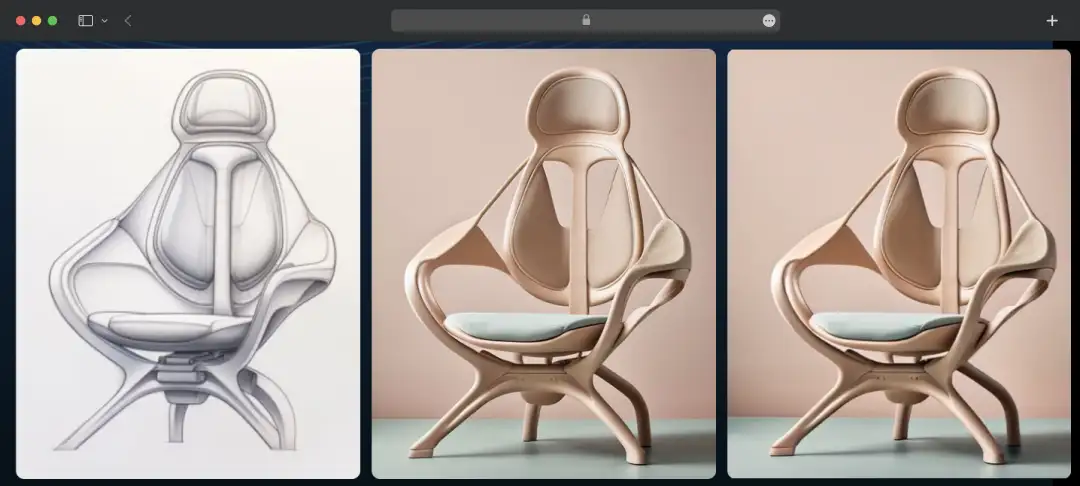
5. Product Development
It lets you generate high-end lifestyle mockups and commercial-grade background settings for e-commerce products, entirely eliminating the need for expensive physical photoshoots.
Understanding PromeAI Pricing and Subscription Plans
PromeAI pricing plans are quiet straightforward, it operates on a coin-based credit system where each generation or edit consumes a specific amount of coins based on the complexity of the task.
This AI-generated tool offers a functional free tier to test the waters, but professionals looking to render high-definition assets or access video tools will need to upgrade to one of their premium tiers.
Here is a breakdown of PromeAI's original monthly pricing:
1. Indiviudal Plans
| Plan | Original Monthly Price | Monthly Coins | Key Features & Inclusions |
|---|---|---|---|
| Free | $0 / month | 10 Coins | 3 concurrent generations Personal use only Relaxed (slower) generation speed |
| Base | $19 / month | 500 Coins | 4 concurrent generations Fast speed access Video generation HD downloads and commercial rights |
| Standard | $39 / month | 2,000 Coins | 5 concurrent generations 20% discount on extra coin packs 24-hour customer support |
| Pro | $79 / month | 6,000 Coins | 6 concurrent generations Up to 40 pending generations 50% discount on extra coin packs Priority support |
* The prices listed above reflect the original month-to-month billing rates. PromeAI currently offers an extra 26% discount if you choose to bill annually (dropping the effective monthly costs to $16 for Base, $29 for Standard, and $59 for Pro).
2. Team Plans
For design agencies, architecture firms, and larger studios, PromeAI offers scalable Team plans. These are strictly billed annually and provide centralized management and massive coin pools.
| Team Size | Annual Price | Monthly Coin Pool | Key Features & Inclusions |
|---|---|---|---|
| 2–5 Users | $3,900 / year | 30,000 Coins | Private team workspaces Centralized account distribution management Massive 80% discount on extra coins Priority support |
| 10 Users | $7,080 / year | 60,000 Coins | All core Team features scaled for up to 10 collaborative users |
| 20 Users | $12,960 / year | 120,000 Coins | All core Team features scaled for up to 20 collaborative users |
Customer Reviews
How was your experience with the product?