
Higgsfield AI Review: Hype, Gimmick, or a Creator’s Secret Weapon?
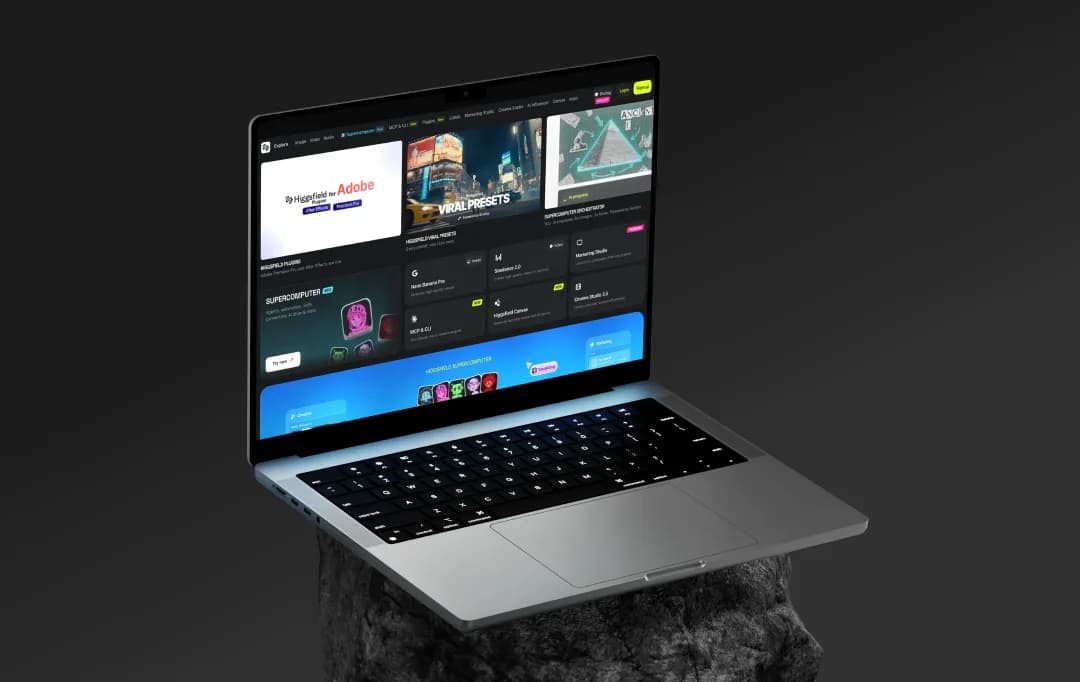
You know that moment when an AI tool suddenly starts showing up everywhere, and people are acting like it changes everything? That was Higgsfield for me. One minute, I had never heard of it, and the next, my feed was full of cinematic-looking AI clips that looked way better than the usual awkward, overprocessed stuff most tools spit out.
And I’ll be honest, that instantly made me suspicious.
Because AI video tools are really good at looking impressive for 10 seconds on social media. Actually using them? Very different story. Weird outputs, limited control, results that look cool until you try making something specific.
So, naturally, I wanted to see what the deal was. Is Higgsfield genuinely useful, or is this another case of internet hype doing what internet hype does? In this review, I’ll walk you through what stood out, what felt frustrating, and whether it’s actually worth paying attention to.
Pros and Cons of Higgsfield AI
Pros
- Access to 15+ top AI video models (Sora 2, Kling 3.0, Veo 3.1, WAN 2.6) under a single subscription
- 70+ cinematic camera controls, including dolly, crash zoom, crane, orbit, and FPV drone shots
- Mobile-first Diffuse app (iOS & Android) with daily free credits for on-the-go creation
- Supercomputer AI agent handles automations, skills, and memory, powered by Gemini
- Marketing Studio and UGC Builder (powered by Veo 3) for creating hyper-realistic ad content
- Higgsfield Assist acts as a built-in AI prompt copilot, reducing trial-and-error credit burns
- Viral Presets library lets you apply big-budget visual effects in one click
- Commercial usage rights are included on all paid plans
- Lipsync Studio and AI Influencer tools for avatar and talking-head video creation
Cons
- Character consistency across multiple clips remains unreliable and needs multiple generation attempts
- Premium models like Sora 2 and Veo 3.1 consume 40–70 credits per video, draining plans fast
- Advanced color grading and compositing still require external post-production tools
- Free tier outputs come with watermarks, limiting usability for professional work
A Closer Look at Higgsfield AI Features
Higgsfield AI isn't just throwing another AI video tool into an already crowded market; it's building something that actually feels like a filmmaker's toolkit. From cinematic camera controls to a full-blown AI agent that works while you sleep, the platform packs a serious amount of creative firepower. Here's a breakdown of everything it brings to the table.
1. Multi-Model Video Generation (15+ Models)
One of the first things that genuinely impressed me about Higgsfield is that you're not locked into a single AI model. You get access to over 15 of the industry's top video generation models, Sora 2, Kling 3.0, Veo 3.1, WAN 2.6, Seedance 2.0, and more, all from a single dashboard.
This means you can pick the right model for the right job, whether that's a cinematic short, a product ad, or a social media reel. No need to juggle five different subscriptions just to compare outputs.
2. Cinema Studio with 70+ Cinematic Camera Controls
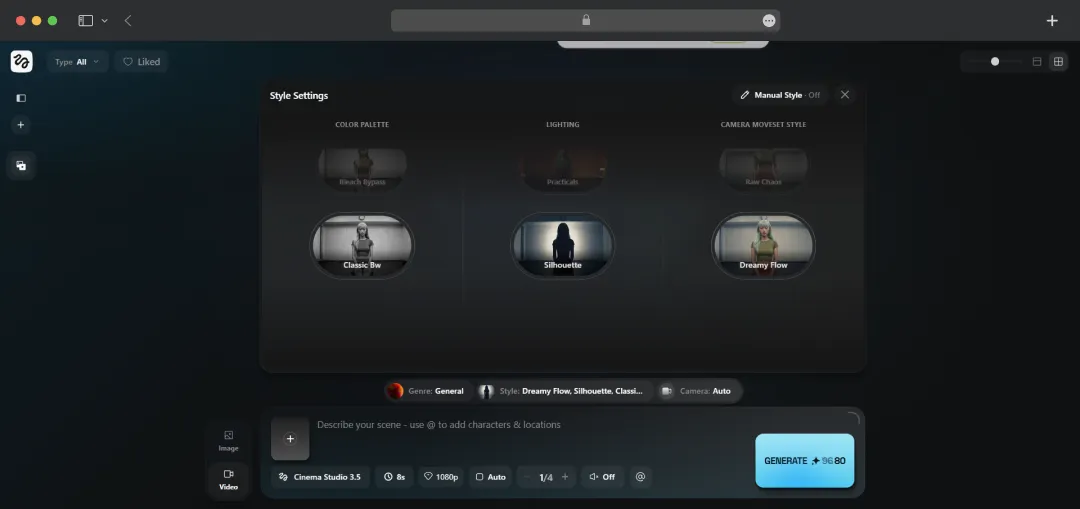
This is where Higgsfield truly sets itself apart from the competition. The Cinema Studio gives you over 70 camera movement presets, dolly shots, crash zooms, crane movements, orbital pans, FPV drone perspectives, 360 rotations, and more, with real optical physics simulation baked in.
When I tried the Dolly Shot on a simple portrait image, the output felt genuinely cinematic, the kind of movement you'd associate with a professional shoot. For anyone who's ever felt like AI video generators make you a good prompter rather than a director, this feature hands you actual creative control.
3. Marketing Studio (Powered by Google's Veo 3)
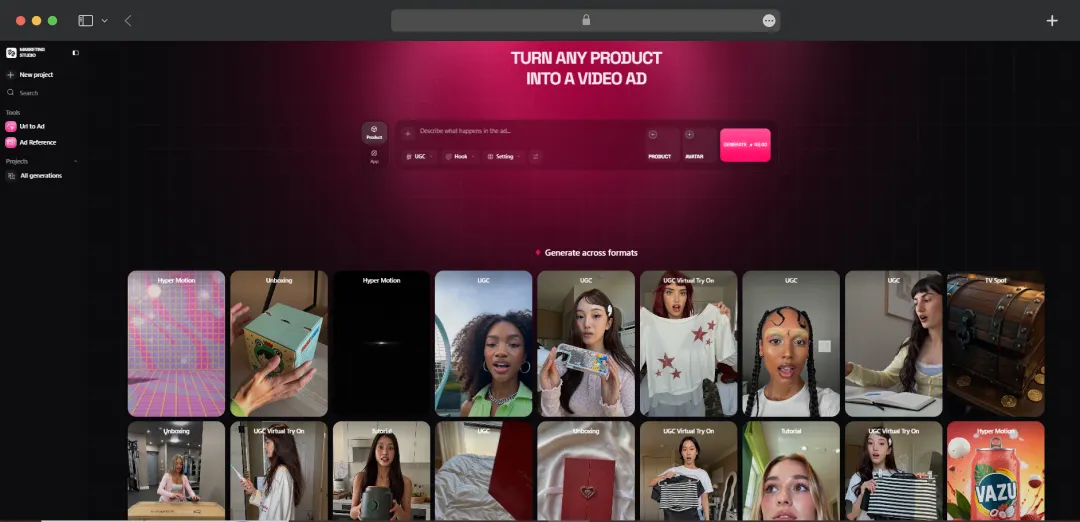
The Marketing Studio is built specifically for brands and marketers who need to produce high-converting ad content at speed. Powered by Google's Veo 3, it lets you launch full campaigns from a single prompt, generating UGC-style hooks, talking-head videos, and product showcase clips that look like they came from a real shoot.
When I tested it with a product brief, the output had a convincingly authentic, user-generated feel to it, exactly what performs well on Meta and TikTok feeds. For small teams running paid campaigns without a video production budget, this is a genuine time-saver.
4. AI Influencer Studio
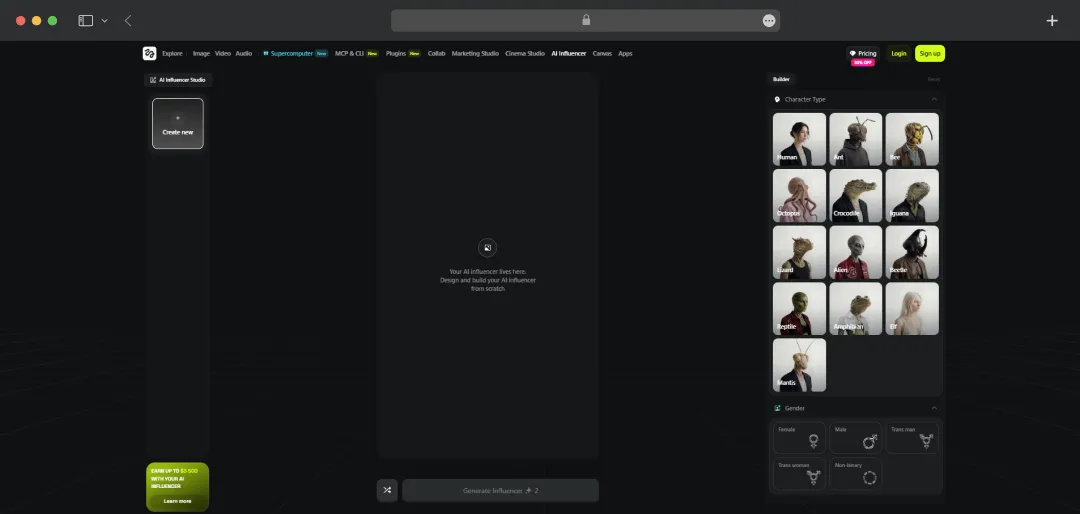
Higgsfield's AI Influencer Studio lets you build and animate a fully custom digital avatar, complete with facial expressions, lip sync, and personality. You can use these avatars as brand spokespersons, content creators, or even UGC testimonial characters without ever needing an on-camera talent.
The lip-sync accuracy here is notably good; when I fed it a voiceover script, the avatar's mouth movements synced up cleanly without the uncanny valley effect you often see in competing tools. It's a powerful option for brands that want a consistent on-screen presence without the cost of hiring creators.
5. Viral Presets Library
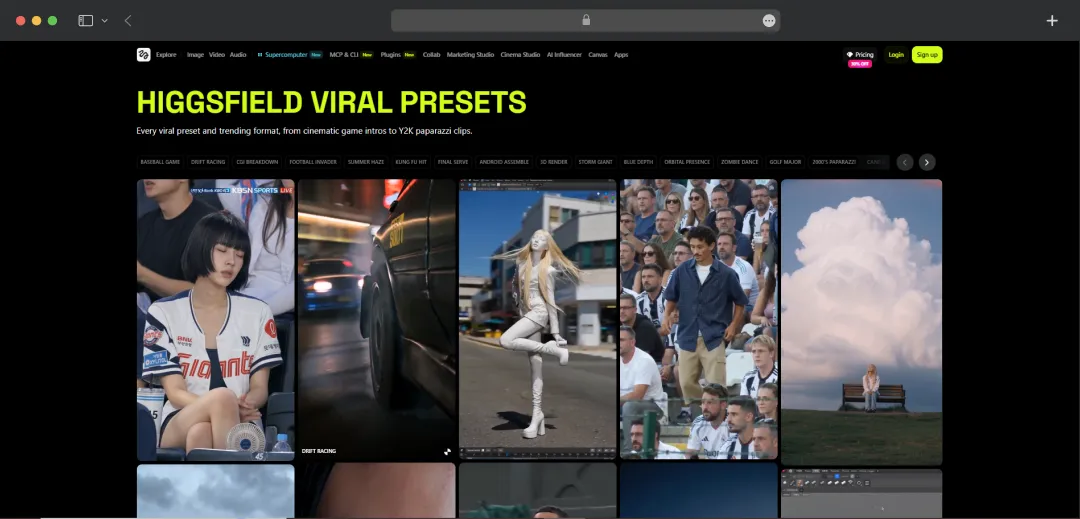
The Viral Presets feature is exactly what it sounds like, a curated library of one-click effects designed to produce scroll-stopping content. Presets range from cinematic effects like "Red Carpet" and "Neon City" to high-energy visual spectacles like "Storm Giant," "Free Fall," and "Dragon Fantasy."
Each preset chains together a sequence of AI-generated motions and effects, so even a complete beginner can produce something that looks expensive and polished. I ran a basic portrait through the "2000s Paparazzi" preset, and the result was genuinely entertaining, the kind of clip that would hold attention in a feed.
6. Supercomputer AI Agent (Powered by Gemini)
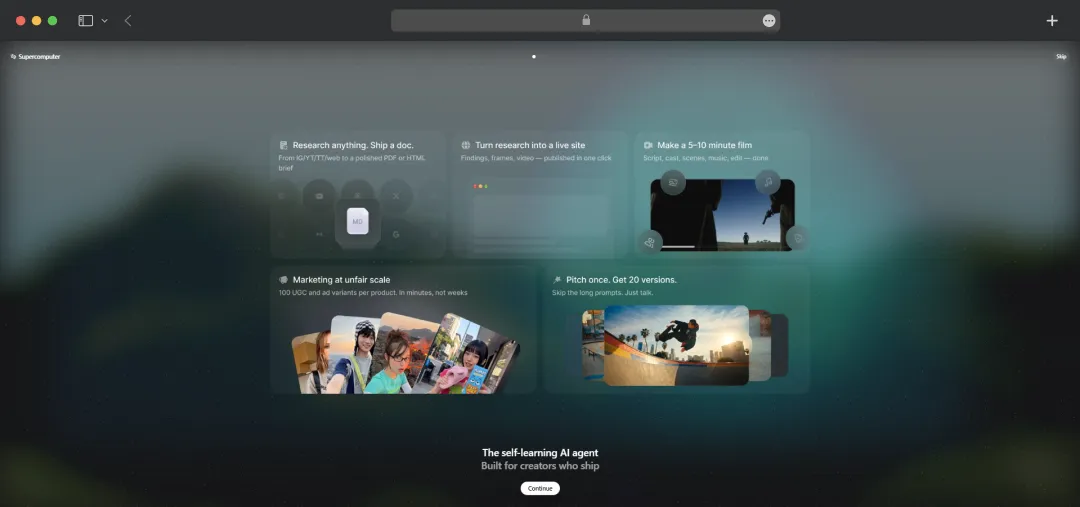
The Supercomputer is Higgsfield's most ambitious feature, an AI agent with persistent memory, custom skills, and 24/7 automation capabilities. Think of it as a creative assistant that doesn't clock out; you can set it up to clip YouTube videos into viral-ready shorts, manage generation queues, and execute multi-step creative workflows autonomously.
Higgsfield positions it as "your AI employee, 8x cheaper and 3x faster," and from what I've tested, the automation logic is impressively coherent for a tool in this category. The Personal Clipper function, where you drop a YouTube link and get back polished viral clips, alone makes it worth exploring.
7. Lipsync Studio & Higgsfield Speak
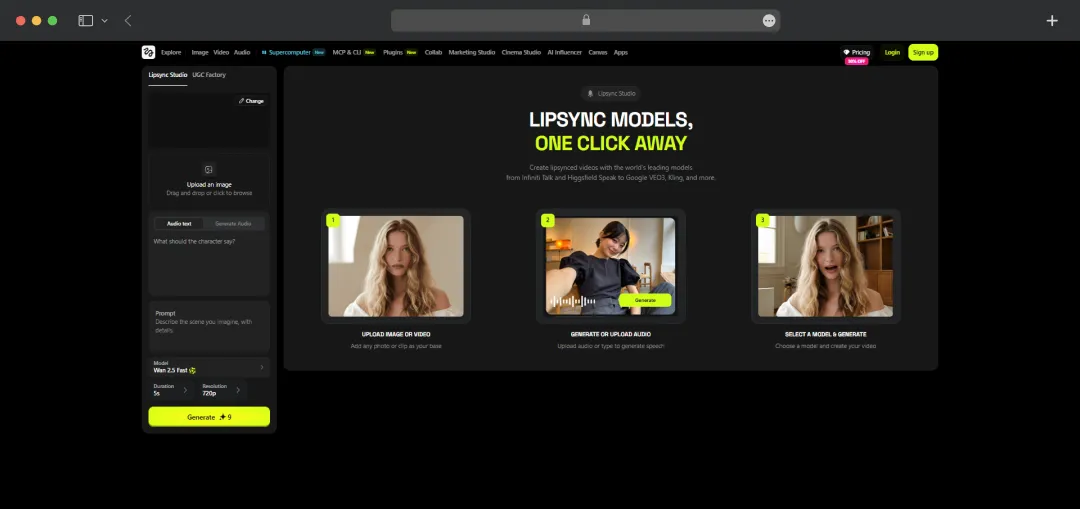
For creators working with voiceovers, podcasts, or spokesperson-style content, the Lipsync Studio and Higgsfield Speak features handle audio-visual synchronization with impressive accuracy.
You can clone voices, sync auto-generated audio, or drop in your own script and watch a character deliver it convincingly on screen.
The WAN 2.5 model underpinning the audio sync supports auto-generated sound effects and background music as well, not just voice. When I used Higgsfield Speak to animate a selfie with a short narration clip, the result was clean enough to pass as intentional branded content.
Bonus Read: AI Audio Enhancers
8. Draw-to-Video
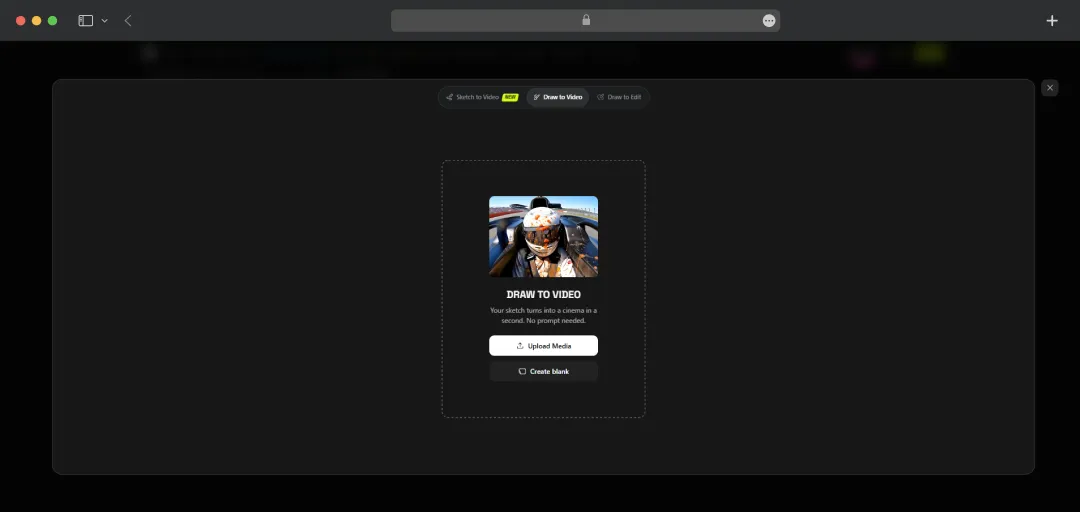
Draw-to-Video is one of Higgsfield's more unique creative features; it lets you start with a rough sketch or illustration and animate it into a full video clip. This is particularly useful for storyboarders, animators, and educators who want to bring hand-drawn concepts to life without needing 3D software or animation expertise.
It's not the most polished feature in the suite, and complex sketches can produce inconsistent results, but for simple concept visualizations, it works remarkably well and adds a creative angle that most competing platforms simply don't offer.
9. Higgsfield Assist (AI Prompt Copilot)
Added in 2026, Higgsfield Assist is an AI-powered prompt copilot that works alongside you during the creation process. It suggests refined prompts, recommends the best model for your intended output, and flags potential generation issues before you actually burn credits on a failed attempt.
For new users, this is a meaningful quality-of-life addition. The trial-and-error cost on AI video platforms can be frustrating and expensive, and having an intelligent layer that guides your inputs before generation meaningfully reduces that friction. Experienced users will likely find it less essential, but it's a thoughtful inclusion.
10. MCP & CLI (Developer Tools)
For developers and technical teams, Higgsfield's MCP and CLI tools open up the platform's generation capabilities for custom integrations and workflows. Notably, the MCP integration allows you to turn Claude into a Higgsfield-powered creative engine directly, which is a fairly forward-thinking feature in the current AI tooling landscape.
The CLI is clean and well-documented, and the REST API supports image-to-video jobs, webhook status updates, and credit management. It's still growing, but for teams that want to build Higgsfield into their production pipeline rather than use it manually, this is the right foundation.
Bonus Read: AI Headshot Generators
How To Use Higgsfield AI?
If Higgsfield's video tools are built for directors, Soul is built for photographers. Soul is Higgsfield's foundation image model built for creative, fashion-aware, culture-native generation, designed to feel shot, not generated. Launched in June 2025 and now on its second iteration, Soul 2.0 has quickly become one of the platform's most talked-about features among creators, marketers, and fashion teams. Here's what makes it stand out:
1. Hyper-Realistic, Fashion-Grade Output
Soul specializes in generating hyper-realistic, smartphone-like photos with natural lighting, authentic textures, and modern photography styles, deliberately engineered to eliminate the "plastic feel" that plagues most AI-generated images.
2. 60+ Aesthetic Presets, No Prompt Engineering Needed
Soul offers 60+ aesthetic presets, from Y2K to Amalfi Summer, for pro-style visuals instantly. Presets like Tokyo Streetstyle, 0.5 Selfie, iPhone, Fisheye, and Medieval let you set the entire mood and visual direction without writing a single complex prompt.
3. Soul ID - Consistent Character Personalization
Soul ID lets you create a consistent digital character from your own photos. Train once, then generate unlimited visuals that keep your identity locked across every style, pose, and lighting setup. Training takes around 3 minutes and requires a minimum of 20 photos.
4. Soul HEX - Reference-Based Color Matching
Soul HEX lets you upload a reference image and bring its colors into your own style, useful for brand-consistent campaigns or creators who want to maintain a signature color palette across all their generated content.
5. Soul Moodboard
Soul Moodboard turns your references into a focused moodboard that defines style, tone, and creative direction, making it a practical tool for creative briefing and pre-production visualization before a full campaign goes into production.
6. Built-In Cultural Awareness
Soul understands fashion terms, online slang, and cultural references — meaning prompts like "dark academia aesthetic" or "Y2K mall rat" actually translate into visually accurate outputs rather than generic interpretations.
7. Credit Cost
Each Soul image generation costs just 0.25 credits, making it one of the most credit-efficient tools on the entire platform. For reference, that means you can generate 400 Soul images on the Ultra plan's base of 3,000 credits alone.
Higgsfield AI Use Cases
Higgsfield AI isn't a one-trick tool; its combination of multi-model access, cinematic controls, and marketing-focused features makes it relevant across a surprisingly wide range of creative and professional workflows. Whether you're a solo creator chasing virality or a brand team running paid campaigns, here's where it actually fits in.
| Use Case | Description |
|---|---|
| Social Media Content Creation | Creators can turn simple prompts or selfies into scroll-stopping reels and shorts using Viral Presets and the Diffuse mobile app, no editing skills required. |
| UGC & Paid Ad Production | Marketers can generate hyper-realistic, user-generated style video ads using the Marketing Studio powered by Google's Veo 3, cutting down production time and cost significantly. |
| Cinematic Filmmaking & Storytelling | Indie filmmakers and directors can use Cinema Studio's optical physics engine and 50+ camera presets to storyboard and visualize scenes with professional-grade camera movements. |
| Brand Campaign Videos | Marketing teams can produce full campaigns from a single product prompt, generating multiple ad formats, hooks, carousels and testimonials, all within one workspace. |
| AI Influencer & Avatar Creation | Brands and creators can build fully animated digital spokespersons using the AI Influencer Studio, complete with accurate lip sync and facial expressions, no on-camera talent needed. |
| Product Visualization | E-commerce brands can animate product images into dynamic video ads using Seedance 2.0 or Kling 3.0, making static product shots feel like high-budget commercial content. |
| Content Repurposing | The Supercomputer's Personal Clipper feature lets creators drop a YouTube link and automatically receive trimmed, viral-ready short clips, ideal for repurposing long-form content. |
| Voiceover & Lipsync Videos | Podcasters, educators, and marketers can sync custom voiceovers or cloned voices to on-screen characters using Higgsfield Speak and the Lipsync Studio. |
| Concept Visualization & Storyboarding | Designers and creative directors can use Draw-to-Video to animate rough sketches into moving visuals, making it easier to pitch ideas and bring concepts to life before production. |
| Developer & API Integrations | Technical teams can use the MCP & CLI tools to embed Higgsfield's generation capabilities directly into custom pipelines, automating creative workflows at scale. |
Understanding Higgsfield AI Pricing and Subscription Plan
Higgsfield AI runs on a credit-based system, where different models consume different amounts of credits per generation, so what you pay monthly and what you can actually produce are two different conversations. The platform offers four paid tiers plus limited free access, catering to everyone from casual experimenters to full creative teams. Here's exactly what each plan gets you.
| Plan | Monthly Price | Credits/Month | Parallel Processing | Best For |
|---|---|---|---|---|
| Free | $0 | Limited daily credits | 1 video, 1 image | Testing the platform |
| Basic | $5/mo | 70 credits | 2 videos, 2 images | First-time users & casual experimenters |
| Plus | $49/mo | 1,000 credits | 6 videos, 8 images | Consistent creators needing full model access |
| Ultra | $129/mo | 3,000 credits (scalable to 9,000) | 8 videos, 8 images | High-volume creators & serious production work |
| Business | $71/seat/mo (min. 2 seats) | 1,500 credits/seat (shared pool) | 16 videos, 16 images | Agencies & collaborative teams |
Credit Costs Per Model (What Your Credits Actually Buy)
Since Higgsfield doesn't prominently publish this on its pricing page, here's the real breakdown of how fast credits get consumed:
| Model / Feature | Credit Cost |
|---|---|
| Nano Banana Pro (image) | 2 credits/image |
| Kling 3.0 at 720p | 7 credits/5s video |
| Seedance 2.0 at 720p | 25 credits/5s video |
| Seedance 2.0 Fast at 720p | 17 credits/5s video |
| Higgsfield Speak 2.0 at 720p | 14 credits/5s lipsync |
| Google Veo 3 with audio at 720p | 58 credits/8s video |
| Google Veo 3 Fast with audio at 720p | 22 credits/8s video |
| GPT Image | 1 credit/image |
| Flux Kontext | 1.5 credits/image |
| Soul Inpaint / Product Placement | 0.25 credits/image |
*A quick reality check, on the Ultra plan's 3,000 credits, you're looking at roughly 428 Kling 3.0 videos, 120 Seedance 2.0 clips, or just 51 Veo 3 videos per month. The plan you pick and the model you use most, will determine whether your credits feel generous or disappear fast. It's worth mapping out your intended workflow before committing to a tier.
Explore more related AI tools: AI Image to Text Tools
Customer Reviews
How was your experience with the product?