
Skoove Review: Can This AI Piano Coach Really Teach You?
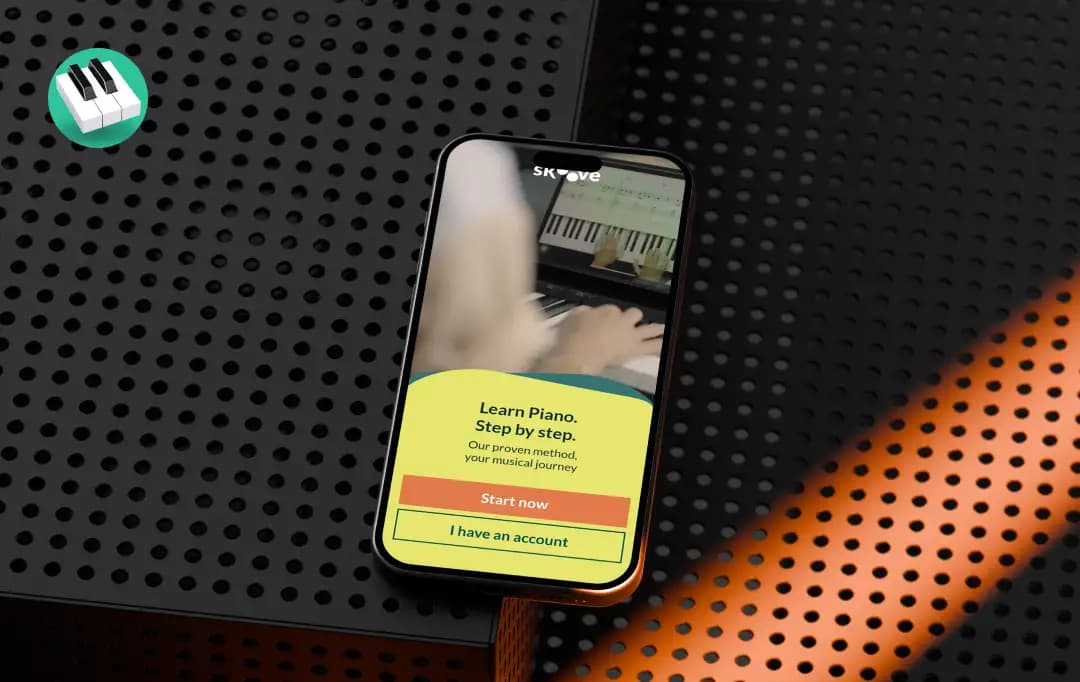
I've been using and playing around with Skoove for the past few weeks, mostly during the evenings after work when I finally have some quiet time to sit down at my keyboard. I picked it up mainly out of curiosity; I'd tried a couple of other piano apps before and got bored of tapping along to colored dots within a week.
There are really two kinds of piano apps, and which one you pick decides what you can actually do a year from now. One drops colored notes down the screen and has you match them by position; it's immediate, satisfying, and it produces someone who can play the songs that app taught them, inside that app.
The other teaches notation, theory, and technique, which is slower going at the start but produces someone who can sit down at any piano and read music they've never seen before.
Skoove belongs firmly in the second category: it leans on real sheet music and an AI that actually listens to what you're playing through your mic or MIDI keyboard, rather than just tracking whether you hit a key at roughly the right time.
I went in a little skeptical, honestly. AI feedback is one of those phrases that gets thrown around a lot these days, and it doesn't always mean much in practice.
But after spending real time with the lessons, I came away with a much clearer picture of where Skoove genuinely delivers and where it falls a bit short. This Skoove review walks through all of that: the features, the pricing, and what it's actually like to use day to day.
| Best for: beginners and returning players who want to learn the instrument properly, reading, theory and technique, rather than follow along to falling notes. |
Pros and Cons of Skoove
Pros
- Teaches real sheet music from the very first lesson instead of relying on falling notes or colored dots
- Works with an acoustic piano using your device's microphone
- Offers meaningful lessons for intermediate learners, not just complete beginners
- Integrates music theory naturally into lessons instead of separating it into worksheet-style modules
- Free plan includes enough lessons to properly evaluate the app before subscribing
Cons
- Rhythm detection can sometimes misinterpret notes that are correct but played slightly off-beat
- Song library favours simplified arrangements over note-for-note versions of popular tracks
- Deliberately less gamified than Simply Piano, it suits learners who are serious about learning the piano properly, though it may not appeal to those seeking a gamified experience
Standout Features of Skoove
Skoove functions as your virtual piano teacher, and its feature set is built around one central idea: get you reading and playing real music as early as possible, with an AI system correcting you along the way instead of a static video you just watch.
Built in Berlin since 2014 by Learnfield GmbH, the app's curriculum has been developed alongside professional piano educators.
Here's what makes Skoove one of the best apps to learn piano.
1. Real-time AI listening and feedback (4.5/5)
This is the feature Skoove leans on the hardest, and it mostly earns it. Whether you're playing on a MIDI keyboard or an acoustic piano through your laptop mic, the app listens to what you play and tells you almost instantly if you hit a wrong note or came in early.
For catching wrong notes, it's genuinely reliable and made my practice sessions feel a lot more like having someone actually watching me play.
2. Sheet music from lesson one (4.3/5)
Instead of easing you in with a piano-roll or falling-note display like a lot of competitors do, Skoove puts real sheet music in front of you almost immediately. At first this can feel slightly intimidating, but it will grow on you fast.
3. Multi-language support (4.4/5)
Skoove is available in 8 languages: English, German, French, Spanish, Japanese, Korean, and Simplified and Traditional Chinese. This makes Skoove accessible to a genuinely global user base.
4. Structured lessons with built-in theory (4.2/5)
The Skoove piano lesson platform doesn't treat theory as a separate, dry subject you have to slog through. Technique is handled the same way; it's folded directly into the lessons through short videos and hands-on practice, so you're applying a concept the moment you learn it. This is far more effective than the fill-in-the-blank theory worksheets.
5. Flexible instrument support (4.2/5)
You're not locked into needing a MIDI keyboard, which is a bigger deal than it sounds. If you already own an acoustic piano, you can start immediately without buying any new gear. Skoove actually supports three input methods: your device's built-in microphone, USB MIDI, and Bluetooth MIDI, so however your keyboard connects, you're covered.
6. Song and course variety (4.2/5)
There's a genuinely large library of songs and courses for those who wish to learn piano online. It covers everything from classical pieces to pop arrangements, and you can jump between structured courses or pick individual songs depending on your mood.
7. Looping and tempo control (4.1/5)
Small feature, but definitely the one you'll end up using constantly. If a section of a song trips you up, you can loop it and slow the tempo down until you've got it, then gradually speed back up. Sections can be slowed to 30% of full speed and increased in 10% increments.
It's the kind of practical practice tool that makes the difference between actually improving and just clicking through lessons.
8. Built-in metronome and fingering guidance (4.2/5)
Both a metronome and on-screen fingering cues are built directly into the app; no need for a separate metronome tool or guesswork on which finger to use. It's a small thing, but it's a named gap in several competing apps, so it's worth having natively.
9. 1000+ online lessons and a large song library (4.1/5)
This is bigger than I expected going in. Between the structured courses and the standalone songs, this digital piano tutor now has over 1,000 online lessons covering everything from basic technique to full pop and classical pieces, and you can move between structured courses or pick individual songs depending on your mood.
| Skoove has been featured in some well-known publications for its approach to piano learning and performance: Featured by Apple, Forbes, The Guardian, Wired, and more. |
What are Skoove Duo: 1-to-1 Lessons?
Beyond the self-guided app, Skoove also offers something called Skoove Duo, which pairs the app with live online lessons from a real teacher. This one offering changes what Skoove can be for someone who wants more than just self-paced practice. Here's what it actually includes:
1. Live 1-to-1 lessons over Zoom, taught by real instructors
You pick a teacher based on their specialty (classical, jazz, rock/folk/pop, and so on) and book a time slot directly on their calendar.
2. Runs alongside the Skoove piano app, not instead of it
The idea is that you practice with the app between sessions and use your live lesson time to get feedback, ask questions, and work on things the app can't fully catch, like posture or technique.
3. Trial lesson at a discount before you commit
New users can book a first lesson at 60% off, which is a low-risk way to see if the live-teacher format is worth it for you before signing up for a plan.
4. Subscription-based after the trial
Once you're past the trial, Skoove Duo runs on one of three subscription tiers offering between one and four 45-minute lessons a month. The pricing starts at $37.49/month, separate from your regular Skoove app subscription.
5. Flexible scheduling and rebooking
Skoove online piano lessons can be rescheduled up to 24 hours in advance, which is handy if your week doesn't stay predictable.
6. Backed by a money-back guarantee
If the live-lesson format isn't a fit after trying it, Skoove says they'll refund the subscription, which takes some of the pressure off committing.
How Does Skoove Work
Beyond Skoove features, it's worth walking through what actually happens once you open the app and sit down to practice, since that's really where you feel whether the AI-powered label holds up. Here's the flow from start to finish, based on how I actually used it.
1. You start by setting your level and goals
When you first sign up, the Skoove piano app asks whether you're a complete beginner or already have some playing experience, along with what you want to get out of it (hobby playing, reading music properly, learning specific songs, etc.), and uses that to shape your starting point.
2. You connect your piano or keyboard
Skoove supports three ways to connect: your device's built-in microphone (great if you're playing an acoustic piano), or a MIDI keyboard via USB or Bluetooth. The app walks you through setup before your first lesson so it can actually hear you play.
3. Lessons open with a short video, then move straight into playing
Each lesson starts with a brief explanation of the concept or technique, and within a minute or two you're already playing along on the actual sheet music rather than sitting through a long lecture.
4. The AI listens in real time as you play
As you work through a piece, the app tracks which notes you hit, missed, or played out of time, and gives you visual feedback right on the screen so you know instantly where you went wrong instead of finding out after the fact.
5. You can loop and slow down tricky sections
If a phrase isn't coming together, you loop just that section and reduce the tempo until it clicks, then gradually build back up to full speed, which in practice is where most of the actual learning happens.
6. Progress unlocks new lessons and courses
As you complete lessons, the app tracks your progress and gradually opens up more advanced material, so you're not stuck manually hunting for what to do next.
7. You can go off-script anytime
Beyond the structured course path, you're free to jump into the song library and pick something you just want to play, which is useful on days you want fun over discipline.
Understanding Skoove Pricing
The Skoove music learning app runs on a subscription model, and like most apps in this space, the price per month drops the longer you commit.
There's also a free tier that gives you a real taste of the app before you pay anything, which I'd genuinely recommend trying first since it gives you a decent sense of the lesson style and the AI feedback before committing.
| Plan | Price | Billed As |
|---|---|---|
| Free | $0 | Limited access to lessons, courses, and songs |
| 1-Month | $29.99/month | Billed monthly |
| 3-Month | $19.99/month | $59.99 billed every 3 months |
| 12-Month | $12.49/month | $149.99 billed annually |
Compared to the cost of even a single in-person piano lesson, Skoove's annual plan works out to be a genuinely affordable way to build a consistent practice habit.
Bonus Read: Best Music Making Software
Customer Reviews
How was your experience with the product?