
Polynomial Solver Review: A Mathematical Companion or Just Another App?
Did you know that according to Bill Gates, Algebra is the most frequently failed high school course?
Yep, been there, felt that. I remember staring at polynomials, feeling completely lost—like, “What sorcery is this?” But here's the good news: I stumbled across this app called Polynomial Solver Step by Step, and man, math suddenly made sense.
Developed by the company GaphMath, It's not just another calculator—this thing’s like your own personal math tutor, showing every step clearly. Polynomial multiplication, long division, roots, you name it; it breaks them down in ways your textbooks never could. No more zoning out or clueless nodding—just easy, understandable algebra.
Stick around, and I'll spill the tea on exactly how it transformed my math game—and how it can level up yours, too.
Pros and Cons of Polynomial Solver
Pros
- Easy-to-follow step-by-step explanations
- Comprehensive, covering both basic and advanced algebra
- Interactive graphs to visualize complex concepts
- Multiple solving methods for different equations
- Great teaching tool—feels like personal tutoring
- Time-saver for homework and revision
Cons
- Might overwhelm beginners initially
- Advanced methods require some background knowledge
Tech Specifications of Polynomial Solver
| Category |
iOS |
|---|---|
| OS | Requires iOS 15.0 or later |
| Rating | 5.0 |
| Size | 3.7 MB |
| Last Updated | Mar 9, 2026 |
| Version | 8.4 |
Key Polynomial Solver Features
Here's a breakdown of Polynomial Solver’s features that can solve every Polynomial problem you might encounter.
1. Polynomial Multiplication
Polynomial multiplication used to feel like juggling algebraic chaos—too many terms, too much room for mistakes. But honestly, this app made it insanely simple for me. You just punch in your polynomials and boom—it instantly multiplies everything out, combining like terms automatically.
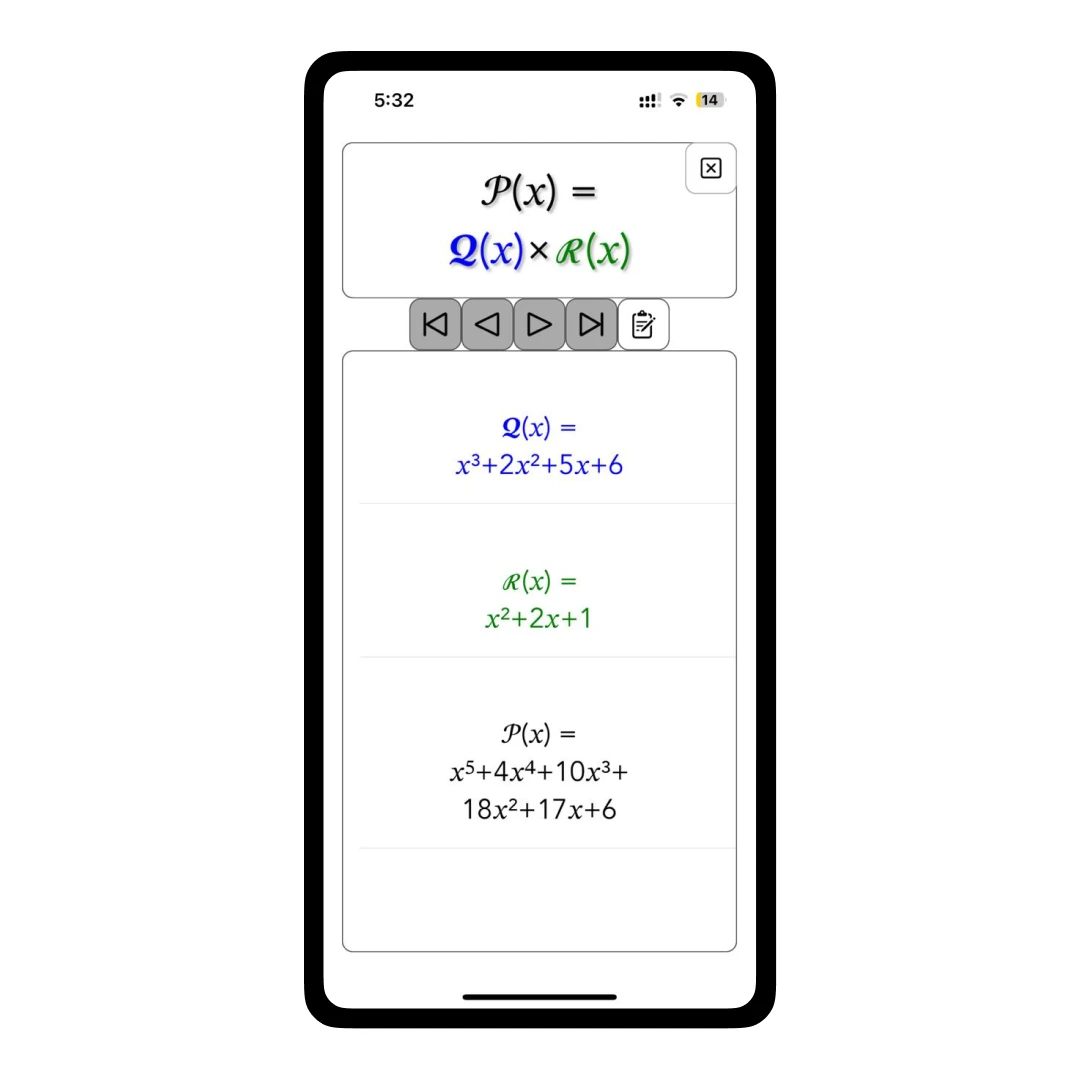
Instead of manually expanding and then hunting down matching terms (which is a nightmare!), the solver neatly lines up the answer for you clearly and quickly. Thus, saving a ton of time and ensuring that you don't have to go back to doing it by hand again.
2. Polynomial Long Division (with step-by-step breakdown)
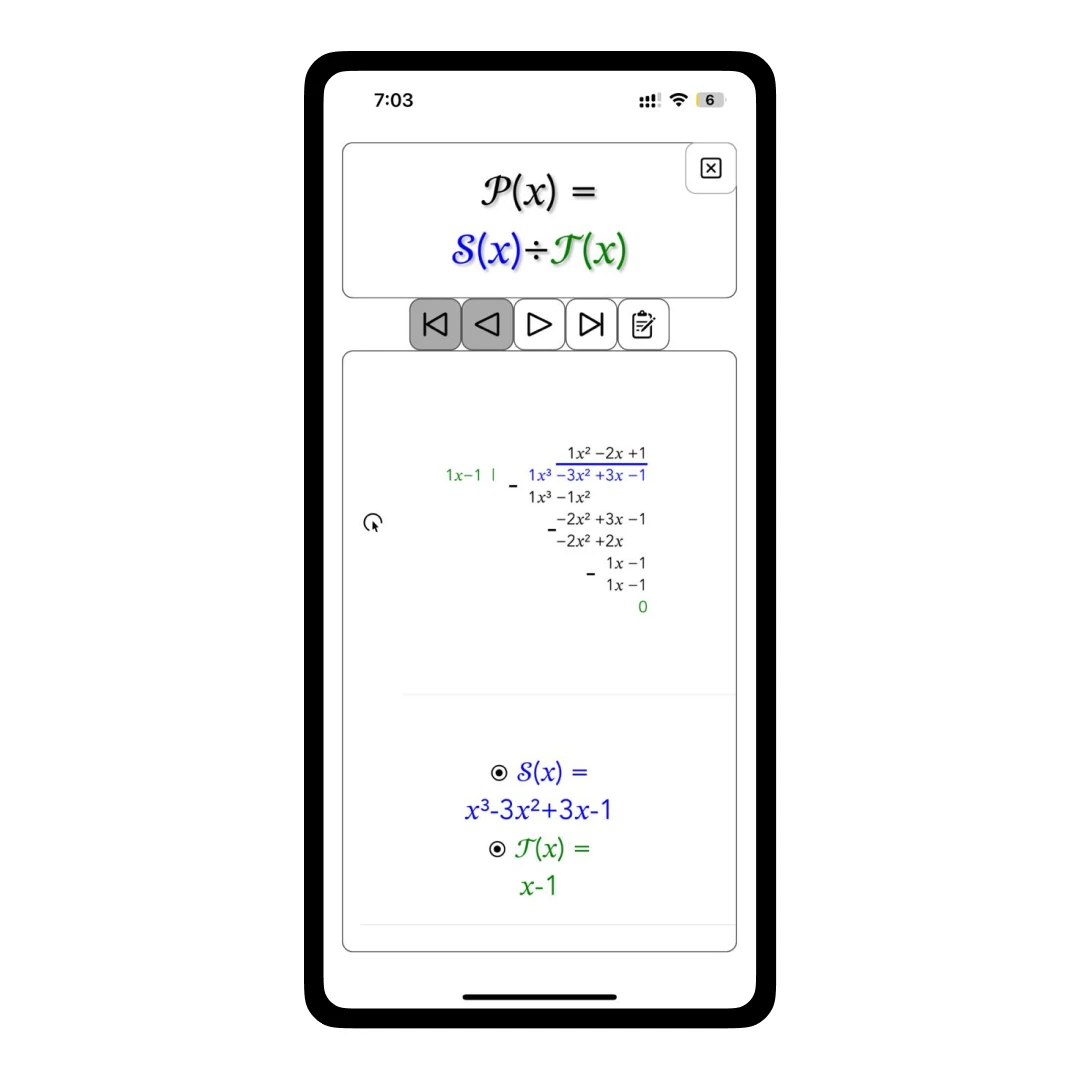
Polynomial long division? Yep, exactly the one that always leaves you staring blankly at the textbook. Before I used this app, I'd seriously zone out halfway through. But now, this app guides you patiently, step by step, breaking down each division clearly—it's like having a math buddy whispering explanations in your ear.
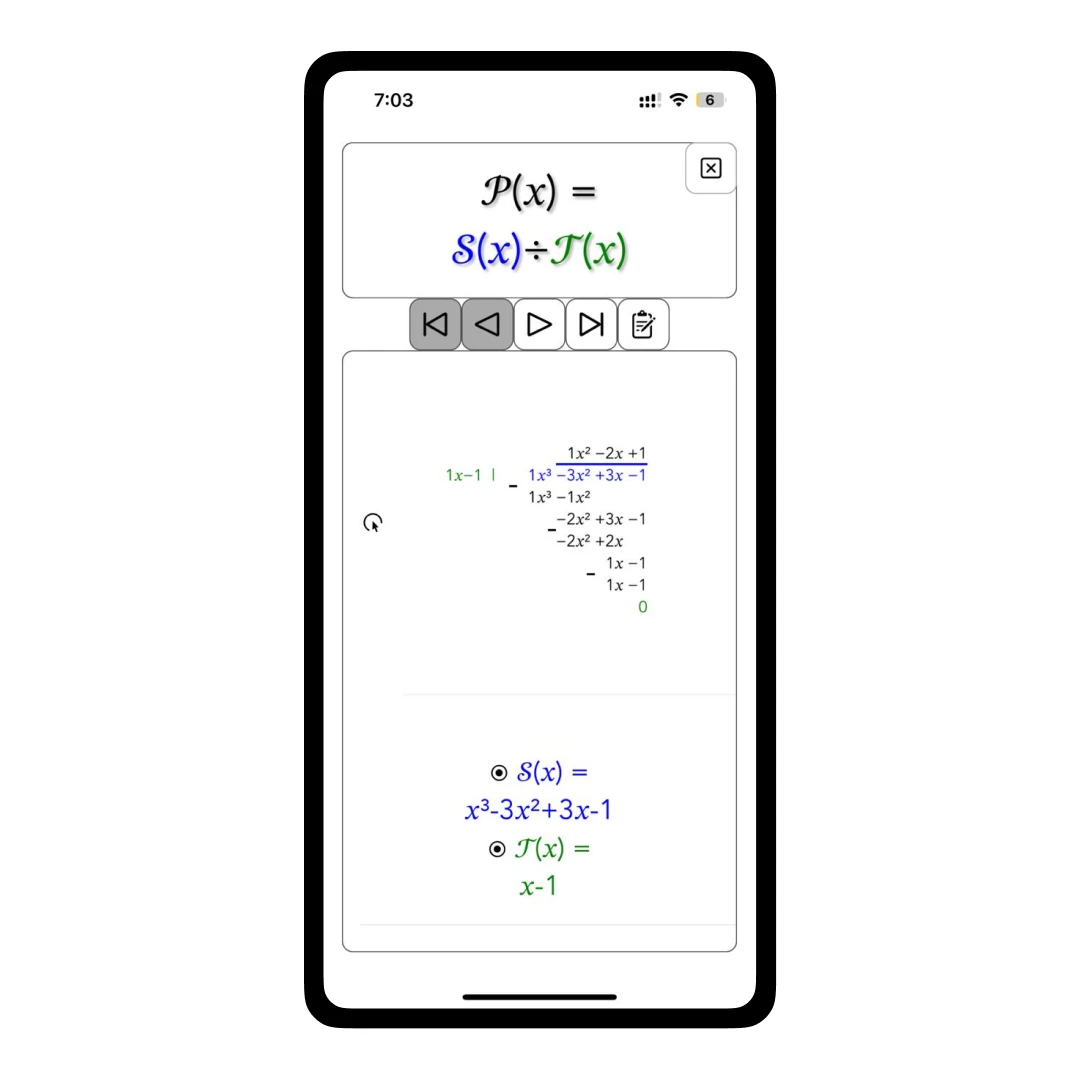
You enter your polynomials, hit 'solve,' and the app literally shows every step: the division, subtraction, carrying down terms, and even highlights what's happening at each stage. Instead of cluelessly nodding, you'll actually feel like you know what you're doing. Total game-changer for basic algebra functions!
3. Advanced Iterative Solving Algorithms

For advanced users, the app provides robust iterative solving methods. I used algorithms like Durand-Kerner, Aberth, Newton (standard and global/damped), Laguerre, Bairstow, and Muller. Sounds complex, right? Not really, when you get the hang of it! Each algorithm iteratively refines solutions, offering precise results. Clear, structured explanations accompany every step, ensuring a thorough understanding of complex polynomial equations.
4. Interactive Polynomial Graphs (because visuals make everything better):
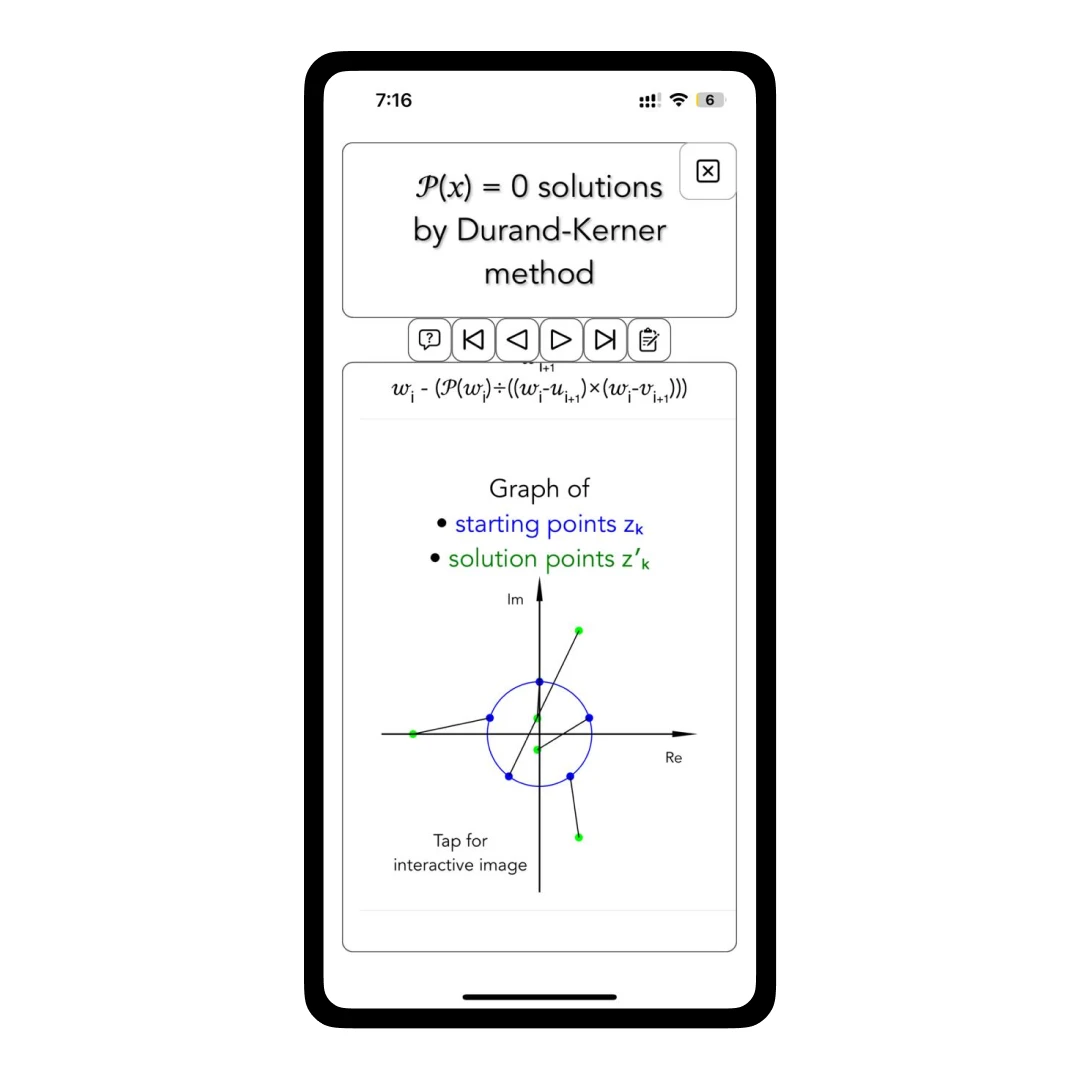
- Complex Plane visualization (Aberth & Durand-Kerner points)
You can see the roots of the polynomial expression plotted on the argand/complex plane to help you visualize starting points (in blue) and Solution Points (in green).
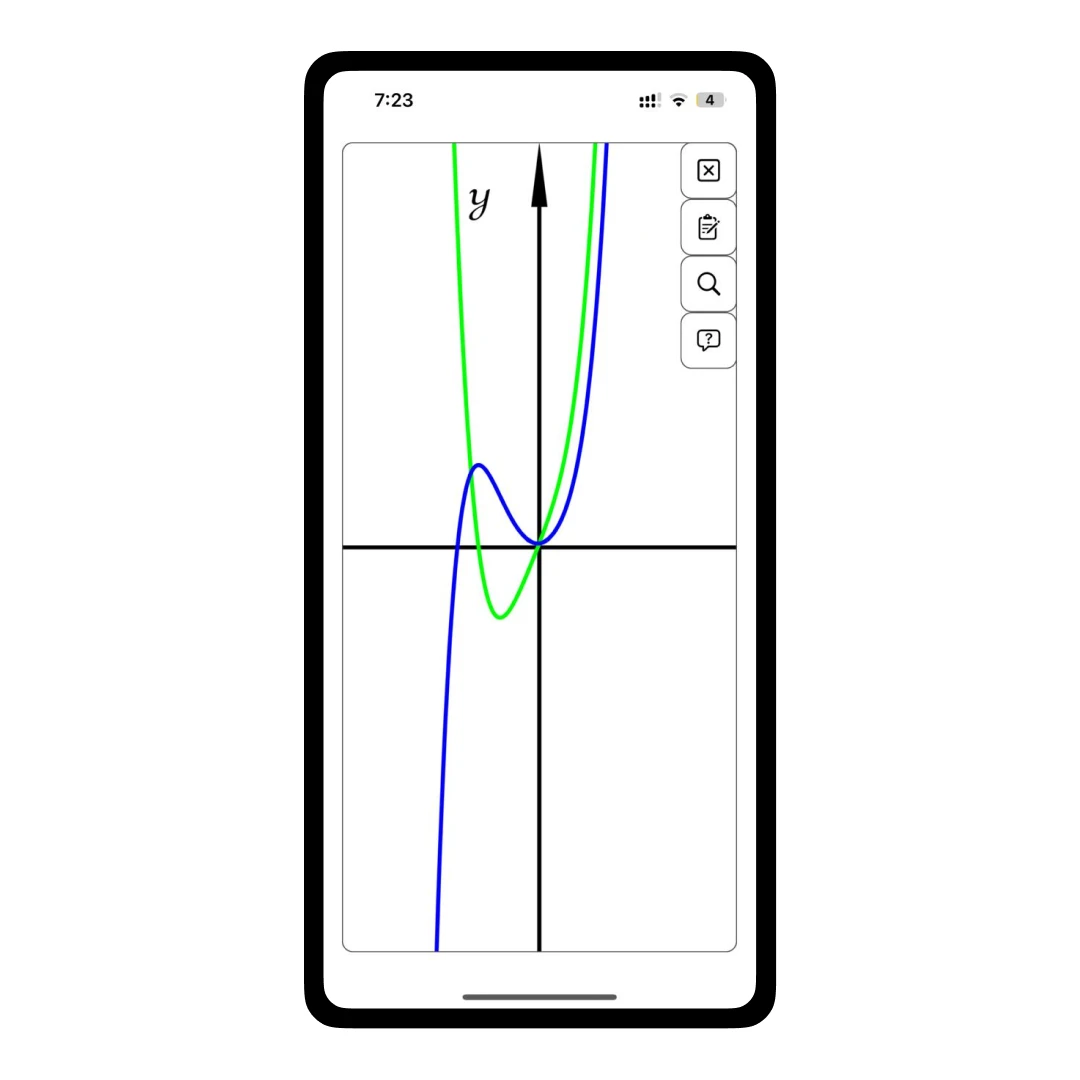
- Polynomial Graphs & Derivatives
These graphs help provide a better understanding of polynomials. Rather than looking at the numbers, visualizing it graphically provides a much clearer view of what the equation represents. In simple words, you can see exactly what your polynomial is doing visually.
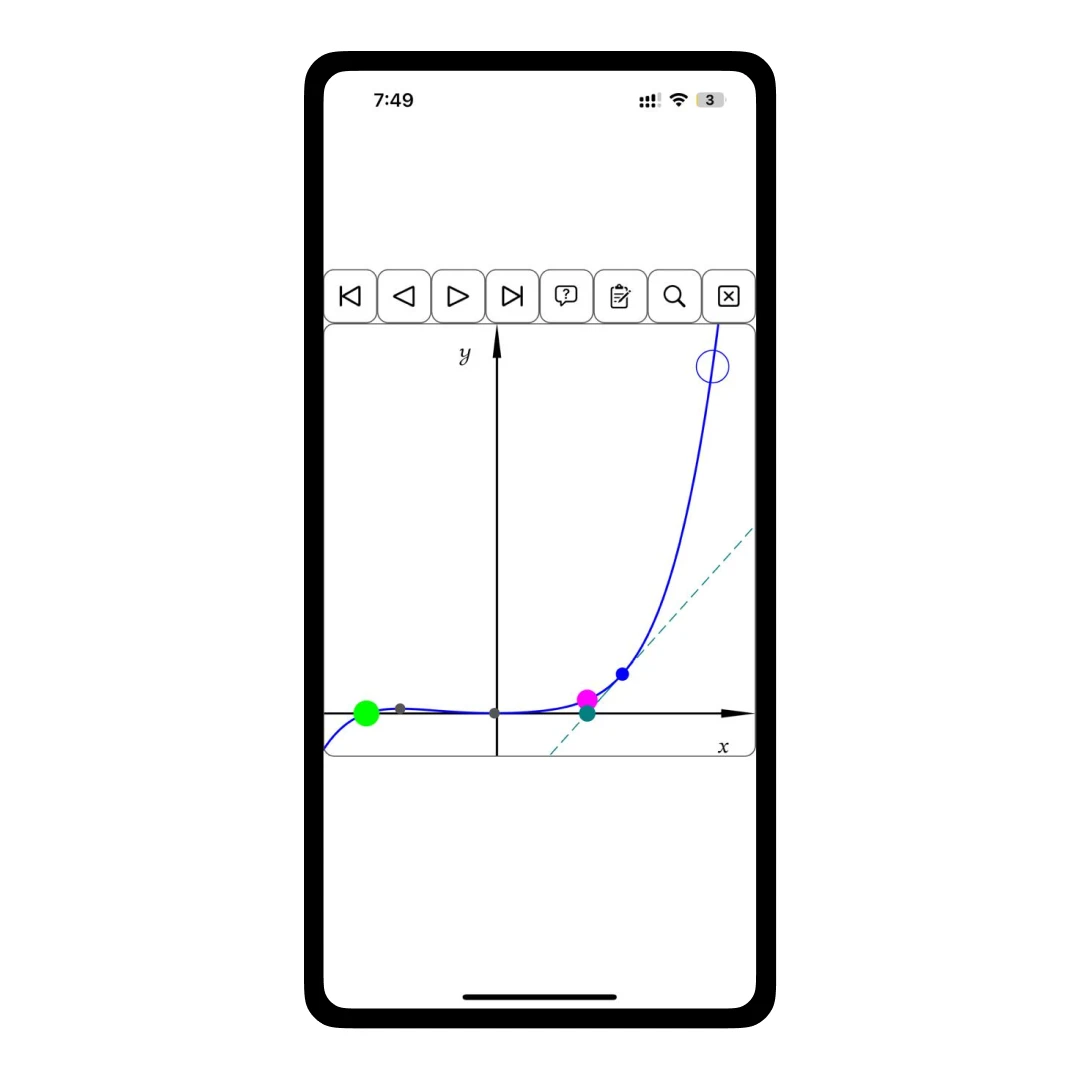
- A graph for each iteration
Polynomial Solver app also helps you see each algorithm’s progress visually. It provides a graphical step-by-step understanding of how to reach the closest approximation of the actual solution.
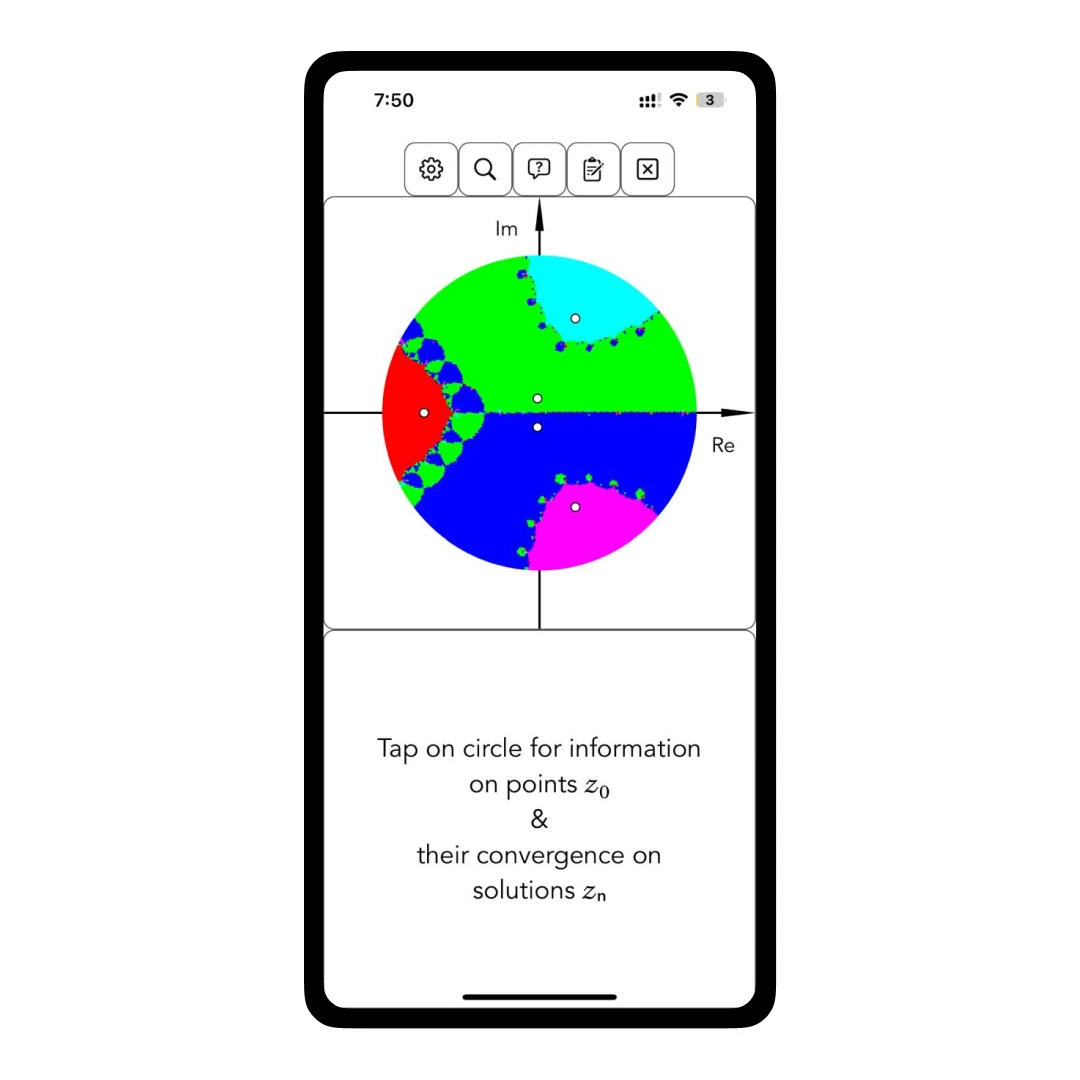
- Fractals & Convergence Images
The app generates fractal images to illustrate the convergence behavior of methods like Newton method fractals. Also, by providing convergence images, the app allows users to observe the efficiency of various algorithms. These images highlight regions where specific methods converge rapidly or struggle.
How to Do Polynomial Multiplication/Division with This App?
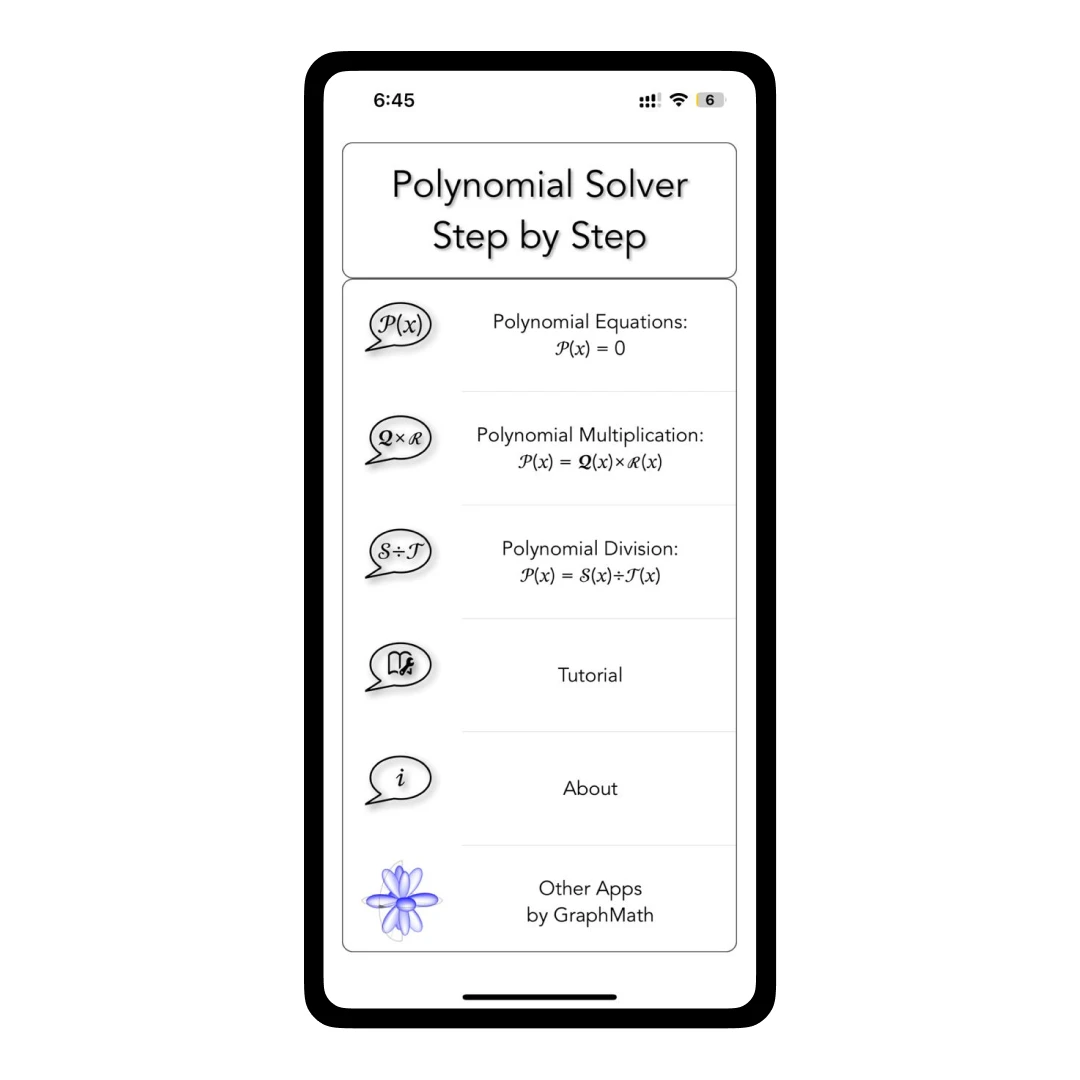
Step 1 - On the home screen, tap on the “Polynomial Multiplication” or “Polynomial Division” button.
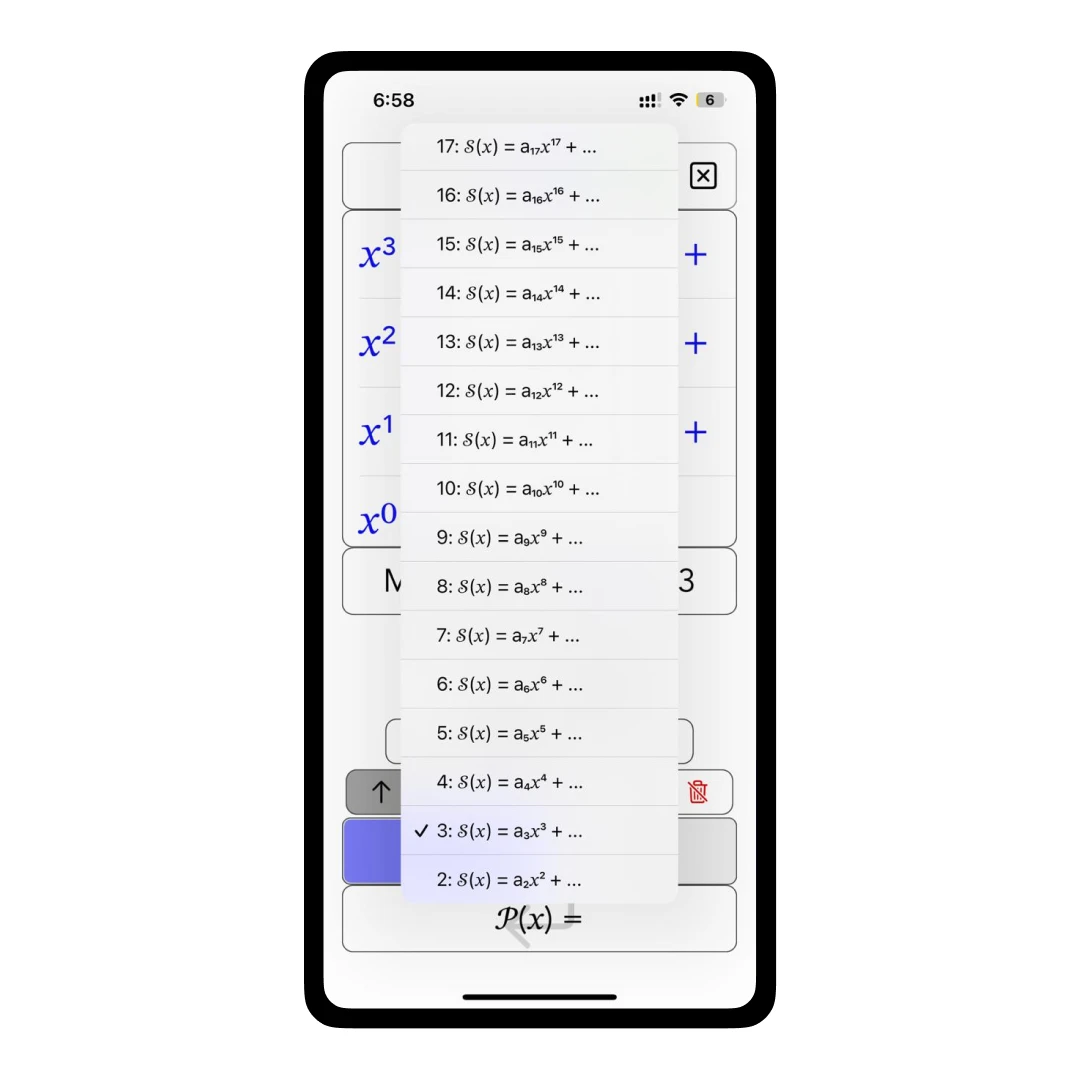
Step 2 - Enter the Max Degree of the first polynomial Q(x)/S(x). Then, do the same for R(x)/T(x)
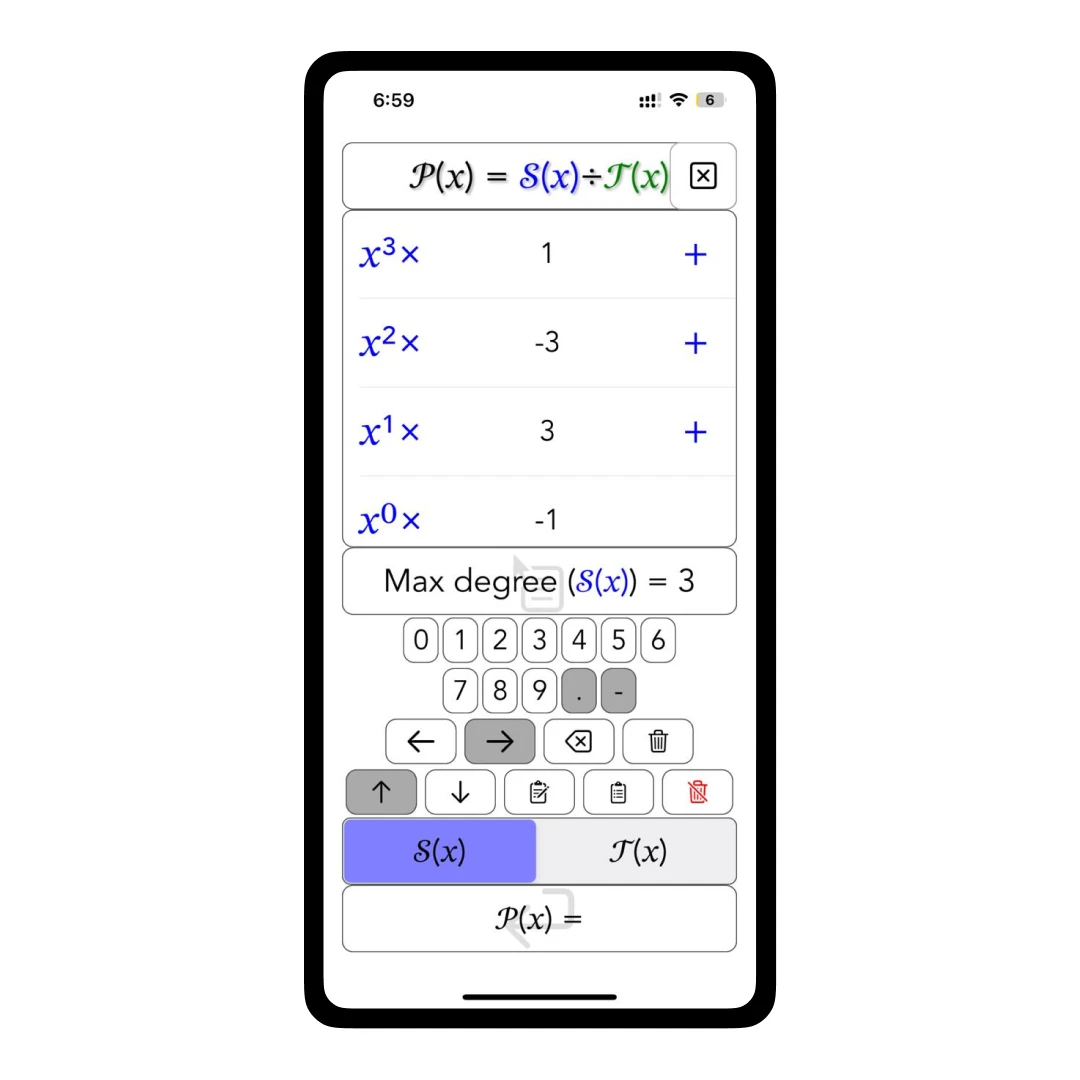
Step 3 - Enter the coefficients for Q(x)/S(x) in the upper window. Then Tap on the R(x)/T(x)
button.
Step 4 - Enter the coefficients for R(x)/T(x) in the upper window.
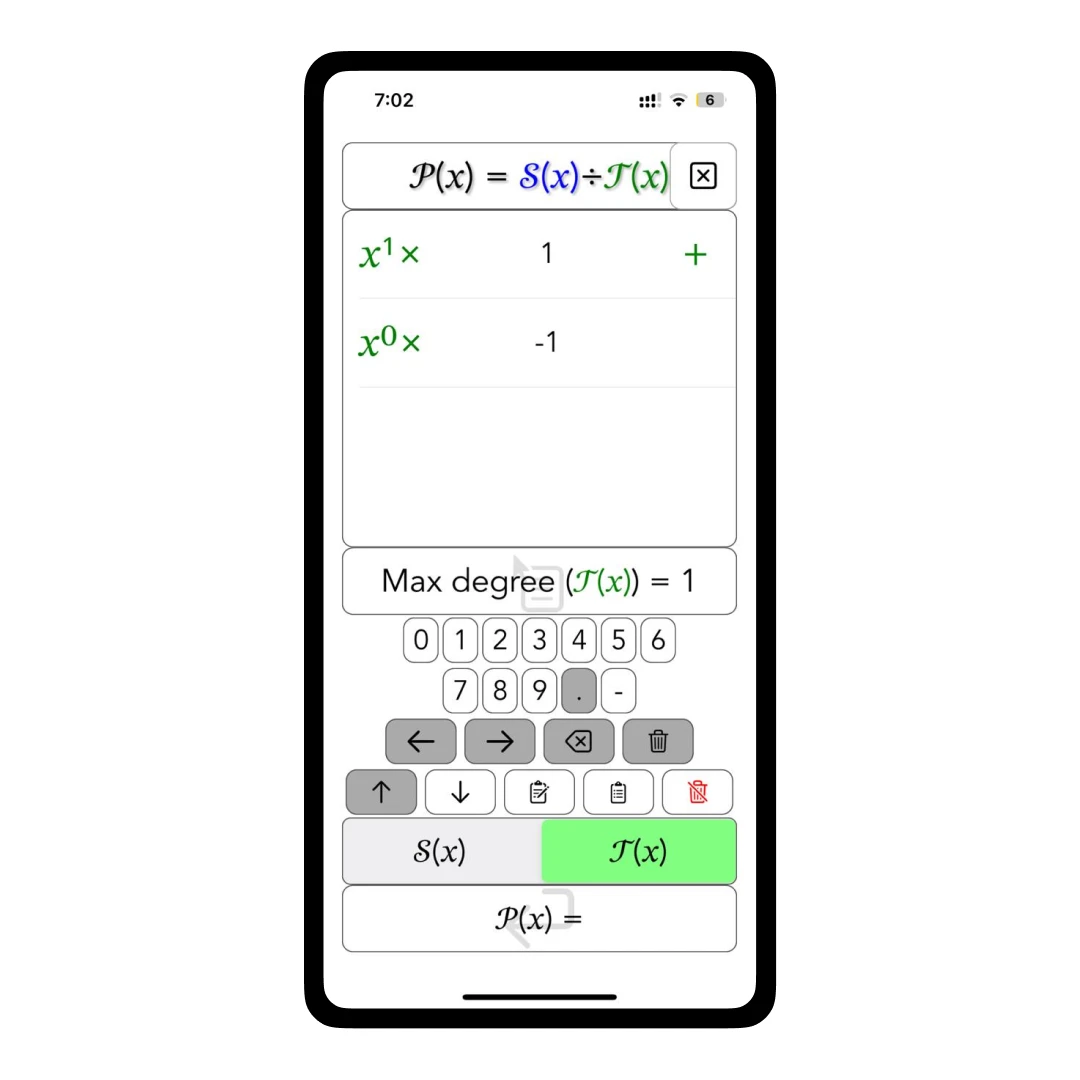
Step 5 - After giving your inputs, tap on the bottom P(x) button to get the results of the two equations.
Customer Reviews
How was your experience with the product?
Also Reviewed By Us