


BLACKBOX AI Review: Game-Changer or Overhyped? The Verdict Is In
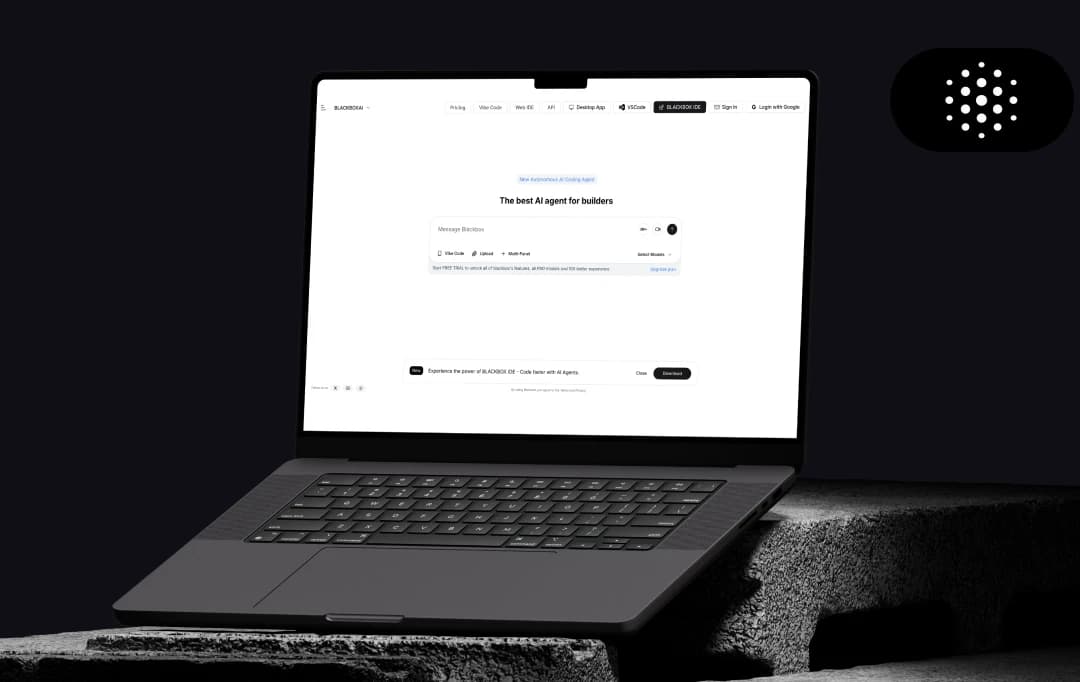
After another frustrating afternoon watching our developers at MobileAppDaily struggle with debugging, we decided to test Blackbox AI. The promise? An AI coding assistant that could actually understand context and generate usable code.
Three weeks in, our development team had some surprising findings. While most AI tools we've tested either overwhelm with unnecessary features or underwhelm with generic outputs, Blackbox AI struck an unexpected balance. Our senior developers initially scoffed at yet another coding assistant, but even they started sneaking it into their workflow for specific tasks.
After extensive testing across multiple projects, including React Native apps and APIs, we have answers in this detailed Blackbox AI review that might surprise you.
Let’s find out!
MobileAppDaily’s Ratings of BLACKBOX AI


FEATURE
A versatile coding assistant offering code completion, chat, and unique features like extracting code from images.

PRICING
A flexible tiered system with a strong free version, though higher-end plans might get expensive for teams.

PERFORMANCE
Excellent for generating initial code snippets and drafts quickly, but output may be inaccurate and requires human review.

USER FEEDBACK
Praised for its clean, user-friendly interface and seamless integration into almost 35 popular IDEs, making it very accessible.
Pros and Cons of BLACKBOX AI
Pros
- Instant code-focused responses without needing to explain context
- Supports various programming languages fluently in the same conversation
- Paste code directly for immediate fixes and optimizations
- Converts plain English descriptions into working code instantly
- Continue conversations seamlessly across web, mobile, and different IDEs
- The multi-panel view allows simultaneous coding and chatting
- Access community-validated solutions through Vibe Code integration
Cons
- Limited to coding queries only - won't help with non-technical tasks
- Can lose context in longer conversations, especially complex debugging sessions
- Can provide overwhelming detail when simple answers would suffice
- Solutions can be generic for specialized implementations
- Struggles with highly complex business logic or unique algorithms
- No offline mode - completely dependent on internet connection
- Community solutions vary in quality; some use outdated practices
Key BLACKBOX AI Features
Blackbox AI is one of the best AI code generators. During our three-week trial at MobileAppDaily, our team put Blackbox AI through its paces. Here’s a list of features that genuinely impacted our workflow:
1. Real-Time Code Generation
The inline suggestions demonstrate strong contextual understanding. When building authentication flows in React Native, Blackbox AI completes entire function blocks accurately. It supports various languages, like JavaScript, Python, and Java. Users can also choose between faster responses or more accurate, complex code generation. The autocomplete predicts logic patterns based on coding style and project structure.
2. The OCR Game-Changer
Screenshots of code from Figma prototypes, PDFs, or design specs convert directly into working components. Even handwritten pseudocode from whiteboard photos converts with approximately 80% accuracy. This is invaluable for brainstorming sessions. Additionally, Blackbox AI offers voice commands, video summarization, screen sharing, and code extraction from visual media.
3. Multi-Panel Interface for Enhanced Productivity
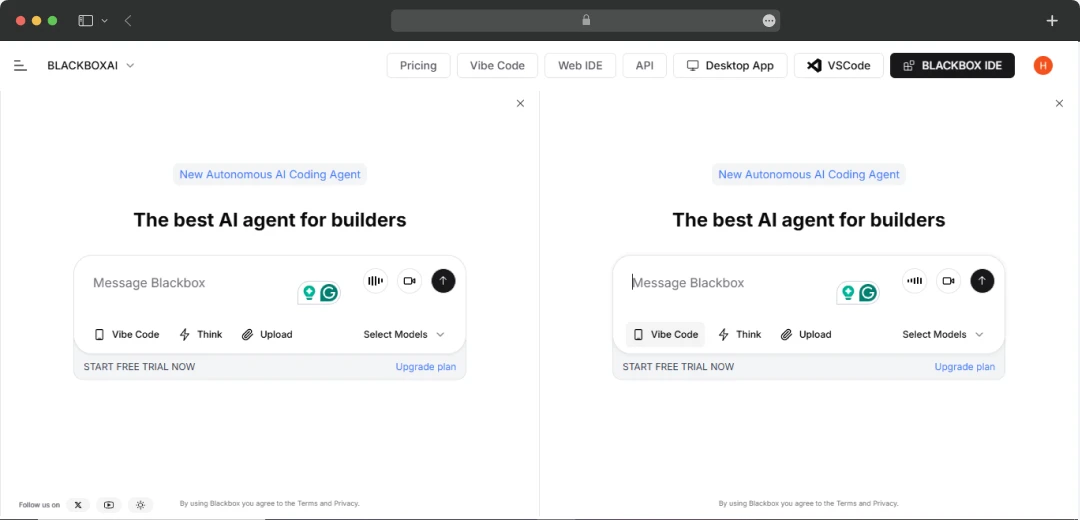
The multi-panel feature allows developers to work with multiple code contexts simultaneously. Open different files, chat sessions, or documentation side-by-side without switching tabs. Panels sync in real-time, helping maintain context across coding activities.
4. Seamless Integration
The Chrome extension extracts code directly from YouTube tutorials and documentation sites. Setup takes less than two minutes per IDE and doesn’t impact editor performance. It is always updated with the latest API changes, frameworks, and libraries.
5. NLP and Vibe Coding
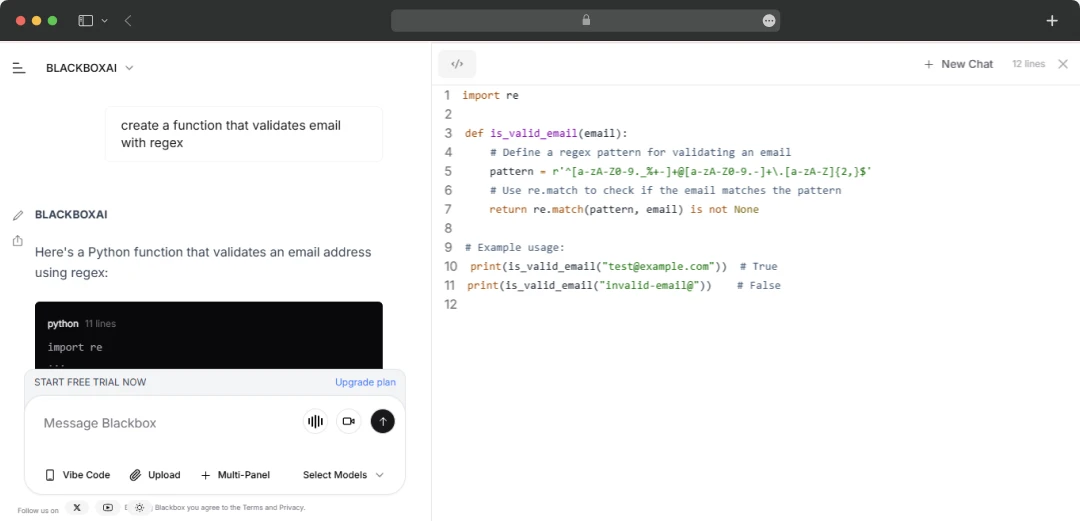
Developers can type plain English like “create a function that validates email with regex” and receive complete, functional code blocks. It accelerates learning for juniors and boilerplate generation for seniors. Requests like “refactor this function to use async/await” produce accurate results while maintaining logic. Natural language understanding bridges human intent and code.
6. Smart Coding Agent (Integrates with 35+ IDEs)
Blackbox AI integrates with over 35 IDEs, including VSCode, PyCharm, IntelliJ, Android Studio, and Xcode. It handles frontend, backend, database, ML, and data science tasks. Features include file management, terminal command execution, log analysis, and desktop app handling.
7. Smart Developer Community Platform
Developers can share snippets, solutions, and debugging sessions via the Blackbox Community. Users can upvote snippets, follow developers, and build a personalized feed of solutions.
8. Intelligent Code Quality Enhancement
The system analyzes your codebase for bottlenecks and inefficiencies. It generates improvement recommendations, implements approved changes, and validates functionality. Detailed reports showcase performance gains and architecture improvements.
9. Codebase Security
The AI continuously monitors code for threats using ML algorithms. It examines dependencies and integrations, assigns risk scores, and applies targeted security patches while ensuring functionality.
10. Multi-AI Model Integration Hub
Blackbox AI integrates models like Grok, ChatGPT, Mistral, and Claude. Developers can switch between AIs based on needs without multiple subscriptions.
Popular Use Cases of BLACKBOX AI Agent
Here’s a list of popular use cases of Blackbox AI:
- Complex Problem Solving: Get expert-level guidance on tough algorithms, legacy code, and obscure bugs to move past development roadblocks faster.
- Code Automation: Instantly generate repetitive code like API endpoints, data models, and boilerplate, allowing you to focus on unique, high-impact features.
- Intelligent Development Assistance: Functions like a programming assistant by offering smart code suggestions, identifying potential bugs in real-time, and suggesting optimizations as you type.
- Automated Technical Documentation: Instantly create clear documentation, such as function docstrings and code summaries for code maintenance and team training.
- Autonomous Application Testing: Simulate user interactions to test applications, automatically identify bugs, and suggest code fixes to streamline the quality assurance cycle.
- Integrated Research & Search: Ask technical questions and find relevant documentation directly in your IDE. This eliminates context-switching and keeps you in the development flow.
- Intelligent Architectural Recommendations: Suggest optimal libraries, frameworks, and coding patterns based on your project goals.
Helpful Read: Tabnine Product Review
BLACKBOX AI Pricing
Blackbox AI offers flexible pricing tiers. Here’s the breakdown:
| Plan | Monthly Price | Annual Price | Key Features |
|---|---|---|---|
| Free | $0 | $0 | • Limited code completions • Basic code chat • Community support • 5 searches/day |
| PRO | $7.99/month | $6.39/month (Save 20%) | • Access to premium AI models • Autonomous Coding Agent • Voice Agent & Screenshare Agent • Expanded messaging & uploads • AI Image & Video Generation API • Desktop Agent, Web IDE & integrations • Figma To Code |
| Business | $29.99/month | $23.99/month (Save 20%) | • All PRO features • 3x usage capacity • Scale usage needs • Higher output limits • Early access to new AI capabilities • API Access • Best LLMs, Image & Video Models |
| Ultimate | $99.99/month | $79.99/month (Save 20%) | • All Business features • 20x usage capacity • Higher output limits • On-Demand GPUs • Priority support • Priority model queue |
| Enterprise | Custom Pricing | Custom Pricing | • Training opt-out • Priority access & no queues • API Access • SAML SSO • Dedicated support • Custom usage limits • Advanced security • Dedicated model instances |
Pricing Highlights:
- 20% Annual Discount: All paid plans save when billed annually
- Free Trial: Try PRO features before subscribing
- Flexible Scaling: Usage grows between tiers (3x Business, 20x Ultimate)
- No Hidden Fees: Transparent pricing
- Enterprise Flexibility: Custom solutions for compliance/security
Disclaimer: Pricing reflects current promotional rates as of our review date. Figures may change based on Blackbox AI’s updates, offers, or region.
Customer Reviews
How was your experience with the product?
"Vague, Unreliable, Broken. Useless 1. Terrible Support - Completely Unresponsive/Sends to a broken link. 2. Useless subscription that provides nothing useful. 3. Your subscription says something about credits but seems like you they don't renew monthly. 4. Credits are vaguely described and used excessively with requests, like 0.67 credits for a single request which is ridiculous considering $1USD:1 Credit. 5. UI is literally a broken app which is ironic considering it is based on developers using to fix apps. 6. Paid to be a tester pretty much as it couldn't solve the issue."
"First of all it's free, and where can you find an AI which is free and have so much features. It's the best platform for student to seek what they are yearning for. One improvement that can be done is that when you open the app on next day it should be able to pick references from older conversations. That would be a great plus point to add"
"The game is fun So you can actually make this app code a game and you can update it but there's only 10 requests every hour and for all the people saying it steals your data just get a free VPN like hotspot VPN"
Also Reviewed By Us











