
We are not biased. We test and review every product. Here’s our Methodology.

A Feature-by-Feature Review of Agnes AI's Team Workspace, Multimodal Tools, and True Collaborative Advantage.

MobileAppDaily Certified Rating
3.8 out of 5
Let Your Product Take the Center Stage with Our Review
Riya

Written By Riya

Riya turns everyday tech into effortless choices! With a knack for breaking down the trends and tips, she brings clarity and confidence to your downloading decisions. Her experience with ShopClues, Great Learning, and IndustryBuying adds depth to her product reviews, making them both trustworthy and refreshingly practical. From social media hacks and lifestyle upgrades to productivity boosts, digital marketing insights, AI trends, and more—Riya’s here to help you stay a step ahead. Always real, always relatable!

Explore More By Author

Agnes AI Review: The Real Deal for Team Collaboration or Just Hype?
Agnes AI

Collaborative AI platforms are engineered to solve the most frustrating parts of your work: the manual grind of formatting reports and the productivity loss caused by team members working in digital silos. It’s time to move past simply automating tasks.

That's where Agnes AI steps in. It's a collaborative AI platform built specifically for teams who want to generate reports with a single prompt, convert rough notes into presentation-ready content, and collaborate in real-time without formatting headaches. Agnes AI claims to have delivered conflict-free co-editing and shared memory features so your team can think and create as one.

But does this popular AI collaboration tool actually live up to its bold promises? Here's my honest Agnes AI review to help you determine whether it's worth adding to your workflow or should stay in the app graveyard. Let's begin!

Pros and Cons of Agnes AI

Pros

  • All-in one platform for, summarizing, research, and content creation
  • Provides research-backed answers with proper source attribution
  • Real-time collaboration to co-edit documents and slides
  • Multimodal content creation to generate text, images, videos, slides, and reports from simple prompts
  • Shared memory retains context across threads and projects
  • A private knowledge base allows uploading of company documents

Cons

  • Some advanced features and integrations are still in the pipeline
  • You need to constantly check Agnes’ response
  • Buggy and inconsistent image/video generation quality

Agnes AI Features

It is a popular AI collaborative workspace platform. Like other best AI agent platforms, Agnes AI has some standout features. Let's have a look-

1. Generates Reports with One Prompt

You can create detailed and well-structured reports by simply providing a single prompt. Agnes AI will analyze your request and generate comprehensive reports, saving you valuable time and reducing the chance of error.

2. Converts Notes into Polished Content

Agnes AI transforms your rough notes into professional documents. It refines your ideas and organizes the information into polished content that is ready for presentation or sharing with your team.

3. Eliminates Manual Formatting

Manual formatting can be time-consuming and inconsistent. Agnes AI automatically formats your documents and applies professional layouts. This makes a clear and polished finish every time without you lifting a finger.

4. Real-Time Co-Editing for Seamless Collaboration

Agnes AI enables team members to collaborate on a document or presentation simultaneously. This facilities working easy, as slides can be locked to avoid overlaps. Meanwhile, with pages, it is possible to comment and submit feedback in real-time.

5. Shared Memory Across Projects

Unlike traditional AI tools that forget your previous conversations, Agnes AI retains context across threads and projects. This persistent memory keeps your team aligned and ensures important discussions and decisions remain accessible throughout the project lifecycle.

6. Summarises Datasets or Results Quickly

Agnes AI has the capability of summarizing large volumes of data or study results in a short time using natural language processing. This helps the teams to know the major insights without necessarily browsing through the entire data. This means teams can grasp major insights quickly, making complex data instantly accessible right within the Agnes AI interface.

7. Private Knowledge Base Integration

Agnes AI allows you to build and upload your own private knowledge base with company documents. Agnes AI can then search through this repository and use it to generate customized slides, reports, or answers tailored to your organization's specific needs.

8. AI-Powered Research with Live Search

Agnes AI combines real-time web search with its personal memory engine to deliver context-aware, research-backed answers. This helps teams make informed decisions based on the latest information available online.

9. Role-Based Permission Management

With Agnes AI, you can even assign specific roles such as editor, commenter, or viewer within documents. This makes it easy to manage team permissions and streamline feedback cycles while maintaining document security and control.

10. AI-Powered Image and Video Generation

Agnes AI can create stunning visuals and videos directly using simple text prompts. Agnes AI creates professional custom images from your ideas. You can instantly generate visual assets for presentations, marketing, or video content without needing design skills or extra software.

11. Dedicated Mobile App for On-the-Go Productivity

Agnes AI offers a dedicated mobile application available for iOS and Android devices. You can access your AI copilot anytime, anywhere, to capture fleeting thoughts, manage tasks, collaborate with your team, and continue your work even if you’re away from your desk.

Agnes AI VibePods

Agnes VibePods are AI-powered earbuds that allow you to use your voice to interact with an AI assistant. This enables you to work without needing to use your hands or look at a screen.

Here are some of the key things you can do with them:

  • Real-time Collaboration: You can have group chats where AI assistant listens, captures key points, and can even create documents like reports or presentations based on your conversation.
  • Slide Builder: You can outline a presentation with your voice, and Agnes will create the slides for you.
  • Productivity Tasks: You can also use them for tasks like in-depth research, creating media, and executing various commands with voice controls.

Essentially, the VibePods are being marketed as a new way for individuals and teams, working remotely or in hybrid environments, to brainstorm, collaborate, and get work done. 

Note: You can find more about the pricing and detailed features here.

Agnes AI Price

Feature Free Plus Pro
Price (Monthly) $0.00 $19.90 (As of Oct 2025, there’s 50% early bird offer running) $99.90 (As of Oct 2025, there’s 50% early bird offer running)
Price (Annually) $0.00 $198.00 (As of Oct 2025, there’s 50% early bird offer running) $999.00 (As of Oct 2025, there’s 50% early bird offer running)
Search Access Limited access Unlimited access Unlimited access
Research 50 requests/month 100 requests/month 400 requests/month
AI Slides 100 pages/month 200 pages/month 600 pages/month
AI Sheet 5 sheets/month Included Included
AI-generated Images 80 images/month 160 images/month 200 images/month
AI Video 25 seconds/month 50 seconds/month 300 seconds/month
Multiple Concurrent Tasks Yes Yes Yes
Voice Mode Limited access Extended access Extended access
Group Collaboration No Extended access Extended access
Opportunities to test new features No Yes Yes
Early access to the newest features No No Yes

Add-on: Single & Task Plans

These are one-time purchase plans valid for 3 months, designed to provide extra resources for specific needs.

1. Single Plans

These plans focus on boosting a single feature.

Plan Price (Valid for 3 months) Features
Research Plan $9.90 50 Research requests
Slide Plan $9.90 100 AI Slides pages
Image Plan $9.90 100 AI-generated images
Video Plan $9.90 100 seconds of AI video
2. Task Plans

These plans offer a bundle of resources tailored for specific workflows.

Plan Price (Valid for 3 months) Features
Office Task Plans $14.90 • 20 Research requests
• 80 AI Slides pages
• 5 AI-generated images
• 5 seconds of AI video
Design Task Plans $14.90 • 5 Research requests
• 20 AI Slides pages
• 60 AI-generated images
• 80 seconds of AI video

Why Trust MobileAppDaily?

For us, Product Reviews mean diving headfirst into the functionality of each digital product, whether it’s an app, software, or website. Our process centers around hands-on testing of each tool we pick. From scrutinizing features to testing vulnerabilities of security standards, the goal remains to help you find products that don’t just work but truly elevate your experience. In a nutshell, if we’re recommending a product, it’s because we believe it’ll genuinely make your digital life easier.

  • Products Reviewed - 4,000+
  • No. Of Experts - 20+
  • Categories - 65+
Explore Our Methodology

Customer Reviews

Rate the product based on your experience?

How was your experience with the product?

4 out of stars
“ I have not used Agnes much, but performed my task of maths problem very nicely. Soon, I am going to give many more tasks on
Kishor Thakkar
Google Play Store
1 out of stars
“ Horrible for the environment and for our generation. the AI result was taken from hundreds and thousands, maybe even millions of data from talented, skilled
Tantaa
Google Play Store
5 out of stars
“ Great and fabulous app... I am just loving it, bcz it helps too much for my study.. Thanks to the person who makes this app..
Bina Singha
Google Play Store
1 out of stars
“ This app I think is very helpful if you want a research based approach on answering prompt or questions cuz it deliberately tells you the
Meow Ngiyaw
Google Play Store

Also Reviewed By Us

MobileAppDaily’s Ratings On Agnes AI

Features

FEATURES

4.0

Boasts a vast and innovative feature set, including shared memory, multimodal creation, and more. However, some inconsistent performance with generative AI can be a drawback.

Pricing

PRICING

4.0

Highly flexible with a functional free-forever plan, tiered subscriptions, and one-time add-on packs. The Pro plan is pricey, but the overall structure offers excellent value and accessibility for various user needs.

Performance

PERFORMANCE

3.5

Core collaborative and text-editing features perform well. However, some users report it suffering from buggy behavior and inconsistent quality in AI-generated images and videos, requiring users to frequently verify outputs.

User Feedback

USER FEEDBACK

3.5

User reviews are polarized. While some users praise its usefulness for specific tasks like academic help, others raise significant concerns about bugs and the ethical implications of the AI, leading to a very mixed public reception.

From Prompt to Powerful Report: How to Use Agnes AI for Data Analysis

Here’s how you can log in, craft a powerful and descriptive prompt, and get your data analyzed, shareable results. You'll see how to refine your output and export it as a PDF, Markdown, or a shareable link.

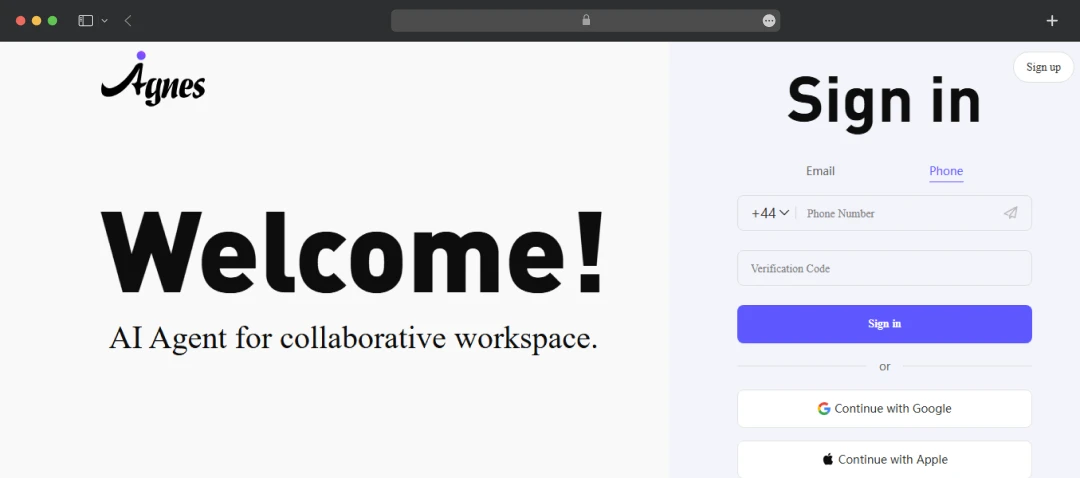
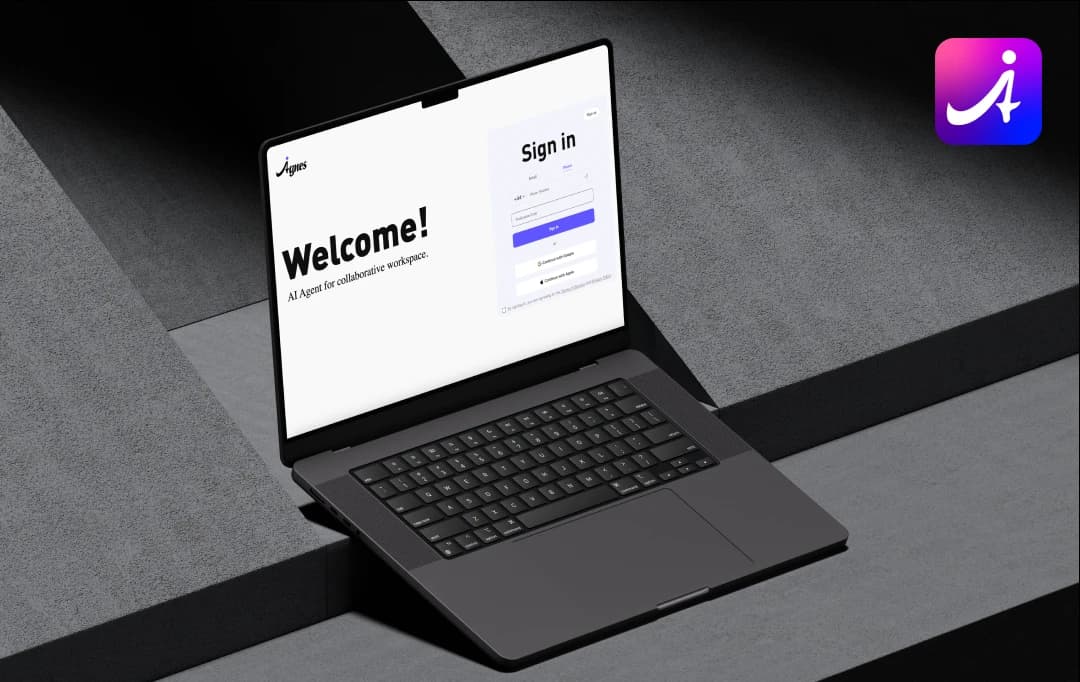
Step 1: Log in or sign up to Agnes AI using your mobile phone number with a country extension or email ID. 

Agnes login and signup page

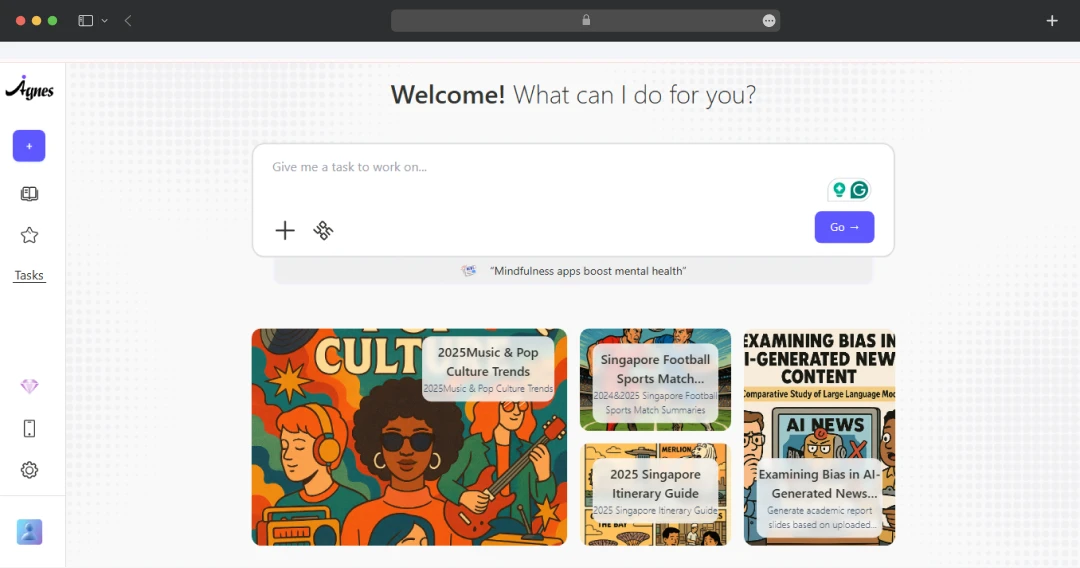
Step 2: Once you log in, there is a dashboard page. Here, you can give your desired prompt to solve your exact query.

Agnes AI dashboard page

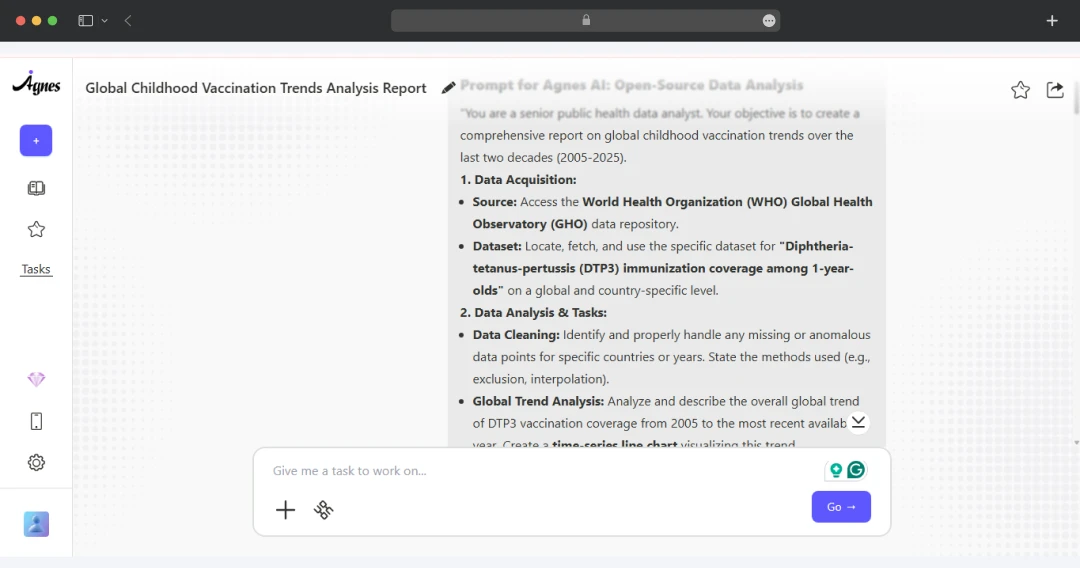
Step 3: Type your prompt, like I gave a prompt to analyze the data for my project. I wrote, “You are a senior public health data analyst. Your objective is to create a comprehensive report on global childhood vaccination trends over the last two decades (2005-2025)...” Be as descriptive as possible, because the more descriptive and clear you are with your prompts, the better your results will be.

Agnes AI prompt

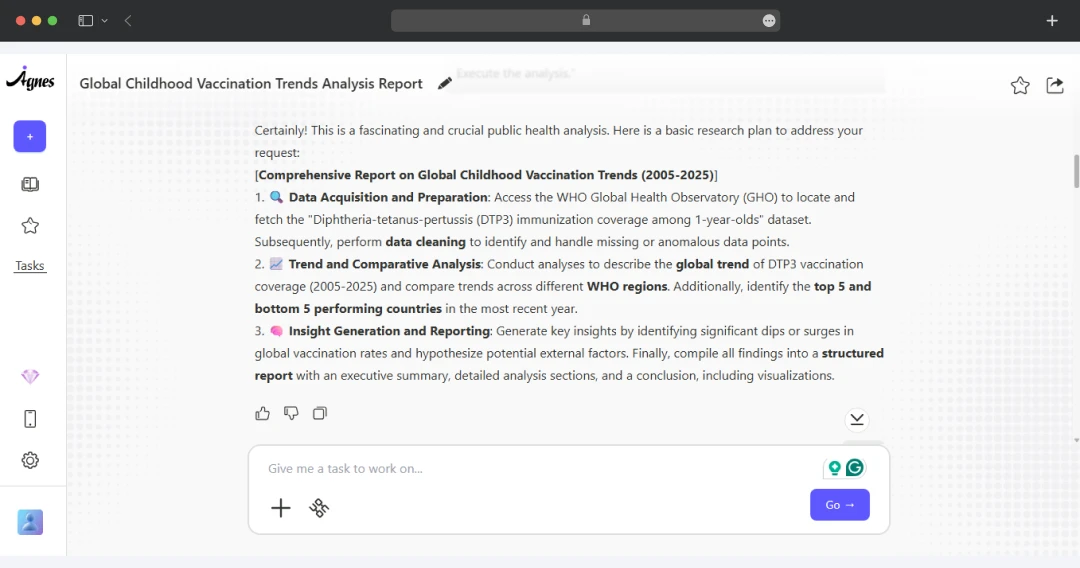
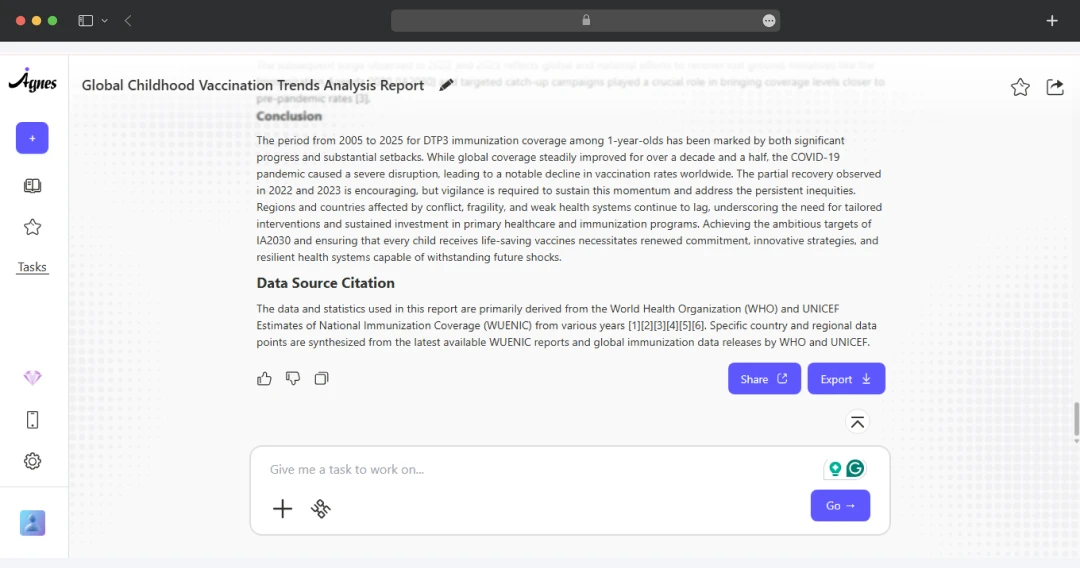
Step 4: Eventually, it will give you a detailed description of what you want. You can further ask it to add or remove any information.

Agnes AI result

Step 5: Finally, you can copy the link and share the output on social media platforms like Instagram, X, LinkedIn, and more. Further, you can export it as a PDF or Markdown to share it further amongst other groups.

Comparing Ages AI with Other Collaboration Platforms

Let’s compare Agnes AI with other popular alternatives like Notion AI, Microsoft Copilot, and Google Workspace to help you make a better decision.

Feature Agnes AI Notion AI Microsoft Copilot (for 365) Google Workspace (with Gemini)
Best For Teams needing a dedicated AI-first workspace. Teams wanting an all-in-one workspace for docs & tasks. Businesses invested in Microsoft 365. Organizations that run on Google's suite.
Core AI Function Shared Memory: AI retains context across projects. Integrated Assistant for writing & summarizing. Cross-App Copilot connecting Word, Teams, etc. Creative Partner for drafting & generating in apps.
Collaboration Conflict-free co-editing on its own platform. Excellent real-time editing on pages & databases. Uses established collaboration in M365 apps. Leverages Google's best-in-class co-editing.
Pricing Model Starts free; paid plans from $9.90/mo. AI included in Business Plan from $10/user/mo. $30/user/mo (add-on to a qualifying M365 plan). Free, paid plan begins at $124.99/month for three months.

Also read: Notion AI Review

MobileAppDaily’s POV on Agnes AI

Agnes AI is redefining team collaboration by creating a true AI-native workspace. It’s designed to tackle the core issues of scattered information and disjointed teamwork by acting as a 'shared brain' for projects. Its 'Shared Memory' feature retains context across tasks and is genuinely helpful.

However, Agnes AI's ambition is currently held back by significant performance and reliability concerns. The marketing team at MobileAppDaily felt that its AI's output, particularly for images and video, can be inconsistent, forcing users to constantly verify its work rather than fully trusting it. Additionally, buggy behavior can create friction in the workflow.

Overall, Agnes AI represents a powerful vision for the future of collaborative work and is worth exploring for teams frustrated with traditional tools. While its innovative features are compelling, the current reliability issues mean it's not quite ready to be the sole, mission-critical workspace for most teams just yet.

Agnes AI
Frequently Asked Questions

  • Is Agnes AI legitimate?

    Yes, Agnes AI is a legitimate collaborative platform. It provides a real, functional workspace with AI features for creating reports, slides, and other documents. The application is actively developed and available for use on desktop and mobile, making it a genuine tool for teams.

  • Is Agnes AI safe for my data?

  • What makes Agnes AI different from other AI tools?

  • What kind of teams get the most out of Agnes AI?

  • Do I need to buy the Agnes VibePods to use the platform?

Latest Products

Delve into our comprehensive yet easy-to-consume guides, which provide insights that help scale business faster and prevent unseen pitfalls.

Related Products

Cut through the clutter and explore related digital products that deliver on performance.

Fill in the details, and our team will get back to you soon.

Contact Information
+ =

Fill in the details, and our team will get back to you soon.

Contact Information
+ * =