
Notion AI Review: Can It Be The Single Platform for All Your AI Needs?

Remember that feeling of staring at a blank page or maybe sifting through endless meeting notes, trying to pinpoint action items? For any professional, these moments are all too familiar. But what if your digital workspace could anticipate your needs? What if it could write alongside you, and distill mountains of information into crystal-clear insights?
That is exactly what Notion AI claims. The platform claims to offer a co-pilot-like experience for your thoughts, projects, and data. All of which is seamlessly integrated into the Notion environment you already know. But all of these words are said in thin air by the Notion team. Well, I’ve taken it for a spin and came up with a deep Notion AI review you must read before thinking about using Notion AI.
Pros and Cons of Notion AI
Pros
- Works directly within your existing Notion workspace, avoiding context switching
- Excellent for overcoming writer's block, brainstorming, and generating initial drafts
- Efficiently condenses long texts, meeting notes, and articles into key points
- Accurately extracts action items from discussions and documents
- Improves grammar, spelling, and clarity, and allows for tone adjustments and language simplification
- Facilitates cross-language collaboration with quick and accurate translations
Cons
- Requires you to be part of the Notion ecosystem
- It can sometimes force connections between unrelated content or generate generic summaries
- Most features require an internet connection
- Becomes sluggish when dealing with very large or complex Notion workspaces
The Notion AI Features That Actually Matter
Notion AI assistant can help you streamline your workflows and offer enhanced efficiently for your documents. Here are some of its notable features.
1. Writing and Content Creation
The AI writing feature is where Notion AI truly shines. Instead of staring at a blank page, you can feed it a vague idea and get a content scaffold to build upon. I've found this particularly valuable for blog brainstorming – if the AI generates a better outline than what's in my head, it's a clear signal I need to dig deeper into the topic.
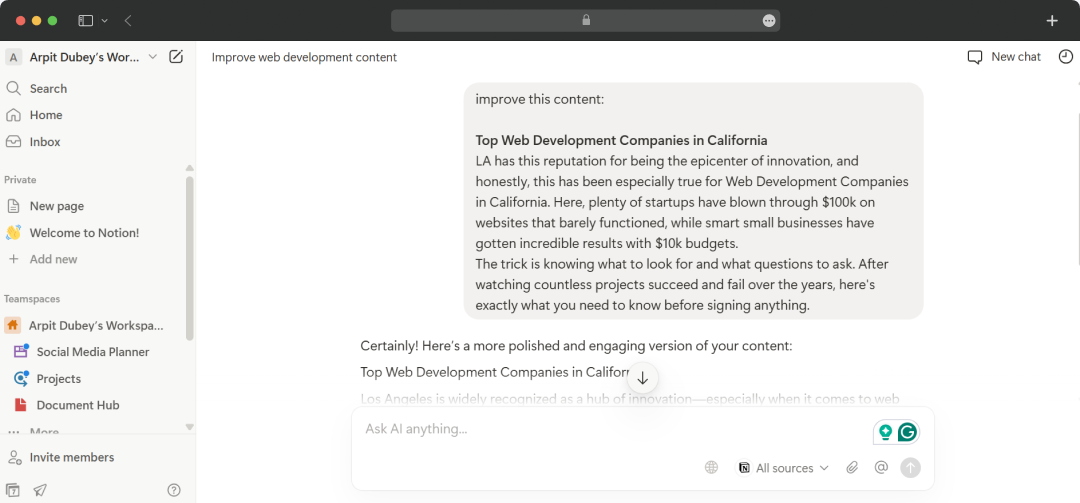
Making you content better is also Notion AI’s speciality. The content enhancement tools go beyond basic grammar checking. Notion AI can Improve document quality and professional tone, Simplify complex language for better accessibility, and expand thin content when you're facing writer's block. On top of that, it also allows you to adjust tone from professional to casual (or vice versa) and fix grammar and spelling errors in one pass.
2. Tool Integration That Actually Works
Integrations bring in real-time data from your favorite tools— Connect tools like GitHub, Figma, Google Drive, and Zendesk with Notion, so your databases automatically sync the latest updates. This is about creating a genuinely connected workspace where information flows seamlessly between your existing tools. The integration capabilities go beyond simple connections. You can build bespoke integrations to connect your Notion workspace to internal tools and workflows using the public API.
3. Forms with Custom Logic
Forms with custom logic use conditional logic to tailor forms based on responses. Whether you're collecting feedback or planning a team offsite, people only see what's relevant. This feature addresses one of the biggest frustrations with generic form builders – irrelevant questions that waste everyone's time.
4. Translation and Global Collaboration
The multilingual document translation feature is a genuine game-changer for international teams. Using advanced machine learning and natural language processing, the Notion AI website provides quick, accurate translations that maintain meaning and context. No more losing nuance in translation or wasting time with external tools.
5. Build Custom Databases in Seconds
Setting up a database shouldn't feel like a daunting task. Notion AI helps you spin up tailored, structured databases in seconds—no need to wrestle with properties or formatting. Just tell Notion AI what you want to organize, and it'll suggest the best fields, views, and layouts for you—so you can get started right away.
This feature alone has saved me countless hours of database setup. Instead of spending time figuring out the right properties, relationships, and views for a new project tracker or client database, I can describe what I need and let the AI handle the heavy lifting.
6. Better Data Summarization
This is where Notion AI becomes indispensable for busy professionals. The summarization feature can condense lengthy documents into concise overviews for better understanding. It can extract key points from meeting transcripts with its AI meeting notes feature to make taking automated. The platform allows you to generate conclusions from your written content while also allowing the ability to create social media-ready summaries of longer pieces.
7. Action Item Generation
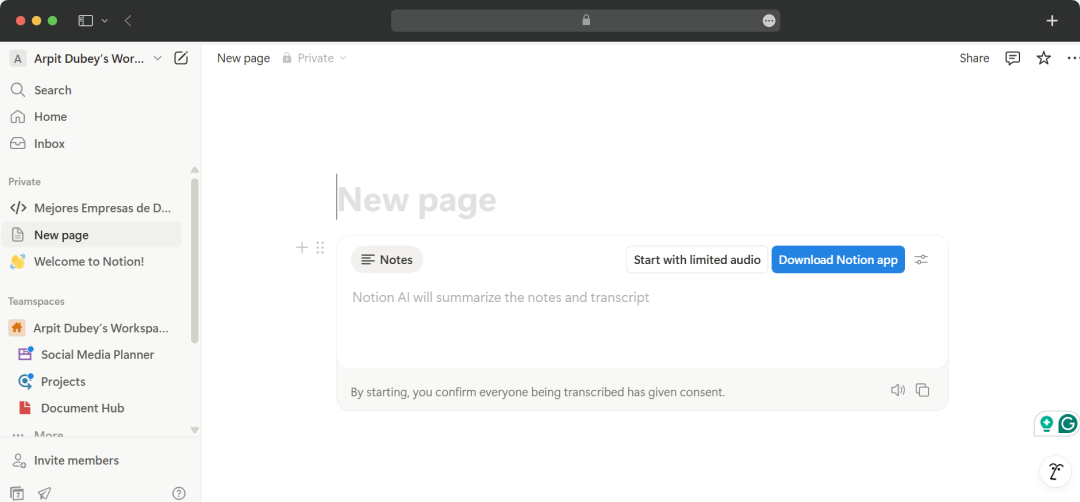
Building on summarization, the AI tool can also "generate action items" from transcripts, often identifying who is responsible for each task. This streamlines post-meeting follow-ups and ensures nothing falls through the cracks. I could even use it to summarize call transcripts and then generate action items with assigned responsibilities – all in under two minutes.
8. Unlimited Charts and Data Visualization
With unlimited charts in the Business and Enterprise plans, you can visualize projects, team workload, and goals—without restrictions or limits. Visualize data from databases in different ways (e.g. donut, bar, and line charts) to transform raw information into actionable insights.
9. Workflow Automation
The autofill database properties and AI connectors showcase Notion AI's potential for workflow automation. The platform’s core functionality shows how AI can handle repetitive tasks that typically eat up loads of time. However, the catch is that its full potential is barred behind paid plans.
10. Email Management (Notion Mail AI)
The inclusion of Notion Mail AI to sort and filter your inbox shows its commitment to holistic productivity. This step has been taken to extend the platform’s AI capabilities to manage your communications. It might not be directly tied to document creation, but the feature is definitely solving everyday business problems with Artificial intelligence.
11. Enterprise-Grade Privacy and Security
For organizations handling sensitive information, Notion's security features go far beyond basic password protection. Security and compliance come built-in with our Business and Enterprise plans—including SSO, SAML, and SOC 2—so your team can stay open and collaborative without worrying about sensitive information slipping through the cracks.
Also Read: Best AI Tools for Students
Notion AI Pricing
All the features of Notion AI are available under the broader Notion ecosystem. So, you don't have to buy the tool separately. However, subscription to the Notion workspace is essential to use its AI capabilities.
| Feature | Free | Plus | Business | Enterprise |
|---|---|---|---|---|
| Pricing | $0 per seat/month | $10 per seat/month | $20 per seat/month | Contact us |
| Notion AI Core (chat, generate, autofill, translate) | Limited Trial | Limited Trial | Full Access | Full Access |
| Meeting Notes (Beta) | Limited Trial | Limited Trial | Full Access | Full Access |
| Enterprise Search | No | No | Integrations like figma, Github, Google Drive, etc. | Integrations like figma, Github, Google Drive, etc. |
| Research Mode (Beta) | Limited Trial | Limited Trial | Full Access | Full Access |
Customer Reviews
How was your experience with the product?