
We are not biased. We test and review every product. Here’s our Methodology.

Tired of filters that look like plastic? Here’s a tool that uses advanced AI to deliver natural, professional retouching.

MobileAppDaily Certified Rating
4.3 out of 5
Available on:
Let Your Product Take the Center Stage with Our Review
Riya

Written By Riya

Riya turns everyday tech into effortless choices! With a knack for breaking down the trends and tips, she brings clarity and confidence to your downloading decisions. Her experience with ShopClues, Great Learning, and IndustryBuying adds depth to her product reviews, making them both trustworthy and refreshingly practical. From social media hacks and lifestyle upgrades to productivity boosts, digital marketing insights, AI trends, and more—Riya’s here to help you stay a step ahead. Always real, always relatable!

Explore More By Author

Facelab Review: Achieving Naturally Beautiful Perfection Beyond the Filter
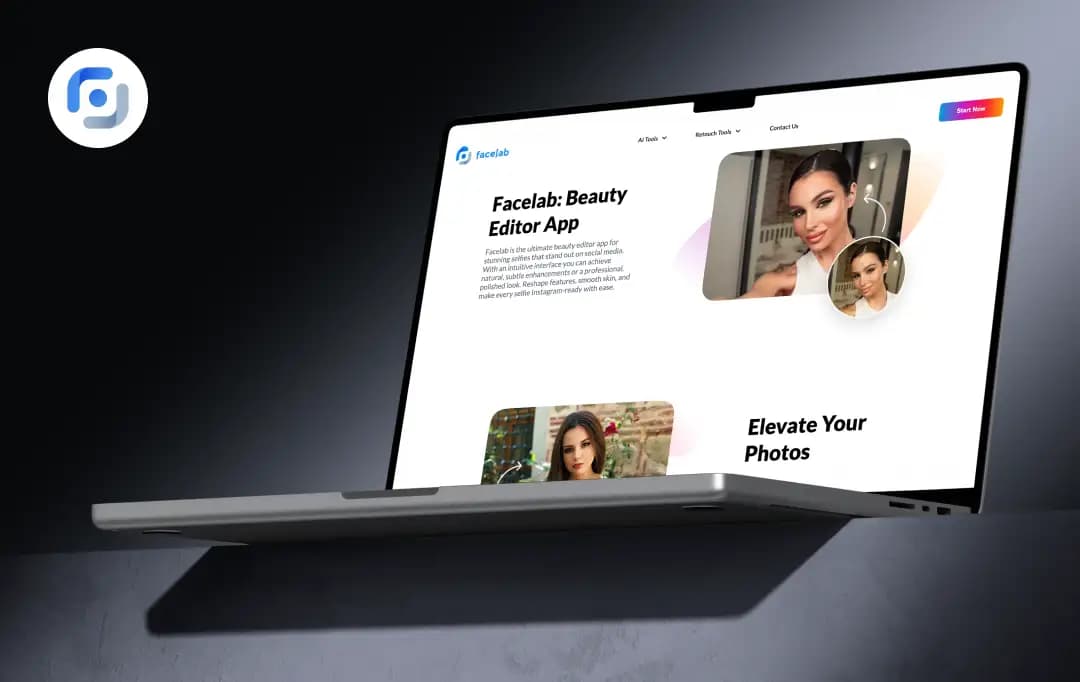
Facelab

I’ve always been pretty skeptical of beauty editors. Most of them are so aggressive that you end up looking more like a wax figure than a person, which is why I usually just stick to the basic phone filters.

But after a long weekend of photos where I looked a lot more tired than I actually felt, I decided to give Facelab a proper go. I wasn't alone in that curiosity, either; the app has already racked up over 10M+ installs and 360K+ ratings, with a massive following in the US, Brazil, Mexico, Italy, and the UK.

Upon using it, what surprised me was how it handled the small details, like skin texture and lighting, without making the whole photo look fake.

It really sticks to its idea of editing your photos with naturally beautiful perfection, focusing on those tiny, realistic tweaks that make a huge difference. After using it for a few days, here’s my honest Facelab review.

Pros and Cons of Facelab

Pros

  • Successfully smooths skin and removes blemishes without losing the real texture of your face
  • Features like ‘Aging’ and ‘Gender Swap’ are fun, accurate, and require zero editing skills
  • The tools for reshaping features feel subtle and don't distort the background
  • Unlike other apps that look drawn on, the hair and beard filters blend impressively well
  • The app maintains the original quality of your photo rather than compressing it into a blurry file

Cons

  • If you’re using the free version, expect a visible watermark on your saved photos

A Close Look at Key Facelab Features

Facelab was launched in 2018 by a team of machine learning experts who realized people were getting tired of basic, one-size-fits-all Instagram filters. They wanted more control and deeper editing options, and that’s exactly what this team delivered.

Since then, they’ve leaned heavily into AI to push the boundaries of what’s possible on a phone, even expanding into video editing to keep up with how we share content today. Here’s a closer look at the features that make Facelab stand out:

1. Natural-first AI

The standout here is the AI’s light touch. Instead of wiping away your pores and making you look like a CGI character, it keeps your actual skin texture and identity intact. It cleans up distractions like a sudden breakout or tired eyes while making sure you still look like yourself, just on your best day.
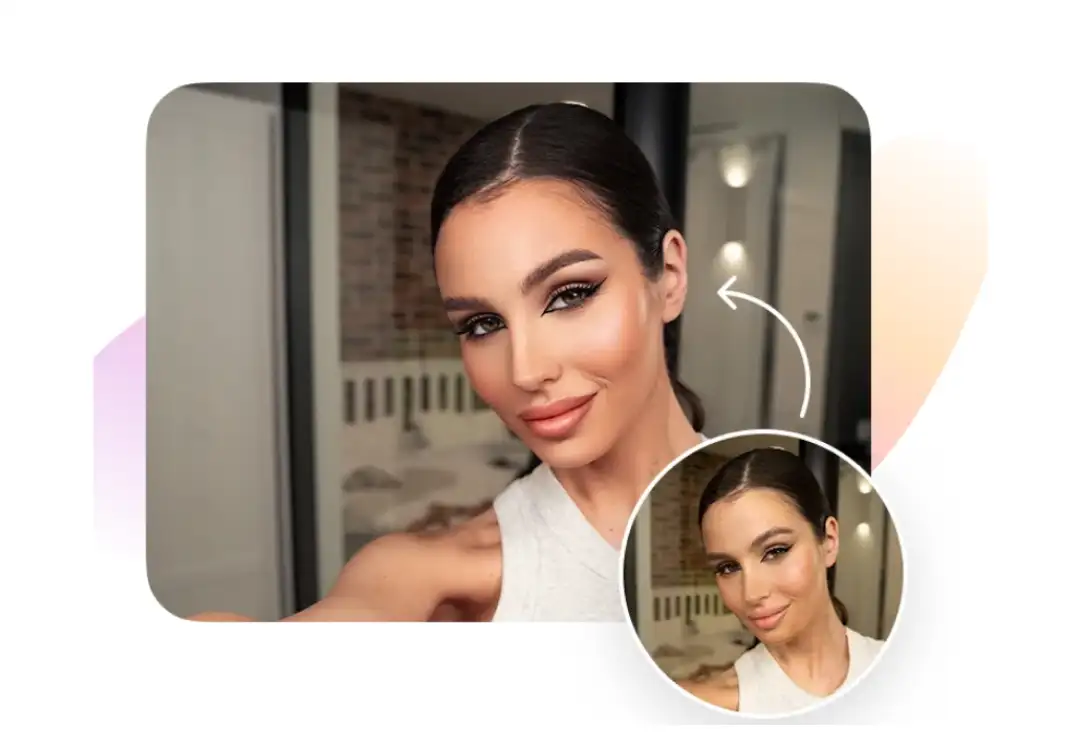
Natural-first AI

2. End-to-end Portrait Workflow

The Facelab face editor app is a true all-in-one studio that handles everything from hair styling and body contouring to color grading and background swaps. You don't have to jump between three different apps to finish a single photo.
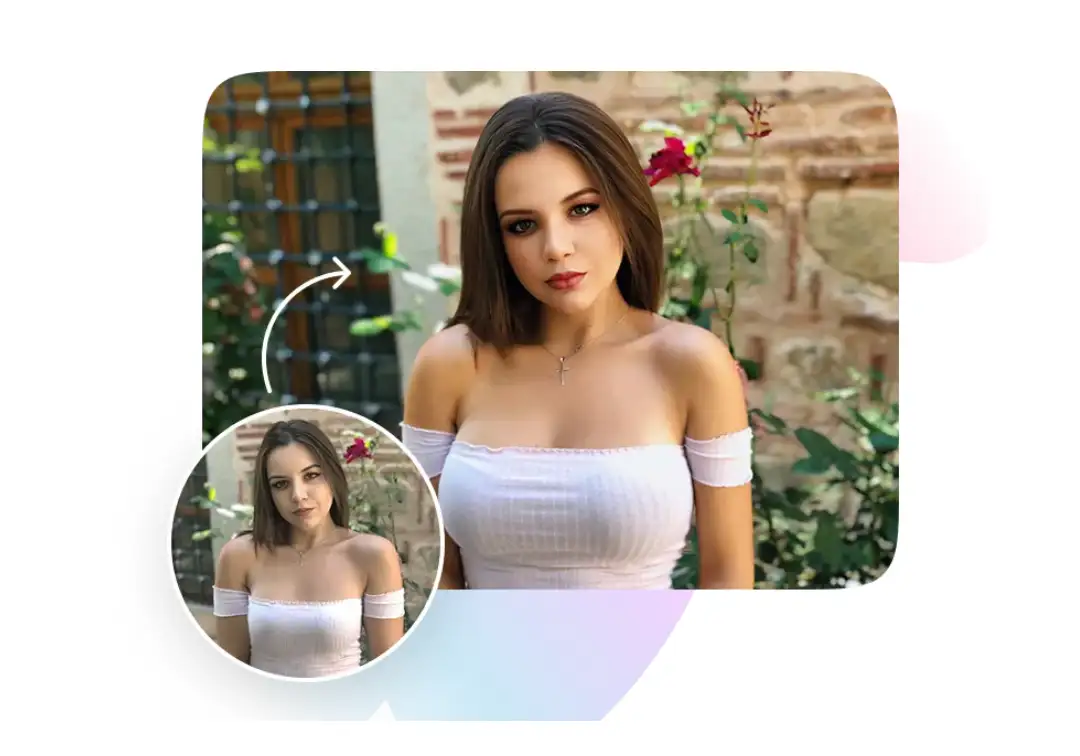
End-to-end Portrait Workflow

3. Inclusive by Design

Facelab doesn't just cater to a single demographic. It includes robust options specifically for men, such as realistic beard and hairstyle presets. Its AI tools respect a wide range of skin tones and hair textures.
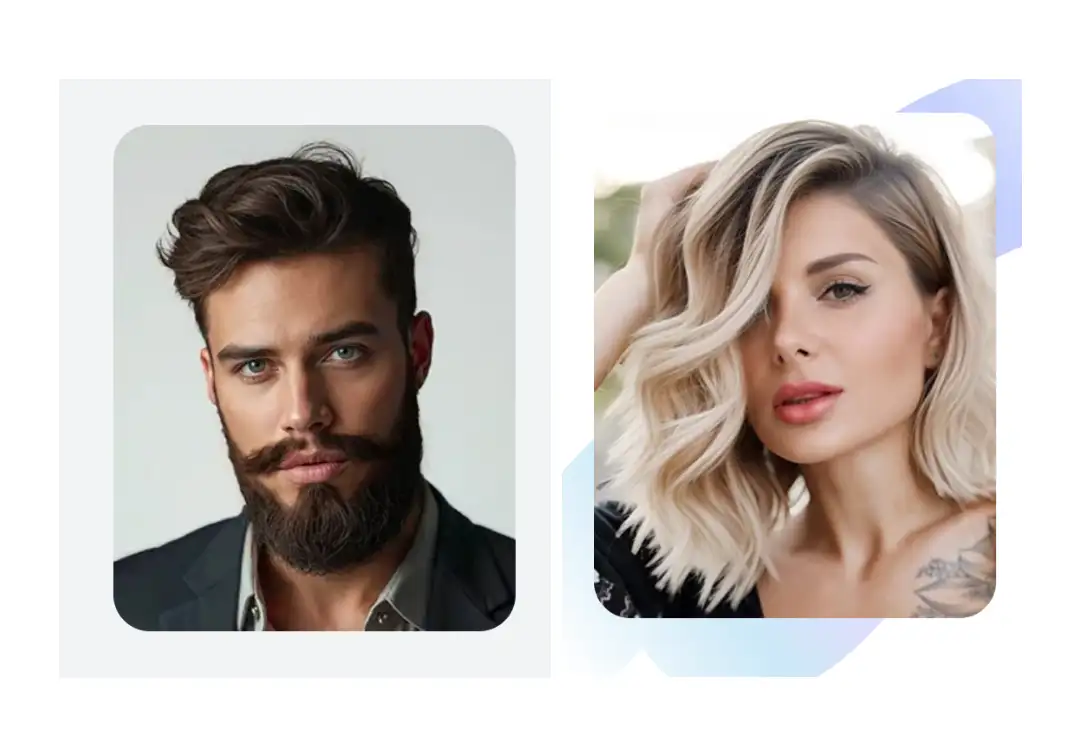
Inclusive by Design

4. Creator-ready Formats

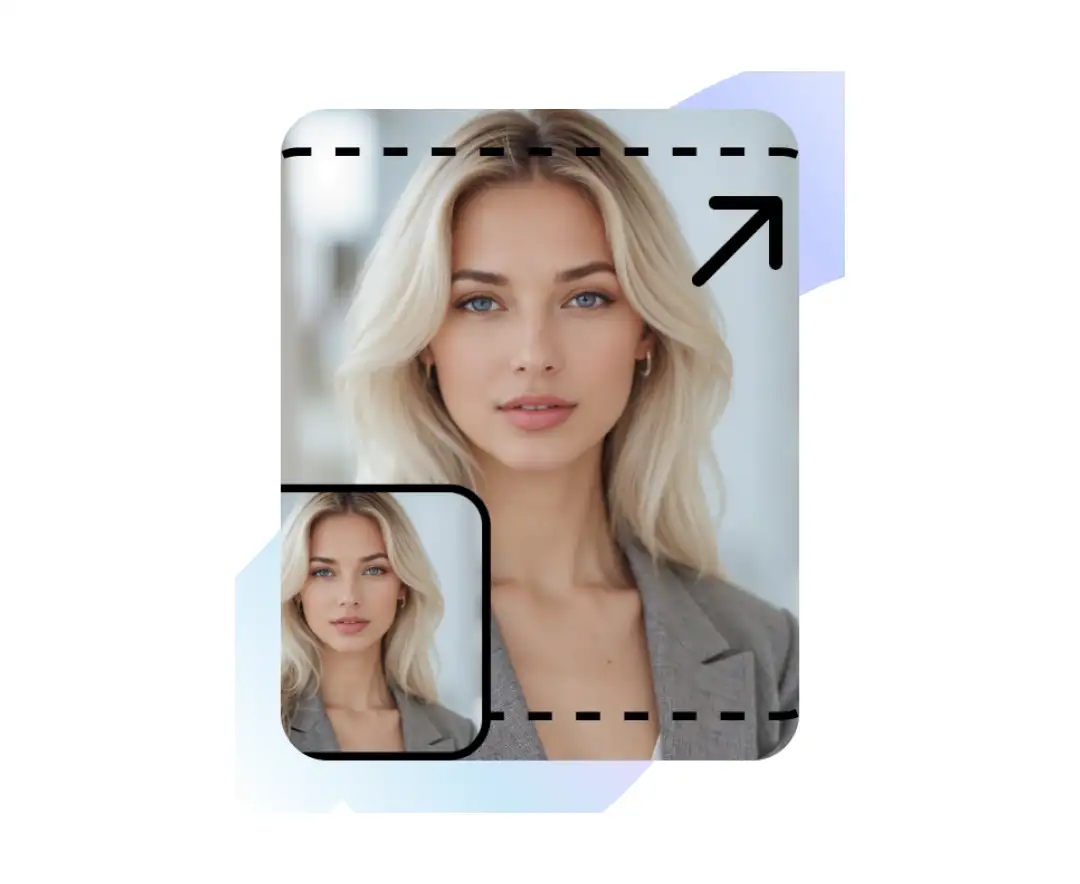
For anyone posting to social media, the image resizer tool is a lifesaver for fitting photos into specific aspect ratios without losing the subject. It also offers tailored presets for specific vibes—like travel, beach, or even baby photos.
Creator-ready Formats

Bonus Read: Best Instagram Photo Editing Apps

5. Community-driven Roadmap

One of the best things about the app is that the developers actually listen to the people using it. Many of the tools and content updates are shaped directly by user requests and feedback. It makes the app feel like a living project that is constantly evolving to solve the real-world editing problems its community faces.

6. Precision Tuning & AI Enhancements

While the overall workflow is impressive, the real magic happens in the specialized toolkit designed for those final, polished touches:

  • Body Editor: An intuitive slider-based tool that lets you tweak proportions and posture while keeping the background looking perfectly natural.
  • Fix Tools: A dedicated "utility belt" for surgical precision, allowing you to whiten teeth or brighten eyes without that "over-edited" look.
  • AI Beauty: The ultimate one-tap shortcut that automatically analyzes your face and applies a balanced set of enhancements for an instant, social-ready glow.
  • Remover: A smart object-removal tool that uses AI to seamlessly erase photobombers or distracting background clutter as if they were never there.

Understanding Facelab’s Toolkit

To bring the power of professional AI photo editors to everyone, Facelab organizes its capabilities into specialized AI and retouching toolkits. Here is a breakdown of the core AI and retouching tools you’ll find on the platform:

Feature Description
AI Beauty Automatically refines skin and facial features for a polished look in one tap
AI Hairstyle Allows virtual try-ons of different hair lengths, colors, and styles without any commitment
Object Remover Uses AI precision to seamlessly erase unwanted background elements and photobombers
Photo Expander Intelligently uncrops images to extend the background or adjust framing
Background Remover Swaps or removes photo backgrounds entirely to create transparent or themed scenes
Watermark Remover Cleans up images by erasing logos or text overlays for a professional finish
Body Editor Precisely adjusts body proportions and muscle definition with natural-looking results
Skin Retouch Smooths skin texture, removes blemishes, and evens out tone while maintaining realism
Face Shape Reshapes facial symmetry, adjusts jawlines, and slims features with high precision
Profile Photo Dedicated tools to optimize images specifically for professional or social media headshots
Resizing Image Provides quick cropping and aspect ratio adjustments for various social platforms

Facelab Pricing and Subscription Plans

Facelab operates on a flexible freemium model, providing a generous selection of basic tools for free while reserving its advanced AI features for subscribers. Here’s a table to give you an overview of the pricing-

Plan Type Pricing (US Market) Access Level
Free Version $0.00 Access to essential filters, standard retouching, and basic face/body tools
Weekly Subscription $9.99 / week Full access to all premium AI tools, including high-res exports and no watermarks
Yearly Subscription $59.99 / year The best long-term value, offering unlimited access to the entire AI and video editing suite

(Note: Prices are subject to change based on region and active discounts)
Why Trust MobileAppDaily?

For us, Product Reviews mean diving headfirst into the functionality of each digital product, whether it’s an app, software, or website. Our process centers around hands-on testing of each tool we pick. From scrutinizing features to testing vulnerabilities of security standards, the goal remains to help you find products that don’t just work but truly elevate your experience. In a nutshell, if we’re recommending a product, it’s because we believe it’ll genuinely make your digital life easier.

  • Products Reviewed - 4,000+
  • No. Of Experts - 20+
  • Categories - 65+
Explore Our Methodology

Customer Reviews

Rate the product based on your experience?

How was your experience with the product?

Also Reviewed By Us

MobileAppDaily’s Ratings For Facelab

Features

FEATURES

4.7

Professional AI suite for natural-looking results; struggles slightly in low-light detection.

Pricing

PRICING

3.9

Flexible freemium model, though the weekly subscription is pricey compared to the annual value.

Performance

PERFORMANCE

4.2

Fast processing and high-res exports, with minor lag occasionally seen on older hardware.

UI/UX

UI/UX

4.5

Clean and intuitive interface; however, ads in the free version can feel quite intrusive.

What’s Next in Store for the Facelab App?

The team behind Facelab is currently focused on a roadmap that transitions the app from a specialized portrait editor into a comprehensive, AI-powered creative suite for all types of visual media.

Here’s what is currently in development and arriving soon:

1. Video Editor Expansion

Since launching the video editor this past summer, the Facelab app has been refining its performance. In the near future, they plan to roll out a wide array of artistic video effects, allowing you to apply the same level of AI-driven perfection to moving images as you currently do to your photos.

2. Next-Gen Body Editor

Building on the existing success of their sculpting tools, Facelab is preparing to launch advanced features specifically for body editing. This update will include dedicated tools for adjusting body proportions with even greater precision and adding realistic muscle definition.

3. Enhanced ‘Fix’ Section

The ‘Fix’ toolkit is getting a major overhaul with new AI face-editing tools designed for speed and accuracy. These upcoming additions will focus on solving specific, common photo problems, like correcting lighting mishaps or awkward angles, in just a single tap.

Also Read: Best Video Editing Tools for Your Mobile Phone

How to Use the Facelab App on Your iPhone?

Using Facelab is quick and simple. I have tried this on real images to test the quality, but for this review, I’ll be using AI-generated images to protect privacy. Simply follow a few easy steps, and your post-worthy pictures will be ready in seconds.

Step 1: Download the App

You can download the Facelab app on your iPhone for convenience. Once downloaded, open the app and get ready to witness the power of AI.

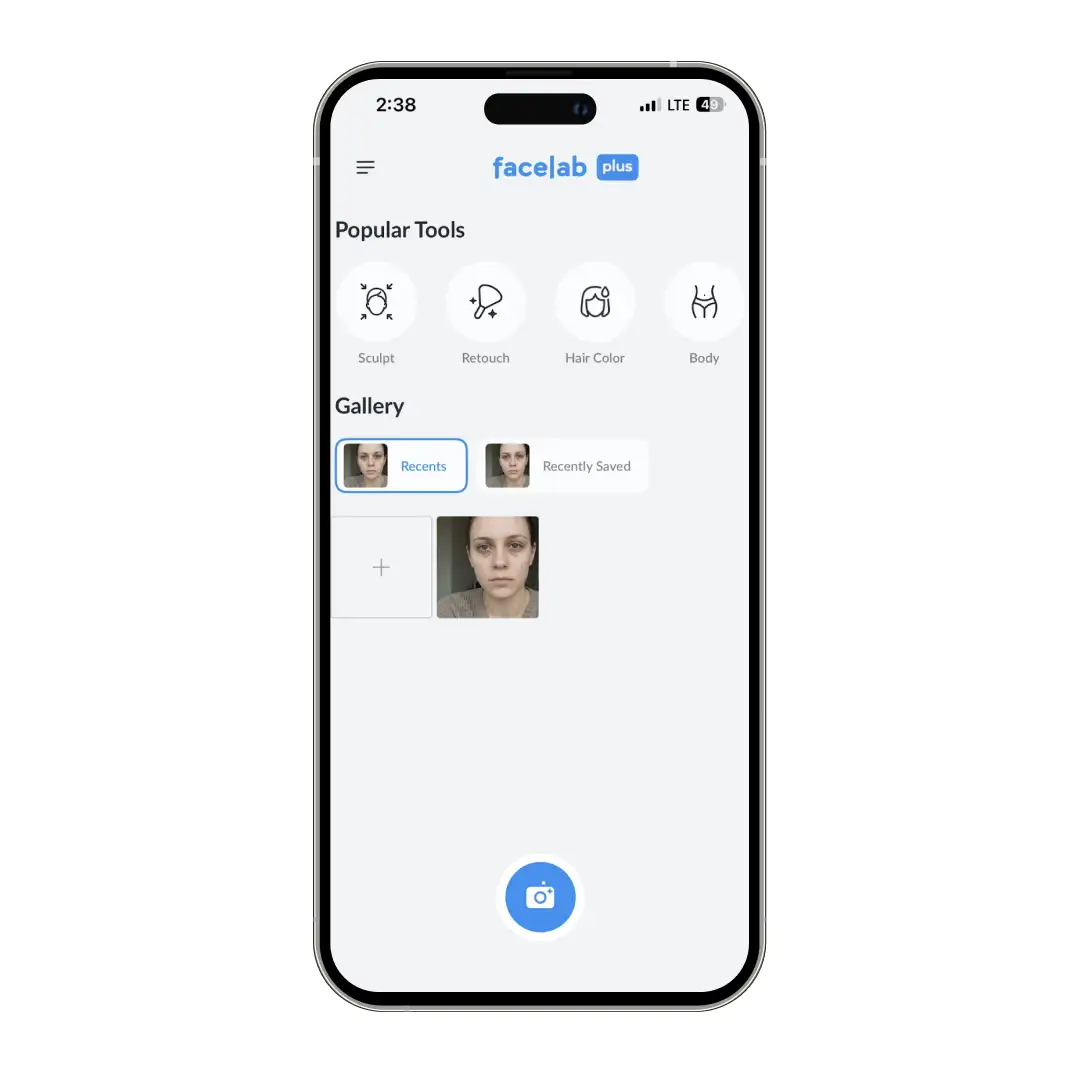
Step 2: Choose an Option

The app is packed with powerful AI-backed features to help you edit and retouch your photos within minutes. Choose a suitable option from sculpt, retouch, hair color, body, and others.

Choose an Option

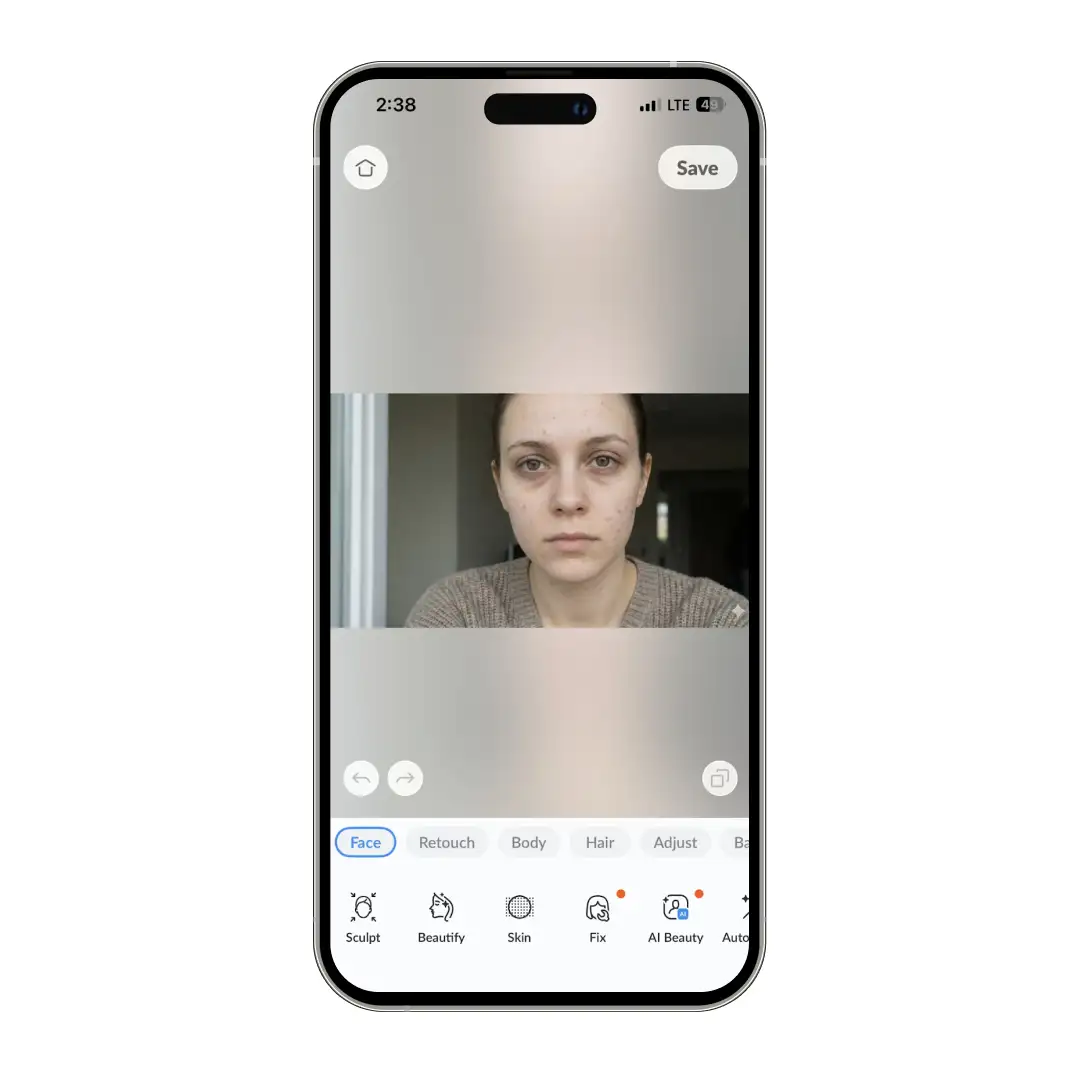
Step 3: Select a Photo

Once you have selected the desired tool, choose an image from your device that you wish to edit. You can either choose from saved photos or click a photo and upload.

Select a Photo

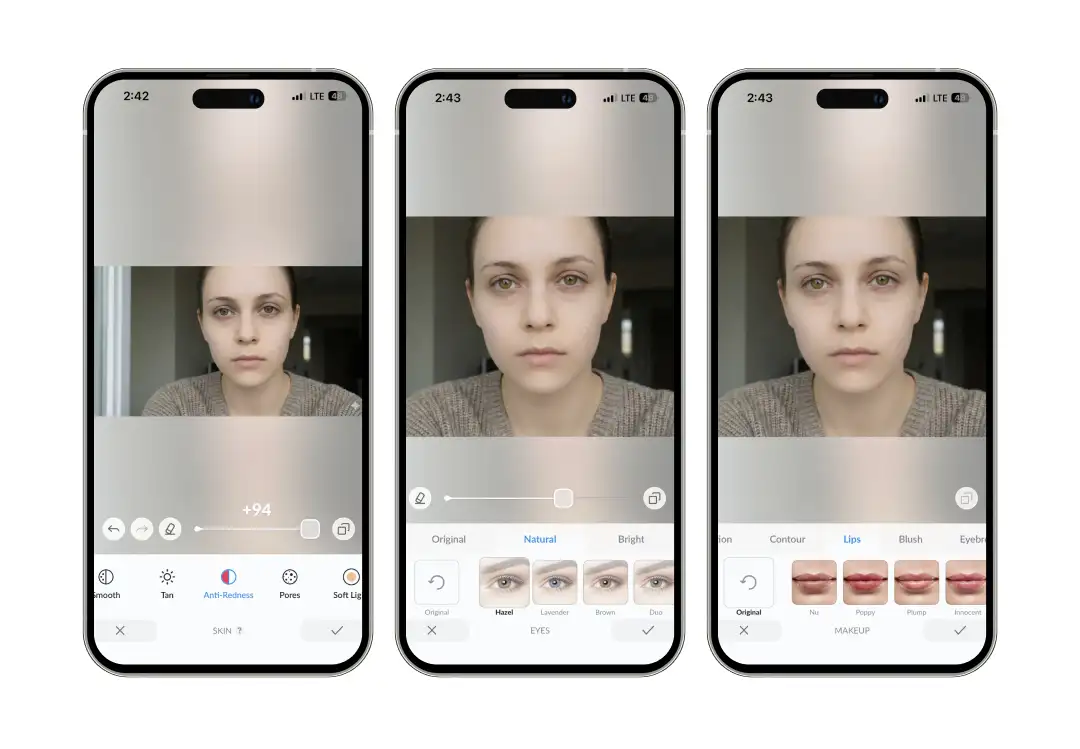
Step 4: Select Editing Tools and Begin Editing

You can now do almost anything  with the tool. Smoothen out your skin, sculpt your face, enhance your features, change your hair color or use the AI beauty features to transform your portraits.

Select Editing Tools and Begin Editing

All that you need to do is select an editing tool and use the sliders to adjust the effect as per your preference.

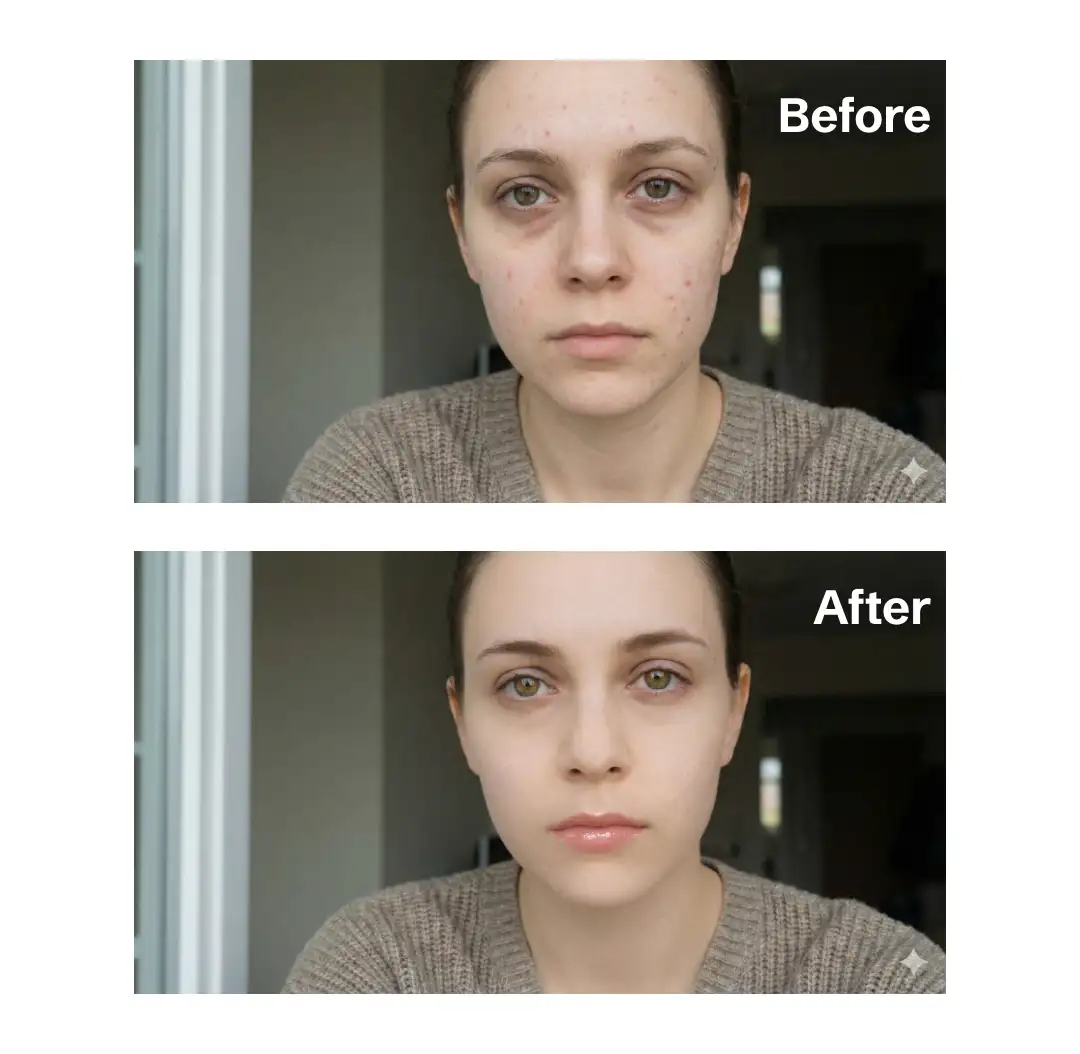
For this review, I have tried the ‘skin’ tool to even out the texture of the image. I have also enhanced the picture using the ‘makeup’ option. Here are the results-

The results are remarkable. Despite multiple rounds of editing, the image retains a completely natural aesthetic, avoiding an over-processed look.

MobileAppDaily’s Final Verdict on Facelab

I was so impressed with the app’s initial capabilities that I decided to immediately share it with the my team to collect their unfiltered Facelab reviews.

In an app landscape saturated with editors that promise professional results but often deliver ‘wax figure’ edits, we are notoriously skeptical. We deliberately pushed the app to its limits, layering edit upon complex edit, fully expecting the images to eventually buckle into that dreaded artificial, synthetic look.

The team's consensus, however, was unanimous: the results were absolutely stunning and looked very natural. The app’s ability to withstand multiple rounds of heavy retouching while retaining a completely natural aesthetic is nothing short of remarkable.

It manages to enhance authenticity rather than overwrite it, expertly avoiding the over-processed plastic trap that competitors so often fall into. This is a sophisticated tool that balances raw editing power with a crucial respect for the original image's integrity.

MobileAppDaily gives this app our highest seal of approval- it is the rare, tool that grants you limitless creative power without the artificiality.

Facelab
Frequently Asked Questions

  • What is Facelab?

    Facelab is an easy-to-use app that helps you polish your photos without making them look over-edited. It uses AI to help you:

    • Touch up skin and facial features naturally
    • Adjust proportions so you look exactly how you feel
    • Apply filters that give your photos a professional, high-end finish
       
  • Is Facelab safe to use?

  • How do you use Facelab?

  • How do I cancel a Facelab subscription?

  • Is Facelab free?

Latest Products

Delve into our comprehensive yet easy-to-consume guides, which provide insights that help scale business faster and prevent unseen pitfalls.

Related Products

Cut through the clutter and explore related digital products that deliver on performance.

Fill in the details, and our team will get back to you soon.

Contact Information
+ =

Fill in the details, and our team will get back to you soon.

Contact Information
+ * =