Make Review: Is This the Best Alternative to Zapier’s Automated Workflow?
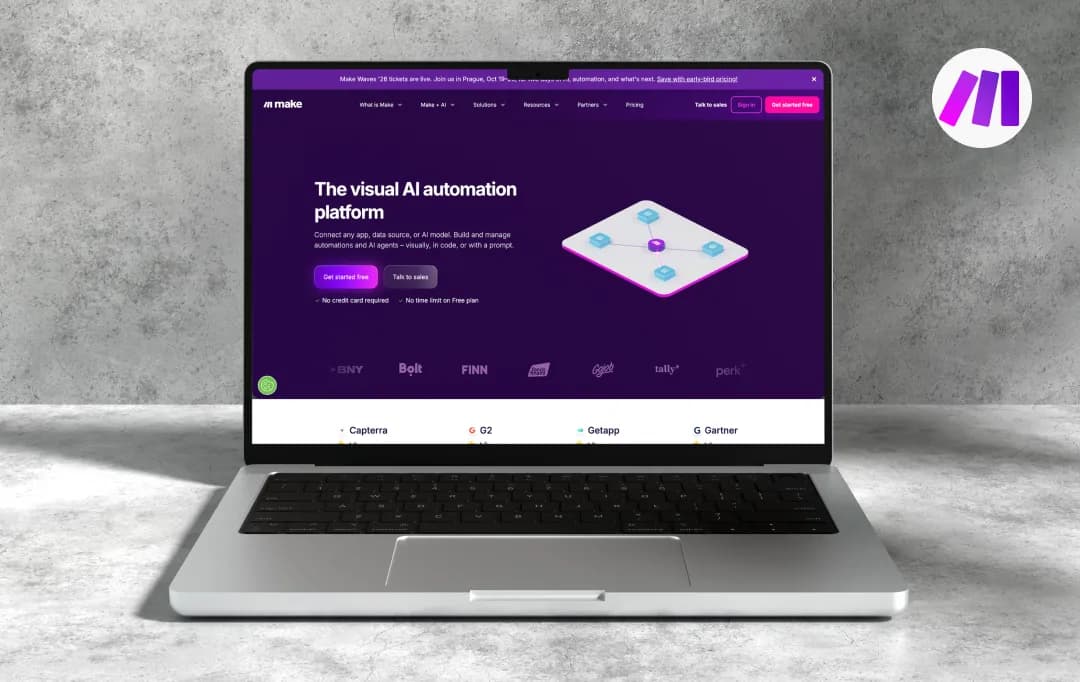
Make, the name itself sounds like a promise: make your work easier, make your processes faster, make automation possible. And that’s exactly what the platform aims to do. Make helps you build automated workflows by connecting the apps you use every day, giving you the ability to create anything from simple task automations to complex business processes.
It has become a notable option among AI productivity tools for teams and professionals looking to streamline repetitive work and improve efficiency. But a tool that can “make” almost anything happen also needs to prove it can make things simple.
So, I spent time testing this AI workflow automation software to find out whether it’s truly a productivity booster or a powerful platform that takes more effort than expected. This Make review explores everything beyond the polished promises and looks at where the platform truly stands out (and where it doesn’t).
Pros and Cons of Make
Pros
- Entire workflow visible on one screen, branches, loops, and merges included
- Text parsing, date math, JSON handling, and array ops are native to the editor
- Monthly operations carry forward, useful for seasonal or inconsistent workloads
- Each step can have its own retry, skip, or alert logic, not just a global on/off toggle
- Watch data flow through each module in real time, which cuts debugging time significantly
- No pre-built connector? Call the API directly; you're rarely blocked by a missing integration
Cons
- Core concepts for looping over data are unintuitive and poorly documented for beginners
- Each module per record counts separately, and budget surprises are common early on
- Schema is inferred from a single live call; optional fields cause silent failures later
- Free and Core users get community forums only, email support is slow, and there is no live chat
- All data runs through Make's cloud, a hard blocker for GDPR/HIPAA-sensitive teams
Key Features of Make AI Automation Platform
Make (formerly Integromat) is a leading visual AI automation platform trusted by over 400,000 organizations across 200+ countries. It enables teams to build, automate, and scale complex workflows through a no-code, drag-and-drop interface, without writing a single line of code.
From startups to enterprises, this no-code automation platform can help your business connect tools, eliminate repetitive tasks, and embed AI into your daily operations.
1. Visual Scenario Builder (4.3/5)
Make's no-code Scenario Builder lets you go from idea to a fully functional automated process in minutes using over 3,000 pre-built app integrations. All that you need to do is simply drag, drop, and connect modules to map out your entire workflow visually.
2. Make AI Agents (4.4/5)
AI Agents allow you to build, customize, and manage intelligent AI workflows that automate complex business processes with adaptive decision-making capabilities. Agents are reusable across multiple workflows and support model selection from various LLMs, including OpenAI-compatible models.
3. Make Grid (Visual Orchestration) (4.1/5)
Make Grid is an intelligent orchestration tool that centralizes all your automation scenarios in one view, showing how scenarios interact, where data flows, and how automation is structured across your business, in real time.
4. Maia: AI-Powered Scenario Builder (4.0/5)
Maia is Make's conversational AI builder that lets you generate entire automation scenarios end-to-end through natural language, with full visual transparency so you can clarify and redirect its actions as you build.
5. MCP Server Integration (3.9/5)
Make offers a cloud-hosted MCP (Model Context Protocol) server that lets you access your scenarios from any AI interface, with no servers to manage. This gives you the flexibility to call external tools with Make's built-in control and security.
6. AI Content Extractor (4.1/5)
The AI Content Extractor allows you to pull structured, usable data from unstructured files like PDFs, images, and audio, all natively inside Make. So, you do not need additional third-party tools or extra steps.
7. Make Code (Custom JavaScript & Python) (4.0/5)
Make Code is a built-in app that lets users write and run custom JavaScript or Python directly inside their scenarios. This gives technical teams the flexibility to handle precision logic without leaving the platform.
8. If–Else & Merge Modules (4.0/5)
The new If–Else module provides a clean way to branch scenarios based on conditional logic, while the Merge module lets you consolidate multiple branches, helping teams build sophisticated automations faster while reducing long-term maintenance overhead.
9. Analytics Dashboard (4.1/5)
Make's Analytics Dashboard gives teams clear insight into how workflows are utilized and how they perform over time. This makes it easier to identify bottlenecks and optimize automations proactively.
10. Role-Based Access Control (RBAC) (3.9/5)
Make supports role-based access control for team members, allowing admins to maintain oversight of workflow operations by setting usage and permission limits for each team.
Also Read: Best Workflow Management Tools
Understanding Make Pricing and Subscription Plans
Make switched from operations to a credits-based model in August 2025; every module action in a scenario consumes one credit. Here are the details about Make pricing and subscription plans available for users-
*Prices below are billed annually
| Plan | Price / mo | Credits / mo | Min interval | Key inclusions |
|---|---|---|---|---|
| Free | $0No time limit | 1,000 | 15 min |
|
| Core | $12per month | 10,000 | 1 min |
|
| Pro Recommended |
$21per month | 10,000 | 1 min |
|
| Teams | $38per month | 10,000 | 1 min |
|
| Enterprise | Custom Contact sales |
Custom | 1 min |
|
*This pricing is for 5000 credits per month. The price will increase as you increase the monthly credit usage.
What is Make+ AI?
Most automation platforms in the market bolt on AI as an additional feature or an afterthought. However, this AI workflow automation software takes a completely different approach. Its AI capabilities are built into the exact same canvas your workflows live on. Which means agents, reasoning, and real business actions all happen within a single platform.
This Make.com review highlights how the platform goes beyond basic automation by combining intelligent AI workflows with a visual approach to building and managing processes.
1. Automation with AI
Make lets you drop AI models, including GPT 4o, Claude, and Gemini, directly into any scenario as a module. You can use these models for text extraction, classification, content generation, or data summarisation.
2. Agentic Automation
Unlike static rule-based flows, agentic automation lets workflows reason over unstructured inputs and adapt in real time. Make positions this as the bridge between fixed automation and fully autonomous AI behavior.
3. Make AI Agents
With Make’s paid subscriptions, you can build AI agents directly inside the visual canvas. A real-time Reasoning Panel shows every decision, tool call, and action the agent takes, so nothing runs as a black box. The AI agents you build are reusable across workflows and support multi-modal inputs, including PDFs, images, and CSVs.
4. Library of Agents
Make offers a library of pre-built AI agent scenarios that you can deploy instantly. So, instead of building from scratch, you can simply pick an agent, modify it as per your business needs and use it.
5. Make MCP Server
Turn your Make scenarios into callable tools for external AI like Claude or ChatGPT. No local setup or code, generate a token, paste a URL, and your AI gains access to 3,000+ app workflows as executable tools with structured inputs and outputs.
6. Make AI Apps
A library of 400+ pre-built AI app integrations designed to plug into scenarios without configuration overhead. Covers common AI use cases, document parsing, sentiment analysis and voice transcription, so you're not rebuilding standard AI blocks each time.
Who is Make Suitable For?
Make is the best automation software which is broadly useful, but it lands best with teams who spend time moving data between tools, chasing approvals, or managing repetitive cross-functional tasks. It's built for departments that have clear workflows but lack the engineering resources to automate them.
I. Make across your business
| Team | What they automate |
|---|---|
| Marketing | Syncing leads from ad platforms to CRM, scheduling content distribution, triggering nurture sequences, and pulling campaign data into reporting dashboards |
| Sales | Auto-updating CRM on form fills, routing hot leads to reps instantly, syncing deal stages across tools, and triggering follow-up sequences without manual input |
| Operations | Connecting siloed tools, automating approval chains, keeping data consistent across systems, and removing manual handoffs between departments |
| Customer Experience | Routing support tickets to the right team, triggering onboarding flows on signup, auto-escalating unresolved issues, and syncing customer data between Helpdesk and CRM |
| Finance | Automating invoice creation, syncing payment events across tools, flagging budget anomalies, and generating periodic financial summaries without manual data pulls |
| IT | Managing user provisioning and access on employee changes, monitoring system events, automating incident alerts, and syncing data across IT service tools |
| People & HR | Automating onboarding task creation, syncing employee records between HRIS and other platforms, and scheduling reminders for reviews, renewals, and compliance deadlines |
| Workplace Productivity | Eliminating repetitive admin, keeping project tools in sync, automating status updates and notifications, and freeing up time for higher-value work |
II. Popular use cases
| Use Case | What it looks like in practice |
|---|---|
| Social Media Posting | Auto-publish approved content across platforms on a schedule, repurpose blog posts into social formats, and track engagement data back to a central sheet |
| Lead Management | Capture leads from any source, enrich them automatically, score and route them to the right rep, and trigger immediate outreach, all without touching a CRM manually |
| Email Marketing | Trigger personalised email sequences based on user actions, sync contact lists between tools, and update campaign performance data in real time |
| Content Creation | Use AI modules to draft, review, and format content at scale, then route it through approval workflows and publish automatically once signed off |
Customer Reviews
How was your experience with the product?