Apple Introduces iOS 26 Public Beta: Liquid Glass Redesign and Other Exciting Features
Date: July 25, 2025
Experience a complete design overhaul with iOS 26’s Liquid Glass aesthetic, real-time translation features, and enhanced functionality. Public beta now available!
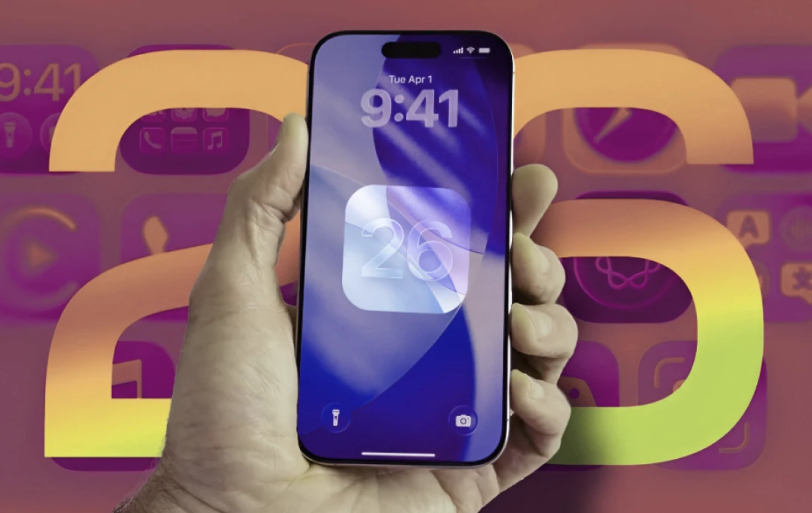
Apple has recently launched the public beta of iOS 26. This brings a futuristic design overhaul known as the Liquid Glass aesthetic. The iOS update offers fluid, animated elements, replacing the old flat visuals with a modern, sleek feel.
Expressive. Delightful. But still instantly familiar.
— Tim Cook (@tim_cook) June 9, 2025
Introducing our new software design with Liquid Glass. pic.twitter.com/8hA0q2aCTf
What iOS 26 Has in Store?
The centerpiece of iOS 26 is undoubtedly its Liquid Glass aesthetic, which has revolutionized the standard flat 2D visuals. Now, it offers a fluid, animated interface that feels more dynamic. CNBC reports that this redesign breathes new life into the user experience, making it not just about functionality but also about aesthetics.
Moreover, iOS 26 has also revamped some of the key applications with notable improvements. For example, the Phone app now has enhanced call screening and management options. Messages comes with new features like conversation polls and better filtering options, while Apple Maps boasts improved routing and location features.
Now, iOS 26 introduces a cleaner, more modern interface for Camera and Photos, improving navigation. Also, there’s more for Apple Music lovers, which includes the ability to translate lyrics, view pronunciation guides, and enjoy the new AutoMix feature, which creates automatic mixes of users' favorite songs.
But here's where it gets interesting - the AI features are genuinely impressive. iMessage and FaceTime now do real-time translation, which could be a game-changer for international communication. Users can now perform a visual search. For example, you can now simply take a screenshot, highlight something like a fancy bottle or piece of furniture, and instantly find similar products online to the one that they saw. These standout features showcase Apple's commitment to making AI-powered interactions more intuitive and practical for everyday usage.
Get a Glimpse into iOS 26 Public Beta
Want to give iOS 26 a try? Here’s how you can install the beta on your iPhone:
1. Check Compatibility: You should begin by ensuring that your iPhone supports iOS 26. That’s because the update is available for models as old as the iPhone 11 (2019) and the iPhone SE (2nd generation) (2020), both using the A13 Bionic chip. If you hold an older model like the iPhone X, you will not be able to install iOS 26, even if an option to download is available.
2. Visit the Apple Beta Website: Next, go to the official Apple Beta Program site and sign up using your Apple ID.
3. Select Beta Updates: After signing up, head to Settings > General > Software Updates, then tap Beta Updates and choose the iOS 26 public beta.
Once downloaded, you’ll be able to explore all the exciting new features and help Apple improve the software by providing feedback.
The Future is Fluid
iOS 26 is shaping up to be Apple's biggest update in years. The new Liquid Glass design looks pretty different, and they've really gone all-in on AI features this time. The final version is set to launch this fall when the iPhone 17 drops, but you can try the beta now if you want an early look.

By Sakshi Kaushik
Sakshi Kaushik is a curious storyteller who brings clarity to the chaos of innovation. She dives into artificial intelligence, blockchain, fintech, and healthtech, turning complex concepts into content that's both insightful and easy to follow. With a knack for making tough topics feel approachable, Sakshi writes for readers who want to stay informed without getting overwhelmed. Her work is where smart meets simple—blending curiosity with clarity, and delivering tech stories that resonate in a world that never stands still.
// Recommended
Pinterest Follows Amazon in Layoffs Trend, Shares Fall by 9%
AI-driven restructuring fuels Pinterest layoffs, mirroring Amazon’s strategy, as investors react sharply and question short-term growth and advertising momentum.

Clawdbot Rebrands to "Moltbot" After Anthropic Trademark Pressure: The Viral AI Agent That’s Selling Mac Minis
Clawdbot is now Moltbot. The open-source AI agent was renamed after Anthropic cited trademark concerns regarding its similarity to their Claude models.

Amazon Bungles 'Project Dawn' Layoff Launch With Premature Internal Email Leak
"Project Dawn" leaks trigger widespread panic as an accidental email leaves thousands of Amazon employees bracing for a corporate cull.

OpenAI Launches Prism, an AI-Native Workspace to Shake Up Scientific Research
Prism transforms the scientific workflow by automating LaTeX, citing literature, and turning raw research into publication-ready papers with GPT-5.2 precision.

Have newsworthy information in tech we can share with our community?

Related Content