
Midjourney AI Review: Can It Really Create Art That’s Better Than Humans?
The hunt for the right image can be a total nightmare. I can’t tell you how many hours I’ve wasted scrolling through sterile stock photo sites, looking for something with a spark of life. You have this perfect picture in your head, a specific mood or a detailed scene, but it feels impossible to bring it to life without a massive budget.
That was my reality. Then, my social feeds started exploding with these wild, incredible pieces of art that looked like they'd been pulled from a dream. Every time I checked the source, the name was the same: Midjourney.
Curiosity got the best of me, so I used my Discord account to see if it was legit. To be honest, I created tons of images for a client’s campaign and for my own blog, and it works!
But is it a game-changer for content creators, or just a fascinating digital toy? Let’s see in this detailed Midjourney AI review.
Pros and Cons of Midjourney AI
Pros
- Excels at producing high-resolution images with intricate details
- Supports a wide range of artistic styles
- Fosters a vibrant community for users
- Consistent releases of new versions and features
- Enables users to fine-tune the creations using tools like ‘Style Reference’
Cons
- Does not offer a free trial
- Operates from Discord, creating a barrier for users
- Limited customer support
- Uses copyrighted images for training its AI
- No in-app editing features, requiring users to use external software for refinements
Key Features of Midjourney
Having spent considerable time exploring this web-based app, I've some of my favorite picks that set it apart in the realm of AI-driven creativity. Here's a closer look at what makes Midjourney AI truly remarkable:
1. Advanced Image Editing Capabilities
The first thing I like about Midjourney is that it offers AI-enhanced image editing tools. I was once working on a design where the background did not complement the overall image. But with Midjourney, I was able to remove it in just a few seconds. I have even used it for image upscaling and noise reduction, which came in handy when I wanted a print-ready visual.
2. Smart Layout Recommendations
Another feature I found really helpful in Midjourney AI is the smart layout recommendations. It actually helped me in analyzing the relevant elements in my design and even suggested certain tweaks based on alignment and spacing. This is what elevated my work from being just a collection of elements into a cohesive image that looks professionally composed.
3. Real-Time Collaboration and Feedback
Collaborating on several design projects can often be a tedious and disconnected process. But with Midjourney, this isn’t the concern anymore because it handles it through real-time collaboration. The entire process lives inside a shared Discord channel, where the team gets a live & interactive feed of every prompt and image. This way, the artists can work in tandem.
4. Automated Workflow Integrations
One thing that made me like Midjourney even more is that it connects with popular tools, like Adobe Creative Suite and Trello. For example, you set up a simple automation that instantly sent a pinned (or favourited) image from Midjourney directly to the desired tool.
This way, you no longer have to manually download and upload the files; meanwhile, your project manager will always have a track of the latest approved assets to work with.
5. Rapid UI & UX Prototyping
The most underrated feature of Midjourney is its ability to create UI/UX prototyping. This means designers no longer need to spend hours creating a single high-fidelity mockup. They can simply generate a dozen different visual concepts for an app screen or website layout in minutes.
For instance, if you are brainstorming a new landing page, Midjourney will help you generate multiple hero section styles. This way, you and your team can discuss constructive feedback on different designs, fonts, and more.
Also Read: Best AI Art Generators
Midjourney AI Pricing Plan
| Plan | Monthly Price | Annual Cost | Fast GPU Time | Relax GPU Time | Stealth Mode | Maximum Repeat/Permutation Size |
|---|---|---|---|---|---|---|
| Basic | $10/month | $96 ($8/month) | 3.3 hr/month | No | — | 3 jobs |
| Standard | $30/month | $288 ($24/month) | 15 hr/month | Unlimited Images | — | 3 jobs |
| Pro | $60/month | $576 ($48/month) | 30 hr/month | Unlimited Images & Video | ✔️ | 12 fast jobs + 3 relaxed jobs |
| Mega | $120/month | $1152 ($96/month) | 60 hr/month | Unlimited Images & Video | ✔️ | 12 fast jobs + 3 relaxed jobs |
How Does Midjourney Work? My Hands-On Experience
Let me walk you through my experience of using Midjourney, starting from prompts to final masterpieces in just a few clicks.
1. Setting Up the Platform
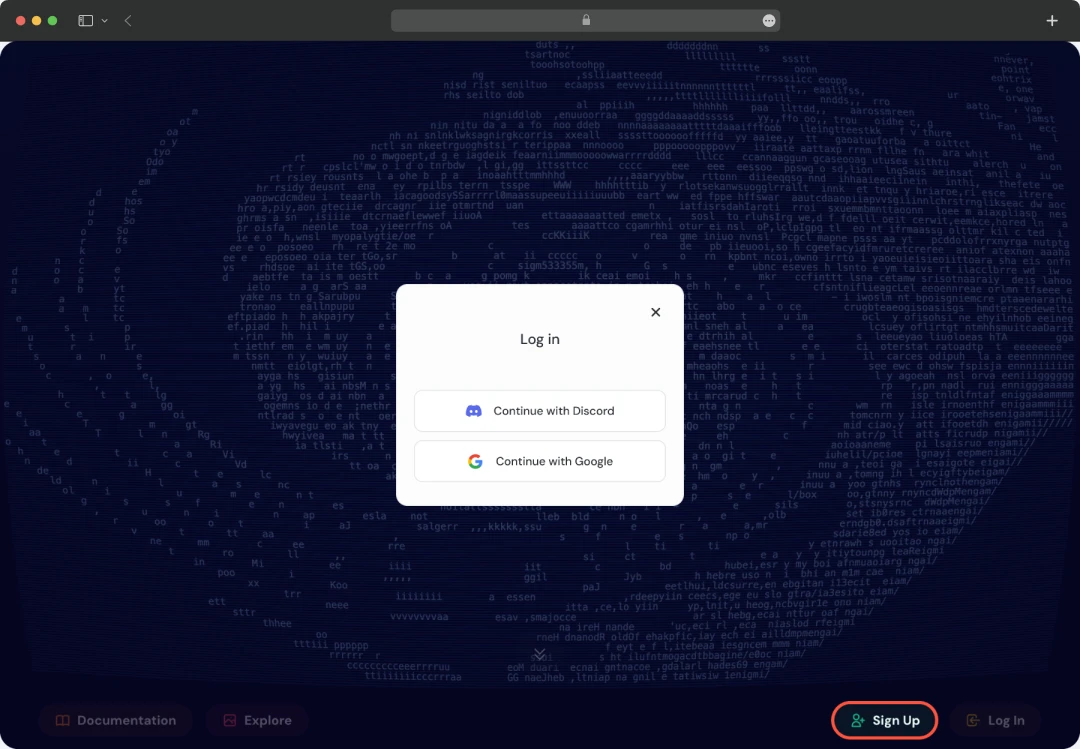
Click on the sign-up button from the main website, where you’ll see two options: Continue with Discord or Continue with Google. If you have a Discord account, you can simply log into it or create a new one. Your Discord login details will be your Midjourney credentials. If not via Discord, you can simply log in using your Google account.
2. Sign Up for a Midjourney Subscription
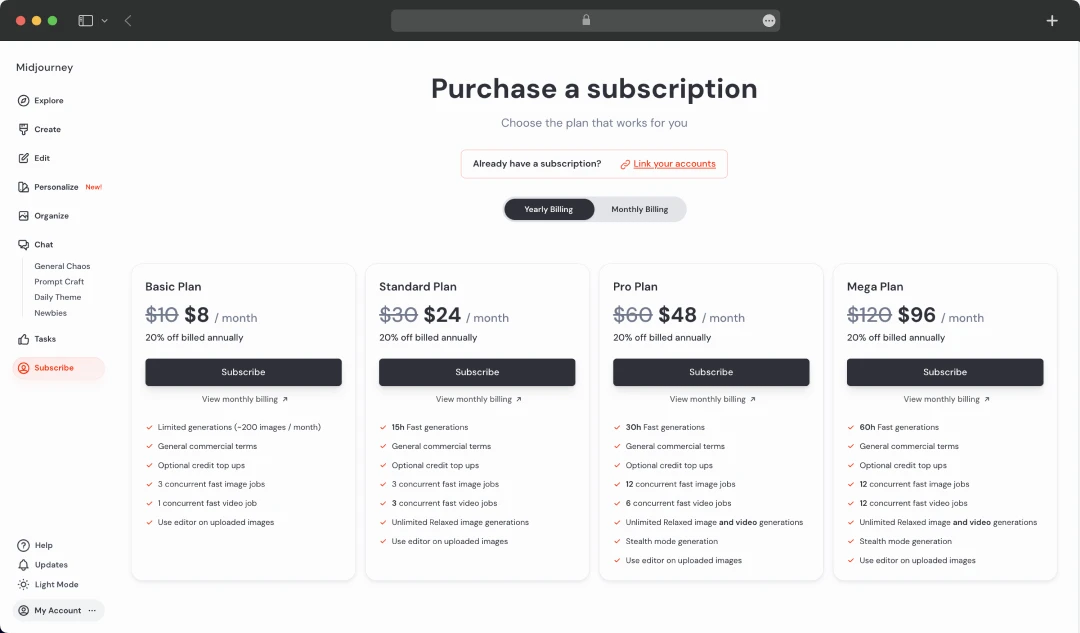
After successfully logging into the app, choose any one subscription plan. I first opted for a basic plan, and it’s a good one if you want to explore the platform first. You’ll get familiar with the interface and how the text prompting works.
3. Create Your First Image
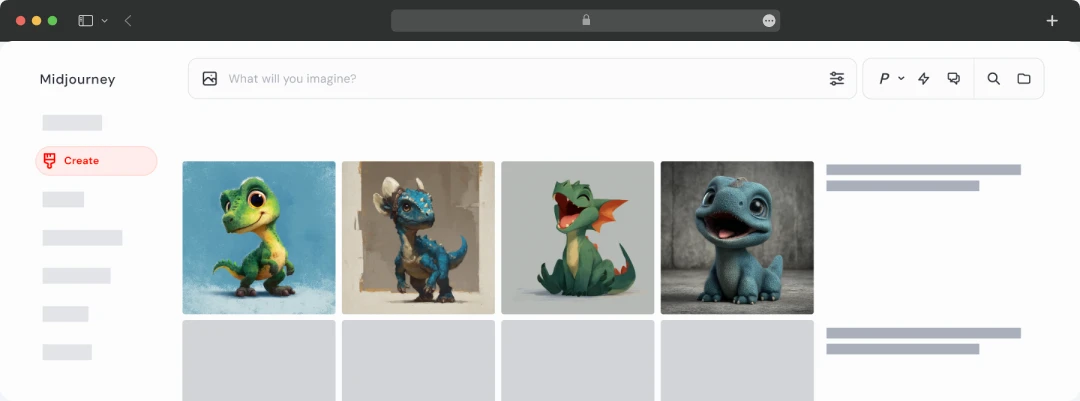
It’s time to create images (or even turn them into videos!) Click on the “Create” option available in the sidebar. Give a short or brief prompt to generate images, and you can see them appear in real time. At the top of the page, you’ll see a bar that reads, “What will you imagine?”. Try to write a precise prompt to get the best image that you imagined.
4. Personalize Midjourney
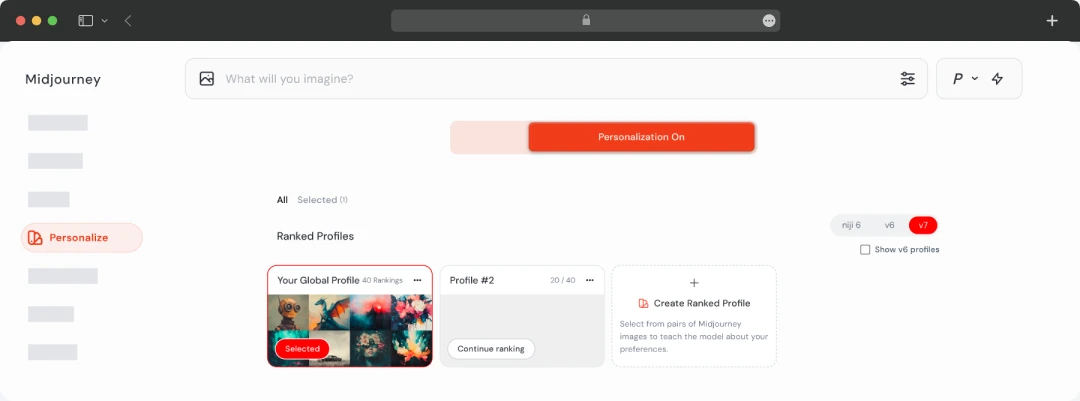
If you want a personalized experience, Midjourney AI lets you create mood boards and custom personalization profiles. It will allow you to generate images that uniquely match your styles or preferences.
You can also explore different styles and themes by experimenting with your prompt, like "a bustling outdoor cafe in a European town at twilight, patrons drinking coffee under a canopy of luminous, swirling stars, in the expressive and dramatic post-impressionist style of Vincent Van Gogh."
5. Customize Your Settings
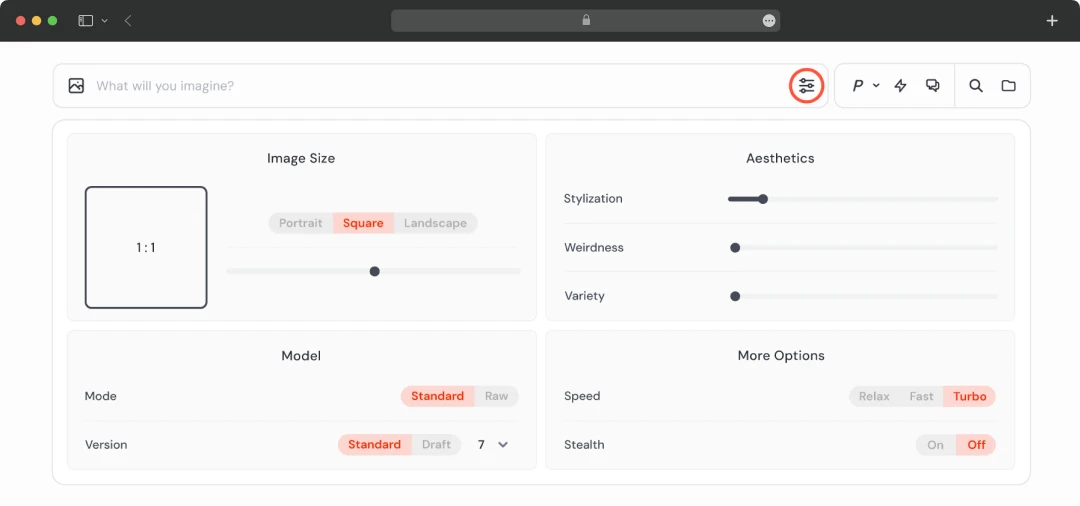
Do you want to change your image size, aesthetics, or model? Do it easily by just changing your default image generation settings by clicking on in the imagine bar, as shown in the screenshot below.
6. Work Together with Other Subscribers
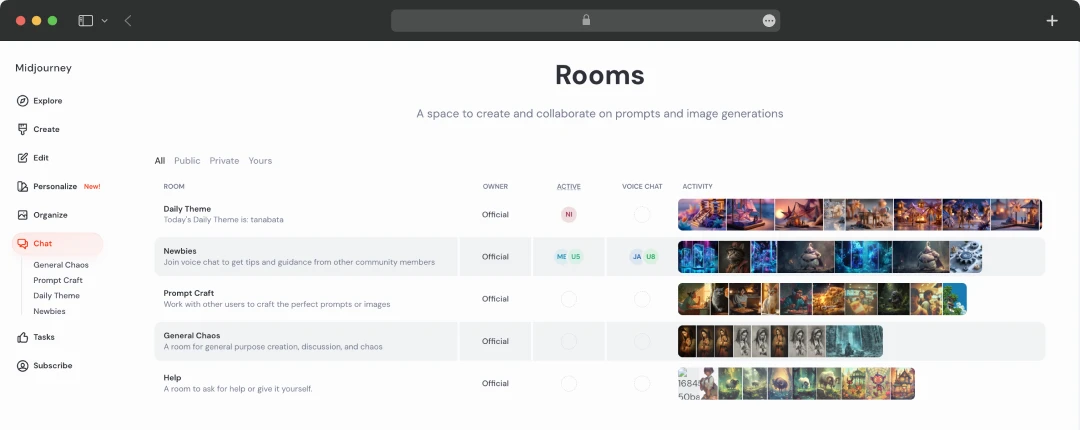
Working together with other subscribers is a massive part of the Midjourney experience, and it's a surefire way to accelerate your learning. When you’re creating in a public space, you’re not just making images in isolation—you're getting a live, real-time look at what everyone else is creating.
Here’s how you can make the most of it: Simply browse through the main Midjourney Discord channels or the community showcase on the website. Every single stunning image you see has the exact prompt the creator used attached to it. This is your learning tool. Find an image you love, and instead of just admiring it, click on it to view the prompt.
Also Read: Best Generative AI Tools
Customer Reviews
How was your experience with the product?