
InstaHeadshots
We tested InstaHeadshots to turn selfies into polished photos, and the results were…! Find out what we loved…and not about the platform in our InstaHeadshots review!
Our InstaHeadshots Review | Turning a Selfie into a Forbes-Worthy Headshot!?
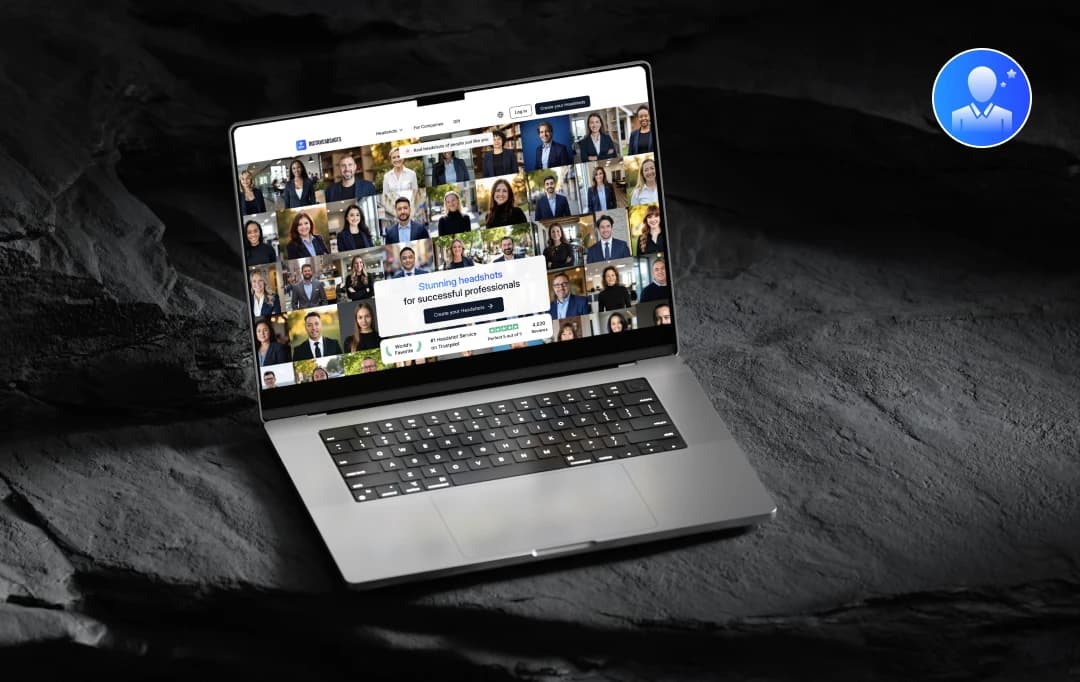
Getting professional headshots can be a hassle. The time commitment of booking a photographer, coordinating outfits, and the often-uncomfortable posing can deter anyone needing a polished image for their LinkedIn profile or professional portfolio.
However, a new AI-powered solution, InstaHeadshots, promises to deliver studio-quality headshots in a fraction of the time, all without leaving your desk. Our team recently put this tool to the test to see if it lives up to its claims.
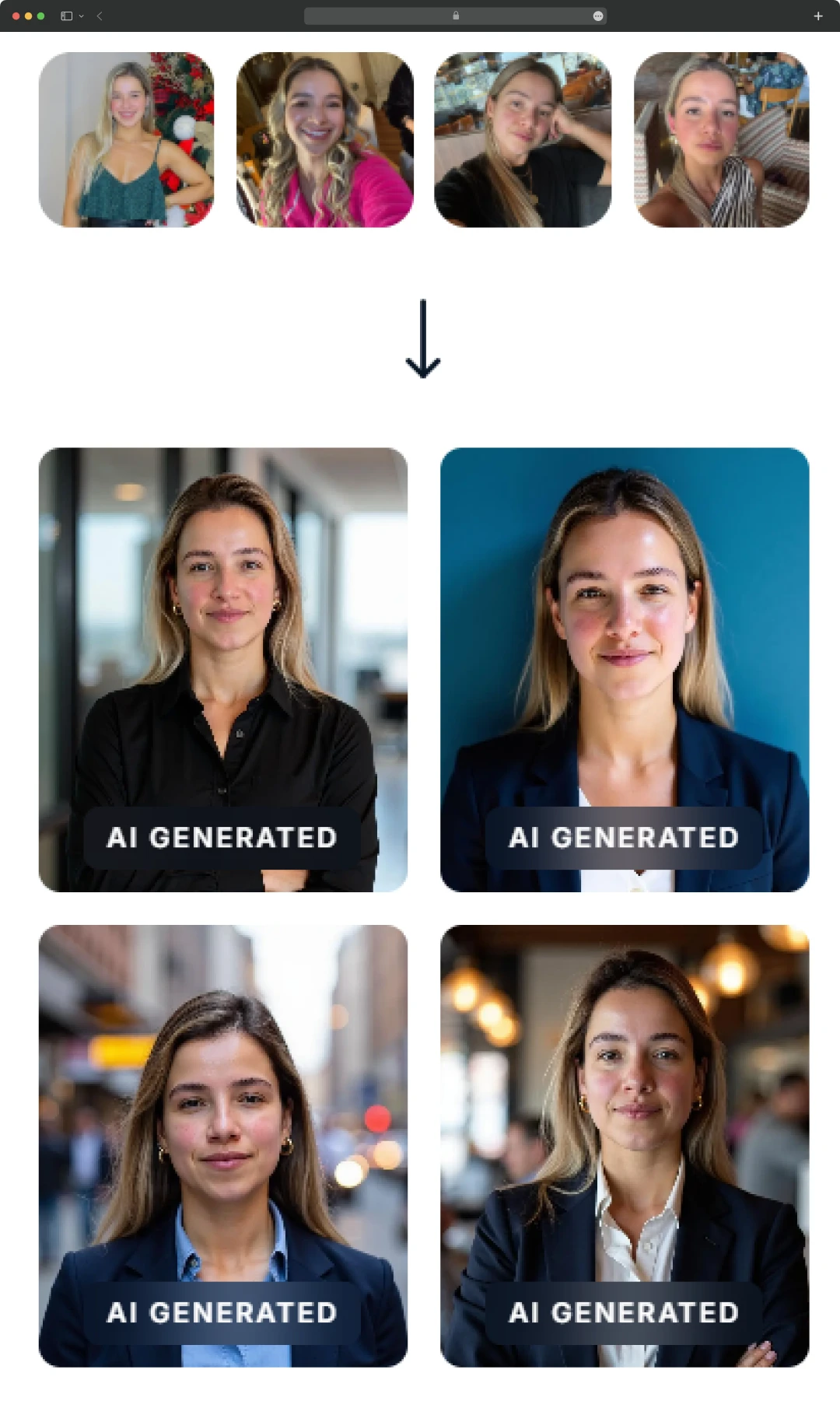
To thoroughly experiment with InstaHeadshots, several members of our team uploaded a variety of personal photos – some well-lit and professionally taken, others simple selfies snapped on a whim. We were curious to see if the AI could truly work its magic across different input qualities. The results were, to say the least, surprising.
None of us expected to look that put-together. A few actually looked like the kind of people who have a sorted morning routine and drink green juice on purpose!
In this InstaHeadshots review, we’ll break down our experience using InstaHeadshots, what we loved, what made us do a double-take, and whether it’s actually worth your money. If you’ve ever wished for a professional photo without the professional hassle, keep reading. This might just be the shortcut you’ve been waiting for.
Pros and Cons of InstaHeadshots
Pros
- With a paid plan, users can get results in as little as 15 minutes with the premium plan; other plans take around 60-90 minutes
- Ensures high realism & facial accuracy, sharp details, accurate skin tones, and natural expressions
- Over 40 professional looks/backgrounds; plans scale from 2 to 10 styles
- Considerably more affordable than hiring a photographer
- Free plan available with a no-signup option
- Offers refunds if you're dissatisfied and ensures well-rated customer service
- Secure & privacy-conscious – Encryption in transit/storage, no use of your photos for training
Cons
- You can’t tweak generated images directly on the platform; you need other tools
- Some users find expressions a bit blank or overly smooth
- Starts around $49, making it one of the more expensive AI headshot options
- Slight inconsistency – A few generated shots may be off or slightly inaccurate
Why This Isn’t Just Another AI Tool | Top InstaHeadshots Features
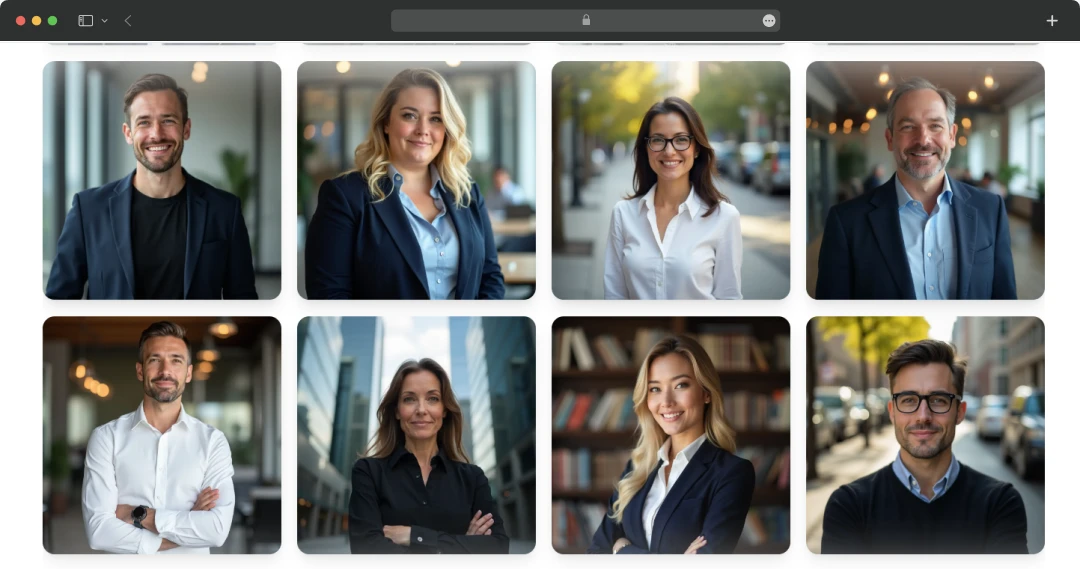
InstaHeadshots is more than just another AI tool – it's a great platform for professionals who need the perfect profile picture without the hassle. With advanced features, it redefines what an AI-driven photo tool can do. Here's why InstaHeadshots stands out in the crowded tech space-
1. AI-Generated Headshots That Look Shockingly Real
Forget those awkward AI pics that make you look like a wax figure. InstaHeadshots uses advanced AI to create professional-looking headshots that actually resemble you. It picks up your facial features, expressions, and even skin tone pretty accurately—no uncanny valley vibes here.
2. Multiple Styles and Backgrounds to Choose From
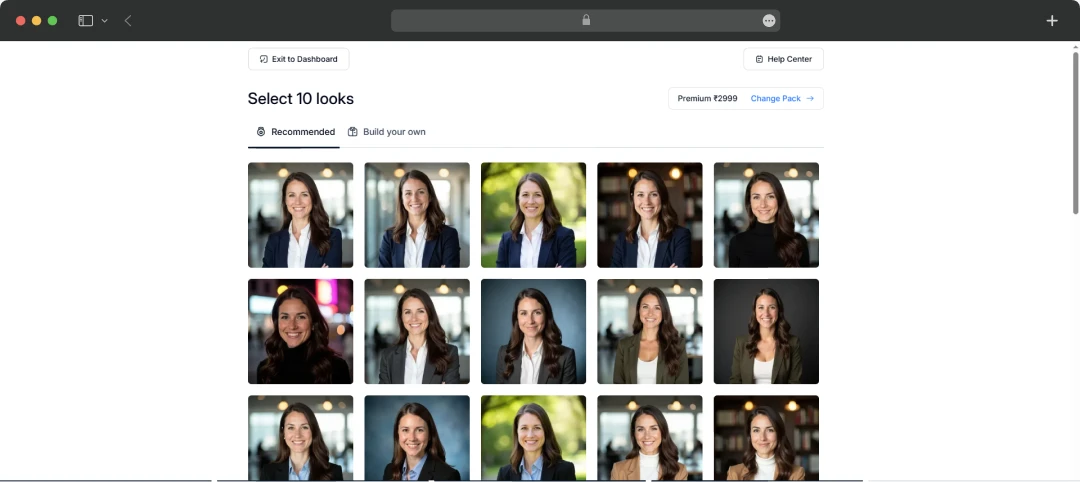
Want a corporate boardroom look? Or maybe something casual with a soft-focus background? You get access to 40+ styles with different poses, clothing, and environments. It’s like having your own stylist, minus the hourly fee.
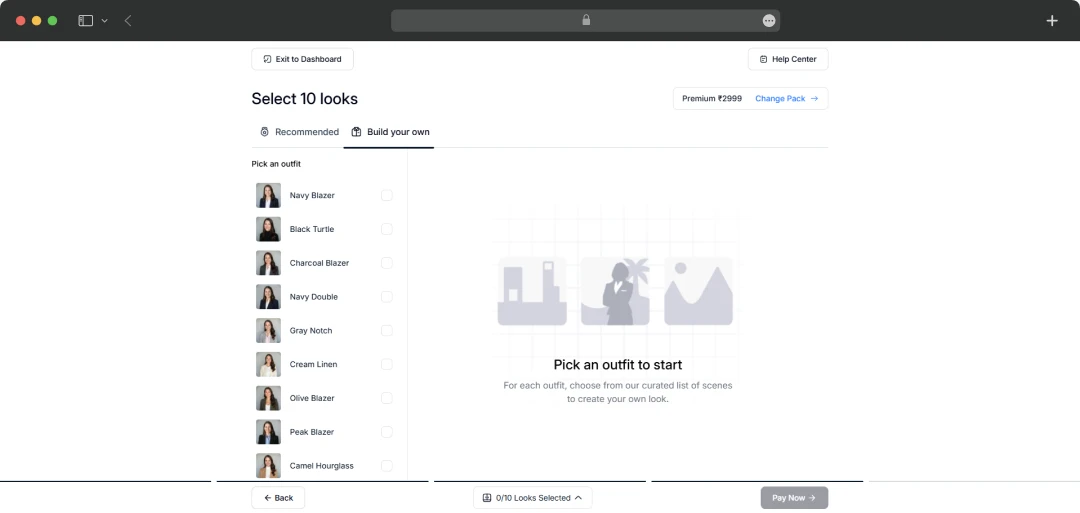
3. No Camera, No Studio, No Fuss
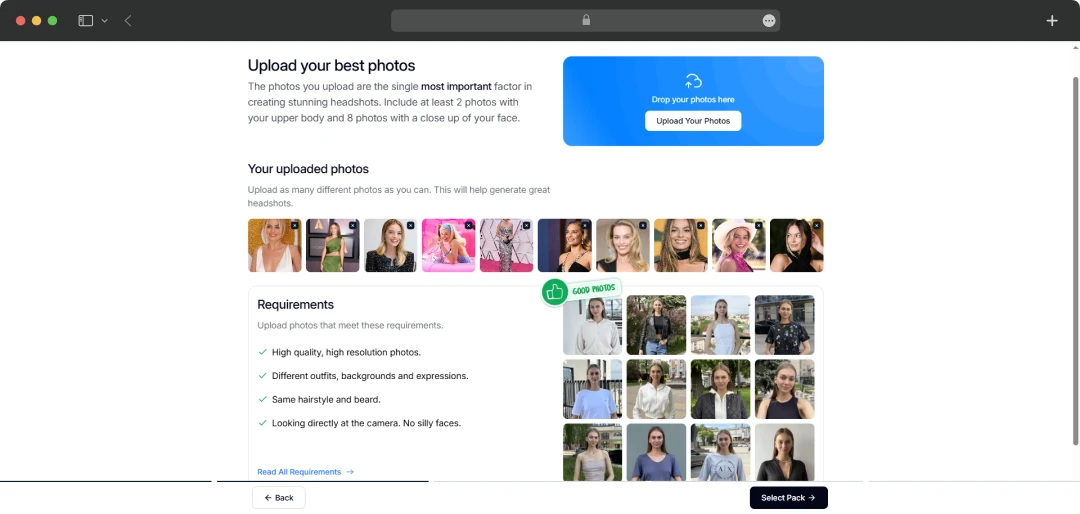
This one’s a game-changer. You don’t need to dress up, travel to a studio, or even ask someone to take your photo. Just upload 6-12 regular selfies (yep, even ones from your phone) and let the platform do its magic.
4. Lightning-Fast Turnaround
InstaHeadshots offers speedy delivery—the premium plan promises images within 15 minutes. Even the free version gets your photos back in about 90 minutes. Perfect if you’re racing against a deadline for a LinkedIn refresh.
5. Super Easy to Use
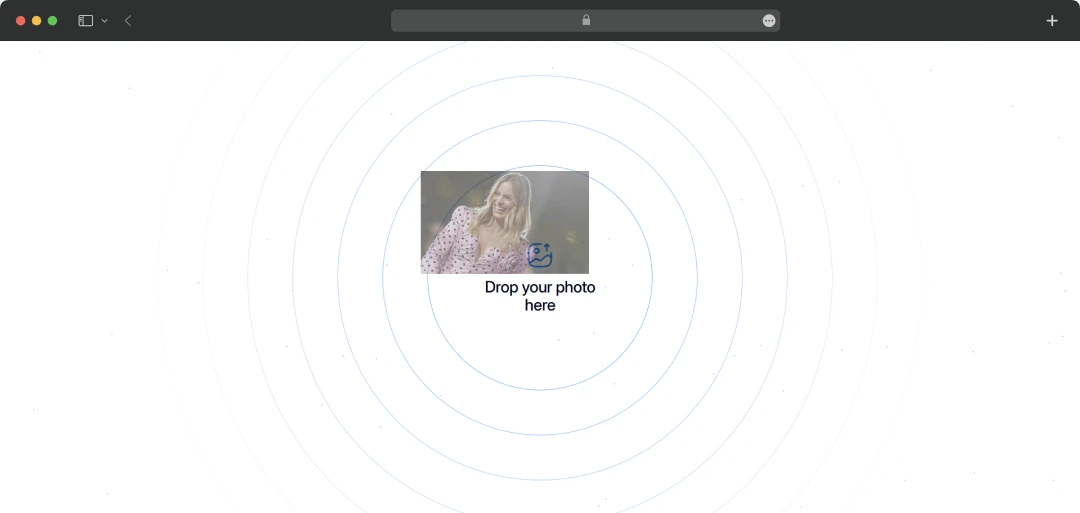
Even if you're not tech-savvy, the process is ridiculously straightforward. Upload your pics, choose your style, and boom—you’re done. No learning curve, no extra steps, just clean UX.
6. Designed for Individuals and Teams
Whether you're updating your solo LinkedIn pic or managing a full team page, InstaHeadshots can scale. Teams can get consistent, branded headshots for everyone, perfect for remote startups or virtual teams.
7. Built-In Privacy and Security
Worried about handing over your selfies? InstaHeadshots encrypts your data and promises not to use your images for training or anything shady. They even auto-delete your uploads after processing, so your data isn’t lingering on some random server.
8. Money-Back Guaranteed
This is a big one. If you don’t like your headshots, they actually offer refunds. It takes some of the pressure off and makes trying the platform feel like a no-risk move.
*Please Note: The refunds are made only and only if, you have uploaded photos that comply with guidelines, you have not downloaded any headshot, and you reach out to the support team within 3 days of headshots being ready.
Also Read: Best AI Headshot Generators
Understanding the InstaHeadshots Price and Subscription
InstaHeadshots lets you create studio-quality headshots without the hefty prices. Here’s a detailed breakdown of the InstaHeadshots price-
| Plan | Price | Features |
|---|---|---|
| Starter | $49 | 40 HD Headshots, 2 Styles, Ready in 90 minutes |
| Basic | $59 | 100 HD Headshots, 5 Styles, Ready in 60 minutes |
| Premium | $69 | 200 HD Headshots, 10 Styles, Ready in 15 minutes |
Now that we know the pricing, here’s what actually makes the pricing plans worth it-
- Allows up to 200 headshots for each person
- Matching headshots for the whole team
- Almost 10 times cheaper than a physical photoshoot
- Generate high-quality headshots from the comfort of your home
For us, Product Reviews mean diving headfirst into the functionality of each digital product, whether it’s an app, software, or website. Our process centers around hands-on testing of each tool we pick. From scrutinizing features to testing vulnerabilities of security standards, the goal remains to help you find products that don’t just work but truly elevate your experience. In a nutshell, if we’re recommending a product, it’s because we believe it’ll genuinely make your digital life easier.
- Products Reviewed - 4,000+
- No. Of Experts - 20+
- Categories - 65+
Customer Reviews
How was your experience with the product?
Also Reviewed By Us
MobileAppDaily Ratings for InstaHeadshots
FEATURE
A powerful and versatile tool with multiple templates, excelling at sales/marketing workflows and short-form copy.
PRICING
The free plan is great for testing. Usage-based pricing for enterprises offers good value for large teams.
PERFORMANCE
Dramatically speeds up idea generation and content creation, especially for first drafts. The AI output is generally good but requires human oversight for fact-checking and maintaining quality.
UI/UX
Highly praised for being exceptionally clean, intuitive, and user-friendly. The platform is easy to navigate, allowing new users to get started quickly with a minimal learning curve.
How Does InstaHeadshots Work?
Apart from its features, the fact that we love about InstaHeadshots is its simplicity and ease of use. InstaHeadshots works with the power of AI to offer you a high-quality headshot with minimal human intervention and effort. Here’s how this AI-powered headshot generator tool works-
1. Use Individually or Set Up Your Team
Select the members in your team or opt for an individual plan to start using this tool.
2. Upload Photos
In order to ensure that the tool understands the facial features, upload clear photos.
3. Let the AI work its magic
Once you are done uploading the images, AI will scan the photos and try to learn different features and attributes in the headshots.
4. Your Headshot is Ready!
As soon as the AI reads the images, it will generate a clear, studio-quality headshot in just 15 minutes (with the premium plan).
Results:

Comparing InstaHeadshots with Its Competitors in the Market
This section features a comparison between InstaHeadshots and its 2 main competitors in the market. This comparison table will give you an overview of which AI photo generator tool is the best-suited choice for you.
| Feature / Service | InstaHeadshots | Aragon AI | HeadshotPro |
|---|---|---|---|
| Primary Focus | Fast, hyper-realistic AI headshots, strong facial accuracy | Highly realistic, photographer-like AI headshots with quick turnaround | Professional business headshots for individuals and teams, wide style range |
| Turnaround Time (Fastest Plan) | As fast as 15 minutes (Premium Plan) | As fast as 15–30 minutes (Premium Plan) | As fast as 1 hour (Executive Plan) |
| Output Quality/Resolution | HD headshots, high realism, excellent facial accuracy | High-resolution, very realistic, "photographer-like" | High-quality, realistic (though some users report inconsistency) |
| Refund Policy | 100% money-back guarantee | 100% money-back guarantee | Full refund within 14 days if no great photo is generated |
| Post-Generation Editing | No built-in image editing tools | AI enhancements (eraser, enhancer, restorer) | Edit credits for basic tweaks |
| Mobile Experience | Optimized for both mobile and desktop (seamless) | User-friendly, seamless | Functional, but some users report bugs/clunkiness |
| Team Solutions | Yes | Yes | Yes |
| Notable Pros |
|
|
|
| Notable Cons | Fewer built-in editing tools, some desire more full-body poses/outfit colors | Some negative reviews regarding likeness and customer support (mixed reviews on this aspect) | Inconsistent results for some users (weird/unnatural photos), clunky mobile upload experience, can be slower for lower tiers |
Also Read: Best Free AI Headshot Generators
MobileAppDaily’s Verdict on InstaHeadshots
Having put InstaHeadshots through its paces, both individually and with my team, I can confidently say that this AI tool is a serious contender in the professional headshot game. For anyone who dreads traditional photoshoots but desperately needs a polished online presence – be it for LinkedIn, a resume, or a company website – InstaHeadshots offers a remarkably efficient and effective shortcut.
This AI headshot generator distinguishes itself with its exceptional blend of speed, realism, and user-friendliness. Our collective InstaHeadshots review confirmed its ability to generate hyper-realistic, high-resolution headshots with impressive facial accuracy in remarkably short turnaround times, sometimes as fast as 15 minutes.
The platform's intuitive UI/UX, praised for its cleanliness and ease of navigation, ensures that even non-technical users can quickly produce professional-grade imagery from basic input photos. Furthermore, the extensive library of diverse styles and backgrounds, coupled with robust team solutions, makes it a versatile asset for individual professionals and corporate entities alike.
While InstaHeadshots excels in core generation, our evaluation identified minor areas for potential enhancement. The absence of sophisticated in-platform editing tools means users requiring specific post-generation tweaks may need to resort to external software.
Additionally, although the AI consistently produces high-quality results, a very small percentage of generated images occasionally exhibit minor inconsistencies or less natural expressions. Despite these points, InstaHeadshots offers a compelling value proposition, significantly undercutting traditional photography costs while providing a rapid, high-quality solution for modern professional branding needs.
It truly excels in its core promise: delivering high-quality, realistic AI headshots with lightning speed and an incredibly user-friendly experience. While there's always room for improvement in terms of in-app editing and even more granular style customization, the benefits far outweigh the minor drawbacks.
So, our final verdict? If you're ready to ditch the studio hassle and embrace the future of professional imagery, InstaHeadshots is definitely worth taking for a spin. You might just surprise yourself with how "put-together" AI can make you look.
What is InstaHeadshots used for?
Our reviewers primarily use InstaHeadshots in the following areas:
InstaHeadshots
Frequently Asked Questions
-
How many photos do I need to upload for InstaHeadshots, and how important is their quality?
You typically need to upload around 6-12 clear selfies or photos. The quality of your input photos is highly critical. For the best results in terms of realism and facial accuracy, ensure your uploaded images are well-lit, in focus, and feature a variety of angles and expressions. Avoid blurry, low-resolution, or heavily filtered pictures, as these can negatively impact the AI's ability to generate accurate likenesses.
-
Can InstaHeadshots truly replace a traditional professional photoshoot?
-
What kind of styles and backgrounds can I expect from InstaHeadshots?
-
Is there a refund policy if I'm not satisfied with the generated headshots?
-
How does InstaHeadshots handle my uploaded photos and data privacy?
-
Are there any limitations or common issues users experience with InstaHeadshots?
Latest Products
Delve into our comprehensive yet easy-to-consume guides, which provide insights that help scale business faster and prevent unseen pitfalls.
Related Products
Cut through the clutter and explore related digital products that deliver on performance.