
CapCut App Review: Should You Use It for Content Creation?
CapCut spent the start of 2025 in an unusual spot, pulled from US app stores in January, restored a few weeks later, and throughout it all, rebuilding itself from a TikTok companion into one of the most powerful AI video editors on the market.
My CapCut app review is built on current, verified information. A whole layer of AI features has arrived that didn't exist a year ago, a 2025 terms-of-service change caught a lot of creators off guard, and availability now varies sharply from one country to the next.
If you're a creator, a social media manager, or a small business trying to decide whether this tool is still the right call in 2026, this CapCut video editor review should save you the trial-and-error.
Pros and Cons of Capcut
Pros
- The free tier is genuinely usable; most core editing and several AI tools work without a subscription
- Standard manual exports come out watermark-free, which most free editors can't claim
- Beginner-friendly on the surface, but deep enough underneath for multi-track timelines and keyframe animation
- A serious built-in AI toolkit: auto-captions, background removal, smart cut, and more, all in the same editor
- Works across mobile, desktop, web, and tablet, with cloud sync between them
Cons
- Generative AI features run on a monthly credit allowance that heavy users burn through quickly
- Owned by ByteDance, and a June 2025 terms-of-service change grants CapCut broad rights over content uploaded to its cloud
- Availability has been volatile, and it is still banned in India
- The phone app only works in portrait; proper landscape editing needs the desktop or web version
- Performance leans on your device's hardware, so older phones strain under 4K and the heavier AI tools
A Closer Look at Key CapCut Features
The CapCut online editor packs a surprisingly large toolset for a free app, and it splits into two halves: the manual timeline editing it was built on, and the AI layer it's now betting its future on. Here's everything it offers.
1. Core Timeline Editing (4.5/5)
This is the foundation of the CapCut video editor. It gives you a multi-track timeline, trim and split, reverse, and a freeze-frame tool for holding on a single moment. Speed control runs from 0.1x all the way to 100x, and the speed curve lets you ramp playback up and down within one clip. If you are a creator, this is the one feature you can rely on for transitions that land on a beat.
2. Effects, filters, transitions, and text (4.6/5)
The effects and filter libraries are deep, spanning 3D, blur, and glitch effects through to split-screen, comic, retro, and dreamy looks. Filters handle color and lighting when you want to set a mood fast. You can layer text and stickers on top. Plus, the tool’s transition library is large enough to be worth exploring rather than defaulting to the same cut each time.
3. Masks, overlays, and advanced controls (4.6/5)
The tools that separate CapCut from basic editors are all included here. From masks and overlays for compositing, picture-in-picture for stacking clips, to chroma key for removing a color, video stabilization for shaky handheld footage, and zoom and 3D zoom for movement, CapCut has it all.
Keyframe animation ties it together, animating position, scale, and opacity for smooth custom motion. These carry a slight learning curve, but they're the reason CapCut can turn out edits that don't look like they came off a phone.
4. The AI toolkit (4.2/5)
This is where CapCut has changed the most. Auto-captions are the standout, transcribing speech across +35 languages, and accuracy is widely reported as strong even on fast or casual speech, with only light manual cleanup needed.
From there, it expands: auto-translate and dubbing for reaching other audiences, smart cut (auto-cut) that strips silences and filler so a loose take tightens itself, and AI background removal (smart cutout) that lifts a subject off its background in a single tap with no green screen required.
On the generative side, there's text-to-video and script-to-video that turn a prompt or script into short clips, AI avatars that serve as lip-synced digital presenters for faceless content, AI voiceovers and text-to-speech, voice cloning, and voice changers.
Rounding it out are AI effects, an enhance and upscale tool for sharpening older or low-quality footage, camera tracking, and vocal isolation.
5. Audio and Music Library (4.0/5)
CapCut online video editor ships with a large library of royalty-free music and sound effects that drop straight onto the timeline. You can also extract audio from a video already on your device or import a track from your own files, which helps when you want a specific sound the library doesn't carry.
*Worth noting: as commercial-use rights now tie into the paid tiers and the updated terms, licensing should be checked before using library audio in client or commercial work.
6. Templates (4.2/5)
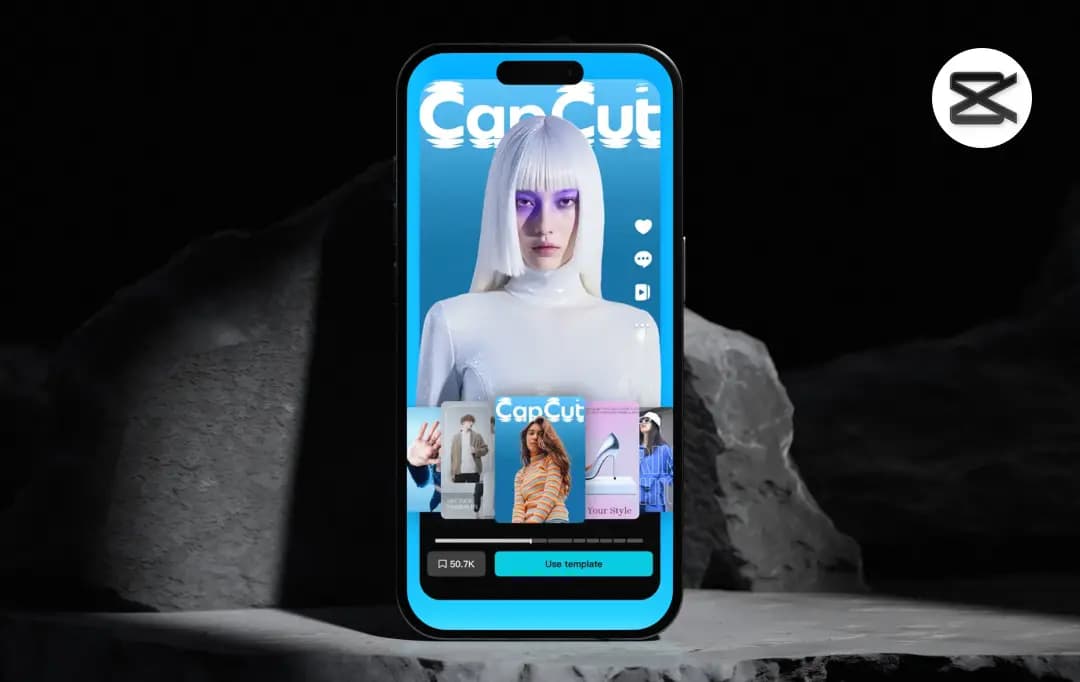
The template library is one of the CapCut editing app’s strongest pulls. These are ready-made, TikTok-style edits where you drop in your own clips and the timing, effects, and transitions are handled for you. If you are someone who wants a trend-ready video in minutes without touching the timeline, it's the fastest route in the app, and it's a large part of why CapCut spread the way it did.
7. Export and Output Quality (3.9/5)
Exports reach up to 4K at 60 FPS, with an intelligent HDR output option for footage headed to larger screens. Resolution and frame rate are adjustable per export, which matters when balancing quality against file size for different platforms.
The highest settings are also where older devices start to struggle, a common complaint among mobile users, so 4K work runs noticeably better on a desktop or a newer device.
8. Cross-platform and Cloud (3.9/5)
CapCut is no longer a mobile-only app. It runs on iOS, Android, Windows, Mac, the web, and tablets, with cloud sync that lets an edit start on a phone and finish on a larger screen. The CapCut for PC version opens up landscape editing and a roomier workspace, making it the better choice for longer-form or more detailed work. Cloud storage expands on the CapCut Pro tier.
Bonus Read: Best Creative Apps For Designers
Understanding CapCut Pricing
CapCut's free plan is more capable than most of you might expect. There's no expiry, no watermark on standard exports, and the full editor is unlocked. The only real limits are on AI usage, which is capped monthly.
In fact, many Cap Cut reviews highlight the free plan as one of the platform's biggest strengths, especially for creators who don't want to invest in premium editing software right away.
| Plan | Price | What you get |
|---|---|---|
| Free | $0 | No expiry Full editor with no time limit. Includes core editing tools, free music, sound effects, filters, and basic AI features. |
| Standard | $9.99/month (Varies by region) |
Everything in Free, plus a wider range of templates and creative materials. Designed for everyday creators at a lower price point than Pro. |
| Pro | $19.99/mo or $179.99/yr |
Advanced AI-powered editing, all paid features unlocked, all templates unlocked, 1,200 monthly credits. Accessible across desktop, mobile, and web. Cancel anytime. |
Is CapCut Safe?
Is CapCut legit, and is it safe to use? This question has a different answer depending on what kind of risk we are considering. After exploring the platform, analyzing its policies, and going through multiple CapCut reviews, I found that the answer isn't entirely straightforward. Here are a few pointers based on my research of the platform:
1. Is the App Technically Safe?
CapCut is a legit mobile app as it has successfully passed Google’s and Apple’s security reviews. As of mid 2026, there have been no known widespread malware reports or data breaches associated with it. So, if you ask whether downloading CapCut will harm your device, the answer is a solid no.
2. Who Owns CapCut and Why Does it Matter?
CapCut is owned by ByteDance, the Chinese company that also owns TikTok. Under the Chinese national security law, Chinese companies can be compelled to cooperate with state intelligence requests. This is the core of every government concern around this app. Not that the app itself is malware, but the company behind it operates under a legal framework that could require it to hand over users’ personal data to the Chinese government.
3. What Kind of User Data Does CapCut Collect?
According to Cap Cut’s privacy policy, the app collects account information, device, and technical data. The app also collects payment details if you subscribe, and notably, user content through pre-uploading at the time of creation or import, regardless of whether you choose to save or publish it.
It also accesses clipboard content when you use certain features. The app can share the collected data with law enforcement, regulatory or government agencies when it believes it’s required to do so.
4. The 2025 Terms of Service Change
In 2025, CapCut updated its Terms of Service, which caught many creators off guard. The updated terms grant CapCut a perpetual, worldwide, royalty-free, irrevocable licence to use, edit, distribute, and exploit content uploaded to the app, including content that is stored but never published. The terms also extend to biometric data, meaning facial features and voice patterns captured in your videos can be used for commercial purposes.
For individual creators making casual content, the practical risk may be low. For businesses, agencies, or anyone editing client work, the implications are serious enough to warrant legal review before use.
5. Where is CapCut Banned?
CapCut is permanently banned in India, where it was blocked in June 2020. The ban has not been reversed yet. Afghanistan has also banned it as part of broader restrictions on social media platforms.
Apart from this, the situation in the United States is more complicated than this. In January 2025, CapCut was pulled from the US app stores alongside TikTok under the Protecting Americans from Foreign Adversary Controlled Applications Act (PAFACA).
The ban lasted only a few days before enforcement was deferred. By January 2026, a US joint venture was formed with Oracle, Silver Lake, and MGX holding a combined majority stake, and ByteDance retaining 19.9%. A separate CapCut US app launched in September 2025, with all American users migrated to it by March 2026.
My Verdict:
If you are a casual creator, the day-to-day risk of using CapCut is quite low. For US users specifically, the app now operates under a different legal entity than the global version, with data governance that is at least structurally different from before.
Where it gets complicated is for anyone who is using this app for editing commercially sensitive content, client work, or footage involving another person’s face or voice. The data collection is extensive. And the app's ownership structure, however restructured, still ties back to ByteDance. Those are facts worth knowing before you build a workflow around it.
How Does CapCut Work?
You can use CapCut on practically any device, from your Android and iOS mobile phones to Windows and Mac. Your projects easily sync across all the devices you are signed into, making it one of the more accessible AI video generators and editors for creators who work across multiple platforms.
The basic workflow remains the same, regardless of which device you are using it on. You just need to import footage, edit on a timeline, and export. Here’s how you can work with this app-
I. Template-Based Editing
- The CapCut app offers a large library of pre-built templates that are specifically formatted for social media apps, including TikTok, YouTube, and Instagram.
- You just need to swap in your footage to these ready-to-use templates. The structure, transitions, text, and audio are already in place.
- This method offers the simplest route to convert your raw footage to a finished, ready-to-publish video within a few minutes.
II. Full Timeline Editing
- This timeline editor works like most other popular video editing apps
- You get multi-track editing, keyframe animation, chroma key, speed controls, and a manual effects and transitions panel.
- This approach noticeably takes longer but gives you better control than using the preset CapCut templates.
III. AI in the Workflow
- The AI features offer a solid foundation for both timeline editing and template-based editing. Auto-edit can analyse a clip, trim silences and filler, and produce a rough cut without manual work.
- Auto-captions generate subtitles directly in the timeline. Smart cutout removes a background from a subject in a single step.
- These aren't separate modes; they're tools you can call on at any point during an edit, whether you started from a template or built from scratch.
IV. Exporting and Publishing
- When an edit is done, CapCut lets you export directly in platform-specific formats and aspect ratios, or share straight to TikTok, Instagram, and YouTube from within the app.
- As a free user, you get to export the final output at up to 1080p and with the CapCut pro plan, you get high-quality exports at 4K.
- The whole pipeline, from import to publish, can happen inside one app, which is the main reason it has become a default tool for short-form content creators.
Customer Reviews
How was your experience with the product?