

Strides App Review: Does It Really Help Build Habits?
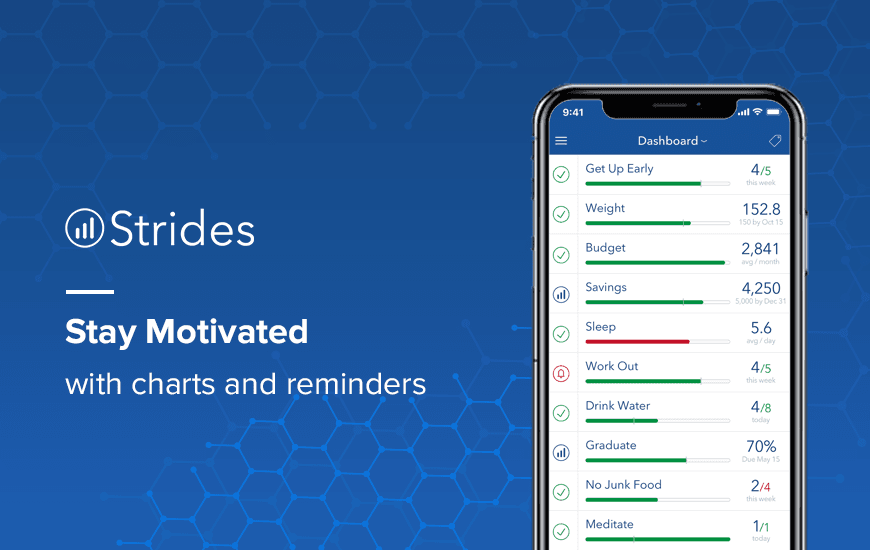
In such a commotion of our life, keeping track of anything seems to be unattainable. And when you are off-track, you tend to move on the wrong path. But your habits can transform the way you keep body and soul together.
As Erasmus has quoted,
“A nail is driven out by another nail; habit is overcome by habit.”
Going by the same, we have got our hands-on Strides. It’s a mobile goal tracker app that tracks your habits and registers the progress of distinct facets of life. You can even set alerts to check and remind you about the progress of a new habit.
Once a target is achieved, the online goal planner app pop-ups a message to congratulate and, thus, keeps the user encouraged.
You can track just about anything with Stride, whether that is the amount of sleep that you get or keeping track of your budget.
Here is the complete Strides app review. Dive in.
Pros and Cons of Strides
Pros
- Easy-to-use interface – The layout is clean, intuitive, and user-friendly, even for beginners.
- Versatile goal tracking – Lets you track habits, SMART goals, targets, and averages in one place.
- Smart reminders – Timely, customizable reminders help keep goals on track without being annoying.
- Beautiful visual progress charts – Offers graphs and dashboards that are both motivating and aesthetic.
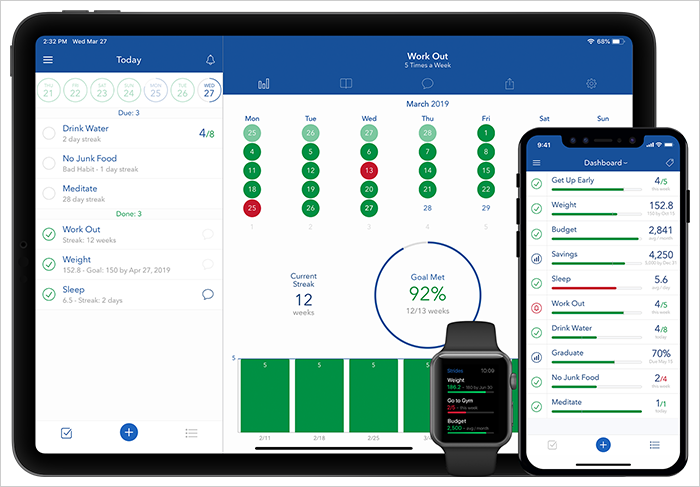
- Syncs across devices – Seamless iCloud sync keeps your goals updated across multiple Apple devices.
- Highly customizable – From habit frequency to target dates, almost every element can be tailored.
Cons
- Limited free features – Many advanced tools are locked behind a premium paywall.
- No Android version – Currently only available on iOS, which limits accessibility.
- Overwhelming for simple needs – Can feel complex if you're only tracking basic habits.
- Subscription cost adds up – Monthly pricing may feel steep for casual users.
- Lacks built-in community – No social or group tracking feature to build accountability.
- Occasional glitches – Some users report syncing issues and minor bugs after updates.
Features of Strides Habit Tracker App
Strides app comes packed with many features that can keep you going from time to time. The following are the most notable features of the goal setting app.
1. Dashboard: You can start working on any of your habits. For some, it can be running and for others, it may be eating meals at the right time. Therefore, the app’s dashboard is one place where the goals and habits are neatly organized.
2. Goal Setting: Goal setting in the Stride app is simple. You just need to follow a simple 3-step process, else, there is an option of a tracker template, where you just need to fill the details and everything will be put into its place.
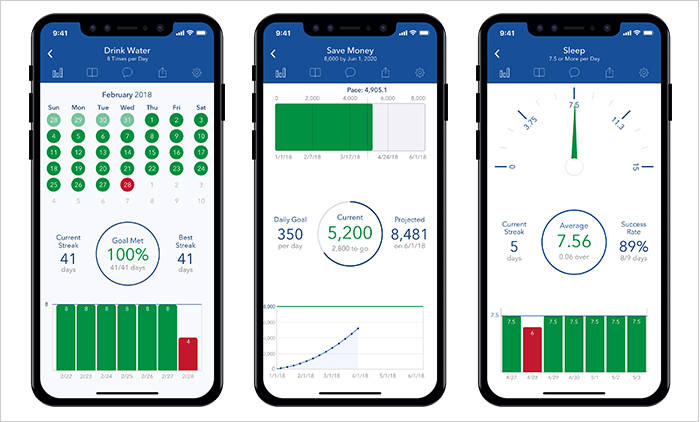
3. Charts: Then, there are progress bars that exhibit the progress of a task or a goal. This feature never lets you go off track. The progress bar includes the following charts:
- On-track pace system
- Streaks
- Success rates
- Calendars
- Line charts and lots more.
4. Daily Goals: You can set your daily goals and prioritize the goals as per your progress. For this, you have an option to set tags in the dashboard.
5. Templates: The goal tracking app has over 150 templates, but if the user wants to create one of his own, he has all the flexibility.
6. Reminders: New habits are hard to adopt; hence, it’s crucial that you need to be notified of the same from time to time (at least, in the initial phase. The goal planner app has an option where you can set reminders and fast track your success.
How to Use Strides App?
Download the goal setting app from the Apple App Store and launch it. Before starting off, you need to register yourself on the app so that it can create a backup of your data in case of any mishappening.
Then hit the dashboard and list down all the habits and goals that you need to achieve, thanks to its quick logging feature for entering data.
Thankfully, Strides is a flexible goal tracking app. The app has four unique tracker types that can easily be customized to fit your needs. Here are the four-tracker types:
- Habit: It can be good or bad habits (just saying).
- Target: You can set goal value by date. For assistance, the goal tracker has a Pace Line feature.
- Average: You can analyze the progress average by any period.
- Project: Set simple milestones and pursue the complete sliders with pace & dates for the project.
You can track the progress of every individual task because every habit has its chart.
Subscription Plans of Strides Progress Tracker App
Strides habit tracker is a free app to use, but there is an optional monthly or annual subscription. The paid plan comes with additional features like Unlimited Trackers, Sync, Backup, Tags & Filters, Today List, Export Data and more, which you can’t find in the free version fo the goal planner app.
The following are different subscription plans:
- Strides Plus: $4.99 per month
- Strides Lifetime: $79.99
The payment is charged from the iTunes Account at confirmation of purchase and the subscription automatically renews before the plan’s expiration date. If you need to cancel the subscription, you have to turn off the subscription at least 24-hours before the end of the current period.
MAD Verdict: Strides App Review
The app is unique and is designed in a way that ameliorates the lifestyle. Beyond everything, every one of us needs a gentle push towards our goal and with this daily goal tracker app, you have got your back.
If we count its pros, the Stride app can track anything in our life. And to maintain the new streak, you can set reminders. You can start with multiple habits and goals at once. And its smart dashboard lets you easily manage all your goals in one place.
However, kicking off with diverse parts can even bog you down and it may ultimately demoralize you to keep working on them. Because keeping a tab on numerous progress can be a bit irksome. Also, a simple message of congrats may be insufficient for some. Something like a reward system could have been more helpful.
Nevertheless, you can’t have enough of anything. If you have the will, the Strides app is right beside you to be a better person.
Customer Reviews
How was your experience with the product?