- 1. Unity Features That Pack a Punch
- 2. C# Programming Language
- 3. Universal Render Pipeline (URP)
- 4. Incredible Asset Store Ecosystem
- 5. AR/VR Development Tools
- 6. 2D Development Pipeline
- 7. Unreal Engine Features That Turn Heads
- 8. Nanite Virtualized Geometry
- 9. Lumen Global Illumination
- 10. Blueprint Visual Scripting
- 11. World Partition System
- 12. Niagara VFX System
- 13. MetaHuman Creator
- 14. Similarities in Unity and Unreal
 Share It On:
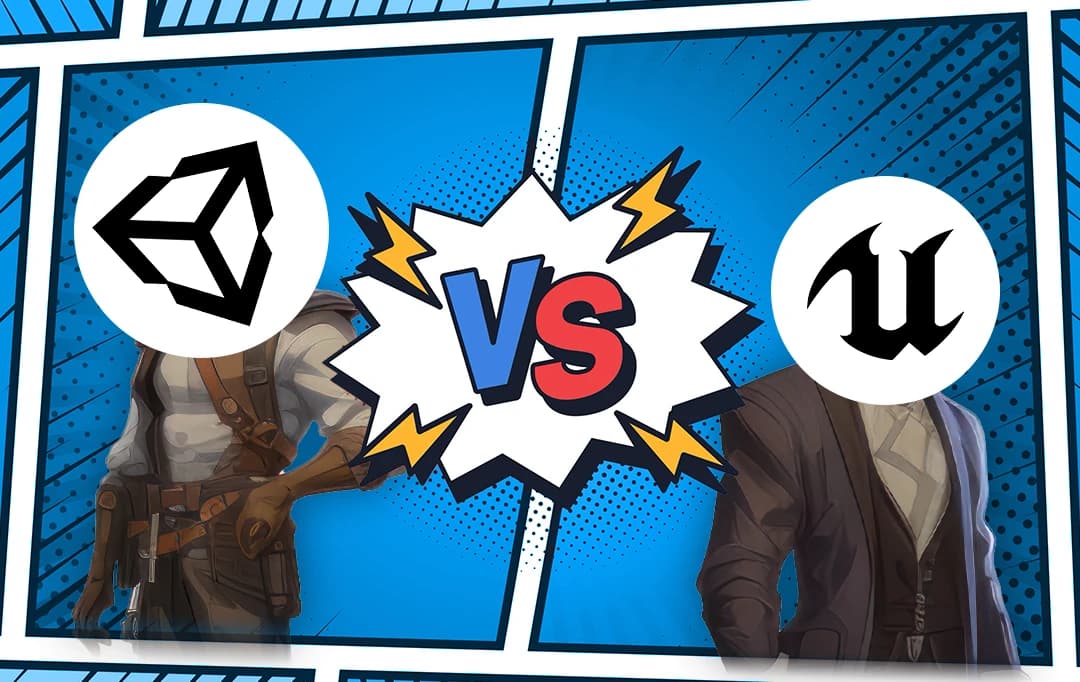 A comprehensive comparison of Unreal Engine vs Unity to help developers choose the right game engine for their specific project needs and goals.
Choosing between Unity and Unreal Engine is one of the most critical decisions you'll make in game development. It's a choice that will impact everything from your development workflow to your project's final performance, and getting it wrong can cost significant time and resources.
We've been in the trenches with both engines for you and came up with a study that evelautes both to see the right fit for the need.This comparison draws from real project experience and practical insights rather than just technical specifications. We've structured it to help you make an informed decision based on your specific needs.
Quick Comparison of Unity vs Unreal Engine
Before we dive deep, here's a snapshot of what you're looking at:
| Feature | Unity | Unreal Engine |
|---|---|---|
| Learning Curve | Gentler, more beginner-friendly | Steeper, but rewards patience |
| Programming Language | C# (easier for newcomers) | C++ and Blueprint Visual Scripting |
| Graphics Out-of-the-Box | Good, needs tweaking for AAA look | Stunning, photorealistic by default |
| Platform Support | Massive – 25+ platforms | Solid, but fewer than Unity |
| Pricing | Free up to $100K revenue, then subscription | Free up to $1M revenue, then 5% royalty |
| Asset Store | Huge marketplace with tons of options | Growing, but smaller selection |
| 2D Game Development | Excellent native support | Possible, but not its strong suit |
| Community Size | Enormous, very active | Large, incredibly helpful |
| Documentation | Extensive, sometimes outdated | Comprehensive, well-maintained |
| Mobile Optimization | Built for mobile from day one | Getting better, but heavier |
Detailed Breakdown of Unity vs Unreal Engine Features
1. Unity Features That Pack a Punch
Unity has been the go-to engine for indie developers and small studios for a reason. The learning curve? It's like riding a bike with training wheels – you'll be cruising in no time. Let's break down what makes Unity tick.
2. C# Programming Language
C# is your friend here, and if you've touched any modern programming language, you'll feel right at home. Unlike Unreal's C++, C# is forgiving – it handles memory management for you, has cleaner syntax, and the error messages actually make sense. According to Stack Overflow's 2024 Developer Survey, C# ranks as the 5th most loved programming language. For small teams, this means less time debugging mysterious crashes and more time actually building your game.
3. Universal Render Pipeline (URP)
Unity's URP is their answer to modern graphics needs without killing performance. It's optimized for mobile app development and low-end hardware while still looking pretty darn good. You won't get Unreal's out-of-the-box photorealism, but you can achieve stunning visuals with some tweaking. The beauty here is scalability – one project can run on everything from a budget Android phone to a gaming PC.
4. Incredible Asset Store Ecosystem
The Unity Asset Store is basically a candy shop for developers. There's probably fifty of character controller waiting to be used. Sound effects? Thousands. This ecosystem can literally shave months off your game app development time, which is gold when you're bootstrapping. The Unity advantages really shine when you realize you can prototype an entire game using marketplace assets.
5. AR/VR Development Tools
Unity practically owns the space of Augmented Reality or Virtual Reality solutions. ARCore, ARKit, XR Toolkit – they've got deep integration with every major AR/VR platform out there. The Unity Features for XR development are so mature that even big Game development companies choose it over Unreal for their immersive projects.
6. 2D Development Pipeline
Unity's 2D tools are a chef's kiss. Sprite editors, 2D physics, tilemap systems – everything you need is built right in. Games on Unity like Hollow Knight and Ori and the Blind Forest prove you don't need 3D to create masterpieces. The 2D renderer is lightweight but powerful, perfect for mobile games that need to sip battery, not guzzle it.
7. Unreal Engine Features That Turn Heads
Now, let's talk about Unreal Engine 5 – this beast is something else. When people see games on Unreal Engine like Fortnite, Gears 5, or that jaw-dropping Matrix Awakens demo, they're witnessing what happens when raw power meets artistic vision.
8. Nanite Virtualized Geometry
Nanite is probably the most game-changing tech in Unreal Engine 5. Import a model with billions of polygons? No problem. Nanite automatically streams and scales geometric detail in real-time. You can literally import film-quality assets straight from ZBrush without retopology. For small studios, this means you can achieve AAA visual quality without a massive technical art team.
9. Lumen Global Illumination
The Unreal Engine advantages with Lumen are insane – fully dynamic global illumination that reacts to everything. Move a light? Shadows and bounced lighting update instantly. Blow a hole in a wall? Light floods in realistically. No more baking lightmaps for hours. This is the kind of tech that makes artists weep with joy and explains why Unreal Engine development services are in such high demand.
10. Blueprint Visual Scripting
Blueprint is Unreal's secret weapon for non-programmers. You can literally build entire games without writing a single line of C++. It's like playing with high-tech LEGO blocks – connect nodes, set variables, create gameplay. Some shipped games on Unreal Engine use Blueprint exclusively. Sure, you'll eventually want C++ for optimization, but Blueprint can take you surprisingly far.
11. World Partition System
Building open worlds? World Partition makes it actually manageable. The engine automatically streams in only what's needed, handles level-of-detail transitions, and lets multiple developers work on the same massive world simultaneously. This is how games like Fortnite can have those enormous maps without melting your GPU.
12. Niagara VFX System
Niagara is Unreal's particle and visual effects system that works on visuals. Want realistic fire? Complex magic spells? Procedural destruction effects? Niagara's got you. The node-based editor lets artists create Hollywood-quality effects without programmer support. When comparing Unity vs Unreal Engine 5 for VFX work, Niagara often tips the scales.
13. MetaHuman Creator
Need realistic human characters? MetaHuman Creator lets you design film-quality digital humans in minutes, not months. The Unreal Engine pros here are obvious – you get facial rigs, hair systems, and clothing that would typically require a whole character art team. It's cloud-based, free, and the results are genuinely mind-blowing.
14. Similarities in Unity and Unreal
Despite their differences, these engines share some DNA. Both offer:
- Cross-platform deployment (though Unity wins on sheer number)
- Strong physics engines that handle the heavy math
- Robust animation systems with state machines
- Multiplayer networking capabilities
- Regular updates and active development
- Free tiers that let you ship commercial products
Key Pros and Cons of Unreal Engine and Unity
Let's break it down, no sugarcoating:
| Aspect | Unity | Unreal Engine |
|---|---|---|
| Pros |
|
|
| Cons |
|
|
Which One to Choose?
Alright, decision time. Here's the real talk:
Choose Unity if:
You're building for mobile platforms (Unity advantages really shine here)
- 2D games are your jam
- You need to ship fast and iterate quickly
- Your team is newer to game development
- You're creating AR/VR experiences
- File size and performance on lower-end devices matter
- You want maximum platform flexibility
Choose Unreal Engine if:
- Visual fidelity is your top priority
- You're building for PC and next-gen consoles
- Your team has C++ experience (or time to learn)
- You need those Hollywood-quality cinematics
- You're planning a multiplayer shooter or battle royale
- You want Unreal Engine development services readily available
- Your project can leverage photorealistic graphics
Here's a pro tip: Look at successful games on Unity (Pokemon Go, Hearthstone, Cuphead) versus games on Unreal Engine (Fortnite, Final Fantasy VII Remake, Rocket League). See which list matches your vision better.
Conclusion
The Unity vs Unreal Engine debate doesn't have a one-size-fits-all answer, and that's actually great news. It means both engines are solid choices – you literally can't go wrong.
For small companies and entrepreneurs, you should lean toward Unity if you're just starting out. It's more forgiving, has incredible learning resources, and won't overwhelm you with features you might not need yet.
But if you've got some technical chops and your vision demands those drop-dead gorgeous visuals, then Unreal Engine 5 in the way to go. Yes, the learning curve is steeper, but the view from the top? Absolutely worth it.
At the end of the day, the best engine is the one that helps you ship your game. Everything else is just noise. So pick the option that fits your needs, commit to learning it inside out, and just go build.
Frequently Asked Questions
Can I switch from Unity to Unreal Engine mid-development?
While technically possible, switching engines mid-project requires rebuilding core systems and re-importing assets. This typically extends development time by 3-6 months and significantly increases costs. Plan your engine choice carefully from the start.
Which engine is better for indie developers with limited budgets?
Unity generally offers more cost-effective options for small teams. Its asset store provides affordable solutions, and the learning curve is gentler. Unreal's 5% royalty kicks in after $1M revenue, making it viable for successful indies.
How do the performance capabilities of Unity and Unreal Engine compare?
Unreal Engine typically delivers superior visual fidelity out-of-the-box with advanced rendering features. Unity offers more optimization flexibility and performs better on mobile platforms. Performance ultimately depends on your optimization skills and project requirements.
Which engine has better long-term career prospects for developers?
Both engines offer strong career opportunities. Unity dominates mobile and indie markets, while Unreal leads in AAA and architectural visualization. Choose based on your target industry rather than perceived market popularity.
Is Unreal Engine 5 worth learning if I'm already proficient in Unity?
If you're targeting high-end visuals, AAA projects, or architectural visualization, Unreal Engine 5's features like Nanite and Lumen provide significant advantages. For mobile or 2D projects, Unity remains the stronger choice.

Uncover executable insights, extensive research, and expert opinions in one place.
Related Content