
HeadshotPro
Pixel perfect or pitfall? Read our honest review about HeadshotPro’s AI magic, its pros, cons, features, and more. We uncovered some surprising truths!
In-depth HeadshotPro Review: Does It Live Up to the Buzz?

Your professional headshot is most often your first impression. With AI headshot generators flooding the market, promising stunning results in minutes, it's easy to feel overwhelmed or skeptical. You've likely heard about HeadshotPro, an AI-enhanced tool that claims to revolutionize how you get a polished, professional image without the hassle or expense of traditional photoshoots.
We've personally put HeadshotPro through its paces, uploading various photos and exploring its extensive style options. While initially wary of AI's ability to truly capture a genuine likeness, the sheer convenience and variety it offered began to shift our perspective. This HeadshotPro review dives deep to determine if it's truly the game-changer for your professional profile, or just another digital solution that overpromises and underdelivers. Let's find out.
Pros and Cons of HeadshotPro
Pros
- Cheaper and faster than traditional photoshoots.
- Wide range of customizable backgrounds, outfits, and aesthetics.
- Get professional headshots in hours, not days.
- Ensures consistent, professional images for the entire organization.
- Allows for fine-tuning generated headshots.
Cons
- It won't match a high-end human photographer's artistry.
- Can produce unnatural clothing (‘strappy’) or odd textures.
- Results aren't always ‘pixel-perfect’ or fully natural.
- Output quality relies heavily on source photos. It can sometimes lack a unique personal spark.
- May need more for extensive tweaks or specific adjustments.
Key Features of HeadshotPro
When I started using HeadshotPro, what genuinely impressed me were the thoughtful features designed not just for individuals but especially for businesses. Here are some of the standout features I found particularly impressive:
1. Effortless for Everyone
Getting started with HeashotPro is as easy as taking a selfie. It's a super-intuitive setup that guides you every step of the way. It is incredibly simple and welcoming for anyone, even those who are not particularly tech-savvy. It truly makes getting a great professional headshot something anyone can do without fuss.
2. Quality Output
I was genuinely impressed by how HeadshotPro's smart AI creates such realistic, professional-looking pictures. It's been trained on a massive library of images. Thus, allowing it to analyze your photos and generate dozens of unique headshots, each with different lighting, poses, and expressions. Just remember, giving it a good variety of initial selfies (different looks, backgrounds, and lighting) helps it produce optimal quality headshots.
3. Headshots For Every Need
Headshot Pro caters to all your everyday professional and personal needs. It offers tailored headshots perfect for models, corporate profiles, LinkedIn, actors, and more. Plus, it provides versatile options to ensure you have the ideal headshot for any profile or application.
4. Customization Options
HeadshotPro offers surprisingly robust customization. You can easily pick from a huge array of styles, backgrounds, and even tweak different poses or lighting. This means the pictures it creates can genuinely reflect your personal brand or seamlessly fit into your company's aesthetic.
5. Fast Processing
Organizing a professional photoshoot can be a nightmare of scheduling, budgets, and finding the right person. HeadshotPro cuts all that out. It offers a straightforward three-step process, through which you can get 100 custom headshots back in about two hours – perfect if you're on a tight deadline.
6. Smart Branding & Uniformity
HeadshotPro automatically applies your company's branding to every profile picture it creates. This means you get a perfectly uniform look across all your platforms, whether it's your company website, internal communication tools, or even LinkedIn profiles.
7. Powerful Automation via Zapier
This feature is a dream for larger organizations! I love that you can connect HeadshotPro to thousands of other apps through Zapier. This allows for brilliant automation, like automatically sending headshot invites to new hires from your employee management system.
8. Budget-Friendly Access
What truly makes HeadshotPro stand out is its incredible affordability. Getting a professional, high-quality headshot has honestly never been this easy on the wallet. This is especially true when you compare it to the often sky-high prices of traditional photographers. With plans kicking off as low as $29, it genuinely is accessible for almost everyone, from freelancers to big corporate teams.
HeadshotPro Pricing
HeadshotPro offers flexible pricing plans tailored to both individuals and teams, designed to cater to a range of needs and budgets. HeadshotPro offers individual plans from just $29. Teams can benefit from an even more cost-effective solution, with pricing as low as $31.20 per member, applicable for groups of 10 or more.
Pricing for Individual Plans
| Plan | Price (USD) | Headshots | Backdrops & Outfits | Turn-around Time | Edit Credits | Resolution | Additional Features |
|---|---|---|---|---|---|---|---|
| Basic | $29 | 40 | 4 unique combos | 3 hours | N/A | Premium resolution | N/A |
| Professional | $39 (100% Money Back Guarantee) | 100 | 10 combos | 2 hours | 10 | Premium resolution | N/A |
| Executive | $59 | 150 | 15 combos | 1 hour | 20 | Print-ready 4K resolution | Portrait or landscape format |
Note: Pricing and features are subject to change.
For us, Product Reviews mean diving headfirst into the functionality of each digital product, whether it’s an app, software, or website. Our process centers around hands-on testing of each tool we pick. From scrutinizing features to testing vulnerabilities of security standards, the goal remains to help you find products that don’t just work but truly elevate your experience. In a nutshell, if we’re recommending a product, it’s because we believe it’ll genuinely make your digital life easier.
- Products Reviewed - 4,000+
- No. Of Experts - 20+
- Categories - 65+
Customer Reviews
How was your experience with the product?
Let’s look at what users have to say about HeadshotPro across platforms -
“ Good, not perfect They can look a little eerie, it can be hard to find really realistic ones. They didn't make me heavy enough in the
“ Absolutely amazing results - did not expect it!! Absolutely amazing! I did not expect so many great pictures :) definitely worth it for headshots, went for
“ A Great Suprise I do not take good photos at all but I am so happy with the results of the headshots. I actually liked many
“ Very happy with the results! I was very happy with the overall results. The photos looked professional and natural. However, I did notice that in about
“ Amazing Results ~ Amazing! I expected maybe 1 or 2 images would be worth keeping, but of the 150 it generated, the vast majority were great.
MobileAppDaily’s Ratings for HeadshotPro
FEATURE
Offers AI headshot generation, along with extensive customization and powerful automation features. However, it sometimes lacks the nuanced fine detail of human photography.
PRICING
Highly budget-friendly with plans starting at just $29, providing immense value compared to expensive traditional photoshoots, and flexible options for both individuals and teams.
PERFORMANCE
Delivers headshots rapidly with generally high resolution and varied styles, but output quality can sometimes vary based on input photos, with occasional AI imperfections.
USER EXPERIENCE
Incredibly easy and intuitive process, feeling as simple as taking a selfie.
Secure & Ethical AI Headshots You Can Trust
HeadshotPro prioritizes privacy and handles your images with care. It’s built on a foundation of trust. Here's what I found that solidified that feeling:
- Top-Tier Security: HeadshotPro is SOC2 Type II compliant, which basically means they've been certified for handling your information responsibly.
- Fair & Balanced AI: They use a mix of human oversight and AI moderation to make sure the headshots look good and abstain from showing any bias.
- Your Data is Safe: Every bit of your data, whether it's sitting still or moving around, is encrypted. Plus, they're really quick about deleting it – your personal data is gone within 30 days after your headshots are made, and your original photos disappear even sooner.
- Photos Just for You: The photos you upload are only used to create your headshots. They never use them to train their AI or share them with anyone else.
Get Your Professional Headshot in Easy Steps
You can easily get your free professional headshot generated for your CV, LinkedIn profile, or other social media handles in just 30 seconds.
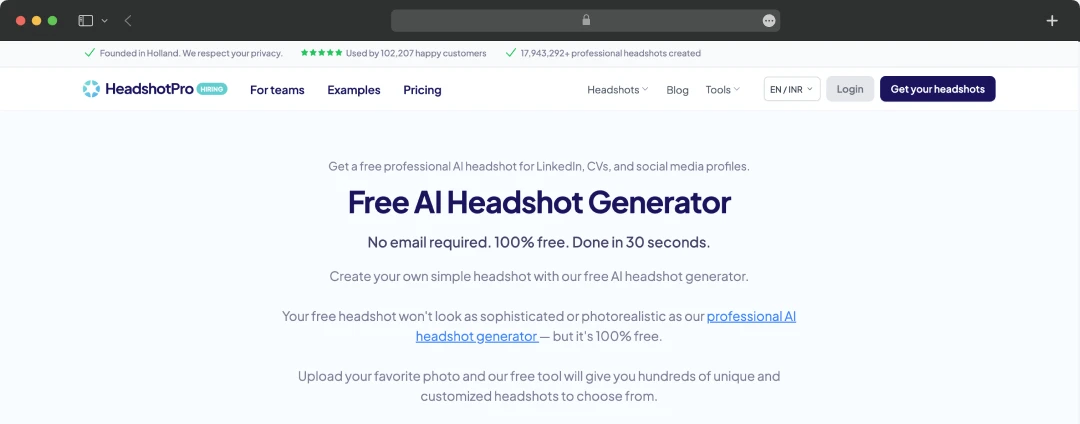
Step 1: Open the website home page for HeadshotPro and go to the ‘Tool’ section, on the top left corner, and select ‘free AI headshot generator’.

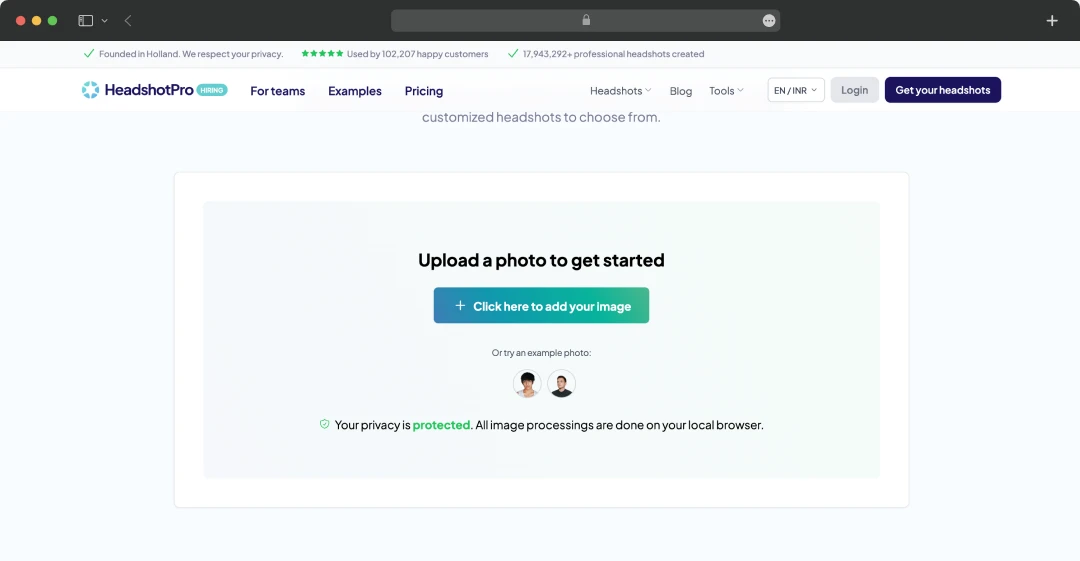
Step 2: Next, you will be told to add your picture to get started.

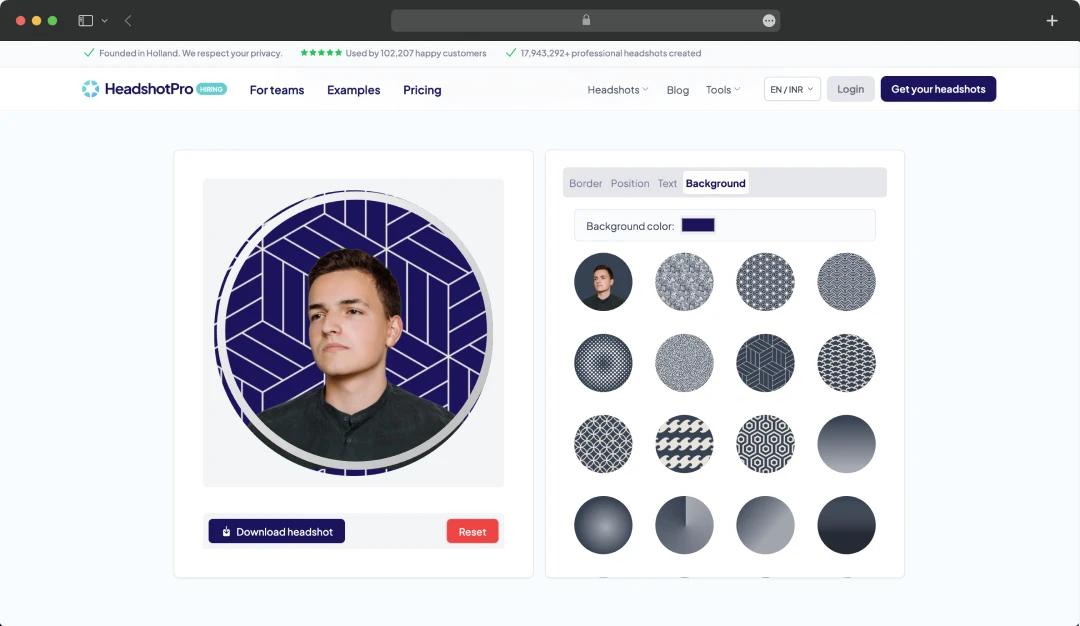
Step 3: Add your border, text, background, and modify the position of your picture. Once satisfied, you can tap on the ‘Download Headshot’ option to instantly download your headshot.

Also read: I Tried 15+ Free AI Headshot Generators and 7 of Them Actually Work
Alternatives for HeadshotPro
Here’s a list of the best AI headshot generators you might want to alternate with HeadshotPro.
| Product Name | Starting Price | Key Features |
|---|---|---|
| Portrait Pal | $35 | Overall quality and realism, free trial, minimal photo requirements, natural results, and high resolution. |
| Dreamwave.ai | $25.83 | Inclusive representation, built by AI experts, privacy-first, natural expressions without ‘AI look,’ and authentic capture of diverse features. |
| Secta AI | $49 | Extensive customization, built-in editing tools (background/expression changer), 90+ styles, remix tool, LinkedIn integration. |
| Aragon AI | $12 | Offers realistic results, fast processing, natural clothing and backgrounds, multiple style options. |
| Multiverse AI | $29 | 100 studio-quality headshots in different styles, high-resolution images, on-platform cropping tool, team headshots. |
Note: Pricing and features are subject to change.
Helpful read: Gleam AI
Mobile AppDaily’s POV on HeadshotPro
The buzz around AI headshot generators led me to test HeadshotPro. Its promise of professional photos without hassle or high cost was compelling.
My team at MobileAppDaily found it incredibly easy to use, delivering high-resolution options fast. For the HR team at MobileAppDaily, three key aspects stood out: streamlined team management, smart branding, and Zapier automation. These features collectively ensured consistency in maintaining employee information on HRMS software. And most importantly, the privacy-first approach of HeadshotPro was a major plus.
Yet, HeadshotPro sometimes lacked fine detail; some AI-generated outfits felt "strappy," and the results, while good, depended heavily on the quality of the input photos. For truly unique expressions, the AI could feel generic.
Ultimately, HeadshotPro provides a transformative and affordable solution for quick, consistent professional headshots, particularly for teams. It makes professional imagery accessible, though it can't fully replace a top-tier photographer.
What is HeadshotPro used for?
Our reviewers primarily use HeadshotPro in the following areas:
HeadshotPro
Frequently Asked Questions
-
Can I edit the generated headshots within HeadshotPro?
Yes, the Professional and Executive plans include edit credits. The Professional plan comes with 10 edit credits, while the Executive plan offers 20 edit credits for refining your generated headshots.
-
What kind of resolution do the headshots offer?
-
Does HeadshotPro store the photos I upload?
-
Do I have to enter my credit card information to use this free headshot generator?
-
How quickly can I get my headshots from HeadshotPro?
Latest Products
Delve into our comprehensive yet easy-to-consume guides, which provide insights that help scale business faster and prevent unseen pitfalls.
Related Products
Cut through the clutter and explore related digital products that deliver on performance.