


Face App Review: Features, Filters, and More
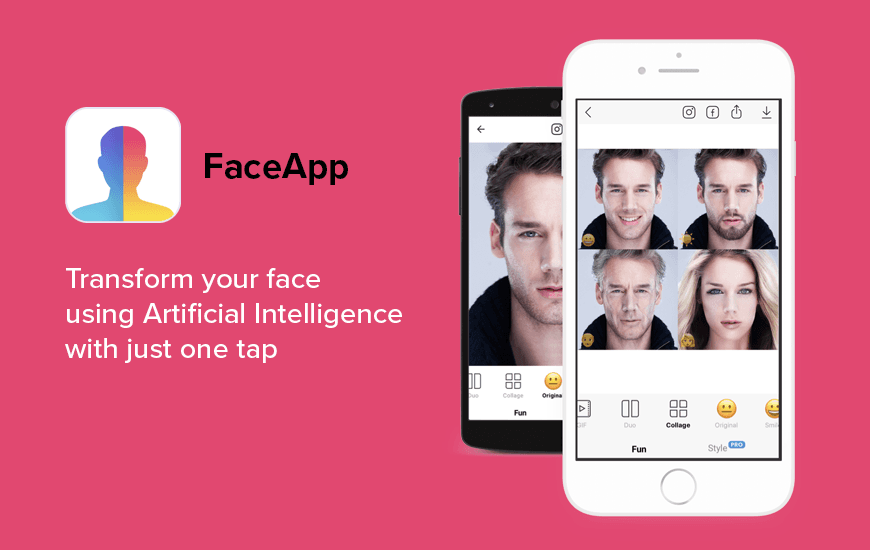
If you’re wondering why your feed is flooded with grey, wrinkled faces of celebrities, we’ve got you covered. Developed by Russian company Wireless Lab, FaceApp the AI Photo Editor App, recently updated their old age filter. The app, initially launched in 2017, has gone viral (once again), thanks toits #FaceAppChallenge where people are posting pictures of their older self.
In fact, the app now stores data including faces and names of over 150 million people.
How FaceApp works?
The AI-powered photo-editor app uses deep neural network (similar to AI) to morph your or any picture with multiple alterations including aging filters, changing gender, replacing image background, and even morphing your smile. Of course, FaceApp givesthe usual editing tools that come with most photo-editing apps such as photo contrast, saturation, temperature, etc., but it’s gone viral for its recent update on the old age filter.
I’m sorry @TomHolland1996, I love you 3000!! #FaceApp #faceappchallenge pic.twitter.com/h1II6MDlDu
— Your Fool (@tiredbuthyped) July 17, 2019
Pros and Cons of FaceApp
Pros
- Wide Range of Filters – Over 60 photorealistic filters for beauty, fun, and creativity
- One-Tap Editing – Easy, fast, and user-friendly photo enhancements
- Realistic Results – High-quality, natural-looking edits that are hard to detect
- Fun Features – Gender swap, age filters, hairstyles, movie scenes, and more
- Advanced Retouch Tools – Acne removal, wrinkle-smoothing, feature reshaping
- Integrated Sharing – Direct posting to social media from within the app
Cons
- Subscription Required for Full Access – Many features locked behind FaceApp Pro
- Auto-Renewal Policy – Subscription auto-renews unless canceled in advance
- Privacy Concerns – Popular AI apps often raise questions about data use and storage
- Heavy Editing Can Be Misleading – Filters may create unrealistic or overly polished images
- Not Entirely Free – Many tools and filters require payment after a free trial
Notable Features of FaceApp
The USP of FaceApp lies in its super interesting neural face transformations that allow you to make multiple face alterations.
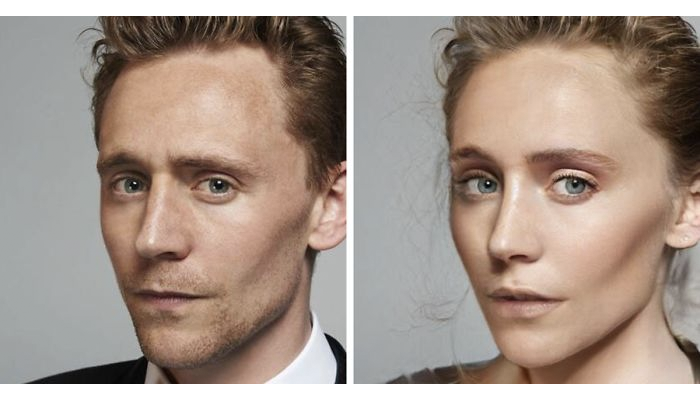
- The Gender Swap feature of the app, for instance, shows what you would look like if you were of the opposite sex.
- There’s also an age changing feature in FaceApp, at least virtually. You can age your face to see your older self and similarly make yourself look younger.
- Next, FaceApp offers a smile editor in the app that allows you to add basic smile filter for free and add wide, tight and upset smile filter under pro packages.
- In addition, you can change your hair color to- black color or free, while blond, brown, red and tinted color are available in pro versions.
- Ever wondered what it’s like to be a celebrity? Now you can get celebrity transformations with Heisenberg filters and many other mind-blowing transformations available on the photo morphing app.
- Try different face tattoo filters including Tribal, Ethnic, Arrows, Anchor, Stars, Lightning, Tear and other tattoos.
- Spice up your pictures by replacing boring image background with a scenic sunset, Eiffel tower, Manhattan Skyscrapers, the Himalayas and several other double-tap worthy image backgrounds.
If you opt for Pro packages, FaceApp offers premium filters in almost every feature. FaceApp also omits the FaceApp watermark from your processed photos and you get an Ad-free experience.
How to Get Started With FaceApp?
The app is free to download and you can download it from Google Play Store and Apple App Store. To alter a picture with FaceApp:
- You can either snap a selfie within the app or let FaceApp use photos from your library.
- Use the filters and save the image.
- The image will be saved in your gallery and you can also share it across all social media.
Our Take
As you’ll see it for yourself, FaceApp, without doubt, is one of the best selfie apps that combines the best of gender-swap apps, face aging, and face changing apps, with all the powerful features of the best photo editor apps.
But the app’s Terms and Conditions, that most people are unaware of, have raised serious security concerns. Users are required to provide full, irrevocable access to their personal photos and data, and when they do that the app also gets the right to modify, reproduce and publish any of the images processed on the AI Photo Editor App.
Mobile Apps in today’s time are no longer just services but a whole ecosystem of services.
To give you the best of the lot, our App Reviews aim at finding you the best of those apps that are engaging, creative, intuitive in its UI and most importantly packed with user value. FaceApp is undoubtedly one of such apps but it also implicates potential misuse of user information.
Customer Reviews
How was your experience with the product?
Also Reviewed By Us













