 Stop nodding and start leading with this comprehensive mobile app development glossary designed for entrepreneurs who want to talk shop.
The tech world is notorious for its "alphabet soup" of jargon. One minute you’re discussing a vision, and the next, someone’s throwing around "CI/CD pipelines" and "RESTful APIs" like they’re common household items.
It’s easy to feel out of the loop, but here’s the reality: you don’t need to be a coding genius to lead a project. You just need to master the mobile app development terminology that moves the needle. This terminology list isn’t just a bunch of dry definitions; it’s your roadmap to actually understanding what’s happening "under the hood" of your project. Let’s dive into the mobile app development glossary and clear the air once and for all.
The A-Z Mobile App Development Terminology
A
- API (Application Programming Interface): Think of an API as a digital waiter. You (the app) place an order, the API takes it to the kitchen (the server), and brings back your data. It’s how different software programs actually talk.
- Android Studio: The official command center for android development. It’s a powerful IDE provided by Google that gives developers everything they need to build, test, and debug apps for the entire Android ecosystem.
- Agile Methodology: This is a development methodology built on flexibility. Instead of one massive launch, you build in tiny "sprints." It’s all about moving fast, getting feedback, and pivoting before you waste too much time or cash.
- APK (Android Package Kit): This is the file format Android uses to distribute and install apps. Think of it like a .exe file for your PC. It’s the "box" that contains everything your app needs to live.
- ASO (App Store Optimization): App Store Optimization is SEO but for the App Store. It’s the art of tweaking your app’s title, keywords, and description so it actually shows up when people search. If you ignore ASO, your app stays invisible.
B
- Backend: This is the engine room of your app. It’s where the data lives, and the "brain" of the operation resides. Users never see it, but if your backend is janky, your app is basically just a pretty shell.
- Backlog: Consider this your project’s ultimate "to-do" list. It’s a prioritized list of features, fixes, and "nice-to-haves" that the dev team hasn't tackled yet. It keeps the roadmap clear and ensures nobody is just winging it.
- Beta Testing: This is the "vibe check" for your app. You release a near-finished version to a small group of real users to find bugs. It’s your last line of defense before the scary world of public reviews.
C
- CI/CD (Continuous Integration/Continuous Deployment): This is all about automation. It’s a workflow where code changes are automatically tested and pushed to the app. It keeps things moving fast and prevents those "it worked on my machine" excuses from the devs.
- Cloud Computing: This is just a fancy way of saying you’re using someone else’s giant servers to store your data. It allows your app to scale up instantly without you needing to buy physical hardware or rent a warehouse.
- Cache: A temporary "memory" that stores data so the app doesn't have to download it again. It’s why your app feels snappy and doesn't lag every time you open a page you’ve already visited once.
D
- DevOps: A mix of "Development" and "Operations." It’s a culture that aims to bridge the gap between the people writing the code and the people keeping the servers alive. It’s about speed, reliability, and total collaboration.
- Deployment: This is the "big day." It’s the process of pushing your finished code into a live environment—like the App Store—where real people can finally download it. It’s equal parts exciting and absolutely nerve-wracking.
- Deep Linking: This tech allows a link to send a user to a specific spot inside your app, rather than just the home screen. It’s a total game-changer for marketing and keeping users from getting frustrated.
E
- End-User: This is the person at the end of the line. Everything you build should be for them. If the end-user finds the app confusing, it doesn’t matter how clean your code is—you’ve missed the mark.
- Edge Case: These are the weird, rare scenarios that only happen to 1% of users. For example, what happens if someone tries to log in while their phone is in airplane mode? Devs test these to prevent crashes.
F
- Frontend: This is the part users actually touch. The buttons, the colors, and the animations are all frontend. If the backend is the engine, the frontend is the sleek, leather-interior dashboard that makes the car feel premium.
- Framework: Think of a framework as a "starter kit" for developers. It’s a set of pre-written code that gives them a foundation, so they don't have to rebuild the basics every single time they start a project.
|
Leave the Jargon to Experts Explore the Top Mobile App Development Companies and outsource the development hassle! |
G
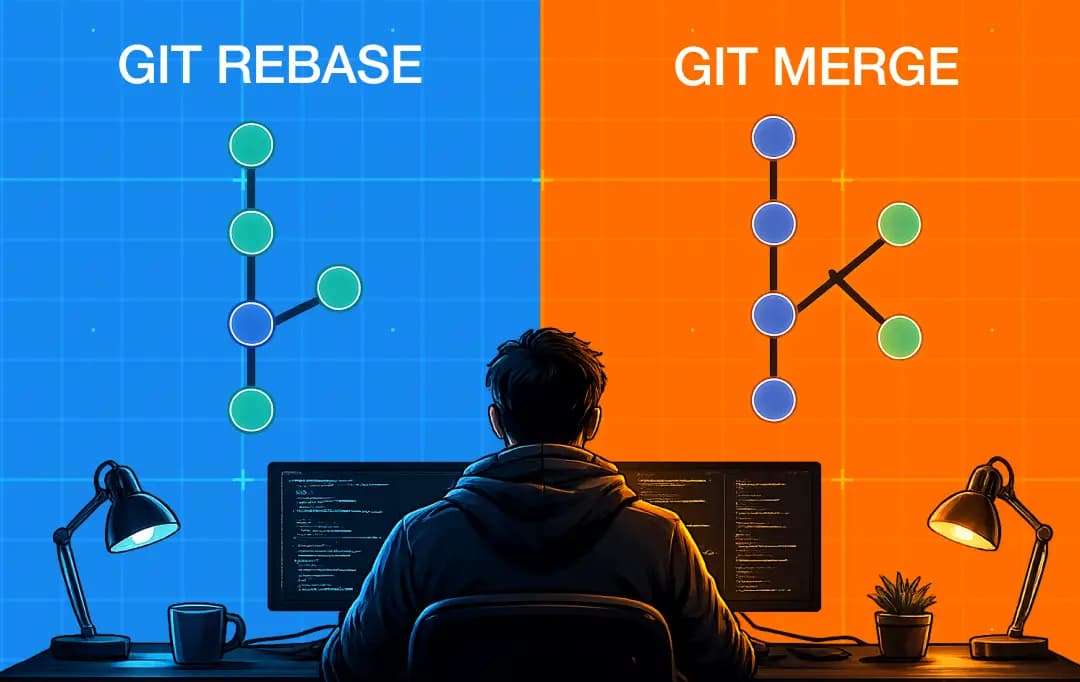
- Git: The gold standard for version control. It tracks every single change made to the code. If a developer accidentally breaks the entire app at 2 AM, Git lets them "rewind" to a version that actually worked.
- GUI (Graphical User Interface): This is the visual interface that lets users interact with the app via icons and menus. Without a GUI, you’d be typing lines of code into a black screen just to send a text.
H
- Hybrid App: These are the "middle ground." hybrid app developers build these using web tech but wrapped in a native shell. It’s a budget-friendly way to hit both iOS and Android at once, though they can sometimes feel a bit sluggish.
- Hotfix: This is an emergency patch pushed out to fix a critical bug that’s currently ruining the user experience. It’s the "emergency room" of coding—you do it fast to stop the bleeding and save the app.
I
- IDE (Integrated Development Environment): This is the digital workshop where developers live. It’s a software suite that includes a code editor and debugging tools, making it much easier for them to write and test their work in one place.
- Iteration: One single cycle of building and testing. You don't just build an app and quit; you iterate. Each version gets a little better, a little faster, and a little more refined based on real data.
- Interface: The point where two independent systems meet and act on each other. In mobile apps, this usually refers to the User Interface (UI), which allows humans to interact with the cold, hard logic of the code.
J
- JSON (JavaScript Object Notation): A lightweight way to store and transport data. It’s essentially the "plain English" that apps and servers use to talk to each other. It’s simple, easy to read, and keeps the data flowing smoothly.
- Java: One of the OG programming languages for Android development. While newer languages have arrived, Java remains a massive part of the mobile app glossary because so much existing enterprise-level software is built using its robust, reliable framework.
- JavaScript: The undisputed king of web development, also used in mobile via hybrid frameworks. It’s what makes apps interactive—handling things like animations, form validations, and real-time updates without making the user wait for a page reload.
K
- KPI (Key Performance Indicator): These are the numbers that prove whether your app is a hit or a flop. Whether it’s "user retention" or "average session length," KPIs keep you honest about how your project is performing.
- Kotlin: The modern, "cool" successor to Java for Android apps. It’s more concise, safer, and is now Google’s preferred language. If your devs are building a native Android app today, they’re likely using Kotlin.
- Kernel: The core part of an operating system that manages the hardware. Your app talks to the kernel to use the phone’s camera, GPS, or memory. It’s the ultimate "middleman" between the software and the physical device.
L
- Latency: The annoying delay between a user tapping a button and the app actually doing something. Low latency feels like magic; high latency feels like you’re using a dial-up modem in 1995. Developers hate it.
- Library: A collection of pre-made code that handles specific tasks. Instead of writing a complex map feature from scratch, a dev can just "check out" a library that already does it. It’s a massive time-saver for everyone.
- Localization (L10n): The process of adapting your app for different languages and cultures. It’s more than just translating text; it involves adjusting date formats, currencies, and even layout directions to make the app feel local everywhere.
M
- Microservices: An architectural style where an app is built as a bunch of tiny, independent services. If one part breaks, the rest of the app keeps running. It’s like having a team where everyone is specialized.
- MVP (Minimum Viable Product): The leanest version of your app that still solves the core problem. For many MVP developers, it is the best way to test the market without spending your entire budget on features that users might not even want.
- Mockup: A high-fidelity rendering of what the final app will look like. Unlike a wireframe, a mockup includes colors, fonts, and images. It’s the "pretty" version used to get stakeholders excited before the coding starts.
N
- Native App: An app built specifically for one operating system using its "native" language. These are the Ferraris of the mobile app glossary—they are faster, smoother, and have full access to all the phone’s fancy hardware features.
- Node.js: A runtime environment that allows developers to use JavaScript on the server-side. It’s incredibly fast and great for building the "backend" of apps that require real-time updates, like chat apps or live sports trackers.
O
- Open Source: Software with source code that anyone can see and improve. It’s a community-driven approach that leads to some of the most secure and powerful tools in the world. It’s all about transparency and working together.
- Object-Oriented Programming (OOP): A way of writing code where everything is treated as an "object." It helps developers organize messy projects into neat, reusable pieces. It’s like building a car out of modular parts that can be easily replaced.
P
- Push Notifications: These are the little alerts that show up on your lock screen. When used wisely, they are a superpower for engagement. When overused, they are the fastest way to get your app deleted forever.
- Protocol: A set of rules for how data moves across the web. Whether it’s HTTPS or something more niche, protocols ensure that the sender and the receiver are both speaking the exact same digital language.
Q
- QA (Quality Assurance): This is the "interrogation" phase. QA engineers try to break the app in every way possible to ensure it’s solid. Their job is to find the holes so your users don't have to.
- Query: A specific request for information from a database. When you search for a product in an app, the app sends a "query" to the server, which then hunts down the data and sends it back.
- Quick Response (QR) Code: A type of matrix barcode that apps often use to bridge the physical and digital worlds. Whether for payments or logins, integrating QR tech is a staple in modern application development terminology.
R
- Refactoring: This is like "spring cleaning" for your code. You aren't adding new features; you’re just cleaning up the existing code to make it faster and easier to maintain. It keeps your app’s engine running smoothly.
- REST API: A specific, popular style of API that’s easy to use and scale. It’s the industry standard for how mobile apps fetch data from a server. It’s reliable, clean, and gets the job done every time.
S
- SDK (Software Development Kit): A "tool chest" provided by other companies. If you want to add Facebook login or Google Maps to your app, you use their SDK to make the integration quick and painless for your devs.
- Scalability: This is your app’s ability to handle growth. A scalable app works just as well for 10 users as it does for 10 million. It’s all about building a foundation that won't crumble under pressure.
T
- Technical Debt: The price you pay for rushing. If you take shortcuts today, you’ll have to spend twice as much time fixing it later. It’s essentially a high-interest loan that you eventually have to pay back.
- Unit Testing: A method where devs test tiny, individual "units" of code in isolation. It’s like checking every single bolt on a bridge before you let cars drive over it. It catches errors before they become disasters.
U
- UI (User Interface): The "look" of your app. This is all about the visuals—typography, colors, and layout. A great UI makes an app look professional and inviting. It’s the first thing people notice when they open it.
- UX (User Experience): The "feel" of your app. It’s about the logic and flow. If a user can’t find the "buy" button, your UX is failing. Good UX makes using an app feel like second nature.

V
- Version Control: A system that records every single change made to the source code over time. It’s the ultimate "safety net" for developers, allowing them to collaborate without stepping on each other’s toes or losing work.
- Vanilla Code: Refers to using a programming language in its purest form without any extra libraries or frameworks. It’s often faster and lighter, but it takes way more work to write from scratch than using "pre-made" tools.
- Virtual Machine (VM): A digital version of a physical computer. Developers use VMs to test how an app behaves on different devices or operating systems without actually having to buy 50 different physical phones to test on.
W
- Wireframe: The "blueprint" for your app. It’s a low-detail sketch showing where everything goes before the designers start adding colors and logos. It’s the best way to finalize the layout without getting distracted by aesthetics.
- Web App: An app that runs in a mobile browser rather than being installed from an App Store. While they are easier to build and update, they often lack the "oomph" and hardware access of native apps.
X
- XML (Extensible Markup Language): An old-school but reliable way to organize and share data. While JSON is more popular these days, XML is still used heavily in Android development to define how the screens actually look and behave.
Z
- Z-Index: A property that manages the "stacking order" of elements. If you want a popup to appear on top of a background, you give it a higher Z-Index. It’s like deciding which layer of paper goes on top.
Understand Then Act
Having this common app development terms list in your arsenal makes you a much more effective leader. You don't need to know how to write the code, but you do need to know what your team is talking about when they say the application development terminology is getting complicated.
This glossary of mobile app development terms is a living thing. As tech changes, so will the lingo. But for now, you’re officially equipped to walk into that next meeting and talk shop like a pro.

Uncover executable insights, extensive research, and expert opinions in one place.
Related Content