
Humanize AI Review | This Tool Turned My Content from NPC to the Main Character

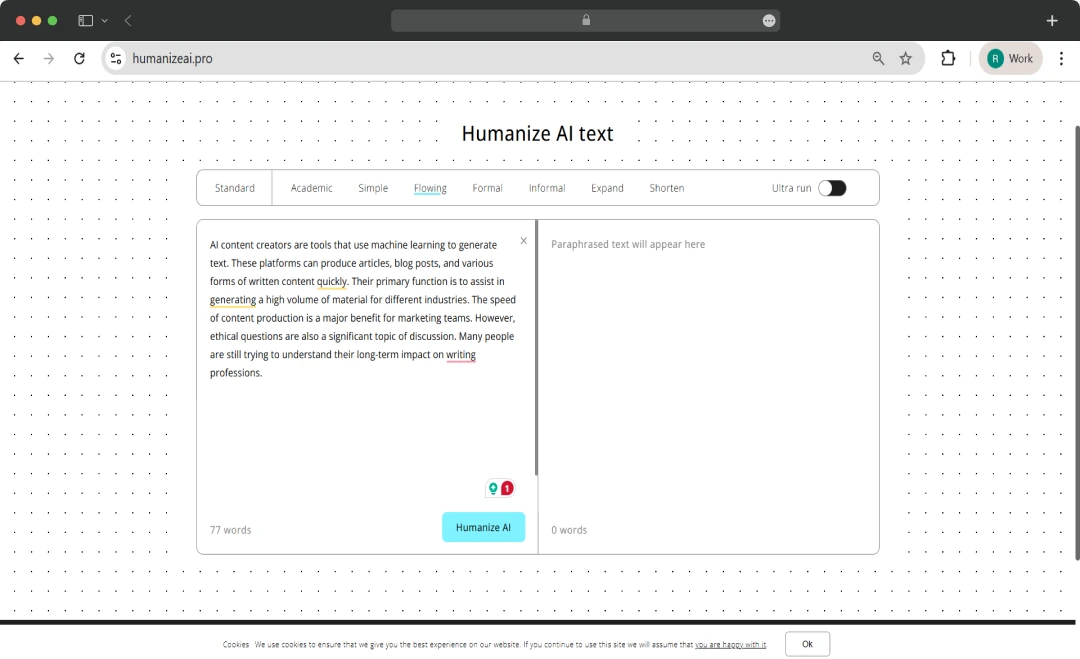
It all started with a rant in our Content Team group chat: “Why does this AI draft sound like a robot reading a tax form?” Cue a teammate casually dropping a link to Humanize AI with, “Maybe this will save us.” Skeptical but desperate, we gave it a spin… and wow!
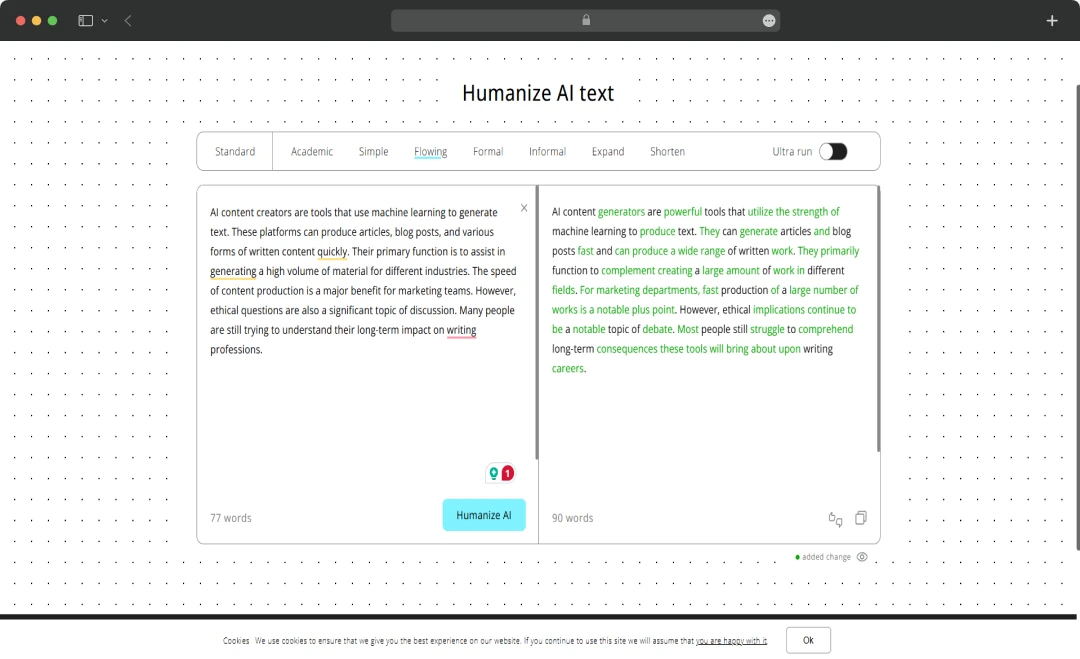
What came back didn’t just read better, it actually felt human. Natural tone, smoother flow, and enough personality to bypass any AI content detector. That kicked off a week-long team experiment, and now we’re ready to spill exactly what we found!
Pros and Cons of Humanize AI
Pros
- Transforms AI-generated text into more human-like, engaging content
- Keeps keywords intact while maintaining meaning and style
- Unlimited usage, no paywalls, registration, or sign-up
- Works across browsers and supports multiple languages
- Quick process, respects privacy, and has an intuitive layout
Cons
- May strip voice or fail to capture idioms and conversational nuances
- Simpler UI limits fine-tuning and deep style control
- May struggle with maintaining coherence or meaning in technical or niche content
- Some users report bland rewrites or a need for personal edits to restore voice
A Closer Look at Humanize AI Features
The Humanize AI tool is designed with a core set of features aimed at transforming AI-generated content into more natural, human-like text. Here’s a closer look at these features-
1. Bypassing AI Detectors
This tool is primarily designed to rewrite AI-generated text so that it passes as human-written content on popular detection platforms like GPTZero and Originality.ai. It works by altering the predictable patterns in sentence structure and word choice.
2. Multilingual Support
This feature allows the tool to process and "humanize" content in multiple languages. As indicated in the image, it supports languages including English, Chinese, Russian, Arabic, and Japanese, making it a versatile tool for a global user base.
3. User-Friendly Interface and Speed
The platform is designed to be simple and intuitive, allowing users to paste content, click a button, and receive a rewritten version in seconds. This ease of use streamlines the workflow for even non-technical users.
4. Cross-Device Functionality
The tool is optimized for use on desktops, laptops, tablets, and mobile devices, ensuring you can access its features and work on your content from anywhere.
5. Universal Browser Compatibility
This feature ensures you can use the tool on any major web browser, including Chrome, Firefox, Explorer, and Safari, for a consistent experience across different platforms.
6. Emojis and Emoticons
To add a more personal and modern touch, the tool can incorporate a variety of emojis and emoticons, helping the rewritten text feel more emotional and authentic.
7. Sentiment Analysis
The tool's technology analyzes the emotional undertones of the original text. This allows it to generate content that reflects the appropriate emotional depth, making the output more genuinely human.
8. Ultra Run
The Ultra Run feature of the Humanize AI tool is a premium setting designed to provide the highest level of humanization. It is specifically engineered to make AI-generated text completely undetectable by advanced AI detection systems.
By utilizing a more aggressive rewriting algorithm, this feature claims to thoroughly alter sentence structure and word choice, ensuring the output scores as 100% human-written. Essentially, it's the most powerful option available for users who require their content to pass the most rigorous AI detection checks.
Who is Humanize AI Suitable For?
The Humanize AI tool, with its versatile set of features, is designed to serve a wide range of users. Here is an overview of how this tool can be used for different purposes.
| User Persona | Description |
|---|---|
| Content Creators & Writers | Streamline drafts and make AI-generated text sound natural and human-written |
| Marketing Professionals & Ad Experts | Craft emotionally resonant marketing messages that connect better with audiences |
| Business Executives | Add a human touch to business emails for clearer, more effective communication |
| Students | Perfect for assignments or research publications that need a polished, human-like tone |
| Web Developers & Designers | Refine website content, prompts, and error messages to sound more natural and engaging |
| PR Professionals | Create emotionally engaging announcements and messages that resonate with audiences |
| Social Media Influencers | Make social media posts more human-centric to attract and engage followers |
| Researchers & Academics | Improve academic writing, from papers to blogs, with a humanized touch |
| Bloggers & Journalists | Make articles more engaging and memorable, increasing the potential for virality |
| E-Commerce Experts | Humanize product descriptions and emails to make them more relatable and appealing |
| Educators & Trainers | Refine course materials and study content for better accessibility and engagement |
| Non-Profit Organizations | Add emotional depth to stories and messages to better reach and inspire audiences |
| Freelance Writers | Deliver high-quality, humanized text for a wide variety of client needs |
| Podcasters & YouTubers | Create conversational, engaging scripts tailored for audio and video audiences |
| Legal Professionals | Simplify complex legal language into text that’s easier for clients to understand |
| HR Professionals | Make internal communications, job postings, and presentations more engaging and human |
| Creative Writers | Add realism and emotional depth to poetry, fiction, and other creative works |
| Anyone with a Story to Tell | Ideal for personal or professional storytelling to communicate messages more effectively |
Humanize AI Pricing and Subscription Plans
The Humanize AI tool offers a tiered pricing structure to accommodate different user needs and budgets. The table below provides a breakdown of each plan.
| Plan Name | Price (Monthly) | Price (Yearly) | Features Included |
|---|---|---|---|
| Lite | $19/month | $9.5/month | 20,000 words/month, 500 words/process, All modes & settings, Continuous improvements, Undetectable by all AIs, No weird or random words, Customer support |
| Standard | $29/month | $14.5/month | 50,000 words/month, Unlimited words/process, All modes & settings, Free re-paraphrasing, Continuous improvements, Undetectable by all AIs, No weird or random words, Customer support |
| Pro | $79/month | $39.5/month | 150,000 words/month, Unlimited words/process, All modes & settings, Free re-paraphrasing, Continuous improvements, Undetectable by all AIs, No weird or random words, Customer support |
The Free Plan
- 300 words/ process
- Words are limited to 1500 only
- Access to all modes and settings
- Offers customer support without additional cost
- Does not generate weird or random words, even with the free plan
*The platform also offers a money-back guarantee. If any content produced is still flagged as AI content, the platform will refund the cost of humanization.
Customer Reviews
How was your experience with the product?